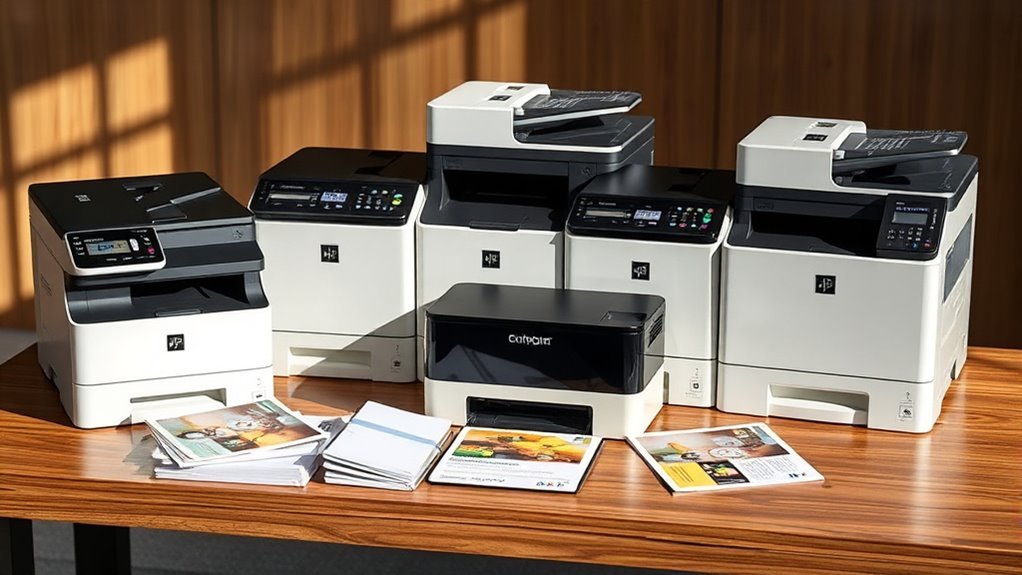
8 Best Cheap Laser Printer Scanner Copiers for 2027
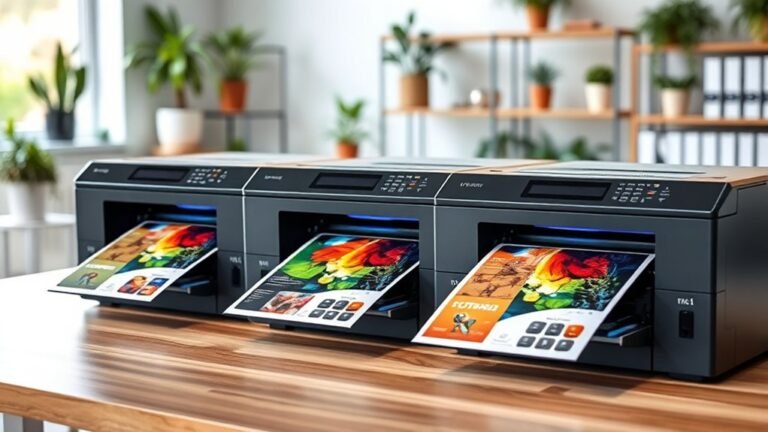
If you’re looking for a reliable, budget-friendly laser printer scanner copier for 2027, you’ve come to the right place. Finding a machine that combines quality printing, scanning, and copying without breaking the bank is easier than ever. Whether you need it for home, office, or small business use, there are plenty of options that deliver smart features and efficient performance.
You might want to consider models like the HP LaserJet M234sdw and Pro 3105sdw. These offer smart mobile printing capabilities and streamlined workflows, making your daily tasks a breeze. Canon’s MF273dw and MF284dw bring wireless convenience and fast speeds to the table, perfect for busy environments.
Brother’s DCP-L2640DW is a great pick if you want a balance of performance and user-friendly operation. And if you’re tight on space, the compact HP MFP M140w or the Canon MF3010 wired option are worth checking out. Take a look at these choices to find the perfect fit for your printing needs and workspace.
| Image | Name | Editor's Rating | Price |
|---|---|---|---|

|
|
||

|
|
||
|
|
||

|
|
||
|
|
HP LaserJet M234sdw Monochrome Laser Printer | All-in-One
No products found.
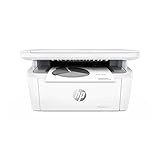
The HP LaserJet M234sdw is built to streamline monochrome printing tasks for small teams. It delivers up to 30 pages per minute, helping you complete printing jobs quickly. Automatic duplex printing reduces paper use and cuts down manual handling, improving productivity.
This all-in-one printer supports scanning and copying with a 40-page auto document feeder. It simplifies multitasking by letting you process documents hands-free. The compact design fits neatly in small office spaces, making it easy to integrate without clutter.
Connectivity options are flexible, including dual-band Wi-Fi, Ethernet, USB, and mobile printing through the HP Smart app. This variety ensures you can connect and print from multiple devices seamlessly. Maintenance is straightforward, with a 150-sheet capacity that balances size and refill frequency.
While it only prints in monochrome and has a maximum resolution of 600 x 600 dpi, it meets typical office needs for clear, professional text documents. Its energy-efficient operation supports a greener workspace without compromising performance.
Best for: Small teams of 1–5 users needing efficient monochrome printing with scanning and copying in compact office environments.
What We Like:
- Fast print speed of up to 30 ppm with automatic duplex.
- Multiple connectivity options including dual-band Wi-Fi and mobile printing.
- Easy hands-free scanning and copying via 40-page auto document feeder.
- Compact design ideal for space-limited offices.
Specification:
| Feature | Details |
|---|---|
| Manufacturer | HP |
| Dimensions (W×D×H) | Approx. 16.3 × 15.4 × 10 in (41.4 × 39.1 × 25.4 cm) |
| Weight | Approx. 18.3 lb (8.3 kg) |
| Printing Technology | Monochrome Laser |
| Print Speed | Up to 30 pages per minute |
| Maximum Resolution | 600 x 600 dpi |
| Paper Capacity | Up to 150 sheets |
| Connectivity | Dual-band Wi-Fi, Ethernet, USB, Mobile printing via HP Smart app |
HP LaserJet Pro 3105sdw Monochrome Laser Printer | All-in-One
No products found.
Experience efficient black-and-white printing designed for busy small offices with the HP LaserJet Pro 3105sdw. This all-in-one printer enhances productivity by delivering crisp prints at speeds up to 33 pages per minute. Its sharp 1200 x 1200 dpi resolution ensures professional-quality documents every time.
The multifunction design handles printing, copying, scanning, and faxing with ease. Duplex two-sided printing and automatic document feeding reduce paper waste and save time. Wireless, Ethernet, and USB connectivity options offer flexibility, while mobile printing through the HP app keeps you connected on the go.
Maintenance is straightforward, but note the printer requires genuine HP cartridges, as firmware updates block non-HP options. The single 250-sheet tray suits moderate workloads, though frequent refills may be necessary for high-volume tasks. Its compact build fits well in limited workspace environments.
With built-in AI features, scanning to email becomes smarter through auto-generated subjects and summaries, streamlining your daily workflow. This combination of functionality and convenience supports small teams needing reliable monochrome printing and multifunction capability.
Best for: Small to medium-sized businesses and work teams of up to seven users seeking fast, professional monochrome printing and versatile office solutions.
What We Like:
- Fast print speeds with high-resolution black-and-white output
- Multifunction design including duplex printing and versatile scanning
- Flexible connectivity options including Wi-Fi, Ethernet, USB, and mobile printing
- AI-enhanced scanning features that improve workflow efficiency
Specification:
| Feature | Details |
|---|---|
| Manufacturer | HP |
| Dimensions | Compact design (exact size not provided) |
| Weight | Not specified |
| Material | Standard printer materials |
| Color Options | Monochrome printing only |
Canon imageCLASS MF273dw Wireless Monochrome Laser Printer
- Wireless 3-in-1: Print | Copy | Scan
- Print up to 30 Pages Per Minute (BW, Letter)
- First Print Out in Approximately 5.3 Seconds (Letter)
- Auto 2-sided Printing
- Uses Toner 071 / 071 High-Capacity Toner
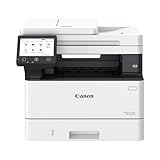
The Canon imageCLASS MF273dw is designed to simplify monochrome printing for home offices and small businesses. It tackles slow printing speeds and paper waste by delivering up to 30 pages per minute with sharp 2400 x 600 dpi resolution. Automatic duplexing helps reduce paper use, making document handling more efficient.
This model’s wireless features include Wi-Fi Direct, letting you print and scan from multiple devices without a network. Its 150-sheet input tray and auto document feeder support multitasking, reducing the need for frequent paper refills. The compact design fits well in tight spaces, although it is somewhat bulky.
Maintenance is straightforward, with easy setup and minimal intervention required during regular use. The monochrome-only output focuses on clear, crisp text rather than color, which suits professional documents but limits creative printing options.
Overall, the MF273dw offers reliable, fast printing and scanning, making daily office tasks smoother and more productive.
Best for: Small offices and home users who need fast, reliable wireless monochrome printing with efficient multitasking.
What We Like:
- Fast print speed of up to 30 ppm with clear resolution
- Automatic duplexing saves paper and time
- Wireless connectivity including Wi-Fi Direct for flexible use
- 150-sheet tray and auto document feeder aid multitasking
- Compact design fits limited workspace
Specification:
| Feature | Details |
|---|---|
| Manufacturer | Canon |
| Dimensions (W×D×H) | Approx. 16.1 × 15.7 × 12.7 in (41 × 40 × 32.3 cm) |
| Weight | Approx. 19.7 lb (8.9 kg) |
| Printing Technology | Monochrome Laser |
| Connectivity | Wireless, Wi-Fi Direct, USB |
| Input Tray Capacity | 150 sheets |
Canon imageCLASS MF3010 Wired Monochrome Laser Printer
No products found.
The Canon imageCLASS MF3010 is designed to deliver efficient black-and-white printing and copying for home offices and small businesses. Its compact design fits easily into tight spaces, making it ideal where space is limited. You’ll experience reliable output with sharp 600 x 600 dpi resolution and speeds up to 19 pages per minute, helping you complete tasks quickly.
Maintenance is straightforward with a single 150-sheet tray that handles various media types, including envelopes and card stock. The included starter toner yields up to 2,300 pages, reducing the frequency of replacements. Wired USB connectivity ensures a stable connection to Windows, Mac, and Linux systems without complicated setup.
The flatbed scanner supports color scanning up to 600 dpi and includes an ID card copy function, adding versatility to your workflow. While it lacks wireless connectivity and duplex scanning, its energy-saving features help minimize operating costs. This printer meets basic printing and scanning needs without unnecessary complexity.
Best for: Professionals or small teams needing a dependable monochrome laser printer that balances speed, quality, and ease of use.
What We Like:
- Fast printing and copying at 19 pages per minute with clear 600 x 600 dpi resolution
- Handles diverse media types including envelopes and card stock up to 8.5 x 14 inches
- Starter toner supports up to 2,300 pages, minimizing maintenance
- Simple wired USB connection compatible with multiple operating systems
- Energy-saving features help reduce power consumption
Specification:
| Feature | Details |
|---|---|
| Manufacturer | Canon |
| Dimensions (W x D x H) | 13.2 x 9.8 x 9.8 inches |
| Weight | 13.7 lbs (6.2 kg) |
| Print Technology | Monochrome Laser |
| Print Speed | Up to 19 ppm |
| Print Resolution | 600 x 600 dpi |
| Scanner Type | Flatbed color scanner |
| Scan Resolution | Up to 600 dpi |
| Paper Tray Capacity | 150 sheets |
| Connectivity | Wired USB |
Brother DCP-L2640DW Wireless Monochrome Printer
- BEST FOR SMALL BUSINESSES – Engineered for extraordinary productivity, the Brother DCP-L2640DW Monochrome (Black & White) 3-in-1 combines laser printer, scanner, copier...
- FAST PRINTER WITH EFFICIENT SCANNING – Produces documents quickly with print speeds up to 36 ppm(2) and scan speeds up to 23.6/7.9 ipm(3) (black/color). A 50-page auto...
- FLEXIBLE CONNECTION OPTIONS – Easily navigate the changing demands of your business with secure multi-device connectivity via built-in dual-band wireless (2.4GHz...
- BROTHER MOBILE CONNECT APP – Print, scan, and manage your wireless printer anytime, from almost anywhere from your mobile device. Order Brother Genuine Supplies, track...
- CHOOSE BROTHER GENUINE TONER – When it’s time to replace your toner, be sure to choose Brother Genuine TN830 or TN830XL replacement toner. And with Refresh EZ Print...

Get consistent, high-volume black-and-white prints with the Brother DCP-L2640DW, designed to meet the needs of busy small offices. This wireless monochrome laser printer combines printing, copying, and scanning in one compact device, helping you manage multiple tasks efficiently.
Its fast print speed of up to 36 pages per minute reduces waiting times and keeps your workflow smooth. The 50-page auto document feeder and 250-sheet tray allow for uninterrupted handling of large jobs, minimizing manual input and improving productivity.
Connectivity is flexible with dual-band Wi-Fi, Ethernet, and USB options, plus remote management through the Brother Mobile Connect app. This versatility ensures easy integration into various work environments and effortless control from anywhere.
Maintenance is straightforward with genuine Brother toner cartridges that help preserve print quality and reduce downtime. The energy-efficient design supports automatic duplex printing, saving paper and lowering operating costs while maintaining a small footprint.
Best for: Small businesses and home offices that require a dependable, high-speed monochrome all-in-one printer with versatile wireless connectivity.
What We Like:
- Fast print and copy speeds up to 36 ppm for improved efficiency
- Multiple connectivity options including dual-band Wi-Fi and Ethernet
- 50-page auto document feeder and 250-sheet tray for handling large tasks
- Energy-efficient with automatic duplex printing
- Compact design fits easily into limited workspace
Specification:
| Feature | Details |
|---|---|
| Manufacturer | Brother |
| Dimensions | 16.1 x 15.7 x 11.7 in |
| Weight | 16.5 lb (7.5 kg) |
| Printing Technology | Monochrome Laser |
| Connectivity | Dual-band Wi-Fi, Ethernet, USB |
| Functions | Print, Copy, Scan |
HP Laserjet MFP M140w Wireless All-in-One Printer
- All-in-One Functionality: The HP LaserJet MFP M140w offers the convenience of printing, copying, and scanning in a single, compact device, saving valuable space in your...
- Wireless Connectivity for Easy Printing: Enjoy the flexibility of wireless printing with seamless Wi-Fi connectivity. You can easily print documents from your phone...
- Fast, High-Quality Monochrome Printing: Achieve clear, sharp, black-and-white prints with fast print speeds, making this printer perfect for handling high-volume tasks...
- Effortless Setup and User-Friendly Operation: The HP LaserJet MFP M140w is designed for quick and simple setup. With a user-friendly interface, you'll be up and running...
- Energy-Efficient with Auto-On/Off Technology: Save on energy costs with HP’s Auto-On/Off technology, which automatically powers the printer on when you send a print job...
Experience efficient, reliable printing tailored for home and small office environments with the HP LaserJet MFP M140w. This all-in-one monochrome laser printer simplifies everyday tasks by combining printing, scanning, and copying into one compact device. Its fast output of 21 pages per minute ensures your documents are ready when you need them.
Designed for convenience, the M140w supports wireless Wi-Fi connectivity, allowing you to print directly from smartphones, tablets, or laptops via the HP Smart app. This helps reduce clutter and streamlines your workflow without the hassle of cables or transfers.
Maintenance is straightforward with a preinstalled toner cartridge that lets you start printing immediately. The printer’s energy-efficient Auto-On/Auto-Off technology minimizes power use, lowering operating costs and environmental impact. Its 150-sheet paper tray balances capacity and space-saving design, fitting easily into tight workspaces.
While it only prints in monochrome and has a single paper tray, the M140w’s compact size and wireless functionality make it ideal for users needing reliable, everyday document handling without unnecessary complexity.
Best for: Individuals and small office users needing a compact, wireless monochrome laser printer for routine printing, scanning, and copying tasks.
What We Like:
- Quick printing speed with clear 600 dpi resolution
- Wireless printing via HP Smart app for flexible device use
- Energy-saving Auto-On/Auto-Off feature reduces power consumption
- Compact design fits well in small spaces
- Preinstalled toner cartridge enables immediate use
Specification:
| Feature | Details |
|---|---|
| Manufacturer | HP |
| Dimensions | Compact (exact size not provided) |
| Weight | Not specified |
| Color Options | White |
| Printing Speed | 21 pages per minute |
| Print Resolution | 600 dpi |
| Connectivity | Wireless Wi-Fi |
| Paper Capacity | 150 sheets |
Canon imageCLASS MF284dw Multifunction Wireless Monochrome Laser Printer
- Print up to 35 pages-per-minute with a first print out of time of less than 4.9 seconds (letter)
- Print on-the-go with Canon Print App, Canon PRINT Business, Apple AirPrint and Mopria Print Service
- High capacity toner option keeps up with your printing needs and limits toner replacement interruptions
- Duplex print saves paper and related costs
- High speed scanning. Single-sided: up to 15/21 ipm (BW/Color)
The Canon imageCLASS MF284dw offers a practical solution for offices that demand efficient and reliable monochrome printing. Its fast print speed of up to 35 pages per minute helps reduce wait times and keeps workflows moving smoothly. Wireless connectivity enables seamless mobile printing through the Canon PRINT app, Apple AirPrint, or Mopria Print Service, eliminating the hassle of cables.
Designed for multitasking, this multifunction printer copies and scans quickly using an automatic document feeder. The duplex printing feature conserves paper, supporting environmentally conscious office practices. Its compact design fits comfortably in most workspaces without sacrificing functionality.
Maintenance is straightforward with a high-capacity toner option that minimizes interruptions. Clear LCD and LED indicators provide easy-to-understand status updates, so users stay informed during operation. While it produces only monochrome output and primarily supports plain paper, it meets the needs of many standard office tasks effectively.
Best for: busy office environments requiring fast, wireless, monochrome printing combined with scanning and copying capabilities.
What We Like:
- Fast 35 ppm print speed with duplex printing to reduce paper use
- Wireless mobile printing via Canon PRINT, Apple AirPrint, and Mopria
- Automatic document feeder streamlines copying and scanning tasks
- High-capacity toner option reduces frequency of replacements
Specification:
| Specification | Details |
|---|---|
| Manufacturer | Canon |
| Dimensions | Compact size (exact size not provided) |
| Weight | Lightweight (exact weight not provided) |
| Color | Monochrome (black and white) |
| Connectivity | Wireless, USB |
Canon imageCLASS MF462dw II – Wireless, Monochrome Duplex Laser Printer
- Monochrome, Wireless, Duplex 4-in-1: Print, scan, copy, fax.
- Fast Print Speeds: Print up to 37 pages per minute and spend less time waiting with a quick first print time of approximately 5 seconds.
- Easy Wireless Setup: Setup your wireless connection and get up and running in just a few steps2
- 5-inch Color Touchscreen: Get the job done quickly with Application Library - an intuitive and easy to use customizable access to the features you use most.
- Mobile Device Printing: Print from your compatible mobile devices using the free Canon PRINT app, Apple AirPrint and Mopria Print Service.
Experience seamless productivity with the Canon imageCLASS MF462dw II, designed to meet the demands of small offices and hybrid work environments. This monochrome laser printer streamlines your workflow by combining printing, scanning, copying, and faxing in one compact device. Its wireless connectivity keeps your workspace clutter-free and allows easy access from multiple devices.
The 5-inch color touchscreen offers a user-friendly interface with a customizable Application Library, making frequent tasks quicker and more efficient. Printing sharp black-and-white documents at up to 37 pages per minute helps reduce wait times, while duplex printing and one-pass duplex scanning through the 50-sheet ADF optimize handling of double-sided documents.
Maintenance is straightforward with a 250-sheet cassette and multipurpose tray, expandable up to 900 sheets to accommodate larger print jobs. Mobile printing support via Canon PRINT, AirPrint, and Mopria adds convenience for on-the-go printing. While it’s limited to monochrome output and has a single USB port, its robust performance and wireless features make it a reliable centerpiece for busy workspaces.
Best for: Small teams and hybrid offices requiring fast, reliable monochrome printing with versatile scanning and wireless capabilities.
What We Like:
- Fast print speeds up to 37 ppm with crisp 1200 x 1200 dpi quality
- Efficient one-pass duplex scanning and automatic two-sided printing
- Wireless and mobile printing support through multiple platforms
- Expandable paper capacity for handling varied workloads
Specification:
| Feature | Details |
|---|---|
| Manufacturer | Canon |
| Model | imageCLASS MF462dw II |
| Printing Technology | Monochrome Duplex Laser |
| Print Speed | Up to 37 pages per minute (ppm) |
| Resolution | 1200 x 1200 dpi |
| Paper Capacity | 250-sheet cassette + multipurpose tray, expandable to 900 sheets |
| ADF Capacity | 50 sheets |
| Connectivity | Wireless, USB |
| Touchscreen | 5-inch color touchscreen |
| Dimensions (WxDxH) | Not specified |
| Weight | Not specified |
Factors to Consider When Choosing a Cheap Laser Printer Scanner Copier
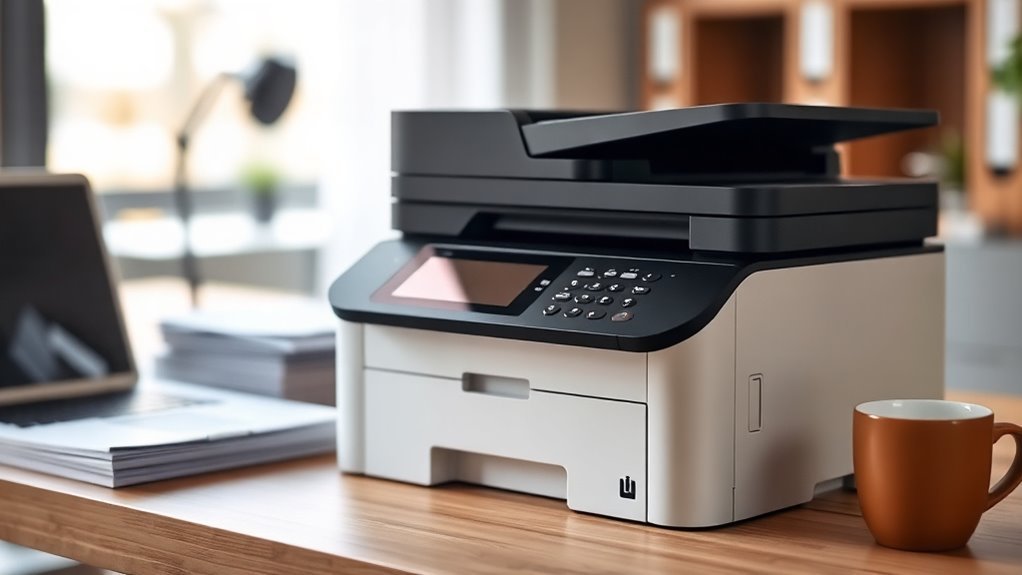
When choosing a cheap laser printer scanner copier, you’ll want to take into account print speed and connectivity options to match your workflow. Don’t overlook print quality and whether duplex printing is a must for you.
Also, check the paper capacity to avoid frequent refills during busy tasks. It’s little things like these that can make a big difference in your daily use. So, keep them in mind when making your choice!
Print Speed Importance
Choosing a cheap laser printer scanner copier means paying close attention to print speed, as it directly impacts how quickly you get your documents. Print speed, measured in pages per minute (ppm), shows how fast your printer handles single-sided black-and-white pages. This is vital for high-volume tasks.
For two-sided printing, check duplex ppm or impressions per minute (ipm) since duplex printing slows output. If you often print multi-page documents or share the printer with a team, faster speeds reduce wait times. But if you only print occasionally at home, slower speeds might be just fine.
Also, consider first-page-out time to make sure you get quick responsiveness, especially for single-page prints. Finally, higher print speeds usually mean more durable components and higher duty cycles. So, pick a speed that matches your expected monthly print volume to avoid premature wear.
Connectivity Options Variety
Although print speed matters, the variety of connectivity options can make or break your experience with a cheap laser printer scanner copier. You’ll want a model supporting both wired connections like USB 2.0 and Ethernet, plus wireless options such as dual-band 2.4/5 GHz Wi‑Fi and Wi‑Fi Direct.
This flexibility lets you connect desktops, laptops, and mobile devices seamlessly. Look for mobile printing protocols like AirPrint, Mopria, and dedicated apps to print or scan directly from your smartphone or tablet.
An auto document feeder with network scanning, scan-to-email, or scan-to-cloud features helps when multiple users share the device. Also, make certain the printer has Ethernet and robust Wi‑Fi with features like intelligent connection selection for stable performance.
Don’t forget USB host support for direct printing or scanning if the network goes down. It’s a handy backup that keeps things running smoothly when you need it most.
Print Quality Standards
Since print quality directly impacts your documents’ professionalism and readability, you’ll want to prioritize resolution standards when selecting a cheap laser printer scanner copier. Look for a minimum optical print resolution of 600 x 600 dpi to guarantee sharp monochrome text.
If you want finer text and line-art detail, go for 1200 x 1200 dpi or higher. For scanning, aim for at least 300 dpi optical resolution for text and OCR. But if you need detailed graphics or archival-quality scans, choose 600 dpi or more.
When checking copy quality, review the maximum copy resolution and features like automatic image adjustments to reduce artifacts. Also, keep toner technology and halftone rendering in mind. Higher native dpi and finer dot screening provide smoother grayscale and graphics, which is essential when scanning or copying photos or complex documents.
Duplex Printing Benefits
You’ll often find duplex printing a game-changer when managing costs and efficiency with a cheap laser printer scanner copier. By printing on both sides automatically, you cut paper use roughly in half, lowering supply expenses and waste.
Duplex printing also lets you create professional-looking booklets, manuals, and reports without flipping pages or extra binding. Automatic duplexing speeds up multi-page jobs, saving you time and reducing handling errors compared to manual two-sided printing.
Plus, duplex scanning with one-pass double-sided ADFs captures both sides of originals in a single pass, boosting your scan throughput and workflow. Setting duplex printing as default further reduces storage and shipping costs, while supporting eco-friendly office practices.
These benefits make duplex printing a smart feature to prioritize. It really pays off in both convenience and savings!
Paper Capacity Limits
Maximizing the benefits of duplex printing also means ensuring your printer’s paper capacity keeps up with your workflow. Check the input tray capacity, which typically holds 150–250 sheets, to match your monthly print volume and cut down on frequent reloads.
If you scan or copy multi-page documents often, consider the ADF size—usually 40–50 sheets—to avoid constant feeder refills. Don’t overlook the output tray and maximum duty cycle; higher capacities handle heavy bursts without jams or overflow.
Also, verify the multipurpose or bypass tray capacity for envelopes and specialty media, so you won’t need to swap paper when switching tasks. Finally, balance sheet capacity with your printer’s physical footprint if space or portability matters, since larger trays increase size and weight.
Mobile Printing Features
How easily can you print or scan directly from your smartphone or tablet? To avoid extra hassle, choose a printer that supports common mobile printing standards like AirPrint, Mopria, or native app printing. This way, you won’t need to install drivers.
Look for dual-band Wi-Fi (2.4 GHz and 5 GHz) or Wi-Fi Direct to guarantee stable, fast connections from your device. A touchscreen or app integration that lets you scan directly to cloud services, email, or phone storage is a big plus.
Don’t forget secure mobile features like password-protected printing and encrypted transfers to keep your documents safe. Also, verify that the mobile app supports cloud workflows and can create searchable PDFs or auto-name files, making your mobile printing experience smoother and more efficient.
Energy Efficiency Ratings
Although cheap laser printer scanner copiers may seem similar, their energy efficiency can vary greatly. Look for Energy Star or EPEAT certifications, which show the device meets strict power-saving standards in active, idle, and sleep modes.
Check the printer’s power consumption figures—many small monochrome lasers use 10–50 watts idle but several hundred watts when printing. See if it supports auto-on/auto-off or programmable sleep timers to reduce energy use during long idle periods.
Duplex printing and automatic document feeder (ADF) batch scanning not only save paper but also cut overall energy per job by speeding up multi-page tasks. When comparing models, use TEC values or annual kWh estimates to gauge yearly electricity costs.
This way, you can pick the most energy-efficient option without sacrificing performance. It’s worth paying attention to these details to save both energy and money in the long run.
Warranty And Support
When choosing a cheap laser printer scanner copier, you’ll want to carefully check the warranty length and coverage to guarantee unexpected repair costs. Look for multi-year warranties that cover defects and parts replacements throughout your device’s expected life.
Also, confirm what support options are available—phone, email, live chat, and online resources—and their hours so you can get quick assistance if needed. It’s a good idea to check whether on-site repairs are included or if you must ship the unit, which can add downtime and costs.
Make sure you understand what consumables and repairs are covered, like faulty fusers or ADF issues, versus exclusions such as wear-and-tear or user damage. Finally, review the warranty claim process, including registration and proof of purchase, to guarantee your coverage won’t be voided by regional restrictions or firmware versions.
Frequently Asked Questions
How Do Toner Costs Compare Among Different Laser Printers?
Toner costs vary widely, so you’ll want to compare yield and price carefully. Some printers use high-yield cartridges, lowering cost per page, while others have cheaper upfront toner but higher replacement frequency.
Always check reviews! They can give you a good idea of what to expect in real-world use. It’s all about finding the best balance for your needs.
Are These Printers Compatible With macOS and Linux Operating Systems?
Imagine your sleek Mac or trusty Linux machine seamlessly communicating with your printer. Most models support macOS and Linux, but you’ll want to double-check drivers and compatibility.
This helps make certain you get smooth, hassle-free printing, scanning, and copying every time. It’s worth a quick look before you buy!
What Is the Average Lifespan of a Cheap Laser Printer Scanner Copier?
You can expect a cheap laser printer scanner copier to last around 3 to 5 years with regular use. Proper maintenance and occasional part replacements can extend its lifespan.
But keep in mind, heavy daily use might shorten it. So, if you’re using it a lot, it might not last as long as you’d hope.
Can These Printers Handle Mobile Printing via Apps Like Airprint or Google Cloud Print?
Yes, many affordable laser printer scanner copiers support mobile printing through apps like AirPrint or Google Cloud Print.
You’ll just need to check each model’s specifications to confirm compatibility before purchasing.
It’s pretty easy to do, and most brands make it clear if their printers work with these apps.
Do These Models Support Automatic Duplex Scanning and Copying?
Yes, most of these models support automatic duplex scanning and copying, so you won’t have to manually flip pages.
This feature saves time and effort, especially when handling multi-page documents regularly. It makes the whole process quicker and way more convenient.
Conclusion
Choosing the right cheap laser printer scanner copier is like finding a trusty compass in a dense forest—it guides your productivity and creativity with precision. Whether you value speed, clarity, or wireless convenience, these models stand as reliable beacons in your workspace.
Trust your instincts, and let the perfect all-in-one device illuminate your path to seamless printing, scanning, and copying. With the best cheap laser printer scanner copiers, everyday tasks become effortless achievements. These affordable machines offer great value without compromising quality, making them ideal for home offices or small businesses.
So, if you’re looking for a budget-friendly solution that combines efficiency and versatility, these options have got you covered. Don’t settle for less—choose a printer scanner copier that keeps you productive and connected every day.