5 Best All-in-One LaserJet Printers for 2027
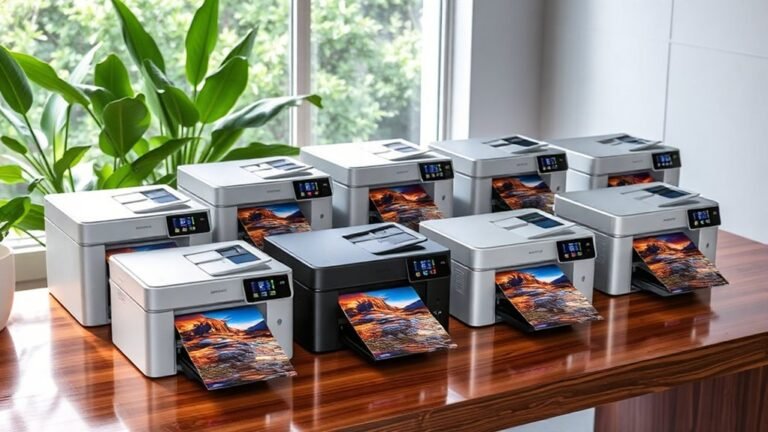
If you’re on the hunt for the best all-in-one LaserJet printers in 2027, you’ve got some great options to choose from. Whether you need fast monochrome printing, vibrant color output, or smart features like AI scanning, there’s a printer that fits the bill. These versatile machines combine printing, scanning, copying, and sometimes faxing, making them perfect for both home offices and busy workspaces.
For speedy monochrome printing and AI-enhanced scanning, the HP LaserJet Pro 3105sdw is a solid pick. Or, if you want eco-friendly duplex printing with quick output, the Brother DCP-L2640DW is worth checking out.
If color printing is a priority, the HP Color LaserJet Pro MFP 3301sdw delivers vibrant prints with top-notch security features. Need something compact? The HP LaserJet MFP M140w saves space without sacrificing performance. For teams, the HP Color LaserJet Pro MFP 4301fdw offers high-speed color printing and multitasking capabilities to boost productivity. Take a look and find what works best for your needs.
| Image | Name | Editor's Rating | Price |
|---|---|---|---|

|
|
||

|
|
||

|
|
||

|
|
HP LaserJet Pro 3105sdw Monochrome Laser Printer | All-in-One
No products found.
The HP LaserJet Pro 3105sdw is designed to boost productivity in busy small or medium business environments. It combines printing, copying, scanning, and faxing into one compact device, saving valuable space without sacrificing performance. This all-in-one printer handles everyday tasks with ease, delivering sharp black-and-white documents at speeds up to 33 pages per minute.
Maintenance is straightforward, but note the single paper tray holds up to 250 sheets, which may require regular refills during heavy use. The printer supports duplex printing and scanning, helping reduce paper waste and improve efficiency. Connectivity options like Wi-Fi, Ethernet, and mobile app control make it easy to integrate into your current office setup.
This model also includes AI-powered features to simplify scanning and enhance document quality. Weighing only 23.1 pounds, it fits comfortably in smaller workspaces while supporting up to seven users securely. However, it only prints in monochrome and requires original HP toner cartridges due to firmware restrictions.
Best for: small to medium businesses and teams needing a reliable, secure, and fast monochrome laser all-in-one printer with advanced connectivity and smart scanning features.
What We Like:
- Fast printing at 33 pages per minute with 1200 x 1200 dpi quality
- All-in-one functionality including duplex print and scan
- Multiple connectivity options: Wi-Fi, Ethernet, USB, and mobile app
- AI-enhanced scanning for improved document handling
Specification:
| Feature | Details |
|---|---|
| Manufacturer | HP |
| Dimensions | Compact size (exact size not provided) |
| Weight | 23.1 lb (10.5 kg) |
| Color | Monochrome (Black and White) |
| Paper Capacity | Single tray, 250 sheets |
Brother DCP-L2640DW Wireless Monochrome Printer
- BEST FOR SMALL BUSINESSES – Engineered for extraordinary productivity, the Brother DCP-L2640DW Monochrome (Black & White) 3-in-1 combines laser printer, scanner, copier...
- FAST PRINTER WITH EFFICIENT SCANNING – Produces documents quickly with print speeds up to 36 ppm(2) and scan speeds up to 23.6/7.9 ipm(3) (black/color). A 50-page auto...
- FLEXIBLE CONNECTION OPTIONS – Easily navigate the changing demands of your business with secure multi-device connectivity via built-in dual-band wireless (2.4GHz...
- BROTHER MOBILE CONNECT APP – Print, scan, and manage your wireless printer anytime, from almost anywhere from your mobile device. Order Brother Genuine Supplies, track...
- CHOOSE BROTHER GENUINE TONER – When it’s time to replace your toner, be sure to choose Brother Genuine TN830 or TN830XL replacement toner. And with Refresh EZ Print...

The Brother DCP-L2640DW offers a practical solution for those needing fast and dependable monochrome printing. Its compact design fits well in tight spaces, making it ideal for small businesses or home offices. With print speeds up to 36 pages per minute, it keeps up with demanding workloads efficiently.
This 3-in-1 laser printer combines printing, copying, and scanning to streamline your daily tasks. The 50-page automatic document feeder and 250-sheet tray reduce the need for frequent paper refills. Wireless and wired connectivity options, including dual-band Wi-Fi and Ethernet, allow for flexible placement and easy network integration.
Maintenance is straightforward with features like toner save mode, which reduces waste and operating costs. Automatic duplex printing not only conserves paper but also supports eco-friendly practices. Although it only prints in black and white, it excels at delivering sharp, high-resolution output.
Best for: small businesses and home offices needing reliable monochrome printing, copying, and scanning with versatile connectivity and efficient handling of high-volume tasks.
What We Like:
- Fast printing and copying speeds up to 36 ppm with 1200 x 1200 dpi clarity
- Flexible connectivity via dual-band Wi-Fi, Ethernet, and USB
- Eco-conscious features such as automatic duplex and toner save mode
Specification:
| Feature | Details |
|---|---|
| Manufacturer | Brother |
| Dimensions | Compact size (exact dimensions not provided) |
| Weight | Not specified |
| Color Options | Monochrome (black only) |
| Connectivity | Dual-band Wi-Fi, Ethernet, USB |
HP Color LaserJet Pro MFP 3301sdw Printer
- FROM AMERICA'S MOST TRUSTED PRINTER BRAND – Perfect for small teams printing, scanning and copying professional-quality color documents and reports. Print speeds up to...
- PROFESSIONAL PRODUCTIVITY – Proficiency with every print—next-generation TerraJet toner brings your business to life with more vivid colors.
- ORIGINAL HP TONER CARTRIDGES – This HP printer uses Original HP 218A standard and 218X high yield LaserJet toner cartridges.
- UPGRADED FEATURES – Fast color printing, scan, copy, auto 2-sided printing, auto document feeder, and a 250-sheet input tray.
- AWARD-WINNING RELIABILITY – Performance you can count on page after page, and always ready for the high demands of business.
The HP Color LaserJet Pro MFP 3301sdw is a smart choice for small teams and offices looking to boost productivity. It tackles the challenge of slow printing with speeds up to 30 ppm in vibrant color, helping your workflow stay smooth and efficient.
This all-in-one printer simplifies tasks by offering automatic duplex printing and a handy auto document feeder. Its design supports easy maintenance with firmware updates that ensure compatibility only with Original HP toner, keeping your prints consistent and reliable.
Connectivity is seamless thanks to built-in Wi-Fi, Ethernet, and mobile printing through the HP app. This flexibility means you can print from multiple devices without hassle, making it easier to stay connected and efficient throughout the workday.
Security is a priority with HP Wolf Pro, which protects your device and data from threats. The printer’s two 250-sheet trays and flatbed scanner add versatility, while the use of TerraJet toner provides vivid colors for professional-quality prints.
Best for: small teams and offices needing a reliable, fast, and secure color laser all-in-one printer with versatile connectivity and vibrant print quality.
What We Like:
- Fast color printing with automatic duplex and document feeder
- Multiple connectivity options including Wi-Fi and Ethernet
- Strong security features with HP Wolf Pro protection
- Firmware updates that maintain cartridge compatibility
- Two 250-sheet trays supporting steady workflow
Specification:
| Feature | Details |
|---|---|
| Manufacturer | HP |
| Dimensions (W x D x H) | 16.5 x 16.3 x 14.2 inches |
| Weight | 35.3 lb (16 kg) |
| Paper Capacity | Two trays, 250 sheets each |
| Connectivity | Wi-Fi, Ethernet, Mobile (HP app) |
| Print Speed | Up to 30 ppm (color) |
HP Laserjet MFP M140w Wireless Printer
- FROM AMERICA'S MOST TRUSTED PRINTER BRAND – Perfect for small teams printing, scanning and copying professional-quality black & white documents and reports. Perfect for...
- WORLD'S SMALLEST LASER IN ITS CLASS – Precision laser printing, scanning, and copying that fits anywhere
- FAST PRINT SPEEDS – Up to 21 black-and-white pages per minute single-sided
- WIRELESS WITH SELF-RESET – Helps you stay connected
- EASILY COPY ID CARDS AND MORE – Copy both sides of ID cards or other small-size documents onto the same side of one sheet of paper
The HP Laserjet MFP M140w Wireless Printer is designed to streamline your daily document tasks. Its compact size, the smallest in its class, saves valuable desk space without sacrificing performance. You can print, scan, and copy professional-quality black-and-white documents quickly and efficiently.
This printer supports wireless printing across multiple platforms, including Microsoft, Mac, AirPrint, Android, and Chromebook. Using the HP Smart app, you can easily scan to the cloud or automate routine tasks. The device’s ability to copy both sides of ID cards onto one page helps reduce paper use and speeds up workflows.
Maintenance is straightforward with original HP cartridges that ensure consistent print quality and device security. Firmware updates protect your printer by blocking non-HP chips, though this may limit third-party cartridge options and require regular monitoring.
Best for: Small teams or individuals who need a reliable, compact black-and-white laser printer with wireless connectivity for everyday professional use.
What We Like:
- Compact design saves space on your desk
- Fast printing up to 21 pages per minute
- Wireless compatibility with multiple devices and the HP Smart app
- Efficient ID card copying on a single page
- Secure printing with original HP cartridges and firmware updates
Specification:
| Feature | Details |
|---|---|
| Manufacturer | HP |
| Dimensions | Not specified |
| Weight | Not specified |
| Color Options | Not specified |
| Print Speed | Up to 21 pages per minute |
| Connectivity | Wireless (Wi-Fi) |
HP Color LaserJet Pro MFP 4301fdw | Color Printer | Wireless | All-in-One
- EVERYTHING SMALL TEAMS NEED – Print, scan and copy professional-quality color documents and reports plus fax. Auto 2-sided printing and auto document feeder for fast...
- BLAZING FAST COLOR – Up to 35 color pages per minute, with sharp details and incredible color
- STAYS CONNECTED – Intelligent Wi-Fi looks for the best connection to stay online and ready to print
- PROTECTS YOUR DATA – Includes HP Wolf Pro Security with customizable settings so your printer and information are always secure
- PRINT FROM ANY DEVICE – Wireless printing from any mobile device, PC or tablet. Ethernet and Bluetooth included. Works with Microsoft, Mac, AirPrint, Android...
The HP Color LaserJet Pro MFP 4301fdw brings vibrant color printing and fast performance to small teams and home offices. It tackles printing tasks efficiently, delivering up to 35 pages per minute in black and 33 in color. Automatic two-sided printing helps reduce paper waste, making your workflow more eco-friendly.
This all-in-one printer combines printing, scanning, copying, and faxing in a single device. Its 300-sheet capacity and dual trays offer flexibility for handling different media types without frequent refills. Wireless options like Wi-Fi, Bluetooth, and mobile printing support allow seamless connection from various devices.
Maintenance is straightforward but requires original HP cartridges due to firmware-enforced compatibility. While this ensures quality prints, it might increase consumable expenses. The compact design balances functionality with a heavier weight of 45 pounds, which may reduce portability but provides stability.
Security features protect sensitive information, and easy setup means you can start printing quickly. The print resolution of 607 x 600 dpi suits everyday office needs, though it may not capture extremely fine color details.
Best for: Small teams and home offices needing fast, vibrant color printing with versatile all-in-one functionality and wireless connectivity.
What We Like:
- Fast print speeds with automatic duplex printing
- Wide wireless and mobile printing options
- Multifunction capabilities streamline office tasks
- Large paper capacity with media flexibility
- Built-in security features for safer operation
Specification:
| Feature | Details |
|---|---|
| Manufacturer | HP |
| Dimensions | Not specified |
| Weight | 45 lb (approx. 20.4 kg) |
| Color Options | Not specified |
| Printing Speed | Up to 35 ppm black, 33 ppm color |
| Print Resolution | 607 x 600 dpi |
| Paper Capacity | 300 sheets, 2 trays |
Factors to Consider When Choosing an All in One Laserjet Printer

When choosing an all-in-one LaserJet printer, you’ll want to compare print speeds and check which connectivity options fit your setup. Don’t overlook print quality and resolution, as well as how much paper the printer can handle at once.
Plus, consider security features to keep your documents safe. It’s all about finding a printer that matches your needs and keeps things running smoothly.
Print Speed Comparison
Although print speed is often one of the first specs you check, you should consider more than just pages per minute (ppm) when choosing an all-in-one LaserJet printer. Compare black and color ppm separately, since color prints usually run slower.
Check the first-page-out time—it shows how fast your printer starts, which matters for quick jobs. Don’t overlook duplex printing speeds; two-sided prints often take longer, so confirm whether the ppm rating applies to single- or double-sided printing.
Match the rated ppm with your actual workload, whether you handle burst jobs or steady daily prints. Finally, review the duty cycle to make certain the printer can sustain those speeds without wear.
These factors help you find a printer that fits your needs effectively.
Connectivity Options Available
How will you connect your all-in-one LaserJet printer to fit your workflow? Choose a model supporting both wired (Ethernet, USB) and wireless (dual-band Wi-Fi 2.4/5 GHz, Wi-Fi Direct) connections to guarantee network stability and flexibility for mobile devices.
Make sure it supports mobile printing standards like Apple AirPrint and Mopria or offers native app support for driver-free printing and scanning from smartphones and tablets. This way, you can print easily without fussing over drivers.
Look for cloud and remote features such as Print Anywhere or print-to-email, enabling you to send documents from anywhere. It’s super convenient when you’re on the go or working remotely.
If you handle multi-page documents, confirm the presence of an automatic document feeder (ADF) with duplex and network scanning options. This saves you time and effort when scanning or copying.
Finally, prioritize security with secure Wi-Fi, user authentication, and firmware update controls to keep your data safe and manage access efficiently. After all, protecting your information should always come first.
Print Quality And Resolution
What makes print quality stand out on an all-in-one LaserJet printer? It’s mainly about resolution and toner performance. Look for printers offering at least 600 x 600 dpi for sharp text and fine detail.
Models boasting 1200 x 1200 dpi or enhanced modes deliver smoother gradients and crisper graphics. They’re perfect for professional reports or marketing materials.
Don’t overlook toner technology—newer toners and precise engine calibration guarantee deeper blacks, consistent halftones, and less graininess. Also, consider first-page-out time and warm-up speed, especially if you need quick, high-quality output.
Finally, if duplex printing or double-sided scanning is important, check that the device supports adequate dpi in both functions. That way, you’ll preserve detail and clarity across all your documents.
Paper Handling Capacity
Consider your typical print volume and workflow when evaluating paper handling capacity in an all-in-one LaserJet printer. Check the input tray capacity—usually 150 to 300 sheets—to match your print volume and reduce refills.
Think about the number of trays; having two or more lets you load different paper sizes or types without constant switching. Look for an automatic document feeder (ADF) with at least a 50-sheet capacity for efficient multi-page scanning and copying.
Don’t forget the output tray capacity and any stacking options to avoid jams during large jobs. Also, confirm duplex printing support and the maximum media sizes and types the trays accept, such as envelopes or cardstock.
That way, your printer fits your varied workflow needs perfectly.
Security Features Included
Although printing tasks often seem straightforward, securing your all-in-one LaserJet printer is crucial to protect sensitive information and prevent unauthorized access. You should look for built-in device hardening and firewall features that block unauthorized network access and support firmware updates to close vulnerabilities.
Make certain the printer supports secure boot and encrypted storage or memory overwrite to safeguard data stored on the device. Opt for secure printing options like PIN or job release to avoid unattended confidential document pickup.
Also, check for encrypted network protocols such as TLS, IPsec, or SNMPv3 and secure authentication methods like 802.1x or LDAP/Active Directory to integrate safely into your network. Finally, confirm audit logs, access controls, and admin role separation are available to monitor usage and restrict security setting changes.
Cartridge Compatibility Requirements
When choosing an all-in-one LaserJet printer, you’ll want to pay close attention to cartridge compatibility. It directly impacts both cost and performance.
Some printers use chips or circuitry to authenticate cartridges and will reject those lacking original components. Firmware updates can also tighten these rules, causing third-party or refilled cartridges that once worked to fail.
This limits your options to manufacturer-approved toner SKUs, which affects your costs and yields. Using incompatible cartridges risks error messages, lost functionality, or disabled printing until you install an authorized cartridge.
Be sure to check if the printer requires cartridge chips, electrical contacts, or firmware-matched signatures. Compatibility depends on these technical factors.
Understanding these requirements helps you avoid surprises and manage operating expenses effectively. It’s worth taking the time to get this right!
Frequently Asked Questions
How Do Laser Printers Compare to Inkjet Printers in Print Quality?
Laser printers deliver sharper text and faster printing, while inkjet printers excel at vibrant, detailed color images.
You’ll prefer laser for documents and inkjet for photos, depending on your specific printing needs and quality expectations. It really comes down to what you print most often and how you want it to look.
What Are the Environmental Impacts of Laser Printers?
You’ll find laser printers consume more energy and produce toner dust, impacting air quality. However, they use less ink and often last longer, which can reduce waste compared to inkjets if you recycle cartridges properly.
That said, proper recycling is key to keeping their environmental footprint lower. So, while they have some downsides, laser printers can be a smarter choice if you manage their supplies right.
Can Laser Printers Print on Different Paper Types Like Labels or Cardstock?
You can print on various paper types like labels or cardstock with laser printers—about 70% of users do this.
Just adjust the settings and use compatible paper to avoid jams and get crisp, professional results every time. It’s pretty straightforward once you get the hang of it!
How Often Do Laser Printer Cartridges Need Replacement?
You’ll typically need to replace laser printer cartridges every 2,000 to 5,000 pages, depending on usage and cartridge capacity.
Keep an eye on print quality and toner levels to know when it’s time for a replacement.
It’s pretty easy to tell when your cartridge is running low because your prints might start to look faded or streaky. Just swap it out, and you’re good to go!
Are Laser Printers Safe for Home Use Regarding Ozone Emissions?
Yes, laser printers are generally safe for home use regarding ozone emissions. They produce minimal ozone, especially modern models with built-in filters.
Conclusion
Choosing the right all-in-one LaserJet printer is like picking the perfect tool for your creative workshop—it shapes how smoothly your projects flow. Whether you need crisp monochrome prints or vibrant color, wireless convenience, or speedy performance, one of these top models will fit your needs.
Don’t just settle; find the printer that feels like an extension of your productivity, making every task easier and more efficient. Your ideal printing partner is waiting. With the best all-in-one LaserJet printers for 2027, you get the perfect blend of quality, speed, and versatility. So go ahead, upgrade your workspace with a printer that keeps up with your demands and helps you create without limits.