6 Best Budget AirPrint Printers for 2027
If you’re hunting for a budget AirPrint printer in 2027, you’ve got some great options to choose from. Whether you need something compact for small spaces or a machine that handles heavier print jobs, there’s a model that fits your style and budget.
Consider the Canon PIXMA TS4320 if you want an all-in-one that saves space without sacrificing features. For lighter home printing tasks, the affordable TS3720 is a solid pick. Looking for duplex printing? The TS5320 offers versatile options that make double-sided printing easy.
Need something with higher capacity? The TS702a is designed for heavy-duty use and won’t slow you down. If fax and scanning are important, check out the TR4720—it’s more than just a printer. And for those on the go, the portable Pixma iP110 is perfect for mobile printing.
Each of these balances cost, quality, and wireless convenience. Take a closer look at their features to find the best fit for your printing needs.
| Image | Name | Editor's Rating | Price |
|---|---|---|---|

|
|
||
|
|
||
|
|
||

|
|
||

|
|
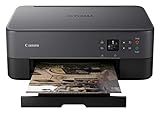
Canon PIXMA TS4320 – Wireless Color Inkjet Printer with Print, Copy, Scan
- Affordable Versatility - A budget-friendly all-in-one printer perfect for both home users and hybrid workers, offering exceptional value
- Crisp, Vibrant Prints - Experience impressive print quality for both documents and photos, thanks to its 2-cartridge hybrid ink system that delivers sharp text and vivid...
- Effortless Setup & Use - Get started quickly with easy setup for your smartphone or computer, so you can print, scan, and copy without delay
- Reliable Wireless Connectivity - Enjoy stable and consistent connections with dual-band Wi-Fi (2.4GHz or 5GHz), ensuring smooth printing from anywhere in your home or...
- Scan & Copy Handling - Utilize the device’s integrated scanner for efficient scanning and copying operations

The Canon PIXMA TS4320 is an ideal solution for those who need a compact, versatile all-in-one printer that fits seamlessly into home or hybrid work environments. It simplifies everyday printing, copying, and scanning tasks, helping users stay productive without taking up much space.
Thanks to its wireless dual-band Wi-Fi and mobile printing support through the Canon PRINT app, Apple AirPrint, and Mopria, it makes printing from smartphones and tablets effortless. This connectivity reduces clutter and lets you print from virtually anywhere in your home.
The printer produces sharp color and black-and-white documents at up to 1200 x 1200 dpi, ensuring quality output for casual documents. Auto duplex printing helps save paper, adding practicality to its compact design.
Maintenance is straightforward with easy control buttons and a single paper tray that holds up to 100 sheets. While the print speed is moderate and the scanner resolution is lower than print resolution, it still handles everyday tasks efficiently.
Best for: Home users and hybrid workers needing a stylish, space-saving all-in-one printer for occasional use.
What We Like:
- Wireless dual-band Wi-Fi with multiple mobile printing options
- Auto duplex printing saves paper
- High-quality color and black-and-white prints
- Compact design with simple controls
Specification:
| Feature | Details |
|---|---|
| Manufacturer | Canon |
| Dimensions | Compact size (exact not provided) |
| Weight | Not specified |
| Color Options | Standard (model-specific) |
| Connectivity | Wireless dual-band Wi-Fi, Canon PRINT app, Apple AirPrint, Mopria |
| Print Resolution | Up to 1200 x 1200 dpi |
| Scanner Resolution | 600 x 600 dpi |
| Paper Capacity | Single tray, up to 100 sheets |
Canon PIXMA TS3720 Wireless All-in-One Printer
No products found.
The Canon PIXMA TS3720 is designed to simplify your everyday printing needs. Its compact size fits well in small spaces, making it ideal for home use where space is limited. This all-in-one printer handles printing, copying, and scanning tasks efficiently, helping you manage documents and photos without hassle.
With a hybrid ink system and high resolution of 4800 x 1200 dpi, the PIXMA TS3720 produces clear text and vibrant images. This means your prints look professional, whether you’re working on school projects or family photos. Although print speeds are moderate, this printer suits light use perfectly.
Setting up the printer is straightforward, and cartridge replacement is easy and clean, minimizing maintenance time. Wireless connectivity through dual-band Wi-Fi and support for mobile printing via AirPrint and the Canon PRINT app add convenience and flexibility to your workflow.
However, it only supports single-sided printing and has a small paper tray capacity, which may slow down large print jobs and require frequent paper refills. These factors make it best for users with light to moderate printing demands.
Best for: individuals or families needing a compact, affordable all-in-one printer for basic home printing, scanning, and copying with simple wireless connectivity.
What We Like:
- Sharp text and vibrant photo quality with 4800 x 1200 dpi resolution
- Dual-band Wi-Fi with mobile printing options like AirPrint and Canon PRINT app
- Compact design that fits in small spaces
- Easy setup and hassle-free cartridge replacement
Specification:
| Feature | Details |
|---|---|
| Manufacturer | Canon |
| Dimensions | Compact (exact size not provided) |
| Weight | Not specified |
| Color Options | Not specified |
| Connectivity | Dual-band Wi-Fi, USB |
| Print Resolution | 4800 x 1200 dpi |
| Print Speed | 7.7 ppm (black), 4 ppm (color) |
| Paper Tray Capacity | Up to 60 sheets |
Canon TS5320 Wireless All-in-One Printer Black
- With a 1.44 inch OLED display & LED status bar easily navigate and view your printer status; The OLED display displays deep, accurate color and the LED status bar...
- The Pixma TS5320 has a compact & stylish design that fits your space and personality; Not only is it small, but it comes in 4 distinct colors; Black, white, green, and...
- Designed for ease of use and simple replacement, the Pixma TS5320 only needs 2 fine cartridges for great print quality; Enjoy sharp text documents and great looking...
- With Air Print, easily print from your iPhone, iPad, and Mac without additional apps; (4) Air Print allows you to wirelessly print photos and documents without the need...
Experience reliable wireless printing with the Canon TS5320 Wireless All-in-One Printer. Designed for users who need an efficient, space-saving device, it combines printing, scanning, and copying in one compact unit. Its intuitive 1.44″ OLED display and LED status bar make operation straightforward and user-friendly.
Setting up this printer is simple thanks to Wi-Fi connectivity and compatibility with the Canon Print app, AirPrint, and voice control. It supports duplex printing and works with various paper sizes, helping you manage diverse printing tasks with ease. The high print resolution of up to 4800 x 1200 dpi ensures sharp, detailed output.
Maintenance is hassle-free with its two-cartridge hybrid ink system, which balances cost and quality. The printer also integrates with Amazon Dash Replenishment, allowing automatic ink reordering to keep you productive. Weighing just 13.8 pounds, it fits neatly into home offices or small workspaces.
While print speeds are moderate, especially for color prints at 6.8 pages per minute, the TS5320 offers reliable performance for everyday printing needs. Its paper tray holds up to 100 sheets, suitable for light to moderate use, while the scanner and copy functions provide basic capabilities for routine tasks.
Best for: budget-conscious users seeking a compact, versatile all-in-one printer with wireless connectivity for home or small office use.
What We Like:
- Supports duplex printing and multiple paper sizes for flexible use
- Easy wireless setup via Canon Print app, AirPrint, and voice control
- High-resolution printing with a compact, stylish design and OLED display
- Automatic ink replenishment through Amazon Dash integration
Specification:
| Feature | Details |
|---|---|
| Manufacturer | Canon |
| Dimensions (W x D x H) | Approx. 14.7 x 11.7 x 5.0 in (37.3 x 29.7 x 12.7 cm) |
| Weight | 13.8 lb (6.3 kg) |
| Color | Black |
| Ink System | Two-cartridge hybrid |
Canon PIXMA TS702a Wireless Print-Only Printer
- Efficient Everyday Printing: It can print great looking borderless photos and even supports various paper types & sizes, from 3.5” x 3.5” Square up to legal size...
- Print Connectivity: Whether that is a smartphone, tablet or computer. Have peace of mind and connect with AirPrintFootnote4, Mopria Print ServiceFootnote...
- Big Performance with Compact Design: With a 350 SHEET plain paper capacity the PIXMA TS702 is ready to take on large print jobs.
- Wireless Single-Function: Print only featuring Auto 2-Sided (Duplex) Printing.
- Sharp Text: The hybrid ink system combines dye ink for rich colors and black pigment ink.
The Canon PIXMA TS702a redefines straightforward printing with its efficient, wireless print-only design. It simplifies handling large documents by offering a generous 350-sheet capacity and automatic duplex printing. This means fewer interruptions and faster completion of everyday print jobs.
Supporting various paper sizes from small 3.5″ squares to legal size, the printer also produces crisp, borderless photos. Its hybrid ink system balances vibrant dye-based colors with sharp black pigment text, delivering clear and vivid prints. This combination ensures professional-quality results for your documents and photos.
Maintenance is straightforward, though the hybrid ink setup may require attention to both dye and pigment cartridges separately. Connectivity is seamless with AirPrint, Mopria, Wi-Fi, and Ethernet, making it easy to print from smartphones, tablets, or computers without hassle.
Compact and focused, the TS702a suits users who want reliable, high-volume printing without the extra bulk of scanning or copying functions. Its design enhances productivity for those needing a dedicated print solution.
Best for: individuals and small offices requiring a dependable, high-capacity wireless printer focused solely on efficient daily printing.
What We Like:
- Large 350-sheet capacity with automatic duplex printing
- Supports diverse paper sizes including borderless photo printing
- Multiple wireless and wired connectivity options for ease of use
- Hybrid ink system delivering vibrant color and sharp text
Specification:
| Feature | Details |
|---|---|
| Manufacturer | Canon |
| Dimensions | Compact (exact size not given) |
| Weight | Not specified |
| Color Options | Not specified |
| Connectivity | Wi-Fi, Ethernet, AirPrint, Mopria |
Canon PIXMA TR4720 Wireless All-in-One Printer
- Wireless 4-in-1 (print | copy | scan | fax)..Power Consumption: 7W (0.8W Standby / 0.3W Off)
- Print speed up to: 4" x 6" Borderless Photo (PP-201): Approx. 65.0 Seconds / Black Document (Letter/Simplex): Approx. 8.8 ipm / Color Document (Letter/Simplex): Approx...
- Designed for easy ink cartridge installation and replacement.
- Auto 2-sided printing and auto document feeder.
- Produce quality documents, photos and boarderless prints up to 8.5" x 11".
The Canon PIXMA TR4720 is a versatile all-in-one printer designed to streamline your printing tasks at home or in a small office. It allows you to print, scan, copy, and fax wirelessly, reducing clutter and simplifying your workspace. Its auto document feeder and automatic two-sided printing help save time and paper, making everyday tasks more efficient.
This printer supports mobile printing through Canon’s apps and works with Alexa for easy ink level monitoring and smart reordering. The 100-sheet front paper tray handles a variety of paper sizes, including borderless photos up to 8.5 x 11 inches, letting you produce sharp text and vibrant color prints with ease.
Compact and ENERGY STAR certified, the PIXMA TR4720 fits comfortably in tight spaces without sacrificing performance. Maintenance is straightforward, but keep in mind that print speeds are modest, especially for color documents. The single paper tray and limited USB connectivity might restrict more demanding setups.
Best for: individuals and small offices needing an affordable, compact wireless printer with multi-function capabilities for everyday use.
What We Like:
- Wireless printing with mobile app and Alexa integration for easy control and ink management
- Automatic two-sided printing with an auto document feeder to boost productivity
- Supports borderless photo printing with sharp text and vibrant colors
Specification:
| Feature | Details |
|---|---|
| Manufacturer | Canon |
| Dimensions | 17.7 x 12.1 x 7.5 inches |
| Weight | 12.0 lbs (5.4 kg) |
| Color Options | Black |
| Paper Tray Capacity | 100 sheets |
Canon Pixma iP110 Wireless Mobile Printer
- The Pixma Printing Solutions (PPS) app easily lets you print photos or documents from your compatible mobile device. With the cloud print function you can print directly...
- Easily print wirelessly from select online cloud services with the Canon print app
- Easy PhotoPrint+ allows you to easily edit and print your photos from anywhere you have Internet access
- 9600 x 2400 maximum color dpi produces incredible resolution and detail in both business documents and photos
- DPS over IP compatible device required
The Canon Pixma iP110 Wireless Mobile Printer is designed for those who need sharp, high-quality prints wherever they are. Its portable, lightweight design makes it easy to carry, so you can print photos and documents without being tied to an office. This printer solves the problem of bulky, stationary printers by offering true mobility.
With a resolution of up to 9600 x 2400 dpi, the Pixma iP110 produces detailed and vibrant prints. It supports wireless printing through Wi-Fi and mobile apps like Pixma Printing Solutions and Canon Print, allowing you to print directly from your phone or tablet. Cloud printing and Alexa voice commands add convenience for busy users.
Maintenance is straightforward, but users should note that some cloud printing features require DPS over IP-compatible devices. The printer works with Windows, Mac (up to version 10.9), iOS, and Android, though newer Mac OS versions are not supported. Alexa’s smart ink reordering is helpful but may have some restrictions.
This printer is ideal for professionals or travelers needing reliable, high-resolution printing on the go without sacrificing quality or connectivity.
Best for: Professionals and mobile users who require a compact, wireless printer for high-quality photo and document printing.
What We Like:
- High resolution delivers sharp, detailed prints
- Wireless and mobile app printing with cloud support
- Lightweight and portable design for easy mobility
- Compatible with multiple operating systems and Alexa voice control
Specification:
| Feature | Details |
|---|---|
| Manufacturer | Canon |
| Dimensions | 12.7 x 7.3 x 2.3 inches |
| Weight | 4.3 lbs (approximate) |
| Color Options | Black |
| Connectivity | Wi-Fi, USB |
Factors to Consider When Choosing a Budget Airprint Printer
When choosing a budget AirPrint printer, you’ll want to focus on print quality and resolution to get sharp results. Also, check connectivity options and compatibility with your devices to avoid setup headaches.
Don’t forget to weigh ink efficiency, speed, and the printer’s size if portability matters to you. These factors can make a big difference in your overall printing experience.
Print Quality And Resolution
Although budget AirPrint printers come with varying features, you’ll want to focus on print quality and resolution to guarantee your documents and photos look sharp and vibrant. Check the maximum print resolution—measured in dpi—to make certain fine detail. Aim for 1200 x 1200 dpi or higher for crisp text and rich photo details.
Remember, print dpi controls output quality, not scanning resolution. Also, consider color depth and whether the printer uses pigment or dye inks. These factors impact color accuracy and gradient smoothness in images.
While print speed is important, prioritize resolution when clarity matters most. Finally, keep in mind that using higher DPI settings and premium photo paper improves print results markedly over standard paper and draft modes.
Connectivity And Compatibility
How seamlessly your printer connects to your devices can make all the difference in your printing experience. Make sure the printer supports AirPrint natively, so your iOS and macOS devices print without extra drivers or apps.
Look for dual-band Wi‑Fi (2.4 GHz and 5 GHz) to boost wireless stability and avoid interference on busy networks. If you want wired options, check for USB or Ethernet ports for fallback or network sharing with non-AirPrint devices.
Also, confirm compatibility with mobile printing apps and cloud-printing services if you plan to print remotely. Choose a printer with easy wireless setup options like WPS or on-device Wi‑Fi configuration.
Lastly, verify it receives regular firmware updates to stay compatible with the latest operating systems. This way, you won’t have to worry about your printer becoming outdated anytime soon.
Ink Efficiency And Cost
After ensuring your printer connects smoothly and stays updated, it’s time to focus on ink efficiency and cost, which directly impact your ongoing expenses. First, check if the printer uses individual color cartridges or a combined one; individual cartridges let you replace only the color that runs out, saving money long-term.
Compare the cartridge price against its page yield to find the cost per page—a lower cost per page means better ink efficiency. Look for models supporting high-yield or XL cartridges, as they often lower cost per page despite higher upfront prices.
Printers with pigment black ink produce sharper text and use less ink for documents, while dye color inks enhance photos. Also, consider automatic duplex printing to reduce paper costs without increasing ink use.
Speed And Performance
Speed and performance play a crucial role when choosing a budget AirPrint printer, especially if you rely on it for daily tasks. Check the advertised print speeds—typically 5–14 ppm for black and 4–9 ppm for color—to make certain of quick output.
Don’t overlook the first-page-out time; a printer that delivers a page in under 10 seconds saves you noticeable waiting. If you often print double-sided, look for duplex capability. It might be slightly slower per page, but it saves time and hassle compared to manual flipping.
Also, consider scanner speed and whether an automatic document feeder (ADF) is included. These features boost multi-page scanning efficiency.
Finally, keep in mind warm-up and Wi-Fi connection delays. Slow startup or reconnection can add frustrating seconds to each job, even if the ppm ratings are high.
Size And Portability
While performance matters, the physical size and portability of your budget AirPrint printer can impact where and how you use it. Check the printer’s dimensions to make certain it fits your desk or workspace; compact models usually stay under 15 inches wide and 7 inches high.
If you plan to move your printer often, weight matters—look for units under 10 to 12 pounds for true portability. Low-profile designs or foldable trays help save space when the printer isn’t printing.
If you need mobility, prioritize battery-powered models and verify battery life or page yield per charge, since not all wireless printers offer the same freedom. Finally, balance your paper capacity needs with size—larger trays hold more sheets but increase the footprint.
Frequently Asked Questions
How Do I Set up Airprint on My iPhone or iPad?
You don’t need to set up AirPrint manually. Just connect your iPhone or iPad and printer to the same Wi-Fi network.
Then, open the document or photo you want to print. Tap the share icon, select Print, and choose your AirPrint printer. It’s that simple!
Can Airprint Printers Work With Android Devices?
No, AirPrint doesn’t work directly with Android devices. You’ll need a third-party app or print service supporting Google Cloud Print or Mopria to print from Android.
That’s because AirPrint is designed specifically for Apple devices. So, it’s not compatible with Android out of the box. But don’t worry, there are other solutions that can help you print easily.
What Is the Typical Lifespan of a Budget Airprint Printer?
Like a trusty quill, a budget AirPrint printer usually lasts around 3 to 5 years with regular use.
You’ll want to replace it sooner if print quality drops or repairs become too frequent and costly.
Are There Any Monthly Ink Subscription Services for These Printers?
Yes, you can find monthly ink subscription services like HP’s Instant Ink and Epson’s ReadyPrint. They save you money and hassle by delivering ink automatically, so you won’t run out mid-printing.
It’s pretty convenient because you don’t have to remember to order ink yourself. Plus, these services often cost less than buying cartridges individually.
How Secure Is Printing via Airprint on Public Wi-Fi Networks?
Imagine you’re printing sensitive documents at a café; AirPrint uses peer-to-peer Wi-Fi, so your data doesn’t travel through the public network. This makes it relatively secure.
Still, it’s a good idea to avoid printing highly sensitive info on public Wi-Fi just to be safe. Better safe than sorry, right?
Conclusion
When choosing a budget AirPrint printer, you’ll want reliability and wireless ease—just like the Canon models listed here. Did you know over 60% of households now prefer wireless printers for their convenience? That means you’re not alone in wanting hassle-free printing from any device.
Whether you need scanning, copying, or just straightforward printing, these options balance quality and price perfectly. They make your printing tasks simple and affordable in 2027.
So, if you’re looking for the best budget AirPrint printers, focus on models that offer seamless wireless connectivity and dependable performance. Finding a printer that fits your budget without sacrificing features like AirPrint support, scanning, and copying is easier than ever. These printers ensure you get the most value for your money while keeping your home or office tech-savvy and efficient.