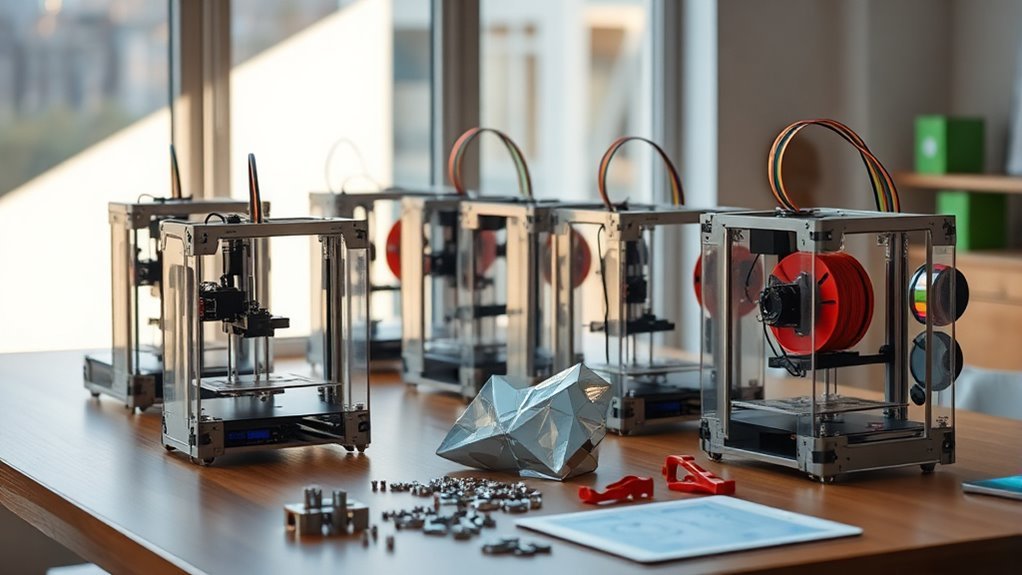
8 Best Builds for 3D Printers in 2027 to Inspire Your Next Project
You’ll get sharp, vibrant multi-color prints with the Bambu Lab P2S Combo and AMS 2 Pro, perfect for fast, reliable projects. These setups are ideal if you want to take your 3D printing to the next level with consistent quality and speed.
Boost adhesion and maintenance with the BIQU CryoGrip Pro build plate and Black Magic Adhesive Kit. They make sure your prints stick well and come off easily when done, which saves you a lot of hassle.
For bright models, try the Bambu Lab A1 Combo with LED lamp and AMS lite. The lighting helps you see details clearly while printing.
Flexible spring steel plates like JUUPINE or PEO PET help easy removal. They’re great if you want to avoid damaging your prints.
Creality glue sticks and a good build plate cleaner keep prints smooth. These simple tools go a long way in maintaining your printer.
Keep exploring for more practical setup tips and advanced materials. There’s always something new to try!
| Image | Name | Editor's Rating | Price |
|---|---|---|---|

|
|
||

|
|
||

|
|
||

|
|
||

|
|
Bambu Lab P2S Combo, P2S 3D Printer & AMS 2 Pro, Multi-Color 3D Printing
- High-Speed Precision: The Bambu Lab P2S 3D printer prints up to 600 mm/s while maintaining exceptional accuracy. With the PMSM Servo Extruder and Active Flowrate...
- Ready to Print in 15 Minutes: Set up your P2S FDM 3D printer and start printing in just 15 minutes. With AI failure detection, quick-swap nozzles, and automatic...
- Effortless Multi-Color Printing: The AMS 2 Pro enables seamless multi-color/multi-material 3D printing. It features built-in filament drying at up to 65 °C, keeping...
- Smart Airflow for Any Filament: The Adaptive Airflow System automatically balances cooling and heat retention—keeping overhangs crisp with cool air, or maintaining a...
- Limitless Creativity, Seamless Workflow: Explore over one million 3D models on MakerWorld and bring them to life with a smooth, unified workflow using Bambu Studio, Bambu...
Experience the future of multi-color 3D printing with the Bambu Lab P2S Combo. This powerful combination of the P2S 3D Printer and AMS 2 Pro system simplifies complex multi-material projects. It solves the common challenge of color and material switching, delivering smooth and vivid prints without manual intervention.
Designed for precision and speed, the CoreXY motion system reaches up to 600 mm/s, ensuring fast production without sacrificing quality. The PMSM Servo Extruder produces sharp, consistent layers, while the heated chamber and adaptive airflow maintain optimal printing conditions. This stability reduces print failures and improves overall reliability.
Maintenance is straightforward with quick-swap nozzles and automatic calibration, saving time and effort. The built-in filament dryer protects materials from moisture, while AI failure detection alerts you early to potential issues. These features help minimize downtime and waste, making your workflow more efficient.
Its robust design supports advanced users who need high performance, though the larger footprint and complexity may be less suited for beginners or highly portable setups. Overall, it offers a unique blend of speed, precision, and multi-color capability in one integrated package.
Best for: professionals and enthusiasts seeking a fast, reliable 3D printer with advanced multi-material and multi-color functionality.
What We Like:
- High-speed CoreXY motion system up to 600 mm/s for quick production.
- AMS 2 Pro enables seamless multi-material and multi-color printing.
- Built-in filament dryer and AI failure detection improve print reliability.
- Easy maintenance with quick-swap nozzles and automatic calibration.
- Heated chamber and adaptive airflow ensure consistent print quality.
Specification:
| Feature | Details |
|---|---|
| Manufacturer | Bambu Lab |
| Dimensions | 18 x 22 x 18 inches |
| Weight | 46.3 pounds |
| Material Compatibility | Multi-material with AMS 2 Pro |
| Color Options | Multi-color printing support |
Printer Build Plate Cleaner with Microfiber Towel
- [Cleaning Power] - READY3D Build Plate Cleaner will remove adhesive residue from the the build plate efficiently and effectively. Designed for READY3D build plate...
- [Safe And Non-Toxic] - Contains no harsh or abrasive chemicals. Contains no alcohol. Safe for all build plate surfaces and will not erode or dull the surface. READY3D...
- [Clean and go formula] - No rinse formula allows for easy cleaning with no follow up rinsing required. Once the build plate surface is dry after cleaning, the build plate...
- [High Quality] - Build plate cleaner is made in the USA with high quality ingredients to ensure consistent quality formula and consistency every time.
Keeping your 3D printer’s build plate clean is essential for achieving consistent, high-quality prints. The READY3D Printer Build Plate Cleaner with its microfiber towel is crafted to remove adhesive residue quickly and efficiently without the need for rinsing. This means less downtime between prints and a surface that’s always ready for your next project.
Its rinse-free formula works especially well with READY3D adhesives and common glue sticks, ensuring a smooth, residue-free plate without damaging the surface. Safe for all build plates, it won’t dull or erode your equipment, preserving your printer’s performance over time.
Maintenance is simple. Use the included microfiber towel to wipe away residues, then wash or replace the towel as needed. The cleaner’s non-toxic, zero-VOC composition means no harsh fumes or chemicals, making it safe for your workspace and environmentally friendly.
This product is made in the USA and designed for 3D printing enthusiasts and professionals who want a reliable, eco-conscious solution to maintain print quality and ease of use.
Best for: 3D printing enthusiasts and professionals who need an effective, safe, and eco-friendly solution to clean build plates and maintain optimal print quality.
What We Like:
- Removes adhesive residue quickly without rinsing
- Safe for all build plate surfaces, prevents damage
- Non-toxic, zero-VOC formula with no harsh fumes
- Comes with a reusable microfiber towel for easy cleaning
Specification:
| Feature | Details |
|---|---|
| Manufacturer | READY3D |
| Dimensions | Cleaner bottle: 6 in (15 cm) height |
| Weight | Approx. 0.5 lb (0.23 kg) |
| Material | Non-toxic chemical solution |
| Color Options | Clear liquid |
BIQU CryoGrip Pro Panda Build Plate for Bambu-Lab
- Perfect Compatibility: CryoGrip Pro Glacier build plate is suitable for Bambu-Lab P1S, P1P, P2S, X1C, X1E, X2D, A1 3d printers. It is compatible with PLA...
- Hollow Out Handle Design: The CryoGrip Pro Glacier Build plate only heats up slightly in the hot bed at 100℃, protecting your hands. After printing is completed, the...
- Unparalleled Adhesion: CryoGrip Pro Glacier Build plate has unparalleled first layer adhesion. The substrate has high magnetism, strong adsorption and fixation, and...
- Special Material Texture Printing: CryoGrip Pro Glacier Build plate sandwiched with 7 layers of cobalt oxide coating, consisting of Base Plate, Base Coat, Intermediate...
- Own AR Code: The intricate markings compatible with X1 buildplate locating scan, help verify buildplate type. No need to worry about missing QR code error. Aslo you can...

Experience superior first-layer adhesion with the BIQU CryoGrip Pro Panda Build Plate designed specifically for Bambu-Lab 3D printers. This build plate tackles common printing issues like warping and peeling, ensuring your prints start strong and maintain quality throughout. Its durable construction means it withstands daily use without losing performance.
The double-sided, removable design fits popular Bambu-Lab models such as the P1S, X1C, and A1. Featuring a seven-layer cobalt oxide coating, the plate resists impact and corrosion effectively. This coating also prevents peeling caused by bending, extending the plate’s lifespan and reliability.
Handling is safer and easier thanks to the hollow-out handle, allowing you to remove the build plate immediately after printing without waiting for it to cool. The delicate surface texture enhances print bottom smoothness and supports a wide range of filaments including PLA, PETG, ABS, and PA.
Maintenance is straightforward, though users should note that adhesion for PLA and PETG is slightly less than the Frostbite build plate. Additionally, Bambu-Lab P2S owners will need to adjust their build plate detection settings for optimal results.
Best for: Bambu-Lab 3D printer users seeking a sturdy, double-sided build plate with reliable first-layer adhesion across various filament types.
What We Like:
- Durable seven-layer cobalt oxide coating resists impact and corrosion
- Strong adhesion reduces warping and print failures
- Hollow-out handle allows safe removal while hot
- Compatible with multiple filaments for versatile use
- Smooth surface texture improves print bottom quality
Specification:
| Feature | Details |
|---|---|
| Manufacturer | BIQU |
| Compatible Models | Bambu-Lab P1S, X1C, A1 |
| Coating | Seven-layer cobalt oxide |
| Build Plate Type | Double-sided, removable |
| Handle | Hollow-out for safe removal |
| Material | Metal base with coated surface |
| Weight | Lightweight |
Black Magic 3D Printer Build Plate Adhesive Kit
- Precision Foam Applicator** — Spreads a thin, uniform 3D printer bed adhesive layer. No overspray, no mess. Unlike glue sticks that leave buildup, one smooth coat goes...
- Engineered in Our Print Farm** — We built this 3D printing adhesive in our Colorado print farm because we were tired of the uneven, frustrating application of other...
- Built for PLA, PETG, and Beyond** — Reliable 3D print adhesive for PLA and PETG, engineered tough enough for ABS, ASA, TPU, and polycarbonate. One formula for all the...
- Bigger Bottle, Controlled Application, Better Value" — 60ml of precision formula outlasts competing adhesives. The foam applicator eliminates the waste of other...
- Grips When Hot, Releases When Cool** — Strong enough to eliminate warping on high-temp materials that fail with 3D print glue sticks and sprays.
Elevate your 3D printing results with the Black Magic 3D Printer Build Plate Adhesive Kit. This specially formulated adhesive tackles common issues like poor first-layer adhesion and warping. It ensures your prints stick firmly during the process, reducing failed prints and material waste.
The kit includes a 60 ml bottle with a precision foam applicator. This design spreads a thin, even layer without mess or excess, making application quick and efficient. It works seamlessly on both heated and unheated beds, including surfaces like PEI and glass.
Cleanup is straightforward—simply wash off with warm water. This eliminates the need for harsh chemicals or scraping, preserving your build plate’s surface. The adhesive is compatible with popular printers such as Bambu Lab, Prusa, and Creality, and supports a wide range of filaments, including high-temperature materials.
Occasional reapplication may be necessary after several prints, especially during high-volume use. While it enhances adhesion for many setups, users with already optimized build surfaces might not see significant benefits.
Best for: 3D printing enthusiasts and professionals seeking reliable first-layer adhesion and effective warping prevention across various filaments and printer models.
What We Like:
- Precision foam applicator ensures clean, uniform coverage
- Compatible with heated and unheated build plates and diverse materials
- Easy water-soluble cleanup avoids harsh chemicals
- Supports major printer brands and high-temp filaments
Specification:
| Feature | Details |
|---|---|
| Manufacturer | Black Magic |
| Volume | 60 ml |
| Applicator Type | Precision foam applicator |
| Compatible Beds | Heated and unheated, PEI, glass |
| Printer Support | Bambu Lab, Prusa, Creality, others |
| Filament Types | Wide range including high-temp |
Bambu Lab A1 Combo + LED Lamp Kit, Multi-Color 3D Printing (with AMS lite)
- A1 Combo + LED Lamp Kit for Functional Light Projects: Bambu Lab A1 Combo + LED Lamp Kit lets you create illuminated models. Simply print compatible lamp designs and...
- High-Speed Precision: Experience unparalleled speed and precision with the Bambu Lab A1 3D Printer. With an impressive acceleration of 10,000 mm/s², the A1 delivers...
- Multi-Color Printing with AMS lite: Unlock your creativity with vibrant and multi-colored 3D prints. The Bambu Lab A1 3D printers make multi-color printing accessible and...
- Full-Auto Calibration: Say goodbye to manual calibration hassles. The A1 3D printer takes care of all the calibration processes automatically, ensuring optimal...
- Active Flow Rate Compensation: Achieve consistently smooth prints with active flow rate compensation. The algorithm actively compensates the flow rate according to the...
Bring your creative lighting ideas to life with the Bambu Lab A1 Combo + LED Lamp Kit. This system combines high-speed multi-color 3D printing with integrated LED lighting to help you craft vibrant, illuminated models and custom décor effortlessly. Its advanced AMS lite technology ensures precise color transitions and detailed prints every time.
The printer’s automatic calibration and active flow rate compensation reduce setup time and improve print quality, letting you focus on your designs. Maintenance is simplified thanks to the 1-Clip quick-swap nozzle, which allows fast and easy nozzle changes without hassle.
Designed for both beginners and experienced makers, this combo supports a smooth, quiet printing experience. The included LED Lamp Kit transforms your prints into functional, decorative lights, adding a unique finishing touch to your projects.
While the unit weighs 28.5 pounds, which may limit portability, its robust build supports consistent performance. Keep in mind that the AMS lite system is required for multi-color printing and is included only in the combo.
Best for: hobbyists and makers seeking an easy-to-use, high-speed multi-color 3D printer with built-in LED lighting for creative and decorative projects.
What We Like:
- Vibrant multi-color printing powered by AMS lite technology
- Automatic calibration and flow compensation for precise results
- Quick-swap nozzle for easy maintenance
- Integrated LED Kit for turning prints into illuminated décor
Specification:
| Feature | Details |
|---|---|
| Manufacturer | Bambu Lab |
| Dimensions | Not specified |
| Weight | 28.5 lb (12.9 kg) |
| Color Options | Multi-color printing with AMS lite |
| Included Kit | LED Lamp Kit |
3D Printer Platform PEO PET for Bambu Lab Models
- 【PEO+PET Design】We combine diamond PEO patterns and carbon fiber PET patterns on a spring steel plate. These two patterns are common and widely used in daily life...
- 【Easy to Remove】Sahvaim used high-strength spring steel plate, with good flatness and elasticity. It's not easy to deformation after repeating bending. Please cool...
- 【Get Excellent Adhesion】First,Clean the bambu lab build plate before each use. You can use a damp tissue to wipe off any dust or fingerprints on the surface, and then...
- 【High Temperature Resistance】The bambu lab PEO+PET print bed surface is resistant to high temperature 150℃.It is good to print PLA/PETG/TPU.If your printer is...
- 【Compatible Printers】Our double-sided PEO PET build plate fits 3D printers with a platform size of 257x257mm, compatible for Bambu Lab...
Experience enhanced 3D printing precision with the Sahvaim 3D Printer Platform PEO PET, tailored for Bambu Lab models. This build plate addresses common issues like warping and difficult print removal. Its flexible spring steel design allows effortless bending, making model detachment simple and damage-free.
The plate features a dual-textured surface that adapts to different filament types. One side offers a matte diamond finish for smooth silk or glossy prints, while the other presents a subtle carbon-fiber texture ideal for charcoal gray filaments. This versatility helps improve print adhesion and finish quality.
Maintenance is straightforward but crucial. To maintain optimal adhesion, clean the surface before each print. Note that the maximum surface temperature is 150°C, which may limit the use of some high-temperature materials. Users with X1 series models need to adjust printer detection settings to ensure compatibility.
Best for: Bambu Lab 3D printer users seeking a durable, flexible, and versatile build plate that enhances print quality and simplifies model removal.
What We Like:
- Durable spring steel offers excellent flatness and elasticity
- Dual-pattern surface suits various filament types and finishes
- Flexible design enables easy print removal without damage
- Improves adhesion for smoother, high-quality prints
- Compatible with multiple Bambu Lab models with minor setup adjustments
Specification:
| Feature | Details |
|---|---|
| Manufacturer | Sahvaim |
| Dimensions | 257 x 257 mm (10.1 x 10.1 in) |
| Material | Diamond & carbon fiber spring steel |
| Surface Texture | Matte diamond / carbon fiber |
| Max Surface Temp | 150°C (302°F) |
| Compatible Models | Bambu Lab X2D, P1S, others |
JUUPINE 3D Printer Build Plate for Bambu Lab
- 【Upgraded build plate】Double-sided PEO+PET spring steel plate,One side is small PEO.Small PEO looks like countless diamonds on the surface,which make your eyes light...
- 【Excellent adhesion for first printing layer】The model can be firmly attached to the surface of the print bed.Easily print even for a newbie. Please let the build...
- 【 Easy to Remove and use】The spring steel sheet can be bent to remove the model quickly, without the help of other tools. And the plate will return to flatness. Made...
- 【High Temperature Resistance and Compatible Filaments】The PEO print bed surface is resistant to high temperature 150℃ and smooth PET coating bed is 150℃. After...
- 【Compatible 3D Printers】The double-sided small PEO+smooth PET print bed suitable for 3D printers with 257x257mm platform size, such as suitable for Bambu Lab...
Experience hassle-free 3D printing with the JUUPINE 3D Printer Build Plate designed specifically for Bambu Lab printers. This build plate tackles common issues like poor adhesion and difficult model removal, making your printing process smoother and more efficient. Its double-sided design offers flexibility depending on your project’s needs.
One side features a textured PEO surface that ensures a strong grip for the first layer, preventing warping and misprints. Flip it over for a smooth PET finish that delivers clean, polished bottoms on your models. The plate’s flexibility allows you to easily pop off prints by bending it gently, eliminating the need for extra tools.
Crafted from durable spring steel, the build plate withstands heat up to 150°C and supports popular filaments such as PLA, TPU, and PETG. Maintenance is simple—just place it on your printer’s hot bed for automatic leveling. For users with the X1 series, remember to disable the build plate position detection to achieve optimal adhesion.
Best for: Bambu Lab 3D printer users seeking a durable, flexible build plate that enhances print adhesion and simplifies removal.
What We Like:
- Versatile double-sided design with textured and smooth surfaces
- Heat-resistant up to 150°C for reliable filament compatibility
- Flexible spring steel allows easy print removal without tools
- Supports common filaments like PLA, TPU, and PETG
- Simple setup with automatic bed leveling
Specification:
| Feature | Details |
|---|---|
| Manufacturer | JUUPINE |
| Dimensions | 257 x 257 mm |
| Material | Double-sided spring steel |
| Heat Resistance | Up to 150°C |
| Compatible Printers | Bambu Lab P2S, X2D, X1 series |
Creality 3D Printer Glue Sticks, 4 Pack

- Quality Assurance: Produced by Creality, these glue sticks are engineered specifically for 3D printing bed adhesion. Each pack contains 4 solid sticks, offering excellent...
- Safe PVP Formula: Made from formaldehyde-free PVP material, these glue sticks are safe and environmentally sustainable. No harsh chemicals or unpleasant odors – perfect...
- Strong Anti-Warping Performance: Provides superior bed adhesion at high temperatures, preventing model edges from lifting or curling. After cooling, prints release easily...
- Easy to Apply & Clean: Applies smoothly as a thin, even coating. Water-washable for hassle-free cleanup – simply rinse the build plate with water, and no sticky residue...
- Wide Compatibility: Works effectively with PLA, ABS, PETG, PC, PA, TPU, and more. Adheres strongly to glass, PEI, PEO, textured plates, low-temp plates, and other common...
Creality 3D Printer Glue Sticks offer a simple and effective way to enhance bed adhesion, solving common issues like print warping and lifting. Their unique PVP solid adhesive maintains strong grip at high temperatures, ensuring your prints stay firmly in place throughout the process.
Applying the glue stick is quick and mess-free. A thin, even layer creates a stable surface, and cleanup is just as easy — use water to remove any residue without harsh chemicals or scraping. This keeps your printer bed clean and ready for the next project.
Designed to work with various filaments such as PLA, ABS, and PETG, these glue sticks are compatible with different printing surfaces, including glass, PEI, and textured plates. This versatility helps maintain consistent print quality across multiple materials.
The pack of four provides a reliable supply for regular use, making it a practical choice for hobbyists, educators, and makers who want a safe and eco-friendly solution to improve their 3D printing results.
Best for: hobbyists and educators seeking a straightforward, non-toxic adhesive to prevent warping and improve print adhesion on diverse surfaces.
What We Like:
- Strong adhesion that prevents warping and curling during printing
- Easy water-based cleanup with no residue left behind
- Compatible with a range of filaments and print beds
- Simple application process for consistent results
- Eco-friendly, non-toxic formula safe for regular use
Specification:
| Feature | Details |
|---|---|
| Manufacturer | Creality |
| Quantity | 4 glue sticks per pack |
| Material | PVP solid adhesive |
| Compatible Surfaces | Glass, PEI, textured plates |
| Filament Types | PLA, ABS, PETG |
Factors to Consider When Choosing Builds for 3d Printer
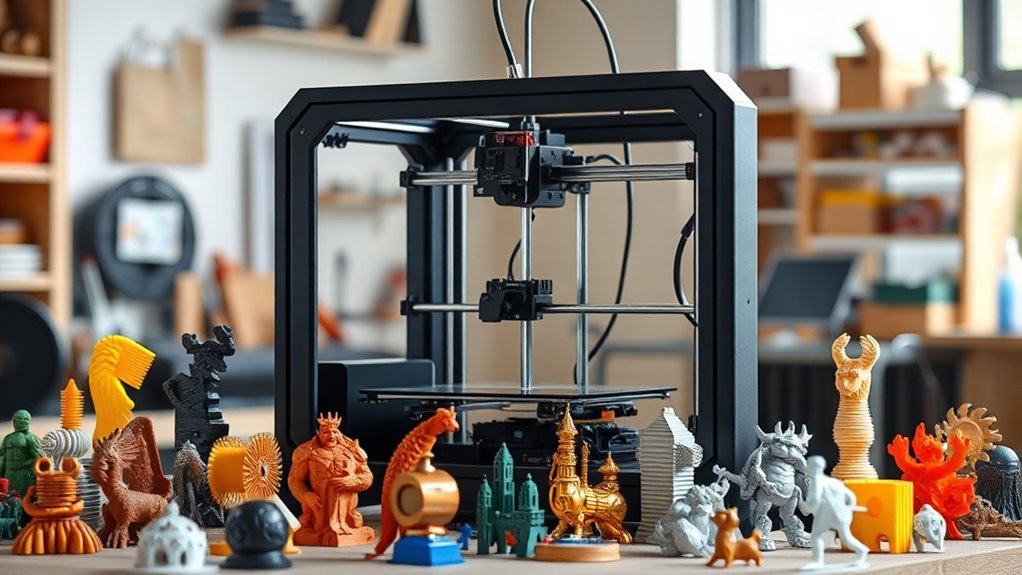
When choosing builds for your 3D printer, you’ll want to weigh material compatibility to guarantee smooth printing. Pay attention to build plate adhesion and surface texture options for better results.
Also, factor in temperature resistance needs and build size limitations to match your project requirements. It’s all about making sure your printer can handle what you’re aiming to create.
Material Compatibility
Material compatibility plays a crucial role in achieving successful 3D prints, as selecting the right build plate and surface coating directly impacts adhesion and print quality. You need to guarantee your build plate material and coating can handle the maximum printing temperatures you plan to use—for example, PLA requires 45–65 °C, while ABS or PC demands 90–110+ °C.
Also, check chemical compatibility between the surface and any adhesives or cleaners you’ll apply; some solvents can degrade coatings. Match the surface texture to your filament: textured or coated plates suit flexible and high-temp filaments, while ultra-smooth surfaces benefit detailed PLA prints.
Additionally, confirm thermal expansion and flatness tolerances to minimize warping and maintain consistent first layers across materials like flexible steel, glass, or composites. It’s all about making sure everything works together smoothly for the best print results.
Build Plate Adhesion
To achieve reliable first-layer adhesion, matching the build surface and filament’s recommended bed temperatures is essential—PLA typically requires 45–65°C, while PETG and TPU need different ranges.
Before printing, clean your build plate thoroughly with a lint-free cloth or approved cleaner to remove oils and dust, which can weaken adhesion.
Adjust your slicer’s first-layer settings by slowing the print speed, increasing extrusion multiplier, and slightly enlarging the initial layer height and width to enhance bed contact.
Choose an adhesion method that suits your model and filament—this might mean adjusting nozzle height for proper squish, applying glue or water-soluble adhesives, or using a flexible plate for easy part removal.
Also, consider your part’s geometry and thermal behavior since larger flat areas or high-temp filaments may require higher bed temperatures or extra adhesion aids to avoid warping.
Surface Texture Options
You’ll often find that the surface texture of your build plate materially impacts how your prints adhere and finish. Smooth surfaces like PEI or PET give you glossy bottoms and need lower first-layer temps (55–65 °C for PLA). But they may struggle with warp-prone filaments due to less grip.
Textured options, such as PEO or diamond patterns, boost adhesion and hide minor bed flaws, which is ideal for PLA and PETG. Though, keep in mind they can leave a visible pattern underneath your print.
Matte or grit finishes provide a strong mechanical bite, perfect for flexible or high-temp filaments. They might make part removal trickier and often require higher bed temps (70–90 °C for PETG).
Removable spring-steel plates with thin coatings let you flex parts off easily while maintaining flatness. It’s a nice combination of convenience and durability.
Temperature Resistance Needs
Surface texture plays a significant role in print adhesion, but temperature resistance often determines whether your build plate performs reliably over time. You need to match the build plate and surface material’s maximum continuous temperature rating to the nozzle and bed temps required by high-temp filaments like ABS, Nylon, or polycarbonate to prevent delamination or damage.
Metal spring-steel or aluminum-backed plates maintain flatness better at elevated temperatures, reducing warpage in heated-chamber prints. Also, check that adhesives, coatings, or magnetic layers are rated for repeated exposure to your target bed temp to avoid adhesion loss or chemical breakdown.
If you print in heated chambers, make certain the build surface and fastenings tolerate both chamber and bed temps without softening or off-gassing. Surfaces that grip when hot but release when cool make part removal safer and easier.
Build Size Limitations
Although 3D printers come with specified maximum build volumes, you need to take into account the actual usable space. This is often slightly smaller due to clearance for the carriage and bed leveling.
Always check the printer’s X × Y × Z limits and design parts to fit comfortably within those dimensions. Doing so helps avoid print failures or splitting models.
Taller prints may require slower speeds and better cooling to prevent wobble and thermal issues. It’s a good idea to keep an eye on these factors while printing.
Large flat parts risk warping, so use brims, rafts, or enhanced bed adhesion with controlled temperatures. These methods help maintain first-layer contact and improve print quality.
If your design exceeds the build volume, plan to split it using alignment features like dowels or keyed joints. Orient parts to minimize visible seams and reduce support material.
This approach guarantees smoother assembly and cleaner final results. It’s worth the extra effort to get a polished print in the end.
Removal Ease Techniques
Once your print fits within the build volume and finishes successfully, the next challenge is removing it without damage. Let your part cool fully—usually 20 to 60 minutes—so thermal contraction helps release it from magnetic or PEI-style build plates.
If you have a flexible or spring-steel plate, gently flex it to pop the print off without scraping. Use a thin, stiff spatula or palette knife held nearly parallel to the bed, working slowly from an edge to avoid gouging the surface or snapping delicate parts.
For stubborn prints, try reheating the glass plate slightly or chilling it to increase contraction. Applying isopropyl alcohol or a water-based release around the edges can help loosen adhesion before prying, provided it’s safe for your build surface.
Just take your time with these steps, and you’ll avoid any damage to your print or the build plate. It’s all about being gentle and patient here!
Multi-Color Printing Support
When you pick a 3D printer for multi-color projects, you’ll want to check if it supports automatic multi-filament feeders like AMS or multi-extruders. These let you print different materials simultaneously and cut down on tool-change marks.
Look for independent direct-drive or servo-driven extruders with active flowrate compensation. This ensures smoother color shifts and less stringing compared to Bowden setups.
Verify how many filament channels the build supports and whether it includes spool storage with drying capabilities. This helps prevent moisture-related issues and color contamination.
Also, confirm the slicer and firmware handle tool-change towers, wipe routines, and per-layer color assignments. These features minimize seams and bleeding.
Finally, consider builds with controlled build-chamber temperature and adaptive airflow. These enhancements improve layer adhesion and reduce warping when switching filament types.
Frequently Asked Questions
What Are the Best Filament Types for Complex 3D Prints?
You’ll want to use flexible TPU for intricate details, durable PETG for strength, and ABS for heat resistance. These filaments handle complex shapes well, giving your prints durability, flexibility, and precision without warping or cracking.
Each type brings something unique to the table. TPU bends without snapping, PETG holds up under pressure, and ABS can handle higher temps. So, depending on your project, picking the right filament makes all the difference.
How Do I Troubleshoot Common 3D Printing Errors?
You start by checking your nozzle for clogs and ensuring proper bed leveling. Calibrate your extruder steps, adjust print speed, and verify filament quality.
Don’t forget to update firmware and review slicer settings for best results. These small tweaks can make a big difference in print quality.
What Software Is Recommended for 3D Model Design in 2027?
You’ll want to use Fusion 360 for its robust features, or try Blender for free, versatile modeling.
Tinkercad’s great if you’re starting out, and SolidWorks remains popular for precision engineering designs in 2027.
How Can I Improve 3D Print Speed Without Losing Quality?
You can improve 3D print speed by optimizing layer height, using adaptive slicing, and upgrading to a faster hotend.
Also, calibrate your printer well and choose high-quality filaments to maintain print quality while speeding up.
It’s all about finding the right balance so your prints come out looking great without taking forever. Give these tips a try, and you’ll notice the difference!
What Safety Precautions Should I Take During 3D Printing?
You should always ventilate your workspace and wear gloves to avoid burns. It’s also smart to keep a fire extinguisher nearby just in case.
Never leave the printer unattended while it’s running. And don’t forget to use protective eyewear to keep your eyes safe.
Make sure to regularly check the wiring to prevent any electrical issues. Keeping the area clean is important too, as it helps maintain a safe environment.
Conclusion
As you explore these top 3D printer builds, remember that 65% of hobbyists report improved print quality after upgrading their build plates or accessories.
Choosing the right components, like the Bambu Lab P2S Combo or the Black Magic Adhesive Kit, can elevate your projects and reduce failures.
With the right setup, you’ll bring your ideas to life faster and cleaner. So, pick a build that fits your goals and watch your creativity soar!
Finding the perfect 3D printer build is all about matching your needs with the best parts and tools. Whether you want precision, speed, or durability, investing in quality upgrades can make all the difference.
From advanced build plates to smart adhesive kits, the right accessories help ensure every print turns out just right.
Dive into these 3D printer builds and accessories to inspire your next project—and get ready to create like a pro!