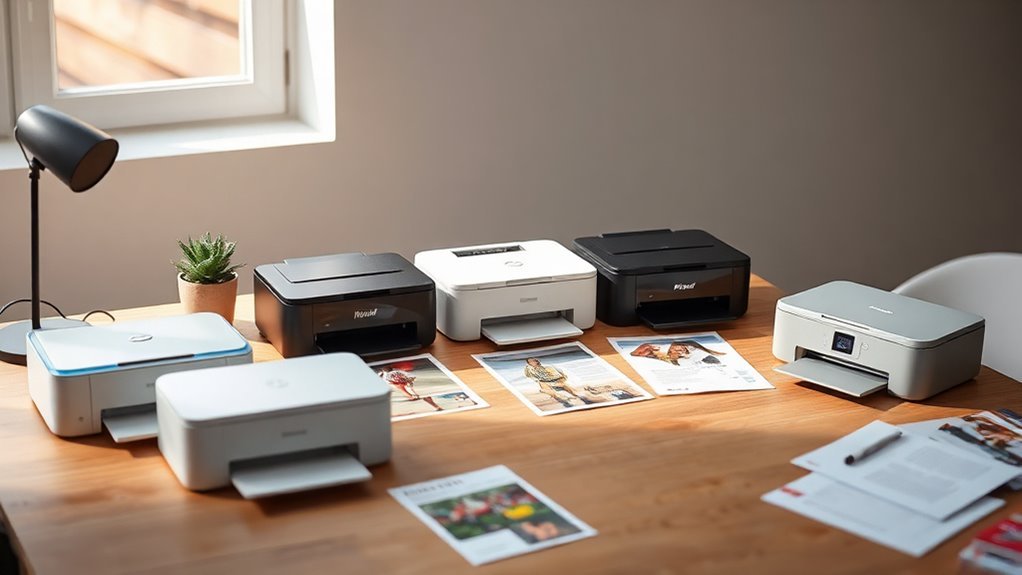
6 best budget home printer 2026 recommendations
If you’re hunting for reliable, budget-friendly home printers in 2026, you’re in the right place. Finding a printer that balances cost, quality, and features can be tricky, but we’ve got you covered. Whether you need something compact for small spaces or a versatile machine for wireless printing, there’s an option for you.
Consider the HP DeskJet 2923 if you want a compact, eco-friendly model. It’s perfect for everyday printing without taking up much room. The Canon PIXMA TS6520 is another great choice, especially if you want versatile wireless printing capabilities.
The Canon MegaTank G3270 stands out for its low-cost, high-yield ink system, making it ideal if you print a lot. For lighter tasks, the PIXMA TS4320 is a solid pick. Epson’s XP-5250 offers a permanent printhead and duplex printing, which means you can save paper. And if fax and ADF features matter to you, the Canon TR4720 has got you covered.
Explore these options and find the one that fits your space and printing needs best!
| Image | Name | Editor's Rating | Price |
|---|---|---|---|

|
|
||

|
|
||

|
|
||

|
|
||

|
|
HP DeskJet 2923 Color Inkjet Printer | Wireless | All-in-One
- Perfect for basic printing needs – Print everyday color documents like to-do lists, letters, financial documents and recipes
- KEY FEATURES – Color print, copy, scan, and a 60-sheet input tray, plus mobile and wireless printing
- OPTIMIZE PRINT FORMATTING WITH HP AI – Print web pages and emails with precision—no wasted pages or awkward layouts; HP AI easily removes unwanted content, so your...
- ICON LCD – Print your basic documents with ease from the intuitive control panel
- PRINT SPEED – Up to 7.5 ppm black, 5.5 ppm color

If you need a compact printer that handles color printing, scanning, and copying with ease, the HP DeskJet 2923 is a practical solution. Its small footprint fits well in tight spaces, making it ideal for home offices or study areas. The printer’s design helps simplify everyday tasks without overwhelming your workspace.
This all-in-one printer connects seamlessly through dual-band Wi-Fi, allowing you to print and scan directly from your smartphone using the HP App. This wireless convenience eliminates the hassle of cables and makes managing documents faster and more flexible. The icon LCD control panel is intuitive, helping you navigate functions effortlessly.
Maintenance is straightforward with an automatic ink delivery system, though an Instant Ink subscription is required after the initial 6-month trial. The 60-sheet input tray fits moderate print jobs, but frequent refills may be needed for larger tasks. Print speeds are moderate, supporting typical home or light office use without delays.
Eco-conscious users will appreciate that the DeskJet 2923 is made with 70% recycled plastics and holds ENERGY STAR certification. This combination of functionality, wireless ease, and environmental care makes it a balanced choice for everyday printing needs.
Best for: compact home users seeking an affordable all-in-one printer with wireless capabilities and eco-friendly features.
What We Like:
- Color printing, scanning, and copying in one compact device
- Wireless printing via dual-band Wi-Fi and mobile app
- Easy-to-use icon LCD control panel
- Eco-friendly design using recycled plastics
- ENERGY STAR certified for energy efficiency
Specification:
| Feature | Details |
|---|---|
| Manufacturer | HP |
| Dimensions (W×D×H) | Approx. 16.5 × 12.6 × 6.0 inches |
| Weight | Approx. 5.1 lb (2.3 kg) |
| Material | Plastic (70% recycled) |
| Color Options | White |
Canon PIXMA TS6520 Wireless Color Inkjet Printer, 1.42″ OLED Display, White
- Affordable Versatility - A budget-friendly all-in-one printer perfect for both home users and hybrid workers, offering exceptional value
- Crisp, Vibrant Prints - Experience impressive print quality for both documents and photos, thanks to its 2-cartridge hybrid ink system that delivers sharp text and vivid...
- Effortless Setup & Use - Get started quickly with easy setup for your smartphone or computer, so you can print, scan, and copy without delay
- Reliable Wireless Connectivity - Enjoy stable and consistent connections with dual-band Wi-Fi (2.4GHz or 5GHz), ensuring smooth printing from anywhere in your home or...
- Scan & Copy Handling - Utilize the device’s integrated scanner for efficient scanning and copying operations
The Canon PIXMA TS6520 is designed to simplify your home printing needs with a compact and stylish build. This wireless color inkjet printer lets you print, scan, and copy from virtually anywhere, making it ideal for busy households and home offices. Its 1.42″ OLED display offers easy navigation, so managing tasks is straightforward and efficient.
With dual-band Wi-Fi, the printer supports seamless mobile and remote printing, reducing the hassle of cables and desktop clutter. Automatic two-sided printing helps you save paper without extra effort. The printer produces vibrant color and crisp black-and-white prints up to 1200 dpi, ensuring your documents and photos look professional.
Maintenance is hassle-free with included starter ink tanks, though these smaller cartridges may require replacement sooner. The flatbed scanner delivers high-resolution copies but lacks an automatic document feeder, which limits batch scanning and copying tasks. Its single paper tray suits light to moderate use but may need frequent refilling in busy environments.
Compatible with Alexa and smartphone apps, this printer integrates well into modern workflows. It is a versatile choice for families, students, and those working from home who need reliable wireless printing, scanning, and copying in a compact design.
Best for: families, students, and home or hybrid workers needing a versatile wireless color inkjet printer for everyday printing, scanning, and copying.
What We Like:
- Compact design with intuitive 1.42″ OLED display for easy operation.
- Dual-band Wi-Fi and Alexa compatibility support flexible mobile printing.
- Automatic two-sided printing saves paper and time.
- High-quality prints up to 1200 dpi in color and black-and-white.
- Flatbed scanner offers high-resolution copies without complexity.
Specification:
| Feature | Details |
|---|---|
| Manufacturer | Canon |
| Dimensions | Compact size (exact dimensions not specified) |
| Weight | Not specified |
| Display | 1.42″ OLED |
| Connectivity | Dual-band Wi-Fi, Alexa compatible |
| Printing Resolution | Up to 1200 dpi |
| Functions | Print, scan, copy |
| Color Options | White |
Canon MegaTank G3270 All-in-One Wireless Color Printer
- Wireless Print/Copy/Scan
- Up to 2 years of ink included (2)
- Print up to 6,000 black & white / 7,700 color pages using a single set of inks! (1)
- Save up to $1,000 on ink (1)
- 1.35” Square LCD display
The Canon MegaTank G3270 offers a practical solution for those frustrated with frequent ink replacements. Its refillable MegaTank system provides up to 7,700 color pages per refill, reducing downtime and maintenance costs. This makes it ideal for users needing reliable, long-lasting printing without constant interruptions.
Designed as an all-in-one wireless printer, it handles printing, copying, and scanning tasks smoothly. The sharp 4800 × 1200 dpi resolution ensures clear, vibrant images and text. Wireless connectivity via Wi-Fi and USB allows easy setup and control from smartphones or computers.
Maintenance is straightforward thanks to the refillable ink tanks, which are easy to monitor and refill, minimizing mess and waste. Its compact form fits well in home or small office spaces, though it requires some desk area due to its size.
While it supports various paper sizes and borderless printing, note that it only offers single-sided printing and a moderate copy speed of 6 pages per minute. Despite these limitations, it remains a cost-efficient and versatile color printer for everyday use.
Best for: users seeking a reliable, cost-efficient all-in-one color printer with high ink yield and versatile connectivity for home or home office use.
What We Like:
- High ink capacity delivering up to 7,700 color pages per refill
- Wireless and USB connectivity with smartphone app control
- Sharp print quality at 4800 × 1200 dpi resolution
- Supports multiple paper sizes and borderless printing
- Easy-to-maintain refillable ink tanks
Specification:
| Feature | Details |
|---|---|
| Manufacturer | Canon |
| Dimensions | Approx. 17.7 x 12.1 x 7.5 in (45 x 30.7 x 19 cm) |
| Weight | Approx. 9.2 lb (4.17 kg) |
| Color Options | Black |
| Connectivity | Wi-Fi, USB |
| Print Resolution | Up to 4800 × 1200 dpi |
Canon PIXMA TS4320 – Wireless Color Inkjet Printer with Print, Copy, Scan
- Affordable Versatility - A budget-friendly all-in-one printer perfect for both home users and hybrid workers, offering exceptional value
- Crisp, Vibrant Prints - Experience impressive print quality for both documents and photos, thanks to its 2-cartridge hybrid ink system that delivers sharp text and vivid...
- Effortless Setup & Use - Get started quickly with easy setup for your smartphone or computer, so you can print, scan, and copy without delay
- Reliable Wireless Connectivity - Enjoy stable and consistent connections with dual-band Wi-Fi (2.4GHz or 5GHz), ensuring smooth printing from anywhere in your home or...
- Scan & Copy Handling - Utilize the device’s integrated scanner for efficient scanning and copying operations
Experience effortless home printing with the Canon PIXMA TS4320, designed to fit seamlessly into small spaces. Its compact and stylish design makes it ideal for light home or hybrid work environments. Say goodbye to tangled cables with wireless dual-band Wi-Fi, allowing easy printing, copying, and scanning from multiple devices through a user-friendly mobile app.
This printer delivers sharp color and black-and-white prints at up to 1200 x 1200 dpi, enhancing your documents with clear details. Duplex printing helps reduce paper waste, supporting more eco-friendly habits. The flatbed scanner smoothly handles various document types, making scanning quick and simple.
Maintenance is straightforward with included starter ink tanks and a single 100-sheet paper tray that supports multiple media types. While the paper tray limits capacity and media switching during tasks, it keeps the device compact and easy to manage. Print speeds of 9 ppm for color and 14 ppm for black-and-white suit occasional use but might slow down heavy workloads.
Best for: home users and hybrid workers needing a compact, versatile printer for light, occasional tasks.
What We Like:
- Wireless dual-band Wi-Fi and mobile app for convenient remote printing
- Sharp prints up to 1200 x 1200 dpi with duplex functionality
- Compact footprint with a versatile 100-sheet tray
- Easy maintenance with included starter ink tanks
Specification:
| Feature | Detail |
|---|---|
| Manufacturer | Canon |
| Dimensions | Compact size (exact dimensions not provided) |
| Weight | Not specified |
| Printing Technology | Color Inkjet |
| Print Resolution | Up to 1200 x 1200 dpi |
| Paper Capacity | 100 sheets |
| Connectivity | Wireless dual-band Wi-Fi |
| Functions | Print, Copy, Scan |
Epson Expression Home XP-5250 Wireless All-in-One Printer
- Remarkable Prints and Photos — Home printer with Epson's leading-edge printing technology produces crystal clear prints and rich colors
- Our Fastest Expression Home Printer — Plus, a 150-sheet paper tray for convenient paper handling
- Convenient Operation — Large 2.4" color display for effortless navigation
- Epson Smart Panel App¹ — Transforms your mobile device into a high-performance command center and adds time-saving features like Smart Setup
- Engineered for Reliability — Consistently delivers high-quality prints with PrecisionCore Heat-Free technology and a permanent printhead designed to last the life of...
Experience hassle-free wireless printing with the Epson Expression Home XP-5250, designed to simplify your home printing tasks. This all-in-one printer delivers sharp, vibrant prints using Epson’s PrecisionCore Heat-Free technology, ensuring clear results without long warm-up times. Its permanent printhead enhances durability, reducing maintenance needs throughout the printer’s lifetime.
Managing documents is straightforward thanks to the 150-sheet input tray and automatic two-sided printing. These features help you save time and reduce paper waste, making it an efficient choice for everyday use. The large 2.4″ color display offers easy navigation through menus, allowing you to control print settings quickly.
Wireless connectivity is seamless with Wi-Fi Direct and the Epson Smart Panel app, enabling you to print directly from your smartphone or tablet. Maintenance is simplified by using individual ink cartridges, letting you replace only the colors you need. However, to maintain optimal performance, genuine Epson ink cartridges are required.
This printer is ideal for home users seeking reliable, high-quality wireless printing with simple setup and efficient paper handling. Its compact design fits well in small spaces without compromising functionality.
Best for: Budget-conscious home users needing reliable, wireless all-in-one printing with easy maintenance and efficient operation.
What We Like:
- Sharp, vibrant prints with durable PrecisionCore Heat-Free technology
- Time-saving 150-sheet tray and automatic two-sided printing
- Easy wireless printing via Wi-Fi Direct and Epson Smart Panel app
- Intuitive 2.4″ color display for quick menu navigation
- Individual ink cartridges reduce waste and maintenance
Specification:
| Feature | Details |
|---|---|
| Manufacturer | Epson |
| Dimensions | Approx. 14.8 x 13.7 x 7.7 in (37.6 x 34.7 x 19.6 cm) |
| Weight | Approx. 9.9 lbs (4.5 kg) |
| Color Options | White |
| Connectivity | Wi-Fi Direct, USB |
Canon PIXMA TR4720 Wireless All-in-One Printer

- Wireless 4-in-1 (print | copy | scan | fax)..Power Consumption: 7W (0.8W Standby / 0.3W Off)
- Print speed up to: 4" x 6" Borderless Photo (PP-201): Approx. 65.0 Seconds / Black Document (Letter/Simplex): Approx. 8.8 ipm / Color Document (Letter/Simplex): Approx...
- Designed for easy ink cartridge installation and replacement.
- Auto 2-sided printing and auto document feeder.
- Produce quality documents, photos and boarderless prints up to 8.5" x 11".
The Canon PIXMA TR4720 is an affordable all-in-one printer designed to simplify everyday tasks at home or in small offices. It combines printing, copying, scanning, and faxing in one compact device, helping you save space and reduce clutter. Its wireless and USB connectivity make it easy to connect and print from multiple devices without hassle.
This printer improves workflow with features like an automatic document feeder and duplex printing, allowing you to handle multi-page documents efficiently. Maintenance is straightforward, with easy ink replacement and support for borderless photo printing that produces sharp, vibrant images at high resolution. The 100-sheet front paper tray adds convenience for frequent printing needs.
Designed for versatility, the PIXMA TR4720 supports mobile printing through Canon’s app and Alexa integration, which notifies you when ink is low. While print speeds are moderate and wired connectivity is limited to one USB port, its ENERGY STAR certification ensures energy efficiency and responsible use.
Best for: Individuals or small offices seeking a compact, versatile all-in-one printer with wireless capabilities for daily home and office use.
What We Like:
- Wireless and mobile printing with app and Alexa integration for smart ink management
- Automatic duplex printing and 100-sheet paper tray for productivity
- High-quality borderless photo printing up to 8.5 x 11 inches
- ENERGY STAR certified for energy-efficient operation
Specification:
| Feature | Details |
|---|---|
| Manufacturer | Canon |
| Dimensions | 17.7 x 12.7 x 6.0 inches |
| Weight | 12.4 lbs (5.6 kg) |
| Connectivity | Wireless, USB |
| Print Resolution | Up to 4800 x 1200 dpi |
| Paper Tray Capacity | 100 sheets (front paper tray) |
| Color Options | Black |
Factors to Consider When Choosing Budget Home Printer 2026 Recommendations
When choosing a budget home printer, you’ll want to focus on print quality and how easily it connects to your devices. It’s super important that it works seamlessly with your phone, tablet, or computer.
Also, consider ink efficiency and the overall cost of ownership to avoid surprises later. You don’t want to end up spending more on ink than you did on the printer itself.
Don’t forget to check the printer’s size and design to make sure it fits your space. After all, a bulky printer that doesn’t fit where you want it isn’t very helpful!
Print Quality Importance
Although budget home printers often come with compromises, you’ll want to prioritize print quality to guarantee your documents and photos look sharp and professional. Start by checking the maximum print resolution—the higher the dpi, like 1200 x 1200 or above, the crisper your text and finer your photo details.
Pay attention to color accuracy and gamut; printers using multi-color dye or pigment inks with smaller droplets provide smoother gradients and truer colors. Remember, pigment-based black inks yield sharper, more durable text, while dye-based color inks make photos more vibrant.
Don’t forget to take into account print speed at standard quality, as higher settings can slow you down. And finally, factor in real-world ink costs since pricey cartridges might push you to print in lower-quality modes, which can affect overall output quality.
Connectivity Options Variety
Don’t settle for limited connectivity options if you want a versatile budget home printer that fits your lifestyle. Make sure the printer supports both 2.4 GHz and 5 GHz Wi-Fi bands for stable connections and minimal interference when printing from laptops or mobiles.
It’s also a good idea to look for Wi-Fi Direct or peer-to-peer features. These let you print quickly without relying on a router.
If you prefer wired connections, check for USB Type-A or Type-B ports and Ethernet options. These provide secure, low-latency printing.
Don’t forget to confirm compatibility with popular mobile printing standards like AirPrint and Mopria or vendor apps. This way, printing and scanning from phones and tablets is hassle-free.
Finally, if multiple users will share the printer, pick one with router-based setup and cloud printing support. That makes remote access super convenient.
Ink Efficiency Considerations
Since ink costs quickly add up, focusing on ink efficiency is essential when choosing a budget home printer. Check the ink yield, usually expressed in pages per set—refillable tanks often print thousands of pages, while cartridge sets may only manage a few hundred.
Calculate cost-per-page by dividing the cartridge or bottle price by the manufacturer’s stated page yield, rather than relying on page speed or starter inks. It’s a more accurate way to see what you’re really paying.
Opt for printers with individual color cartridges or refillable tanks so you only replace depleted colors. This can save you money compared to combo packs where you replace all colors at once.
Look for features like duplex printing, draft modes, and software that minimizes unnecessary printing to reduce waste. These little things add up over time.
Also, weigh subscription plans carefully. Make sure they don’t lock you into higher long-term costs compared to pay-as-you-go options. It’s all about finding the best value for your needs.
Device Size And Design
When choosing a budget home printer, you’ll want to measure your available desk or shelf space to make sure the device fits comfortably. Compact models typically range from 14″ to 22″ wide and 6″ to 11″ tall, so check dimensions carefully.
Also, consider input and output tray capacity—most small home printers hold 60 to 150 sheets. This will impact how often you’ll need to reload paper.
If you plan to tuck the printer into a tight spot, look for front-loading trays and easy-access panels. Top-loading or rear-feed designs usually need extra clearance, so keep that in mind.
For shared rooms, it’s a good idea to opt for quieter, low-profile designs with simple controls. Something that blends nicely with your décor makes the space feel more cohesive.
And if you move your printer around often, check its weight—usually between 12 and 16 pounds. Handles or a lightweight build can make relocating much easier.
Cost Of Ownership
Although the upfront price of a budget home printer matters, you’ll want to look deeper at the total cost of ownership to avoid surprises. Add the initial purchase price to yearly consumables like ink or toner, then divide by your annual page volume to find your cost-per-page.
Inkjet color costs vary widely, ranging from $0.05 to $0.50 per page depending on cartridges and yield. Check if the printer uses individual color cartridges, combined cartridges, or refillable tanks—higher-yield tanks can cut long-term costs by 50% or more.
Don’t forget subscription services, monthly fees, maintenance, replacement parts, and warranty coverage. Also, consider energy use and duty cycle; models with lower wattage and higher recommended monthly page volumes cost less to operate and last longer under your workload.
Frequently Asked Questions
How Long Do Printer Cartridges Typically Last in Budget Printers?
Printer cartridges in budget printers typically last for about 100 to 300 pages, depending on usage and print quality.
You’ll want to replace them sooner if you print frequently or use color-heavy documents often. It really depends on what you’re printing and how often.
Can Budget Printers Connect to Smartphones via Bluetooth?
Yes, many budget printers can connect to your smartphone via Bluetooth. You’ll find models that support wireless printing, letting you print directly from your device without cables.
This makes printing quick and convenient, whether you’re at home or on the go. It’s pretty handy when you need to get things done fast!
What Is the Average Print Speed for Home Budget Printers?
You won’t wait an eternity—average print speed for budget home printers is around 5 to 12 pages per minute.
You’ll get your documents quickly enough without feeling like you’re watching paint dry every time.
Are Budget Printers Compatible With macOS and Windows?
Yes, budget printers usually work with both macOS and Windows. You’ll just need to check the specific model’s compatibility before buying.
Some might require updated drivers or software to run smoothly on your system. So, it’s always a good idea to double-check before making a purchase.
Do Budget Printers Support Duplex (Double-Sided) Printing?
Coincidentally, many budget printers do support duplex printing, but not all. You’ll want to double-check the specs because some models require manual flipping.
Conclusion
Choosing the perfect budget home printer for 2026 doesn’t have to feel like searching for a needle in a haystack. With options like the HP DeskJet 2923 and Canon MegaTank G3270, you’ll find a reliable printer that fits your needs and wallet effortlessly.
Whether you want wireless convenience or all-in-one functionality, these picks have you covered. Don’t settle for less—get a printer that makes your home office feel like a tech paradise!
Finding the best budget home printer means balancing cost, quality, and features. In 2026, you don’t have to compromise on any of these. The right printer will deliver sharp prints, easy connectivity, and efficient performance without breaking the bank. So go ahead, choose a budget-friendly home printer that truly matches your lifestyle and keeps your home office running smoothly all year long!