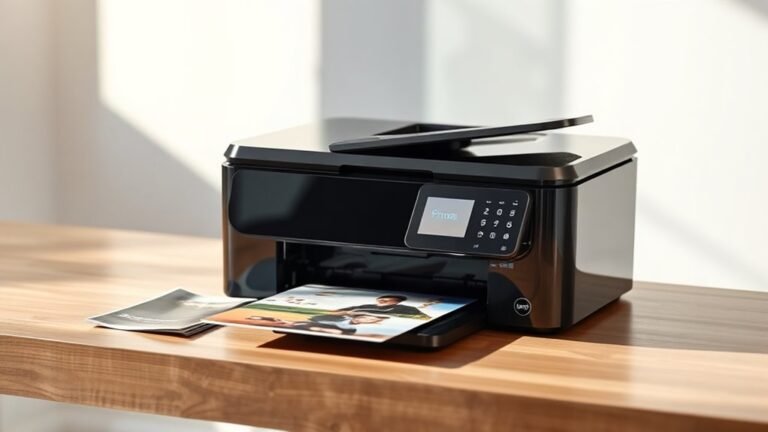
7 Best Artist Printers for 2027
For 2027, you’ll want artist printers that combine quality, versatility, and affordability. The Epson EcoTank Photo ET-8550 is a great pick if you’re looking for low-cost, vibrant prints that really pop. On the other hand, the Canon PIXMA PRO-200S stands out with its fast printing and true-to-life color accuracy.
If you need wide-format printing without the hassle of cartridges, the Epson XP-15000 and EcoTank ET-15000 are solid choices. For those aiming for gallery-quality pigment prints, the Canon imagePROGRAF PRO-310 and Epson SureColor P900 deliver exceptional results.
And if you want a fast, versatile all-in-one printer, the XP-980 fits the bill perfectly. These options balance quality, speed, and media support to match your creative needs. Let’s dive into what makes each one unique and why they’re great for artists in 2027.
| Image | Name | Editor's Rating | Price |
|---|---|---|---|

|
|
||

|
|
||
|
|
||

|
|
||

|
|
Epson EcoTank Photo ET-8550 Wireless Wide-Format All-in-One Tank Printer
- CARTRIDGE-FREE PRINTING — Print lab-quality photos, graphics and creative projects; Get vibrant colors and sharp text with Epson's high-accuracy printhead and Claria ET...
- INK BOTTLES — Save on photos1 and creative projects with affordable in-house printing; All-in-one printer allows you to print 4" x 6" photos for about 4 cents each vs...
- LESS FREQUENT INK REPLACEMENT — Replacement ink bottles don't have to be changed nearly as often as ink cartridges¹; Printer, scanner and copier lets you print up to...
- PRINT FOR LONGER — Up to 2 years of ink in the box² (and with every replacement ink set) for fewer out-of-ink frustrations with this wireless printer
- ZERO CARTRIDGE WASTE — Epson EcoTank printer helps reduce the amount of cartridge waste ending up in landfills; Cartridge-free printer uses high-yield ink bottles; Each...

The Epson EcoTank Photo ET-8550 transforms the way artists and photographers print by eliminating frequent ink changes. Its cartridge-free system uses refillable ink tanks, allowing you to produce vibrant, lab-quality prints with minimal interruptions. This means less hassle and more time focused on your creative projects.
Designed for ease of use, the ET-8550 offers wireless wide-format printing, scanning, and copying capabilities. It supports various media sizes, including 4×6 photos and creative paper, making it versatile for different artistic needs. The high-accuracy printhead combined with Claria ET Premium 6-color inks ensures sharp text and vivid images every time.
Maintenance is straightforward, thanks to the massive ink capacity. Replacement bottles can print up to 6,200 color pages, reducing the frequency of refills and lowering ink costs significantly. Its cartridge-free design also helps reduce waste, supporting eco-friendly printing practices.
While the initial printer size requires a dedicated workspace and ink bottles need careful handling, the overall benefits make this a practical choice for serious creatives. The ET-8550 balances quality, convenience, and sustainability in one package.
Best for: Artists and photographers who need high-quality, vibrant prints with low maintenance and cost-efficient ink usage.
What We Like:
- Cartridge-free ink tanks reduce running costs and waste
- Claria ET Premium 6-color system delivers sharp, vivid prints
- Wireless wide-format all-in-one design supports multiple media types
- High ink capacity extends time between refills
- All-in-one functionality for printing, scanning, and copying
Specification:
| Feature | Details |
|---|---|
| Manufacturer | Epson |
| Dimensions | Approx. 18.7 x 14.2 x 9.9 in (47.5 x 36 x 25.2 cm) |
| Weight | Approx. 14.3 lb (6.5 kg) |
| Ink System | Cartridge-free EcoTank with 6-color Claria ET Premium inks |
| Wireless | Yes |
| Media Sizes | Supports up to wide-format prints, including 4×6 photos |
Canon PIXMA PRO-200S Wireless Professional Photo Printer
- 8 COLOR dye-based ink system produces vibrant, high quality prints.
- BORDERLESS PRINTING from 3.5” x 3.5” up to 13” x 19”.
- HIGH SPEED PRINTING — bordered A3+ print in just 90 seconds or bordered 8" x 10" print in 53 seconds.
- 3.0'' COLOR LCD MONITOR -- Easily check ink levels, printer status, and other settings.
The Canon PIXMA PRO-200S is designed to bring professional photo printing into your studio with ease. Its 8-color dye-based ink system produces vibrant, true-to-life colors that help artists and photographers showcase their work beautifully. This printer supports borderless printing from small 3.5″ x 3.5″ images up to impressive 13″ x 19″ sizes, offering great versatility for different projects.
Print speed is optimized for busy creatives, delivering an 8″ x 10″ photo in just 53 seconds and an A3+ print in 90 seconds. The wireless functionality and compact design make it easy to place this printer anywhere in your workspace, reducing clutter and streamlining your workflow. The 3.0″ color LCD helps you monitor ink levels and adjust settings quickly, keeping maintenance straightforward.
While the dye-based inks provide vibrant colors, they may be less durable and water-resistant compared to pigment inks. Larger print sizes might require specialized paper, which can increase costs. Despite its small LCD screen, the printer’s intuitive controls ensure smooth operation without much hassle.
Best for: Professional photographers and artists needing high-quality, fast, and flexible borderless photo prints up to 13″ x 19″ with wireless convenience.
What We Like:
- Vibrant, accurate color output with 8-color dye-based ink
- Wide borderless print size range from 3.5″ to 13″ x 19″
- Fast printing speeds for efficient workflow
- Compact, wireless design fits well in creative studios
- Easy-to-use 3.0″ color LCD for quick status checks and settings
Specification:
| Feature | Details |
|---|---|
| Manufacturer | Canon |
| Print Technology | 8-color dye-based inkjet |
| Max Print Size | 13″ x 19″ |
| Print Speed (8″ x 10″) | 53 seconds |
| Print Speed (A3+) | 90 seconds |
| Display | 3.0″ color LCD |
| Connectivity | Wireless |
| Color Options | Black |
| Dimensions | Compact (exact size not specified) |
| Intended Use | Professional photo printing |
Epson Expression Photo HD XP-15000 Wireless Wide-Format Inkjet Printer
- Epson printing system is designed to be used exclusively with Epson Genuine Cartridges. Use of non-genuine ink could cause damage not covered under the printer’s ltd...
- Professional ultra HD photo quality get brilliant border less prints upto 13 inches X 19 inches
- Individual 6 color Claria photo HD ink includes red and gray inks for an ultra wide color gamut and enhanced black and white prints. Sound pressure level: Pressure...
- Professional projects: Made easy features a 50 sheet rear tray for specialty media, including cardstock (1); Accommodates a variety of paper finishes and border less...
- Ultra compact wide format A3 plus printer 30 percent smaller than its predecessor (2); Easily fits on your desktop
Experience stunning, wide-format photo printing with the Epson Expression Photo HD XP-15000. This printer solves the challenge of producing vibrant, professional-quality photos at home or in a studio. It prints borderless images up to 13 x 19 inches, delivering rich color and detailed black-and-white photos using a six-color Claria Photo HD ink system.
Its compact design fits easily into creative spaces and operates quietly, minimizing distractions. Two media trays handle different paper types without hassle, streamlining your workflow. Wireless and Ethernet connectivity allow seamless printing from PCs and tablets, while automatic duplex printing saves time and paper.
Maintenance is straightforward, but it’s important to use genuine Epson cartridges to ensure consistent quality and avoid warranty issues. The printer suits photographers and artists who require precision and vibrant results in wide-format prints. While print speeds vary and the 20-sheet output may require frequent attention during large jobs, its color accuracy and ease of use stand out.
Best for: photographers, artists, and home studio users needing reliable wide-format photo printing with vivid colors and borderless capability.
What We Like:
- Borderless printing up to 13 x 19 inches with six-color Claria Photo HD ink
- Quiet, compact design with dual trays for versatile media handling
- Wireless and Ethernet connectivity plus automatic duplex printing
- Sharp 5760 x 1440 dpi resolution for detailed photo quality
Specification:
| Feature | Details |
|---|---|
| Manufacturer | Epson |
| Dimensions | Compact design (exact size not specified) |
| Weight | Not specified |
| Ink System | 6-color Claria Photo HD ink |
| Max Print Size | 13 x 19 inches |
| Connectivity | Wireless, Ethernet |
| Resolution | 5760 x 1440 dpi |
Canon imagePROGRAF PRO-310 Wireless Photo Printer
- 9 COLOR + CHROMA OPTIMIZER pigment-based ink system produces gallery-quality prints.
- EASE OF USE — ultimate productivity with Anti-Clogging System and Skew Correction.
- MATTE BLACK INK offers enhanced black density and wider dark area reproduction range.
- Easily check ink levels, printer status, and other settings with the 3.0-Inch COLOR LCD MONITOR.
- The LUCIA PRO II INK SYSTEM produces enhanced gloss uniformity, and scratch resistance.
Experience the precision and quality that the Canon imagePROGRAF PRO-310 brings to your creative projects. Designed for artists and photographers, this wireless photo printer delivers gallery-quality prints with remarkable color accuracy and detail. Its advanced 9-color LUCIA PRO II pigment ink system, enhanced by Chroma Optimizer, ensures every print has deep blacks and a wide color gamut, perfect for fine art reproductions.
This printer supports media sizes up to 13″ x 19″, allowing flexibility for various artistic formats. Its compact design fits easily into small studio spaces, while the 3.0-inch LCD makes monitoring print status simple and intuitive. Multiple connection options, including wireless, Ethernet, and USB, help streamline your workflow and reduce cable clutter.
Maintenance is straightforward, but keep in mind the printer handles up to 100 sheets at a time, which may require regular refills during extended sessions. While print speed is modest at about 2 pages per minute and it only prints single-sided, the focus remains on delivering sharp, professional-quality results every time.
Best for: professional photographers, artists, and fine art printmakers who need precise, high-quality photo prints in a compact wireless printer.
What We Like:
- Exceptional color accuracy and scratch resistance from the 9-color LUCIA PRO II ink system with Chroma Optimizer
- Supports large media sizes up to 13″ x 19″ for versatile printing options
- Easy operation with a 3.0-inch LCD and multiple connectivity choices (Wireless, Ethernet, USB)
Specification:
| Feature | Details |
|---|---|
| Manufacturer | Canon |
| Maximum Media Size | 13″ x 19″ (33 cm x 48 cm) |
| Ink System | 9-color LUCIA PRO II pigment ink with Chroma Optimizer |
| Display | 3.0-inch LCD |
| Connectivity | Wireless, Ethernet, USB |
| Sheet Capacity | 100 sheets |
Epson EcoTank ET-15000 Wireless All-in-One Wide-Format Supertank Printer
- PHOTO PRINTING — Ultra HD photo printer delivers borderless prints up to 13 in x 19 in with 6-color Claria Photo HD ink system including red and gray for enhanced color...
- COMPACT DESKTOP PRINTER — Wide format A3 plus printer is 30% smaller than predecessor and fits on desktop, easily fits on desktop while accommodating specialty media...
- WIRELESS CONNECTIVITY — Wi-Fi printer enables convenient printing from computers, smartphones and tablets with auto 2-sided document printing capability and 200-sheet...
- INDIVIDUAL INK SYSTEM — 6-color cartridge system with Claria Photo HD technology provides color accuracy and longevity; Designed for use with genuine Epson printer ink...
- SMART CONVENIENCE — Amazon Dash Replenishment Ready feature automatically tracks ink usage and orders replacement cartridges when running low; Supports uninterrupted...
The Epson EcoTank ET-15000 stands out for artists and professionals seeking vibrant, wide-format prints without the hassle of frequent ink changes. Its borderless 13 x 19-inch printing capability allows for stunning, large-format artwork and photos that capture every detail.
This wireless all-in-one printer supports printing, scanning, copying, and faxing, making it a versatile tool for creative and office environments. The cartridge-free Supertank design reduces waste and lowers costs by delivering up to 6,000 pages per ink set, which means less downtime and fewer interruptions.
Maintenance is straightforward with easy-to-refill ink tanks and a 250-sheet front tray that handles large print jobs efficiently. Auto-duplex printing saves paper and effort, while the 2.7-inch touchscreen and voice-activated printing add convenience to your workflow.
The ET-15000 is designed for users who value quality and efficiency in one device. However, its larger footprint requires ample desk space, and the scan size is limited to 8.5 x 14 inches, which might restrict some wide-format scanning tasks.
Best for: Artists, photographers, and small businesses needing vibrant, wide-format, high-quality prints with versatile all-in-one functionality and cost-efficient ink usage.
What We Like:
- 6-color Claria Photo HD ink system produces ultra HD, borderless prints up to 13 x 19 inches
- Cartridge-free Supertank design cuts waste and supports up to 6,000 pages per ink set
- Auto-duplex printing and 250-sheet front tray improve efficiency
- 2.7-inch touchscreen and voice-activated printing enhance ease of use
Specification:
| Specification | Details |
|---|---|
| Manufacturer | Epson |
| Dimensions (W x D x H) | 29.6 x 19.6 x 14.3 inches |
| Weight | Not specified |
| Color Options | Not specified |
| Ink System | 6-color Claria Photo HD Supertank |
| Max Print Size | 13 x 19 inches (borderless) |
| Scan Size (ADF) | Up to 8.5 x 14 inches |
Epson SureColor P900 17″ Photo Printer Bundle

- This Bundle includes Epson SureColor P900 17-inch Photo Printer with Ethernet cable, USB Cable, Fiber Cloth
- The Epson SureColor P900 is a durable, large-format desktop photo printer designed as a complete hardware solution for photographers, artists, and designers. Engineered...
- This professional printer utilizes Epson’s UltraChrome PRO10 pigment-based printing technology to achieve accurate color reproduction, smooth tonal transitions, and...
- With a maximum resolution of up to 5760 × 1440 dpi and precision droplet control, the SureColor P900 delivers sharp detail, smooth gradients, and refined textures...
- A 4.3-inch full-color touchscreen provides simple navigation of printer settings, media options, and maintenance functions. The printer offers USB 3.0, Ethernet, and...
Experience gallery-quality prints with the Epson SureColor P900, designed to deliver ultra-sharp images up to 17 inches wide. This printer solves the challenge of achieving vibrant colors and deep blacks, making it ideal for photographers, artists, and designers who demand precision and clarity in their work.
Its advanced UltraChrome PRO10 pigment-based ink technology ensures every print bursts with rich detail and color accuracy. The ability to print simultaneously with matte and photo black inks enhances output quality across different media types. Borderless printing up to 17 × 22 inches adds creative freedom for stunning presentations.
Maintenance is simple with included accessories like a fiber cloth, helping to keep the printer in optimal condition. The 4.3-inch touchscreen streamlines media handling, while multiple connectivity options such as USB 3.0, Ethernet, Wi-Fi, and mobile printing support flexible workflows in any studio or workspace.
While the 17-inch maximum print width may limit some large-format needs, the P900’s precision and versatility make it a strong choice for professional and creative environments.
Best for: Photographers, artists, and designers seeking precise, gallery-quality prints up to 17 inches wide for creative studios or offices.
What We Like:
- UltraChrome PRO10 pigment ink delivers vibrant colors and deep blacks.
- Simultaneous matte and photo black printing enhances media versatility.
- Borderless prints up to 17 × 22 inches for professional presentation.
- Multiple connectivity options including Wi-Fi and mobile printing.
- Easy maintenance with included cleaning accessories.
Specification:
| Feature | Details |
|---|---|
| Manufacturer | Epson |
| Maximum Print Width | 17 inches |
| Maximum Resolution | 5760 × 1440 dpi |
| Ink Technology | UltraChrome PRO10 pigment |
| Touchscreen Size | 4.3 inches |
| Connectivity | USB 3.0, Ethernet, Wi-Fi, Mobile printing |
| Included Accessories | Cables, fiber cloth |
Epson Expression Photo XP-980 Wireless All-in-One Wide-Format Printer

- Professional-quality photos and prints — 6-color Claria Photo HD inks and a 5760 x 1440 dpi print resolution produce stunning borderless prints up to 11" x 17"
- Fast photo printing — delivers 4" x 6" borderless photos with astounding detail and accuracy in as fast as 11 seconds¹
- Convenient, easy operation — features 4.3" color touchscreen, plus Easy Mode for enhanced visibility and ease of use
- Versatile paper handling — separate trays for plain and photo paper, plus a rear feed for specialty paper
- Easy wireless printing — print from your laptop, desktop, smartphone or tablet³; use Wi-Fi Direct⁴ for router-free printing
The Epson Expression Photo XP-980 stands out for delivering vibrant, detailed photo-quality prints with its 6-color Claria Photo HD ink system. It handles wide-format prints up to 11 x 17 inches, making it ideal for creative projects like scrapbooking and photo displays. This printer helps you achieve professional results without the need for bulky equipment.
Designed for ease of use, the XP-980 features a responsive 4.3-inch touchscreen and the Epson Smart Panel app. These tools simplify printing, scanning, and copying tasks, letting you manage your workflow smoothly from your desk or mobile device. Wireless connectivity options keep you flexible and connected.
Maintenance is straightforward, but keep in mind the printer supports only genuine Epson cartridges, which may affect ink choices and operating costs. Its compact design fits well in small spaces, though the 120-sheet capacity and two trays suggest it’s best for moderate use rather than high-volume printing.
The auto-duplex feature adds convenience by enabling double-sided printing without extra effort. Fast borderless 4 x 6 photos print in just 11 seconds, helping you complete projects efficiently.
Best for: Artists, photographers, and creative hobbyists seeking high-quality, borderless photo printing combined with versatile all-in-one wireless functionality.
What We Like:
- Vibrant 6-color Claria Photo HD ink system for sharp, detailed prints
- Easy control via 4.3-inch touchscreen and Epson Smart Panel app
- Supports borderless wide-format prints up to 11 x 17 inches
- Quick 4 x 6 borderless photo printing in 11 seconds
- Compact design with wireless connectivity for flexible placement
Specification:
| Feature | Details |
|---|---|
| Manufacturer | Epson |
| Dimensions (W x D x H) | Approx. 15.7 x 13.7 x 6.2 inches |
| Weight | Approx. 13.7 lb (6.2 kg) |
| Ink System | 6-color Claria Photo HD |
| Max Paper Size | 11 x 17 inches |
| Display | 4.3-inch touchscreen |
| Connectivity | Wireless, Epson Smart Panel app compatible |
Factors to Consider When Choosing an Artist Printer

When choosing a printer for your artwork, focus on print quality and resolution to guarantee every detail shines. Consider the ink system and color range, along with media size compatibility to handle your preferred paper types.
Don’t forget to check connectivity options, controls, and printing speed to match your workflow and efficiency needs. It’s all about finding the right fit for how you work and what you create.
Print Quality and Resolution
Because print quality directly impacts the visual impact of your artwork, choosing a printer with high optical resolution—typically between 2400 and 5760 dpi or higher—is essential for capturing fine details and smooth gradients.
You’ll want to prioritize printers with true multi-color drop control and small droplet sizes to guarantee crisp lines and minimize banding. Also, check if the device supports high-resolution file sizes and integrates well with color management workflows, including ICC profiles and soft-proofing, to preserve your artwork’s fidelity.
Opting for pigment-based inks can enhance archival longevity and matte media compatibility, but focus on resolution and droplet precision first to achieve the sharpness and subtle tonal shifts your art demands.
Ink System and Colors
High print resolution matters, but the inks and color system define how your artwork truly comes to life on paper. Choose printers with multi-color ink sets—6 to 10 channels including light cyan, light magenta, or dedicated blacks—to expand color gamut and make certain smooth gradients.
Decide between dye-based inks for vibrant, glossy photos or pigment-based inks for lasting color and scratch resistance, especially on fine-art media. Look for printers with individual high-capacity ink tanks; they reduce waste, lower costs, and simplify replacements.
Check ink yield ratings and maintenance use since some ink is reserved for printhead upkeep. If you want consistent gloss and less bronzing on shiny prints, opt for models with gloss-optimizing channels or clear coat inks.
These features guarantee your prints stay vivid and true to your vision.
Media Size Compatibility
Since your artwork often demands specific dimensions, you’ll want a printer that can handle the media sizes you use most. Check the maximum printable width and length to guarantee it supports your largest sheets or panoramic rolls, like 13″x19″ or 17″x22″.
If you need edge-to-edge prints, confirm the printer offers true borderless printing at standard sizes like 4″x6″ or 8″x10″. Make sure the tray and feed system accommodate your preferred media types and thicknesses, including specialty feeds or roll options for heavy or long materials.
Don’t forget to verify input and output tray capacities and whether single-sheet or multi-sheet feeding suits your volume. Finally, look for support of various aspect ratios, custom sizes, and precise margin settings to guarantee your compositions print exactly as intended.
Connectivity and Controls
How will you connect your printer to your devices? Make sure it supports Wi-Fi (including Wi-Fi Direct), Ethernet, and USB. That way, you can print easily from desktops, laptops, tablets, or smartphones.
Also, check for compatibility with mobile and cloud printing services like AirPrint and Mopria. Just make sure the apps or drivers work well with your operating system and workflow.
A color touchscreen or dedicated LCD (2.5–4.3 inches) is super handy. It lets you monitor ink levels, adjust settings, and preview prints without needing a computer.
If you do high-volume or studio work, look for network management features. Things like remote status monitoring, firmware updates, and automatic ink replenishment can save you a lot of hassle.
And for a stable wired connection, Ethernet is your best bet. Don’t forget to consider front-panel USB or SD card slots and customizable shortcut buttons too. They really speed up repetitive tasks.
Speed and Efficiency
When choosing a printer for your artwork, you’ll want to focus on speed and efficiency to keep your workflow smooth and productive. Consider both single-page print speed and per-photo throughput to gauge real-world performance.
Look for automatic duplexing and a high-capacity input tray to minimize manual handling during batch jobs. It really helps keep things moving without constant interruptions.
Check warm-up and first-page-out times, along with maintenance cycles. Frequent head cleaning can disrupt printing, so you want to avoid that as much as possible.
Make sure the printer supports fast interfaces like USB 3.0 or Gigabit Ethernet and comes with efficient RIP software. This way, you won’t hit any bottlenecks during busy printing sessions.
Finally, evaluate consumable yields and replacement ease. High-yield inks or tank systems with quick-change cartridges let you print longer without interruptions, saving you valuable time in your creative process.
Environmental Impact and Waste
Balancing speed and efficiency with environmental responsibility helps you make a more thoughtful choice for your art printing needs. Opt for printers with refillable ink systems or high-yield bottles to cut down cartridge waste markedly—one bottle set can replace dozens of cartridges.
Think about the type of ink, too. Pigment inks last longer and reduce reprints, while dye inks might increase waste because you need to replace them more often.
Choose models that come with enough ink supply for extended use. This way, you minimize packaging and shipping, which is better for the environment.
Also, look for devices that accept genuine, refillable consumables and offer recycling or return programs. These features help keep waste out of landfills.
Don’t forget to consider energy consumption, printhead maintenance, and firmware updates that don’t force you into premature replacements. All of this adds up to a lower overall environmental footprint for your art printing.
Frequently Asked Questions
How Do Artist Printers Compare in Environmental Impact?
You’ll find artist printers vary in environmental impact; some use eco-friendly inks and recycled materials, while others consume more energy or produce waste.
Choosing models with sustainability certifications helps you minimize your ecological footprint effectively. It’s all about finding the right balance for your needs.
What Is the Average Lifespan of Artist Printer Ink Cartridges?
Coincidentally, the average lifespan of artist printer ink cartridges lasts about three to six months, depending on your usage.
If you print frequently, you’ll replace them faster. But careful storage can help you stretch their life.
Are There Subscription Services for Artist Printer Ink Refills?
Yes, you’ll find subscription services that deliver artist printer ink refills regularly. These services save you time and make sure you never run out.
Plus, they often offer discounts, making your printing process smoother and more cost-effective. It’s a convenient way to keep your art flowing without interruptions.
Can Artist Printers Handle Textured or Specialty Art Papers?
Of course, your printer loves wrestling with textured papers—it’s basically its favorite extreme sport. Seriously though, many artist printers can handle specialty papers, but you’ll want to check specs to avoid paper jams or disappointing prints.
It’s always a good idea to test a small batch first. That way, you can see how your printer deals with the texture without risking a whole pack of paper.
What Warranty Options Are Available for Professional Artist Printers?
You’ll find warranties ranging from one to three years, often covering parts and labor. Some brands offer extended plans and accidental damage protection, so you can choose coverage that fits your professional needs and provides peace of mind.
It’s pretty convenient to have options like that, right? You can pick what works best for you without paying for extras you don’t need.
Conclusion
Choosing the right artist printer is like finding the perfect brush for your masterpiece—it makes all the difference. Whether you prioritize vibrant colors, wide formats, or wireless convenience, these top picks have you covered.
Keep your creative flow smooth by considering factors like print quality, ink efficiency, and compatibility with your devices. It’s all about matching the printer to your unique artistic needs.
With the right artist printer in hand, you’ll bring your art to life effortlessly. Every print can become a stunning work you’ll be proud of, making your creative process more enjoyable and productive.
So, whether you’re a professional or just starting out, picking an artist printer that delivers exceptional print quality and reliable performance is key. This way, your artwork shines with vibrant colors and sharp details every time you print.