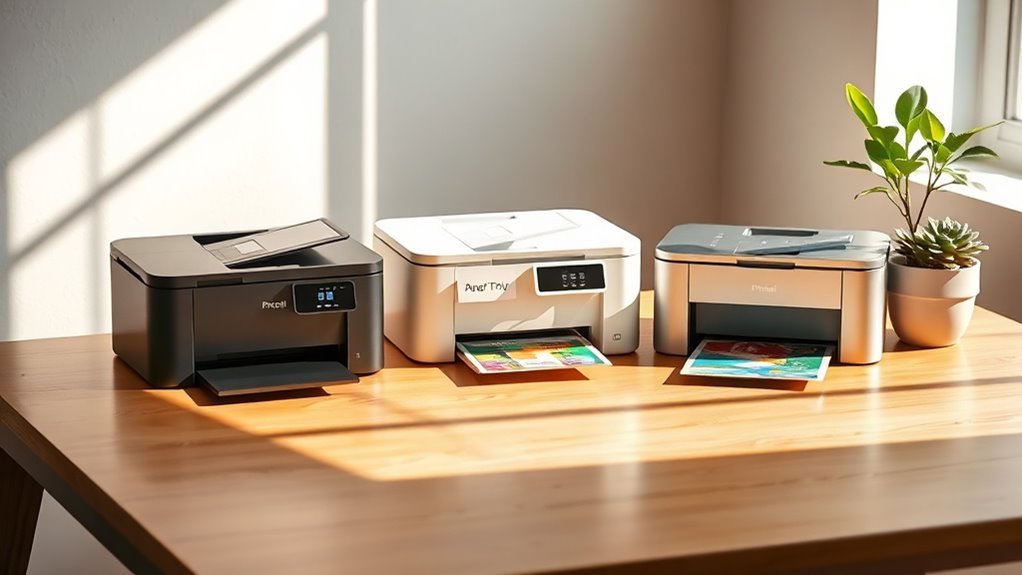
3 Best Budget Printers for Home Office in 2026
For a budget-friendly home office printer in 2026, the Canon MegaTank G3270 is a great choice. It delivers sharp color prints and features long-lasting refillable ink, perfect for everyday tasks without breaking the bank.
If you want a bit more convenience, the Canon MegaTank G3290 steps it up with automatic duplex printing and a handy touchscreen. These features make it easier to control and save paper, ideal for busy workdays.
Speed and professional quality matter to you? The HP OfficeJet Pro 8139 offers fast prints and smart ink management to keep things running smoothly. These options balance cost, quality, and features well, helping you find the perfect fit as your workspace needs grow. Need more details? They can guide your choice even further.
| Image | Name | Editor's Rating | Price |
|---|---|---|---|

|
|
||

|
|
||
|
|
Canon MegaTank G3270 All-in-One Wireless Color Printer
- Wireless Print/Copy/Scan
- Up to 2 years of ink included (2)
- Print up to 6,000 black & white / 7,700 color pages using a single set of inks! (1)
- Save up to $1,000 on ink (1)
- 1.35” Square LCD display

The Canon MegaTank G3270 All-in-One Wireless Color Printer is designed to simplify your home office tasks. Whether you need to print sharp documents, scan important files, or make quick copies, this printer handles it with ease. Its high print resolution ensures clear text and vibrant colors for professional-looking results.
Maintenance is hassle-free thanks to the refillable MegaTank system. It comes with enough ink for up to two years, helping you avoid frequent cartridge replacements and significantly lowering your printing expenses. This system also reduces waste, making it an eco-friendlier choice.
Connectivity options include Wi-Fi and USB, allowing seamless printing from your smartphone, tablet, or computer. This flexibility supports various workflows and makes it easy to print or scan from multiple devices. The printer supports different paper sizes but lacks automatic double-sided printing, which may slow down larger projects.
While print speeds are moderate, they suit typical home office needs without compromising quality. The compact design and energy-efficient operation make it a practical addition to any workspace.
Best for: Individuals and home office users seeking a cost-effective, versatile all-in-one printer with low ink maintenance.
What We Like:
- Sharp print quality with 4800 x 1200 dpi resolution
- Refillable MegaTank ink system for up to two years of use
- Wireless connectivity with mobile device compatibility
- Energy-efficient design suitable for home offices
Specification:
| Feature | Details |
|---|---|
| Manufacturer | Canon |
| Dimensions | Not specified |
| Weight | Not specified |
| Material | Not specified |
| Color Options | Not specified |
Canon Megatank G3290 All-in-One Wireless Printer
- Wireless Print/Copy/Scan (2)
- Up to 2 years of ink included
- Print up to 6,000 black & white / 7,700 color pages using a single set of inks! (1)
- Save up to $1,000 on ink (1)
- 2.7” LCD Color Touchscreen
The Canon Megatank G3290 All-in-One Wireless Printer is designed for users who want to reduce ink costs without compromising print quality. Its refillable ink tank system provides up to two years of ink, allowing you to print thousands of pages before needing a refill. This feature greatly lowers ongoing expenses, especially for high-volume printing.
This printer produces sharp text with pigment black ink and vivid photos using dye-based colors. It supports resolutions up to 4800 x 1200 dpi, ensuring clear documents and vibrant images. Wireless connectivity adds convenience by enabling printing from multiple devices without cables.
Maintenance is straightforward with easy-to-refill ink tanks and an intuitive 2.7″ touchscreen, making operation simple even for beginners. The automatic duplex feature saves paper by printing on both sides, making it an eco-friendly choice for home offices.
While the print speed is moderate, it suits most home or small office tasks. The single paper tray may require manual adjustment for different media types. USB 2.0 and Wi-Fi connectivity cover basic connection needs but do not include newer ports.
Best for: users seeking an affordable, high-volume ink solution with wireless convenience for home or small office printing needs.
What We Like:
- High ink yield reduces refill frequency and ink costs.
- Crisp text and vibrant photo quality at high resolution.
- Wireless printing and easy touchscreen controls.
- Automatic duplex printing conserves paper.
Specification:
| Feature | Details |
|---|---|
| Manufacturer | Canon |
| Dimensions | Not specified |
| Weight | Not specified |
| Ink System | Refillable Megatank |
| Connectivity | Wi-Fi, USB 2.0 |
| Display | 2.7-inch touchscreen |
| Print Resolution | Up to 4800 x 1200 dpi |
| Print Speed | Up to 11 ppm (black), 6 ppm (color) |
| Duplex Printing | Automatic |
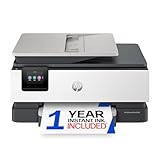
HP OfficeJet Pro 8139 Wireless All-in-One Printer
- FROM AMERICA'S MOST TRUSTED PRINTER BRAND – The OfficeJet Pro 8139 is perfect for home offices printing professional-quality color documents like business documents...
- 1 YEAR TRIAL OF INSTANT INK INCLUDED – Subscribe to the Instant Ink delivery service to get ink delivered directly to your door before you run out, and you save up to...
- KEY FEATURES – Fast color printing, scan, copy, fax, auto 2-sided printing, auto document feeder, and a 225-sheet input tray
- 2.7-INCH TOUCHSCREEN – Quickly navigate your printer with a large color touchscreen and a phone-like user interface
- WIRELESS PRINTING – Stay connected with our most reliable dual-band Wi-Fi, which automatically detects and resolves connection issues
Experience a versatile printing solution with the HP OfficeJet Pro 8139 Wireless All-in-One Printer. Designed to enhance your productivity, it delivers professional-quality color prints that bring your documents to life. Its smart AI features help optimize print layouts, saving you time and effort on every job.
This all-in-one device supports printing, scanning, copying, and faxing, controlled easily through a bright 2.7-inch touchscreen or the HP app. Wireless connectivity options, including dual-band Wi-Fi and wireless direct, ensure smooth integration with your home or office network. Maintenance is straightforward, though be aware that firmware updates may restrict the use of non-HP ink cartridges.
The printer’s compact design fits well in small spaces and uses over 45% recycled plastic, reflecting an eco-conscious choice. Print speeds are moderate, suitable for everyday tasks but may not meet heavy volume demands. It handles standard letter-sized paper, ideal for typical office use.
Best for: professionals and home office users needing reliable, high-quality color printing with smart features and an eco-friendly design.
What We Like:
- Crisp prints with resolution up to 4800 x 1200 dpi
- Easy wireless setup including dual-band Wi-Fi and Apple AirPrint
- AI-driven print optimization enhances document quality
- Eco-friendly design with significant recycled plastic content
- 1-year Instant Ink trial helps reduce ongoing ink costs
Specification:
| Feature | Details |
|---|---|
| Manufacturer | HP |
| Dimensions | Not specified |
| Weight | Not specified |
| Color Options | Not specified |
| Maximum Print Size | 8.5 x 11.7 inches (Letter) |
| Print Speed | 20 ppm black, 10 ppm color |
| Connectivity | Dual-band Wi-Fi, Wireless Direct, Apple AirPrint |
Factors to Consider When Choosing a Budget Printer for Home Office 2026
When choosing a budget printer for your home office in 2026, you’ll want to focus on print quality, ink efficiency, and overall costs to keep expenses low. It’s all about getting the best value without overspending.
Don’t forget to check connectivity options and the printer’s speed to match your workflow. You don’t want to wait around when you have work to do.
Also, consider paper handling capacity to avoid constant refills during busy days. A printer that can hold more paper means less hassle and more productivity.
Print Quality Essentials
Print quality plays a vital role in selecting a budget printer for your home office, especially if you need sharp documents and vibrant images. Aim for a minimum print resolution of 1200 x 1200 dpi for crisp text, and up to 4800 x 1200 dpi if you want high-quality photos or detailed graphics.
Choose printers that use pigment-based black ink for water-resistant, sharp text, combined with dye-based colors for vivid photos. Don’t overlook copy and scan resolution—600 dpi or higher for copies and 1200 dpi+ for scans guarantee accurate reproductions.
If you print photos often, look for a wide color gamut and true borderless printing for edge-to-edge vibrancy. Remember, higher print resolutions slow speed, so balance quality needs with your document volume.
Ink Efficiency and Costs
Ink efficiency can make or break the overall cost-effectiveness of a budget printer for your home office. Start by checking the ink yield per full consumable set and calculate the cost per page—divide the refill price by the page yield for a true running cost.
Opt for refillable-tank or high-yield cartridge systems since they provide thousands of pages per refill, unlike standard cartridges with only a few hundred. It’s a smarter way to save in the long run.
Consider the ink type: pigment black offers sharper, longer-lasting text, while dye color inks are cheaper per page and better for vivid photos. Also, factor in ink waste from cleaning cycles and any subscription or replacement fees.
Finally, think about your printing habits—color vs. monochrome frequency greatly impacts your ongoing expenses. Keep this in mind when choosing the right printer and ink setup for your needs.
Connectivity Options Available
Choosing the right connectivity options can save you time and hassle in your home office setup. If you want wireless convenience, look for Wi-Fi printers supporting 2.4 GHz or dual-band 2.4/5 GHz. This lets multiple devices like PCs and smartphones print seamlessly using standards like AirPrint or Mopria.
USB connections offer reliable, low-latency printing from a single computer. This is perfect when network access is limited or for initial setup.
For a more stable, secure connection, Ethernet is ideal. Especially if multiple users share the printer.
Bluetooth and Wi-Fi Direct let you print quickly from nearby devices without joining the network. That’s great for guests.
Cloud or app-based printing enables remote job submissions, but keep in mind it requires secure accounts and may involve subscriptions.
Just choose connectivity based on your devices and workflow needs. It’s all about what works best for you!
Speed and Performance
Although budget printers might seem similar at first glance, their speed and performance can vary widely. This affects how efficiently you handle tasks in your home office.
You’ll want to check realistic print speeds—typically 6–20 ppm for black and 4–10 ppm for color—to gauge throughput for multitasking or larger jobs. Don’t overlook first-page-out and warm-up times; faster response helps with those quick, occasional prints.
Also, consider the monthly duty cycle to match your workload and avoid slowdowns or wear. If you scan or copy frequently, look for decent scan speeds and an automatic document feeder.
Finally, factor in connection and processing speeds—Wi-Fi lag, printer memory, and processor power impact how smoothly complex or high-resolution prints flow. It all adds up to a better printing experience overall.
Paper Handling Capacity
Beyond speed and performance, how your printer handles paper can make a big difference in your home office workflow. Start by checking the input tray capacity—budget models usually hold between 50 and 225 sheets. Choose one that fits your monthly print volume to cut down on refills.
Also, verify the output tray size; if it holds only 50 to 100 sheets, long print jobs may need your attention to avoid overflow. If you print double-sided documents, look for automatic duplexing to save paper and avoid manual refeeding, since many budget printers don’t offer this feature.
Don’t forget to confirm supported paper sizes and media types, especially if you print envelopes, labels, or banners. Finally, consider special feeders if you scan multi-page docs or print heavier media like cardstock for smoother handling.
Device Size and Weight
When setting up your home office, you’ll want to contemplate the printer’s size and weight carefully to make certain it fits your available space and suits your mobility needs. Check the printer’s footprint—width, depth, and height—to make sure it fits your desk or shelf, especially if you have tight spaces.
Compact models typically measure under 16″ wide and 10″ high. Consider weight too; lighter units around 10–18 pounds are easier to move or store when needed.
Don’t forget to allow extra clearance—4 to 8 inches in front and 2 to 6 inches above—for paper trays, output bins, and lid access. If you plan to keep it on a shelf, confirm the shelf’s depth and weight capacity, especially with paper loaded.
For shared setups, opt for low-profile or vertical designs to reduce clutter while maintaining ventilation and port access. It just makes your workspace neater and more functional.
Frequently Asked Questions
How Do I Recycle Printer Ink Cartridges Responsibly?
You can recycle printer ink cartridges responsibly by returning them to manufacturer programs, dropping them off at local recycling centers, or using mail-in services.
Don’t toss them in the trash, as they contain harmful chemicals. It’s really important to handle them properly to protect the environment.
If you’re not sure where to recycle, check the cartridge packaging or the manufacturer’s website for specific instructions. Many stores also have collection points, making it super convenient.
What Are the Best Paper Types for Photo Printing?
You’ll want to use glossy or satin photo paper for vibrant colors and sharp details. Matte paper works well if you prefer a non-reflective finish.
Choose heavyweight, acid-free paper to guarantee your photos last longer. This way, your prints stay looking great for years to come.
Can Budget Printers Handle Double-Sided Printing Automatically?
Yes, many budget printers now offer automatic double-sided printing.
You’ll want to check the specs to make certain “duplex printing” is supported, so you don’t have to manually flip pages and save time.
It’s a handy feature that can really speed things up and help save paper too. Just make sure to look for it before you buy!
How Often Should I Perform Printer Maintenance?
Like tending a garden, you should perform printer maintenance every 3-6 months. Regular cleaning and checking ink levels keep your printer running smoothly.
This helps prevent jams and ensures crisp prints without unexpected interruptions. It’s a simple routine that really pays off!
Are Wireless Printers Compatible With All Operating Systems?
Wireless printers aren’t always compatible with all operating systems. You’ll want to check the printer’s specs to make sure it supports your device’s OS, whether it’s Windows, macOS, Android, or iOS.
This helps you avoid any annoying connectivity issues down the line. It’s always better to be sure before you buy!
Conclusion
Choosing the right budget printer for your home office in 2026 doesn’t have to be like searching for a needle in a haystack. Whether you pick the Canon MegaTank G3270, G3290, or the HP OfficeJet Pro 8139, each offers reliable performance without breaking the bank.
Keep your needs in mind, and you’ll find a printer that works as hard as you do—making every print job smooth and stress-free. With these budget printers, you get excellent print quality, efficient ink usage, and features tailored for home office productivity. So, when shopping for the best budget printer for home office in 2026, consider these options for a perfect balance of affordability and performance.