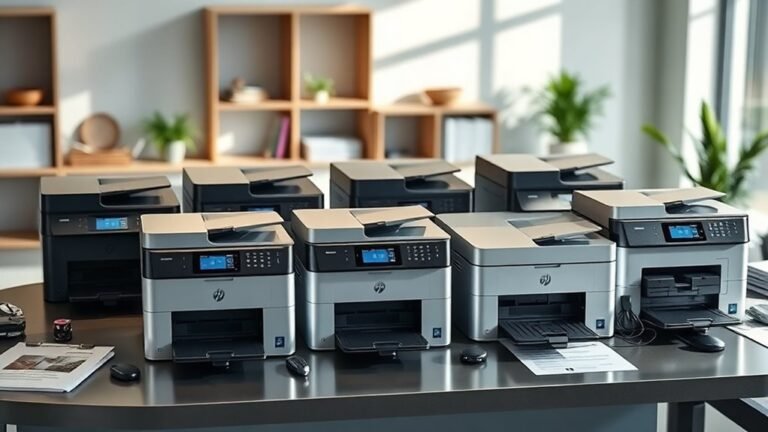
3 Best Billing Printers for 2027
For 2027, you’ll want the P80E Thermal Receipt Printer if you need fast, grease-resistant printing in busy retail or foodservice environments. It comes with wired USB and Ethernet options, making it super reliable for high-volume use.
The Portable Mini is perfect for mobile vendors on the go. It offers Bluetooth and USB connectivity, plus a rechargeable battery, so you can print receipts anywhere without hassle.
If you need reliable two-color impact printing on plain paper, the Bixolon SRP-275III is a solid choice. Each printer suits different workflows, so keep exploring to find the one that matches your exact business needs.
| Image | Name | Editor's Rating | Price |
|---|---|---|---|

|
|
||

|
|
||

|
|
P80E Thermal Receipt Printer 80mm USB Ethernet RJ11 POS Printer
- WIRED USB + ETHERNET + RJ11 CONNECTION: No Wi‑Fi or Bluetooth; this 80mm thermal receipt printer supports Windows, macOS, OTG Android and iOS with ESC/POS software and...
- RGB VISUAL & AUDIBLE ORDER ALERTS: Built‑in RGB status lights and loud buzzer deliver color‑coded standby, working and error alerts for busy kitchens; customize...
- FAST INK‑FREE THERMAL RECEIPT PRINTING: High‑efficiency restaurant POS printer prints crisp 203DPI receipts and scannable barcodes at 200 mm/s to eliminate kitchen...
- DUAL‑MOUNT OIL‑RESISTANT KITCHEN PRINTER: Measures 6.7 × 4.8 × 4.8 inches; space‑saving portable receipt printer supports desktop placement or wall mounting to...
- HEAVY‑DUTY ESC/POS COMMERCIAL PRINTER: Stable 24V DC power supports all‑day continuous high‑volume printing; ideal for restaurants, cafes, food trucks, retail...

The P80E Thermal Receipt Printer offers a reliable solution for busy retail and food service environments. It prints receipts quickly at 200 mm/s, ensuring smooth customer flow during peak hours. The sharp 203 DPI resolution on standard 80mm paper rolls keeps printed text and graphics clear and professional.
Designed for durability, the printer features a grease-resistant ABS housing, making it ideal for kitchens and other demanding settings. Its dual mounting options allow for flexible installation on desktops or walls, helping save valuable counter space. Connectivity options include USB, Ethernet, and RJ11 for cash drawer integration, supporting stable wired connections.
Maintenance is straightforward thanks to its robust build and auto-cutting function, reducing paper jams and downtime. Though it lacks wireless options like Wi-Fi or Bluetooth, this enhances security and reliability in wired setups. The printer supports multiple operating systems, including Windows, macOS, iOS, and OTG Android, but is not compatible with Chromebooks, Linux, or cloud-based POS systems.
The P80E also includes barcode printing and status alerts through RGB lights and a buzzer, helping staff monitor printer status easily. Its practical design and functionality make it a dependable choice for environments requiring fast, grease-resistant printing with versatile mounting and wired connectivity.
Best for: businesses in retail or food service needing a fast, durable thermal receipt printer with grease-resistant design and wired connectivity options.
What We Like:
- Fast printing speed of 200 mm/s with clear 203 DPI resolution.
- Grease-resistant ABS housing suited for kitchen environments.
- Flexible desktop or wall mounting options.
- Multiple wired connections (USB, Ethernet, RJ11) for stable operation.
- Built-in RGB and buzzer alerts for easy status monitoring.
Specification:
| Feature | Details |
|---|---|
| Manufacturer | Not specified |
| Paper Width | 80 mm |
| Print Speed | 200 mm/s |
| Print Resolution | 203 DPI |
| Connectivity | USB, Ethernet, RJ11 |
| Housing Material | Grease-resistant ABS |
| Mounting | Desktop or wall mount |
| Compatible OS | Windows, macOS, iOS, OTG Android |
| Dimensions | Not specified |
| Weight | Not specified |
Portable Mini Thermal Receipt Printer USB Compatible
- Before Purchase, Please NOTE: Not supported for OS; Not compatible with Square POS system. NOTE: Applicable smartphone APP - Loyverse (Retail/Clothing), iREAP...
- Effortless Connectivity: This thermal printer supports both BT and USB cable connections, fit for Android and fit for Win with maximum flexibility. For smartphones...
- High-Speed & High-Resolution Printing: Achieve exceptional clarity with 203dpi resolution and swift business operations with a maximum print speed of 70mm/s from this...
- No-Ink & Cost-Effective Operation: Utilizing an advanced thermal print head, this USB ticket printer requires no ink, toner, or ribbons, ensuring sharp printing and...
- Universal Application: Ideal for a vast range of businesses including supermarkets, restaurants, retail stores, and more, this versatile thermal printer is an ideal fit...
Experience the convenience of the Portable Mini Thermal Receipt Printer, designed to keep your billing smooth and efficient wherever you go. This compact printer offers reliable USB and Bluetooth connectivity, making it easy to print receipts on the spot without hassle. Its lightweight design ensures it fits comfortably in your hand or bag, ideal for mobile use.
This printer streamlines your workflow by producing clear, monochrome receipts quickly at 203 dpi and speeds up to 70 mm/s. Using standard 58 mm thermal paper rolls, it requires no ink or toner, reducing maintenance and operational costs. The rechargeable 1500 mAh battery supports extended use, so you stay productive without frequent charging interruptions.
Compatible with iOS, Android, and Windows devices, it integrates seamlessly with popular apps like Loyverse and Kyte. This flexibility helps small business owners and mobile vendors manage sales and inventory efficiently. However, it is not compatible with the Square POS system and has a limited print width that may not cover all printing needs.
Best for: Small business owners and mobile vendors needing a lightweight, portable thermal receipt printer with USB and Bluetooth connectivity for on-the-go billing.
What We Like:
- Compact, lightweight design (0.25 kg) enhances portability
- Supports multiple platforms and popular retail apps
- Rechargeable battery with no ink or toner required
Specification:
| Feature | Details |
|---|---|
| Manufacturer | Sunydog |
| Dimensions | Compact (fits in hand/bag) |
| Weight | 0.25 kg |
| Paper Width | 58 mm rolls |
| Print Resolution | 203 dpi |
| Print Speed | Up to 70 mm/s |
| Connectivity | USB and Bluetooth |
| Battery Capacity | 1500 mAh rechargeable |
Bixolon SRP-275III Impact Printer Black Serial USB
- Serial interface
- black
- Made in South Korea
The Bixolon SRP-275III Impact Printer delivers reliable two-color printing tailored for busy retail and business environments. Its fast speed of 5.1 lines per second ensures quick, efficient receipt generation, helping reduce customer wait times. The drop-and-print paper loading system simplifies maintenance and minimizes downtime.
Designed to handle plain paper up to 8.5 inches wide, this printer prints clearly in black and red, which enhances the readability and importance of receipts. Its compatibility with both USB and serial connections offers flexibility to fit various setups, providing seamless integration into existing systems.
This durable, black impact printer is built for continuous use in demanding settings. It holds up to 100 sheets, supporting high-volume printing without frequent reloads. The wall-mountable design saves valuable counter space and keeps the printer secure.
While it lacks an autocut feature, requiring manual receipt tearing, the SRP-275III focuses on core billing functions without unnecessary extras. Its simplex printing suits straightforward receipt needs, making it a practical choice for many businesses.
Best for: Businesses and retail environments needing a dependable, fast, and versatile two-color impact printer with easy paper loading and space-saving design.
What We Like:
- Supports both USB and serial interfaces
- Fast 5.1 lines per second two-color printing
- Drop-and-print paper loading for quick maintenance
- Wall-mountable to save counter space
Specification:
| Feature | Description |
|---|---|
| Manufacturer | Bixolon |
| Dimensions | Not specified |
| Weight | Not specified |
| Color | Black |
| Connectivity | USB, Serial |
| Paper Width | Up to 8.5 inches |
| Print Speed | 5.1 lines per second |
| Paper Capacity | 100 sheets |
Factors to Consider When Choosing a Billing Printer
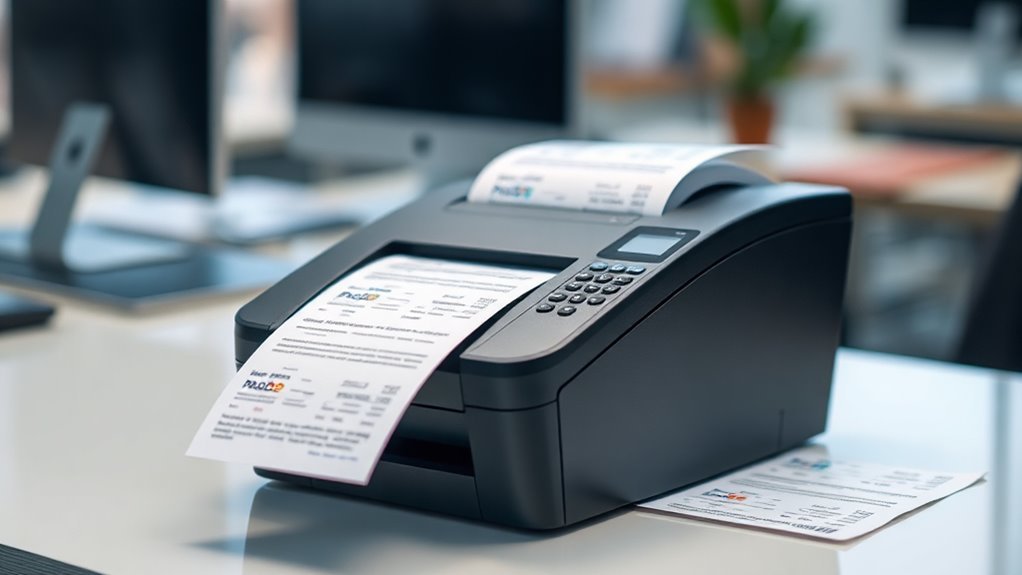
When choosing a billing printer, you’ll want to focus on print speed to keep transactions quick and smooth. Check the connectivity options to make certain it fits your setup.
Also, consider paper size compatibility for your specific needs. It’s important to make sure the printer can handle the type of paper you use.
Don’t forget to evaluate durability and power source types to match your work environment. Picking the right one will help everything run more efficiently.
Print Speed Importance
Often, print speed plays a crucial role in keeping your checkout lines moving smoothly, especially during busy periods. If you handle many short receipts, prioritize printers with speeds of at least 150–200 mm/s to reduce customer wait times and boost throughput.
Remember, speed impacts throughput more than print quality, so ultra-high DPI isn’t always necessary. Keep in mind, faster printers can generate more heat and draw extra power, so make certain your setup supports proper ventilation and respects the printer’s duty cycle for continuous use.
Also, account for initial page latency when integrating with your POS software to get accurate timing. Finally, if you use multi-station or kitchen ticketing, balance speed with cutter reliability and sensor responsiveness to avoid jams during high-output operations.
Connectivity Options Available
Choosing the right connectivity option for your billing printer can make a big difference in performance and ease of use. Wired connections like USB, Ethernet, and serial (RS-232) deliver stable, low-latency links ideal for fixed POS terminals. They often support faster data transfer too.
Ethernet works well for multi-terminal networks and remote management, while USB and serial suit single-station setups. If you need to control a cash drawer, make sure the printer includes a trigger port (RJ11/RJ12).
Wireless options like Bluetooth and Wi-Fi offer flexibility and portability but might introduce some latency. Plus, they rely on signal quality and security, so keep that in mind.
Always check compatibility with your device’s OS and drivers. Native support or ESC/POS compatibility is essential to avoid connection issues.
Tailor your choice to your environment and workflow for the best results. It’s all about what fits your setup and needs the most.
Paper Size Compatibility
Make sure you double-check the paper size compatibility before picking a billing printer, as it directly affects your printing efficiency and quality. Verify the supported paper widths—like 58 mm, 80 mm, or up to 8.5 inches—to match your receipt rolls and templates.
Also, check the maximum paper roll diameter and sheet capacity to minimize roll changes during busy periods. It’s a small detail that can save you a lot of hassle.
Confirm if the printer handles thermal rolls only or also supports plain or impact paper, especially if you need multi-part receipts. This can make a big difference depending on your business needs.
Make certain the print width aligns with your receipt layouts to avoid truncated logos or barcodes. You don’t want your branding to get cut off halfway through.
Finally, consider paper thickness (gsm) and core size requirements. Mismatched thickness or core diameter can cause jams or feeding problems, which will disrupt your workflow. So, it’s worth paying attention to these specs!
Durability And Build
While selecting a billing printer, you’ll want one built tough enough to handle your work environment. Look for robust housing materials like grease- and oil-resistant ABS or metal chassis that resist spills, heat, and frequent cleaning.
Also, check the printer’s rated operating temperatures and built-in protections such as overheat sensors to prevent thermal damage and extend printhead life. It really helps keep things running smoothly.
If you expect heavy daily use, choose a model with a high-duty auto-cutter rating and durable mechanical parts. Don’t forget to consider mounting options—desktop or wall—depending on where you plan to put it.
And if the printer will be mobile, in kiosks, or kitchens, make sure it offers vibration or shock resistance. Finally, review warranty length and spare part availability to secure long-term serviceability and reduce your total cost of ownership.
Power Source Types
Because your printer’s power source directly affects its reliability and convenience, you’ll want to carefully weigh your options between mains-powered models and battery-operated units. Mains-powered printers, often using stable 24V DC adapters, suit continuous high-volume printing.
Battery-powered units—equipped with rechargeable batteries like 1500 mAh—excel in mobile or field operations. When choosing one, consider its runtime and recharge time to avoid downtime.
Also, check the printer’s power consumption to make sure your supply can handle peak loads without voltage drops or overheating. If you plan to connect cash drawers or peripherals, verify the printer’s power output and auxiliary ports support those devices.
For remote or unstable power environments, look into external UPS, vehicle adapters, or replaceable battery packs to maintain smooth, uninterrupted billing. It’s all about keeping your workflow steady no matter where you are.
Frequently Asked Questions
How Do Billing Printers Connect to Mobile Devices?
You connect billing printers to mobile devices via Bluetooth, Wi-Fi, or USB. Just pair them through your device’s settings, ensuring the printer supports your connection type.
And that’s it—you’re ready to print receipts quickly and wirelessly. It’s super convenient once everything is set up!
Can Billing Printers Print in Multiple Languages?
You don’t need a quill and parchment—billing printers can print in multiple languages.
You’ll just select the language settings on your device, and the printer handles the rest.
This makes your receipts accessible worldwide effortlessly.
What Maintenance Is Required for Long-Term Printer Use?
You’ll need to clean print heads regularly, replace ink or toner cartridges, and keep paper paths clear.
Don’t forget firmware updates and proper storage to prevent dust buildup. This will help ensure your printer runs smoothly over time.
Are Billing Printers Compatible With Cloud-Based POS Systems?
Think of billing printers as loyal bridges; yes, you can connect them seamlessly to cloud-based POS systems. They’ll sync effortlessly, letting you print invoices from anywhere.
This turns your sales process into a smooth, digital dance. It’s all about making things easier and more efficient for you.
How Energy Efficient Are Billing Printers?
You’ll find billing printers generally quite energy efficient, especially models with auto-sleep modes and low power consumption. They’re designed to minimize energy use during idle times, helping you save on electricity without compromising performance.
Pretty handy, right? It means you get the job done without worrying too much about your energy bill. Plus, these features make billing printers a smart choice for businesses looking to cut costs.
Conclusion
When choosing your billing printer, you want reliability, speed, and compatibility. Whether you pick the P80E for its versatile connectivity or the portable mini printer for its convenience on the go, you’re set for smooth operations.
Or maybe the Bixolon SRP-275III with its classic impact printing suits your style. Each option delivers efficient billing and clear receipts.
They all integrate seamlessly into your setup, making your workflow easier. Focus on what fits your needs and matches your budget.
Your perfect billing printer should work hard, print fast, and last long. Picking the right printer means enjoying hassle-free billing, faster transactions, and durable performance in 2027 and beyond.