4 Best Budget Printers for Business in 2027
You’ll find top budget printers like the HP LaserJet Pro 3105sdw and Brother MFC-L2900DW perfect for fast, reliable monochrome laser printing with duplex features. These models are great if you need efficiency without breaking the bank. They handle everyday business printing tasks smoothly and cost-effectively.
If you want vibrant color and low running costs, the Canon MegaTank G3270 offers a refillable ink system and sharp prints. It’s ideal for businesses that need bright, professional-quality color without frequent cartridge replacements. Plus, the MegaTank’s design helps save money over time.
For high-volume, professional monochrome needs, the Canon imageCLASS MF462dw II stands out with a touchscreen and quick output. This printer is built for busy offices that demand speed and easy operation. Explore their strengths and how to pick the best fit for your business demands.
| Image | Name | Editor's Rating | Price |
|---|---|---|---|

|
|
||

|
|
||
|
|
HP LaserJet Pro 3105sdw Monochrome Laser Printer | All-in-One
No products found.
The HP LaserJet Pro 3105sdw is built to enhance productivity for small and medium teams. It tackles daily printing challenges by delivering sharp, professional black-and-white documents quickly and efficiently. With printing speeds up to 33 pages per minute, it keeps workflows moving without delay.
Its automatic two-sided printing and scanning save time and reduce paper use, streamlining office tasks. The all-in-one design also covers copying and faxing, consolidating multiple functions into one compact device. This helps minimize clutter and simplifies maintenance.
Connectivity is flexible with Wi-Fi, Ethernet, USB, and mobile app control, allowing users to print and scan directly from smartphones or computers. This flexibility supports a variety of work environments, making collaboration easier for teams of up to seven users.
Maintenance is straightforward but note the printer uses only original HP cartridges with chip authentication. While this ensures quality, it may increase running costs. The single paper tray holds up to 250 sheets, which is ideal for moderate workloads but may need frequent refills in busy offices.
Best for: Small and medium businesses or teams of up to seven users needing fast, reliable black-and-white printing and versatile all-in-one functionality.
What We Like:
- Fast print speed up to 33 ppm with automatic duplexing
- Multiple connectivity options including Wi-Fi and mobile app control
- All-in-one design combining printing, scanning, copying, and faxing
- Built-in AI features that improve document formatting and workflow
Specification:
| Feature | Details |
|---|---|
| Manufacturer | HP |
| Dimensions (W×D×H) | Approx. 17.2 × 15.2 × 13.3 in |
| Weight | Approx. 20.7 lb (9.4 kg) |
| Printing Technology | Monochrome Laser |
| Print Speed | Up to 33 pages per minute |
| Paper Capacity | Single tray, 250 sheets |
| Connectivity | Wi-Fi, Ethernet, USB, Mobile App |
Canon MegaTank G3270 All-in-One Wireless Color Printer
- Wireless Print/Copy/Scan
- Up to 2 years of ink included (2)
- Print up to 6,000 black & white / 7,700 color pages using a single set of inks! (1)
- Save up to $1,000 on ink (1)
- 1.35” Square LCD display

The Canon MegaTank G3270 transforms everyday printing challenges into simple, cost-effective solutions. Its refillable MegaTank system delivers up to 7,700 color pages per ink set, significantly lowering your printing expenses and reducing interruptions for ink replacements.
This all-in-one wireless printer handles printing, scanning, and copying with sharp 4800 × 1200 dpi resolution, making it ideal for small offices or home workspaces. You can easily connect via Wi-Fi or USB and manage tasks directly from your smartphone or tablet, adding convenience and flexibility to your workflow.
Designed for versatile use, the G3270 supports multiple paper sizes and media types with a 100-sheet capacity. Although it only prints single-sided pages and has a moderate copy speed, its energy-efficient design helps keep running costs low while maintaining reliable performance.
Maintenance is straightforward thanks to the MegaTank system, which reduces frequent cartridge changes and lowers ink waste. This printer is a practical choice for users looking to combine quality, efficiency, and affordability in one device.
Best for: Small businesses and home offices seeking a cost-effective, reliable all-in-one wireless printer with high ink yield and versatile media support.
What We Like:
- Refillable MegaTank system cuts ink costs with high page yields.
- Wireless and smartphone app control enhance user convenience.
- Supports various paper sizes and media types with a 100-sheet tray.
- Sharp print resolution ensures clear, vibrant output.
- Energy Star certified for efficient power use.
Specification:
| Feature | Details |
|---|---|
| Manufacturer | Canon |
| Dimensions (W×D×H) | Approx. 17.7 × 13.4 × 7.9 in (45 × 34 × 20 cm) |
| Weight | Approx. 9.7 lb (4.4 kg) |
| Printing Technology | Inkjet |
| Print Resolution | Up to 4800 × 1200 dpi |
| Connectivity | Wi-Fi, USB |
| Paper Capacity | 100 sheets |
| Functions | Print, Copy, Scan |
| Duplex Printing | No (simplex only) |
Brother MFC-L2900DW Wireless Laser All-in-One Printer
- Professional Performance: Elevate your business efficiency with this Brother Genuine laser printer delivering lightning-fast 36 ppm output, crystal-clear monochrome...
- Versatile Connectivity: Take command of your workflow with dual-band wireless (2.4GHz/5GHz), Ethernet, or USB connectivity options, plus seamless mobile printing and...
- Advanced Document Handling: Maximize productivity with the 50-page auto document feeder, automatic duplex printing to save paper, and convenient single-pass two-sided...
- Smart Interface: Navigate effortlessly through printing, scanning, and cloud functions using the responsive 3.5 in touchscreen display, with direct access to popular...
- Energy Efficient: Benefit from an enhanced fuser design that delivers 22% reduction in electricity consumption, faster warm-up times from sleep mode, and automatic duplex...
The Brother MFC-L2900DW offers a powerful solution for busy offices needing efficient monochrome printing. With a fast print speed of 36 pages per minute, it helps reduce wait times and keeps workflows moving smoothly. Its compact design fits easily into small workspaces without sacrificing performance.
This all-in-one device handles printing, scanning, copying, and faxing, making it a versatile tool for everyday office tasks. Automatic duplex printing and a 50-sheet two-sided ADF simplify handling multi-page documents, saving time and effort.
Connectivity options are flexible, including dual-band Wi-Fi, Ethernet, and USB. Users can also print remotely using the Brother Mobile Connect app, which adds convenience for mobile or remote work. The 3.5-inch touchscreen provides straightforward control, though its size may limit complex navigation.
Maintenance is straightforward with a 250-sheet paper capacity and an included starter toner cartridge. Its energy-efficient design helps reduce power consumption, making it a practical choice for budget-conscious environments in 2027.
Best for: Small businesses and busy offices needing a compact, efficient monochrome all-in-one printer with wireless and duplex printing capabilities.
What We Like:
- Fast 36 ppm print speed with automatic two-sided printing
- Multiple connectivity options including dual-band Wi-Fi and mobile app support
- Energy-efficient design reduces power usage
- Compact size fits well in tight office spaces
- Included starter toner allows immediate use
Specification:
| Feature | Details |
|---|---|
| Manufacturer | Brother |
| Dimensions (W x D x H) | 16.1 x 15.7 x 12.0 inches |
| Weight | 16.5 lbs (7.5 kg) |
| Color Options | Monochrome (Black and White) |
| Connectivity | Dual-band Wi-Fi, Ethernet, USB |
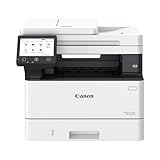
Canon imageCLASS MF462dw II – Wireless, Monochrome Duplex Laser Printer
- Monochrome, Wireless, Duplex 4-in-1: Print, scan, copy, fax.
- Fast Print Speeds: Print up to 37 pages per minute and spend less time waiting with a quick first print time of approximately 5 seconds.
- Easy Wireless Setup: Setup your wireless connection and get up and running in just a few steps2
- 5-inch Color Touchscreen: Get the job done quickly with Application Library - an intuitive and easy to use customizable access to the features you use most.
- Mobile Device Printing: Print from your compatible mobile devices using the free Canon PRINT app, Apple AirPrint and Mopria Print Service.
Experience seamless productivity with the Canon imageCLASS MF462dw II, designed to meet the needs of small and hybrid offices. This monochrome laser printer offers fast wireless printing that keeps your workflow moving without interruptions. Its multifunction capabilities combine printing, copying, scanning, and faxing in one compact device, saving valuable space.
The device’s duplex automatic document feeder simplifies double-sided scanning, making document handling efficient and less time-consuming. Print jobs come out sharp and clear at speeds of up to 37 ppm with a 1200 x 1200 dpi resolution, perfect for professional-quality text documents. A bright 5-inch color touchscreen allows you to customize workflows and access features easily, enhancing day-to-day usability.
Maintenance is straightforward, thanks to its reliable design and standard 350-sheet paper capacity, which supports growing workloads without frequent refills. Wireless and mobile printing options like Canon PRINT, Apple AirPrint, and Mopria enable convenient printing from various devices, eliminating the need for physical connections. While it weighs 44 pounds and offers only monochrome output with a single USB port, its robust functionality makes it a solid choice for busy office environments.
Best for: Small and hybrid offices needing a fast, versatile monochrome all-in-one printer with efficient duplex scanning and mobile printing features.
What We Like:
- Fast printing at up to 37 ppm with high-resolution output
- Easy-to-use 5-inch color touchscreen for workflow customization
- Wireless and mobile printing support via Canon PRINT, Apple AirPrint, and Mopria
- Efficient duplex automatic document feeder for double-sided scanning
Specification:
| Feature | Details |
|---|---|
| Manufacturer | Canon |
| Dimensions (W x D x H) | 16.1 x 15.9 x 12.7 inches |
| Weight | 44 lbs (20 kg) |
| Color Options | Monochrome (Black & White) |
| Connectivity | Wireless, USB |
Factors to Consider When Choosing a Budget Printer for Business

When choosing a budget printer for your business, you’ll want to contemplate how fast you need it to print and what connectivity options suit your setup. Think about the print quality you expect and analyze the ongoing operating costs to avoid surprises.
Also, make sure the device fits comfortably in your workspace without causing clutter. It’s all about finding the right balance between performance and convenience for your daily needs.
Print Speed Requirements
Consider your team’s printing demands carefully to choose a budget printer that meets your speed needs without overspending. If your small team prints occasionally, look for printers offering 20–30 pages per minute (ppm) to avoid delays during busy periods.
For high-volume workflows or multi-page reports, aim for 30–40+ ppm to keep queues short and productivity high. Don’t overlook time-to-first-page, typically 4–7 seconds; faster first-page output cuts the wait for urgent prints.
If you handle two-sided or multi-page jobs, prioritize printers with one-pass duplex scanning and printing to halve processing time. Finally, align print speed with your average daily duty cycle and number of users to prevent bottlenecks without paying for unnecessary capacity.
Connectivity Options Available
Print speed alone won’t keep your office running smoothly if your printer can’t connect efficiently to your devices. You’ll want a printer that supports both wired Ethernet and USB connections. Ethernet is ideal for multi-user setups, while USB works for direct workstation links.
Dual-band Wi‑Fi (2.4 GHz and 5 GHz) with modern standards like Wi‑Fi 5 or 6 ensures faster, more reliable wireless printing. This is especially helpful in crowded environments where many devices compete for bandwidth.
Make sure your printer supports mobile printing protocols such as AirPrint and Mopria, plus vendor apps. That way, you can print or scan from smartphones and tablets without any hassle.
If your team works remotely, cloud and remote-printing features are a must-have. And don’t forget to prioritize secure connectivity options like network authentication and encrypted transmissions. Keeping your data safe is key!
Print Quality Expectations
Although speed and connectivity are essential, you’ll want to make certain your budget printer delivers the quality your business demands. Monochrome laser printers typically offer sharp text at up to 1200 x 1200 dpi and quick first-page-out times, perfect for professional reports.
If you need color, inkjets can produce photo-quality prints with resolutions up to 4800 x 1200 dpi, though often slower. Remember, scanner and copier resolutions differ, usually ranging from 300 to 600 dpi for documents, which impacts digitized image clarity.
Features like duplex printing and automatic document feeders don’t raise print resolution but improve workflow and consistent output. Finally, keep in mind that print quality varies with cartridge type and print mode, so balancing cost and sharpness is key for your business needs.
Operating Costs Analysis
When choosing a budget printer for your business, understanding the total operating costs can save you from unexpected expenses down the line. Start by calculating the cost per page: divide the total consumable cost—including toner or ink and any required chips—by the manufacturer’s page yield.
Remember, starter cartridges usually offer fewer pages than replacements, so factor that in. Don’t forget maintenance costs like drum, fuser, or printhead replacements and possible service visits, especially if you print a lot.
Also, consider energy consumption during warm-up and idle modes. Keep an eye out for any ENERGY STAR or EPEAT certifications that help lower electricity bills.
Finally, estimate your total cost of ownership by combining the printer’s purchase price, consumables, maintenance, and power costs. This way, you get an accurate annual per-page or per-user expense.
Device Size Considerations
Since your workspace might have limited room, you’ll want to measure available desk or counter space carefully before choosing a budget printer. Make sure the printer’s depth, width, and height fit comfortably, leaving enough clearance to open trays and access the ADF or flatbed scanner without hassle.
Don’t forget to account for extra space around paper trays, output bins, and doors—these often require several additional inches to function smoothly. It’s easy to overlook these small but important details.
Consider the printer’s weight and footprint, especially if you plan to move it frequently. Lighter, compact models are easier to handle but might have smaller paper capacities.
Also, factor in space for network and power cables, plus nearby devices you’ll use with the printer. If you expect heavy use, opt for a slightly larger model with bigger trays and an ADF to minimize refills and interruptions.
Frequently Asked Questions
How Do Printer Ink Refill Kits Compare in Cost to Original Cartridges?
You’ll find printer ink refill kits usually cost much less than original cartridges, often saving you 50-70%.
That’s a pretty big saving! However, they might be messier and less reliable, so weigh the savings against potential hassle and print quality.
Can These Printers Connect to Mobile Devices via Bluetooth?
You won’t believe it, but yes, these printers connect to your mobile devices via Bluetooth like magic!
You’ll print documents straight from your phone or tablet without fumbling with cables—total wireless freedom at your fingertips!
What Are the Typical Warranty Periods for Budget Business Printers?
Typical warranty periods for budget business printers range from one to two years. You’ll usually get at least a year of coverage, with optional extended warranties available to protect your investment longer.
It’s pretty common for manufacturers to offer these extended plans, just in case you want extra peace of mind. So, if you think you might need more coverage, it’s worth considering.
Are There Any Eco-Friendly Printing Options Available With These Models?
You might think budget printers lack eco-friendly options, but many models now support recycled paper use and offer duplex printing to save paper.
You’ll find energy-efficient features and toner-saving modes to reduce environmental impact.
How Do These Printers Perform With High-Volume Printing Jobs?
These printers handle high-volume jobs well, offering reliable speed and consistent quality. You won’t face frequent jams or slowdowns, so you can trust them to keep up with your business’s demanding printing needs efficiently.
They’re designed to work hard without breaking a sweat, which means less downtime and more getting things done. So, if you’ve got a lot to print, these printers have got your back.
Conclusion
Choosing the right budget printer for your business isn’t just about saving money—it’s about investing smartly in efficiency and quality. Whether you need crisp monochrome prints or vibrant colors, these top picks have you covered without breaking the bank.
Remember, the best printer is the one that fits your unique needs and keeps your workflow smooth. So, why settle for less when the perfect printer is just a click away?
When looking for the best budget printers for business, consider factors like print speed, reliability, and running costs. A smart investment now means smoother operations and better productivity down the line. With the right printer, you get high-quality output that supports your business goals without stretching your budget. So go ahead, choose wisely and watch your business printing needs get handled with ease!