5 Best Budget Multifunction Laser Printers for 2027
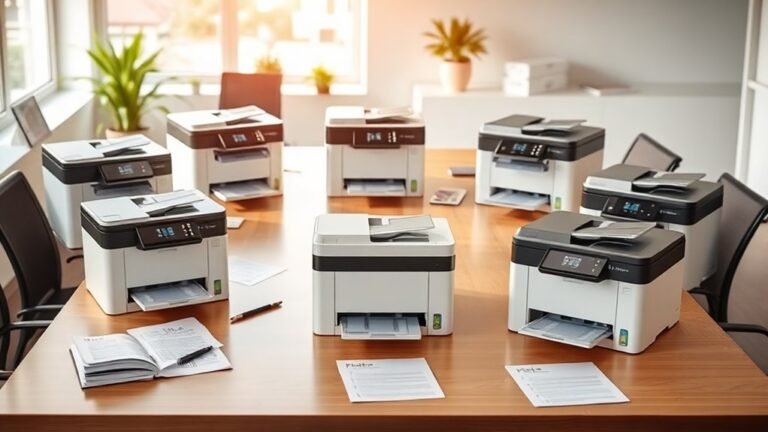
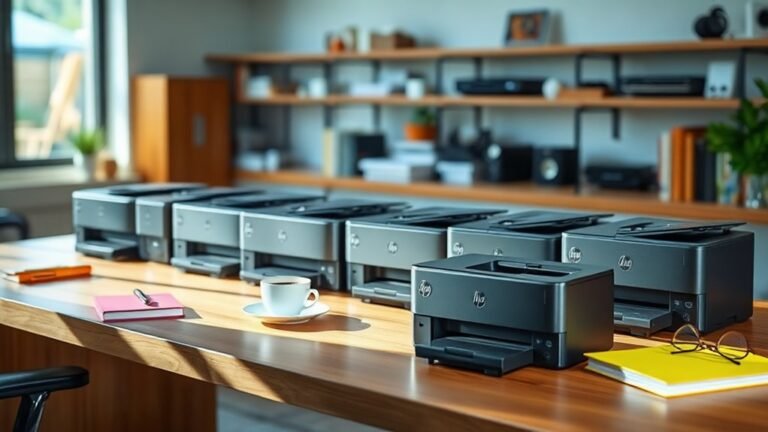
If you’re looking for a reliable, budget-friendly multifunction laser printer for 2027, you’ve got some great options to consider. These printers offer a mix of speed, quality, and smart features without breaking the bank. Whether you need something for home use, a small office, or a bigger team, there’s a model that fits your needs perfectly.
The HP LaserJet M234sdw is a solid choice with fast 30 ppm printing and a 40-page ADF. Plus, it supports dual-band Wi-Fi, making wireless printing a breeze.
The Canon imageCLASS MF273dw stands out if you want excellent label support and sharp 2400 dpi print quality.
For larger teams, the HP LaserJet Pro 3105sdw can handle up to seven users and includes handy AI-assisted features.
Eco-conscious buyers will appreciate the Brother DCP-L2640DW for its certifications and impressive speed.
And if you’re short on space, the compact HP M29w is worth a look.
These details should help you pick the perfect multifunction laser printer for your budget and needs.
| Image | Name | Editor's Rating | Price |
|---|---|---|---|

|
|
||

|
|
||
|
|
HP LaserJet M234sdw Monochrome Laser Printer | All-in-One
No products found.
The HP LaserJet M234sdw brings reliable all-in-one functionality to small teams. It handles printing, copying, and scanning with ease, helping you save time on routine office tasks. Its fast monochrome printing at up to 30 pages per minute keeps your workflow moving smoothly.
Designed for efficiency, this printer offers automatic duplexing and a 40-page auto document feeder. These features reduce manual effort and speed up multi-page scanning and copying. The compact build fits neatly into limited office spaces without sacrificing performance.
Connectivity is simple and flexible with dual-band Wi-Fi and Ethernet options. You can print directly from mobile devices or desktops using the HP Smart app, making it easy to stay productive from anywhere in your workspace. Maintenance is straightforward thanks to its well-organized design and standard paper handling.
While it focuses on monochrome printing, the HP LaserJet M234sdw is ideal for small offices needing dependable, secure, and efficient document management. Its built-in security features and Energy Star certification ensure safe and eco-friendly operation.
Best for: Small teams of 1–5 users needing a reliable, efficient all-in-one monochrome laser printer for office tasks including printing, copying, and scanning.
What We Like:
- Fast print speed of up to 30 ppm with automatic duplexing
- 40-page auto document feeder for hands-free scanning and copying
- Dual-band Wi-Fi and Ethernet for versatile connectivity
- Compact design with built-in security features
- Energy Star certified for efficiency
Specification:
| Feature | Details |
|---|---|
| Manufacturer | HP |
| Dimensions | Compact (exact size not specified) |
| Weight | Not specified |
| Printing Speed | Up to 30 pages per minute |
| Print Resolution | 600 x 600 dpi |
| Paper Capacity | 150 sheets |
| Connectivity | Dual-band Wi-Fi, Ethernet |
Canon imageCLASS MF273dw Wireless Monochrome Laser Printer
- Wireless 3-in-1: Print | Copy | Scan
- Print up to 30 Pages Per Minute (BW, Letter)
- First Print Out in Approximately 5.3 Seconds (Letter)
- Auto 2-sided Printing
- Uses Toner 071 / 071 High-Capacity Toner
The Canon imageCLASS MF273dw transforms your daily printing tasks with fast, dependable monochrome output. Designed to boost productivity, it prints up to 30 pages per minute with sharp 2400 x 600 dpi resolution. Automatic duplex printing helps reduce paper waste, making it an eco-friendly choice for busy users.
This wireless multifunction printer simplifies office workflows by combining printing, copying, and scanning in one compact device. The intuitive LCD screen and auto document feeder make managing documents effortless. It supports a variety of paper types, including labels, adding versatility for different projects.
Maintaining the MF273dw is straightforward thanks to its reliable design and single input tray holding up to 150 sheets. While the tray’s capacity limits heavy usage, it suits small offices or home users who print moderately. Weighing 24.7 pounds, the printer offers a balance between portability and stability.
Connectivity options like Wi-Fi, USB, and Wi-Fi Direct ensure flexible setup in various environments. Although it prints only in monochrome, this focus delivers crisp text and efficient performance without unnecessary complexity.
Best for: Small office or home users needing a fast, reliable monochrome multifunction printer with wireless connectivity and automatic duplexing.
What We Like:
- Fast print and copy speed of up to 30 ppm
- Automatic duplex printing reduces paper usage
- Supports multiple media types, including labels
- Multiple connectivity options for easy integration
- Compact design with straightforward maintenance
Specification:
| Feature | Details |
|---|---|
| Manufacturer | Canon |
| Dimensions | Not specified |
| Weight | 24.7 lb (11.2 kg) |
| Print Speed | Up to 30 ppm |
| Resolution | 2400 x 600 dpi |
| Paper Capacity | 150 sheets |
| Connectivity | Wi-Fi, USB, Wi-Fi Direct |
| Functions | Print, Copy, Scan |
HP LaserJet Pro 3105sdw Monochrome Laser Printer | All-in-One
No products found.
The HP LaserJet Pro 3105sdw offers a reliable solution for small teams needing quick, professional black-and-white printing. Its all-in-one design handles printing, copying, scanning, and faxing, simplifying office tasks and reducing the need for multiple devices. This streamlines workflows and saves valuable workspace.
With a print speed of 33 pages per minute and sharp 1200 x 1200 dpi resolution, this printer delivers clear, crisp documents fast. The automatic duplex printing feature cuts paper use and speeds up two-sided jobs. Connectivity options like Wi-Fi, Ethernet, USB, and smartphone app control with AI integration make it easy to manage tasks remotely.
Maintenance is straightforward but requires attention to the single 250-sheet paper tray and cartridge use. The printer’s cartridge authentication system ensures quality but limits compatibility to HP toner cartridges, which may affect operating costs. Despite these considerations, its compact size fits neatly into small offices.
This printer is designed to support up to seven users, making it ideal for small to medium-sized business teams needing efficient, monochrome printing with versatile all-in-one capabilities.
Best for: Small to medium-sized business teams requiring fast, professional-quality monochrome printing with integrated multifunction features.
What We Like:
- Fast printing at 33 pages per minute with sharp 1200 x 1200 dpi resolution
- Automatic duplex printing and scanning improve efficiency
- Multiple connectivity options including Wi-Fi, Ethernet, USB, and smartphone app control
- AI-assisted scanning and printing streamline workflows
- Compact design fits well in small office spaces
Specification:
| Feature | Details |
|---|---|
| Manufacturer | HP |
| Dimensions | 16.4 x 15.5 x 13.7 inches |
| Weight | 23.1 lbs (10.5 kg) |
| Color | Monochrome (Black & White) |
| Connectivity | Wi-Fi, Ethernet, USB, Mobile App |
Brother DCP-L2640DW Wireless Monochrome Printer
- BEST FOR SMALL BUSINESSES – Engineered for extraordinary productivity, the Brother DCP-L2640DW Monochrome (Black & White) 3-in-1 combines laser printer, scanner, copier...
- FAST PRINTER WITH EFFICIENT SCANNING – Produces documents quickly with print speeds up to 36 ppm(2) and scan speeds up to 23.6/7.9 ipm(3) (black/color). A 50-page auto...
- FLEXIBLE CONNECTION OPTIONS – Easily navigate the changing demands of your business with secure multi-device connectivity via built-in dual-band wireless (2.4GHz...
- BROTHER MOBILE CONNECT APP – Print, scan, and manage your wireless printer anytime, from almost anywhere from your mobile device. Order Brother Genuine Supplies, track...
- CHOOSE BROTHER GENUINE TONER – When it’s time to replace your toner, be sure to choose Brother Genuine TN830 or TN830XL replacement toner. And with Refresh EZ Print...

Experience efficient, high-speed printing with the Brother DCP-L2640DW, a wireless monochrome laser printer designed to streamline your office tasks. It handles printing, copying, and scanning quickly, reducing wait times and boosting productivity.
This compact 3-in-1 printer integrates seamlessly into small business or home office setups. Its wireless connectivity options, including dual-band Wi-Fi, Ethernet, and USB, help you stay connected without clutter. Managing print jobs remotely is simple with the Brother Mobile Connect app.
Maintenance is straightforward thanks to the 250-sheet paper tray and a 50-page automatic document feeder. Automatic duplexing conserves paper and lowers operating costs. While it prints only in monochrome, the clear, sharp output meets everyday business needs effectively.
Power use peaks at 470 W during operation, which should be considered in energy planning. Overall, the device balances functionality and eco-friendliness with ENERGY STAR and EPEAT Silver certifications.
Best for: Small businesses and home offices needing fast, reliable monochrome printing, copying, and scanning with wireless connectivity and eco-conscious features.
What We Like:
- Fast print and copy speeds up to 36 ppm with quick first-page output
- Multiple connectivity options: dual-band Wi-Fi, Ethernet, and USB
- Efficient paper handling with a 50-page auto document feeder and 250-sheet tray
- Eco-friendly with ENERGY STAR certification and automatic duplexing
Specification:
| Feature | Details |
|---|---|
| Manufacturer | Brother |
| Dimensions | Compact size (exact not specified) |
| Weight | Not specified |
| Color | Monochrome (black and white) |
| Connectivity | Dual-band Wi-Fi, Ethernet, USB |
HP Laserjet Pro MFP M29w Wireless Printer (Y5S53A)
- WORLD’S SMALLEST LASER PRINTER IN ITS CLASS – The HP LaserJet Pro M29w all in 1 laser printer, copier, and scanner is 30% smaller than its predecessor and produces...
- Fast print speeds – prints up to 19 pages per minute, with the first page out in as few as 7; 9 seconds
- Mobile printing – The HP Smart app allows you to easily scan from your smartphone or tablet, order toner, and Print from the cloud, such as iCloud, Google Drive, and...
- Reliability wireless connectivity – built in wireless capabilities let you easily access, Print, and share resources on a network; for those with no Wi Fi connection...
- Scan files directly to PDF and email with preloaded business apps
The HP LaserJet Pro MFP M29w redefines compact printing for small spaces. Its space-saving design is 30% smaller than previous models, making it perfect for tight desks or home offices. This monochrome all-in-one device combines printing, copying, and scanning in one sleek unit, helping you manage everyday tasks efficiently.
Wireless connectivity through Wi-Fi and Wi-Fi Direct simplifies printing from smartphones or laptops without the clutter of cables. The HP Smart app enhances convenience by allowing easy access to cloud storage and remote printing. With print speeds up to 19 pages per minute and sharp 600 x 600 dpi resolution, it delivers clear, professional-quality documents swiftly.
Maintenance is straightforward with a single paper tray designed for standard letter-size media (up to 8.5 x 11 inches). However, the sheetfed scanner might be less suited for multi-page documents compared to flatbed scanners. The device’s energy-saving features and Alexa integration support sustainable and hands-free operation.
This model is ideal for users seeking a reliable, wireless monochrome printer with basic multifunction capabilities in a compact footprint.
Best for: Small offices, home users, and individuals needing a compact, wireless monochrome all-in-one printer for basic print, copy, and scan tasks.
What We Like:
- Compact design saves valuable desk space.
- Wireless printing via Wi-Fi, Wi-Fi Direct, and HP Smart app.
- Fast print and copy speeds of up to 19 pages per minute.
- Clear 600 x 600 dpi print resolution.
- Energy-saving features and Alexa voice control integration.
Specification:
| Feature | Details |
|---|---|
| Manufacturer | HP |
| Dimensions (W×D×H) | Approximately 13.2 × 8.5 × 7.5 inches |
| Weight | Around 8.5 lbs (3.86 kg) |
| Color Options | White |
| Connectivity | Wi-Fi, Wi-Fi Direct, USB |
| Print Resolution | 600 x 600 dpi |
| Media Size | Up to 8.5 x 11 inches |
Factors to Consider When Choosing a Budget Multifunction Laser Printer
When choosing a budget multifunction laser printer, you’ll want to weigh print speed to keep up with your workload. Check the connectivity options to make certain it fits your setup.
And don’t overlook paper handling capacity for your typical print jobs. It’s important to make sure the printer can handle what you usually print without constant refills.
Also, make sure the print quality meets your standards and that the printer is energy efficient to save on power costs. After all, you want good results without a big electricity bill.
Print Speed Importance
Print speed often plays a crucial role in how efficiently you complete your printing tasks. Measured in pages per minute (ppm), a higher ppm means less waiting, especially for busy small teams.
You should consider both mono and duplex speeds—two-sided printing usually runs slower than single-sided. If you print occasionally at home, 15–20 ppm could be enough.
But small offices with frequent batch printing often need 30+ ppm to keep things moving smoothly. Keep in mind, faster printers may use more energy and produce more noise, so balance speed with environmental and comfort factors.
Also, check the first-page-out time; a quicker start improves responsiveness for single-page or remote prints, making your workflow smoother overall.
Connectivity Options Available
Choosing the right connectivity options can make a big difference in how easily you integrate a multifunction laser printer into your workspace. Make sure the printer supports both 2.4 GHz and 5 GHz Wi-Fi bands for stable wireless connections with less interference.
An Ethernet port is essential if you want reliable, high-speed wired networking, especially in shared office environments. It really helps keep things running smoothly when multiple people are connected.
Check if the printer supports mobile printing standards like AirPrint or Mopria. Also, see if it offers a dedicated app for easy printing and scanning from your smartphone or tablet.
A USB port is handy for direct printing or scanning when network access isn’t available. This way, you’re covered even if your Wi-Fi is down or not set up yet.
Additionally, Wi-Fi Direct and cloud or voice service compatibility let you print or scan without a local network. That adds some nice flexibility for those quick, ad-hoc printing needs.
Paper Handling Capacity
Along with connectivity, the way a printer handles paper can have a big impact on your daily workflow. Check the maximum input tray capacity—usually 150 to 250 sheets in budget models—to make sure it matches your printing volume and cuts down on refills.
If you scan or copy multi-page documents often, look for a decent ADF capacity, typically 40 to 50 pages, so you don’t have to feed pages manually. Don’t forget to verify the output tray capacity and duty cycle to avoid frequent jams or maintenance.
Automatic duplex printing saves paper and boosts efficiency, so confirm it supports the media sizes you use, including envelopes or legal paper. Also, make sure the printer handles your preferred media types like labels or cardstock without hassle.
Print Quality Standards
Image clarity plays a vital role when picking a budget multifunction laser printer, especially if you want crisp text and detailed graphics. Aim for a print resolution of at least 600 x 600 dpi for standard text, but 1200 x 1200 dpi or higher delivers sharper fine text and line art.
Don’t just rely on marketing claims—check ISO/IEC print quality metrics to see how the printer performs in real-world tests. Also, consider first-page-out times; a printer that warms up quickly (under 10 seconds) keeps your workflow smooth.
Pay attention to toner and cartridge yields since higher yields maintain consistent print density, avoiding fading or banding. Lastly, make certain duplex printing aligns well, as misregistration or uneven density on the second side can hurt your document’s professional look.
Energy Efficiency Ratings
While multifunction laser printers are prized for their speed and reliability, you’ll want to weigh their energy efficiency carefully to keep operating costs low and reduce environmental impact. Look for Energy Star certification or similar labels showing reduced power use in active, idle, and sleep modes.
It’s a good idea to compare typical idle wattage versus peak printing power to gauge energy costs and electrical demand. Features like automatic duplexing not only save paper but also lower energy per printed page by cutting warm-up cycles.
Auto On/Off or scheduled sleep modes help minimize idle power consumption, especially if the printer wakes quickly to avoid workflow delays. Since laser printers generally use more power during warm-up and printing, consider duty cycle and pages-per-minute to balance performance with energy usage effectively.
Security Features Included
Energy efficiency isn’t the only factor to take into account when choosing a budget multifunction laser printer—security plays a big role too. You should look for built-in firmware security features like secure boot, integrity checks, and automatic updates to prevent unauthorized code.
Make certain the printer supports secure network protocols such as WPA3 for Wi-Fi, TLS for print services, and SNMPv3 for management to safeguard your data. User authentication via PIN, card, or directory integration guarantees only authorized users can print or scan.
Check for data-at-rest protection like AES encryption or secure erase functions to protect stored documents. Finally, prefer printers with logging, audit capabilities, and role-based administration to monitor usage and enforce security policies effectively.
Frequently Asked Questions
How Do Laser Printers Compare to Inkjet Printers for Photo Printing?
Laser printers aren’t ideal for photo printing because they produce less vibrant colors and lower detail than inkjets. You’ll get sharper text with lasers, but for rich, high-quality photos, inkjets are your best bet.
Honestly, if you want photos that really pop with color and detail, inkjets are the way to go. They handle gradients and subtle shades much better than lasers can. So, while lasers excel at crisp text, when it comes to photos, stick with inkjets for the best results.
What Is the Typical Lifespan of a Multifunction Laser Printer?
You probably won’t outlive your multifunction laser printer—it typically lasts 3 to 5 years.
So, unless you’re immortal, you’ll replace it before it quits on you.
Don’t get too attached!
Can These Printers Be Used With macOS and Linux Operating Systems?
Yes, you can use these printers with macOS and Linux. Most manufacturers provide drivers for both.
However, you might need to download them from their websites or use open-source drivers for Linux to guarantee full functionality. It’s usually pretty straightforward once you know where to look!
How Do Toner Cartridge Costs Affect Overall Printer Expenses?
Toner cartridge costs directly impact your overall printer expenses since replacements can be pricey.
You’ll want to choose printers with affordable, high-yield cartridges to keep running costs low.
This way, you can avoid surprises in your budget and manage expenses better.
Are There Eco-Friendly Features in Budget Multifunction Laser Printers?
You might think budget printers lack eco-friendly features, but many now include duplex printing and energy-saving modes. These help reduce paper use and power consumption, letting you save money while minimizing your environmental impact.
It’s pretty cool how even affordable printers are going green. So, you don’t have to spend a lot to be kind to the planet.
Conclusion
Choosing the right budget multifunction laser printer doesn’t have to be rocket science. Whether you’re working from home or running a small office, these top picks combine reliability with smart features to keep you productive without emptying your wallet.
So, dust off that rotary phone and step into the future—your perfect printer is just a click away. Don’t let outdated tech slow you down; invest wisely and print smart in 2027!
With so many budget multifunction laser printers available, finding one that offers great value and performance is easier than ever. Look for features like fast printing speeds, wireless connectivity, and low running costs to get the best bang for your buck.
In 2027, smart buying means choosing a multifunction laser printer that not only fits your budget but also meets your everyday printing, scanning, and copying needs. Stay productive and efficient without breaking the bank—your ideal budget multifunction laser printer is ready to elevate your workspace!