4 Best Budget Printers with Cheap Ink for 2027
If you’re looking for affordable printers with cheap ink for 2027, you’ve got some great options to consider. The HP DeskJet 2955 is perfect if you want a compact all-in-one printer that won’t take up much space.
Then there’s the Canon MegaTank G3270, which stands out with its high-yield refillable tanks — ideal if you want to save big on ink costs.
Another solid choice is the HP Smart Tank 5003. It’s a cartridge-free system that comes with years of included ink, so you won’t have to worry about buying replacements anytime soon.
And don’t forget the Epson EcoTank ET-2988, known for its speedy, eco-friendly printing that’s easy on your wallet and the planet.
These printers strike a nice balance between upfront price and ongoing ink savings. Whether you’re setting up a home office or running a small business, one of these could be just what you need. Keep exploring to find the perfect fit for your specific printing needs!
| Image | Name | Editor's Rating | Price |
|---|---|---|---|

|
|
||

|
|
||

|
|
||
|
|
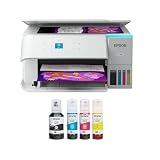
HP DeskJet 2955 Color Inkjet Printer | Wireless | All-in-One
- PERFECT FOR BASIC PRINTING NEEDS – Print everyday color documents like to-do lists, letters, financial documents and recipes
- KEY FEATURES – Color print, copy, scan, and a 60-sheet input tray, plus mobile and wireless printing
- OPTIMIZE PRINT FORMATTING WITH HP AI – Print web pages and emails with precision—no wasted pages or awkward layouts; HP AI easily removes unwanted content, so your...
- ICON LCD – Print your basic documents with ease from the intuitive control panel
- PRINT SPEED – Up to 7.5 ppm black, 5.5 ppm color

The HP DeskJet 2955 Color Inkjet Printer offers a practical solution for home printing needs. It handles printing, scanning, and copying tasks with ease, making everyday color documents like recipes and letters vibrant and clear. Its compact design fits neatly into small spaces, helping you maintain an organized workspace.
Maintenance is straightforward thanks to its efficient use of ink and a 60-sheet input tray that keeps paper handling simple. The printer’s eco-friendly construction incorporates recycled plastics, reflecting a commitment to sustainability without compromising quality.
Wireless connectivity with dual-band Wi-Fi ensures reliable and smooth connections. The HP App allows easy printing directly from your smartphone, saving time and effort. Additionally, HP’s AI-powered formatting feature helps reduce paper waste by optimizing web pages before printing.
A 3-month Instant Ink trial is included, which helps manage ink expenses upfront. However, be mindful that subscription fees apply after the trial unless canceled. Print speeds are moderate, suitable for typical home use but may feel slow for high-volume tasks.
Best for: individuals and families needing an affordable, compact, and eco-conscious all-in-one printer for everyday color printing, copying, and scanning at home.
What We Like:
- Compact design with a 60-sheet tray fits well in small spaces
- Dual-band Wi-Fi and HP App enable easy mobile printing
- Made with at least 70% recycled plastics for sustainability
- AI formatting reduces paper waste
- Includes a 3-month Instant Ink trial to lower initial costs
Specification:
| Feature | Details |
|---|---|
| Manufacturer | HP |
| Dimensions | Not specified |
| Weight | Not specified |
| Material | At least 70% recycled plastics |
| Color Options | Not specified |
Canon MegaTank G3270 All-in-One Wireless Color Printer
- Wireless Print/Copy/Scan
- Up to 2 years of ink included (2)
- Print up to 6,000 black & white / 7,700 color pages using a single set of inks! (1)
- Save up to $1,000 on ink (1)
- 1.35” Square LCD display
The Canon MegaTank G3270 offers an affordable solution for everyday color printing needs. With refillable ink tanks, it cuts down on cartridge costs and helps you print thousands of pages without interruption. This makes managing ink expenses simpler and more convenient.
Designed for home and small office use, it combines printing, copying, and scanning into one compact device. The sharp 4800 × 1200 dpi resolution ensures clear, vibrant prints and scans that meet your daily demands. Its wireless connectivity and smartphone app control allow you to print effortlessly from anywhere.
Maintenance is straightforward thanks to the high-capacity ink tanks that come with up to two years of ink. A 100-sheet tray supports moderate paper handling, while borderless printing adds a professional touch. However, it only supports single-sided printing, which may require more paper for double-sided jobs.
Overall, this all-in-one wireless color printer balances cost-efficiency with practical features to improve your printing routine without complexity.
Best for: Budget-conscious home and home office users needing a reliable, high-yield color printer with wireless and mobile device connectivity.
What We Like:
- High ink yield with up to 6,000 black and 7,700 color pages per refill set
- Sharp print, copy, and scan quality at 4800 × 1200 dpi
- Easy wireless setup and smartphone app control
- Compact design with a 1.35″ LCD for simple operation
Specification:
| Feature | Details |
|---|---|
| Manufacturer | Canon |
| Dimensions (W×D×H) | Not specified |
| Weight | Not specified |
| Color Options | Not specified |
| Print Resolution | Up to 4800 × 1200 dpi |
| Ink System | Refillable MegaTank ink tanks |
| Paper Capacity | 100-sheet tray |
| Connectivity | Wireless, smartphone app |
HP Smart Tank 5003 Ink Tank Printer | 3 Years of Ink Included | All-in-One
- THE LAST PRINTER YOU'LL EVER NEED – Set it up once and print with confidence; no complicated maintenance, just easy, reliable printing you can count on
- FULLY LOADED WITH SAVINGS – Best for low-cost, high-volume printing—up to 3 years of HP Ink included; get up to 6,000 color or black pages right out of the box
- KEY FEATURES – Print, copy and scan, plus borderless prints, mobile and wireless printing
- MESS-FREE REFILL – Replenish ink with HP's easy-access, mess-free refill system; simply plug the ink bottles into this cartridge-free ink tank and let them drain—no...
- BEST PRINT QUALITY, PERIOD – Sharper text, richer colors, only with HP Smart Tank
Enjoy smooth, hassle-free printing with the HP Smart Tank 5003, crafted to keep your ink supply steady for up to three years. This all-in-one printer goes beyond basic printing by combining copying and scanning, delivering sharp, vibrant documents with resolutions up to 4800 x 1200 dpi in color and 1200 x 1200 dpi in black. Its design solves the common problem of frequent ink replacements by including a cartridge-free ink tank system that refills cleanly and easily with HP ink bottles, saving you time and money.
Maintenance is simple and mess-free thanks to the visible ink tanks that let you monitor ink levels at a glance. Wireless connectivity options such as Wi-Fi, Apple AirPrint, and mobile printing allow you to print directly from your smartphone or tablet, making it ideal for modern, flexible workspaces. The 100-sheet paper capacity supports various paper sizes, making it suitable for everyday home use.
While the printer supports manual duplex printing, it requires user input and driver support, which might slow down printing tasks. Its moderate print speed suits home or small office needs but may not meet high-volume demands. The single paper tray limits large batch printing but keeps the device compact and user-friendly.
Best for: Individuals or families looking for an affordable, all-in-one printer with a long-lasting ink supply and versatile wireless printing for home use.
What We Like:
- Up to 3 years of included ink supports high-volume printing.
- Cartridge-free ink tank system enables easy, mess-free refills.
- Wireless printing via Wi-Fi, Apple AirPrint, and mobile devices for convenience.
- High-resolution printing delivers clear, vibrant documents.
Specification:
| Feature | Details |
|---|---|
| Manufacturer | HP |
| Dimensions (W x D x H) | Approx. 16.6 x 14.8 x 9.6 in (42.1 x 37.6 x 24.4 cm) |
| Weight | Approx. 11.5 lb (5.2 kg) |
| Ink System | Cartridge-free ink tank |
| Maximum Print Resolution | 4800 x 1200 dpi (color), 1200 x 1200 dpi (black) |
| Paper Capacity | 100 sheets |
| Wireless Connectivity | Wi-Fi, Apple AirPrint, Mobile Printing |
Epson EcoTank ET-2988 Wireless All-in-One Printer
- STRESS-FREE PRINTING — Epson EcoTank comes with enough ink to print up to 6,600 pages black/5,500 color¹⁰ for fewer out-of-ink frustrations. Each replacement ink...
- SIMPLE INK REFILLING — Supersized ink tanks and uniquely keyed EcoFit bottles make refilling ink simple—no mess, no stress and no ink bottle mix-ups
- THE WORLD’S #1 SELLING SUPERTANK PRINTER² — Epson invented EcoTank to revolutionize the way people print; we’ve sold 100 million EcoTanks worldwide⁷ and this is...
- ADVANCED PRODUCTIVITY FEATURES — Fast 15 black/8 color ISO ppm print speeds with zero warmup time, built-in scanner, 100-sheet paper tray, auto duplex printing and a...
- STUNNING PRINT QUALITY — High 4800 x 1200 dpi print resolution for exceptional photos and text; enjoy amazing image quality on a wide range of media
The Epson EcoTank ET-2988 redefines printing by eliminating the hassle and cost of cartridges. Its refillable ink tanks provide up to three years of ink, allowing you to print thousands of pages without interruption. This design not only cuts expenses but also reduces waste, making it ideal for those seeking an eco-friendly solution.
Maintaining the ET-2988 is straightforward with the mess-free EcoFit ink bottles. Refilling is clean and simple, so you can keep your workflow smooth without frequent cartridge changes. The printer supports duplex printing, saving paper and time on double-sided documents.
Designed for everyday use, this wireless all-in-one printer offers fast print speeds up to 15 pages per minute with sharp 4800 x 1200 dpi resolution. It also handles scanning and copying tasks, supported by versatile mobile connectivity options through Wi-Fi and apps.
Compact yet reliable, the ET-2988 fits well in home offices or small workplaces. Keep in mind, it works best with plain paper and has a 100-sheet tray capacity. Genuine Epson ink bottles are required to maintain optimal performance and warranty coverage.
Best for: Budget-conscious home users and small offices wanting a reliable, cartridge-free wireless all-in-one printer with high ink capacity and mobile convenience.
What We Like:
- Cartridge-free EcoTank system with up to 3 years of ink reduces costs and waste
- Fast printing at 15 ppm black with crisp 4800 x 1200 dpi resolution
- Automatic duplex printing saves paper and time
- Wireless connectivity with mobile app support for easy printing and scanning
- Simple, mess-free ink refills using EcoFit bottles
Specification:
| Feature | Details |
|---|---|
| Manufacturer | Epson |
| Dimensions (W x D x H) | 14.9 x 13.7 x 8.0 inches |
| Weight | 12.1 lbs (5.5 kg) |
| Ink System | Refillable EcoTank ink tanks |
| Print Resolution | Up to 4800 x 1200 dpi |
| Print Speed | Up to 15 ppm (black) |
| Paper Capacity | 100 sheets |
| Connectivity | Wireless (Wi-Fi), mobile apps |
Factors to Consider When Choosing a Budget Printer With Cheap Ink

When choosing a budget printer with cheap ink, you’ll want to focus on ink cost efficiency and how much printing it can handle.
Think about whether a cartridge or tank system fits your needs, along with the print quality you expect.
Don’t forget to check the connectivity options to make sure it works smoothly with your devices.
Ink Cost Efficiency
Understanding ink cost efficiency is essential if you want to keep printing expenses low without sacrificing quality. Start by calculating the cost per page—divide the price of replacement ink or refill bottles by their estimated page yield.
Look for printers with high-yield cartridges or refillable tank systems, as these can reduce costs materially, often by an order of magnitude. Remember to separate calculations for black-and-white versus color printing since color uses more ink and typically costs more per page.
Don’t forget to factor in other consumables like maintenance kits or printhead replacements, which add to your long-term expenses. Finally, if you’re considering subscription or auto-refill plans, compare their fees and page allowances against standalone refills.
That way, you can make certain they truly save you money.
Print Volume Capacity
Keeping ink costs low only pays off if your printer can handle the volume you need without constant interruptions. Start by estimating your monthly page count—whether it’s 100, 500, or 1,000 pages—and pick a printer with an ink yield that comfortably exceeds that to avoid frequent refills.
Check the maximum monthly duty cycle and recommended page volume to make certain the printer can handle sustained workloads without wearing out prematurely. Don’t forget to take into account paper tray and output capacities; smaller trays mean more refills during large print jobs, slowing you down.
Also, factor in print speed—if your printer is too slow, it’ll bottleneck your workflow, no matter how cheap the ink is. Choosing a model that balances these factors keeps your printing efficient and affordable.
Cartridge Versus Tank
Although cartridge printers usually cost less upfront, you’ll pay more over time because replacement cartridges hold limited ink and need frequent changing. Cartridge replacements are convenient and mess-free but often more expensive, sometimes including chips that limit ink use.
Tank printers, on the other hand, require a higher initial investment but provide a much larger ink yield per refill—often several thousand pages—significantly lowering your cost per page. Tank systems use bottled ink, priced far lower per milliliter than cartridges.
But you’ll need to handle refills carefully to avoid spills or printhead issues. When choosing, focus on total ownership cost by comparing page yield, ink price per milliliter, and your average monthly printing volume rather than just the printer’s retail price.
Print Quality Standards
When choosing a budget printer with cheap ink, you want to prioritize print quality standards that match your needs. Look for printers offering at least 4800 × 1200 dpi color resolution and 1200 × 1200 rendered dpi for sharp black text to guarantee crisp detail.
Check color depth—24-bit or 16-bit—since higher bit depth improves color accuracy and smooth gradients. Don’t just trust speed ratings; compare real-world print speeds at normal and best quality modes to avoid sacrificing quality for speed.
Also, evaluate ink yield and cost per page, as low-cost inks can still produce faded or banded prints if yields are overstated. If photo printing matters, inspect scanner/copier resolution and support for borderless or high-resolution photo modes for better image reproduction.
Connectivity Options Available
Offering versatile connectivity options guarantees your budget printer with cheap ink fits seamlessly into your workflow. Make sure it supports dual-band Wi-Fi for steady wireless printing, USB 2.0 for direct connections, and Ethernet if you need a reliable network setup.
Check if it supports mobile printing protocols like Apple AirPrint, Mopria, or has a dedicated app for printing and scanning from smartphones and tablets without extra drivers. This makes printing on the go way easier.
If you print from multiple devices or remotely, look for cloud printing features and the ability to register the printer to a cloud account. Also, consider automatic network troubleshooting, Wi-Fi encryption, and firmware updates to guarantee smooth, secure printing.
Finally, verify duplex printing and scanning compatibility over your chosen connection. Some features depend on it, so it’s good to double-check before you buy.
Printer Size Considerations
Besides connectivity, the physical size of your budget printer plays a big role in how well it fits into your space and workflow. Measure your desk or shelf area carefully and choose a model with a compact footprint—ideally under 15–18 inches wide if your space is tight.
Don’t forget to factor in height clearance for open trays or output areas, especially if you plan to place it under shelves or inside cabinets. If you want a multifunction printer, allow extra vertical space for the scanner lid to open fully.
Keep in mind that smaller printers usually have smaller input and output trays, meaning more frequent paper refills. And if you’ll move the printer often, consider weight; lighter models around 10–12 pounds are more portable but might sacrifice features or ink capacity.
Energy Consumption Rates
Consider how much energy your printer uses before buying—this impacts both your electricity bill and environmental footprint. Look for models with power consumption under 5 watts when idle and around 10–20 watts during active printing to keep costs low.
Features like automatic duplexing and faster first-page-out times shorten printer-on time, reducing energy use per page. Choose printers with Energy Star or similar certifications—they manage sleep and wake modes efficiently, cutting standby power waste.
Also, check duty cycles and print speeds; faster, efficient engines often use less energy per page despite similar peak wattage. Finally, low-power network features such as Wi-Fi sleep or scheduled on/off options prevent unnecessary energy drain from constant connectivity.
These factors guarantee your budget printer stays cheap to run over time.
Mobile Printing Support
Along with energy efficiency, mobile printing support plays a big role in keeping your printing experience smooth and cost-effective. Make sure your printer supports common mobile protocols like AirPrint or Mopria, so you can print directly from your phone or tablet without extra drivers.
Look for Wi-Fi with dual-band support (2.4 GHz and 5 GHz) to reduce dropped connections when printing wirelessly. A dedicated mobile app is a bonus, offering features like phone-based scanning, cloud printing, and page previews that help save ink.
Confirm compatibility with your devices’ operating systems, whether iOS or Android, and check for wireless or peer-to-peer printing options for offline use. Also, choose printers letting you adjust print quality and color settings from your phone to minimize ink use.
Frequently Asked Questions
How Long Does the Warranty Last on Budget Printers?
Warranty on budget printers usually lasts one year, but some brands offer extended coverage up to two years. You should check each model’s details since warranties can vary.
And don’t forget to register your printer for full benefits. It’s an easy step that can save you trouble later!
Are Budget Printers Compatible With Mac and Windows?
You’ll find budget printers generally get along with both Mac and Windows systems. Just make sure to check the specs before buying, so you don’t run into any unexpected “friendship issues” during setup or use.
It’s pretty straightforward, but a quick double-check can save you some headaches later on. After all, you want your printer to play nice right from the start!
Can Budget Printers Print Double-Sided Automatically?
Yes, some budget printers can print double-sided automatically, but not all.
You’ll want to check the specifications to make sure the model includes duplex printing. It’s often a feature on slightly higher-end budget options.
What Is the Average Print Speed of Cheap Ink Printers?
You’ll find cheap ink printers typically hum along at about 5 to 12 pages per minute.
They won’t break speed records, but they’ll get your tasks done without rushing or fussing too much.
Do Budget Printers Support Mobile Printing Apps?
Yes, many budget printers support mobile printing apps, so you can easily print from your smartphone or tablet.
You’ll find compatibility with popular apps like Apple AirPrint, Google Cloud Print, and manufacturer-specific apps for convenience.
This means you don’t have to be tied down to your computer to get things printed. Just a few taps on your mobile device, and you’re good to go!
Conclusion
So, if you enjoy burning cash on overpriced ink cartridges while your printer laughs at you, stick to fancy models. But if you’re ready to save money and actually print without guilt, these budget printers with cheap ink are your new best friends.
Trust me, your wallet will thank you, and you might even print that novel you keep “thinking about.” Who knew being frugal could feel this rebellious?
Choose smart, print smart! Opting for budget printers with cheap ink means you get quality printing without the hefty price tag. It’s all about making your money go further in 2027 while still enjoying reliable, hassle-free printing. So, if you want to save big on ink and get the best bang for your buck, these budget-friendly printers are exactly what you need.