5 Best Budget Label Printers for 2027
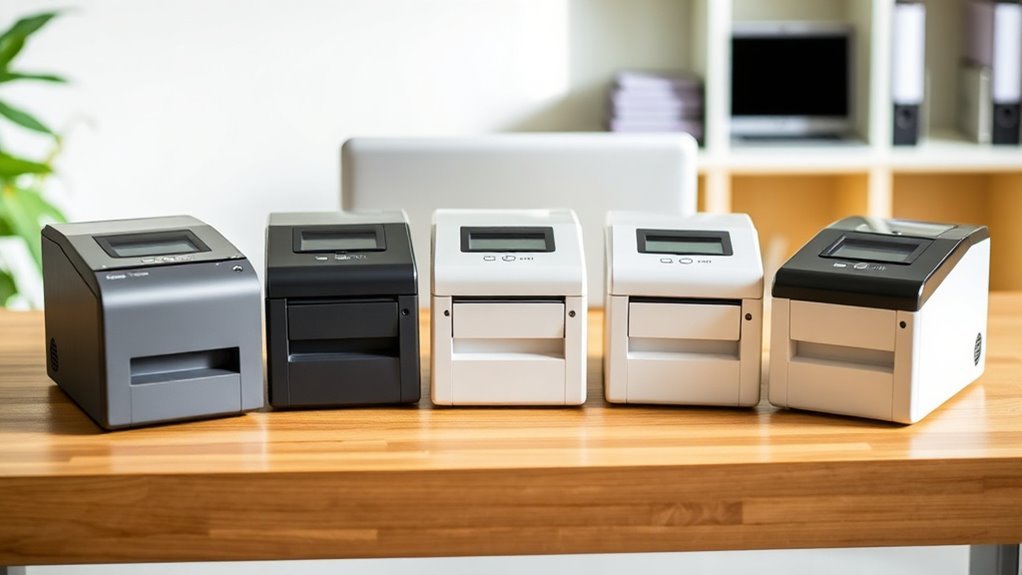
You’ll find top budget label printers like the Phomemo 241BT and M110 that offer portable, inkless thermal printing. They come with Bluetooth and USB-C connectivity, making them super versatile for different devices.
The Labeer printer is great for shipping labels up to 4×6 inches, perfect if you need larger labels. Meanwhile, the NIIMBOT B1 stands out with fast print speeds and rich app customization options.
The SUPVAN T50M Pro handles durable waterproof tape but requires proprietary supplies. Each of these budget label printers balances portability, performance, and ease of use perfectly. Keep going to explore which fits your labeling needs best.
| Image | Name | Editor's Rating | Price |
|---|---|---|---|

|
|
||

|
|
||
|
|
||

|
|
||

|
|
Phomemo Bluetooth Thermal Label Printer, 241BT Label Printer & 20Pcs Labels
- [Print Wirelessly] - Phomemo bluetooth shipping label printer supports wireless printing through bluetooth connection. For IOS and Android, need to download the "labelife...
- [Print via USB Cable] - For PC, Windows, Mac OS, Chrome OS, and Linux systems. For Chrome OS, need to enter “Labelife” in the Chrome web store and add the extension...
- [Multi-Platform Compatibility] - This shipping label printer supports label widths from 1 to 4.6 inches, making it ideal for printing labels Compatible with eBay...
- [Commercial and Home Use] -Phomemo label printer utilizes advanced thermal direct technology for printing, eliminating the need for expensive toner or ink. With a...
- [Professional Team] - Phomemo support team provides technical support, including live chat, phone calls, emails even remote desktop operation. If you have any questions...
The Phomemo Bluetooth Thermal Label Printer, 241BT, offers a compact and portable solution for all your labeling needs. Its direct thermal printing technology means you won’t have to worry about ink or toner, making maintenance easy and cost-effective. This printer lets you create clear black-and-white labels quickly, helping you stay organized without extra hassle.
Designed for versatility, it connects seamlessly to smartphones, laptops, and tablets via Bluetooth or USB-C. Compatible with multiple platforms including iOS, Android, Windows, Mac, Chrome OS, and Linux, it fits effortlessly into your workflow. The fast print speed and decent resolution ensure your labels, barcodes, and simple photos come out crisp every time.
This label printer is ideal for individuals and small business owners who need reliable, efficient labeling on the go. While it only prints in monochrome and is limited to single-sided labels, it supports optional color labels if you use compatible paper. Genuine Phomemo labels are recommended to maintain print quality and durability.
Best for: Small business owners and individuals needing a portable, versatile label printer for efficient, black-and-white label creation across multiple devices.
What We Like:
- Compatible with iOS, Android, Windows, Mac, Chrome OS, and Linux
- Direct thermal printing eliminates ink and toner needs
- Lightweight and compact design for easy portability
- Fast printing speed with clear 203 DPI resolution
- Connects via Bluetooth and USB-C for flexible use
Specification:
| Feature | Details |
|---|---|
| Manufacturer | Phomemo |
| Dimensions | Compact size (exact dimensions not provided) |
| Weight | Lightweight (exact weight not provided) |
| Printing Technology | Direct thermal |
| Resolution | 203 DPI |
| Connectivity | Bluetooth, USB-C |
| Supported Platforms | iOS, Android, Windows, Mac, Chrome OS, Linux |
Labeer Bluetooth Thermal Shipping Label Printer, Wireless 4×6 Label Printer
- 【Smart PDF Printing】For Amazon, Etsy, Shopify and eBay sellers who print orders while packing, download the shipping label as a PDF and print it directly from an...
- 【4x6 Shipping Label Printing】For delivery workers, shipping staff and online sellers who prepare packages throughout the day, this 4x6 label printer handles standard...
- 【203 DPI Direct Thermal Printing】For warehouse employees, inventory teams and retail staff who print barcode labels, product labels and inventory tags, this Bluetooth...
- 【Multiple Label Sizes】For retail employees, small business owners and manufacturing teams who use different labels for products, inventory, parts and packages, this...
- 【Bluetooth Wireless Printing & Auto Calibration】For warehouse workers, shipping teams and small businesses that print labels throughout the day, connect your Windows...
The Labeer Bluetooth Thermal Shipping Label Printer offers a simple solution for fast, wireless label printing. It produces sharp 4×6 labels using direct thermal technology, so you won’t need ink or toner. This makes maintenance easy and reduces ongoing costs for small business owners.
Its compact design fits neatly in any workspace, while features like automatic gap detection and jam sensing keep printing smooth and hassle-free. Connecting via Bluetooth or USB allows easy integration with various devices through the FlashLabel Pro app, making label customization straightforward.
Designed for shipping, retail, and inventory tasks, this printer handles different label sizes within the 4×6 inch limit. The monochrome output suits clear, professional black-and-white labels but does not support color printing or duplex functionality.
Overall, the Labeer printer is a practical choice for those needing reliable, cost-effective label printing without complex upkeep. Its smart features and wireless convenience help streamline everyday labeling tasks efficiently.
Best for: Small business owners, home offices, and online sellers needing a fast, wireless 4×6 thermal shipping label printer.
What We Like:
- Wireless Bluetooth connectivity with easy app-based printing
- Direct thermal printing eliminates ink and toner expenses
- Automatic label gap detection and jam sensing for smooth operation
Specification:
| Feature | Details |
|---|---|
| Manufacturer | Labeer |
| Dimensions | Compact (exact size not specified) |
| Weight | Not specified |
| Printing Method | Direct thermal |
| Max Media Size | 4 x 6 inches |
| Connectivity | Bluetooth, USB |
| Color Output | Monochrome (black-and-white) |
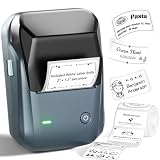
NIIMBOT B1 Label Maker, 2Inch Bluetooth Label Printer for Home, Blue
- 【Easy Bluetooth Connectivity & User-Friendly】The NIIMBOT B1 Portable label printer works seamlessly with both iOS and Android devices. Simply:① Download the...
- 【Smart Label Printer App】The app auto-detects label size, eliminating manual setup. Effortless with 30+ stylish fonts and multilingual support. Add flair with...
- 【Inkless Label Maker】 No Ink, No Mess! Print Smart, Save More!Thermal printing technology just load and print! Smart Built-in rechargeable battery with auto-shutoff...
- 【Compact & Durable Label Maker】Made of high-quality ABS with a sleek design. Includes 2 x 1.18" white label rolls for clear, professional printing. Perfect for small...
- 【Compatibility Note】Charge immediately before turning on for testing. And it not compatible with tablets (Pad). For troubleshooting or repair assistance if your...

The NIIMBOT B1 is a compact, wireless label printer designed to simplify your organization tasks at home or in a small business. Its 2-inch thermal printing delivers clear, sharp labels quickly, making it easy to keep everything neatly identified without the mess of ink.
Connecting seamlessly via Bluetooth to your iOS or Android smartphone, the printer uses the NIIMBOT app, which offers a wide range of fonts and symbols. This versatility helps you create customized labels that fit your specific needs, whether for files, storage, or product labeling.
Weighing just 293 grams, the NIIMBOT B1 is lightweight and portable, perfect for moving between rooms or taking with you on the go. Its rechargeable battery means you won’t be tied down by cords, and the durable ABS blue housing protects it from everyday wear.
Maintenance is straightforward thanks to its inkless, monochrome thermal printing technology. There’s no need to buy ink cartridges or ribbons, reducing both hassle and ongoing costs. However, it doesn’t support tablet devices and prints only in black and white, which may limit some users.
Best for: Home users and small business owners needing a reliable, easy-to-use wireless label printer for everyday labeling and organization.
What We Like:
- Fast, clear printing at 50 pages per minute with 203 dpi resolution
- Wireless Bluetooth connection with a feature-rich app including 30+ fonts and 1500+ symbols
- Lightweight and portable design with USB rechargeable battery
- Durable ABS housing ensures long-lasting use
Specification:
| Feature | Details |
|---|---|
| Manufacturer | NIIMBOT |
| Dimensions | Not specified |
| Weight | 293 grams (0.65 lb) |
| Material | ABS plastic |
| Color | Blue |
| Print Width | 2 inches (thermal) |
| Connectivity | Bluetooth (iOS/Android) |
SUPVAN T50M Pro Bluetooth Label Maker Machine with Tape, Black
- For Home and Small Business: Prints 3/4" - 2" wide labels; ideal for home organization (storage bins, bottle, jar, food container, etc.), small business (address, product...
- Versatile App Editing Function: Easily add images from your phone, tablet or PC; customize your labels with 30+ fonts, 50+ frames, and 660+ icons; all free to use
- Enhanced Image Quality: The App delivers precise image processing capabilities, resulting in a high-resolution and clear output; enhanced aesthetic appeal, formality, and...
- Easy to Use: The APP is completely free, requires no registration; features auto label size recognition; no ink or toner needed; create labels quickly and easily
- Versatile Label Compatiblity: Compatible with square, round, address, cable, jewelry and file labels, to meet all your needs; ensuring a perfect fit for any project...
The SUPVAN T50M Pro Bluetooth Label Maker transforms messy spaces into neatly organized areas with ease. Its compact design and lightweight build make it simple to carry and operate anywhere. This label maker uses inkless thermal printing, so you never worry about costly ink replacements or smudges.
Connecting via Bluetooth or USB-C allows seamless pairing with your smartphone or computer. Through the free app, you can customize labels with a variety of fonts, icons, and images—perfect for personalizing everything from storage boxes to office supplies. The machine prints sharply at 60 pages per minute, saving valuable time.
Maintenance is straightforward with no ink cartridges to replace. Using SUPVAN’s waterproof tape ensures labels remain clear and durable, even in challenging environments. While it only prints in black and white, this simplifies readability and keeps labels professional.
However, it requires proprietary tape, which may limit options and add cost. The single-sheet output suits small to moderate labeling tasks best rather than bulk jobs.
Best for: Small business owners and individuals seeking an easy, fast, and customizable label maker for home, office, or product organization.
What We Like:
- Lightweight with Bluetooth and USB-C connectivity for versatile use
- Inkless thermal printing for clean, smudge-free labels
- Free app customization with fonts, icons, and images
- Waterproof tape compatibility for lasting labels
- Fast printing speed of 60 pages per minute
Specification:
| Feature | Details |
|---|---|
| Manufacturer | SUPVAN |
| Dimensions | Not specified |
| Weight | Lightweight |
| Printing Width | Up to 2 inches (5 cm) |
| Connectivity | Bluetooth, USB-C |
| Color Options | Black |
Phomemo M110 Label Makers, Portable Bluetooth Thermal Printer with Display
- Easy Use Label Maker Printer- Mini Bluetooth wireless thermal portable label printer, connect your mobile phone easily. There are a lot of templates in APP, You can...
- Powerful APP- Print Master - M110 Bluetooth label maker machine with multiple label templates and can set up your own templates. You can edit and typeset labels...
- Stable Bluetooth Connection - One-click connection and printing. Bluetooth 4.0 with a range of up to 33 feet; it only takes 2 seconds to connect. Make your business run...
- Compatibility Note - The M110 label printer comes with one roll of test label paper; please fully charge the device before powering it on for testing, and feel free to...
- What’s included in the box: 1 × M110 2 Inch Label Printer,1 × Test Thermal Label Roll (Pre-installed inside the printer),1 × USB-C Data Cable,1 × User Manual
Experience effortless label printing anywhere with the Phomemo M110 portable Bluetooth thermal printer. Its compact and lightweight design lets you take it wherever you need, making organization simple and efficient. The built-in display and versatile connectivity ensure smooth operation with minimal setup.
This thermal printer connects easily via Bluetooth 4.0 or USB-C, allowing quick pairing with smartphones, tablets, or laptops. Using the Print Master app, you can create customized labels, barcodes, and stickers from over 6,000 templates. Features like OCR and batch printing streamline your workflow, saving time and effort.
The M110 prints sharp monochrome labels up to 2 inches wide at 203 dpi resolution. Its rechargeable 1500 mAh battery supports cordless use for extended periods, reducing the hassle of frequent charging. Maintenance is straightforward since thermal printing doesn’t require ink or toner.
While limited to black-and-white printing, the M110 excels in practicality for home, office, school, or small business use. Note that some app features and templates may need a paid membership and print speed details can vary.
Best for: Individuals and small businesses needing a portable, easy-to-use label printer for on-the-go organization and barcode creation.
What We Like:
- Compact, lightweight design with Bluetooth and USB-C connectivity
- Extensive template library plus OCR and batch printing via Print Master app
- Rechargeable 1500 mAh battery for cordless convenience
Specification:
| Feature | Details |
|---|---|
| Manufacturer | Phomemo |
| Dimensions | Compact, hand-held size (exact not specified) |
| Weight | Lightweight (exact not specified) |
| Printing Technology | Thermal |
| Print Resolution | 203 dpi |
| Max Label Width | 2 inches |
| Connectivity | Bluetooth 4.0, USB-C |
| Battery Capacity | 1500 mAh rechargeable |
Factors to Consider When Choosing a Budget Label Printer
When choosing a budget label printer, you’ll want to focus on print quality and resolution to guarantee clear labels. Check the connectivity options and compatible label sizes to match your setup and needs.
Don’t forget to weigh print speed and portability features for efficient and flexible use. It’s all about finding the right balance that fits how and where you’ll be using the printer.
Print Quality And Resolution
Although budget label printers often come with standard features, paying close attention to print quality and resolution guarantees your labels stay sharp and readable. Resolution, measured in DPI, directly affects label clarity—203 DPI is common and works well for clear text, barcodes, and simple graphics.
If you print small text or dense barcodes, choosing a printer with higher DPI or optimized font sizes helps reduce blurring and improves scan reliability. Remember, thermal printing is monochrome, so the contrast between your label stock and printhead heat response plays a big role in perceived quality.
Also, balancing print speed is key—too fast may cause smearing or faint edges. Finally, consistent label feeding and accurate gap detection make certain your prints stay aligned and complete.
Connectivity Options Available
How do you choose the best connectivity option for your budget label printer? Consider where and how you’ll print.
Bluetooth lets portable printers pair wirelessly with iOS and Android devices within about 10 meters. It’s ideal for mobile label creation.
USB Type-C or USB 2.0 connections offer reliable, low-latency printing from laptops or desktops. These may be required for certain drivers.
Wi‑Fi or network support allows multiple users on the same LAN or cloud printing from various devices without cables or pairing.
Make sure the printer supports the necessary apps or drivers. Mobile printing relies on Bluetooth or Wi‑Fi, while desktop printing often needs specific drivers or browser extensions.
Also, check if automatic detection features like label gap sensing work with your chosen connection. This helps guarantee proper media handling.
Compatible Label Sizes
Since label sizes vary widely, you’ll need to verify that your budget printer supports the media widths and lengths required for your tasks. Most budget models handle widths from about 1″ to 4.6″ (25–115 mm), but smaller portable printers may max out near 2″ (50 mm).
Check the maximum label length too—some printers cap at 4–6 inches (100–150 mm), which is ideal for shipping tags. Others accommodate continuous roll-fed labels for custom sizing.
Confirm if the printer accepts both roll and fanfold media, and check its maximum roll diameter or sheet capacity. This way, your label stock fits correctly without issues.
Also, make sure it supports your specific label formats, including common sizes like 4×6 inches or specialty shapes. Finally, look for automatic gap detection or manual calibration to keep prints aligned.
Print Speed Efficiency
After confirming your label size requirements, you’ll want to evaluate print speed efficiency to keep your workflow moving smoothly. Print speed, measured in mm/s or ppm, directly affects how fast your labels come out—higher speeds like 100–150 mm/s or 50–70 ppm are ideal for large batches.
If you handle shipping or bulk labeling, prioritize sustained print speeds to cut processing time and labor costs during busy periods. However, faster speeds can increase power use and heat, so make certain your printer and media can handle the load to prevent jams or wear.
Also, check the time to first label for quick, on-demand jobs. Finally, balance speed with print quality; very high speeds at lower DPI may reduce barcode clarity and scanning reliability.
Device Portability Features
When choosing a budget label printer, device portability features play a crucial role in guaranteeing convenience and efficiency on the go. You’ll want a lightweight, compact device—ideally under 500 grams with a small footprint—to fit easily in bags or tight workspaces.
Prioritize built-in rechargeable batteries with at least 1000 mAh capacity and reliable runtime, plus auto-shutoff to prevent power loss during use. It really helps to have that peace of mind when you’re out and about.
Guarantee wireless connectivity, like Bluetooth (check the version) and USB-C, for stable mobile pairing within about 10 meters. Having solid connections means less hassle and more smooth printing wherever you are.
Look for an OLED or LCD display with simple controls to track battery, connection, and paper status easily. It’s nice to have a quick glance at your printer’s status without fumbling around.
Finally, choose printers supporting common roll widths and small media trays or fanfolds to keep the unit travel-friendly without bulky paper compartments. Staying compact without sacrificing functionality is definitely the way to go.
Software And App Support
Although hardware features are essential, software and app support often make or break your experience with a budget label printer. You need to guarantee the printer’s app supports your device’s OS—whether iOS, Android, Windows, macOS, Chrome OS, or Linux—and check if desktop drivers or extensions are necessary.
Look for apps offering label templates, barcode or QR code generation, and batch import from Excel or CSV to speed up workflows. It really helps to save time and avoid manual entry errors.
Verify file format compatibility like PNG, PDF, or SVG, plus features such as auto-trim and custom label sizing to avoid misprints. Also, confirm whether advanced functions like template saving, cloud sync, or multilingual support are free or subscription-based.
Finally, review connectivity and pairing options in the software to guarantee smooth mobile and desktop printing. This way, you can be sure your printing setup is hassle-free every time.
Battery Life And Power
Software features can streamline your label printing tasks, but battery life and power management often determine how long and efficiently you can work, especially on the go.
Check battery capacity in mAh and compare it to typical runtimes—1,000 to 1,500 mAh usually offers several hours of intermittent printing.
See if the printer supports USB-C charging; faster, universal cables minimize downtime.
Pay attention to standby modes and auto-shutoff features, as aggressive power-saving can extend battery life markedly.
Also, check if the printer can operate while plugged in, letting you print continuously during long jobs.
If you plan on high-volume printing, balance battery specs with print speed and duty cycle, since faster rates and larger workloads will drain batteries quicker.
Warranty And Support
Since budget label printers often come with varying levels of warranty and support, you should carefully review what each manufacturer offers before deciding. Check the warranty length and coverage to see which parts and defects are included—longer, all-encompassing warranties provide better peace of mind.
Make sure support channels like phone, live chat, or email are available during hours that suit you, so you can quickly resolve setup or printing issues. Confirm that drivers, firmware updates, and apps are actively maintained and easy to find.
Also, understand the return and repair policies, including authorized service centers or mail-in options. Finally, verify which consumables and replacement parts, such as rollers or power adapters, are covered under warranty to avoid unexpected expenses later on.
Frequently Asked Questions
Can These Printers Connect to Multiple Devices Simultaneously?
Yes, many budget label printers let you connect multiple devices simultaneously via Wi-Fi or Bluetooth. You’ll find models supporting easy switching between devices, making it simple to print labels from your phone, tablet, or computer without hassle.
It’s super convenient when you’re juggling different gadgets. No need to disconnect and reconnect each time you want to print from a new device. Just pick your device, and you’re good to go!
What Is the Average Battery Life for Portable Label Printers?
You can expect portable label printers to last between 4 to 8 hours on a full charge, depending on usage. Some models even offer quick charging, so you won’t be stuck waiting long when the battery dies.
That means you can keep working without too many interruptions. Pretty handy, right?
Are Replacement Labels Compatible Across Different Printer Brands?
Mixing replacement labels across brands is like fitting puzzle pieces from different sets—they usually don’t match.
You’ll want to stick with your printer’s specific labels to guarantee perfect printing without jams or errors.
It just makes the whole process smoother and saves you from unexpected headaches.
Trust me, using the right labels keeps everything running nice and easy!
Do These Printers Support Printing Barcodes or QR Codes?
Yes, most budget label printers support printing barcodes and QR codes. You’ll find built-in software or compatible apps that make it easy to create and print these codes quickly.
This really helps boost your labeling efficiency. Plus, it’s pretty straightforward to get started.
How Noisy Are These Label Printers During Operation?
Wondering if these label printers will disturb your workspace? They’re generally quiet, producing minimal noise—mostly a soft clicking or whirring.
You won’t even notice them running while focusing on your tasks or meetings. They really blend into the background without causing any distraction.
Conclusion
Choosing the right budget label printer in 2027 doesn’t have to feel like maneuvering the wild west. Whether you want the sleek Phomemo 241BT or the versatile SUPVAN T50M Pro, you’ve got solid options that fit your needs and wallet.
Keep in mind your printing volume, connectivity, and label size preferences. These factors make a big difference when picking the perfect printer for your space.
With these picks, you’re ready to organize like it’s 1999—efficient, affordable, and hassle-free. Finding the best budget label printer means balancing quality and cost without breaking the bank. So, whether you’re labeling for home, office, or business, these budget-friendly printers will keep you printing smoothly and saving money. Happy printing!