9 Best 11×17 Printer and Scanner Combos for 2027 Efficiency
For efficient 11×17 printing and scanning in 2027, you’ll want versatile all-in-ones that handle large formats with ease.
Whether you’re working from a home office or a professional setting, choosing the right 11×17 printer and scanner combo can make all the difference in productivity and cost savings.
Models like the Brother INKvestment 6560 are great for home offices, offering reliable performance without breaking the bank.
Meanwhile, the HP OfficeJet Pro 9730 caters to professional needs with fast speeds and sharp print quality.
Epson’s WF-7840 and WF-7820 stand out for high capacity and detailed prints, perfect if you need to manage bigger jobs efficiently.
If saving on ink is a priority, Epson EcoTank printers provide cartridge-free savings that help reduce ongoing costs.
On the creative side, Canon’s PIXMA TS9521Ca strikes a nice balance between artistic flexibility and user-friendly operation.
These printers excel in speed, connectivity, and media handling, helping you boost productivity with minimal cost.
Explore how each suits your workflow and budget perfectly.
Brother INKvestment 6560 Wireless Color Inkjet Printer
The Brother INKvestment 6560 Wireless Color Inkjet Printer offers a versatile solution for busy home offices and small businesses. It handles large 11×17 media effortlessly, making it ideal for projects requiring ledger or tabloid-sized prints. This all-in-one device combines printing, copying, scanning, and faxing into one compact unit.
Its design focuses on efficiency and convenience. The 50-sheet automatic document feeder speeds up multi-page scanning and faxing, while automatic duplex printing saves time and paper. Wireless connectivity and a 2.7” touchscreen simplify setup and daily operation, allowing you to print directly from cloud services or mobile devices.
Maintenance is straightforward, though the initial ink cartridges have modest page yields, which may require frequent replacements during heavy use. The printer’s larger size and weight mean it needs a dedicated space on your desk or office area. Additionally, the auto-renewing ink subscription service needs careful management to avoid unexpected charges.
This printer is well-suited for those who need reliable, fast, and sharp printing on larger media sizes without sacrificing multifunction capabilities or connectivity options.
Best for: Small businesses and home offices needing a versatile, high-quality all-in-one printer capable of handling large 11×17 media with wireless connectivity and efficient, fast printing.
What We Like:
- Supports large media sizes up to 11”x17” with automatic duplex printing.
- Fast print speeds of up to 31 ppm in black and 30 ppm in color.
- Sharp print resolution up to 1200×4800 dpi for detailed output.
- Multiple connectivity options including dual-band Wi-Fi, Ethernet, and cloud apps.
- 50-sheet automatic document feeder enhances scanning and faxing efficiency.
Specification:
| Feature | Details |
|---|---|
| Manufacturer | Brother |
| Dimensions (W×D×H) | Not specified |
| Weight | 44.1 lbs (20 kg) |
| Color | White with black accents |
| Media Size Supported | Up to 11”x17” (Ledger) |
| Connectivity | Wi-Fi (dual-band), Ethernet, USB, Wi-Fi Direct, Cloud apps |
| Display | 2.7” Color Touchscreen |
| Paper Tray Capacity | 250 sheets |
| Automatic Document Feeder | 50 sheets |
HP OfficeJet Pro 9730 Wireless Wide-Format Printer
The HP OfficeJet Pro 9730 Wireless Wide-Format Printer is designed to handle complex printing tasks with ease. It produces professional-quality color prints up to 11 x 17 inches, perfect for detailed floorplans, mood boards, or spreadsheets. This printer helps streamline workflows by delivering fast print speeds and automatic two-sided printing, saving time and paper.
Its all-in-one design combines scanning, copying, and faxing with a single-pass duplex automatic document feeder and flatbed scanner. This versatility reduces the need for multiple devices in your workspace. The 4.3-inch touchscreen and HP Smart app offer intuitive control for easy operation and remote management.
Connectivity is flexible, supporting dual-band Wi-Fi, Ethernet, and USB, ensuring seamless integration into various work environments. HP’s AI technology enhances print quality and secures the device with Wolf Pro Security, protecting sensitive information.
Routine maintenance is straightforward, though initial ink cartridges have lower page yields, which may require earlier replacement. The printer’s larger size means it needs ample desk space.
Best for: professionals and small businesses requiring high-quality, wide-format color printing with efficient all-in-one capabilities.
What We Like:
- Wide-format printing up to 11 x 17 inches with sharp color detail
- Fast print speeds and automatic two-sided printing
- Versatile connectivity options including dual-band Wi-Fi and Ethernet
- User-friendly touchscreen and mobile app controls
- AI-driven print optimization and security features
Specification:
| Feature | Details |
|---|---|
| Manufacturer | HP |
| Dimensions (W x D x H) | 21.1 x 17.5 x 11.6 inches |
| Weight | Approximately 24.7 lbs |
| Color Options | Black |
| Connectivity | Dual-band Wi-Fi, Ethernet, USB |
Epson WorkForce Pro WF-7840 Wireless All-in-One Wide-Format Inkjet Printer
The Epson WorkForce Pro WF-7840 transforms wide-format printing with reliable multifunction capabilities. It simplifies office tasks by combining printing, copying, scanning, and faxing in one device. This printer supports prints up to 13 x 19 inches, making it ideal for detailed documents and large projects.
Designed for efficiency, the WF-7840 features a 500-sheet main tray and a 50-sheet automatic document feeder, reducing frequent paper reloads. Duplex printing helps save paper and time, while wireless connectivity and mobile printing keep your workflow flexible and hassle-free.
Maintenance is straightforward thanks to its intuitive 4.3-inch touchscreen, which makes setup and operation easy. Although the printer has a sizable footprint, its robust design supports high-volume workloads. Print speeds reach up to 25 ppm in black, while color prints come out vibrant, though at a moderate pace.
This wide-format inkjet suits professionals and home offices that demand multifunction productivity with detailed, large prints.
Best for: Professionals and home office users who require wide-format printing combined with versatile multifunction features for high-volume tasks.
What We Like:
- Wide-format printing up to 13 x 19 inches with sharp 4800 x 2400 dpi resolution
- Large paper capacity with multiple trays and an automatic document feeder
- Wireless and mobile printing support for flexible, convenient operation
- Easy-to-use 4.3-inch touchscreen for smooth control and maintenance
Specification:
| Feature | Details |
|---|---|
| Manufacturer | Epson |
| Dimensions (W x D x H) | 38.4 x 20.5 x 20.3 inches |
| Weight | 45.4 pounds |
| Printing Technology | Inkjet |
| Max Print Size | 13 x 19 inches |
| Connectivity | Wi-Fi, mobile printing |
| Paper Capacity | 500-sheet main tray, 50-sheet rear tray, 50-sheet ADF |
Epson Workforce Pro WF-7820 Wireless All-in-One Wide-Format Inkjet Printer
Experience professional wide-format printing with the Epson Workforce Pro WF-7820, designed to handle large projects up to 13 x 19 inches effortlessly. This all-in-one printer delivers sharp, vibrant prints at a resolution of 5760 x 1440 dpi, ensuring your documents and graphics stand out with clarity and detail.
The printer’s fast output—25 ppm for black and 12 ppm for color—keeps your workflow moving smoothly. Automatic duplex printing and a 50-sheet automatic document feeder reduce manual effort, saving time on double-sided documents and multi-page scanning or copying tasks.
Maintenance is straightforward thanks to Epson’s PrecisionCore Heat-Free Technology, which produces reliable prints without heat, minimizing wear and energy use. The use of DURABrite Ultra inks ensures smudge- and water-resistant results, ideal for professional documents. However, it requires Epson Genuine Cartridges, which may affect ongoing ink costs.
Connectivity is flexible, offering wireless, Wi-Fi Direct, Ethernet, USB, and voice control through Alexa. This versatility makes it easy to integrate into busy office environments, supporting a broad range of printing, copying, scanning, and faxing needs.
Best for: Busy offices or professionals who need reliable, fast, wide-format printing combined with multifunction capabilities like copying, scanning, and faxing.
What We Like:
- High-resolution wide-format printing up to 13 x 19 inches
- Automatic duplex and 50-sheet ADF boost productivity
- Multiple connectivity options including voice control via Alexa
- Energy-efficient PrecisionCore Heat-Free Technology
- Durable, smudge-resistant prints with DURABrite Ultra inks
Specification:
| Feature | Details |
|---|---|
| Manufacturer | Epson |
| Model | Workforce Pro WF-7820 |
| Print Resolution | Up to 5760 x 1440 dpi |
| Print Speed (Black) | 25 pages per minute (ppm) |
| Print Speed (Color) | 12 pages per minute (ppm) |
| Maximum Paper Size | 13 x 19 inches |
| Automatic Document Feeder | 50 sheets |
| Paper Capacity | 250 sheets |
| Connectivity | Wireless, Wi-Fi Direct, Ethernet, USB, Alexa voice control |
| Display | 4.3-inch touchscreen |
Epson Workforce Pro WF-7310 Wireless All-in-One Wide-Format Inkjet Printer
Experience professional-quality printing with the Epson Workforce Pro WF-7310, designed to handle wide-format projects up to 13 x 19 inches. This all-in-one printer combines fast output with sharp, durable prints thanks to DURABrite Ultra pigment inks. It simplifies your workflow by providing seamless wireless control and multiple connectivity options.
Maintenance is straightforward with three paper trays holding up to 500 sheets total, reducing the need for frequent refills. The automatic duplexing feature saves time and paper by printing on both sides. Its sheetfed scanner adds versatility, perfect for copying and scanning diverse documents.
Ideal for small businesses and professionals, the WF-7310 supports various media sizes and types, enhancing productivity. While the color print speed is slower than black, the overall efficiency and print quality stand out. The printer’s size and weight require adequate space but ensure robust construction.
Best for: professionals and small businesses needing a reliable, high-quality wide-format all-in-one printer with versatile media handling and wireless control.
What We Like:
- Wide-format printing up to 13 x 19 inches with durable pigment inks
- Large paper capacity with automatic duplexing for efficient printing
- Multiple connectivity options including Wi-Fi 5 and smartphone app control
- Versatile sheetfed scanner for copying and scanning needs
- Robust build designed for frequent use in busy environments
Specification:
| Feature | Details |
|---|---|
| Manufacturer | Epson |
| Dimensions | 28.6 x 20.3 x 17.6 inches |
| Weight | Approximately 30 lbs |
| Ink Type | DURABrite Ultra pigment inks |
| Connectivity | Wi-Fi 5, Ethernet, USB |
| Paper Capacity | 3 trays, total 500 sheets |
| Scan Type | Sheetfed scanner |
Epson EcoTank ET-15000 Wireless All-in-One Wide-Format Supertank Printer
The Epson EcoTank ET-15000 Wireless All-in-One Wide-Format Supertank Printer transforms printing with its innovative cartridge-free design. It solves the common problem of high ink costs by using refillable supersized ink tanks, cutting expenses by up to 90%. This makes it ideal for users who need to print large volumes without worrying about frequent ink replacements.
Designed for versatility, this printer handles wide-format prints up to 13 x 19 inches, perfect for creative projects and professional documents. Beyond printing, it offers scanning, copying, and faxing functions, streamlining multiple tasks in one device. Wireless connectivity and a 2.7″ color touchscreen simplify operation, while voice-activated printing adds hands-free convenience.
Maintenance is straightforward thanks to the large ink tanks, reducing downtime and replacing cartridges less often. Dual paper trays support different media types, helping users switch easily between tasks. However, note that scanning and copying are limited to a maximum size of 8.5 x 14 inches, which may restrict some wide-format uses.
Best for: Home users and small offices needing a cost-effective, wide-format all-in-one printer with low ink costs and wireless functionality.
What We Like:
- Cartridge-free supersized ink tanks that reduce printing costs significantly
- Wide-format printing up to 13 x 19 inches with multiple all-in-one functions
- Wireless connectivity combined with a user-friendly 2.7″ touchscreen
- Voice-activated printing for hands-free convenience
- Dual paper trays for efficient media handling
Specification:
| Specification | Details |
|---|---|
| Manufacturer | Epson |
| Dimensions (W×D×H) | Approx. 23.7 x 15.6 x 8.5 in |
| Weight | Approx. 16.5 lb (7.5 kg) |
| Color Options | White |
| Maximum Print Size | 13 x 19 inches |
| Maximum Scan/Copy Size | 8.5 x 14 inches |
Epson EcoTank Photo ET-8550 Wireless Wide-Format All-in-One Tank Printer
Experience professional-quality photo printing with the Epson EcoTank Photo ET-8550. This wireless wide-format printer lets you create stunning borderless prints up to 13 x 19 inches, perfect for photographers and creators who demand sharp, vibrant images. Its 6-color Claria ET Premium ink system ensures lab-quality photos and crisp text every time.
Designed for versatility, this all-in-one tank printer scans and copies with ease. It handles various media types, including cardstock up to 1.3 mm thick, making it ideal for creative projects and office tasks alike. Its compact design fits well in home studios or workspaces aiming for professional results.
Maintenance is hassle-free thanks to the cartridge-free EcoTank system. Refillable ink tanks provide up to two years of ink per set, significantly reducing running costs and environmental waste. Just use genuine Epson ink bottles to maintain print quality and your warranty.
While the printer offers excellent image quality, its larger size requires adequate desk space. Print speeds are moderate, so it’s best suited for users prioritizing quality over volume.
Best for: Creators, photo enthusiasts, and home office users needing high-quality wide-format photo printing with economical ink usage.
What We Like:
- Cartridge-free EcoTank system with up to two years of ink reduces costs and waste
- Produces vibrant, lab-quality photos with a 6-color ink system
- Supports wireless printing, scanning, copying, and borderless prints up to 13 x 19 inches
- Handles thick media up to 1.3 mm for versatile creative projects
Specification:
| Feature | Details |
|---|---|
| Manufacturer | Epson |
| Dimensions (W×D×H) | Approx. 19.7 x 13.7 x 9.6 in |
| Weight | Approx. 18.7 lb (8.5 kg) |
| Ink System | 6-color Claria ET Premium |
| Maximum Print Size | Up to 13 x 19 inches |
Epson Workforce WF-7710 Wireless Wide-Format Printer
Experience the convenience of versatile printing with the Epson Workforce WF-7710 Wireless Wide-Format Printer. This all-in-one device combines printing, scanning, copying, and faxing, making it ideal for home offices or small businesses that require multifunction efficiency. Its wide-format capability handles borderless prints up to 13 x 19 inches, perfect for creating detailed documents and vibrant photos.
The PrecisionCore technology ensures sharp, high-quality prints every time, although print speeds are moderate at 8.7 ppm for black and 6 ppm for color. This balance suits users who prioritize quality over high-volume output. The 250-sheet paper tray supports various media types, including photo paper and envelopes, streamlining your workflow.
Connectivity options like Wi-Fi Direct, Ethernet, and Amazon Dash Replenishment keep the printer connected and easy to maintain. To protect your investment and ensure optimal performance, it’s important to use Epson Genuine Cartridges, as third-party inks can void the warranty and cause damage.
Best for: small office or home users needing a reliable all-in-one printer with wide-format capabilities and easy maintenance.
What We Like:
- Wide-format borderless printing up to 13 x 19 inches.
- Multifunction design combining print, scan, copy, and fax.
- Multiple connectivity options including Wi-Fi Direct and Ethernet.
- Amazon Dash Replenishment for automatic ink ordering.
Specification:
| Feature | Details |
|---|---|
| Manufacturer | Epson |
| Dimensions | Approx. 20.8 x 17.7 x 11.7 in (W x D x H) |
| Weight | Approx. 19.4 lbs (8.8 kg) |
| Color Options | White |
| Paper Capacity | 250 sheets |
| Print Speed | 8.7 ppm (black), 6 ppm (color) |
Canon PIXMA TS9521Ca – Wireless Home All-in-One Inkjet Printer
Discover a printer that adapts to your creative and business needs with the Canon PIXMA TS9521Ca. This wireless all-in-one inkjet printer handles a variety of media sizes, including 11×17-inch paper, making it ideal for scrapbooking and poster printing. Its design supports diverse projects without the hassle of switching devices.
The PIXMA TS9521Ca simplifies your workflow with automatic duplex printing and a 20-sheet auto document feeder. These features save time and reduce manual effort, allowing you to focus on what matters. Its five individual ink cartridges are designed for easy maintenance, so you replace only the colors you need, helping to control printing costs.
Operation is straightforward thanks to a 4.3-inch touchscreen and multiple wireless options, including Wi-Fi and Ethernet connectivity. Sharp 4800 x 1200 dpi output ensures your documents and creative works come out vibrant and clear. While print speeds are moderate, the printer excels in quality and versatility.
Its size may require a dedicated space, but the range of media compatibility and user-friendly features make it a smart choice for home offices and small businesses. The Canon PIXMA TS9521Ca is a versatile tool that enhances productivity and creativity.
Best for: home office users, small business owners, and creative professionals needing a versatile wireless all-in-one printer with broad media handling capabilities.
What We Like:
- Supports large and diverse media sizes, including banners and 11×17-inch paper.
- Automatic duplex printing and a 20-sheet auto document feeder improve efficiency.
- Five individual ink cartridges reduce ink waste and lower replacement costs.
- Multiple wireless connectivity options and a responsive touchscreen simplify operation.
Specification:
| Feature | Details |
|---|---|
| Manufacturer | Canon |
| Dimensions (W x D x H) | 14.5″ x 18.5″ x 7.6″ |
| Weight | Not specified |
| Ink System | Five individual ink cartridges |
| Connectivity | Wi-Fi, Ethernet, USB |
| Max Print Resolution | 4800 x 1200 dpi |
| Paper Handling | Up to 11×17-inch, banners, calendars |
Factors to Consider When Choosing an 11X17 Printer and Scanner
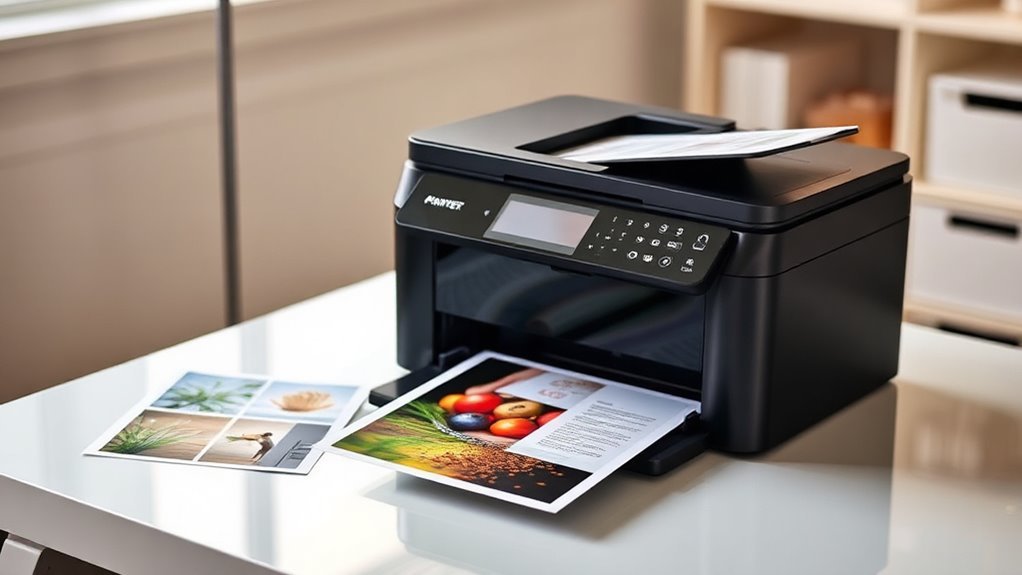
When choosing an 11×17 printer and scanner, you’ll want to focus on print quality and how well it handles different media types.
Consider the device’s speed, connectivity options, and how much you’ll spend on ink or other consumables. These factors will help you find a reliable, efficient machine that fits your needs.
Print Quality Considerations
Print quality plays a vital role in choosing the right 11×17 printer and scanner combo, especially if you need sharp details and vibrant colors on larger prints. Look for a high maximum print resolution—ideally between 2400 and 4800 dpi—to ensure fine detail and smooth gradients.
Pay close attention to color depth and wide-gamut support like sRGB or Adobe RGB, so your graphics and photos pop with accurate, vivid hues. Consider the ink system: pigment inks and multiple color channels, including photo black and gray, boost text durability and tonal range.
Also, evaluate print engine tech and ISO test results to get consistent halftone and line-art output, which is essential for detailed CAD drawings or charts. Finally, confirm the printer supports ICC profiles and custom color management to keep your colors predictable across large-format jobs.
Media Handling Capabilities
You’ll often rely on versatile media handling capabilities to get the most out of your 11×17 printer and scanner combo. First, check the maximum media size it supports, ensuring it handles 11″×17″ sheets and offers borderless printing if you plan to create posters or photos.
Next, consider paper tray capacity and the number of trays to match your job volume, reducing frequent reloads. It’s also a good idea to confirm input options like rear specialty-paper feeds or manual feeds for cardstock, envelopes, and heavier stock, plus the device’s supported paper weight.
Automatic duplex printing and scanning are essential for efficient double-sided workflows. And finally, look for an automatic document feeder (ADF) with enough capacity and support for legal or wide sheets if you need batch scanning or copying of multi-page 11″×17″ originals.
Speed and Efficiency
Balancing media handling with speed and efficiency helps you get the most out of your 11×17 printer and scanner combo. Focus on rated print speeds—higher ppm for black and color mean faster output and less waiting.
Don’t overlook ADF scanner speeds and whether it supports single-pass duplex; faster ADFs speed up two-sided, multi-page scans markedly. Check the monthly duty cycle and paper capacity, as smaller trays can slow you down with constant reloading during heavy use.
First-page-out time and automatic duplex printing also save you time on mixed jobs. While connectivity matters, avoid dwelling on it now; just keep in mind that slow connections can reduce your device’s efficiency despite its speed capabilities.
Connectivity Options Available
When choosing an 11×17 printer and scanner combo, you’ll want to zero in on connectivity options that fit your workflow. Dual-band Wi-Fi (2.4 and 5 GHz) offers fast, reliable wireless printing and scanning, plus Wi-Fi Direct lets you connect devices without a router.
Ethernet provides a stable, low-latency link perfect for shared offices or heavy scanning tasks. USB 2.0/3.0 ports guarantee a direct, plug-and-play connection with minimal setup and consistent speeds.
Mobile and cloud printing support, like AirPrint and Mopria, lets you print and scan from smartphones or tablets and save scans directly to cloud services such as Google Drive. Bonus features like Bluetooth, NFC, and voice-activated printing simplify setup, enable quick local transfers, or allow hands-free commands to boost your productivity.
Ink and Consumables Cost
Ink and consumables often represent a significant portion of an 11×17 printer and scanner’s total cost of ownership. You should compare per-page ink costs instead of cartridge prices alone since larger-format printers often use high-capacity cartridges or bottles.
Supertank or refillable systems usually offer much lower costs per page, sometimes saving you an order of magnitude, because one bottle set can replace many standard cartridges. Be mindful of color versus black ink yields; color pages often use multiple inks even if mostly black, which increases real-world expenses.
Subscription ink-replenishment plans can help reduce upfront costs and avoid running out, but watch for automatic renewals and monthly page limits that affect long-term cost. Also, factor in maintenance ink use and waste, especially if your model requires frequent head cleaning or uses non-refillable cartridges.
Size and Footprint
Beyond the cost of ink and supplies, you also need to take into account the physical size and footprint of an 11×17 printer and scanner. Check the device’s dimensions and weight to guarantee it fits your desk or shelf and can be moved if needed.
Confirm it supports true 11×17 printing and scanning without manual adjustments. Consider paper tray capacity—a larger tray means fewer refills, even if the unit is bigger.
Remember that models with integrated ADFs, duplexing, or multiple trays often increase height and depth, so measure clearance for lid opening and cable access.
If you want a multi-function device, verify the scanner bed and ADF dimensions to make sure your 11×17 originals lie flat and feed smoothly without needing an external scanner.
Frequently Asked Questions
How Do Wide-Format Printers Handle Different Paper Thicknesses?
Wide-format printers adjust their feed mechanisms and pressure settings to handle various paper thicknesses. You’ll often find manual or automatic adjustments that prevent jams and guarantee smooth printing on everything from thin sheets to heavy cardstock.
It’s pretty neat how these printers can switch gears depending on the material. That way, whether you’re printing on something delicate or really thick, the machine knows just what to do.
Can These Printers Scan to Cloud Storage Directly?
Imagine you’re scanning a blueprint and instantly sending it to Google Drive.
Yes, many wide-format printers, like the Epson SureColor, let you scan directly to cloud storage.
This saves you time and streamlines your workflow effortlessly.
What Are the Energy Consumption Levels of These Printer Models?
You’ll find these printers consume between 20 to 50 watts during active use and drop to under 5 watts in standby mode.
They’re designed to be energy-efficient, helping you save on power without compromising performance.
Are There Any Eco-Friendly Ink Options Compatible With These Printers?
You’ll find eco-friendly ink options compatible with many models, coincidentally aligning with your energy-saving goals. These inks use biodegradable ingredients and reduced chemicals, letting you print responsibly without sacrificing quality or efficiency in your daily tasks.
It’s pretty great to have choices that help the environment and still get the job done well. So, you can stick to your green habits without any hassle.
How Do Wide-Format Printers Affect Office Wi-Fi Bandwidth?
Wide-format printers can slow your office Wi-Fi since they send large files over the network. To keep things smooth, you should connect them via Ethernet or schedule big print jobs during off-peak hours.
It’s a smart way to avoid clogging up the wireless bandwidth. Plus, Ethernet connections are usually faster and more reliable for these kinds of tasks. So, your Wi-Fi stays clear for everyone else.
Conclusion
Choosing the right 11×17 printer and scanner combo can really transform your workflow and boost productivity. With options from Brother, Epson, HP, and Canon, you have plenty of powerful choices tailored to your needs.
So, why settle for less when you can get vibrant prints and efficient scanning all in one device? It’s not just about specs—it’s about what fits your unique work style and budget.
When selecting the best 11×17 printer and scanner combo, consider your printing volume, scan quality, and connectivity options. The right device will streamline your tasks and save time in the long run.
Ultimately, investing in a top-notch 11×17 printer and scanner combo means enhancing your office efficiency and producing stunning large-format prints with ease. Choose wisely, and watch your productivity soar!