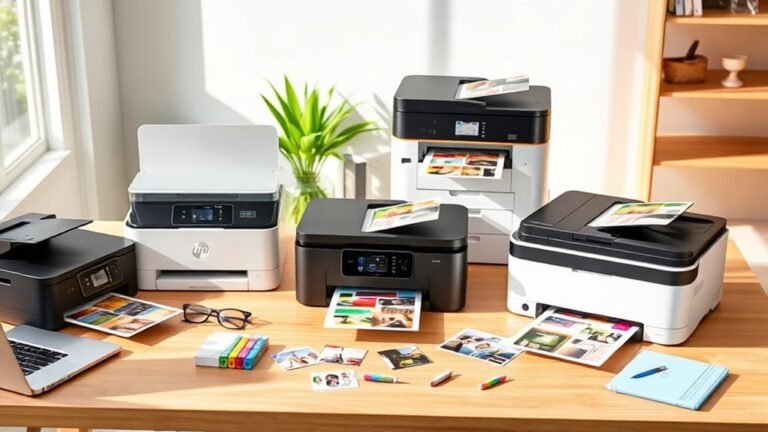
3 best budget home printer recommendations 2026
You’ll want the HP OfficeJet Pro 8125 if you need fast, versatile printing with automatic duplexing and a large paper tray. It’s great for handling lots of pages without constant refilling.
For high-volume color printing on a budget, the Canon MegaTank G3270 offers refillable tanks and sharp photo quality. This model is perfect if you want vibrant prints without breaking the bank.
If space is tight and you just need simple, reliable daily prints, the compact Canon PIXMA TS3720 fits well. It’s easy to use and won’t take up much room on your desk.
Keep exploring to discover which features suit your needs best for 2026. Finding the right budget home printer can make everyday tasks smoother and more affordable!
| Image | Name | Editor's Rating | Price |
|---|---|---|---|

|
|
||

|
|
HP OfficeJet Pro 8125 Wireless All-in-One Printer
- FROM AMERICA'S MOST TRUSTED PRINTER BRAND – The OfficeJet Pro 8125 is perfect for home offices printing professional-quality color documents like business documents...
- 3 MONTH TRIAL OF INSTANT INK INCLUDED – Subscribe to the Instant Ink delivery service to get ink delivered directly to your door before you run out, and you save up to...
- KEY FEATURES – Fast color printing, scan, copy, auto 2-sided printing, auto document feeder, and a 225-sheet input tray
- 2.7-INCH TOUCHSCREEN – Quickly navigate your printer with a large color touchscreen and a phone-like user interface
- WIRELESS PRINTING – Stay connected with our most reliable dual-band Wi-Fi, which automatically detects and resolves connection issues

The HP OfficeJet Pro 8125 Wireless All-in-One Printer is designed to streamline your home or small office tasks. It handles printing, scanning, and copying with ease, delivering professional-quality color documents. You can print quickly and efficiently, up to 20 pages per minute in black and 10 in color, helping you stay productive.
Its automatic two-sided printing saves paper and time, while the 225-sheet tray supports various paper sizes for different projects. The wireless dual-band Wi-Fi and a 2.7-inch color touchscreen simplify setup and everyday use. Mobile printing is made effortless through the HP Smart app, allowing you to manage tasks from your smartphone.
Maintenance is straightforward with included setup cartridges and a three-month trial of HP’s Instant Ink service to reduce running costs. However, the fax feature operates through the app rather than a traditional interface. Firmware updates also restrict cartridge use to original HP supplies, which may limit third-party options.
Best for: Budget-conscious home users and home office professionals seeking a versatile all-in-one printer for sharp color prints, scans, and copies.
What We Like:
- Fast print speeds with sharp 1200 dpi resolution
- Automatic two-sided printing and large 225-sheet input tray
- Easy wireless connectivity via dual-band Wi-Fi and touchscreen
- Mobile printing and control through HP Smart app
Specification:
| Feature | Details |
|---|---|
| Manufacturer | HP |
| Dimensions (W×D×H) | Approx. 17.3 × 14.4 × 8.9 in |
| Weight | Approx. 18.3 lb (8.3 kg) |
| Connectivity | Wireless dual-band Wi-Fi, USB |
| Display | 2.7-inch color touchscreen |
| Paper Tray Capacity | 225 sheets |
Canon MegaTank G3270 All-in-One Wireless Color Printer
- Wireless Print/Copy/Scan
- Up to 2 years of ink included (2)
- Print up to 6,000 black & white / 7,700 color pages using a single set of inks! (1)
- Save up to $1,000 on ink (1)
- 1.35” Square LCD display
The Canon MegaTank G3270 is designed to meet the needs of home users who require high-volume color printing without the hassle of frequent ink replacements. Its refillable MegaTank system provides up to 7,700 color pages per set, making it ideal for busy households or small home offices. This feature helps reduce running costs and keeps your printing workflow smooth.
This all-in-one printer combines printing, copying, and scanning in a compact unit. Wireless connectivity via Wi-Fi allows easy setup and printing from mobile devices using iOS and Android apps. The printer delivers sharp, vibrant prints with a resolution of 4800 × 1200 dpi and supports borderless photo printing, enhancing your creative projects and documents.
Maintenance is simple with the visible ink tanks, so you can monitor ink levels easily and refill as needed without interruptions. The printer supports various paper sizes and types, although it has a modest 100-sheet capacity and prints only on one side. These factors make it best suited for moderate workloads.
Overall, the Canon MegaTank G3270 balances functionality and cost-efficiency in a lightweight, energy-efficient design, making it a practical choice for everyday color printing needs.
Best for: Home users and small home offices needing cost-effective, high-volume color printing with low maintenance.
What We Like:
- High ink yield reducing frequent refills and running costs
- Wireless printing with mobile app support for convenience
- Sharp 4800 × 1200 dpi resolution with borderless photo printing
- Easily refillable MegaTank system for hassle-free maintenance
- Lightweight and energy-efficient design
Specification:
| Feature | Details |
|---|---|
| Manufacturer | Canon |
| Dimensions (W×D×H) | 17.7 × 14.7 × 7.9 inches (45 × 37.3 × 20 cm) |
| Weight | 9.8 lbs (4.45 kg) |
| Ink System | Refillable MegaTank |
| Print Resolution | Up to 4800 × 1200 dpi |
| Paper Capacity | 100 sheets |
| Connectivity | Wireless (Wi-Fi) |
| Functions | Print, Copy, Scan |
Canon PIXMA TS3720 Wireless All-in-One Printer
No products found.
Offering a compact solution for everyday printing needs, the Canon PIXMA TS3720 is designed to simplify home tasks. Its wireless connectivity eliminates cable clutter, allowing you to print, scan, and copy effortlessly from your phone or computer. The printer’s dual-band Wi-Fi ensures a steady connection, reducing interruptions and saving time.
Maintenance is straightforward with quick setup and a user-friendly 1.5″ LCD screen for basic controls. The rear paper tray holds up to 60 sheets, supporting various sizes including borderless photos, which is ideal for family snapshots or school projects. Print quality is sharp, combining pigment black ink for crisp text and dye-based inks for vibrant colors at 4800 x 1200 dpi.
While it lacks duplex printing and advanced features like faxing, this printer meets the requirements of users focused on simple, reliable daily printing. Its compact design fits easily in small spaces, making it suitable for tight home offices or dorm rooms.
Best for: Home users seeking an affordable, compact, and easy-to-use wireless printer for basic printing, scanning, and copying needs.
What We Like:
- Stable dual-band Wi-Fi with mobile print support
- Sharp text and vivid photo quality at high resolution
- Compact size with easy setup and simple controls
Specification:
| Feature | Details |
|---|---|
| Manufacturer | Canon |
| Dimensions | Compact (exact size not provided) |
| Weight | Not specified |
| Color Options | Not specified |
| Connectivity | Dual-band Wi-Fi |
| Display | 1.5″ LCD |
| Paper Capacity | 60 sheets (rear tray) |
| Print Resolution | Up to 4800 x 1200 dpi |
Factors to Consider When Choosing Budget Home Printer Recommendations 2026

When choosing a budget home printer, you’ll want to focus on print quality, speed, and how efficiently it handles tasks. Don’t forget to check the connectivity options and how much ink costs versus its yield.
Also, consider the paper handling capacity to make sure it fits your needs. It’s all about finding the right balance that works for you without breaking the bank.
Print Quality Considerations
Since print quality directly impacts both the clarity of your documents and the vibrancy of your photos, you should prioritize resolution and ink type when choosing a budget home printer. Look for printers offering at least 1200 x 1200 dpi input or 4800 x 1200 dpi optimized resolution to guarantee sharp text and detailed photos. Keep in mind, higher dpi mainly benefits photo output.
Choose devices with pigment-based black ink for crisp, smudge-resistant text and dye-based color inks to achieve vivid colors. If you scan or copy often, consider models with higher optical resolutions (600–4800 dpi) for better reproduction.
Also, check supported media types and sizes, plus duplex printing capabilities. These factors influence print quality and the final appearance of your documents and photos.
Speed and Efficiency
Although print quality is essential, speed and efficiency play an equally important role when choosing a budget home printer. You’ll want to check the pages-per-minute (ppm) ratings for both black (7–20 ppm) and color (4–10 ppm), matching them to your daily printing needs to avoid delays.
Don’t overlook first-page-out times, often 10–30 seconds—short warm-ups matter for quick print jobs like single-page invoices. Also, review the duty cycle and recommended monthly volume to make certain the printer can handle your usage without wearing out early.
If you print multi-page documents, look for automatic duplexing and fast ADF functions to save time flipping and scanning pages. Remember, real-world speeds vary with mixed-content prints, so consider practical throughput, not just peak ppm numbers.
Connectivity Options Available
In choosing a budget home printer, connectivity options can make or break your user experience. You’ll want a printer supporting dual-band Wi-Fi (2.4 GHz and 5 GHz) for stable connections, especially in crowded environments.
Look for multiple connection types like Ethernet and USB 2.0 or higher to guarantee wired alternatives when Wi-Fi isn’t reliable. Make sure it supports mobile and cloud printing protocols such as AirPrint or Mopria, so you can print directly from your smartphone or tablet without fuss.
Wi-Fi Direct or Wireless Direct lets you print securely without accessing your home network. And don’t forget network security features like WPA3, automatic troubleshooting, and guest access controls.
These keep your network safe while sharing printer access effortlessly. So, a few smart connectivity choices can really make your printing experience smooth and hassle-free.
Ink Cost and Yield
When selecting a budget home printer, understanding ink cost and yield is essential to keeping your printing affordable over time. Start by comparing the cost per page: divide replacement ink price by the manufacturer-quoted yield. Aim for black-page costs under $0.05 and color under $0.15.
Look for printers with high-yield or XL cartridges, refillable tanks, or subscription plans. These options can cut ink costs by 40–80%, which is a pretty big saving.
Remember, quoted yields assume 5% coverage—real use with mixed text and graphics often drops yield 2–5 times. So, don’t be surprised if you go through ink faster than expected.
Check if the printer requires manufacturer chips that block third-party cartridges, since that can hike expenses. It’s worth knowing before you buy.
Finally, if you mostly print text, choose a model with separate pigment-black cartridges. This way, you avoid swapping full-color sets unnecessarily.
Paper Handling Capacity
Many budget home printers offer varying paper handling capacities, so you’ll want to pick one that fits your typical printing needs without constant refills or interruptions. Check the input tray capacity—whether it holds 50, 100, or 200+ sheets—to match your print volume.
Also, consider the output tray’s size and if it supports continuous stacking, so your multipage documents don’t get interrupted. Confirm the supported paper sizes and orientations, like Legal, A4, envelopes, or photo paper, to make certain the printer handles your document types.
If you print double-sided often, look for automatic duplex printing to save time and paper. Additionally, if scanning or copying multi-page originals is part of your routine, check if the printer has a dedicated feeder or automatic document feeder (ADF) with enough capacity.
Multifunction Features Included
Although budget home printers often focus on basic printing, you’ll want a true multifunction model that includes print, scan, and copy capabilities for greater versatility. Prioritize a flatbed scanner for photos and delicate originals, plus an automatic document feeder (ADF) if you handle batch scanning.
Check scan resolution and copy quality—up to 4800 × 1200 dpi color is common—to make certain of clear results. If faxing matters, verify built-in modem support or app/cloud fax options, as many budget models skip native fax hardware.
Look for duplex printing to save paper and multi-page copy limits around 99 copies to support moderate workflows. Don’t forget mobile features like scan-to-cloud, OCR, and remote control via smartphone apps, which simplify tasks and integrate your printer into your home setup seamlessly.
Device Size and Weight
Choosing the right budget home printer means paying close attention to its size and weight to fit your space and lifestyle. First, measure your available space—width, depth, and height. Compact printers usually fit within 18″ wide, 13″ deep, and 10″ tall.
Remember to allow extra clearance, about 6 to 12 inches in front and above, for loading paper and accessing trays or scanners. Weight matters too. If you plan to move your printer often, pick a lighter model around 9–15 pounds rather than something over 17 pounds.
Also, consider if you need extra features like an automatic document feeder, which often adds to the printer’s size. Finally, if you’re storing it on a shelf or cabinet, make certain there’s proper ventilation and cable access. Make sure the surface can support its weight safely, too.
Security and Privacy
When you connect a budget home printer to your network, security and privacy become essential to protect your data from unauthorized access. Make sure your printer supports strong network security like WPA3 for Wi-Fi and TLS/HTTPS for web and print services to keep data safe in transit.
Choose models with user authentication and access controls, such as PINs or role-based permissions, to limit who can print or scan. It’s a good idea to look for encrypted storage or secure erase features that wipe scans, faxes, and job logs regularly.
Also, check the ease and security of firmware updates. Automatic updates with cryptographic signatures help prevent vulnerabilities.
Finally, take a moment to review cloud and mobile privacy settings. Opt out of unnecessary cloud services and prefer local-first printing to minimize data exposure.
Frequently Asked Questions
How Do I Recycle Used Printer Cartridges Responsibly?
You can recycle used printer cartridges responsibly by returning them to manufacturer take-back programs, dropping them off at local recycling centers, or using mail-in recycling kits.
Don’t toss them in the trash to avoid environmental harm. It’s really easy to do your part! Just take a moment to find the best option near you.
Can Budget Printers Print on Fabric or Specialty Materials?
Budget printers usually can’t print directly on fabric or specialty materials. You’ll need special ink or transfer paper.
If you want fabric printing, consider a higher-end printer designed for that. Or, you can use heat transfer techniques with your budget printer.
What Are the Best Apps for Mobile Printing?
Printing from your phone is a breeze with apps like Epson iPrint, HP Smart, and Canon PRINT Inkjet. They connect seamlessly, turning your mobile into a magic wand that sends documents straight to your printer, no hassle.
Seriously, it’s that easy. Just a few taps, and your stuff is printing away without any fuss. No more messing around with cables or complicated setups.
How Do I Troubleshoot Common Wi-Fi Printer Connection Issues?
You should restart your printer and router. Make sure both are on the same Wi-Fi network.
Also, update your printer drivers and check for any firmware updates. These can often solve hidden issues.
Try disabling your firewall temporarily to see if it’s blocking the connection. And don’t forget to double-check your Wi-Fi password.
These steps usually fix connection issues pretty quickly!
Are Budget Printers Compatible With Mac and Windows Systems?
Yes, budget printers usually work with both Mac and Windows systems. You’ll just want to check the printer’s specs to guarantee compatibility.
Also, make sure to download the latest drivers from the manufacturer’s site to avoid any issues. It helps keep everything running smoothly.
Conclusion
Choosing the right budget home printer in 2026 is like planting a seed in your creative garden. With options like the HP OfficeJet Pro 8125, Canon MegaTank G3270, and Canon PIXMA TS3720, you’re nurturing productivity and quality without breaking the bank.
Each printer symbolizes a reliable tool, ready to help your ideas bloom. So, pick the one that fits your needs and watch your home projects flourish effortlessly.
When it comes to budget home printers, it’s all about balancing cost, performance, and features. These top picks offer excellent print quality, efficiency, and ease of use, making them perfect for everyday printing tasks. Whether you need sharp documents or vibrant photos, these printers have got you covered without stretching your budget. In 2026, finding a reliable budget home printer means you don’t have to sacrifice quality for affordability—making it easier than ever to keep your home office running smoothly and your creative projects thriving.