6 Best Brother Printers for College Students in 2027
You’ll want the versatile Brother Work Smart 1410 or MFC-J4355DW for color printing and scanning, perfect for assignments and projects. These models handle everything from colorful presentations to detailed reports with ease.
The HL-L2460DW and HL-L2480DW offer fast, reliable black-and-white prints, ideal for notes and essays. They’re great if you mostly print text and need speed without sacrificing quality.
For duplex and wireless flexibility, the MFC-J1170DW fits well. It’s compact and designed to save space in dorm rooms, while still giving you all the features you need.
These Brother printers balance speed, quality, and compact design, making them perfect for college students. If you keep exploring, you’ll uncover key features and cost tips to match your campus needs perfectly.
| Image | Name | Editor's Rating | Price |
|---|---|---|---|

|
|
||

|
|
||

|
|
||

|
|
||

|
|
Brother Work Smart 1410 Wireless Color Inkjet Printer
- BEST FOR HOME OFFICE AND SMALL OFFICE: Get your work done with a multifunction printer. Print, copy, and scan on one convenient, compact printer, with quick and easy...
- EASY-TO-USE TOUCHSCREEN WITH CLOUD APP CONNECTIONS: Seamless integration with the Cloud(2). Print from and scan to popular Cloud apps(2), including Google Drive, Dropbox...
- PRODUCTIVITY-FOCUSED FEATURES: Automatic duplex (2-sided) printing, 20-sheet single-sided Automatic Document Feeder (ADF)(3), 150-sheet paper tray(3). Print at fast...
- MULTIPLE CONNECTION OPTIONS: Connect your way. Interface with your printer on your wireless network or via USB.
- THE BROTHER MOBILE CONNECT APP: Go mobile with the Brother Mobile Connect app(5) for easy onscreen menu navigation for printing, copying, scanning, and device management...

The Brother Work Smart 1410 Wireless Color Inkjet Printer is designed to simplify your busy academic or home office life. It handles printing, copying, and scanning tasks efficiently, helping you manage your workload without hassle. The intuitive 2.7” color touchscreen makes navigating menus quick and straightforward.
This printer’s automatic duplex printing and 20-sheet automatic document feeder reduce the time spent on multi-page documents. Wireless connectivity combined with the Brother Mobile Connect app allows you to print and scan directly from your smartphone, streamlining your workflow. Cloud integration with Google Drive and Dropbox lets you access and share documents effortlessly.
Maintenance is straightforward with reliable Brother Genuine Ink, ensuring consistent print quality and reducing interruptions. While the printer offers moderate speeds and a 150-sheet paper capacity, it balances performance with compact design, making it ideal for small workspaces.
Best for: Students and home office users who need a versatile and user-friendly printer to handle everyday printing, scanning, and copying tasks.
What We Like:
- Automatic duplex printing and 20-sheet ADF speed up document handling.
- Wireless and mobile app support enable easy printing from smartphones.
- Seamless cloud integration with Google Drive and Dropbox.
- Compact design fits well in small spaces.
- Consistent quality with genuine Brother ink cartridges.
Specification:
| Feature | Details |
|---|---|
| Manufacturer | Brother |
| Dimensions (W x D x H) | Not specified |
| Weight | Not specified |
| Connectivity | Wireless, Mobile app support |
| Display | 2.7” color touchscreen |
| Paper Capacity | 150 sheets |
| Automatic Document Feeder | 20 sheets |
| Duplex Printing | Automatic |
| Ink Type | Brother Genuine Ink |
Brother HL-L2460DW Wireless Monochrome Laser Printer
- BEST FOR HOME OFFICES & SMALL TEAMS – Engineered for consistent, premium print quality, the Brother HL-L2460DW Monochrome (Black & White) Laser Printer produces...
- COMPACT, CONNECTED, EXCEPTIONALLY EFFICIENT– Connect with built-in dual-band wireless (2.4GHz/5GHz), Ethernet, or to a single computer via USB interface. Prints at...
- BROTHER MOBILE CONNECT APP – Manage your wireless printer remotely and print from your mobile device anytime, from almost anywhere. Order Brother Genuine Supplies...
- VERSATILE PAPER HANDLING – Tackle high-volume black & white printing with the 250-sheet capacity paper tray.(4) The manual feed slot enables printing on envelopes and...
- BROTHER IS AT YOUR SIDE – Backed by Brother with a 1-year limited warranty and free online, call, or live chat support for the life of your printer
Experience fast, efficient black-and-white printing with the Brother HL-L2460DW Wireless Monochrome Laser Printer. Designed to handle heavy workloads, it delivers up to 36 pages per minute at a sharp 1200 x 1200 dpi resolution. This printer keeps your documents crisp and professional, making it ideal for busy students and home office users.
Its compact design fits neatly in small spaces like dorm rooms or home desks. Automatic duplex printing reduces paper use and saves you money on supplies. The 250-sheet tray means fewer interruptions during large print jobs, streamlining your workflow.
Stay connected effortlessly with dual-band Wi-Fi and Ethernet options. You can manage printing tasks remotely via the Brother Mobile Connect app or voice commands through Alexa. Toner Save Mode helps extend cartridge life, minimizing maintenance frequency and lowering long-term costs.
While it is monochrome only and limited to standard paper sizes up to 8.5 x 14 inches, the HL-L2460DW offers reliable performance and cost-saving features that meet everyday printing needs without complexity.
Best for: College students and small home office users who need fast, reliable black-and-white printing with wireless connectivity and cost-saving features.
What We Like:
- Fast printing speed of up to 36 pages per minute with high resolution.
- Compact size with automatic duplex printing and large input tray.
- Wireless dual-band Wi-Fi and Ethernet for flexible connectivity.
- Remote management via mobile app and Alexa voice commands.
- Toner Save Mode extends cartridge life and reduces costs.
Specification:
| Feature | Details |
|---|---|
| Manufacturer | Brother |
| Dimensions (W x D x H) | 16.1 x 15.7 x 7.2 inches |
| Weight | 16.5 lb (7.5 kg) |
| Print Resolution | Up to 1200 x 1200 dpi |
| Print Speed | Up to 36 pages per minute |
| Connectivity | Dual-band Wi-Fi, Ethernet |
| Paper Capacity | 250-sheet tray |
| Duplex Printing | Automatic |
| Max Media Size | 8.5 x 14 inches |
| Color Capability | Monochrome only |
Brother Work Smart 1410 Wireless Color Inkjet Printer
- BEST FOR HOME OFFICE AND SMALL OFFICE: Get your work done with a multifunction printer. Print, copy, and scan on one convenient, compact printer, with quick and easy...
- EASY-TO-USE TOUCHSCREEN WITH CLOUD APP CONNECTIONS: Seamless integration with the Cloud(2). Print from and scan to popular Cloud apps(2), including Google Drive, Dropbox...
- PRODUCTIVITY-FOCUSED FEATURES: Automatic duplex (2-sided) printing, 20-sheet single-sided Automatic Document Feeder (ADF)(3), 150-sheet paper tray(3). Print at fast...
- MULTIPLE CONNECTION OPTIONS: Connect your way. Interface with your printer on your wireless network or via USB.
- THE BROTHER MOBILE CONNECT APP: Go mobile with the Brother Mobile Connect app(5) for easy onscreen menu navigation for printing, copying, scanning, and device management...
The Brother Work Smart 1410 Wireless Color Inkjet Printer is designed to simplify printing tasks for students and home office users. Its fast print speeds and automatic duplexing help you complete assignments and documents efficiently, saving valuable time. The 20-sheet document feeder supports multi-page jobs, reducing manual effort.
This printer produces sharp prints with a resolution up to 1,200 x 6,000 dpi, ensuring clear text and vibrant colors. You can connect easily via Wi-Fi or USB, and manage printing directly from the 2.7″ touchscreen or Mobile Connect app. Printing from cloud services adds convenience to your workflow.
Maintenance is straightforward with a 150-sheet input tray and affordable ink subscription options. While the document feeder only scans single-sided pages, the overall design balances performance and ease of use. This model is ideal for those who need reliable, high-quality printing in a compact package.
Best for: Students, small office users, and home workers seeking a versatile wireless color inkjet printer with scanning and copying features.
What We Like:
- Fast print speeds with automatic duplex printing
- High-resolution output for crisp color and text
- Multiple connectivity options including Wi-Fi and mobile app
- Easy maintenance with a 150-sheet tray and ink subscription
- User-friendly 2.7″ touchscreen interface
Specification:
| Feature | Details |
|---|---|
| Manufacturer | Brother |
| Dimensions (W×D×H) | 16.7 × 14.2 × 7.5 inches |
| Weight | 14.3 lbs (6.5 kg) |
| Color Options | White |
| Connectivity | Wireless (Wi-Fi), USB |
| Print Resolution | Up to 1,200 x 6,000 dpi |
| Input Tray Capacity | 150 sheets |
| Document Feeder | 20-sheet single-sided ADF |
Brother HL-L2480DW Wireless Monochrome Laser Printer
- BEST FOR SMALL OFFICES & WORK FROM HOME – Engineered for efficiency, the Brother HL-L2480DW Monochrome (Black & White) 3-in-1 Laser Printer is equipped with a...
- COMPACT, CONNECTED, DYNAMIC – Connect with built-in dual-band wireless (2.4GHz/5GHz), Ethernet, or to a single computer via USB interface. Produces B/W prints at speeds...
- 2.7" TOUCHSCREEN – The intuitive 2.7” touchscreen enables effortless navigation with the added ability to print-from and scan-to popular Cloud-based apps such as...
- BROTHER MOBILE CONNECT APP – Print, scan, and manage your wireless printer anytime, from almost anywhere from your mobile device. Order Brother Genuine Supplies, track...
- VERSATILE PAPER HANDLING – Tackle high-volume black & white printing with the 250-sheet capacity paper tray.(5) The manual feed slot enables printing on envelopes and...
The Brother HL-L2480DW Wireless Monochrome Laser Printer is designed to keep your printing tasks efficient and hassle-free. With a print speed of up to 36 pages per minute, it handles large assignments and busy workflows with ease. Its compact design fits comfortably in small spaces, making it ideal for home offices or tight work areas.
This all-in-one device lets you print, copy, and scan quickly using a clear 2.7″ touchscreen. You can connect via dual-band wireless, Ethernet, or USB, providing flexible options to print from laptops, tablets, or smartphones. The Brother Mobile Connect app further simplifies remote management of print jobs.
Maintaining this printer is straightforward. The 250-sheet tray reduces frequent paper refills, while auto-duplex printing helps save paper. Its energy-efficient design lowers power consumption, supporting eco-friendly office practices.
While it only prints in monochrome and has a single paper tray, the HL-L2480DW excels in reliability and speed for black-and-white documents. It’s built to support users who need a practical multifunction printer without unnecessary complexity.
Best for: individuals and small offices requiring a fast, dependable monochrome laser printer with versatile wireless connectivity.
What We Like:
- Fast print speed up to 36 ppm for quick document turnaround.
- Easy-to-use 2.7″ touchscreen enhances navigation and control.
- Multiple connectivity options including dual-band Wi-Fi and Ethernet.
- Auto-duplex printing conserves paper and reduces waste.
- Compact design fits well in limited office spaces.
Specification:
| Feature | Details |
|---|---|
| Manufacturer | Brother |
| Dimensions (W×D×H) | 16.1 × 15.7 × 12.7 inches |
| Weight | 18.7 lb (8.5 kg) |
| Printing Technology | Monochrome Laser |
| Connectivity | Wireless (dual-band), Ethernet, USB |
| Paper Capacity | 250-sheet tray |
| Display | 2.7-inch touchscreen |
Brother MFC-J4355DW Wireless Color Inkjet Printer
- Brother USA AUTHORIZED - Brother Full USA Warranty | All-in-One Productivity: Versatile 4-in-1 functionality that allows you to print, copy, scan, and fax from one...
- INKvestment Tank Efficiency: Advanced INKvestment Tank technology delivers long-lasting ink and lower running costs, making it ideal for frequent everyday printing.
- Fast & Automatic Printing: Print speeds of up to 20 ppm (black) and 19 ppm (color) with automatic two-sided printing to help save time and reduce paper usage.
- Wireless & Mobile Connectivity: Print easily using Wi-Fi, Wi-Fi Direct, or USB, and enjoy mobile printing through Brother Mobile Connect, Apple AirPrint, and Mopria for...
- INCLUDED IN THE BOX: Brother MFC-J4355DW All-in-One Printer | Starter Black INKvestment Tank Cartridge (approx. 1,800 pages) | Starter Cyan Ink Cartridge (approx...
The Brother MFC-J4355DW is a versatile wireless color inkjet printer designed to handle multiple tasks with ease. It combines printing, scanning, copying, and faxing into one compact device, making it ideal for busy environments. Users will benefit from its efficient performance that keeps up with demanding workflows.
With print speeds up to 20 pages per minute in black and 19 in color, this printer helps reduce wait times. Its automatic duplex printing saves paper by printing on both sides without extra effort. The INKvestment Tank system minimizes maintenance frequency and lowers running costs by using long-lasting cartridges.
The 150-sheet input tray and 20-sheet automatic document feeder support larger print jobs and multi-page scanning without constant reloading. A bright 1.8-inch color display provides straightforward navigation, while wireless connectivity offers convenient mobile printing through AirPrint and Brother Mobile Connect.
While its compact design fits well in tight spaces, the single USB 2.0 port may limit wired connections for some users. The moderate-sized display might also restrict advanced menu options. However, its overall functionality and cost efficiency make it a solid choice for everyday office or student use.
Best for: Students and professionals needing an all-in-one wireless printer that balances versatility, cost savings, and ease of use.
What We Like:
- Fast print speeds with automatic duplex to improve productivity
- INKvestment Tank system reduces ink replacement frequency and costs
- Supports mobile printing for added convenience on the go
- Includes a decent-sized input tray and document feeder for multitasking
Specification:
| Feature | Details |
|---|---|
| Manufacturer | Brother |
| Dimensions (W x D x H) | Approx. 16.1 x 15.7 x 7.5 in |
| Weight | Approx. 14.1 lb (6.4 kg) |
| Printer Type | Wireless Color Inkjet |
| Display | 1.8-inch color screen |
| Paper Input Capacity | 150-sheet tray, 20-sheet ADF |
| Connectivity | Wireless, USB 2.0 |
Brother MFC-J1170DW Wireless Color Inkjet Printer

- DELIVERING FULL FUNCTIONALITY. There’s no sacrificing features with this compact addition to any home, home office or small office space. This inkjet all-in-one...
- PUT THE POWER OF PRINTING AT YOUR FINGERTIPS: The simple to use Brother Mobile Connect(1) App delivers easy onscreen menu navigation for printing, copying, scanning and...
- GENEROUS 2.7 INCH COLOR TOUCHSCREEN. Easy-to-read, color touchscreen display enables simple, intuitive navigation to powerful features plus print-from and scan-to popular...
- WORRY-FREE PRINTING USING PAGE GAUGE(2).Eliminate the guesswork of ink replacement when you use the Brother Mobile Connect(1) App to access Page Gauge, so you know the...
- USE ONLY BROTHER GENUINE INK: A full range of Brother Genuine ink cartridges deliver high quality prints and reliable page yields. Choose from Standard (LC401 Series) or...
Experience hassle-free printing with the Brother MFC-J1170DW Wireless Color Inkjet Printer. Designed to simplify your workflow, it handles double-sided documents automatically, saving you time and paper. Whether you’re tackling school assignments or home office tasks, this printer delivers crisp, vibrant prints with sharp 6000 x 1200 dpi resolution.
Its compact design features a 2.7-inch color touchscreen for easy navigation. You can connect effortlessly via Wi-Fi Direct, Ethernet, NFC, or the Brother Mobile Connect app. This flexibility lets you print or scan directly from your phone or laptop without complicated setup.
Maintenance is straightforward but requires genuine Brother ink cartridges, ensuring consistent quality though limiting third-party options. The sheetfed scanner is practical for quick document scanning, though it may not suit bulky originals. With a moderate 150-sheet capacity, it handles daily printing demands comfortably.
The Brother MFC-J1170DW stands out for its reliable duplex printing and versatile wireless connectivity, making it a practical choice for users who need quality and convenience in one device.
Best for: college students and home office users seeking efficient, high-quality duplex printing with flexible wireless options.
What We Like:
- Automatic duplex printing reduces paper use and speeds up double-sided tasks.
- High-resolution output delivers sharp text and vivid colors.
- Multiple connectivity methods including Wi-Fi Direct, Ethernet, NFC, and mobile app support.
- User-friendly 2.7-inch color touchscreen simplifies operation.
- Compact design fits well in small spaces.
Specification:
| Feature | Details |
|---|---|
| Manufacturer | Brother |
| Dimensions (W x D x H) | 16.1 x 16.5 x 7.7 inches |
| Weight | 14.8 lbs (6.7 kg) |
| Print Technology | Wireless Color Inkjet |
| Maximum Print Resolution | 6000 x 1200 dpi |
| Connectivity | Wi-Fi Direct, Ethernet, NFC |
| Scanner Type | Sheetfed |
| Paper Capacity | 150 sheets |
Factors to Consider When Choosing Brother Printer for College
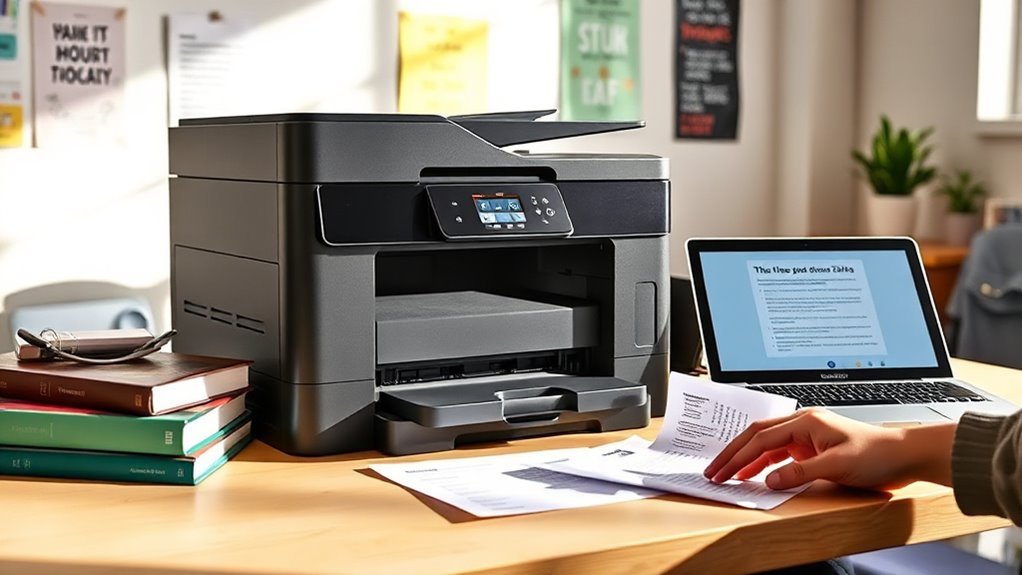
When choosing a Brother printer for college, you’ll want to focus on printing speed and whether it offers the functions you need, like scanning or copying.
Think about how you’ll connect to it—Wi-Fi, USB, or both—and keep an eye on ink or toner costs to stay within budget.
Also, consider how much paper you typically handle to pick a model with the right capacity. That way, you won’t be constantly refilling paper trays or running out of ink unexpectedly.
Printing Speed Importance
Because printing speed directly affects how quickly you receive your documents, it’s crucial to take into account pages per minute (ppm) for both black-and-white and color prints when choosing a Brother printer for college.
If you regularly print large assignments or group handouts, opt for a model with higher ppm to minimize wait times. Keep in mind that color printing usually runs slower than black-and-white, impacting turnaround for graphics or posters.
Also, check the first-page-out time—it matters for quick drafts or single-page jobs, helping you stay efficient during study sessions.
If you print double-sided, consider a printer with fast automatic duplex speed to save time on bulk assignments. Finally, match your expected monthly print volume to the printer’s duty cycle and sustained speeds to avoid slowdowns or wear.
Printer Functionality Options
Consider your specific needs before choosing a Brother printer for college, as functionality options can greatly impact your productivity. Decide if you want an all-in-one model that prints, scans, copies, and faxes, which saves space and handles diverse tasks, or a print-only device that’s faster and more cost-effective per page.
Think about whether you need color printing for posters and presentations or if monochrome suits text-heavy assignments better. If you often deal with multi-page documents, look for duplex printing and an automatic document feeder to speed up your workflow.
Also, check the printer’s paper capacity and media support, especially if you print on envelopes or glossy paper. Picking the right features assures your Brother printer fits your coursework demands efficiently.
Connectivity Preferences
How do you guarantee your Brother printer stays connected no matter where you study? First, make sure it supports both 2.4 GHz and 5 GHz Wi‑Fi bands for reliable connections on busy campus networks or in crowded dorms.
Look for Wi‑Fi Direct or peer-to-peer modes so you can print directly from your smartphone or tablet without joining a network. It’s super handy when you’re in a rush or the network is acting up.
Also, confirm it’s compatible with mobile printing standards like AirPrint or Mopria, or offers a dedicated app to print and scan straight from your devices. That way, you’re covered no matter what device you’re using.
If you prefer wired connections or need to share among a small group, choose a model with an Ethernet port. This can be a lifesaver in spots where Wi-Fi isn’t reliable.
Finally, check for cloud printing and scan-to-cloud features to easily manage assignments from anywhere, whether in labs or at home. It’s all about making your study life smoother and hassle-free!
Ink and Toner Costs
While choosing a Brother printer for college, you’ll want to pay close attention to ink and toner costs, as they directly impact your budget. Calculate the cost per page by dividing cartridge price by its estimated yield to compare true running costs.
Opt for high-yield or XL cartridges—they offer more pages for a smaller incremental price increase, lowering your cost per page. Use duplex printing and toner-save modes to cut paper and toner use.
Subscription plans can reduce unit costs and prevent emergency runs but watch for recurring fees and commitments. Don’t forget to factor in occasional maintenance items like drum and fuser replacements, plus wasted pages from calibration, when estimating your total semester printing expenses.
Being mindful of these helps you avoid surprises. It’s always better to know what to expect than get hit with unexpected costs later on.
Paper Handling Capacity
Managing ink and toner costs is just one part of finding the right Brother printer for college. You’ll want a model with an input tray capacity of 150–250 sheets to avoid constant refills during heavy printing of assignments and handouts.
If you often scan or copy multi-page notes, pick a printer with an Automatic Document Feeder (ADF) that handles at least 20 sheets. This will speed up batch jobs and save you time.
Automatic duplex printing is a smart feature. It cuts paper use in half for lengthy reports, saving both money and backpack space.
Don’t overlook output capacity—it keeps printed pages organized and helps prevent jams during big print runs. Also, check if the printer supports various media sizes, envelopes, and specialty papers for diverse class projects.
Device Compatibility
What devices will you be printing from during your college years? Make sure your Brother printer supports all your operating systems—Windows, macOS, iOS, Android, or Chromebook.
Check if it offers the connection options you need, like Wi‑Fi, Wi‑Fi Direct, Ethernet, USB, or Bluetooth. This way, you can print easily from phones, tablets, or laptops without a hitch.
Look for compatibility with mobile printing standards such as AirPrint or Mopria, or a dedicated app for smooth smartphone or tablet printing. Also, consider dual-band Wi‑Fi (2.4 GHz/5 GHz) and Ethernet to guarantee reliable performance on busy campus networks.
Finally, verify cloud printing and scan-to-cloud features for seamless access to Google Drive, OneDrive, or other platforms you use. These factors keep your printing hassle-free throughout college.
Portability and Size
When choosing a Brother printer for college, you’ll want a model that’s easy to carry between your dorm, classes, and home. Aim for printers under 20 pounds with a compact footprint—about 13–16 inches deep and 7–11 inches high—to keep things manageable.
If you plan to print in places with limited outlets, consider models with built-in batteries or low power consumption (under 25 watts). A small input tray holding around 100–150 sheets or a single-sheet manual feed helps save space without adding bulk.
Wireless connectivity and mobile printing apps let you skip cables and print directly from your phone or laptop. Finally, look for lightweight designs with simple controls and automatic duplexing, so you get convenient two-sided printing without extra size or weight.
Frequently Asked Questions
How Do Brother Printers Handle Mobile Printing and App Integration?
Brother printers handle mobile printing smoothly, letting you print directly from your phone or tablet. Their app integrates easily, so you can scan, print, and manage documents on the go without hassle or complicated setups.
It’s super convenient, especially if you’re always on the move. No need to fuss with complicated settings—just tap and go!
What Is the Average Cost of Replacement Ink or Toner for Brother Printers?
Wondering how much replacement ink or toner will set you back? Typically, Brother ink cartridges cost between $20 and $40, while toner cartridges range from $40 to $100—
affordable enough to keep your printing hassle-free. It’s pretty reasonable when you think about how often you need to replace them. Plus, this price range helps you avoid any surprise expenses!
Are Brother Printers Compatible With Both Windows and Mac OS?
Yes, Brother printers are compatible with both Windows and Mac OS. You’ll find drivers available for each platform, so you can easily set up and use your printer regardless of your computer’s operating system.
It’s pretty straightforward. Whether you’re on a PC or a Mac, getting your Brother printer up and running won’t be a hassle at all. Just download the right driver, and you’re good to go!
Do Brother Printers Offer Duplex Scanning or Only Duplex Printing?
You’ll be amazed—Brother printers don’t just stop at duplex printing; many models offer duplex scanning too!
That means you can scan double-sided documents effortlessly, saving you heaps of time and paper while staying super efficient.
What Warranty and Customer Support Options Are Available for Brother Printers?
Brother printers come with a one-year limited warranty, and you can extend it with registration.
They offer helpful customer support via phone, live chat, and online resources, so you won’t be left struggling with issues.
Need help? Just reach out—they’ve got your back!
Conclusion
Choosing the right Brother printer means balancing speed with quality, wireless convenience with budget, and compact design with functionality. Whether you need vibrant color prints for projects or reliable monochrome pages for notes, Brother has you covered.
You want efficiency, you want affordability, and you want ease of use—all packed into one device. So, pick the model that fits your study style, complements your space, and keeps you productive throughout college. With the best Brother printers for college students, you get reliable performance that matches your busy schedule and budget.
No matter your printing needs, Brother offers options that combine quality printing, wireless connectivity, and compact designs perfect for dorm rooms. Investing in the right Brother printer ensures you stay organized and efficient all semester long.