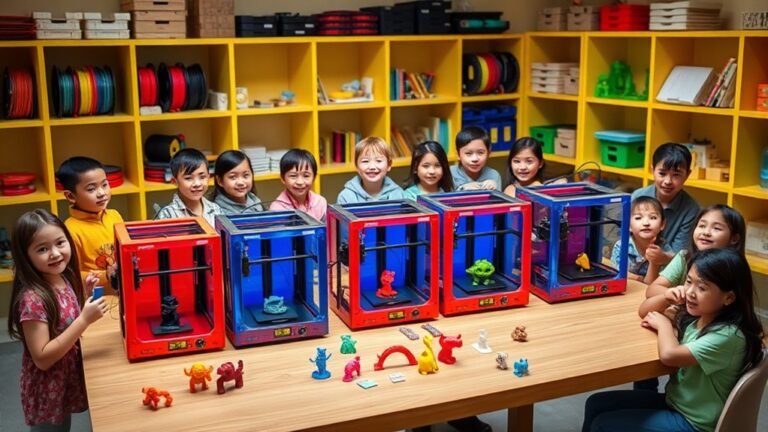
5 Best and Easiest 3D Printers for 2027
You’ll find top beginner-friendly 3D printers like the Entina Tina2C Mini, perfect for quick setup and creative app use. This model is great if you want to jump right in without fussing over complicated settings.
The ELEGOO Centauri 2 Combo offers reliable multicolor printing with advanced features that make your projects pop. It’s a solid choice if you’re looking to experiment with different colors without sacrificing quality.
For dependable single-material prints, the Creality Ender 3 V3 SE stands out with automatic leveling. This makes your printing process smoother and more consistent, especially if you’re just starting out.
If speed and AI monitoring with multicolor support are what you need, the Anycubic Kobra X Multicolor fits well. It’s designed to keep up with your creative flow while handling complex prints easily.
Plus, the Mini 3D Printer Starter Kit makes a great entry point for beginners. Explore these options further to see which fits your needs best and get ready to bring your ideas to life!
| Image | Name | Editor's Rating | Price |
|---|---|---|---|

|
|
||

|
|
||

|
|
||

|
|
Entina Tina2C Mini 3D Printer for Beginners
- 【Easy to Use 3D Printer – Ready in 5 Minutes】 Meet the Entina Tina2C, a plug-and-play mini 3D printer designed for first-time users. Fully assembled with factory...
- 【3500+ 3D Models & Easy One-Tap Printing】 Explore 3500+ ready-to-print 3D models and 25+ DIY projects in the Poloprint Cloud app, with new designs added daily...
- 【Smart WiFi 3D Printer & AI-Powered App】 Connect via 2.4GHz WiFi and enjoy convenient 3D printer app control through Poloprint Cloud. Explore models, manage prints...
- 【Auto Leveling 3D Printer & Power-Loss Recovery】 Automatic bed leveling helps improve first-layer adhesion and reduces manual adjustments for a smoother 3D printing...
- 【Flexible Magnetic Print Bed & Quick-Swap Nozzle】 The flexible magnetic build plate makes finished 3D prints easier to remove with a gentle bend. A removable...
The Entina Tina2C Mini 3D Printer offers a smooth introduction to 3D printing. Designed for beginners, it comes fully assembled, allowing you to start printing within minutes using simple factory presets. Its auto-leveling feature ensures your prints stick perfectly from the first layer, eliminating common setup frustrations.
This compact printer fits easily on any desk and operates quietly, making it ideal for home or small workspace use. Power-loss recovery lets your print job resume seamlessly after interruptions, reducing wasted materials and time. The quick-swap removable nozzle simplifies maintenance, so keeping your printer in top shape is hassle-free.
With wireless control and an AI-powered Poloprint app, you can create 3D models from text or photos. This feature opens creative possibilities without requiring advanced modeling skills. However, its build volume is modest, best suited for smaller projects and learning.
Best for: Beginners and hobbyists wanting an easy-to-use, compact 3D printer with quick setup and creative app support.
What We Like:
- Fully assembled with quick 5-minute setup and reliable auto leveling
- Wireless control and AI-driven app features for creative design
- Compact, quiet operation with power-loss recovery
- Easy maintenance via quick-swap nozzle
Specification:
| Specification | Details |
|---|---|
| Manufacturer | Entina |
| Build Volume | 3.9 x 3.9 x 3.9 inches |
| Setup Time | Approximately 5 minutes |
| Features | Auto leveling, power-loss recovery, wireless control |
| App | Poloprint AI-powered app |
| Design | Compact and quiet |
ELEGOO Centauri 2 Combo 3D Printer, Beginner-Friendly Multicolor Printing
- 4-Color Printing with CANVAS: Create vibrant multi-color models effortlessly with CANVAS 4-color printing. Independent motors, instant color switching, RFID filament...
- Start Printing with Confidence: Full auto calibration and smart pre-print checks simplify setup, while 22 intelligent sensors monitor every print in real time. From first...
- Designed for Speed: Experience faster creation with a high-speed CoreXY system reaching up to 500mm/s and 20,000mm/s² acceleration. The rigid aluminum frame and...
- Smoother, Sharper, Smarter: From the first layer to the final detail, intelligent calibration, vibration compensation, and precise extrusion control help produce clean...
- A Seamless Workflow from Idea to Print: Simplify your entire workflow with the ELEGOO ecosystem. Discover ready-to-print models on Nexprint, prepare projects with...

The ELEGOO Centauri 2 Combo offers a seamless multicolor 3D printing experience designed to simplify your creative process. Its 4-color CANVAS system with independent motors allows instant color switching, eliminating downtime and keeping your projects flowing smoothly. This setup addresses the common frustration of slow color changes, making multicolor printing accessible and efficient.
Built with a rigid aluminum frame and a high-speed CoreXY motion system, the printer delivers precise prints up to 500 mm/s. Intelligent calibration and auto leveling ensure consistent quality, reducing the need for manual adjustments. These features help you achieve professional results without the typical trial and error.
Maintenance is straightforward thanks to a 5-inch touchscreen, a semi-automatic belt tensioner, and a nozzle wiper. These tools streamline upkeep and keep the machine running reliably. The inclusion of 22 sensors further enhances print stability and reduces errors.
Connectivity options like the Nexprint hub and ELEGOOSlicer software allow easy project preparation and remote control via the ELEGOO Matrix app. This integration supports a smooth workflow from design to finished product, especially for beginners.
Best for: Beginners and hobbyists seeking a reliable, easy-to-use multicolor 3D printer with advanced functionality and fast printing speeds.
What We Like:
- Efficient multicolor printing with 4-color CANVAS system and quick color changes
- High-speed CoreXY motion system with precise calibration
- User-friendly touchscreen and maintenance features
- Remote project control through ELEGOO Matrix app
- Strong, stable aluminum frame for consistent print quality
Specification:
| Feature | Details |
|---|---|
| Manufacturer | ELEGOO |
| Dimensions | Not specified |
| Weight | 33 lb (15 kg) |
| Frame Material | Aluminum |
| Color System | 4-color CANVAS with motors |
Creality Ender 3 V3 SE Beginner-Friendly 3D Printer with Auto Leveling
- 250mm/s High-Speed Printing: Print at speeds of up to 250mm/s with 2500mm/s² acceleration, helping you complete prototypes, functional parts, and everyday projects...
- Easy Setup with Auto Leveling: Designed for a fast and straightforward setup, the Ender 3 V3 SE can be assembled in just a few simple steps. CR Touch Auto Leveling and...
- Proven Sprite Direct Drive Extruder: The upgraded Sprite Direct Drive Extruder provides smooth and consistent filament feeding for PLA, PETG, and TPU. Its proven design...
- Stable Motion System for Consistent Results: Dual synchronized Z-axis lead screws and precision Y-axis linear shafts work together to help reduce vibration and Z...
- Quiet Operation with Easy Print Removal: A 32-bit silent mainboard helps reduce operating noise for a more comfortable printing experience, while the flexible PC spring...
The Creality Ender 3 V3 SE is designed to simplify 3D printing for beginners. Its CR Touch auto leveling system automatically calibrates the Z-offset, eliminating common first-layer issues. This feature ensures your prints start perfectly every time, saving time and frustration.
With the upgraded Sprite Direct Drive Extruder, you get smooth and consistent filament extrusion. It supports popular materials like PLA, PETG, and TPU, making it versatile for various projects. The printer’s dual synchronized Z-axis and precision Y-axis shafts reduce vibrations and Z wobble, enhancing print accuracy.
Maintenance is straightforward thanks to the flexible PC spring steel build plate, which allows easy model removal without damage. The 32-bit silent mainboard keeps noise levels low, making it suitable for home or office use. Setup is quick, but some basic technical skills may be needed for assembly.
While it does not support advanced filaments, this model balances performance and ease of use effectively. It weighs 19.8 pounds, which is moderate but less portable compared to lighter options.
Best for: Beginners and hobbyists seeking an easy-to-use 3D printer with reliable auto leveling and smooth extrusion for prototypes and everyday projects.
What We Like:
- CR Touch auto leveling eliminates first-layer calibration hassle
- Dual synchronized Z-axis and precision Y-axis shafts reduce vibrations
- Flexible PC spring steel build plate allows effortless model removal
- 32-bit silent mainboard ensures quiet operation
Specification:
| Feature | Details |
|---|---|
| Manufacturer | Creality |
| Dimensions | Not specified |
| Weight | 19.8 lb (9 kg) |
| Material Compatibility | PLA, PETG, TPU |
| Build Plate | Flexible PC spring steel |
| Auto Leveling System | CR Touch |
Anycubic Kobra X Multicolor 3D Printer, Easy One-Click Printing
- 【Vivid 19-Color and Versatile Materials】Unleash creativity beyond limits. The Kobra X supports 4-color standard and expands up to 19 colors with 4 ACE 2 Pro for...
- 【600mm/s High Speed Performance】Don't let slow speeds limit your creativity. This high-speed FDM 3D printer reaches up to 600mm/s, completing tasks significantly...
- 【True Plug & Play Experience】Start your first project in as little as 15 minutes. The Kobra X arrives with a user-friendly setup and LeviQ 3.0 automatic bed leveling...
- 【LeviQ 3.0 Perfect First Layer】Forget the frustration of manual bed leveling that plagues beginner machines. The LeviQ 3.0 system utilizes 49-point full-auto leveling...
- 【Quiet & Reliable for Home】The ultra-quiet ≤48 dB operation ensures the living or learning space remains peaceful. Combined with power loss recovery and filament...
Experience seamless multicolor 3D printing with the Anycubic Kobra X Multicolor. This printer simplifies creating vibrant, detailed models by supporting up to four colors out of the box. For even more complexity, you can expand to 19 colors with additional modules, enabling intricate designs without hassle.
The Kobra X adapts extrusion force automatically, ensuring smooth transitions between materials like TPU, PLA, and PETG. Its hardened steel nozzle heats up to 300°C, maintaining sharp details even at printing speeds up to 600 mm/s. This balance of speed and precision addresses common issues of print quality and material compatibility.
Maintenance is straightforward with a plug-and-play setup and LeviQ 3.0 automatic bed leveling. This feature guarantees consistent first layers, reducing failed prints and saving time. You can monitor progress remotely through a built-in 720p camera, while AI-driven sensors detect filament shortages and power interruptions to prevent errors.
Designed for creators and hobbyists, the Anycubic Kobra X Multicolor excels at producing complex, colorful models with reliable performance. Its quiet operation suits any workspace, though the 260 × 260 × 260 mm build volume may limit larger projects. Expanding beyond four colors requires extra units, which could add to setup complexity.
Best for: Creators and hobbyists seeking an easy-to-use, reliable multicolor 3D printer for vibrant and detailed models.
What We Like:
- Supports up to 4 colors standard with expansion up to 19 colors for detailed prints
- Plug-and-play with LeviQ 3.0 automatic bed leveling for consistent first layers
- AI monitoring with filament run-out sensor and power-loss recovery enhances reliability
- Hardened steel nozzle up to 300°C balances speed and material versatility
- Quiet operation suitable for various environments
Specification:
| Feature | Specification |
|---|---|
| Manufacturer | Anycubic |
| Build Volume | 260 × 260 × 260 mm |
| Nozzle Temperature | Up to 300°C |
| Print Speed | Up to 600 mm/s |
| Color Support | 4 colors standard, expandable to 19 |
| Bed Leveling | LeviQ 3.0 Automatic |
| Camera | 720p Built-in |
Mini 3D Printer Starter Kit for Kids & Beginners
No products found.
This fully assembled mini 3D printer starter kit is designed to make 3D printing accessible and enjoyable for kids and beginners. Its intuitive setup features, like one-button auto-leveling and one-touch filament loading, remove common frustrations and let users start printing quickly. Precise printing down to 0.01 mm and a top speed of 250 mm/s ensure detailed models without long wait times.
Maintenance is straightforward with an automatic nozzle cleaning system that helps maintain print quality over time. The PEI heated bed simplifies model removal, reducing the risk of damage and making post-print handling easier. This compact printer fits well in classrooms or home spaces, making it ideal for educational and creative projects.
Included accessories such as a roll of test PLA filament and a pre-sliced file on an SD card provide everything needed to get started right out of the box. While the small print size limits larger projects, the kit offers a solid introduction to 3D printing fundamentals. Additional filament purchases will be necessary for extended use.
Best for: Kids and beginners seeking an easy-to-use, fully assembled mini 3D printer kit for school or home educational projects.
What We Like:
- Simple setup with one-button auto-leveling and one-touch filament loading
- High precision printing (0.01 mm) with fast speeds (250 mm/s)
- PEI heated bed for easy model removal
- Automatic nozzle cleaning for consistent print quality
- Includes starter filament and pre-sliced file for immediate use
Specification:
| Feature | Details |
|---|---|
| Manufacturer | Not specified |
| Dimensions | Mini (exact size not given) |
| Weight | Not specified |
| Material | Not specified |
| Color Options | Not specified |
Factors to Consider When Choosing the Easiest 3D Printer

When choosing the easiest 3D printer, you’ll want to focus on how simple the setup is and how consistent the print quality remains. It’s really about making sure you can get started without a headache and keep your prints looking great every time.
Also, consider the connectivity options, printer size, and portability to fit your workspace and lifestyle. You want something that’s convenient and won’t cramp your style or space.
And don’t forget to check the range of materials the printer supports. That way, you’ll know for sure it meets your project needs and can handle whatever you want to create.
User-Friendly Setup Process
Getting started with a 3D printer shouldn’t feel like a chore, so look for models labeled “fully assembled” or “plug-and-play” that get you printing in under 15 minutes. Prioritize printers with automatic bed leveling and Z-offset calibration. These features take the guesswork out of manual adjustments and make sure your first layer sticks perfectly.
Guided setup through companion apps or on-screen wizards makes configuring filament type, temperature, and print speed simple, even if you’re new. Features like one-button filament loading and power-loss recovery minimize print failures and simplify handling materials.
Also, choose printers offering ready-to-print files or cloud libraries and offline options like SD cards. This way, you can start printing immediately without worrying about complex slicer workflows. This user-friendly setup lets you focus on creating, not troubleshooting.
Print Quality Consistency
Consistently achieving high print quality often hinges on reliable first-layer adhesion, so you’ll want a printer equipped with precise auto-leveling and Z-offset calibration to guarantee failures and maintain dimensional accuracy. Look for stable motion systems—like rigid frames and synchronized lead screws—that minimize vibration and layer shifts, preserving detail on longer prints.
Precise extrusion control with a well-tuned feed path guarantees consistent filament flow, avoiding common issues like under- or over-extrusion and surface blemishes. Real-time sensors that monitor filament run-out, thermal stability, and bed leveling catch problems early, keeping your prints consistent.
Finally, a controlled thermal environment with stable hotend and bed temperatures, plus draft protection or an enclosure, prevents warping and layer delamination. This way, your prints come out reliably smooth and dimensionally accurate every time.
Connectivity Options Available
Choosing the right connectivity options can make a big difference in how easily you manage your 3D printing projects. Wi-Fi (2.4 GHz) lets you send prints and monitor jobs remotely through apps or cloud services. It offers convenience but sometimes less reliability with large files.
Ethernet provides the most stable connection. It’s ideal for continuous transfers and shared environments like classrooms.
USB and SD/TF card slots allow offline printing. This is perfect for secure setups or when you need portability with smaller files.
USB direct control via cable lets you manage and debug prints live. But it keeps your printer tethered to your computer.
Mobile app and cloud integration add features like one-tap printing and remote pause. However, they require internet access and account login. Choose what fits your workflow best.
Printer Size And Portability
A 3D printer’s size and portability directly affect how easily you can integrate it into your workspace and workflow. You’ll want to take into account the build volume to make sure the printer fits the largest parts you plan to create—mini printers offer around 4 x 4 x 4 inches, while desktop models provide about 200–260 mm cubed.
Also, check the printer’s footprint and weight. Lightweight, compact printers under 10 lbs are easy to move, but larger, multicolor or high-speed machines often exceed 30 lbs and need dedicated space.
If you move your printer often, prioritize fully enclosed, preassembled units with quick-disconnect cables to avoid tedious recalibration. Features like removable build plates and magnetic beds also help you resume printing quickly after relocation.
Balance your workspace limits with project needs for the best fit. It’s all about finding what works for you!
Material Compatibility Range
Explore the range of materials your 3D printer can handle to make certain it fits your project needs and skill level. Check which filaments it supports, like PLA, PETG, TPU, ABS, nylon, and confirm the hotend’s temperature range—ideally between 260°C and 350°C for versatile use.
Know if the printer uses a direct-drive extruder, which excels with flexible filaments like TPU, or a Bowden setup better suited for stiffer materials such as PLA and PETG. A heated bed with adjustable temperatures up to 110°C helps reduce warping on ABS or nylon prints.
Also, consider if it supports multi-material printing or soluble supports for complex designs. Finally, look at build plate surfaces and whether removable or flexible plates are available to simplify part removal across different materials.
Maintenance And Cleaning Ease
Simplifying maintenance and cleaning can save you hours of frustration and downtime with your 3D printer. Look for removable magnetic or flexible build plates—they make part removal easy and prevent bed damage during cleaning.
Quick-swap nozzles and modular hotend assemblies let you fix clogs or replace nozzles in minutes with basic tools. Auto-leveling and automatic Z-offset calibration reduce manual bed-tramming, so you spend less time adjusting.
Features like filament run-out detection and power-loss recovery help avoid failed prints, cutting down cleanup time. Also, choose printers with accessible, tool-free components—easy-access extruders, removable fans, and clear service points speed up routine tasks like belt tensioning, lubrication, and dust removal.
These features keep maintenance straightforward and efficient, letting you focus on printing. It really makes the whole process smoother and less of a hassle.
Software And App Integration
How do you make certain smooth and hassle-free 3D printing beyond hardware? Focus on software and app integration. Choose printers supporting both local connections like USB or SD cards and wireless options such as 2.4 GHz Wi-Fi or Bluetooth.
This flexibility lets you print offline or remotely with ease. Look for platforms offering mobile and desktop apps featuring cloud libraries, one-tap print, and remote monitoring to manage prints from your phone or browser.
Guarantee slicer compatibility with popular tools and support for common file types like STL, OBJ, and 3MF. Evaluate apps with auto-slicing presets, AI-assisted tools, and preprint checks to save time and reduce errors.
Finally, confirm easy firmware updates and robust community/plugin support for ongoing improvements and advanced features.
Safety Features Included
When choosing the easiest 3D printer, you should prioritize safety features that protect both you and your machine. Look for enclosed print chambers or filament covers to minimize exposure to hot components and fumes, especially with high-temperature materials.
Make certain your printer includes thermal runaway protection and accurate temperature sensors to automatically cut power if temperatures get unsafe. Models with power-loss recovery and filament-runout detection help prevent failed prints that could create fire hazards or leave hot parts unattended.
Automatic bed leveling and reliable endstops reduce risks of nozzle crashes that damage your printer or cause filament buildup. Finally, verify safety certifications like CE or UL and check for clear user warnings and maintenance instructions to keep your 3D printing experience safe and hassle-free.
Frequently Asked Questions
What Materials Are Compatible With These 3D Printers?
You can use PLA, ABS, PETG, TPU, and even some composites like carbon fiber or wood-filled filaments. These printers handle a wide range of materials, letting you create flexible, durable, or detailed prints easily.
It’s pretty cool because you’re not limited to just one type of filament. Whether you want something tough or something that bends, these printers have you covered.
How Do I Maintain and Clean My 3D Printer?
You’ll want to clean your 3D printer like it’s the key to the universe! Regularly remove filament debris and wipe the nozzle.
Also, don’t forget to lubricate the moving parts. It really helps keep everything running smoothly.
And hey, calibrate the bed often. That’s the secret to flawless prints every time!
Can These Printers Be Used for Commercial Purposes?
Yes, you can use these printers for commercial purposes. They’re reliable, efficient, and offer high-quality prints, making them perfect for small businesses or prototypes.
Just make sure you choose a model that fits your production needs and budget. That way, you’ll get the best results without overspending.
What Software Is Best for Designing 3D Models?
You’ll want to use Blender or Tinkercad, as 70% of designers favor them for ease and power.
They let you create detailed, precise models quickly, so you can bring your 3D ideas to life without hassle.
Both tools are pretty user-friendly, whether you’re just starting out or already have some experience. Give them a try!
Are Replacement Parts Readily Available for These Printers?
Yes, you’ll find replacement parts easily for most popular 3D printers. Manufacturers and third-party suppliers offer a wide range of components.
Conclusion
Choosing the right 3D printer can make all the difference in your creative journey. Did you know that 65% of beginners quit 3D printing due to complicated setups?
By picking one of these easy-to-use models, you’ll avoid that frustration and enjoy smoother, faster learning. Whether you’re a kid or just starting out, these printers are designed to get you printing confidently from day one.
So, jump in and bring your ideas to life effortlessly! With the best and easiest 3D printers for 2027, you’ll have the perfect tool to explore your creativity without the hassle. These beginner-friendly 3D printers ensure a smooth start, making your printing experience enjoyable and rewarding. Ready to make your first print? These top 3D printers for 2027 are here to help you succeed every step of the way.