6 Best Budget Friendly Photo Printers for 2027
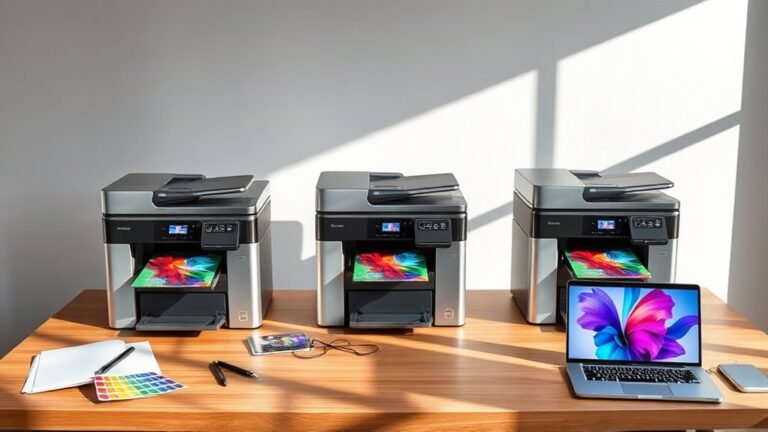
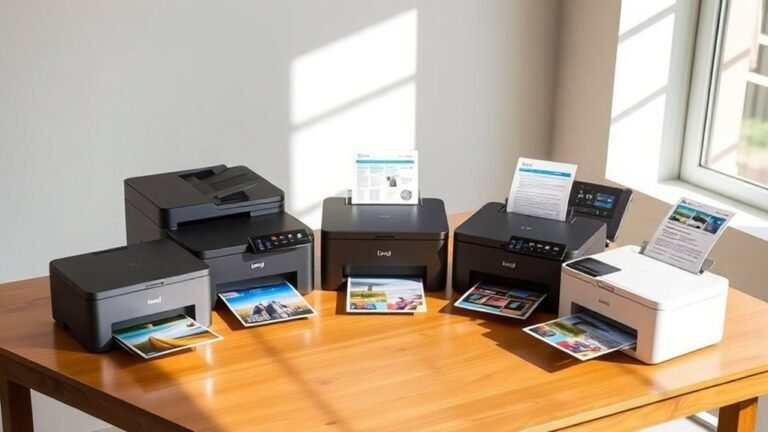
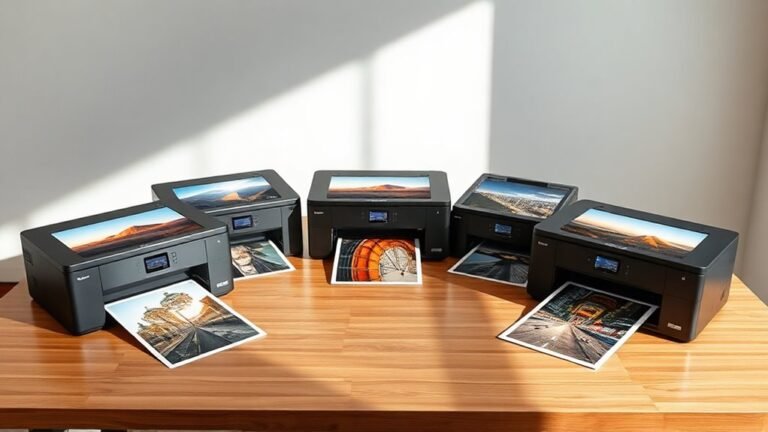
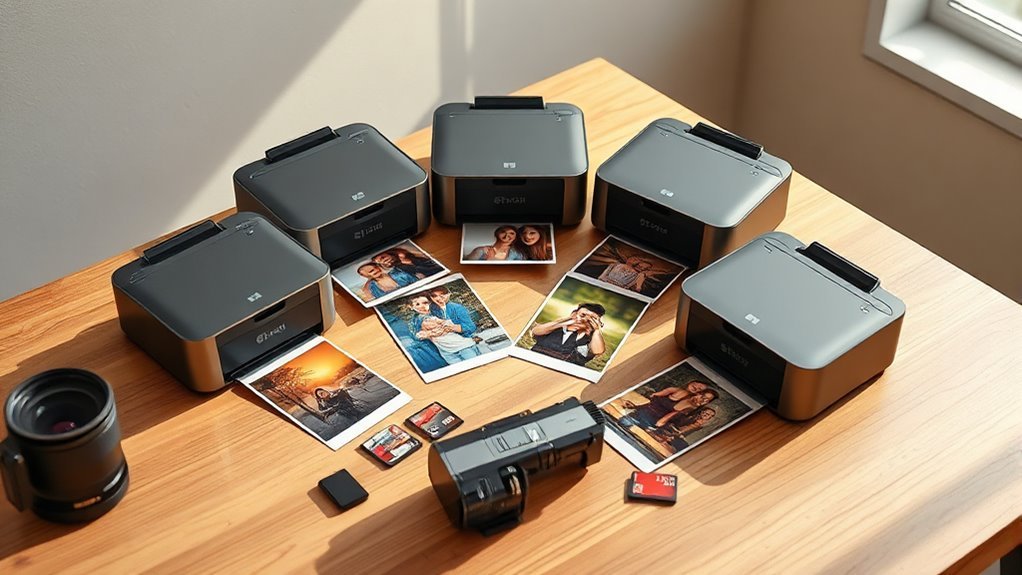
You’ll find great budget-friendly photo printers like the Liene M100 and KODAK Dock Plus ideal for vibrant 4×6 prints with Wi-Fi and docking features. These printers are perfect if you want bright, colorful photos without spending a fortune.
For true portability, the KODAK Step and Canon Ivy 2 Mini offer sticky-back 2×3 prints without ink cartridges. They’re super convenient for on-the-go printing and fun to use.
The HPRT CP4100 delivers laminated, durable photos with a large sheet supply, making it great for long-lasting memories. Meanwhile, the Canon PIXMA TS4320 balances photo quality and versatility nicely.
Explore each model’s strengths to pick the best fit for your needs. Whether you want portability, durability, or high-quality prints, there’s a budget-friendly option waiting for you.
| Image | Name | Editor's Rating | Price |
|---|---|---|---|

|
|
||

|
|
||

|
|
||

|
|
||

|
|
Liene M100 Portable 4×6” Photo Printer with Wi-Fi
- User-Friendly Portable Photo Printer for iPhone, Android & PC - Get beautiful and colourful memories with Liene 4x6 photo printer! After opening the entire package, you...
- Superior Quality 4x6 Photo Printer - Print photos like no other thanks to the thermal-dye sublimation tech adopted by the picture printer for iphone. The dyes deeply...
- Wi-Fi Photo Printer for Smartphone - The built-in hotspot of the photo printer makes it easy to print pictures from your phone, avoiding outside interference with a fast...
- Multiple Device Compatibility - Liene phone printer provides instant photo printing for up to 5 simultaneous connections. Share with family and friends or print from your...
- Customize your Printing with the Liene App - Customize your photos with our specialized App! You can add a Square border, insert filters, enhance the contrast and...
Experience the freedom of printing vibrant 4×6 photos wherever you go with the Liene M100 Portable Photo Printer. Its compact design and lightweight build solve the common problem of bulky printers, making it easy to carry in your bag for quick photo printing anytime.
This printer delivers sharp, borderless images with a laminated finish that protects your photos against water, scratches, and fading. It connects seamlessly via Wi-Fi or USB-C, allowing you to print directly from multiple devices without hassle. The included Liene app offers easy customization for your photos.
Maintaining the M100 is straightforward, though it uses proprietary color cartridges and holds a limited number of sheets, which may require regular refills during heavy use. Its print speed is moderate, designed for quality over quantity, ideal for personal or casual use rather than bulk printing.
Overall, the Liene M100 is a smart choice for those needing a reliable, portable printer that balances functionality with convenience. It’s especially useful for on-the-go photo enthusiasts who want high-quality prints without the bulk of traditional printers.
Best for: Travelers and casual photographers who want a lightweight, portable photo printer for sharp, borderless 4×6 prints from multiple devices.
What We Like:
- Compact and extremely lightweight design for easy portability
- Produces durable, laminated prints resistant to water and scratches
- Supports Wi-Fi connection for up to five devices simultaneously
- User-friendly app for simple photo customization
Specification:
| Feature | Details |
|---|---|
| Manufacturer | Liene |
| Dimensions | Under 10 inches wide |
| Weight | 200 grams (0.44 lb) |
| Connectivity | Wi-Fi, USB-C |
| Print Size | 4 x 6 inches |
| Paper Capacity | Up to 20 sheets |
KODAK Dock Plus 4×6 Photo Printer, Smartphone Docking, 4PASS, 50 Sheets
- Dock Photo Printer: The KODAK Dock Plus is a home photo printer that produces high-quality 4x6” prints directly from compatible smartphones. Featuring an integrated...
- Genuine 4PASS dye sublimation printing: Each photo is produced in three color layers and finished with a clear protective lamination layer. In approximately 55 seconds...
- Easy to Use: Print photos quickly without complicated setup or technical steps. Simply power on, connect wireless bluetooth, and start printing within seconds. The Dock...
- Home Printing Station: Designed for stable desktop use, this dock photo printer connects to a power outlet for consistent performance and larger 4x6” prints. Ideal for...
- KODAK Photo Printer APP: Featuring integrated Bluetooth connectivity, this portable printer connects to compatible iOS and Android devices through the KODAK Photo Printer...
The KODAK Dock Plus 4×6 Photo Printer brings effortless photo printing right to your desktop. It solves the hassle of transferring images by allowing direct prints from your smartphone. This printer’s integrated docking station also charges your device as you print, keeping your phone ready to go without extra clutter.
Using 4PASS dye sublimation technology, it produces vibrant, durable photos that resist fingerprints, water, and fading. Each 4×6″ print takes about 55 seconds, making it ideal for occasional use rather than bulk printing. The compact design fits well in home settings and is simple to maintain with included 50 sheets.
Connecting via Bluetooth to the KODAK Photo Printer app adds flexibility. You can edit and customize images before printing, ensuring every photo looks just right. The printer requires a power outlet, so it’s best suited for stationary use rather than on-the-go portability.
This device is perfect for people who want high-quality, long-lasting prints directly from their smartphones without complicated setups. Its unique docking feature combines convenience and functionality in one sleek package.
Best for: Home users seeking an easy-to-use photo printer that delivers durable 4×6 prints while charging their smartphone.
What We Like:
- Produces vibrant, fingerprint- and water-resistant photos with 4PASS technology
- Integrated docking station charges your smartphone during printing
- Easy Bluetooth connectivity with app support for image editing
- Compact desktop design with included 50 photo sheets
Specification:
| Feature | Details |
|---|---|
| Manufacturer | KODAK |
| Print Size | 4×6 inches (10×15 cm) |
| Technology | 4PASS Dye Sublimation |
| Connectivity | Bluetooth |
| Included Paper Sheets | 50 sheets |
| Power Source | Requires power outlet |
Canon PIXMA TS4320 – Wireless Color Inkjet Printer with Print, Copy, Scan
- Affordable Versatility - A budget-friendly all-in-one printer perfect for both home users and hybrid workers, offering exceptional value
- Crisp, Vibrant Prints - Experience impressive print quality for both documents and photos, thanks to its 2-cartridge hybrid ink system that delivers sharp text and vivid...
- Effortless Setup & Use - Get started quickly with easy setup for your smartphone or computer, so you can print, scan, and copy without delay
- Reliable Wireless Connectivity - Enjoy stable and consistent connections with dual-band Wi-Fi (2.4GHz or 5GHz), ensuring smooth printing from anywhere in your home or...
- Scan & Copy Handling - Utilize the device’s integrated scanner for efficient scanning and copying operations

The Canon PIXMA TS4320 is designed to simplify everyday printing tasks with its compact and wireless design. It fits easily into small spaces, making it ideal for home offices or personal use. The printer handles printing, copying, and scanning, helping you manage documents and photos efficiently.
This all-in-one printer produces sharp color and black-and-white prints up to 1200 x 1200 dpi. Duplex printing reduces paper waste by automatically printing on both sides. Its 100-sheet tray supports various media types, including glossy photo paper and envelopes, so you can tackle different projects with ease.
Connectivity is straightforward with dual-band Wi-Fi and USB options. Control the device conveniently through the Canon PRINT app or Alexa voice commands. Maintenance is hassle-free, with simple cartridge replacement and a user-friendly interface.
While its print speed and scanner resolution are moderate, the PIXMA TS4320 offers reliable performance for light to moderate home use. It balances functionality and style without overwhelming your workspace.
Best for: Home users and remote workers needing a compact, wireless all-in-one printer for everyday document and photo tasks.
What We Like:
- High-quality color and black-and-white prints with duplex capability
- Supports multiple media types including photo paper and envelopes
- Easy wireless setup with app and voice control
- Compact design saves space without compromising function
Specification:
| Feature | Details |
|---|---|
| Manufacturer | Canon |
| Dimensions (W×D×H) | 14.7 × 11.7 × 5.2 inches |
| Weight | 15.5 lbs (7.03 kg) |
| Print Resolution | Up to 1200 x 1200 dpi |
| Scanner Resolution | Up to 600 x 600 dpi |
| Paper Tray Capacity | 100 sheets |
| Connectivity | Dual-band Wi-Fi, USB |
| Color Options | Black |
KODAK Step Portable Instant Wireless Photo Printer
- STEP UP YOUR PRINTING GAME. KODAK Step Printer Connects to Any iOS or Android Device [Via Bluetooth or NFC] Turn Your Selfies, Portraits, Social Media Posts Into Physical...
- AMAZING ZERO-INK TECHNOLOGY. ZINK 2” x 3” Sticky-Back Paper with Embedded Dye Crystals Delivers High-Quality, Durable, Affordable, Beautifully Detailed Prints That...
- FULL EDITING SUITE VIA APP. Download the KODAK App to Create Collages & Customize Your Snaps with Stunning Filters, Interesting Borders, Cool Stickers, Funny Text & Other...
- TAKE YOUR PROJECTS TO GO. Our Palm-Sized Printer Weighs Less Than a Pound, Sets Up Fast & Delivers Gorgeous Prints You Can Peel & Stick Everywhere.
- CUTE, COMPACT & COLORFUL. Step Printer is Designed for Photo-Loving Influencers & Crafters of All Ages & Skill Levels! Portable, Lightweight Device Features Built-In...
Capture and share your memories instantly with the KODAK Step Portable Instant Wireless Photo Printer. This compact device solves the hassle of finding a printer while traveling or attending events. It lets you print vibrant, peel-and-stick photos directly from your smartphone, making memory sharing quick and fun.
Designed for convenience, the Step connects effortlessly via Bluetooth or NFC to both iOS and Android devices. Its use of ZINK thermal technology means no ink cartridges are needed, reducing maintenance and mess. The photos come out in rich color with a moisture- and smudge-resistant coating, ensuring lasting quality.
The Step’s rechargeable battery supports about 25 prints per charge, ideal for casual use but requiring recharging during heavy printing sessions. It holds up to 10 sheets at a time, so you’ll need to reload paper regularly. The 2×3-inch print size is perfect for scrapbooking and personal keepsakes but not for large-format needs.
With the accompanying KODAK app, you can easily add filters, stickers, and text to personalize each print. This printer is tailored for those who want quick, high-quality photos on the go without complicated setups.
Best for: Travelers, social influencers, and scrapbookers who want a portable, wireless photo printer that delivers vibrant, peel-and-stick prints instantly.
What We Like:
- Compact and lightweight for easy portability
- Wireless Bluetooth and NFC connectivity with simple app controls
- ZINK technology produces smudge-proof, full-color photos without ink
- Customizable prints using the KODAK app’s editing features
Specification:
| Feature | Details |
|---|---|
| Manufacturer | KODAK |
| Dimensions | Compact, lightweight |
| Connectivity | Bluetooth, NFC |
| Print Size | 2 x 3 inches |
| Battery Life | Approximately 25 prints per charge |
| Paper Capacity | Up to 10 sheets |
HPRT CP4100 4×6 Photo Printer with 108 Sheets & 2 Ribbons, Full-Color Photo
Capture vivid memories quickly with the HPRT CP4100 photo printer. Designed for ease and convenience, it delivers sharp, vibrant 4×6 photos that hold up over time thanks to waterproof, fingerprint-resistant lamination. This printer fits seamlessly into busy family lives or event settings, where durable prints are essential.
Its compact and lightweight design makes it easy to carry and set up anywhere, from home to parties or travel. The printer connects effortlessly to smartphones or tablets via dual Wi-Fi modes, offering smooth wireless printing through the HeyPhoto app. This app enhances creativity by adding stickers, frames, and video frame extraction.
Maintenance is straightforward with included supplies of 108 photo sheets and two ribbons, ensuring you can start printing immediately. When these run out, replenishing materials is simple. Although print speed is moderate, the printer’s focus on quality and portability balances this well.
Best for: Families and event enthusiasts seeking a portable, user-friendly photo printer that produces durable, true-to-life 4×6 photos directly from mobile devices.
What We Like:
- Produces sharp, waterproof, fingerprint-resistant photos for lasting quality
- Dual Wi-Fi and HeyPhoto app enable easy wireless printing with creative options
- Compact, lightweight design perfect for on-the-go use and multi-user sharing
- Includes ample initial supply of photo paper and ribbons for immediate use
Specification:
| Feature | Details |
|---|---|
| Manufacturer | HPRT |
| Dimensions | Compact (exact size not provided) |
| Weight | Lightweight (exact weight not provided) |
| Print Size | 4×6 inches |
| Connectivity | Dual Wi-Fi |
| Included Supplies | 108 glossy photo sheets, 2 ribbons |
| Print Technology | Dye-sub with laminated finish |
Canon Ivy 2 Mini Photo Printer, Sticky-Back Prints

- Print and customize your photos directly from your smartphone or tablet via the Canon Mini Print App.(1)
- No ink needed! The IVY 2 Mini Photo Printer uses ZINK (Zero Ink) technology, which features colorful dye-based crystals embedded inside the paper.
- Place your photos anywhere, thanks to a PEEL & STICK backing that adheres to your favorite surfaces.
- PRINT QUALITY IMPROVED in the IVY 2 Mini Photo Printer(optimized skin tone colors, improved photo contrast, optimized photo sharpness)
- BETTER CONNECTIVITY for mobile printing using compatible smartphone devices with Bluetooth 5.0 technology
The Canon Ivy 2 Mini Photo Printer offers an easy way to capture and share moments instantly. Its compact size fits in your pocket, making it ideal for on-the-go printing. With ZINK technology, it eliminates the hassle of ink cartridges, using special thermal paper instead.
This printer connects via Bluetooth 5.0 to iOS or Android devices, controlled through the Canon Mini Print app. It prints sharp 2″ x 3″ photos in about 50 seconds, perfect for quick snapshots or decorating your personal space. The sticky-back feature lets you place photos anywhere without extra adhesive.
Designed for convenience, the Ivy 2 weighs only 145 grams and charges via USB-C. It requires minimal maintenance since there are no cartridges to replace, reducing ongoing costs and mess. While print speed is moderate and size limited, it suits users who want compact, instant photo printing with easy sharing options.
Best for: anyone needing a portable, pocket-sized photo printer that produces peel-and-stick 2″ x 3″ photos without ink cartridges.
What We Like:
- Uses ZINK technology; no ink cartridges required
- Lightweight and portable design (145 g)
- Produces sticky-back prints for easy decorating and sharing
- USB-C charging for convenient power-up
- Bluetooth 5.0 connectivity with Canon Mini Print app
Specification:
| Feature | Details |
|---|---|
| Manufacturer | Canon |
| Dimensions | Pocket-sized (exact size not specified) |
| Weight | 145 g (0.32 lb) |
| Printing Technology | ZINK thermal printing |
| Print Size | 2″ x 3″ (5.08 cm x 7.62 cm) |
| Connectivity | Bluetooth 5.0 |
| Power Source | USB-C |
Factors to Consider When Choosing a Budget Friendly Photo Printer
When choosing a budget-friendly photo printer, you’ll want to focus on print quality and resolution to get sharp, vibrant images. It’s all about those clear, colorful prints that really pop.
Also, consider connectivity options and print speed to match your workflow and convenience needs. You don’t want to be stuck waiting forever or struggling to connect your devices.
Don’t forget to check media size compatibility, portability, and design to make certain the printer fits your lifestyle. After all, a printer that’s easy to move and looks good on your desk can make a big difference.
Print Quality and Resolution
Although budget photo printers won’t match professional studio equipment, you can still get impressive results by focusing on print quality and resolution. Aim for at least 300 dpi when printing 4×6 photos to capture clear details and smooth color gradations.
Look for printers with a color bit depth of 24 bits per pixel or higher to achieve accurate, nuanced hues, especially in skin tones and shadows. Dye-sublimation and high-resolution inkjet printers typically deliver richer continuous-tone images compared to basic thermal models.
Also, consider the printer’s color gamut and whether it offers protective coatings or lamination to keep your photos vibrant and fade-resistant. It’s smart to balance print resolution with real-world print speed — very fast printers might compromise detail, so always check sample prints before deciding.
Connectivity Options Available
How you connect your photo printer can make a big difference in convenience and functionality. Wi-Fi lets multiple devices connect wirelessly, supporting mobile printing apps for easy editing and direct printing.
Bluetooth or NFC pairing offers fast, cable-free printing from nearby smartphones, using less power than Wi-Fi. It’s super handy when you want to print something quickly without dealing with cables.
USB Type-C or USB connections provide reliable, high-speed links to laptops or PCs. This is essential for offline printing or when you need faster data transfer.
Some printers even feature built-in hotspot mode, creating their own Wi-Fi network. This means your phone can print directly without needing a router or internet.
Make sure your printer supports cross-platform compatibility (iOS, Android, Windows, macOS). Also, look for common mobile print protocols to make printing from all your devices smooth and easy.
Choose the connectivity option that fits your workflow best for the easiest, most enjoyable printing experience.
Print Speed Efficiency
You’ll often find that print speed plays a key role in choosing a budget-friendly photo printer, especially if you plan to print multiple photos at once or during events. For typical 4×6 prints, budget models usually take 50–90 seconds each, so consider this when estimating total job time.
Pay attention to both the initial print time and the steady-state speed, since some printers start faster but slow down on subsequent pages. Also, check if the printer supports wireless connections and simultaneous device access; network traffic might slow things compared to direct USB links.
Remember to factor in any warm-up or curing time, common in dye-sublimation models, which adds to overall speed. Finally, look at sheet capacity and output tray limits to avoid frequent interruptions during large print runs.
Media Size Compatibility
When choosing a budget-friendly photo printer, you should first confirm the maximum print size it supports to make certain it matches your needs. Whether that’s wallet-sized photos, standard 4×6 prints, or larger letter-sized documents, you want to be sure it fits.
Check if the printer offers borderless printing at your preferred sizes since borderless requires accurately cut media. Also, verify the supported media types and thicknesses—some compact printers only accept small-format sheets like glossy photo paper or adhesive-backed options.
If you plan to print multiple sizes, make sure the printer handles various media without constant manual adjustments. And don’t forget to review the paper tray’s capacity per size.
Ultimately, make certain it accommodates standard sizes like 5×7 or letter (8.5×11). That way, your prints will fit common frames, albums, or mailing envelopes you’ll use.
Portability and Design
Beyond media compatibility, portability and design play a big role in choosing a budget-friendly photo printer, especially if you plan to take it on the go. You’ll want a lightweight model—pocket-sized units under 200 g are easiest to carry, while compact desktop printers over a pound need more bag space.
Battery-powered printers give you true mobility, printing around 20–25 photos per charge, unlike mains-only models that require outlets. Check connectivity too: built-in Wi-Fi hotspots, Bluetooth, or direct AP mode let you print from your phone without a router, making things easier on the move.
Also, consider durability—light plastic bodies may not hold up well, so look for protective covers or sealed paper trays to keep prints safe from moisture and fingerprints during travel. It’s all about making sure your printer can handle the bumps of travel without a hitch.
Consumable Costs and Availability
Although upfront costs often grab your attention, the true expense of a budget photo printer lies in consumables like ink, paper, and ribbons. To get an accurate picture, divide the cost of replacement paper and cartridges by the number of prints each provides.
Opt for printers using standard-sized, widely available media to avoid premium prices and scarcity. Remember, consumables aren’t limited to ink—you might need laminates, adhesive backing, or ribbons, all adding to ongoing costs.
Keep in mind that print quality and media type affect yield; dye-sublimation ribbons and higher-quality prints use more consumables. Finally, check local and online availability, factoring in shipping fees.
Look for multi-pack deals or subscriptions to reduce your long-term expenses, ensuring your budget printer stays affordable over time.
Frequently Asked Questions
How Long Do the Printer Ink Cartridges Typically Last?
Ink cartridges typically last between 100 to 300 prints, depending on your printer and usage.
You’ll want to replace them sooner if colors fade or print quality drops. Always keep backups handy to avoid interruptions.
Are Compatible Third-Party Inks Safe to Use With These Printers?
Yes, you can use compatible third-party inks, but they might void your warranty. Sometimes, they can cause print quality issues or clog nozzles.
It’s a good idea to check reviews and choose reputable brands. That way, you can avoid problems and keep your printer safe.
Can These Printers Handle Printing on Specialty Photo Papers?
Yes, you can print on specialty photo papers with these printers, but results vary. You’ll want to check each model’s specs and test different paper types to guarantee vibrant colors and proper ink absorption without smudging or fading.
It’s a good idea to try out a few options to see what works best for you. That way, you’ll get the most out of your prints without any surprises.
What Is the Average Printing Speed for a 4×6 Photo?
You’ll find the average printing speed for a 4×6 photo ranges from about 40 seconds to 2 minutes, depending on the printer’s quality and settings.
Faster printers usually balance speed with decent photo detail. So, you get your photo quickly without losing too much quality.
Do Any of These Printers Support Direct Printing From Social Media Apps?
Yes, you can print directly from social media apps with several budget-friendly photo printers. You’ll connect effortlessly, share instantly, and print wirelessly—making it easier than ever to bring your favorite moments from your phone to your hands.
It’s super convenient, right? Just a few taps and your photos are ready to go. No need for complicated setups or extra devices.
Conclusion
Imagine holding vivid, crisp photos that bring your memories to life without breaking the bank. With these budget-friendly photo printers, you can easily turn your favorite moments into tangible keepsakes.
Whether you want portable convenience or high-quality prints at home, there’s a perfect option waiting for you. So, go ahead—capture the colors, smiles, and adventures, and print them effortlessly.
When it comes to finding the best budget-friendly photo printers for 2027, it’s all about balancing quality, price, and features. These printers make it simple to create beautiful photos without spending a fortune. From compact portable models to versatile home printers, you’ll find something that fits your style and budget perfectly. Ready to bring your memories to life? These affordable photo printers are designed to help you print stunning photos easily, making your moments last forever.