7 Best All-in-One Printers for Graphic Design in 2027
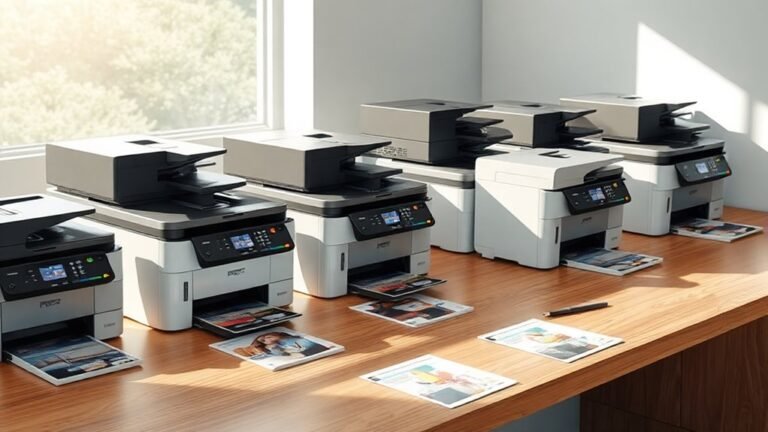
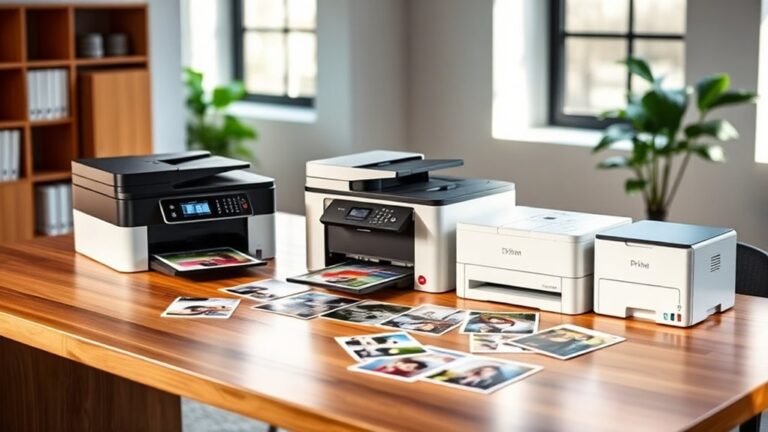
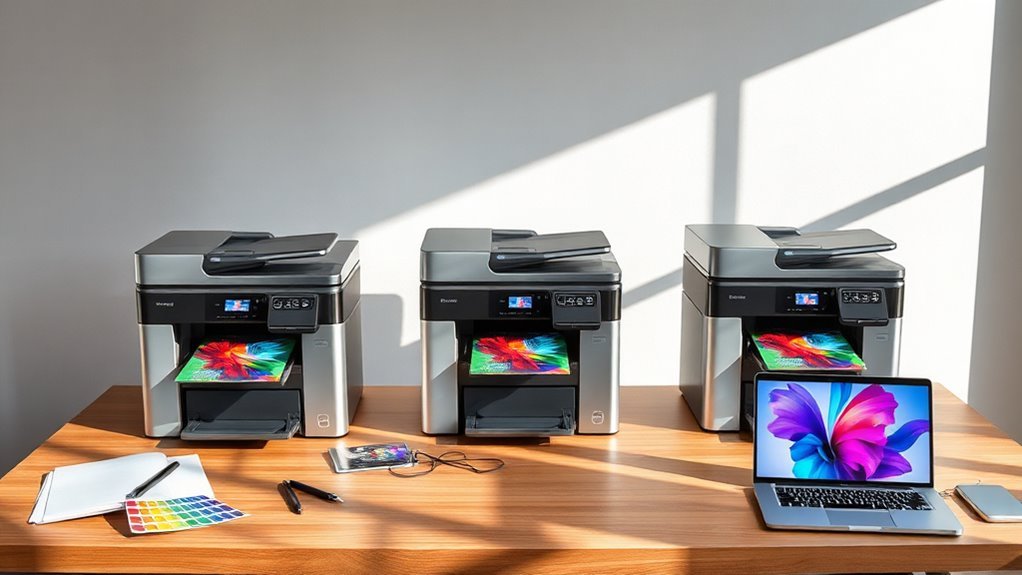
If you need high-quality all-in-one printers for graphic design in 2027, you’re in the right place. Whether you’re looking for sharp image quality, efficient ink use, or versatile media handling, there are great options to consider.
These printers are perfect for designers who want reliable performance without compromising on color accuracy or print speed.
For instance, the Canon MegaTank G3270 stands out for its high resolution and cost-effective ink system. Meanwhile, the Epson EcoTank Photo ET-8550 is ideal if you want vivid wide-format prints that really pop.
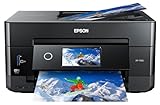
The Epson ET-4950 and Expression Premium XP-7100 deliver fast speeds and handle various media types with ease.
Canon’s PIXMA TS6520 and G620 are known for sharp colors and easy connectivity, making your workflow smoother.
Lastly, the Epson ET-3950 offers a compact design plus duplex scanning for added convenience.
Explore these models to find the right match for your creative needs.
| Image | Name | Editor's Rating | Price |
|---|---|---|---|

|
|
||

|
|
||

|
|
||
|
|
||

|
|
Canon MegaTank G3270 All-in-One Wireless Color Printer
- Wireless Print/Copy/Scan
- Up to 2 years of ink included (2)
- Print up to 6,000 black & white / 7,700 color pages using a single set of inks! (1)
- Save up to $1,000 on ink (1)
- 1.35” Square LCD display

Experience crystal-clear prints and seamless wireless convenience with the Canon MegaTank G3270 All-in-One Wireless Color Printer. Designed to meet the needs of creative professionals, this printer delivers sharp images at a high resolution of 4800 x 1200 dpi. It effortlessly handles printing, copying, and scanning, making your workflow more efficient.
The integrated refillable MegaTank ink system reduces interruptions and lowers ink expenses by producing up to 7,700 color pages. This feature is especially useful for those who require consistent, budget-friendly color output without frequent cartridge replacements. Its compact design fits neatly into creative workspaces without sacrificing functionality.
Wireless connectivity allows you to print directly from your devices, enhancing flexibility and convenience. The printer supports media sizes up to 8.5 x 14 inches, suitable for most standard projects. While the print speed is moderate—6 color pages per minute—it balances quality and efficiency for typical creative tasks.
Maintenance is straightforward with the MegaTank system, minimizing downtime and ensuring steady productivity. The small LCD screen provides basic controls, though it may feel limited for users needing advanced navigation.
Best for: Graphic designers and creative professionals seeking a reliable, cost-effective all-in-one wireless color printer with efficient ink management.
What We Like:
- Sharp print quality at 4800 x 1200 dpi resolution
- High page yield with refillable MegaTank ink system
- Wireless printing supports flexible workspace setups
- Compact footprint fits well in small or home offices
Specification:
| Feature | Details |
|---|---|
| Manufacturer | Canon |
| Dimensions | Compact (exact size not specified) |
| Weight | Not specified |
| Color Options | Not specified |
| Maximum Print Size | 8.5 x 14 inches |
Epson EcoTank Photo ET-8550 Wireless Wide-Format All-in-One Tank Printer
- CARTRIDGE-FREE PRINTING — Print lab-quality photos, graphics and creative projects; Get vibrant colors and sharp text with Epson's high-accuracy printhead and Claria ET...
- INK BOTTLES — Save on photos1 and creative projects with affordable in-house printing; All-in-one printer allows you to print 4" x 6" photos for about 4 cents each vs...
- LESS FREQUENT INK REPLACEMENT — Replacement ink bottles don't have to be changed nearly as often as ink cartridges¹; Printer, scanner and copier lets you print up to...
- PRINT FOR LONGER — Up to 2 years of ink in the box² (and with every replacement ink set) for fewer out-of-ink frustrations with this wireless printer
- ZERO CARTRIDGE WASTE — Epson EcoTank printer helps reduce the amount of cartridge waste ending up in landfills; Cartridge-free printer uses high-yield ink bottles; Each...
The Epson EcoTank Photo ET-8550 redefines wide-format printing with its cartridge-free ink system that saves money and reduces waste. This printer delivers sharp, vibrant prints up to 13 x 19 inches, making it ideal for graphic designers needing precision and color accuracy. Its 6-color Claria ET Premium Ink ensures professional photo-quality results with every print.
Maintenance is simple thanks to high-yield ink bottles that last for thousands of pages. This reduces the hassle of frequent replacements and keeps running costs low. The all-in-one design also includes scanning and copying functions, adding versatility to your workspace.
Designed for convenience, the ET-8550 offers wireless connectivity and a user-friendly touch interface. It supports various media types, from glossy photos to cardstock, allowing you to tackle diverse projects with ease. While print speeds are moderate, the focus remains on quality over quantity.
The printer’s size and weight require ample space, which may be a consideration for smaller work areas. Overall, it suits professionals who prioritize wide-format, cost-efficient printing with dependable performance.
Best for: Graphic designers and photography professionals seeking high-quality, versatile wide-format printing with low maintenance.
What We Like:
- Cartridge-free 6-color ink system delivers vibrant, detailed prints.
- Supports large print sizes up to 13 x 19 inches and multiple media types.
- Wireless connectivity and a touch interface make operation simple.
- High-yield ink bottles reduce replacements and lower ongoing costs.
Specification:
| Feature | Details |
|---|---|
| Manufacturer | Epson |
| Maximum Print Size | 13 x 19 inches |
| Ink System | Cartridge-free 6-color |
| Connectivity | Wireless, USB, smartphone app |
| Functions | Print, scan, copy |
| Resolution | Up to 5760 x 1440 dpi |
| Dimensions (W×D×H) | Large (exact size not specified) |
| Weight | Relatively heavy |
Epson EcoTank ET-4950 Wireless Color All-in-One Supertank Printer – Black
- Epson EcoTank Wireless All-in-One Ink Tank Printer – Cartridge-Free System, High-Capacity Ink Bottles, Mobile Printing, Auto Duplex
- WORRY-FREE PRINTING — Epson EcoTank comes with enough ink to print up to 6,600 pages black/5,500 color⁹ for fewer out-of-ink frustrations. Each replacement ink bottle...
- SIMPLE INK REFILLING — Supersized ink tanks and uniquely keyed EcoFit bottles make refilling ink simple—no mess, no stress and no ink bottle mix-ups
- THE WORLD’S #1 SELLING SUPERTANK PRINTER² — Epson invented EcoTank to revolutionize the way people print; we’ve sold 100 million EcoTanks worldwide⁷ and this is...
- ADVANCED PRODUCTIVITY FEATURES — Fast 18 black/9 color ISO ppm print speeds with zero warmup time, an Auto Document Feeder, fax, a high-capacity 250-sheet paper tray...
The Epson EcoTank ET-4950 redefines color printing with its innovative cartridge-free system. Say goodbye to frequent ink replacements and costly cartridges. Its supersized EcoFit ink bottles hold enough ink to print thousands of pages, making it ideal for heavy printing needs.
Maintenance is simple and mess-free thanks to the keyed bottle design, which prevents ink mix-ups. This ensures smooth, hassle-free refills and reliable performance over time. The printer also supports fast printing speeds, helping you meet tight deadlines without delays.
Designed for busy environments, the ET-4950 includes a 250-sheet tray and auto duplexing for efficient double-sided printing. Its 2.4-inch color display offers easy navigation through settings and functions. This all-in-one printer also features fax capabilities, making it a versatile tool for office tasks.
While it requires more desk space due to its large ink tanks, the ET-4950 delivers high capacity and low maintenance in one package. It stands out as a practical choice for those who prioritize cost efficiency and dependability.
Best for: small businesses, home offices, and graphic designers seeking a high-capacity, cost-effective, and reliable all-in-one color printer with low maintenance.
What We Like:
- Cartridge-free system with large EcoFit ink bottles reduces refilling frequency
- Mess-free, keyed bottle design prevents ink mix-ups
- Fast print speeds with zero warmup time boost productivity
- Auto duplex printing and 250-sheet tray enhance efficiency
- Easy-to-use 2.4-inch color display for smooth operation
Specification:
| Feature | Details |
|---|---|
| Manufacturer | Epson |
| Dimensions | Not specified |
| Weight | Not specified |
| Color | Black |
| Ink System | Cartridge-free Supertank |
Epson Expression Premium XP-7100 Wireless Color All-in-One Inkjet Printer
- CLEAR AND VIBRANT PRINT QUALITY ― All-in-one inkjet color printer produces sharp text for eye-catching documents and impressive color photos and graphics; Your next...
- PRINTER FOR HOME USE ― Designed to increase your productivity at home, this wireless color printer features a 30 page auto document feeder (ADF), auto 2-sided print...
- CREATIVITY MADE EASY ― Epson color printer provides creative versatility, allowing you to print photos and documents on specialty paper¹ and DVDs; You can even print...
- SIMPLE FUNCTIONALITY ― Convenient features make printing, scanning, and copying a snap; Use the large, intuitive 4.3 in touchscreen to view, edit and print photos...
- CONVENIENT WIRELESS PRINTER ― Ultimate wireless plus ethernet; Easily print photos and documents directly from your tablet or smartphone³; Includes Wi-Fi direct for...
Experience vibrant, detailed prints with the Epson Expression Premium XP-7100. This wireless all-in-one printer is designed to bring sharp photo quality and precise color to your creative projects. Its 5-color ink system delivers rich, true-to-life images at a high 4800 dpi resolution, ideal for home studios and small businesses.
The compact design fits easily in limited spaces without sacrificing functionality. A 4.3-inch touchscreen provides intuitive navigation, simplifying operation and reducing setup time. Wireless connectivity allows effortless printing from smartphones and laptops, making it easier to manage tasks from anywhere.
Maintenance is straightforward but requires genuine Epson ink cartridges, which help maintain print quality though they can add to running costs. The 30-page auto document feeder and automatic duplex printing save time on multi-page documents, enhancing productivity.
Print speeds reach up to 15.8 pages per minute in black and white, balancing quality and efficiency. While the paper capacity is modest compared to larger office models, this printer meets the needs of users prioritizing versatility and color accuracy in a home or creative setting.
Best for: Home users and creative professionals needing a compact, reliable all-in-one printer with excellent color performance and wireless convenience.
What We Like:
- Sharp, vibrant prints with 5-color ink and 4800 dpi resolution
- Easy-to-use 4.3-inch touchscreen interface
- Wireless and mobile printing support for convenience
- Time-saving 30-page auto document feeder and duplex printing
Specification:
| Feature | Details |
|---|---|
| Manufacturer | Epson |
| Dimensions (W×D×H) | 14.8 × 12.2 × 6.0 inches |
| Weight | Approximately 13.2 lbs (6.0 kg) |
| Ink System | 5-color inkjet |
| Connectivity | Wireless, USB |
| Display | 4.3-inch touchscreen |
Canon PIXMA TS6520 Wireless Color Inkjet Printer, 1.42″ OLED Display, White
- Affordable Versatility - A budget-friendly all-in-one printer perfect for both home users and hybrid workers, offering exceptional value
- Crisp, Vibrant Prints - Experience impressive print quality for both documents and photos, thanks to its 2-cartridge hybrid ink system that delivers sharp text and vivid...
- Effortless Setup & Use - Get started quickly with easy setup for your smartphone or computer, so you can print, scan, and copy without delay
- Reliable Wireless Connectivity - Enjoy stable and consistent connections with dual-band Wi-Fi (2.4GHz or 5GHz), ensuring smooth printing from anywhere in your home or...
- Scan & Copy Handling - Utilize the device’s integrated scanner for efficient scanning and copying operations
Experience sharp, vibrant prints with the Canon PIXMA TS6520 Wireless Color Inkjet Printer. Designed for creative professionals and home office users, this printer delivers crisp photos and documents with its hybrid ink system. It ensures your work looks professional, whether in color or black and white.
The compact design fits easily in any workspace. Its automatic two-sided printing saves paper and speeds up your workflow. Navigate tasks effortlessly using the bright 1.42” OLED display, which simplifies menu options and settings.
Wireless connectivity is stable and flexible thanks to dual-band Wi-Fi. You can also control the printer hands-free with Alexa voice commands, adding convenience to your daily routine. The flatbed scanner allows for quick scanning and copying, making it a versatile tool for various tasks.
Maintenance is straightforward, but note that starter ink tanks may need replacement sooner for heavy users. While print speeds are moderate and the maximum paper size is letter, this printer balances quality and efficiency well.
Best for: Creative professionals and home office users seeking high-quality, efficient printing with versatile wireless connectivity and easy operation.
What We Like:
- Sharp prints with hybrid ink system at up to 1200 x 1200 dpi
- Automatic two-sided printing to save time and paper
- Dual-band Wi-Fi and Alexa voice control for flexible connectivity
- Compact design with intuitive 1.42” OLED display
- Versatile flatbed scanner for copying and scanning
Specification:
| Feature | Details |
|---|---|
| Manufacturer | Canon |
| Dimensions | Compact (exact size not specified) |
| Weight | Not specified |
| Color Options | White |
| Display | 1.42” OLED |
| Connectivity | Dual-band Wi-Fi, Alexa voice control |
| Print Resolution | Up to 1200 x 1200 dpi |
| Paper Size | Up to 8.5” x 11” (Letter) |
Canon PIXMA G620 Wireless MegaTank All-in-One Printer

- Never run out of ink. Connect your printer to Alexa and receive notifications when you’re running low. Alexa can even place a smart reorder from Amazon on your behalf...
- Enrolling in Smart Reorders with Alexa ensures that you never have too much or too little ink supplies. No subscription needed.
- MEGATANK HIGH PAGE YIELD: Print up to 3,800 4” x 6” color photos on a full set of ink.
- LOW COST PER PRINT with approx. ink cost of 2.5 cents per 4” x 6” color photo.2
- 6-COLOR DYE-BASED INK SYSTEM including Red and Gray inks for a wider color gamut.
The Canon PIXMA G620 Wireless MegaTank is designed to deliver vibrant, high-quality photo prints with remarkable cost efficiency. It addresses the challenge of expensive ink replacements by using a 6-color dye-based ink system, including red and gray inks, which expands the color range and sharpens details for professional results.
Its large ink capacity allows you to print up to 3,800 4” x 6” photos per refill, significantly lowering the cost per photo and reducing the hassle of frequent maintenance. This makes it ideal for users who print volumes of photos without compromising quality.
The compact design fits neatly into any workspace, while versatile connectivity options like USB, Wi-Fi, app control, and Alexa compatibility enhance ease of use. Print management becomes simple and flexible, whether at home or in a small office.
Though the print speed is modest at 3.9 pages per minute, the PIXMA G620 prioritizes image quality and long-lasting output. The 4800 x 1200 dpi resolution combined with CHROMALIFE 100 technology ensures your photos stay crisp and vibrant over time.
Best for: graphic designers and photography enthusiasts seeking affordable, long-lasting, and high-quality color photo prints.
What We Like:
- 6-color dye-based ink system with red and gray for enhanced color accuracy
- High photo yield per ink set reduces running costs
- Multiple connectivity options including Wi-Fi and Alexa support
- Compact design suitable for limited space
Specification:
| Feature | Details |
|---|---|
| Manufacturer | Canon |
| Dimensions | Compact (specific size not provided) |
| Weight | Not specified |
| Ink System | 6-color dye-based (includes red and gray) |
| Max Print Resolution | 4800 x 1200 dpi |
| Max Media Size | 8.5 x 14 inches |
| Connectivity | USB, Wi-Fi, App, Alexa compatible |
Epson EcoTank ET-3950 Wireless Color All-in-One Supertank Printer
- SUPERIOR PRINT QUALITY - Experience crisp, vibrant documents and photos with 4800 x 1200 maximum print resolution, ensuring every detail is captured with exceptional...
- SEAMLESS WIRELESS CONNECTIVITY - Effortlessly print from anywhere in your home or office using Wi-Fi 5 (802.11ac) and Wi-Fi Direct, supporting various operating systems...
- EFFICIENT SCAN & COPY FUNCTION - Enhance productivity with the integrated color flatbed/ADF scanner, offering 1-sided to 2-sided scanning and versatile copy modes for all...
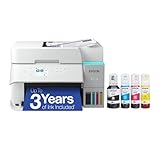
- MAXIMIZE INK EFFICIENCY - Utilize four individual ink bottles (Cyan, Magenta, Yellow, Black) with impressive yields of 8,500 pages (black) and 6,500 pages (color) for...
- RAPID PRINT SPEED - Achieve professional results quickly with print speeds of 18 ISO ppm (black) and 9 ISO ppm (color), ensuring your tasks are completed efficiently...
The Epson EcoTank ET-3950 is designed for users who need high-volume printing without frequent ink replacements. It helps reduce running costs with its large-capacity refillable EcoFit ink bottles, delivering up to 8,500 black and 6,500 color pages. This makes it ideal for busy offices or home workspaces where efficiency matters.
Printing is precise and fast, producing sharp images at 4800 x 1200 dpi with speeds of 18 ppm for black and 9 ppm for color. Wireless connectivity options like Wi-Fi 5, Ethernet, and mobile printing through the Epson Smart Panel app enhance convenience and flexibility, allowing users to print from various devices seamlessly.
Maintenance is simplified with easy-to-refill ink bottles that lower downtime and waste. The compact yet sturdy design fits well in most work environments. Its integrated flatbed and automatic document feeder (ADF) support duplex scanning, streamlining document management tasks.
While the single paper tray limits handling multiple media types, the ET-3950 balances functionality and practicality for everyday printing and scanning needs.
Best for: Users who require cost-effective, high-quality color printing with versatile connectivity and scanning features.
What We Like:
- High page yield reduces frequent ink changes and costs
- Sharp prints with fast black and color speeds
- Multiple wireless options including mobile app printing
- Duplex scanning via flatbed and ADF scanner
Specification:
| Feature | Details |
|---|---|
| Manufacturer | Epson |
| Print Resolution | Up to 4800 x 1200 dpi |
| Print Speed | 18 ppm (black), 9 ppm (color) |
| Connectivity | Wi-Fi 5, Ethernet, Mobile |
| Ink System | Refillable EcoFit ink bottles |
| Scanner | Flatbed + Automatic Document Feeder (ADF) with duplex scanning |
| Dimensions (W×D×H) | Compact design (exact size not provided) |
| Color Options | Color printer |
Factors to Consider When Choosing an All in One Printer for Graphic Design
When choosing an all-in-one printer for graphic design, you’ll want to focus on print quality and accurate color reproduction. These are key to making sure your designs look just right.
Also, consider the ink system and overall cost. It’s important to know what you’re getting into before making a purchase.
Think about the types of media sizes the printer supports too. You don’t want to be limited when printing your creative projects.
And don’t forget to check connectivity options. You’ll want it to work smoothly with all your devices without any hassle.
Print Quality and Resolution
Because sharp details and vibrant colors make your designs stand out, you’ll want an all-in-one printer with a resolution of at least 4800 x 1200 dpi. This guarantees every line and shade appears crisp and clear, essential for professional-quality prints.
Also, look for a printer that handles various media types like glossy photo paper and cardstock. This gives you flexibility in showcasing your work.
Features such as borderless printing enhance the presentation by eliminating unwanted margins. And automatic duplexing saves time by printing double-sided effortlessly.
Fast print speeds, like 18 black and 9 color pages per minute, help you meet tight deadlines without sacrificing quality. Prioritizing these print quality and resolution factors will help your design work truly shine.
Color Accuracy and Gamut
Color accuracy and gamut play an essential role in ensuring your graphic designs look exactly as intended in print. To achieve this, opt for printers with high resolutions—up to 5760 x 1440 dpi—to capture vivid details and precise colors.
Look for models featuring a 6-color ink system, including extra shades like red and gray, which expand the color spectrum beyond standard four-color setups. Technologies such as CHROMALIFE 100 enhance print vibrancy and longevity, keeping your designs impactful over time.
Additionally, printers supporting various media types, like glossy photo paper or cardstock, allow you to tailor your prints for ideal color perception. Features such as borderless printing and automatic paper sizing help maintain consistent, true-to-design color output across different formats.
Ink System and Cost
Although print quality matters, the ink system and cost often determine how practical a printer is for your graphic design work. Choose printers with cartridge-free or high-capacity ink systems like MegaTank or EcoTank to cut down on frequent replacements and save money long-term.
Pay attention to page yield—some models deliver thousands of black and color pages per ink set, which keeps running costs low. Also, consider the cost per print; certain printers offer color photo prints for as little as 2.5 cents each, making them budget-friendly for your projects.
Look for models that come with enough ink to last up to two years, reducing interruptions. Plus, these refillable ink tanks help minimize cartridge waste, so you’re also making an eco-conscious choice.
Media Size Compatibility
When choosing an all-in-one printer for graphic design, you’ll want to contemplate the maximum media size it handles. Larger formats—up to 13 x 19 inches—let you print more detailed and expansive designs.
Make certain the printer supports various media types like glossy photo paper, cardstock, and specialty papers. These are essential for versatility in your projects.
Borderless printing is another key feature; it lets your designs extend to the edges, delivering a professional, polished look. Also, check for high print resolutions—at least 4800 x 1200 dpi—to guarantee crisp details and vibrant colors.
Finally, consider the printer’s feed capacity. A higher sheet capacity, such as 250 sheets, helps you manage larger print runs efficiently without frequent reloading, which really streamlines your workflow.
Connectivity and Compatibility
Beyond media size and print quality, how you connect your printer plays a big role in your workflow efficiency. You’ll want a printer offering USB, Wi-Fi, and Ethernet options to guarantee it works seamlessly with all your devices and networks.
Mobile printing support for smartphones and tablets adds flexibility, especially if you often work remotely. Choose a model that supports direct printing from cloud services to simplify collaboration and file access.
Also, verify the printer’s compatibility with your design software, ensuring it handles high-resolution images and complex color profiles without a hitch. Finally, look for user-friendly interfaces like touchscreens or dedicated apps so you can easily adjust settings and manage prints without interrupting your creative flow.
Speed and Efficiency
Since speed directly impacts your productivity, choosing an all-in-one printer that keeps up with your design workload is essential. Look for printers that offer high print speeds—up to 18 ISO pages per minute for black and 12 for color—so you can turn projects around quickly.
Don’t overlook the duty cycle; it guarantees your printer can handle the volume of graphic design tasks without breaking down. Features like automatic duplex printing save time and reduce paper waste, while an Auto Document Feeder (ADF) streamlines multi-page scanning and copying.
Fast warm-up times or zero warm-up features let you print immediately, cutting down delays. Prioritizing these factors will help you maintain efficiency and meet tight deadlines with ease.
Frequently Asked Questions
How Do All-In-One Printers Impact Long-Term Maintenance Costs?
All-in-one printers can lower your long-term maintenance costs by combining functions, reducing the need for multiple devices. It’s pretty convenient to have everything in one place.
However, you’ll want to watch for expensive ink replacements and potential repair costs. These might add up over time, so keep an eye on them.
Can These Printers Handle Different Paper Textures for Design Projects?
Yes, you’ll find many all-in-one printers can handle various paper textures like matte, glossy, and textured cardstock.
Just make sure you adjust settings properly to avoid jams and get the best print quality for your designs.
What Are the Environmental Benefits of Using Ink Tank Printers?
Ink tank printers are like eco-friendly gardens, letting you save ink and reduce waste.
You’ll cut down on plastic cartridges, lower energy use, and enjoy more pages per refill.
It’s a simple way to help protect the planet with every print.
Are There Any Mobile Apps for Remote Printing and Scanning?
Yes, you can use mobile apps like HP Smart, Epson iPrint, and Canon PRINT to print and scan remotely. These apps make it easy to manage your printer from anywhere, boosting your convenience and productivity.
Pretty handy, right? It means you don’t have to be right next to your printer to get things done. Just a few taps on your phone, and you’re all set!
How Do Printer Warranties Differ Among These Models?
Warranties are the safety nets you don’t see until you need them. You’ll find some models offer one-year coverage, while others extend to three years with added support and parts replacement.
It’s all about giving you peace of mind. So, when you’re choosing a printer, think about how long you want that safety net to last. Different models have different levels of backup, and it can really make a difference down the line.
Conclusion
When choosing your all-in-one printer for graphic design, remember that 85% of designers say color accuracy is their top priority. You want a printer that delivers vibrant, true-to-life prints without sacrificing convenience.
Whether you pick a Canon MegaTank or an Epson EcoTank model, make sure it fits your workflow and budget.
With the right printer, you’ll bring your creative visions to life with stunning detail and efficiency every time.
Finding the best all-in-one printer for graphic design means balancing color precision, print quality, and ease of use. A great printer not only supports your artistic needs but also keeps your projects running smoothly. So, choose a model that matches your style and budget, and watch your designs come alive with every print.