7 Best Budget Home Photo Printers for 2027
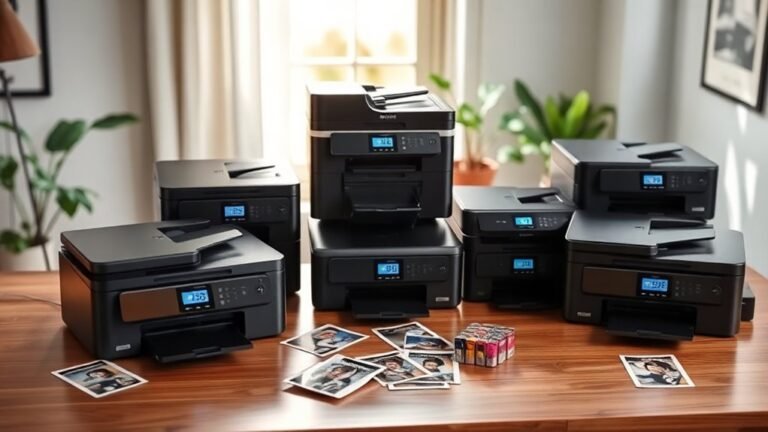
You’ll find top budget home photo printers like the Canon PIXMA TS4320 and TS6520 deliver crisp, versatile inkjet prints with wireless ease. These models are perfect if you want quality photos without breaking the bank. Plus, they’re user-friendly for everyday printing needs.
For 4×6 vibrant photos on the go, the Liene M100 and Canon SELPHY CP1500 offer portability and durable dye-sublimation prints. These compact options are great when you need quick, high-quality snapshots anywhere. They’re especially handy for parties or travel.
Epson XP-5250 balances quality with all-in-one function, making it a solid choice for those who want more than just photo prints.
Meanwhile, the KODAK Dock Plus and HPRT excel in quick, glossy photo output. Explore these options to match your print needs and lifestyle with ease.
| Image | Name | Editor's Rating | Price |
|---|---|---|---|

|
|
||

|
|
||

|
|
||

|
|
||

|
|
Canon PIXMA TS4320 – Wireless Color Inkjet Printer with Print, Copy, Scan
- Affordable Versatility - A budget-friendly all-in-one printer perfect for both home users and hybrid workers, offering exceptional value
- Crisp, Vibrant Prints - Experience impressive print quality for both documents and photos, thanks to its 2-cartridge hybrid ink system that delivers sharp text and vivid...
- Effortless Setup & Use - Get started quickly with easy setup for your smartphone or computer, so you can print, scan, and copy without delay
- Reliable Wireless Connectivity - Enjoy stable and consistent connections with dual-band Wi-Fi (2.4GHz or 5GHz), ensuring smooth printing from anywhere in your home or...
- Scan & Copy Handling - Utilize the device’s integrated scanner for efficient scanning and copying operations

The Canon PIXMA TS4320 is a compact all-in-one printer that makes printing, copying, and scanning simple and efficient. Its small footprint fits easily into tight spaces, ideal for home offices or study areas. You can handle everyday tasks like homework or photo printing without hassle.
This printer’s wireless dual-band Wi-Fi ensures a stable connection, letting you print from your smartphone or tablet using the Canon PRINT app. It also supports voice commands through Alexa, adding convenience to your workflow. Auto duplex printing saves paper by enabling double-sided prints automatically.
Maintenance is straightforward, though the starter ink tanks may require replacement sooner with frequent use. The printer supports various media types, including glossy photo paper, allowing you to produce professional-quality images at up to 1200 x 1200 dpi resolution. Black-and-white prints come through quickly at 14 pages per minute.
While the paper capacity is limited to a single 100-sheet tray, the PIXMA TS4320 balances functionality and compact design well. It suits users who need an affordable, versatile printer for light, occasional printing and scanning.
Best for: Home users and hybrid workers needing a compact, wireless all-in-one printer for light printing, copying, and scanning tasks.
What We Like:
- Compact design fits well in small spaces
- Dual-band Wi-Fi and mobile printing via Canon PRINT app
- Auto duplex printing reduces paper use
- Supports multiple media types including glossy photo paper
- Compatible with Alexa for hands-free control
Specification:
| Feature | Details |
|---|---|
| Manufacturer | Canon |
| Dimensions | Compact (exact size not specified) |
| Weight | Not specified |
| Connectivity | Wireless dual-band Wi-Fi |
| Print Resolution | Up to 1200 x 1200 dpi |
| Print Speed (B&W) | 14 pages per minute |
| Paper Capacity | 100 sheets |
| Color Options | Not specified |
Liene M100 Portable Wi-Fi 4×6 Photo Printer
- Wonderful Photo Quality - Compared with traditional picture printers, Liene 4x6 photo printer prints photos (4x6’’) instantly with thermal dye-sublimation by which...
- User-friendly Design - No paper jam anymore! Photo paper can align with the photo printer 4x6 and successfully thread it when printing. Check out which printing step the...
- Easy & Stable Connection - Cool down if you worry about the connection of the phone printer. To avoid being affected by the home network that’s complicated, Liene has...
- Compatible with multiple devices - Liene iphone photo printer is designed for everyone, so it’s compatible with IOS, Android, laptops, and PC. The Wi-Fi connection...
- More Customization on App - Download Liene App to add more elements to photos before they come out of phone photo printer. Get regular photos and ID photos printed at...
The Liene M100 Portable Wi-Fi 4×6 Photo Printer brings vibrant photo printing to your fingertips, wherever you are. It solves the hassle of carrying bulky printers or waiting to get photos developed. With its compact design and thermal dye-sublimation technology, you can create water- and scratch-resistant 4×6-inch photos instantly.
This printer’s built-in Wi-Fi hotspot lets you connect up to five devices without needing a home network. It works seamlessly with iOS, Android, laptops, and PCs, making printing from multiple devices easy. The included Liene App offers editing tools and printing guidance, ensuring your photos come out just the way you want.
Maintenance is simple. The printer includes 20 sheets and an ink cartridge to get you started, and the app notifies you when supplies run low. Paper loading is straightforward, and connection stability means hassle-free operation on the move. However, the reliance on the app for full functionality might be less convenient for users who prefer direct printer controls.
Best for: Anyone needing a portable and easy-to-use photo printer that delivers durable, vibrant 4×6 prints without the need for a home network.
What We Like:
- Produces high-quality, water- and scratch-resistant photos
- Connects up to five devices via built-in Wi-Fi hotspot
- User-friendly app with editing and supply alerts
- Compact and lightweight for easy portability
Specification:
| Feature | Details |
|---|---|
| Manufacturer | Liene |
| Print Size | 4 x 6 inches |
| Technology | Thermal dye-sublimation |
| Included Supplies | 20 sheets, 1 ink cartridge |
| Connectivity | Built-in Wi-Fi hotspot |
| Compatible Devices | iOS, Android, laptops, PCs |
| Dimensions | Compact (specific size not provided) |
| Weight | Lightweight (exact weight not specified) |
Epson Expression Home XP-5250 Wireless All-in-One Printer
- Remarkable Prints and Photos — Home printer with Epson's leading-edge printing technology produces crystal clear prints and rich colors
- Our Fastest Expression Home Printer — Plus, a 150-sheet paper tray for convenient paper handling
- Convenient Operation — Large 2.4" color display for effortless navigation
- Epson Smart Panel App¹ — Transforms your mobile device into a high-performance command center and adds time-saving features like Smart Setup
- Engineered for Reliability — Consistently delivers high-quality prints with PrecisionCore Heat-Free technology and a permanent printhead designed to last the life of...
Discover the ease of vibrant, high-quality printing with the Epson Expression Home XP-5250. This wireless all-in-one printer is designed to handle your everyday photo and document needs without hassle. Its PrecisionCore Heat-Free technology ensures sharp colors and consistent output, making your prints look professional every time.
Maintenance is simple with individual ink cartridges, allowing you to replace only the color that runs out. This approach helps reduce waste and lowers your running costs. The 150-sheet tray and automatic two-sided printing save you time and minimize paper use, improving your workflow efficiently.
Designed for convenience, the XP-5250 features a compact build and a clear 2.4″ color display for easy navigation. Wireless printing is seamless through Wi-Fi Direct, letting you print from multiple devices without cords or complicated setup. The Epson Smart Panel app further simplifies control by managing print tasks directly from your smartphone.
While the display size is modest and the paper capacity suits light to moderate use, this printer is ideal for homes or small offices. Genuine Epson ink is required to maintain print quality and protect the printer, ensuring reliable performance over time.
Best for: individuals and families needing an affordable, user-friendly all-in-one printer with wireless capabilities and excellent photo printing quality.
What We Like:
- PrecisionCore Heat-Free technology for sharp, vibrant prints
- Individual ink cartridges reduce waste and expense
- Automatic two-sided printing conserves paper
- Wi-Fi Direct and Epson Smart Panel app enable easy wireless printing
- Compact design fits well in home or small office spaces
Specification:
| Feature | Details |
|---|---|
| Manufacturer | Epson |
| Dimensions (W×D×H) | Approx. 15.7 × 11.7 × 6.1 in (39.9 × 29.7 × 15.5 cm) |
| Weight | Approx. 8.0 lbs (3.6 kg) |
| Color Options | White |
| Paper Tray Capacity | 150 sheets |
| Display | 2.4-inch color LCD |
KODAK Dock Plus 4×6 Photo Printer, Smartphone Docking, 4PASS, 50 Sheets
- Dock Photo Printer: The KODAK Dock Plus is a home photo printer that produces high-quality 4x6” prints directly from compatible smartphones. Featuring an integrated...
- Genuine 4PASS dye sublimation printing: Each photo is produced in three color layers and finished with a clear protective lamination layer. In approximately 55 seconds...
- Easy to Use: Print photos quickly without complicated setup or technical steps. Simply power on, connect wireless bluetooth, and start printing within seconds. The Dock...
- Home Printing Station: Designed for stable desktop use, this dock photo printer connects to a power outlet for consistent performance and larger 4x6” prints. Ideal for...
- KODAK Photo Printer APP: Featuring integrated Bluetooth connectivity, this portable printer connects to compatible iOS and Android devices through the KODAK Photo Printer...
Capture and print vivid 4×6 photos effortlessly with the KODAK Dock Plus 4×6 Photo Printer. This compact printer docks your smartphone securely, allowing you to print directly while charging your device. It eliminates the hassle of transferring photos to a computer, streamlining your photo printing process.
Using advanced 4PASS dye sublimation technology, the printer applies three layers of color plus a clear coating. This method produces durable prints that resist fingerprints, water, and fading. Each photo is ready in around 55 seconds, balancing quality and convenience.
Designed for home use, the printer connects easily via Bluetooth and works with the KODAK app for editing and customizing images before printing. Its desktop size fits neatly in any space, and the included 50 sheets help you start creating photo albums or framed memories right away.
Maintenance is simple, with no complicated setup or frequent replacement parts. However, it requires a continuous power source, which limits portability. The 4×6″ print size suits everyday snapshots but may not meet needs for larger prints.
Best for: Users seeking a reliable home photo printer that quickly produces vibrant 4×6 prints directly from smartphones.
What We Like:
- Durable prints resistant to fingerprints, water, and fading with 4PASS dye sublimation.
- Smartphone dock charges device while printing for added convenience.
- Easy Bluetooth connection and user-friendly app for editing and printing.
- Compact desktop design fits well in home environments.
Specification:
| Feature | Details |
|---|---|
| Manufacturer | KODAK |
| Dimensions | Not specified |
| Weight | Not specified |
| Print Size | 4 x 6 inches |
| Technology | 4PASS dye sublimation |
| Connectivity | Bluetooth |
| Included Paper | 50 sheets |
Canon PIXMA TS6520 Wireless Color Inkjet Printer, 1.42″ OLED Display, White
- Affordable Versatility - A budget-friendly all-in-one printer perfect for both home users and hybrid workers, offering exceptional value
- Crisp, Vibrant Prints - Experience impressive print quality for both documents and photos, thanks to its 2-cartridge hybrid ink system that delivers sharp text and vivid...
- Effortless Setup & Use - Get started quickly with easy setup for your smartphone or computer, so you can print, scan, and copy without delay
- Reliable Wireless Connectivity - Enjoy stable and consistent connections with dual-band Wi-Fi (2.4GHz or 5GHz), ensuring smooth printing from anywhere in your home or...
- Scan & Copy Handling - Utilize the device’s integrated scanner for efficient scanning and copying operations
The Canon PIXMA TS6520 is designed to simplify printing tasks in busy home environments. Its compact design fits easily on desks or shelves, making it ideal for families, students, and remote workers. With wireless dual-band Wi-Fi, it enables quick, hassle-free printing from smartphones, laptops, or tablets without messy cables.
This all-in-one printer handles printing, scanning, and copying with sharp 1200 x 1200 dpi resolution. You can print professional-quality photos and documents, including borderless images up to Letter size. Automatic duplex printing helps save paper and time, making it practical for everyday use.
Maintenance is straightforward with included starter inks and easy ink replacement. The 1.42-inch OLED display offers clear, intuitive controls to manage tasks efficiently. While the single paper tray limits capacity, it keeps the footprint small and manageable in tight spaces.
The TS6520’s wireless features and clear display improve workflow and reduce frustration. It’s a reliable choice for users who need quality prints without complicated setup or large machines.
Best for: Families, students, and home or hybrid workers seeking a compact, versatile all-in-one printer with wireless connectivity and high-quality color printing.
What We Like:
- Wireless dual-band Wi-Fi for seamless mobile printing
- Automatic duplex printing and borderless photo capability
- Compact size with an easy-to-use 1.42″ OLED display
- Included starter ink tanks for immediate use
Specification:
| Feature | Details |
|---|---|
| Manufacturer | Canon |
| Dimensions (W×D×H) | 14.5 × 11.7 × 5.0 inches |
| Weight | 12.6 lbs (5.7 kg) |
| Color | White |
| Display | 1.42″ OLED |
| Print Resolution | 1200 x 1200 dpi |
HPRT Photo Printer 4×6 with 108 Sheets Photo Paper & 2 Ribbons

- Easy Setup & Portable 4x6 Photo Printer for iPhone & Android: The HPRT CP4100 4x6 photo printer makes smartphone photo printing simple. This photo printer for iPhone and...
- Professional 4x6 Photo Prints with Dye Sublimation Technology: The dye sublimation photo printer delivers professional-quality 4x6 photo prints with advanced dye...
- Instant Photo Printer with Creative Editing Features: Turn your favorite smartphone photos into vibrant 4x6 prints anytime with this instant photo printer. The HeyPhoto...
- Lower Cost Per Print with Included Photo Paper & Ink Ribbons: The instant picture printer includes 2 ink ribbons and 108 sheets of 4x6 photo paper, so you can start...
- AR Video Printing & Meaningful Gifts for Special Moments: Bring your photos to life with AR video printing. Use the HeyPhoto App to print photos from your favorite...
Experience vibrant, hassle-free 4×6 photo printing right at home with the HPRT Photo Printer. This compact printer uses dye sublimation technology to create water-, scratch-, and fingerprint-resistant photos quickly, so you can preserve your memories without worrying about damage.
Designed for convenience, the printer comes with 108 glossy sheets and 2 ink ribbons, allowing you to start printing immediately. Its simple maintenance means you can easily replace supplies when needed, keeping your workflow smooth and uninterrupted.
Connectivity is straightforward, with options for 2.4 GHz Wi-Fi or USB. The HeyPhoto app enhances your experience by letting you edit images and apply creative filters before printing. A standout feature is its unique AR video printing, which links your photos to videos for an interactive touch.
Perfect for family snapshots, personalized gifts, and creative DIY projects, this printer offers a balance of portability, ease of use, and quality. While limited to 4×6 inch glossy paper and a modest 300 × 300 DPI resolution, it meets the needs of everyday photo printing with reliable results.
Best for: Anyone seeking a compact, user-friendly photo printer for vibrant, durable 4×6 prints, ideal for home use and casual creative projects.
What We Like:
- Quick, water- and scratch-resistant photo prints in under a minute
- Wireless 2.4 GHz Wi-Fi and USB connectivity with an intuitive editing app
- Innovative AR video printing links photos to videos for added interaction
- Ready to use with included 108 sheets and 2 ink ribbons
Specification:
| Feature | Details |
|---|---|
| Manufacturer | HPRT |
| Print Size | 4 × 6 inches |
| Print Resolution | 300 × 300 DPI |
| Paper Capacity | 108 sheets |
| Connectivity | 2.4 GHz Wi-Fi, USB |
| Included Supplies | 108 glossy sheets, 2 ribbons |
| Dimensions | Compact (exact size not specified) |
| Weight | Not specified |
Canon SELPHY CP1500 Compact Photo Printer (5540C002) (White) Bundle

- Bundle Items Include: Canon SELPHY CP1500 Compact Photo Printer (White), Canon RP-108 Color Ink and Paper Set, 64GB UHS-I SDXC Memory Card, Cleaning Kit, Memory Card...
- Portable and Versatile Printing: The Canon SELPHY CP1500 offers unmatched convenience with its compact design and battery support, making it easy to take anywhere. Print...
- Diverse Printing Options: This photo printer supports four different paper and sticker sizes, allowing you to customize your prints to match various projects. Whether...
- Seamless Connectivity and Control: Built-in Wi-Fi and a companion iOS/Android SELPHY Layout app enable effortless printing from your mobile devices. Use the app to add...
- Complete Package with AC Power Supply: The SELPHY CP1500 includes an AC power supply, so you’re ready to print right away without worrying about additional purchases...
Experience quick and vibrant photo printing with the Canon SELPHY CP1500 Compact Photo Printer. This portable dye-sublimation printer delivers sharp 4×6-inch photos with consistent color quality, making it easy to capture memories on the spot. Its compact design fits seamlessly into any space, whether at home, in the office, or on the go.
Wireless connectivity options like Wi-Fi and USB simplify printing from smartphones, SD cards, or computers. The intuitive 3.5-inch touchscreen and the SELPHY Layout app provide straightforward control, reducing setup time and making printing hassle-free. This printer supports direct prints without needing a PC, boosting convenience.
Maintaining the printer is straightforward with included ink, paper, and a cleaning kit, ensuring reliable performance and extended device life. The bundle also features a 64GB memory card and card reader, enabling immediate use right out of the box. Lightweight at 5.5 pounds, the CP1500 offers optional battery power for true portability.
While it prints single-sided images at 300 x 300 dpi resolution and holds up to 20 sheets, frequent paper refills may be necessary for large batches. This printer is ideal for users who value ease of use and mobility over high-volume or duplex printing.
Best for: users seeking a compact, easy-to-use photo printer with wireless options for quick 4×6-inch prints at home, office, or while traveling.
What We Like:
- Multiple connectivity options including Wi-Fi, USB, and SD card printing
- Complete bundle with ink, paper, memory card, card reader, and cleaning kit
- Compact, lightweight design with optional battery support for portability
Specification:
| Feature | Details |
|---|---|
| Manufacturer | Canon |
| Dimensions | Compact (exact size not specified) |
| Weight | 5.5 lbs (2.5 kg) |
| Color Options | White |
| Print Size | 4 x 6 inches |
| Resolution | 300 x 300 dpi |
Factors to Consider When Choosing a Budget Home Photo Printer

When choosing a budget home photo printer, you’ll want to contemplate print quality and resolution to make certain your photos look sharp. Think about printing speed and connectivity options to suit your workflow, plus the types of media the printer supports.
Don’t forget to check the printer’s size and portability if space is limited or you plan to move it around. It’s all about finding the right balance that fits your needs without breaking the bank.
Print Quality and Resolution
How sharp and vibrant do you want your prints to be? For true photo detail, especially in 4×6 prints, you should look for printers offering at least 300 x 300 dpi.
If you plan to print larger or crop images, aim for 600 dpi or higher to capture finer details and smoother color gradations. Dye-sublimation printers create continuous-tone prints with better color shifts and a protective overcoat, enhancing durability.
Inkjet printers rely on dot patterns and multiple ink cartridges—more color channels, like separate CMYK plus photo-specific inks, generally deliver richer, more accurate colors.
Printing Speed and Efficiency
Consider printing speed and efficiency carefully to get the most out of your budget home photo printer. For 4×6 photo prints, check the seconds-per-photo rate, typically around 50–60 seconds, to gauge real-world speed.
If you print documents alongside photos, compare pages-per-minute (ppm) for color and black ink—light-use home printers usually deliver 9–14 ppm. Look for features like automatic duplexing and larger paper trays (100+ sheets) to cut down on interruptions.
Also, factor in warm-up and first-print times since a slow start can offset fast printing speeds. Efficient paper handling simplifies your workflow, minimizing frustration.
Connectivity Options Available
Printing speed and efficiency help guarantee your photos come out quickly, but connectivity options determine how easily you can send those print jobs from your devices. Make sure your printer supports dual-band Wi‑Fi (2.4 GHz and 5 GHz) for reliable wireless printing across multiple devices.
A built-in Wi‑Fi hotspot or Wi‑Fi Direct is handy if you want to print directly from your smartphone or camera without needing a router. Check for mobile printing compatibility like AirPrint, Mopria, or a dedicated app to simplify printing from iOS and Android.
Don’t overlook wired options like USB for stable connections and easier setup. And if voice control or remote printing matters to you, look for printers that support voice assistants or cloud printing services. That way, you can print hands-free or on the go.
Media and Paper Compatibility
While choosing a budget home photo printer, you’ll want to make certain it supports the media sizes and types you use most often. Check the maximum printable media size—like 4×6, 5×7, or letter—to match your preferred photo frames.
Verify the supported media types as well, such as glossy or semi-gloss photo paper, stickers, labels, or envelopes. Some printers only handle plain paper or specific photo sheets, so it’s good to be sure.
Confirm if the printer offers borderless printing and the maximum dimensions for edge-to-edge photos. If you print in batches, consider paper capacity and handling, including input/output sheet counts and tray types.
Also, check whether the printer uses combined paper and ink packs or separate consumables. This can affect both cost and convenience in the long run.
Printer Size and Portability
You’ll often find that printer size and portability play a big role in where and how you use your photo printer. Compact models, some under 2 kg and just a few inches wide, fit easily on a desk or slip into a bag for on-the-go use.
If you want true portability, choose one with battery power or built-in hotspot capabilities so you can print without needing an outlet. Also, consider the maximum media size and tray capacity.
Portable 4×6 printers usually handle small rolls or trays of 20–108 sheets, while larger home printers accept letter-size paper and bigger loads. Finally, check connectivity options—Wi-Fi hotspot, Wi-Fi Direct, or USB—and make sure the printer’s wireless setup supports your mobile printing needs.
Operating Costs and Ink Options
Because ink and paper costs add up quickly, understanding operating expenses is essential when choosing a budget home photo printer.
Inkjet printers use individual color cartridges, letting you replace only the colors you need. This can lower your per-print costs.
Dye-sublimation printers require full ribbon replacement once any color runs out. But their cost per 4×6 print is predictable, which is nice.
To compare expenses, divide the retail price of ink or ribbon and photo paper by the number of prints each yields.
Also, keep in mind that higher-quality photo paper boosts durability but raises costs.
Finally, consider subscription ink plans or bulk paper packs. Check cartridge yields too, so you can estimate your monthly spending based on how often you print.
This way, you avoid surprises and keep costs manageable.
Frequently Asked Questions
How Long Do the Printer Ink Cartridges Typically Last?
Ink cartridges typically last between 100 to 300 prints, depending on usage and printer type.
You’ll want to replace them when colors fade or prints get streaky. That way, your photos stay vibrant and sharp.
Are These Printers Compatible With Mac and Windows Systems?
Yes, these printers work seamlessly with both Mac and Windows systems. You’ll find easy setup and broad compatibility.
Can These Printers Handle Cardstock or Thicker Photo Paper?
Yes, these printers can handle cardstock and thicker photo paper. Just check the maximum paper thickness specified, and adjust the feed tray accordingly.
You’ll get great results without worrying about paper jams or damage. It’s pretty straightforward once you know the limits.
What Is the Average Print Speed for a 4×6 Photo?
You’ll usually get a 4×6 photo printed in about 30 to 90 seconds, depending on your printer’s quality settings.
Don’t expect instant results, but it’s fast enough for casual use and quick projects. It’s pretty convenient when you need prints without much wait.
Do These Printers Support Direct Printing From USB Drives?
Yes, many budget home photo printers support direct printing from USB drives. You’ll just plug in your drive, select your photos on the printer’s screen, and start printing without needing a computer or extra devices.
It’s super convenient and perfect if you want to skip the hassle of transferring files. Just pop in your USB, and you’re good to go!
Conclusion
Choosing the right budget home photo printer is like finding the perfect paintbrush for your creative masterpiece. You want something reliable, easy to use, and that brings your memories to life in vivid color.
Whether you prioritize wireless convenience, compact design, or photo quality, this list has you covered.
Pick the one that fits your needs and budget, and watch your photos transform from digital files into tangible moments you’ll cherish forever.
Finding the best budget home photo printer doesn’t mean you have to sacrifice quality or features. From wireless options to compact designs, there’s a printer out there that matches your lifestyle and printing needs. With the right choice, you’ll enjoy crisp, vibrant photos every time without breaking the bank. So dive in, explore your options, and bring your favorite memories to life with ease and style.