4 Best Budget 3D Printers for 2027 That Deliver Quality Results
You’ll find the Entina Tina2 Plus ideal for fast setup with preloaded models and a compact design. It’s perfect if you want to get printing quickly without fussing over complicated settings.
If speed and versatility matter, the Creality Ender 3 V3 SE shines with high-speed printing and auto-leveling. This model makes sure your prints come out smooth and accurate every time.
For portability, the compact FDM model offers easy transport and removable plates. It’s a great choice if you need a 3D printer that you can take on the go.
Beginners will appreciate the Ender 3 V3 SE beginner version’s hassle-free calibration and quiet operation. Keep exploring to uncover which printer fits your needs perfectly.
| Image | Name | Editor's Rating | Price |
|---|---|---|---|

|
|
||

|
|
||

|
|
||

|
|
Entina Tina2 Plus Fast WiFi 3D Printer
- 【Start Printing in Minutes – Beginner Friendly】No setup required. Tina2 Plus 3d printer comes fully assembled and ready to use out of the box. With included TF card...
- 【Fast 250mm/s Printing Performance】This Tina2 Plus high speed 3D printer print speeds up to 250 mm/s help reduce waiting time and support fast project turnaround...
- 【WiFi App Control & STEM Model Library】Powered by the Poloprint Cloud app, this WiFi-enabled 3D printer gives access to 3,500+ printable models and 25+ creative DIY...
- 【40-Second Fast Heat Ceramic Hotend】High-efficiency ceramic hotend heats up in just 40 seconds for faster start-up and less downtime. The quick-swap nozzle design...
- 【Compact 3D Printer for Home & Classroom】Designed with a space-saving footprint while maintaining practical print capacity, this compact 3D printer fits easily on...
Step into the world of 3D printing with the Entina Tina2 Plus Fast WiFi 3D Printer, designed to make your creative journey smooth and efficient. This printer comes fully assembled, allowing you to start printing immediately without hassle. The included TF card with preloaded models helps you explore 3D printing right out of the box.
Its quick 40-second heat-up time minimizes waiting and maximizes productivity. The stable dual Z-axis and auto-leveling PEI spring steel plate work together to deliver consistent, high-quality prints. This smart design reduces errors, saving you time and material.
Maintenance is simple thanks to the spring steel plate, which is easy to remove and clean. Connectivity through the Poloprint Cloud app supports multiple platforms, making it easy to manage prints from various devices. The compact size fits neatly in classrooms or homes, perfect for beginners and students.
While its partially enclosed design limits larger projects, it’s ideal for educational and hobby use. The small build volume suits those who want a reliable, user-friendly printer without the bulk of industrial machines.
Best for: Beginners, students, and hobbyists seeking a fast, easy-to-use 3D printer for home or classroom projects.
What We Like:
- Fully assembled with preloaded models for instant use
- Fast 40-second heat-up time for quicker printing starts
- Stable dual Z-axis and auto-leveling plate ensure reliable results
- Compact design fits well in small spaces like classrooms and homes
- App control with cross-platform compatibility enhances convenience
Specification:
| Feature | Details |
|---|---|
| Manufacturer | Entina |
| Dimensions | Compact desktop size (exact size not provided) |
| Weight | Not specified |
| Material | PEI spring steel plate included |
| Connectivity | Fast WiFi, Poloprint Cloud app |
| Build Volume | Small (exact size not provided) |
| Design | Partially enclosed |
Creality Ender 3 V3 SE 3D Printer Upgrade
- 【250mm/s High-speed Printing】Creality Ender 3 V3 SE 3d printer supports a maximum printing speed of 250mm/s, 2500mm/s² acceleration.The speed has been greatly...
- 【Powerful ""Sprite"" Direct Extruder】Ender 3 V3 SE is the upgrade of ender 3, ender 3 v2, ender 3 pro, ender 3 neo, ender 3 v2 neo, ender 3 s1, ender 3 s1 pro etc 3d...
- 【Worry-free CR Touch Auto Leveling & Strain Sensor】Creality Ender 3 upgraded 3d printer features a CR Touch sensor for auto leveling and a strain sensor for auto...
- 【Stable Dual Z-axis & Y-axis Linear Shafts】High-precision dual Z-axis lead screws reduce Z wobbling effectively, avoid printing deviation in single-axis printing...
- 【Quick Assembly & Easy to Use】Preassembly has solved those hassles and worries of parts assembly, It only takes 3 steps to complete the assemble the ender-3 v3 se 3d...

The Creality Ender 3 V3 SE brings a new level of speed and simplicity to 3D printing. It tackles slow print times by boosting speeds up to 250 mm/s, making it ideal for users who want faster results without sacrificing quality. The advanced full-metal Sprite dual-gear extruder ensures consistent filament feeding, tackling common issues like clogs and jams.
This model includes convenient features like auto filament loading and CR Touch auto leveling, reducing the hassle of manual setup and adjustments. The dual Z-axis lead screws help minimize wobble, producing sharper details and improving print accuracy. Its compact build volume of 220 x 220 x 250 mm fits most hobby projects while keeping the printer manageable.
Maintenance is straightforward thanks to preassembled parts, making setup quick and user-friendly. While it weighs 15.66 lb, the sturdy design supports stable printing sessions. The Ender 3 V3 SE is a balanced choice for those seeking a reliable, efficient printer that simplifies the 3D printing process.
Best for: hobbyists and beginners who want a fast, easy-to-use 3D printer with dependable performance and minimal setup time.
What We Like:
- High print speeds up to 250 mm/s reduce project wait times.
- Full-metal Sprite dual-gear extruder ensures smooth filament feeding.
- Auto filament loading and CR Touch leveling simplify operation.
- Dual Z-axis lead screws enhance print stability and detail.
- Quick setup with mostly preassembled components.
Specification:
| Feature | Details |
|---|---|
| Manufacturer | Creality |
| Build Volume | 220 x 220 x 250 mm |
| Print Speed | Up to 250 mm/s |
| Extruder Type | Full-metal Sprite dual-gear |
| Weight | 15.66 lb (7.1 kg) |
| Supported Filaments | PLA, TPU, PETG |
Portable Compact FDM 3D Printer with Removable Plate
- Foolproof Setup with Video Guides – Never get stuck! We provide a crystal-clear Quick Start Guide and step-by-step video tutorials. Watch them online to get started.
- Simple Assembly with Video Guide – Requires quick modular setup (watch our step-by-step video). Comes with 10m PLA filament, TF card, tools, and 12V Type-C power...
- Versatile Filament Compatibility – Unleash your creativity with both PLA and flexible TPU (1.75mm). The reliable 0.4mm nozzle and precise 0.05-0.3mm layer thickness...
- Reliable Performance & Compact Design – Features stable FDM technology and a removable build plate for easy model removal. The perfect 100x100x100mm build volume is...
- Complete Package – No Hidden Costs – Includes printer, 10m PLA filament, 8GB TF card + reader, tools, illustrated manual, and 12V Type-C power adapter. Plus free...
Step into the world of 3D printing with this portable compact FDM 3D printer featuring a removable plate. Designed to fit neatly into small spaces, it’s perfect for classrooms and homes where space is at a premium. Beginners and hobbyists will find it easy to get started thanks to a straightforward setup process with clear guides and videos.
This printer addresses the frustration of complicated assembly and print removal. The removable build plate lets you lift finished prints effortlessly, reducing downtime and potential damage to models. Its compact design doesn’t just save space—it ensures that maintenance and bed leveling are quick and manageable tasks.
The printer works best with PLA and flexible TPU filaments, ideal for creating detailed, smooth models. While the 100 mm³ build volume limits the size of prints, it encourages users to focus on smaller, precise projects. The single 0.4 mm nozzle balances detail and reliability without overwhelming beginners.
Overall, this compact 3D printer offers a practical solution for users who want simplicity and efficiency in a small footprint. It’s a reliable tool for education and hobby applications where ease of use and quick maintenance matter most.
Best for: Beginners, students, and hobbyists needing a user-friendly 3D printer for small spaces and educational use.
What We Like:
- Easy setup with quick-start guide and video tutorials
- Removable build plate for hassle-free print removal
- Compatible with PLA and flexible TPU filaments
- Compact design suited for tight spaces
- Simple maintenance and bed leveling process
Specification:
| Feature | Details |
|---|---|
| Manufacturer | Not specified |
| Build Volume | 100 x 100 x 100 mm |
| Nozzle Size | 0.4 mm |
| Filament Types | PLA, TPU |
| Weight | Not specified |
| Color Options | Not specified |
Creality Ender 3 V3 SE Beginner-Friendly 3D Printer with Auto Leveling
- 250mm/s High-Speed Printing: Print at speeds of up to 250mm/s with 2500mm/s² acceleration, helping you complete prototypes, functional parts, and everyday projects...
- Easy Setup with Auto Leveling: Designed for a fast and straightforward setup, the Ender 3 V3 SE can be assembled in just a few simple steps. CR Touch Auto Leveling and...
- Proven Sprite Direct Drive Extruder: The upgraded Sprite Direct Drive Extruder provides smooth and consistent filament feeding for PLA, PETG, and TPU. Its proven design...
- Stable Motion System for Consistent Results: Dual synchronized Z-axis lead screws and precision Y-axis linear shafts work together to help reduce vibration and Z...
- Quiet Operation with Easy Print Removal: A 32-bit silent mainboard helps reduce operating noise for a more comfortable printing experience, while the flexible PC spring...
The Creality Ender 3 V3 SE is designed to simplify 3D printing for beginners. Its auto leveling system with CR Touch removes the frustration of manual bed calibration, ensuring a smooth start to every print. The automatic Z-offset calibration further guarantees a consistent first layer, reducing failed prints and saving time.
This printer offers reliable performance with a Sprite Direct Drive Extruder, compatible with a variety of filaments like PLA, PETG, and TPU. Dual Z-axis screws and precision shafts provide stable, quiet operation, allowing you to focus on your creative projects without distractions. The flexible PC spring steel plate makes removing prints effortless, minimizing the risk of damage.
Compact and lightweight, the Ender 3 V3 SE fits well in small workspaces. While its 250 mm/s top speed and moderate build volume suit most hobbyist needs, they may limit those working on larger or ultra-fast printing tasks. Regular maintenance is straightforward, making it a practical choice for consistent 3D printing.
Best for: Beginners and hobbyists seeking an easy-to-use, reliable 3D printer with automatic bed leveling and versatile filament support.
What We Like:
- Hassle-free auto leveling with CR Touch and automatic Z-offset calibration
- Supports diverse filaments including PLA, PETG, and TPU with a proven Sprite Direct Drive Extruder
- Stable, quiet printing thanks to dual Z-axis lead screws and precision linear shafts
- Easy print removal with flexible PC spring steel plate
Specification:
| Feature | Details |
|---|---|
| Manufacturer | Creality |
| Max Print Speed | 250 mm/s |
| Filament Support | PLA, PETG, TPU, others |
| Build Volume | Moderate (specific size not provided) |
| Auto Bed Leveling | Yes (CR Touch) |
| Extruder Type | Sprite Direct Drive |
| Operation Noise | Quiet (32-bit silent mainboard) |
| Dimensions | Compact, lightweight |
Factors to Consider When Choosing a Budget 3 D Printer
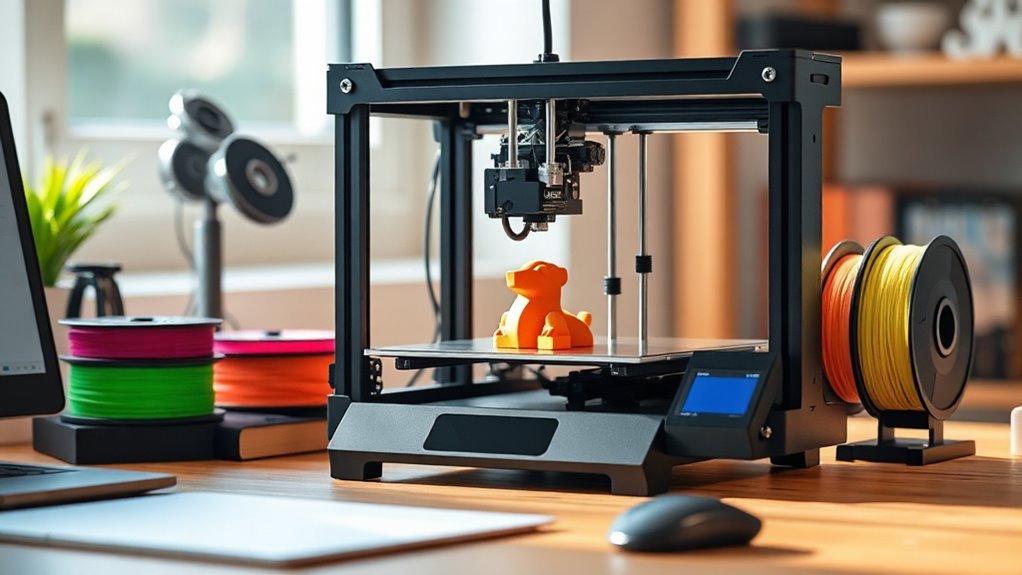
When choosing a budget 3D printer, you’ll want to focus on print quality, speed, and how easy it is to set up.
Think about what materials you plan to use and the build volume size you need for your projects.
Balancing these factors will help you find a machine that fits both your budget and your goals.
Print Quality Essentials
Although budget 3D printers come with limitations, understanding key factors like layer height, nozzle diameter, and motion stability helps you achieve the best possible print quality.
Layer height affects vertical detail—smaller layers (around 0.05 mm) give smoother surfaces but take longer to print. Nozzle diameter, usually 0.4 mm, controls horizontal detail; smaller nozzles boost precision but can clog and slow printing.
Motion stability is pivotal—features like dual Z axes or reinforced frames reduce vibrations and Z-wobble, improving accuracy. Consistent extrusion from a quality hotend and proper temperature control prevent issues like under-extrusion and poor layer adhesion.
Finally, a flat, well-leveled build surface paired with reliable bed leveling guarantees strong first-layer adhesion and enhances overall print success. Paying attention to these essentials maximizes the value of any budget printer.
Speed and Efficiency
Since your time matters, prioritizing speed and efficiency in a budget 3D printer can greatly boost your productivity. Check the maximum print speed—models offering 200–250 mm/s with high acceleration reduce print times but may need fine-tuning to maintain quality.
Fast warm-up and nozzle heating, ideally in tens of seconds, cut down idle time between jobs. Look for features like auto filament loading, quick nozzle swaps, and easy bed release to streamline your workflow.
Reliable hardware—auto bed leveling, stable motion, and reinforced axes—minimizes failed prints, saving time and materials. Also, evaluate slicing and connectivity options; on-device or cloud slicing and USB or TF card support speed up job preparation.
Choosing these factors wisely guarantees your budget printer works fast without compromising results.
Ease of Setup
Setting up your budget 3D printer shouldn’t hold you back from diving into your projects. Choose models that come fully or partially assembled to save time—kits can demand hours of mechanical and firmware setup.
Look for guided setup tools like step-by-step videos, illustrated manuals, or quick-start guides to ease your first use. Prioritize printers with auto or assisted bed leveling and removable build surfaces; they simplify calibration and print removal.
Check connectivity options such as SD cards, USB, or Wi-Fi, plus preloaded models or cloud slicing, so you can start printing immediately without extra software. Also, verify included accessories like filament samples, tools, and card readers, alongside clear tutorials, as these reduce setup time and troubleshooting, especially if you’re new to 3D printing.
Material Compatibility
When choosing a budget 3D printer, you’ll want to carefully consider which materials it supports, as this directly affects the range and quality of your prints. Start by checking filament compatibility—basic options like PLA and TPU are common.
But if you want materials like PETG, ABS, or nylon, make sure the printer’s hotend can reach 240–260°C and has a heated bed with a suitable surface like PEI or spring steel. Also, verify the nozzle diameter (typically 0.4 mm) and extruder type.
Direct drive extruders handle flexible filaments like TPU better than Bowden setups. Don’t forget filament diameter—1.75 mm is standard—and local filament availability to keep costs down.
These factors make certain your budget printer meets your material needs effectively.
Build Volume Size
Although build volume may seem like a straightforward spec, it directly limits the maximum size of a single print you can produce. Budget 3D printers usually offer small (around 100 x 100 x 100 mm) to medium (about 220 x 220 x 250 mm) build volumes.
Choose based on whether you need tiny prototypes or larger functional parts. Keep in mind, bigger build volumes increase print time, filament use, and the risk of failures.
If your printer’s volume is limited but you want bigger objects, design parts to print in sections and join them later, considering joint strength. Also, larger build plates need stiffer frames and precise bed leveling to avoid warping or wobble.
For desktop or classroom use, prioritize a compact size that fits your projects and space.
Connectivity Options
Build volume defines what you can print, but how you get your designs onto the printer affects your workflow just as much. When choosing a budget 3D printer, check its connectivity options—USB, SD/TF card, and Wi‑Fi—to find what suits your needs.
SD/TF cards offer simple, reliable file transfers, while Wi‑Fi lets you control the printer remotely via an app or web interface. Make sure the Wi‑Fi connection supports features like remote start/stop and slicing, as not all do.
Also, verify if direct USB printing is available for live control and troubleshooting. Ideally, pick a printer with multiple transfer options to stay flexible.
Finally, consider network reliability and security, especially if cloud services require account creation and expose your printer to external dependencies. It’s always good to know what you’re signing up for!
Safety Features Included
Since safety is essential in any 3D printing setup, especially around children or in busy spaces, you should prioritize printers with enclosure or partial-enclosure designs that shield hot and moving parts. Look for thermal safety features like fast-heating cutoffs, thermal runaway protection, and accurate temperature sensors on the hotend and heated bed to prevent fire hazards.
Automatic or assisted bed leveling and Z-offset sensors reduce manual contact with hot surfaces during setup. Filament run-out detection and power-loss recovery pause prints safely, so you don’t have to interact with dangerous components unexpectedly.
Also, make sure stable build-plate mounting and sturdy motion parts to avoid print failures that can cause jams or risky manual fixes. These features keep your printing environment safer and your 3D printing experience hassle-free.
Maintenance and Support
Keeping your 3D printer safe goes hand in hand with maintaining it properly to guarantee long-term reliability. Before buying, check the warranty length and coverage for parts, electronics, and labor; shorter warranties often mean higher repair costs.
Also, verify the availability and affordability of common replacement parts like nozzles and belts. Make sure they use standard sizes for easy upkeep.
Look for features that cut down routine maintenance, such as auto-bed leveling and quick-swap nozzles. These can reduce cleaning time and failure rates.
Don’t forget to confirm access to firmware updates, troubleshooting guides, and active user communities. These resources help you resolve issues faster.
Finally, evaluate the lifespan and serviceability of key components. Make sure the printer comes with clear repair instructions and requires only simple tools.
Frequently Asked Questions
What Are Common Maintenance Tips for Budget 3D Printers?
You should regularly clean the nozzle and lubricate moving parts. Level the bed to ensure your prints stick properly and come out just right.
Also, don’t forget to update the firmware and check for any loose belts or screws. These simple steps keep your budget 3D printer running smoothly.
Doing this will help you produce better prints consistently without much hassle. It’s all about keeping things in good shape!
How Do Filament Types Affect Print Quality?
Filament types affect print quality by influencing layer adhesion, surface finish, and strength. You’ll notice PLA prints smoother, while ABS resists heat better but warps more.
Choosing the right filament helps you achieve your desired results. It really depends on what you want from your print—whether it’s durability, detail, or ease of printing.
Can Budget 3D Printers Print With Flexible Materials?
Yes, you can print flexible materials on budget 3D printers, but they often struggle with precision and speed. You’ll need a direct-drive extruder and careful settings—flexibility comes at the cost of some print quality and ease.
It’s definitely doable, but don’t expect perfect results right out of the box. Tweaking your printer and being patient will help a lot.
What Software Is Best for Beginners Using These Printers?
You should try Ultimaker Cura or PrusaSlicer—they’re user-friendly and perfect for beginners. Both offer intuitive interfaces and plenty of presets.
Are There Safety Precautions Specific to 3D Printing at Home?
Back in the days of rotary phones, safety still mattered. You should ventilate your space and avoid touching hot parts.
Keep kids away, and never leave the printer unattended. These steps keep your home safe while printing.
Conclusion
Choosing the right budget 3D printer is like finding a trusty companion for your creative journey. Whether you pick the speedy Entina Tina2 Plus or the user-friendly Creality Ender 3 V3 SE, you’re setting sail toward impressive prints without emptying your wallet.
Keep in mind the features that matter most to you. Soon enough, you’ll be turning digital dreams into tangible treasures with ease and confidence.
With the best budget 3D printers for 2027, you don’t have to compromise on quality or performance. These affordable 3D printers deliver reliable, high-quality results that make them perfect for beginners and hobbyists alike. So, dive into the world of 3D printing and watch your ideas come to life without breaking the bank!