11 Best Bang for Your Buck Printer Scanners for 2027 Deals
If you want the best bang for your buck printer scanner in 2027, there are some great options to consider. Whether you’re looking for speed, color quality, or wireless convenience, the right device can make a big difference in your home or office setup. Finding a printer scanner that balances performance and cost is key to getting the most value.
For fast, high-volume monochrome printing, the Lexmark MX510de is a solid choice. On the other hand, the Canon PIXMA TS6520 offers vibrant color output and a compact design that fits nicely in smaller spaces. If wireless connectivity is a priority, check out models like the HP OfficeJet Pro 8125 and Xerox B225DNI—they make mobile printing and scanning a breeze.
Balancing speed, versatility, and low operating costs guarantees you get great value. Keep exploring to find the ideal fit for your home or office needs.
| Image | Name | Editor's Rating | Price |
|---|---|---|---|

|
|
||

|
|
||

|
|
||
|
|
||

|
|
HP LaserJet Pro 3105sdw Monochrome Laser Printer | All-in-One
No products found.
Experience efficient black-and-white printing with the HP LaserJet Pro 3105sdw, designed to keep your small team productive. This all-in-one printer handles professional documents swiftly, printing up to 33 pages per minute. Its automatic two-sided printing and one-sided scanning through the document feeder reduce manual effort, streamlining your workflow.
Maintenance is straightforward with original HP cartridges that ensure consistent print quality. However, the printer’s firmware supports only HP cartridges with chips, which limits third-party options. This security measure helps protect your device but may restrict flexibility in cartridge choices.
Built for teams of up to seven users, the 3105sdw enhances work efficiency with HP’s intelligent AI. It formats scanned files and emails automatically, saving time and reducing errors. Wireless connectivity paired with the HP app allows you to print, scan, copy, and fax directly from your smartphone, keeping your office mobile-friendly.
Best for: Small teams needing a fast, reliable monochrome laser printer that supports streamlined document management and smart workflows.
What We Like:
- Fast printing speed with automatic duplex printing
- Smart AI features for improved scanning and workflow
- Secure printing with HP Wolf Pro protection
- Convenient mobile app for remote printing and scanning
Specification:
| Feature | Details |
|---|---|
| Manufacturer | HP |
| Dimensions | Approx. 16.5 x 15.2 x 13.5 in (42 x 38.5 x 34.3 cm) |
| Weight | Approx. 21 lbs (9.5 kg) |
| Color Options | White |
| Connectivity | Wi-Fi, Mobile App |
HP OfficeJet Pro 8125 Wireless All-in-One Printer
- FROM AMERICA'S MOST TRUSTED PRINTER BRAND – The OfficeJet Pro 8125 is perfect for home offices printing professional-quality color documents like business documents...
- 3 MONTH TRIAL OF INSTANT INK INCLUDED – Subscribe to the Instant Ink delivery service to get ink delivered directly to your door before you run out, and you save up to...
- KEY FEATURES – Fast color printing, scan, copy, auto 2-sided printing, auto document feeder, and a 225-sheet input tray
- 2.7-INCH TOUCHSCREEN – Quickly navigate your printer with a large color touchscreen and a phone-like user interface
- WIRELESS PRINTING – Stay connected with our most reliable dual-band Wi-Fi, which automatically detects and resolves connection issues

The HP OfficeJet Pro 8125 Wireless All-in-One Printer is designed to simplify your home or small office tasks. It delivers sharp, fast printing and scanning that keeps your workflow smooth and efficient. With print speeds up to 20 ppm for black and 10 ppm for color, it helps you finish jobs quickly, saving valuable time.
This model supports wireless dual-band Wi-Fi, Apple AirPrint, Ethernet, and USB connections, giving you multiple ways to connect. The 2.7-inch color touchscreen makes navigation straightforward, so you can manage print jobs easily without fuss. Duplex automatic two-sided printing reduces paper usage, making it eco-friendly and cost-effective.
Maintenance is straightforward with original HP cartridges and AI-driven print optimization that minimize waste. However, it requires genuine HP cartridges with chips, which may raise running costs. Faxing is only accessible through the mobile app, and the automatic document feeder scans or copies only one side at a time, which might slow two-sided tasks.
Built with over 45% recycled plastic, this printer supports sustainability without compromising performance. It balances functionality and eco-conscious design to meet the needs of modern users.
Best for: Home and home office users needing a fast, reliable all-in-one printer with versatile connectivity and environmental awareness.
What We Like:
- Fast print speeds with duplex automatic two-sided printing
- Multiple connection options including dual-band Wi-Fi and Apple AirPrint
- Easy navigation via 2.7-inch color touchscreen
- AI-driven print optimization reduces waste and improves print quality
- Constructed with over 45% recycled plastic for eco-conscious users
Specification:
| Feature | Details |
|---|---|
| Manufacturer | HP |
| Model | OfficeJet Pro 8125 |
| Print Speed | Up to 20 ppm (black), 10 ppm (color) |
| Connectivity | Dual-band Wi-Fi, Apple AirPrint, Ethernet, USB |
| Screen Size | 2.7-inch color touchscreen |
| Input Tray Capacity | 225 sheets |
| Material | Contains over 45% recycled plastic |
| Weight | Not specified |
Canon PIXMA TS6520 Wireless Color Inkjet Printer, 1.42″ OLED Display, White
- Affordable Versatility - A budget-friendly all-in-one printer perfect for both home users and hybrid workers, offering exceptional value
- Crisp, Vibrant Prints - Experience impressive print quality for both documents and photos, thanks to its 2-cartridge hybrid ink system that delivers sharp text and vivid...
- Effortless Setup & Use - Get started quickly with easy setup for your smartphone or computer, so you can print, scan, and copy without delay
- Reliable Wireless Connectivity - Enjoy stable and consistent connections with dual-band Wi-Fi (2.4GHz or 5GHz), ensuring smooth printing from anywhere in your home or...
- Scan & Copy Handling - Utilize the device’s integrated scanner for efficient scanning and copying operations
Experience efficient printing with the Canon PIXMA TS6520, designed to fit seamlessly into your home or workspace. Its compact design makes it perfect for users who need a reliable all-in-one solution without sacrificing space. Whether printing documents or photos, this printer offers sharp results with a hybrid 2-cartridge ink system and up to 1200 x 1200 dpi resolution.
Maintaining this printer is straightforward thanks to the clear 1.42″ OLED display that shows ink levels and settings at a glance. Wireless connectivity via dual-band Wi-Fi simplifies printing from smartphones or tablets, while USB connections provide a reliable alternative. The printer supports auto duplex printing, saving time and paper by printing on both sides automatically.
Designed for moderate use, the PIXMA TS6520 is ideal for families, students, and home offices. It handles everyday tasks like scanning and copying efficiently, though it offers a single paper tray with limited capacity and moderate print speeds, especially for color jobs. These factors keep it simple but may require frequent ink refills due to the two-cartridge system.
Best for: Families, students, and home users seeking a versatile, space-saving all-in-one printer for occasional to moderate printing and scanning needs.
What We Like:
- Compact footprint ideal for small spaces
- Dual-band Wi-Fi enables easy wireless and mobile printing
- Auto duplex and borderless photo printing add convenience
- OLED display provides clear ink and status updates
Specification:
| Feature | Description |
|---|---|
| Manufacturer | Canon |
| Model | PIXMA TS6520 |
| Display | 1.42″ OLED |
| Print Technology | Color Inkjet |
| Maximum Resolution | 1200 x 1200 dpi |
| Connectivity | Dual-band Wi-Fi, USB |
| Ink System | 2-cartridge hybrid |
| Paper Handling | Single tray, modest capacity |
| Color | White |
| Dimensions (W x D x H) | Approx. 14.7 x 11.7 x 5.6 in |
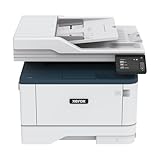
Xerox B225DNI Wireless Black and White Laser All-in-One Printer
- FAST BLACK & WHITE PRINTING: Deliver professional results at reliable print speeds of up to 36 ppm, with scanning and copying capabilities to keep small businesses and...
- BUSINESS QUALITY: Produce sharp black text and clear graphics. Ensure business documents, reports and presentations look polished every time.
- WIRELESS & MOBILE PRINTING: Stay connected with Wi-Fi, Apple AirPrint, and Mopria. Effortlessly print from your laptop, smartphone, or tablet from anywhere in your...
- EASY SMARTPHONE SETUP: Get printing in minutes. Use the Xerox Easy Assist App for a simplified, guided installation that eliminates complex manuals and traditional driver...
- VALUE FOR YOUR BUSINESS: Built for small businesses that print up to 2,500 pages per month. High-yield toner options mean fewer interruptions and a lower total cost of...
Experience efficient black and white printing tailored for small offices and home workspaces with the Xerox B225DNI Wireless Laser All-in-One Printer. This compact device tackles everyday printing challenges by delivering speeds up to 36 pages per minute, reducing wait times and boosting productivity.
Its automatic duplexing feature minimizes paper use by enabling two-sided printing, perfect for handling reports and documents economically. The 50-sheet automatic document feeder streamlines multi-page scanning and copying tasks, saving you time on repetitive work.
Designed for flexibility, the printer supports wireless, Ethernet, and USB connections, adapting easily to diverse setups. The 250-sheet tray accommodates various media sizes up to legal, ensuring you can print different document types without constant paper refills.
Maintenance is straightforward with the robust design built for a high 30,000-page duty cycle, supporting consistent performance over time. The Easy Assist app further simplifies setup and troubleshooting, making this all-in-one an efficient and reliable office companion.
Best for: Small businesses, home offices, and hybrid teams seeking fast, dependable monochrome printing with versatile connectivity and compact design.
What We Like:
- Fast print speeds up to 36 ppm with automatic two-sided printing
- Multiple connectivity options: Wi-Fi, Ethernet, and USB
- Efficient 50-sheet ADF for scanning and copying
- Large 250-sheet input tray supporting various paper sizes
- Durable design supporting a 30,000-page duty cycle
Specification:
| Feature | Details |
|---|---|
| Manufacturer | Xerox |
| Dimensions (W×D×H) | Approx. 16.5 × 15.4 × 11.0 in (42 × 39 × 28 cm) |
| Weight | Approx. 17.9 lb (8.1 kg) |
| Printing Technology | Black and white laser |
| Connectivity | Wireless, Ethernet, USB |
| Paper Capacity | 250-sheet tray, 50-sheet ADF |
Lexmark MX431adw Monochrome Laser MFP Printer
No products found.
The Lexmark MX431adw Monochrome Laser MFP is designed to meet the demands of busy offices with fast, reliable black-and-white printing. It handles up to 42 pages per minute, delivering clear text and sharp images with a 2400 x 600 dpi resolution. This speed helps reduce wait times and keeps your workflow smooth.
Maintenance is straightforward thanks to its sturdy steel frame and versatile paper handling. It supports a variety of paper sizes and automatic duplex printing and scanning, cutting down on paper use and manual intervention. The printer’s compact design fits well in smaller spaces without sacrificing performance.
Connectivity options include USB, Ethernet, and Wi-Fi, allowing easy integration into your network. Built-in security features help protect sensitive data, making it a dependable choice for environments where privacy is important. However, it only supports monochrome printing and has a paper tray capacity of 250 sheets, which might require frequent refills in very busy settings.
Overall, the Lexmark MX431adw Monochrome Laser MFP balances speed, durability, and security in a compact package. It’s ideal for small businesses needing efficient, eco-friendly document management.
Best for: Small businesses and compact offices requiring a fast, secure, and versatile monochrome all-in-one printer.
What We Like:
- Fast printing and copying at up to 42 pages per minute with sharp resolution.
- Versatile paper handling with automatic duplex printing and scanning.
- Multiple connectivity options including Wi-Fi, Ethernet, and USB.
- Strong security features to protect confidential information.
- Durable steel frame ensures long-lasting reliability.
Specification:
| Feature | Details |
|---|---|
| Manufacturer | Lexmark |
| Dimensions (W×D×H) | Approx. 17.2 × 17.3 × 14.4 in (43.7 × 44 × 36.6 cm) |
| Weight | Approx. 20.3 lb (9.2 kg) |
| Printing Technology | Monochrome Laser |
| Print Speed | Up to 42 ppm |
| Print Resolution | 2400 x 600 dpi |
| Paper Tray Capacity | 250 sheets |
| Connectivity | USB, Ethernet, Wi-Fi |
| Duplex Printing | Automatic |
| Scan Type | Two-sided |
Xerox B315DNI Wireless Black and White Laser All-in-One Printer
- FAST BLACK & WHITE PRINTING: Deliver professional results at reliable print speeds up to 42 ppm, with scanning and copying capabilities to keep small businesses and...
- BUSINESS QUALITY: Produce sharp black text and clear graphics. Ensure business documents, reports and presentations look polished every time.
- WIRELESS & MOBILE PRINTING: Stay connected with Wi-Fi, Apple AirPrint, and Mopria. Effortlessly print from your laptop, smartphone, or tablet from anywhere in your...
- EASY SMARTPHONE SETUP: Get printing in minutes. Use the Xerox Easy Assist App for a simplified, guided installation that eliminates complex manuals and traditional driver...
- VALUE FOR YOUR BUSINESS: Built for active workgroups needing reliable monochrome printing up to 8,000 pages per month. High-yield toner options mean fewer interruptions...
The Xerox B315DNI Wireless Black and White Laser All-in-One Printer delivers efficient monochrome printing and scanning for busy offices. Designed to handle high-volume tasks, it offers fast printing and copying at speeds up to 42 pages per minute. Automatic duplex printing saves time and paper, helping you stay productive without interruptions.
This all-in-one printer supports various paper sizes and types, accommodating diverse business needs. Its single tray holds up to 250 sheets, which means regular refilling is necessary but keeps the device compact. Connectivity options include Ethernet, USB, and wireless, allowing seamless integration with mobile printing services like Apple AirPrint.
Security is a priority with features like secure printing and watermark capabilities, protecting sensitive documents. The device’s compact design and manageable weight make it suitable for small spaces. High-yield toner cartridges reduce maintenance frequency and operating costs, ideal for active workgroups.
Best for: Small businesses and hybrid offices that require fast, reliable monochrome printing and scanning in a space-saving multifunction printer.
What We Like:
- Fast printing and copying speeds with automatic duplexing
- Multiple connectivity options including wireless and mobile printing
- Secure printing features for document protection
- Compact design suitable for limited office space
- High-yield toner reduces downtime and cost
Specification:
| Feature | Details |
|---|---|
| Manufacturer | Xerox |
| Dimensions (W×D×H) | 16.3 × 15.2 × 13.4 inches (41.4 × 38.6 × 34 cm) |
| Weight | 28.2 lbs (12.8 kg) |
| Printing Speed | Up to 42 ppm |
| Paper Capacity | 250 sheets |
| Connectivity | Ethernet, USB, Wireless, Mobile printing (Apple AirPrint) |
| Color Capability | Monochrome only |
Canon imageCLASS MF654Cdw Wireless Color Laser Printer
- Wireless 3-in-1 (print, scan, copy)
- Print up to 22 Pages Per Minute (CL/BW)
- Uses Canon Genuine Toner 067 / 067 High-Capacity Toner
- 250-sheet Standard Cassette, 1-sheet Multipurpose Tray, 50-sheet Simplex Automatic Document Feeder
- Auto 2-sided Printing
Experience seamless productivity with the Canon imageCLASS MF654Cdw, a wireless color laser printer designed to streamline your office tasks. It delivers sharp, detailed prints at a speedy 22 pages per minute, reducing wait times and keeping your workflow moving smoothly.
This multifunction device handles printing, scanning, and copying with ease, making it ideal for small to medium-sized businesses. The intuitive 5-inch color touchscreen simplifies operation, while multiple connectivity options, including Wi-Fi, Ethernet, and USB, allow flexible access from various devices.
Maintenance is straightforward thanks to its efficient paper handling system, featuring a 250-sheet cassette and a 50-sheet automatic document feeder. Although the feeder supports simplex scanning only, the printer’s ENERGY STAR certification ensures it operates with energy efficiency in mind.
While the MF654Cdw is somewhat bulky at 48.5 lbs and may need dedicated space, its reliable performance and versatile features help improve office productivity without complication.
Best for: Small to medium-sized businesses seeking a reliable wireless color laser printer that supports multifunction tasks and efficient document handling.
What We Like:
- High-quality 1200 x 1200 dpi color printing at up to 22 ppm
- User-friendly 5-inch touchscreen with diverse connectivity options
- Large paper capacity with 250-sheet cassette and 50-sheet ADF
- ENERGY STAR certified for energy-efficient operation
Specification:
| Feature | Details |
|---|---|
| Manufacturer | Canon |
| Dimensions (W×D×H) | Approx. 17.7 × 18.7 × 15.7 in (45 × 47.5 × 40 cm) |
| Weight | 48.5 lbs (22 kg) |
| Printing Technology | Wireless Color Laser |
| Connectivity | Wi-Fi, Ethernet, USB |
| Touchscreen | 5-inch color touchscreen |
Lexmark MX310dn Compact Monochrome Laser Printer

- Improve your print scan and copy speeds by taking advantage of 256 MB of memory and an 800 MHz dual-core processor
- Easily print up to 6000 pages per month plus enjoy fewer maintenance hassles thanks to our state of the art paper handling
- With a maximum input capacity of up to 850 sheets and a high yield toner cartridge you will not have to add paper or change cartridges as often
The Lexmark MX310dn Compact Monochrome Laser Printer is designed to keep your office running smoothly. Its fast printing speed of up to 35 pages per minute helps reduce wait times and boosts productivity. With duplex printing, it cuts paper use in half, making your operations more efficient and eco-friendly.
Equipped with an 800 MHz dual-core processor and 256 MB memory, this printer handles multitasking with ease. The auto document feeder and high input capacity of 850 sheets minimize the need for frequent paper refills. This lets you focus on the job instead of constant maintenance.
The MX310dn supports various media types, including legal-sized paper, providing flexibility for diverse office tasks. Connectivity options include Ethernet and USB 2.0, allowing seamless integration with PCs and smartphones. While it lacks wireless features, its stable wired connections ensure consistent performance.
Maintenance is straightforward with easy access to consumables and clear controls via an Android-based interface. The multifunction capabilities—copying, scanning, and optional fax—make it a versatile choice for busy workspaces needing reliable monochrome printing.
Best for: office environments requiring fast, dependable monochrome printing with multifunction features and moderate monthly volume.
What We Like:
- High-speed printing up to 35 ppm for efficient workflow
- Duplex printing reduces paper waste and costs
- Large 850-sheet input capacity minimizes refills
- Multifunction options including copy, scan, and fax
- User-friendly Android-based control panel
Specification:
| Feature | Details |
|---|---|
| Manufacturer | Lexmark |
| Print Technology | Monochrome Laser |
| Print Speed | Up to 35 pages per minute |
| Processor | 800 MHz dual-core |
| Memory | 256 MB |
| Input Capacity | Up to 850 sheets |
| Duplex Printing | Automatic |
| Connectivity | Ethernet, USB 2.0 |
| Supported Media Sizes | Up to Legal |
| Dimensions (W x D x H) | Approx. 16 x 15 x 15 in |
| Weight | Approx. 19 lbs |
Lexmark MX510de Monochrome Laser Multifunction Printer

- Improve your print scan and copy speeds by taking advantage of up to 2.5 GB of upgradable memory an 800 MHz dual-core processor and Gigabit Ethernet.Easily print up to...
The Lexmark MX510de is designed to keep pace with demanding office environments. Its fast printing and copying speeds of up to 45 pages per minute help reduce wait times and boost productivity. This monochrome laser multifunction printer handles heavy workloads with a monthly duty cycle of up to 12,000 pages, making it a dependable choice for busy teams.
Maintenance is simplified with a large input capacity of up to 2,000 sheets, minimizing paper refills and interruptions. The automatic duplex printing and built-in document feeder streamline document handling, saving time on manual tasks. Connectivity options like Gigabit Ethernet and USB ports allow easy integration into existing office networks.
Powered by an 800 MHz dual-core processor and expandable memory, the MX510de runs smoothly even during intensive tasks. Its touchscreen LCD offers intuitive control, reducing the learning curve and improving daily operation. Although it prints only in black and white and has a maximum resolution of 600 x 600 dpi, it delivers reliable quality for standard business documents.
Best for: offices requiring a durable, high-volume monochrome laser multifunction printer with fast processing and efficient document management.
What We Like:
- Fast print and copy speeds up to 45 ppm
- Large 2,000-sheet input capacity for reduced maintenance
- Automatic duplex printing and document feeder enhance workflow
- 800 MHz dual-core processor ensures smooth performance
- Touchscreen LCD for easy operation
Specification:
| Feature | Details |
|---|---|
| Manufacturer | Lexmark |
| Dimensions (W×D×H) | Approximately 17.5 × 17.5 × 14.7 inches (44.5 × 44.5 × 37.3 cm) |
| Weight | Around 34.4 lb (15.6 kg) |
| Color Options | Black |
| Print Speed | Up to 45 pages per minute |
| Monthly Duty Cycle | Up to 12,000 pages |
| Print Resolution | Up to 600 x 600 dpi |
Canon PIXMA TR4720 Wireless All-in-One Printer

- Wireless 4-in-1 (print | copy | scan | fax)..Power Consumption: 7W (0.8W Standby / 0.3W Off)
- Print speed up to: 4" x 6" Borderless Photo (PP-201): Approx. 65.0 Seconds / Black Document (Letter/Simplex): Approx. 8.8 ipm / Color Document (Letter/Simplex): Approx...
- Designed for easy ink cartridge installation and replacement.
- Auto 2-sided printing and auto document feeder.
- Produce quality documents, photos and boarderless prints up to 8.5" x 11".
The Canon PIXMA TR4720 Wireless All-in-One Printer is a practical solution for home users and small offices seeking an efficient device that handles printing, scanning, copying, and faxing. Its compact design saves space while supporting borderless printing up to 8.5 x 11 inches, making it ideal for documents and vibrant photos. This printer simplifies everyday tasks with features like an auto document feeder and two-sided printing, reducing manual effort.
Maintaining this printer is straightforward with Alexa integration that lets you check ink levels hands-free. Its hybrid ink system ensures sharp black text and bright colors, helping your prints look professional without extra hassle. The 100-sheet tray supports regular printing needs, while Wi-Fi connectivity allows easy mobile printing from smartphones or tablets.
While print speeds are moderate, especially for color jobs, the PIXMA TR4720 balances versatility and convenience in one device. It’s ENERGY STAR certified, reflecting energy-efficient performance to keep running costs reasonable. This printer suits users who want reliable functionality in a compact wireless package.
Best for: Home users and small offices needing an all-in-one wireless printer with versatile functions including print, copy, scan, and fax.
What We Like:
- Auto document feeder and duplex printing for hands-free multitasking
- Mobile device and Alexa compatibility for easy printing and ink monitoring
- Compact size with a 100-sheet tray, perfect for everyday use
- ENERGY STAR certified for energy-efficient operation
Specification:
| Feature | Details |
|---|---|
| Manufacturer | Canon |
| Dimensions | Approx. 17.7 x 12.0 x 7.5 inches |
| Weight | Approx. 11.0 lb |
| Color Options | Black |
| Connectivity | Wi-Fi, Mobile Printing |
Canon PIXMA TS4320 – Wireless Color Inkjet Printer with Print, Copy, Scan

- Affordable Versatility - A budget-friendly all-in-one printer perfect for both home users and hybrid workers, offering exceptional value
- Crisp, Vibrant Prints - Experience impressive print quality for both documents and photos, thanks to its 2-cartridge hybrid ink system that delivers sharp text and vivid...
- Effortless Setup & Use - Get started quickly with easy setup for your smartphone or computer, so you can print, scan, and copy without delay
- Reliable Wireless Connectivity - Enjoy stable and consistent connections with dual-band Wi-Fi (2.4GHz or 5GHz), ensuring smooth printing from anywhere in your home or...
- Scan & Copy Handling - Utilize the device’s integrated scanner for efficient scanning and copying operations
The Canon PIXMA TS4320 is an excellent choice for those seeking a compact and versatile printer that fits easily into small spaces. It simplifies everyday printing, copying, and scanning tasks, making it ideal for home use. Whether you’re handling school assignments or printing cherished photos, this printer delivers clear results with sharp 1200 x 1200 dpi resolution.
Designed for convenience, the PIXMA TS4320 supports wireless connectivity through dual-band Wi-Fi and USB, allowing effortless printing from smartphones via the Canon PRINT app or AirPrint. Its automatic duplex feature saves paper by enabling two-sided printing without manual intervention. The printer handles various media types, including borderless photos up to letter size, enhancing creative flexibility.
Maintenance is straightforward, though the printer uses a two-cartridge hybrid ink system that may require more frequent replacements compared to separate color cartridges. While it lacks an automatic document feeder, which can slow multi-page tasks, the device’s compact design and user-friendly interface compensate well for home environments.
With its sleek, stylish design and practical features, the Canon PIXMA TS4320 is a smart solution for everyday document and photo needs while keeping your workspace tidy and efficient.
Best for: budget-conscious home users who need a compact, multifunction printer for printing, copying, and scanning daily documents and photos.
What We Like:
- Compact design that fits well in limited spaces
- Automatic duplex printing reduces paper waste
- Supports wireless and mobile printing with ease
- Produces sharp, vibrant prints including borderless photos
Specification:
| Feature | Details |
|---|---|
| Manufacturer | Canon |
| Dimensions (W x D x H) | 12.0 x 9.1 x 5.0 inches (30.5 x 23.1 x 12.7 cm) |
| Weight | Approximately 10.1 lbs (4.58 kg) |
| Ink System | 2-cartridge hybrid ink system |
| Connectivity | Dual-band Wi-Fi, USB |
| Print Resolution | Up to 1200 x 1200 dpi |
Factors to Consider When Choosing the Bang for Your Buck Printer Scanner

When picking a printer scanner, you’ll want to focus on print speed and connectivity options to match your workflow. Don’t forget to check print quality and whether the device offers useful multi-function features.
Also, consider how much cartridges cost to keep your expenses in check over time. It’s all about finding the right balance between performance and ongoing costs.
Print Speed Importance
Although print speed might seem like a simple spec, it plays a crucial role in how efficiently you handle multi-page jobs. Faster printers, around 30–40 ppm, cut wait times markedly compared to slower ones under 15–20 ppm.
Don’t just check single-side speed; duplex printing usually runs slower and affects total job time for double-sided documents. For bulk scanning, an automatic document feeder (ADF) scanning 25–50 ppm saves hours versus flatbed scanning.
Also, consider first-page-out time—short latency improves responsiveness for small, intermittent prints common in home or small offices. Finally, balance speed with the device’s duty cycle.
A high ppm printer with a low recommended monthly volume can wear out quickly if you push it with heavy workloads, reducing reliability. So, it’s all about finding the right balance for your needs.
Connectivity Options Variety
Getting set up with the right connectivity options can make or break your experience with a printer scanner. You want a device that supports both 2.4 GHz and 5 GHz Wi-Fi for reliable, fast connections, especially on busy networks.
Don’t overlook wired options like Ethernet and USB-A or USB-C ports. These give you stable, secure links in multiuser or high-volume settings, which can really come in handy.
Make sure it supports mobile and cloud printing standards like AirPrint or Mopria. That way, you can scan directly to your phone or cloud without needing a PC.
Wi-Fi Direct or access point mode is great for secure, device-to-device scanning when network access is limited. It’s a neat feature that can save you a lot of hassle.
Finally, check for strong network security features—secure authentication, TLS/IPsec, and firmware updates. These help protect your data during transfers and keep everything safe.
Print Quality Standards
Since print quality directly affects how your documents and images appear, you should prioritize resolution, color depth, and print technology when choosing a printer scanner. Aim for at least 600 x 600 dpi in laser printers for crisp text, and 1200 x 1200 dpi or optimized values for inkjets when detail matters.
Check the native color depth—24-bit or higher improves photo fidelity and gradients. Remember, pigment black inks produce sharper, water-resistant text compared to dye-based ones.
For scanning, focus on optical resolution: 300–600 dpi for documents, 600–1,200 dpi for photos or OCR. Laser printers excel at sharp, fast monochrome text, while inkjets offer better color range and photo quality.
Also, consider factors like smear resistance, fade resistance, and support for borderless or high-quality photo media if longevity matters.
Multi-function Capabilities
Consider which functions you truly need—print, scan, copy, or fax—before choosing a multifunction printer scanner. If you handle many multi-page documents, an automatic document feeder (ADF) and duplex scanning can save you loads of time.
Flatbed scanners work best for photos and delicate items, while sheetfed or ADF scanners speed up bulk scanning with higher duty cycles. Pay attention to scan resolution and color depth; higher dpi and true color improve OCR accuracy and image quality.
Don’t overlook software features like built-in OCR, searchable PDFs, and cloud scanning—they streamline your workflow. Finally, check print and scan speeds, recommended monthly volume, and ADF capacity to make certain the device can handle your workload without constant interruptions or maintenance.
Cartridge Cost Efficiency
Evaluating cartridge cost efficiency is essential when choosing a printer scanner that won’t drain your budget. Start by calculating the cost per page—divide the cartridge price by its page yield to understand true running costs.
Look for devices using individual color tanks instead of combined cartridges. This way, you only replace the depleted color, which cuts expenses significantly.
Consider optional high-yield or XL cartridges. Though pricier upfront, they lower the cost per page by 20–50%.
Also, be aware of firmware or hardware restrictions that block third-party or refilled cartridges. These can force you into expensive OEM options.
Don’t forget to factor in ancillary consumables like drums and maintenance kits, plus their replacement intervals. These all impact total cost per page over your printer’s lifespan, ensuring you pick the most cost-efficient option.
Security and Privacy
While keeping cartridge costs low helps manage your budget, protecting your documents and data should be just as important when choosing a printer scanner. Look for devices with built-in security features like secure boot, firmware signing, and encrypted storage to stop unauthorized access and protect stored data.
Make sure the printer supports secure network protocols such as IPsec, 802.1x, and WPA3 to keep your print jobs safe from interception. It’s a good idea to choose models offering authentication controls like PIN release, user accounts, and role-based permissions to limit access.
Encrypted printing, secure erase, and audit logging help track and protect your print and scan activities. And don’t forget to pick vendors who provide regular signed firmware updates and clear patch policies to keep your device secure over time.
Frequently Asked Questions
What Are the Average Ink or Toner Replacement Costs for These Printers?
You’ll typically spend $20 to $60 per ink cartridge and $50 to $120 for toner replacements. Costs vary by model, so check your printer’s specs to budget accurately for ongoing ink or toner expenses.
It’s a good idea to keep an eye on these costs before buying a printer. That way, you won’t get surprised by the expenses later on. Just a little planning can save you money in the long run!
How Do These Printers Handle Mobile and Cloud Printing Options?
These printers handle mobile and cloud printing seamlessly. You can easily connect via Wi-Fi, use apps like AirPrint or Google Cloud Print, and print directly from your smartphone or tablet without hassle.
This makes remote printing super convenient. No complicated setups, just quick and easy access whenever you need it.
Are There Any Ongoing Subscription Services Required for Optimal Printer Use?
You don’t always need subscriptions, but many printers offer optional ink plans that save money and hassle. These services keep your cartridges topped up, so you’re covered without constantly shopping or worrying about running out mid-print.
It’s pretty convenient, right? You get ink delivered automatically, and you can focus on printing instead of tracking supplies. Of course, it’s up to you if you want to use these plans or just buy ink as needed.
What Is the Typical Lifespan or Durability of These Printer Models?
You can expect most printer scanners to last around 3 to 5 years with regular use.
Proper maintenance and using quality ink or toner will help you extend their durability and keep performance steady.
Do These Printers Support Duplex Scanning and Printing Automatically?
You’ll be shocked to find most of these printers automatically support duplex scanning and printing, saving you heaps of time.
You won’t have to flip pages manually, making double-sided tasks a breeze every single time.
Conclusion
Choosing the right printer scanner is like finding your Excalibur—powerful, reliable, and ready for any task. Whether you need crisp laser precision or vibrant inkjet colors, these top picks give you the best bang for your buck.
Don’t settle for less when you can equip your workspace with tools that work as hard as you do. Remember, the perfect device isn’t just about features—it’s about matching your unique needs and budget.
When hunting for the best printer scanner deals, focus on balancing quality, functionality, and price. The best bang for your buck means getting a machine that offers durability, sharp scanning, and efficient printing without breaking the bank.
So, keep in mind your specific requirements—whether it’s for home, office, or creative projects—and choose a printer scanner that delivers excellent performance and value. That’s how you make the smartest investment for 2027’s printer scanner deals.