9 Best 3D Printers for Statues in 2027 (Sculpt Like a Pro)
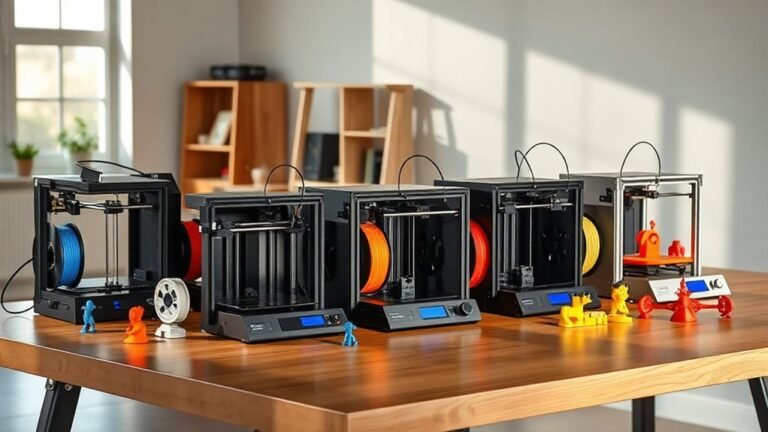
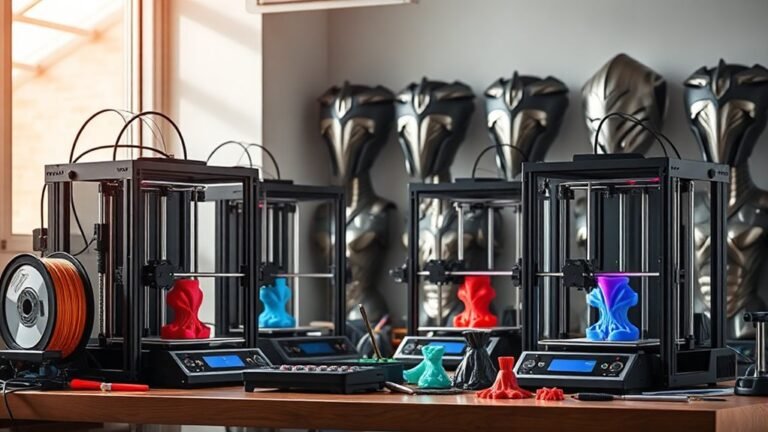
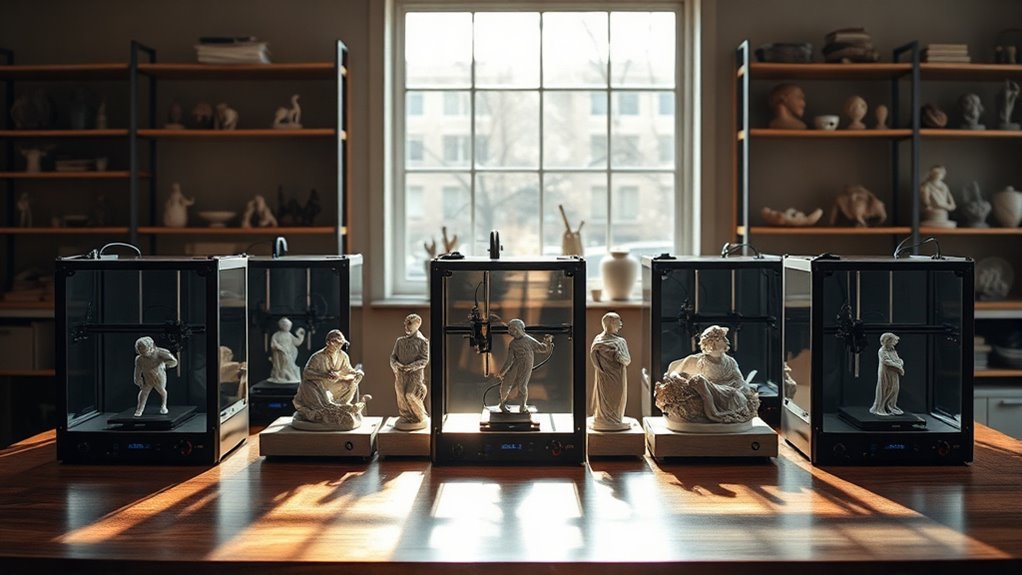
You want a 3D printer that balances precision, build volume, and multi-material options for statues. Finding the right printer can make a huge difference when sculpting detailed or large-scale models. Whether you’re aiming for ultra-fine resin detail or big, bold statues, having the right tools is key.
Consider the ANYCUBIC Photon Mono 4 for ultra-fine resin detail. It’s perfect if you want sharp, small models. Another great choice is the ELEGOO Mars 5, known for delivering crisp, precise prints that bring statues to life.
For larger, detailed prints, the Creality Ender 5 Max and Anycubic Kobra 3 MAX offer huge build volumes. These printers let you create statues with impressive scale and complexity without worrying about space limitations.
If you need speed and multi-color options, the Bambu Lab P2S Combo and AMS 2 Pro truly shine. They’re great for producing fast, vibrant, multi-material statues. Meanwhile, the FLASHFORGE Creator 5 Pro offers four toolheads, perfect for complex, multi-faceted creations.
Explore these options to sculpt like a pro with ease. Whether you prioritize detail, size, speed, or color, there’s a 3D printer here that fits your statue-making needs perfectly.
| Image | Name | Editor's Rating | Price |
|---|---|---|---|

|
|
||

|
|
||

|
|
||
|
|
||

|
|
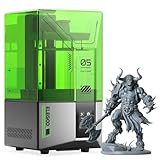
ANYCUBIC Photon Mono 4, Resin 3D Printer with 7” 10K Mono LCD Screen
- 【7'' 10K High Resolution】Photon Mono 4 boasts an impressive 105% increase in print precision compared to Mono 2. With a resolution of 9024x5120, each pixel measures a...
- 【Powerful Light Source】The time-tested Anycubic LighTurbo matrix light source technology delivers stable, balanced, and uniform lighting to reduce layer lines and...
- 【Sufficient Print Size】With a generous maximum build volume of 6.04'' x 3.42'' x 6.49''/153.4mm x 87mm x 165mm, you have ample print space to easily tackle your daily...
- 【Laser-engraved Print Platform 2.0】With a new design, the laser engraving platform of the photon mono 4 improves adhesion to mitigate lifting and warping of the model...
- 【User-friendly Function】The 4-point leveling method is ideal for beginners, after the first leveling and tightening the 4 screws, no need to repeat leveling. Photon...
Experience ultra-high precision with the ANYCUBIC Photon Mono 4, designed to elevate your resin 3D printing projects. Its 7-inch 10K monochrome LCD screen produces incredibly fine details, making it ideal for intricate statues and models. The native resolution of 9024 x 5120 with 17-micron pixels enhances print sharpness and surface smoothness significantly.
This printer uses the Anycubic LighTurbo matrix light source to provide stable and uniform illumination. This technology reduces visible layer lines, ensuring your prints have a flawless finish. With a build volume of 6.04 x 3.42 x 6.49 inches, you can complete detailed prints quickly, reaching speeds up to 70 mm per hour.
Maintenance is straightforward thanks to the laser-engraved platform, which improves print adhesion and speeds up the leveling process through a simple 4-point method. While the build size is moderate, it fits well for detailed small to medium projects. Note that remote control via the Anycubic app is not supported.
Best for: professionals and hobbyists who need ultra-high precision and smooth surface quality in resin 3D prints.
What We Like:
- 7″ 10K monochrome LCD delivers exceptional detail
- Stable, uniform light source reduces layer lines
- Fast printing speeds up to 70 mm/h
- Laser-engraved platform enhances adhesion and simplifies leveling
Specification:
| Feature | Details |
|---|---|
| Manufacturer | ANYCUBIC |
| Build Volume | 6.04 x 3.42 x 6.49 in |
| LCD Screen Size | 7 inches |
| Resolution | 9024 x 5120 pixels |
| Pixel Size | 17 microns |
| Print Speed | Up to 70 mm/hour |
| Light Source | Anycubic LighTurbo matrix |
Bambu Lab P2S Combo, P2S 3D Printer & AMS 2 Pro, Multi-Color 3D Printing
- High-Speed Precision: The Bambu Lab P2S 3D printer prints up to 600 mm/s while maintaining exceptional accuracy. With the PMSM Servo Extruder and Active Flowrate...
- Ready to Print in 15 Minutes: Set up your P2S FDM 3D printer and start printing in just 15 minutes. With AI failure detection, quick-swap nozzles, and automatic...
- Effortless Multi-Color Printing: The AMS 2 Pro enables seamless multi-color/multi-material 3D printing. It features built-in filament drying at up to 65 °C, keeping...
- Smart Airflow for Any Filament: The Adaptive Airflow System automatically balances cooling and heat retention—keeping overhangs crisp with cool air, or maintaining a...
- Limitless Creativity, Seamless Workflow: Explore over one million 3D models on MakerWorld and bring them to life with a smooth, unified workflow using Bambu Studio, Bambu...
Create vibrant, multi-color 3D prints with the Bambu Lab P2S Combo, a machine built for artists and professionals who need speed and precision. Its high-speed CoreXY motion system delivers smooth, sharp layers quickly, cutting down project times without sacrificing quality. The PMSM Servo Extruder ensures every detail is crisp, making complex models come to life.
The AMS 2 Pro accessory unlocks seamless multi-material and multi-color printing. It keeps filaments dry with built-in drying technology, reducing print failures caused by moisture. Quick-swap nozzles and automatic calibration simplify maintenance, letting you focus on designing rather than troubleshooting.
This printer is designed for engineering-grade results, featuring a heated chamber that stabilizes print conditions. Setup is straightforward and takes about 15 minutes. AI failure detection and adaptive airflow help maintain print quality and reliability, providing peace of mind during long jobs.
With unified software that integrates all functions, your workflow becomes more efficient. The Bambu Lab P2S Combo enhances productivity and expands creative possibilities, especially for those working on detailed, multi-color projects.
Best for: Professionals and artists needing a fast, precise 3D printer with advanced multi-material and multi-color capabilities.
What We Like:
- High-speed printing of up to 600 mm/s with CoreXY and PMSM Servo Extruder
- AMS 2 Pro supports multi-color and multi-material printing with filament drying
- Easy 15-minute setup, AI failure detection, and adaptive airflow improve reliability
- Heated chamber enables consistent engineering-grade prints
Specification:
| Feature | Details |
|---|---|
| Manufacturer | Bambu Lab |
| Dimensions | 18 x 22 x 18 inches |
| Weight | 46.3 pounds |
| Motion System | CoreXY |
| Extruder | PMSM Servo Extruder |
| Multi-Color Support | Yes, with AMS 2 Pro |
| Setup Time | Approximately 15 minutes |
Creality Ender 5 Max 3D Printer Large Volume
- 【Extra-Large 400×400×400 mm Build Volume】 Create significantly bigger models or batch-produce multiple parts at once with the expansive large build volume of...
- 【Ultra-Efficient CoreXY System Up to 700 mm/s】 Print more in less time with the ultra-fast Ender 5 Max 3D printer. The CoreXY structure and high-torque motors deliver...
- 【Built for Print Farms & Scaled Production】 Boost throughput on your Creality Ender 5 Max with WLAN multi-printer control, grouped management, and a tri-color status...
- 【Rigid All-Metal Frame & Precision Linear Rail】 The reinforced die-cast aluminum frame minimizes vibration on the Ender 5 Max 3D printer, ensuring stability for tall...
- 【 Fully Automatic 64-Point Leveling + Auto Z-Offset】 Start each project with perfect calibration on your Creality Ender 5 Max. The 64-point auto leveling system and...
The Creality Ender 5 Max 3D Printer Large Volume is designed to handle large-scale projects with ease. Its 400 × 400 × 400 mm build area eliminates the need to split oversized models, saving time and preserving detail. This makes it ideal for creating substantial statues or prototypes in one seamless print.
Equipped with a CoreXY motion system and powerful high-torque motors, it achieves speeds up to 700 mm/s without sacrificing precision. The all-metal frame reduces vibrations, resulting in stable, accurate prints even for tall, heavy objects.
Maintenance is simplified with fully automatic 64-point bed leveling, which ensures a perfectly calibrated platform every time. The printer also features a direct-drive dual-gear extruder and a 1000W rapid-heating bed, accommodating a wide range of materials reliably.
Connectivity is enhanced through WLAN multi-printer control, making it suitable for studios or print farms aiming to increase efficiency and consistency. Though its size and weight may require careful setup, the Ender 5 Max offers a robust solution for large-volume, high-quality 3D printing.
Best for: Designers, studios, and print farms needing a fast, precise large-format 3D printer for oversized or batch production projects.
What We Like:
- Large 400 × 400 × 400 mm build volume for printing big models without segmentation
- CoreXY system with high-torque motors delivers fast, accurate printing
- Fully automatic 64-point bed leveling simplifies setup and ensures consistent results
- Direct-drive dual-gear extruder and powerful heating bed support diverse materials
- WLAN control allows easy management of multiple printers simultaneously
Specification:
| Feature | Details |
|---|---|
| Manufacturer | Creality |
| Build Volume | 400 × 400 × 400 mm |
| Motion System | CoreXY |
| Bed Heating Power | 1000 W |
| Weight | 70.4 lb (31.9 kg) |
| Frame Material | All-metal |
| Connectivity | WLAN |
ELEGOO Mars 5 Resin 3D Printer
- 【Effortless Magic with One-Click Automatic Leveling】Effortless precision is just a click away. ELEGOO Mars 5 resin 3D printer offers advanced automatic leveling...
- 【Print Smarter, Print Worry-Free】With a smart mechanical sensor, ELEGOO Mars 5 resin printer supports residue detection to prevent damage to the LCD screen. Plus...
- 【One-Click Self-Check, Ensuring Reliable Prints】Tired of setup hassles and unexpected errors ruining your printing projects? With just a simple click, ELEGOO Mars...
- 【4K Mono LCD for Stunning Details】Featuring a 4K mono LCD with advanced COB light source, ELEGOO Mars 5 impresora 3D de resina faithfully reproduces intricate details...
- 【Advanced Overheat Protection, Cool and Safe】No more overheating worries. The advanced overheat protection automatically halts printing and triggers an alarm if the...

Discover precision in every print with the ELEGOO Mars 5 Resin 3D Printer. Designed to capture fine details flawlessly, it transforms your creative ideas into sharp, textured statues. The 4K mono LCD with COB light ensures your models have crisp fidelity, bringing intricate designs to life.
Setting up your printer is hassle-free thanks to its automatic one-click leveling. This feature saves time and reduces errors by ensuring the build plate is perfectly aligned every time. Maintenance is simplified with a smart mechanical sensor that alerts you to residue buildup, protecting the screen and extending its lifespan.
Safety and reliability are built in. Resin shortages and leveling issues trigger alarms, helping you avoid print failures. The printer’s advanced overheat protection combined with efficient cooling keeps it running smoothly during long sessions.
Compact yet capable, its build volume of 5.65 × 3.53 × 5.91 inches suits detailed projects without taking up much desk space. This balance makes it ideal for hobbyists and professionals focused on quality and ease of use.
Best for: hobbyists and professionals seeking high-detail, reliable resin 3D printing with ease of setup and advanced safety features.
What We Like:
- Sharp 4K mono LCD with COB light for exceptional detail
- Automatic one-click leveling simplifies setup
- Smart sensors detect residue and resin shortages
- Advanced overheat protection ensures consistent printing
Specification:
| Feature | Details |
|---|---|
| Manufacturer | ELEGOO |
| Build Volume | 5.65 × 3.53 × 5.91 inches |
| Weight | 14.52 lb |
| Display | 4K Mono LCD with COB light |
| Safety Features | Residue detection, alarms, overheat protection |
Anycubic Kobra X Multicolor 3D Printer, Easy Setup, Native 4-Color
- 【 Newest Level - 19-Color with 4 ACE 2 Pro】Why settle for one color when you can have multicolor? The Kobra X comes born with 4 colors built-in. It is innovative 3D...
- 【 Savings 2X Time】Stop wasting hours and filament on purging! Kobra X impresora 3D reduces the filament and machine travel path by 81.25%, so 2X the Speed, and...
- 【Hardened Precision & High Speed 】 Equipped with a high-durability hardened steel nozzle and vibration compensation, the Kobra X ensures every layer remains smooth...
- 【Flawless First Layer with LeviQ 3.0】The LeviQ 3.0 and auto bed leveling system uses a 49-point calibration and advanced leveling algorithm to ensure 100% bed...
- 【Smart AI Monitoring & Large Model Library】APP remote control, features Spaghetti detection and foreign object detection. The innovative top-mount spool holder...
Bring your multicolor creations to life with the Anycubic Kobra X Multicolor 3D Printer. Designed for easy setup, this printer integrates native 4-color printing, letting you produce vibrant, detailed statues without the complexity of multiple setups. Its intuitive design solves the common problem of color blending and alignment, ensuring your models come out exactly as envisioned.
Maintenance is straightforward thanks to the LeviQ 3.0 auto bed leveling system, which guarantees a perfectly flat print surface every time. The printer operates quietly at 45 dB, making it suitable for home or office environments. Additionally, smart AI monitoring and remote control via the Anycubic app keep your prints on track, reducing failed prints and material waste.
With a build volume of 260 × 260 × 260 mm, it suits most medium-sized projects. The printer’s fast speeds up to 600 mm/s and filament travel reduction save time and reduce material costs by over 80%. However, to expand beyond 4 colors, specific ACE 2 Pro units are required, limiting some upgrade paths.
This printer is lightweight and beginner-friendly, making it ideal for creators who want high-speed, multicolor printing without complicated setups or maintenance.
Best for: Creators, beginners, and professionals seeking an easy-to-use, high-speed multicolor 3D printer with native 4-color capability for vibrant statues and models.
What We Like:
- Native 4-color printing with expandability up to 19 colors
- Fast printing speeds with significant filament savings
- Advanced auto bed leveling and smart AI monitoring
- Quiet operation suitable for various environments
- Remote control via dedicated app for convenience
Specification:
| Feature | Details |
|---|---|
| Manufacturer | Anycubic |
| Print Volume | 260 × 260 × 260 mm |
| Color Options | Native 4-color, expandable up to 19 colors |
| Auto Bed Leveling | LeviQ 3.0 |
| Noise Level | 45 dB |
| Print Speed | Up to 600 mm/s |
| Connectivity | App-based remote control |
| Weight | Lightweight |
Bambu Lab P1S 3D Printer, Ready-to-Use FDM 3D Printer

- Up to 16 Colors: Bring your designs to life with vibrant multi-color/multi-material printing capabilities, perfect for showcasing your creativity. Note: Connecting Bambu...
- 500mm/s and 20000 mm/s² Acceleration True High Speed: Don't wait around for your masterpieces. Lightning-fast printing speed lets you focus on creating, not waiting.
- Enclosed Design: Fully enclosed body improves print performance for advanced filaments. Automatic Bed Leveling: Say hello to high-quality, successful prints. Auto bed...
- Set Up in 15 Minutes: Spend more time printing and less time setting up. User-friendly design ensures a hassle-free assembly experience for all skill levels.
- Supported Filament: Ideal: PLA, PETG, TPU, PVA, PET ABS, ASA; Capable : PA, PC; Not Recommended: Carbon/Glass Fiber Reinforced Polymer.
Step into the future of 3D printing with the Bambu Lab P1S 3D Printer, engineered to deliver speed and precision for creators focused on crafting detailed statues. This ready-to-use FDM printer cuts production time with printing speeds up to 500 mm/s, letting you bring complex designs to life faster than ever. Its CoreXY enclosed design ensures stability and accuracy, while accelerating at up to 20,000 mm/s² for smooth, intricate details.
Setup is straightforward and quick, taking just 15 minutes thanks to automatic bed leveling and an intuitive MakerWorld model library. This makes it accessible for both professionals and hobbyists who want to focus on creativity rather than technical hassles. The enclosed build chamber also helps maintain consistent print quality by controlling temperature and protecting prints during production.
With the Bambu Lab AMS, you can print in up to 16 colors, expanding your creative possibilities. It supports a wide range of filaments such as PLA, PETG, and TPU, though it’s important to note it’s not ideal for carbon or glass fiber reinforced polymers. Regular maintenance is simple, but advanced filaments may require some experience to optimize settings.
Best for: Creators and professionals seeking a high-speed, precise, and multi-material 3D printer ideal for detailed statues and advanced filament use.
What We Like:
- High-speed printing at 500 mm/s with smooth acceleration
- Multi-color printing capability with up to 16 colors using Bambu Lab AMS
- Quick, beginner-friendly setup with automatic bed leveling
- Enclosed CoreXY design for stable and precise printing
- Supports diverse filament types for versatile applications
Specification:
| Feature | Details |
|---|---|
| Manufacturer | Bambu Lab |
| Dimensions | Not specified |
| Weight | ~39 lb (17.7 kg) |
| Material | FDM Printer with CoreXY design |
| Color Options | Not specified |
FLASHFORGE Creator 5 Pro 3D Printer with 4 Toolheads

- Swap Toolheads, Not Filament. Most filament-changing systems spend precious time loading, unloading, and purging. Creator 5 Pro flips the script with four preloaded...
- One Print. Every Material. Limitless Possibilities. Push multi-material printing beyond the ordinary. Four independent toolheads automatically switch between materials...
- Fresh filament is soft. Gravity is relentless. The C5P fights back with an adaptive airflow system, rapidly refreshing the chamber with cool air to help each layer set at...
- Engineered Heat for Engineering Materials. The C5P doesn't just turn up the temperature—it controls it. A 320°C hardened nozzle handles demanding filaments, while the...
- Precision That Adapts. Results That Repeat. Extrusion conditions can change over time. Flow Dynamics Calibration models extrusion as a dynamic, nonlinear system, allowing...
The FLASHFORGE Creator 5 Pro with 4 Toolheads redefines multi-material 3D printing for artists and designers. It allows smooth switching between four toolheads in just 7 seconds, eliminating downtime and keeping your projects moving. This is ideal for complex designs requiring varied materials.
Its durable 320°C hardened nozzle combined with a heated chamber at 65°C supports advanced filaments and large prints. This setup reduces warping and ensures your engineering models maintain precision. Adaptive airflow enhances detail clarity on challenging overhangs and bridges.
Maintenance is streamlined thanks to Flow Dynamics Calibration. It automatically adjusts extrusion to counteract nozzle wear and filament changes, preserving print quality without constant manual tweaks. The fully enclosed CoreXY design offers a stable environment for reliable, repeatable results.
While its size demands dedicated space and the advanced features may require a learning curve, the Creator 5 Pro excels in delivering high precision and efficiency for multi-material 3D printing needs.
Best for: Professionals needing seamless multi-material 3D printing with precision and reliability for complex or large-scale projects.
What We Like:
- Four preheated toolheads with quick 7-second material switching
- Heated chamber and hardened nozzle minimize warping on large prints
- Flow Dynamics Calibration maintains consistent extrusion quality
- Adaptive airflow sharpens details on intricate parts
- Fully enclosed CoreXY system ensures stable and precise printing
Specification:
| Feature | Details |
|---|---|
| Manufacturer | FLASHFORGE |
| Toolheads | 4 preloaded, preheated |
| Nozzle Temperature | Up to 320°C |
| Heated Chamber Temp. | 65°C |
| Printing System | CoreXY (fully enclosed) |
| Toolchanger Speed | 7 seconds |
Anycubic 3D Printer Kobra 3 MAX Only, Large Printing Volume
No products found.
Experience the freedom to create with the Anycubic Kobra 3 MAX Only, designed for large-scale and detailed 3D printing projects. Its massive build volume of 420 × 420 × 500 mm allows you to produce life-sized statues and intricate models without size restrictions.
This 3D printer solves common printing issues by combining high-speed capabilities up to 600 mm/s with precise SG15 bearings and a dual-axis core design. These features ensure smooth, accurate movement and reduce print times significantly. The built-in AI-powered print monitoring detects errors early, helping you save material and avoid failed prints.
Maintenance is straightforward thanks to its auto-leveling system, which keeps the print bed perfectly aligned for consistent results. While the printer is robust, weighing 48 pounds, it remains a stable platform for ambitious projects. Adding ACE Pro units can expand capabilities to multicolor printing, offering versatility for more complex designs.
Its thoughtful design and smart features make the Anycubic Kobra 3 MAX Only a functional tool for creators who demand size, speed, and precision.
Best for: Artists and professionals needing a reliable large-format 3D printer for detailed and multicolor models.
What We Like:
- Large build volume ideal for oversized prints
- High-speed printing with precise motion system
- AI monitoring reduces material waste
- Auto-leveling ensures consistent print quality
- Optional multicolor printing with ACE Pro units
Specification:
| Feature | Details |
|---|---|
| Manufacturer | Anycubic |
| Build Volume | 420 × 420 × 500 mm |
| Max Print Speed | 600 mm/s |
| Weight | 48 lb (21.8 kg) |
| Motion Hardware | SG15 bearings, dual-axis core |
| Color Options | Single color (expandable with ACE Pro) |
Creality K1 Max 3D Printer, 600mm/s Max High-Speed 3D Printer

- 𝟔𝟎𝟎 𝐦𝐦/𝐬 𝐔𝐥𝐭𝐫𝐚-𝐇𝐢𝐠𝐡-𝐒𝐩𝐞𝐞𝐝 𝐏𝐫𝐢𝐧𝐭𝐢𝐧𝐠: The Creality K1 Max 3D printer is built for...
- 𝐋𝐚𝐫𝐠𝐞 𝟑𝟎𝟎 × 𝟑𝟎𝟎 × 𝟑𝟎𝟎 𝐦𝐦 𝐁𝐮𝐢𝐥𝐝 𝐕𝐨𝐥𝐮𝐦𝐞: With an expansive 11.81 × 11.81 × 11.81 inch...
- 𝐒𝐦𝐚𝐫𝐭 𝐀𝐈 𝐋𝐢𝐃𝐀𝐑 & 𝐀𝐈 𝐂𝐚𝐦𝐞𝐫𝐚 𝐌𝐨𝐧𝐢𝐭𝐨𝐫𝐢𝐧𝐠: The 1 μm-resolution LiDAR automatically...
- 𝟑𝟐 𝐦𝐦³/𝐬 𝐇𝐢𝐠𝐡 𝐅𝐥𝐨𝐰 𝐄𝐱𝐭𝐫𝐮𝐬𝐢𝐨𝐧 & 𝐃𝐮𝐚𝐥 𝐂𝐨𝐨𝐥𝐢𝐧𝐠: A powerful ceramic heater...
- ...
The Creality K1 Max redefines what a high-speed 3D printer can do. With a maximum print speed of 600 mm/s, it tackles large projects quickly without losing fine detail. This makes it ideal for creating detailed statues and prototypes efficiently.
Its sizable 300 × 300 × 300 mm build volume accommodates larger prints, reducing the need to split models. The dual cooling system helps prevent warping, ensuring consistent quality throughout long print runs. This reliability can save time and material costs.
Maintenance is straightforward thanks to the dual-gear direct-drive extruder and titanium heatbreak, which handle various materials like PLA, ABS, and TPU smoothly. The heated bed with strain sensors improves first-layer adhesion, decreasing failed prints.
Smart features such as the 1 μm LiDAR first-layer scanning and AI camera monitoring provide additional assurance by detecting errors early. While the printer’s size and complexity might challenge beginners, its automation supports users aiming for precision and speed.
Best for: Professionals and makers who need a fast, reliable 3D printer capable of producing large, detailed models with diverse materials.
What We Like:
- High-speed printing up to 600 mm/s for rapid production
- Large build volume suited for sizable sculptures and parts
- Advanced first-layer scanning and AI monitoring enhance print success
- Dual cooling system reduces warping and improves finish quality
- Durable extruder design supports multiple filament types
Specification:
| Feature | Details |
|---|---|
| Manufacturer | Creality |
| Build Volume | 300 × 300 × 300 mm |
| Max Print Speed | 600 mm/s |
| Extruder Type | Dual-gear direct drive |
| Cooling System | Dual cooling |
| Bed Type | Heated with strain sensors |
| Supported Materials | PLA, ABS, TPU |
| Dimensions | Large (exact size not specified) |
| Weight | Relatively heavy |
Factors to Consider When Choosing a 3d Printer for Statues
When choosing a 3D printer for statues, you need to focus on print resolution and how finely it can capture detail. Consider the materials it supports and whether the build volume fits your statue size.
Balancing speed and precision, along with the quality of the surface finish, will guarantee your prints look just right. It’s all about finding the right mix that works for your specific project.
Print Resolution and Detail
Since fine details make statues truly stand out, you’ll want a 3D printer that can handle at least a 50–100 micron layer height to guarantee smooth surfaces with minimal visible layering. Pay attention to XY resolution too: resin or LCD printers with under 30 microns pixel size or FDM printers with nozzle diameters around 0.2 mm deliver sharper textures and finer features.
Remember, surface smoothness depends not just on layer height but also on stable material deposition—whether through consistent extrusion in FDM or precise light exposure in resin printing. High-resolution prints take longer and might need slower speeds and more supports, so prepare for extra print and post-processing time.
Finally, calibrate your printer meticulously—accurate bed leveling, precise Z steps, and fine-tuned exposure or flow settings make certain your final statue matches the printer’s theoretical detail potential. Taking these steps ensures your print looks great and captures all those tiny details perfectly.
Material Compatibility Options
Achieving fine print resolution and detail sets the foundation, but choosing the right materials ultimately shapes your statue’s strength, finish, and longevity. Resin printers (SLA/DLP/LCD) deliver superior surface smoothness and fine features, perfect for highly detailed statues.
However, if you want more structural strength, especially for larger pieces, consider rigid resins or engineering filaments like ABS, PETG, or nylon blends. Standard PLA tends to be brittle and less ideal for load-bearing parts.
Factor in post-processing too—resins need washing and UV curing, while ABS accepts acetone smoothing and annealing for toughness. Also, think about paintability; resins and ABS take paint well after prepping, but some nylons require primers.
For outdoor use, choose UV-stable resins or weather-resistant filaments like ASA to guarantee lasting durability. It’s all about picking what fits your project’s needs best.
Build Volume Requirements
Choosing the right build volume is essential because it determines whether your statue can be printed in one piece or needs to be divided into smaller sections. Match the printer’s X, Y, and Z capacities to your statue’s full dimensions, including supports and orientation. Add a 10–20 mm margin for fixturing.
For tall statues, prioritize Z-height to avoid slicing your model into stacked parts. Those stacked parts create seams and require extra finishing, which can be a hassle. If one-piece printing isn’t practical, select a build volume that fits logical sub-assemblies like the head or torso. This way, you minimize visible joints and make alignment easier.
Also, remember that the effective printable area might be smaller due to bed margins and fixtures. For multi-figure projects, think about a larger XY area. That lets you print several small statues at once, which can really boost your efficiency.
Speed Versus Precision
Although faster print speeds might seem appealing, you’ll want to focus on precision when printing statues to capture fine details and smooth surfaces. Prioritize layer height—between 25 and 100 microns—over raw speed, as finer layers greatly enhance detail definition even if print times increase.
Higher XY resolution and consistent extrusion or exposure control reduce visible layer lines, preserving delicate facial features and textures. Keep in mind that pushing speed too high can cause ringing or lost detail due to dynamic forces.
So, balance speed with lower acceleration and jerk settings. Resin printers excel at fine details with slower exposure cycles, while FDM can be faster for large models but needs slower layers and post-processing to match resin fidelity.
Always consider effective throughput at your target resolution rather than just maximum speed. It’s about quality and detail, not just how fast you finish the print!
Surface Finish Quality
When selecting a 3D printer for statues, surface finish quality plays a crucial role in capturing intricate details and lifelike textures. You want a printer with high XY resolution—smaller nozzle or pixel size—to minimize visible layer lines and preserve fine facial features.
Also, pay attention to layer height: sub-0.05 mm for FDM or 0.01–0.05 mm for resin prints guarantees vertical smoothness and reduces step lines. This cuts down your post-processing work, which is always a bonus.
A steady extrusion system for FDM or uniform illumination in resin printers prevents banding and ripples. Mechanical stability matters too; a rigid frame and low-vibration drives keep edges sharp and textures consistent, especially for tall statues.
Choosing a printer that consistently delivers fine details means less sanding and filler. That way, you can achieve museum-quality finishes faster and with less hassle.
Ease of Use
Since statue prints often take hours or even days, you’ll want a 3D printer that’s easy to set up and monitor. Look for models with automatic or guided multi-point bed leveling to make certain consistent first layers and reduce failed prints.
Fast calibration routines, like auto bed leveling and Z-offset memory, will minimize your setup time. Features like resume-on-power-loss and filament runout detection protect your long prints from interruptions.
Opt for clear touchscreen interfaces with pre-configured profiles and simple slicer integration to streamline your workflow. Additionally, built-in cameras or AI failure detection let you remotely monitor prints, catching problems early.
Prioritizing ease of use helps you focus more on sculpting and less on troubleshooting, making your statue projects smoother and more enjoyable. It just makes the whole process way less stressful.
Reliability and Maintenance
Getting a 3D printer that’s easy to use is just the start; you also need one that stays dependable over long statue prints. Choose a printer with a sturdy frame and quality bearings or linear rails to minimize layer shifts and reduce troubleshooting.
Look for easy, reliable bed-leveling—auto-leveling or straightforward multi-point methods—to assure solid first-layer adhesion and prevent failed prints that waste materials and time. Check how often consumables like nozzles, belts, bed surfaces, or resin vats need replacing, and ensure parts and instructions are accessible.
Prioritize printers with diagnostics and recovery features such as power-loss resume and print-failure detection to boost success rates. Don’t forget routine tasks like cleaning, lubrication, and firmware updates when planning maintenance time for each print run.
Frequently Asked Questions
What Materials Are Best for Painting 3D Printed Statues?
You’ll want acrylic paints for 3D printed statues since they bond well and dry quickly.
Primer helps paint stick better, and sealing with a clear coat protects your work. Avoid oil-based paints—they can damage prints.
How Do I Maintain and Clean a Resin 3D Printer?
You should clean your resin 3D printer by wiping resin spills immediately, using isopropyl alcohol to clean the vat and build plate. This helps prevent any buildup that could affect print quality.
Also, make sure to replace the resin regularly. Storing your printer in a dust-free, ventilated area is a good idea to keep everything working smoothly. That way, you’ll avoid any issues with your prints down the line.
Can I Scan Physical Statues to Replicate With a 3D Printer?
Imagine capturing a sunset in a jar—that’s what scanning statues feels like.
Yes, you can scan physical statues using 3D scanners or photogrammetry apps, then print accurate replicas with your 3D printer. It’s that simple!
What Software Is Recommended for Designing Statue Models?
You should try Blender or ZBrush for designing statue models—they’re powerful and user-friendly. If you want precision, Autodesk Maya or Fusion 360 work great too.
These will help you sculpt detailed, professional-quality statues. Give them a shot and see which one fits your style best!
How Long Does It Typically Take to Print a Detailed Statue?
It typically takes you anywhere from several hours to over a day to print a detailed statue, depending on size, complexity, and printer speed.
You’ll want patience, especially for high-resolution, intricate designs. It can be a bit of a wait, but the results are usually worth it!
Conclusion
Choosing the right 3D printer for your statues is like picking the perfect chisel for a sculpture—it shapes your vision into reality. Whether you crave intricate resin details or bold multicolor masterpieces, your printer is the key that releases creative freedom.
Remember, the best printer doesn’t just build models; it breathes life into your ideas. So, pick wisely, and watch your artistic dreams rise layer by layer into stunning, tangible form.
When searching for the best 3D printers for statues, consider factors like print resolution, material compatibility, and ease of use. A printer that can capture fine details will make your sculptures stand out. Also, choosing a model with reliable support and a robust community can help you troubleshoot and enhance your projects.
Ultimately, the right 3D printer empowers you to sculpt like a pro, turning your creative visions into impressive, museum-quality statues.