8 Best Auto Duplex Scanning Printers for 2027
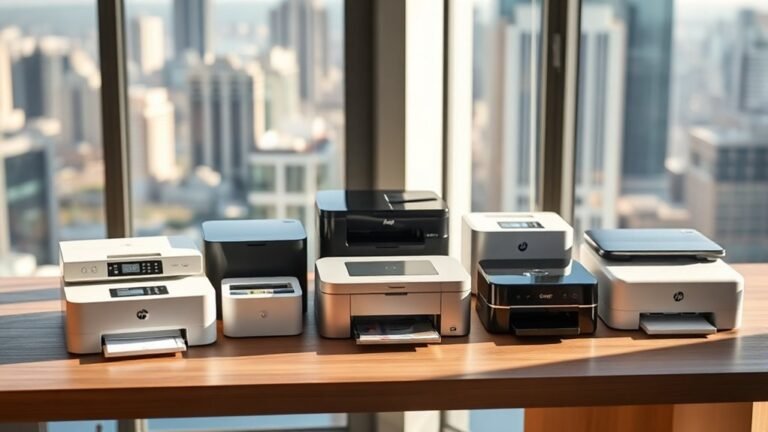
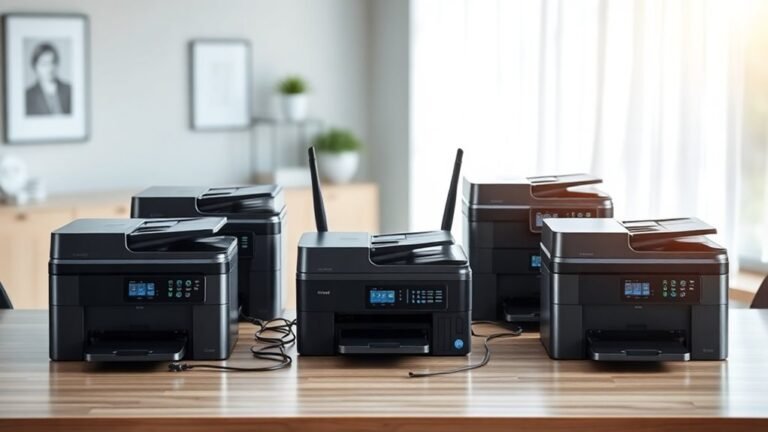
If you need fast, reliable auto duplex scanning printers for 2027, you’re in the right place. These models make double-sided scanning a breeze, saving you time and effort. Whether you’re working from home or in the office, having a printer that handles duplex scanning efficiently is a game-changer.
Consider top models like the Epson Workforce Pro WF-4935 with its 50-sheet duplex ADF. Then there’s the Canon MegaTank GX2020, known for its economical refillable tanks. Brother MFC-L2900DW offers efficient monochrome scanning that won’t slow you down.
The Canon imageCLASS MF753Cdw II delivers sharp color prints at 35 ppm. Meanwhile, HP OfficeJet Pro 8125 and 9125 bring solid wireless features for easy connectivity. Epson EcoTank ET-4950 and Brother INKvestment 1365 add unique cost-saving benefits. Keep exploring to find the perfect fit for your workflow.
| Image | Name | Editor's Rating | Price |
|---|---|---|---|

|
|
||

|
|
||

|
|
||

|
|
||

|
|
Epson Workforce Pro WF-4935 Wireless All-in-One Printer
- Built for Speed — PrecisionCore Heat-Free technology delivers fast, high-volume printing with 25 (black)/12 (color) ISO ppm and fast first-page-out
- High-Precision Office Printing — Accurate dot placement and DURABrite Ultra instant-dry pigment inks for professional-quality prints
- High-Volume Durability for Heavy Workloads — Innovative heat-free technology engineered for reliability and reduced downtime
- Complete Duplex Solution — All-in-one printer with auto 2-sided print, copy, scan and fax; plus 50-sheet ADF
- Maximize Printing Productivity — High-performance office printer with 500-sheet paper capacity; includes two 250-sheet trays for added convenience

The Epson Workforce Pro WF-4935 is designed to streamline busy office workflows. It handles high-volume printing, copying, and scanning tasks efficiently, helping reduce downtime. With automatic duplex functions and a 50-sheet automatic document feeder, it simplifies double-sided tasks and saves time.
This all-in-one printer offers fast output speeds, printing up to 25 black and 12 color pages per minute. Its PrecisionCore Heat-Free technology delivers sharp, professional-quality prints without long waits. The device supports a wide range of paper sizes and holds up to 500 sheets, minimizing frequent refills.
Maintenance is straightforward with two 250-sheet trays and wireless connectivity options like Wi-Fi and Ethernet. The 4.3″ color touchscreen provides easy navigation and control, allowing users to manage jobs smoothly. However, wired connections are limited to a single USB 2.0 port.
While it excels in speed and capacity, advanced finishing features such as stapling or hole-punching are not included. This might be a consideration for offices requiring extensive document handling.
Best for: busy offices and professionals needing a reliable, high-volume all-in-one printer with fast duplex printing and versatile connectivity.
What We Like:
- Automatic duplex printing, copying, and scanning with a 50-sheet ADF
- High paper capacity with two 250-sheet trays
- Fast print speeds using PrecisionCore Heat-Free technology
- Easy-to-use 4.3″ color touchscreen
- Multiple connectivity options including Wi-Fi and Ethernet
Specification:
| Feature | Details |
|---|---|
| Manufacturer | Epson |
| Dimensions | Approx. 18.5 x 16.7 x 12.9 in (47 x 42.5 x 32.8 cm) |
| Weight | Approx. 22.7 lb (10.3 kg) |
| Paper Capacity | 500 sheets (two trays) |
| Connectivity | Wi-Fi, Ethernet, USB 2.0 |
| Display | 4.3″ color touchscreen |
Canon MegaTank MAXIFY GX2020 Wireless All-in-One Printer
- Wireless Print/Copy/Scan/Fax (2)
- Print up to 3,000 black & white / 3,000 color pages using a single set of inks! (1)
- 2.7” LCD Color Touchscreen
- Auto 2-sided printing
- ADF – 35 sheet Auto Document Feeder
The Canon MegaTank MAXIFY GX2020 is designed to keep small offices productive with minimal interruptions. Its refillable ink tanks provide up to 3,000 black or color pages per set, reducing the need for frequent replacements and lowering operating costs.
This all-in-one printer handles multi-page tasks smoothly with a 35-sheet auto document feeder and automatic two-sided printing. These features help save time and paper, streamlining workflow for busy environments.
Compact and thoughtfully designed, the GX2020 fits neatly on a desk without sacrificing connectivity. Dual-band Wi-Fi and wired LAN options offer flexible network setups to suit various office configurations.
Maintenance is straightforward, thanks to its large ink reservoirs that simplify refilling and minimize downtime. The intuitive 2.7″ adjustable touchscreen makes navigation and control easy for users of all experience levels.
With consistent print quality and support for diverse media types, this printer meets the demanding needs of small workgroups looking for reliable, economical duplex printing and scanning.
Best for: Small offices and teams requiring efficient, high-volume duplex printing with cost-effective ink management.
What We Like:
- High page yield with refillable ink tanks reduces interruptions.
- Auto duplex printing and 35-sheet feeder improve efficiency.
- Compact design with dual-band Wi-Fi and wired LAN for versatile connectivity.
Specification:
| Feature | Details |
|---|---|
| Manufacturer | Canon |
| Dimensions | Not specified |
| Weight | Not specified |
| Ink System | Refillable MegaTank tanks |
| Connectivity | Dual-band Wi-Fi, Wired LAN |
| Display | 2.7″ adjustable touchscreen |
| Max Media Size | Up to 8.5″ x 14″ |
Brother MFC-L2900DW Professional Laser All-in-One Printer
- Professional Performance: Elevate your business efficiency with this Brother Genuine laser printer delivering lightning-fast 36 ppm output, crystal-clear monochrome...
- Versatile Connectivity: Take command of your workflow with dual-band wireless (2.4GHz/5GHz), Ethernet, or USB connectivity options, plus seamless mobile printing and...
- Advanced Document Handling: Maximize productivity with the 50-page auto document feeder, automatic duplex printing to save paper, and convenient single-pass two-sided...
- Smart Interface: Navigate effortlessly through printing, scanning, and cloud functions using the responsive 3.5 in touchscreen display, with direct access to popular...
- Energy Efficient: Benefit from an enhanced fuser design that delivers 22% reduction in electricity consumption, faster warm-up times from sleep mode, and automatic duplex...
The Brother MFC-L2900DW delivers fast, reliable duplex printing and scanning tailored for small office environments. Its ability to print at 36 pages per minute and handle two-sided documents with a 50-page automatic duplex feeder streamlines your workflow. This efficiency helps reduce time spent on routine tasks and keeps your office running smoothly.
Designed to fit into compact spaces, this all-in-one printer supports multiple connectivity options. Dual-band wireless and Ethernet allow for flexible network access, while the 3.5-inch touchscreen makes it easy to print or scan directly to cloud services like Google Drive. This seamless connectivity enhances productivity and collaboration.
Maintenance is straightforward with high-yield toner cartridges that minimize replacements and reduce operating costs. The monochrome laser technology ensures sharp text quality, ideal for text-heavy documents and professional reports. However, it does not support color printing, which may limit its use for graphic-intensive projects.
Overall, the MFC-L2900DW is built to handle high-volume printing and scanning needs without compromising reliability or space. Its combination of speed, connectivity, and compact design suits busy offices that require consistent performance.
Best for: Small businesses and busy office users who need efficient, dependable monochrome duplex printing and scanning in a space-saving design.
What We Like:
- Fast 36 ppm print speed with automatic two-sided printing
- 50-page single-pass duplex automatic document feeder for multitasking
- Dual-band wireless and Ethernet for versatile connectivity
- Easy cloud service access via 3.5-inch touchscreen
- High-yield toner options reduce maintenance frequency
Specification:
| Feature | Details |
|---|---|
| Manufacturer | Brother |
| Dimensions (W×D×H) | 16.1 × 15.7 × 12.0 inches |
| Weight | 16.5 lb (7.5 kg) |
| Printing Technology | Monochrome Laser |
| Print Speed | Up to 36 pages per minute |
| Connectivity | Dual-band Wireless, Ethernet |
| Automatic Document Feeder | 50-sheet Duplex ADF |
| Display | 3.5-inch Color Touchscreen |
Canon Color imageCLASS MF753Cdw II – All-in-One Color Duplex Laser Printer
- Color, Wireless, Duplex 4-in-1: Print, scan, copy, fax.
Experience seamless, efficient printing with the Canon Color imageCLASS MF753Cdw II. Designed for busy small offices and hybrid workspaces, this all-in-one color laser printer tackles your daily tasks with ease. It delivers sharp, vibrant prints at up to 35 ppm, helping you meet tight deadlines without sacrificing quality.
The printer’s one-pass duplex scanning and 50-sheet automatic document feeder simplify multi-page scanning jobs. This feature reduces manual effort and speeds up document processing, enhancing your workflow. Connectivity is versatile, offering Wi-Fi, Ethernet, USB, and mobile printing options for flexible use.
Maintenance is straightforward with a 250-sheet input capacity that can expand to 850 sheets, minimizing frequent paper refills. Built-in fax capability adds to its multifunction versatility, making it an ideal centerpiece for office communication. The device’s weight and size require a stable setup, but its design ensures reliable performance.
Best for: Small offices, hybrid work environments, and home offices needing fast, high-quality color duplex printing with versatile connectivity and multifunction capabilities.
What We Like:
- Fast printing and copying at 35 ppm with sharp 1200 x 1200 dpi resolution
- One-pass duplex scanning with a 50-sheet ADF for efficient workflow
- Multiple connectivity options including Wi-Fi, Ethernet, and USB
- Expandable paper capacity up to 850 sheets to reduce interruptions
Specification:
| Feature | Details |
|---|---|
| Manufacturer | Canon |
| Dimensions (W x D x H) | 16.5 x 18.5 x 17.7 inches |
| Weight | 50 lb (22.7 kg) |
| Printing Technology | Color Laser |
| Print Speed | Up to 35 ppm (color & B/W) |
| Resolution | 1200 x 1200 dpi |
| Paper Capacity | 250 sheets (expandable to 850) |
| Connectivity | Wi-Fi, Ethernet, USB |
| Duplex Scanning | One-pass duplex with 50-sheet ADF |
HP OfficeJet Pro 8125 Wireless All-in-One Printer
- FROM AMERICA'S MOST TRUSTED PRINTER BRAND – The OfficeJet Pro 8125 is perfect for home offices printing professional-quality color documents like business documents...
- 3 MONTH TRIAL OF INSTANT INK INCLUDED – Subscribe to the Instant Ink delivery service to get ink delivered directly to your door before you run out, and you save up to...
- KEY FEATURES – Fast color printing, scan, copy, auto 2-sided printing, auto document feeder, and a 225-sheet input tray
- 2.7-INCH TOUCHSCREEN – Quickly navigate your printer with a large color touchscreen and a phone-like user interface
- WIRELESS PRINTING – Stay connected with our most reliable dual-band Wi-Fi, which automatically detects and resolves connection issues
The HP OfficeJet Pro 8125 is designed to simplify your home office tasks with reliable wireless functionality. It handles printing, scanning, copying, and faxing smoothly, helping you stay productive without hassle. Automatic two-sided printing saves time and reduces paper waste.
Its 2.7-inch color touchscreen offers easy control over all functions, making operation straightforward. The flatbed and single-sided ADF provide flexible scanning options for various document types. You can print sharp, professional-quality pages at speeds up to 20 ppm in black and 10 ppm in color.
Maintenance is user-friendly with a 225-sheet tray supporting multiple paper sizes and HP’s security features protecting your network. The printer supports eco-conscious printing by using recycled plastics. Wireless connectivity options like dual-band Wi-Fi, AirPrint, and the HP Smart app enhance convenience for mobile printing and scanning.
However, faxing requires the app instead of a direct printer interface, and media size is limited to standard letter dimensions. Cartridge use is restricted to original HP chips, limiting third-party options.
Best for: Home office users needing a versatile all-in-one printer with wireless convenience and professional-quality color output.
What We Like:
- Fast, high-resolution printing with automatic two-sided capability
- Intuitive 2.7-inch color touchscreen for easy operation
- Flexible scanning options via flatbed and single-sided ADF
- Robust wireless features including dual-band Wi-Fi and HP Smart app integration
- Eco-friendly design using recycled plastic materials
Specification:
| Feature | Details |
|---|---|
| Manufacturer | HP |
| Dimensions | Not specified |
| Weight | Not specified |
| Paper Tray Capacity | 225 sheets |
| Print Speed | Up to 20 ppm (black), 10 ppm (color) |
| Print Resolution | Up to 4800 x 1200 dpi |
| Display | 2.7-inch color touchscreen |
| Connectivity | Dual-band Wi-Fi, AirPrint, HP Smart app |
| Media Size | Up to 8.5 x 11.7 inches |
| Security | HP Wolf Essential Security |
Brother INKvestment 1365 Wireless Color Inkjet Printer

- BEST FOR HOME AND HOME OFFICE: This multifunction printer makes it easy to print, copy, and scan—all in one compact printer. Includes one 1,200-page yield black...
- WIRELESS, MOBILE, AND USB CONNECTIVITY: Connect your way. Interface with your printer on your wireless network or via USB. Enhance your workflow with Wi-Fi Direct, which...
- CLOUD APP CONNECTIONS: Print from and scan to popular Cloud apps(3), including Google Drive, Dropbox, Box, OneDrive, and more, from an impressive 1.8” color display...
- PRODUCTIVITY-FOCUSED FEATURES: A 150-sheet paper tray(4), 20-page single-sided automatic document feeder (ADF)(4), and automatic duplex (2-sided) printing. Prints at fast...
- THE BROTHER MOBILE CONNECT APP: Put the power of printing at your fingertips. Go mobile with the Brother Mobile Connect app(6) that delivers easy onscreen menu navigation...
The Brother INKvestment 1365 is designed to streamline your printing tasks with ease and efficiency. Its compact size fits neatly in home or small office spaces, while features like automatic duplex printing help you save time and paper. The 20-page automatic document feeder (ADF) lets you handle multi-page documents without manual effort.
Connectivity is flexible, supporting wireless, mobile, USB, and Wi-Fi Direct printing. This means you can print directly from your phone or laptop without relying on a network. The 1.8” color display offers simple navigation, and the Brother Mobile Connect app adds convenience by managing print jobs remotely.
Maintenance is straightforward with high-yield genuine Brother ink cartridges, which reduce the need for frequent replacements and help keep running costs low. The 150-sheet paper tray supports steady productivity but may require refilling during heavy use.
Overall, this printer balances functionality and ease of use, making it a reliable choice for everyday printing, copying, and scanning needs.
Best for: individuals and small home offices needing a compact, multifunction wireless printer with reliable ink performance and convenient mobile connectivity.
What We Like:
- Automatic duplex printing and 20-page ADF boost productivity
- Multiple connectivity options including Wi-Fi Direct and USB
- High-yield genuine Brother ink cartridges cut down on replacements
Specification:
| Feature | Details |
|---|---|
| Manufacturer | Brother |
| Dimensions | Compact size (exact size not provided) |
| Connectivity | Wireless, Mobile, USB, Wi-Fi Direct |
| Display | 1.8-inch color display |
| Paper Capacity | 150 sheets |
| Ink Cartridges | High-yield genuine Brother ink |
Epson EcoTank ET-4950 Wireless Color All-in-One Supertank Printer – Black

- Epson EcoTank Wireless All-in-One Ink Tank Printer – Cartridge-Free System, High-Capacity Ink Bottles, Mobile Printing, Auto Duplex
- WORRY-FREE PRINTING — Epson EcoTank comes with enough ink to print up to 6,600 pages black/5,500 color⁹ for fewer out-of-ink frustrations. Each replacement ink bottle...
- SIMPLE INK REFILLING — Supersized ink tanks and uniquely keyed EcoFit bottles make refilling ink simple—no mess, no stress and no ink bottle mix-ups
- THE WORLD’S #1 SELLING SUPERTANK PRINTER² — Epson invented EcoTank to revolutionize the way people print; we’ve sold 100 million EcoTanks worldwide⁷ and this is...
- ADVANCED PRODUCTIVITY FEATURES — Fast 18 black/9 color ISO ppm print speeds with zero warmup time, an Auto Document Feeder, fax, a high-capacity 250-sheet paper tray...
Experience hassle-free, cartridge-free printing with the Epson EcoTank ET-4950. Designed to cut ink costs drastically, this wireless all-in-one uses large refillable ink tanks that deliver thousands of pages, helping you stay productive without frequent replacements. It handles sharp document and photo printing efficiently, supporting your everyday printing needs.
Maintenance is simple with supersized ink reservoirs that reduce interruptions and lower expenses. The printer supports automatic two-sided scanning and printing, streamlining workflows and saving paper. Its 250-sheet tray fits multiple paper sizes, accommodating different tasks with ease.
The EcoTank ET-4950’s wireless connectivity and intuitive 2.4″ color LCD make setup and mobile printing straightforward. With Epson’s PrecisionCore technology, you get reliable print quality and consistent performance. Although it prints at moderate speeds and has a larger footprint, it balances functionality with convenience.
This printer is well-suited for home and small office environments where cost-effective, versatile printing and scanning are priorities.
Best for: Home users and small offices needing efficient, high-volume, cartridge-free printing with duplex scanning.
What We Like:
- Large refillable ink tanks lower ink replacement frequency.
- Automatic two-sided printing and scanning enhance productivity.
- Wireless setup and 2.4″ color LCD simplify operation.
Specification:
| Feature | Details |
|---|---|
| Manufacturer | Epson |
| Dimensions (W×D×H) | Approx. 14.8 × 13.2 × 9.8 in (37.6 × 33.5 × 24.9 cm) |
| Weight | Approx. 15.7 lb (7.1 kg) |
| Color | Black |
| Connectivity | Wireless (Wi-Fi) |
HP OfficeJet Pro 9125 Wireless All-in-One Printer
No products found.
Experience faster, more efficient printing and scanning with the HP OfficeJet Pro 9125 Wireless All-in-One Printer. Designed to handle busy office environments, it simplifies double-sided tasks with its automatic duplex printing and scanning, saving time and reducing paper waste.
The intuitive 2.7-inch color touchscreen makes navigation straightforward, so you can manage jobs quickly without hassle. Wireless connectivity options like dual-band Wi-Fi, Apple AirPrint, and Ethernet keep you connected across multiple devices, while HP Wolf Pro Security helps protect your network from threats.
Maintenance is straightforward but requires original HP 936 series cartridges, which may increase running costs. The single 250-sheet paper tray means frequent refills in high-volume settings. Firmware updates ensure device security but can limit cartridge compatibility.
Built with over 40% recycled plastic, this printer blends eco-conscious design with professional functionality. It’s an all-in-one solution for printing, scanning, copying, and faxing, ideal for businesses needing reliable, secure, and efficient document handling.
Best for: small to medium businesses and office professionals requiring a versatile and secure all-in-one printer with efficient duplex capabilities.
What We Like:
- Fast print speeds up to 22 ppm black and 18 ppm color
- Automatic duplex printing and scanning with a dual-pass ADF
- Wide connectivity options including dual-band Wi-Fi and Ethernet
- Strong network security with HP Wolf Pro Security
Specification:
| Feature | Details |
|---|---|
| Manufacturer | HP |
| Dimensions (W x D x H) | 18.89 x 15.47 x 11.02 inches |
| Weight | 18.7 lb (8.48 kg) |
| Material | Over 40% recycled plastic |
| Connectivity | Dual-band Wi-Fi, Ethernet, Apple AirPrint |
Factors to Consider When Choosing an Auto Duplex Scanning Printer
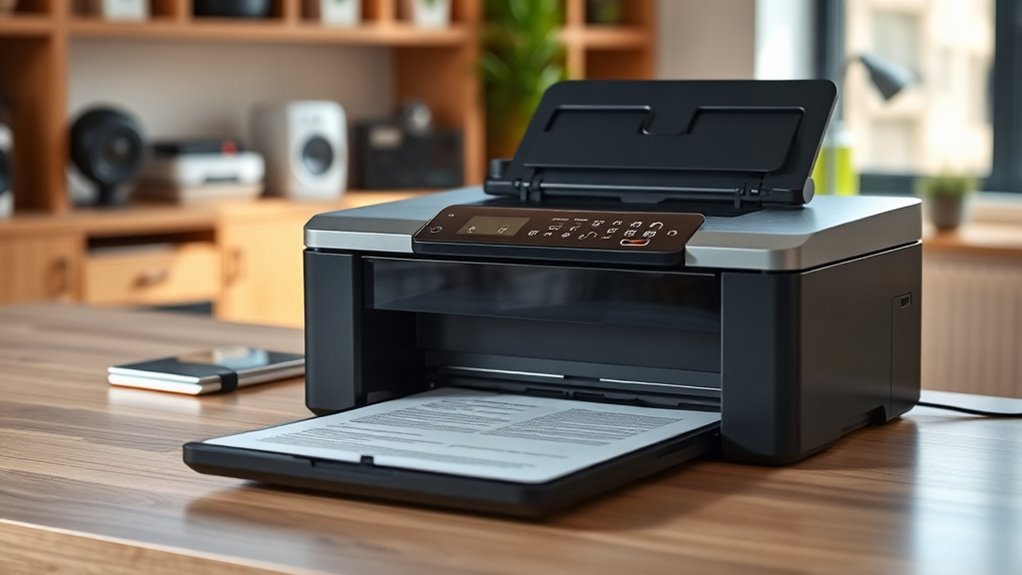
When choosing an auto duplex scanning printer, you’ll want to focus on key features like scanning speed and paper handling capacity. Don’t overlook print quality resolution and the available connectivity options to fit your workflow.
Also, make sure the user interface is easy to navigate so you can work efficiently. It’s all about finding the right balance that suits your needs without any hassle.
Duplex Scanning Speed
In choosing an auto duplex scanning printer, understanding duplex scanning speed is critical to match your workflow needs. Duplex speed is measured in pages per minute (ppm) for single-sided and images per minute (ipm) for two-sided scans.
Single-pass duplex scanners, which scan both sides in one go, usually offer faster effective speeds than those requiring two passes. Keep in mind, higher scan resolutions and color depths can reduce speed by 30–70%, so balance quality and throughput.
Also, real-world speed depends on the paper type—heavy cardstock or stapled pages can slow feeding and lower sustained ipm. For heavy use, look beyond peak speeds and compare sustained ADF duty cycles to guarantee consistent performance during lengthy scanning jobs.
Paper Handling Capacity
Several key factors determine the paper handling capacity of an auto duplex scanning printer, and understanding them helps you avoid workflow interruptions. First, check the automatic document feeder (ADF) sheet capacity; common sizes range from 20 to 50 sheets, letting you scan many pages without constant reloading.
Next, verify the main and optional paper tray capacities—typically 150 to 500 sheets—to guarantee the printer handles high-volume tasks smoothly. Also, confirm the maximum media size and thickness the ADF supports, like legal-size or specific gsm ranges, to prevent jams.
Don’t forget to review the maximum duty cycle or recommended monthly volume, making sure it matches your workflow needs. Finally, consider output tray sizes; larger trays holding 100+ sheets minimize frequent clearances during batch duplex scanning.
Print Quality Resolution
Paper handling capacity sets the stage for efficient duplex scanning, but the quality of the scanned output depends heavily on the print quality resolution. You’ll want a scanner with optical resolution of at least 300 dpi for clear text, 600 dpi for archiving, and 1200 dpi or higher for detailed images.
Pay attention to bit depth and color sampling—24-bit color guarantees accurate color reproduction, while 8-bit grayscale suits monochrome documents. Keep in mind that duplex feed mechanics can lower effective resolution, so verify if the stated dpi applies to duplex mode.
Also, seek features like automatic deskew and edge detection to maintain sharpness and alignment. Finally, choose lossless file formats or low compression for preserving scan quality over time.
Connectivity Options Available
How you connect your auto duplex scanning printer can make a huge difference in workflow efficiency. Make sure the printer supports the network types you need—dual-band Wi-Fi (2.4/5 GHz), Ethernet LAN, or Wi-Fi Direct—for reliable wireless and wired duplex scanning.
If you plan to scan directly to smartphones, tablets, or cloud storage, confirm it offers mobile and cloud connectivity like AirPrint, Mopria, native apps, or scan-to-cloud services. Don’t overlook USB ports for local PC scanning or direct scan-to-USB flash drives.
Also, check support for standard protocols (SMB, FTP, SMTP) and authentication methods (LDAP, Active Directory) for secure enterprise workflows. Finally, consider managed print/scan features such as SNMP, web admin interfaces, and remote firmware updates for easier centralized management.
User Interface Ease
After ensuring your printer connects seamlessly to your network and devices, you’ll want an interface that makes duplex scanning straightforward and efficient. Look for a color touchscreen at least 3–4 inches wide with intuitive menus and icons to speed navigation of duplex scan settings and job status.
The interface should clearly present duplex options like one-pass vs. two-pass scanning, automatic orientation, and page selection to avoid trial and error. On-screen previews and simple editing tools let you verify scans before sending, saving time and rework.
Choose models with guided setup wizards and contextual help for ADF loading and troubleshooting to minimize errors. Plus, mobile app integration that mirrors duplex controls offers convenient remote job submission, enhancing your workflow flexibility.
Ink Or Toner Type
When selecting an auto duplex scanning printer, you’ll want to take into account whether ink or toner suits your scanning needs best. Toner-based laser printers excel at sharp, fast monochrome text with higher page yields and lower cost per page. They’re ideal for heavy black-and-white duplex scanning.
Pigment-based inks, common in office inkjets, resist smudging and water. This enhances legibility and archival stability for two-sided documents.
Dye-based inks offer vibrant colors but may bleed or fade. This can potentially reduce scan clarity for duplex color originals.
If you regularly scan large double-sided batches, consider refillable or high-yield ink systems. These help lower operating costs and reduce maintenance.
Warranty And Support
Because auto duplex scanning printers handle complex double-sided documents, you’ll want to carefully evaluate their warranty and support options before making a purchase. Check the length and coverage of the limited warranty—ideally 1 to 3 years—including parts, labor, and on-site service for duplex ADF components.
Also, confirm if wear items like ADF rollers and scan sensors are covered or if service fees apply. It’s good to know upfront what’s included.
Look for multiple support channels such as phone, email, live chat, and an online knowledgebase. Plus, having remote diagnostics and firmware updates can help quickly resolve duplex scanning issues.
Don’t forget to ask about repair turnaround times and whether loaner units are available. That way, you can avoid downtime if your printer needs servicing.
Finally, consider extended-care or accidental damage plans that match your expected duplex scan volume. It’s all about having peace of mind when you rely on your printer daily.
Frequently Asked Questions
How Do Auto Duplex Scanners Impact Energy Consumption?
Auto duplex scanners reduce energy consumption by scanning both sides of a page in one pass, cutting scanning time and power usage.
You’ll save energy because your device works more efficiently and finishes tasks faster. It’s a simple way to be greener without extra effort.
Are There Any Maintenance Tips Specific to Duplex Scanning Printers?
You should regularly clean the scanner glass and rollers to prevent jams and streaks. Use manufacturer-recommended cleaning kits to make sure you don’t damage any parts.
Also, check for firmware updates from time to time. Keeping your software up to date can really help your duplex scanner run smoothly.
And don’t forget about proper alignment. Making sure everything is aligned correctly keeps your scans efficient and avoids paper jams. It’s a simple step that makes a big difference!
What Software Compatibility Issues Might Arise With Auto Duplex Scanners?
You might think all scanners work smoothly with any software, but you’ll face compatibility issues with outdated drivers or unsupported file formats.
Always check your scanner’s software updates and make certain your scanning app supports duplex features for seamless use.
It’s a good idea to keep everything up to date so you don’t run into any unexpected problems. That way, your auto duplex scanner will work just like it’s supposed to.
Can Auto Duplex Scanning Printers Handle Thick or Specialty Paper?
Yes, you can handle thick or specialty paper with some auto duplex scanners, but you’ll need to check your printer’s specs. Using incompatible paper may cause jams or damage, so always follow manufacturer guidelines carefully.
It’s best to be cautious here. Not all printers are built the same, so what works for one might not work for another. Double-checking those specs can save you a lot of hassle down the road.
How Reliable Are Duplex Scanners Over Long-Term Heavy Use?
You’ll find duplex scanners pretty reliable over heavy use, as long as you maintain them well. Like a trusty steed, regular cleaning and proper handling keep them running smoothly without hiccups for years.
Honestly, a little care goes a long way. Just think of it like giving your scanner a quick check-up now and then. It’s not complicated, but it makes all the difference in the long run.
Conclusion
So, if you want to impress your office mates with a printer that scans both sides automatically—because who has time to flip paper anymore?—these eight beasts have you covered.
Whether you’re team inkjet or laser, wireless wizard or wired warrior, one of these will save you from the prehistoric nightmare of manual duplexing.
Go ahead, embrace the future—your fingers will thank you, and so will your sanity.
Choosing the best auto duplex scanning printer means less hassle and more productivity. These printers are designed to handle double-sided scanning effortlessly, making your office workflow smoother. Whether you need speed, quality, or wireless convenience, the right printer is waiting for you. So ditch the old ways and upgrade to one of these top auto duplex scanning printers for 2027—you won’t look back!