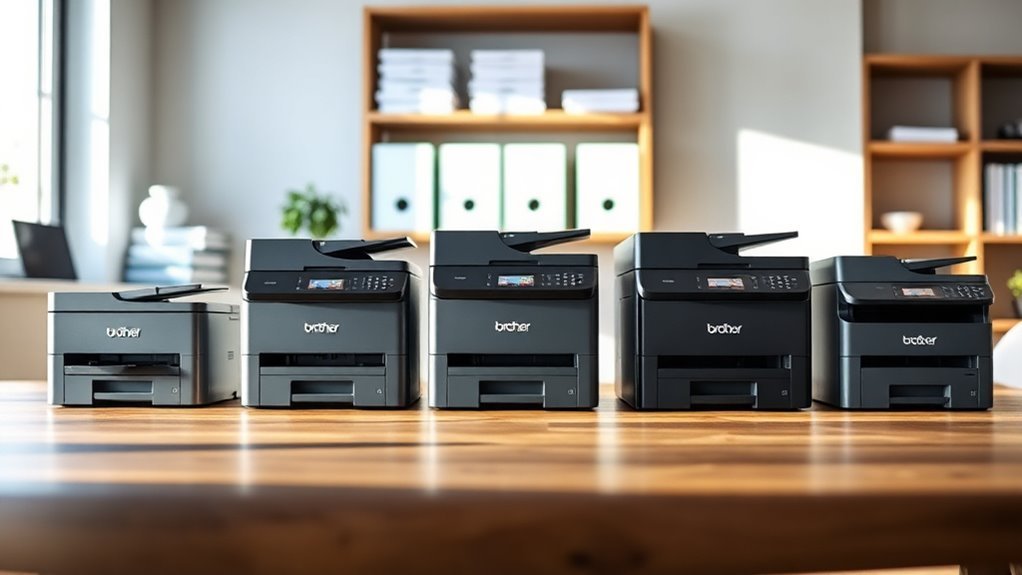
5 Best Brother Multifunction Laser Printers for 2027 Reviewed
If you’re on the hunt for a reliable Brother multifunction laser printer for 2027, you’ve got some great options to consider. Whether you need fast monochrome printing, color capabilities, or versatile office features, Brother has something to fit your workflow perfectly.
The DCP-L2640DW is perfect for quick, efficient black-and-white printing. Meanwhile, the MFC-L2900DW steps it up with fax and a user-friendly touchscreen. Need something compact? The MFC-L2820DW is a solid choice for small office spaces.
For color printing, check out the HL-L3300CDW. It offers wireless convenience and sharp laser quality. And don’t forget the Work Smart 1360, which blends inkjet flexibility with wireless features. Each model delivers strong speed, duplexing, and connectivity. Keep reading to find the best fit for your needs!
| Image | Name | Editor's Rating | Price |
|---|---|---|---|

|
|
||

|
|
||

|
|
||

|
|
||

|
|
Brother DCP-L2640DW Wireless Compact Monochrome Printer
- BEST FOR SMALL BUSINESSES – Engineered for extraordinary productivity, the Brother DCP-L2640DW Monochrome (Black & White) 3-in-1 combines laser printer, scanner, copier...
- FAST PRINTER WITH EFFICIENT SCANNING – Produces documents quickly with print speeds up to 36 ppm(2) and scan speeds up to 23.6/7.9 ipm(3) (black/color). A 50-page auto...
- FLEXIBLE CONNECTION OPTIONS – Easily navigate the changing demands of your business with secure multi-device connectivity via built-in dual-band wireless (2.4GHz...
- BROTHER MOBILE CONNECT APP – Print, scan, and manage your wireless printer anytime, from almost anywhere from your mobile device. Order Brother Genuine Supplies, track...
- CHOOSE BROTHER GENUINE TONER – When it’s time to replace your toner, be sure to choose Brother Genuine TN830 or TN830XL replacement toner. And with Refresh EZ Print...

The Brother DCP-L2640DW is a compact monochrome laser printer designed to simplify busy work environments. It combines printing, scanning, and copying into one efficient device, helping you save valuable desk space. This all-in-one solution is built to handle demanding tasks without slowing down your workflow.
With print and copy speeds up to 36 ppm, it tackles high-volume jobs quickly. The 50-page automatic document feeder streamlines multi-page tasks, reducing manual effort. Wireless dual-band connectivity offers flexible printing options from mobile devices or laptops, making it easier to stay productive on the go.
Maintenance is straightforward thanks to its energy-efficient design and automatic duplex printing. The 250-sheet paper tray supports moderate workloads but may require refilling in very busy settings. Its simple LCD control panel keeps navigation clear, though it lacks a touchscreen interface.
This monochrome printer is ideal when color printing isn’t necessary but reliability and speed are priorities. Its durability and practical features make it a smart choice for small businesses or home offices aiming to improve efficiency.
Best for: Small businesses and home offices needing a reliable, high-speed monochrome all-in-one printer with wireless connectivity.
What We Like:
- Fast print and copy speeds up to 36 ppm for efficient task handling
- Wireless dual-band connectivity with mobile printing support
- Automatic duplex printing and 50-page auto document feeder for productivity
- Compact design that saves space in tight work areas
Specification:
| Feature | Details |
|---|---|
| Manufacturer | Brother |
| Dimensions (W x D x H) | 16.1 x 14.0 x 7.2 inches |
| Weight | 14.3 lbs (6.5 kg) |
| Color | White/Gray |
| Connectivity | Wireless dual-band, USB |
| Print Speed | Up to 36 ppm |
| Paper Capacity | 250-sheet tray, 50-sheet ADF |
Brother Work Smart 1360 Wireless Color Inkjet All-in-One Print, Scan, Copy
- AFFORDABLE ALL-IN-ONE FOR HOME AND HOME OFFICE: Print, copy, and scan on one compact wireless printer designed for everyday home office printing, schoolwork, documents...
- EASY TO USE WITH CLOUD APP CONNECTIONS: Print from and scan to popular Cloud apps(2), including Google Drive, Dropbox, Box, OneDrive, and more from the simple-to-use...
- FULL-SIZE FEATURES IN A COMPACT DESIGN: This printer includes automatic duplex (2-sided) printing, a 20-sheet single-sided Automatic Document Feeder (ADF)(3), and a...
- MULTIPLE CONNECTION OPTIONS: Connect your way. Interface with your printer on your wireless network or via USB.
- MOBILE PRINTING MADE EASY: Go mobile with the Brother Mobile Connect app(5) that delivers easy onscreen menu navigation for printing, copying, scanning, and device...
Experience hassle-free color printing with the Brother Work Smart 1360 Wireless Color Inkjet All-in-One. This versatile device simplifies everyday tasks, allowing you to print, scan, and copy with ease. Its automatic duplex printing and 20-sheet automatic document feeder help you handle multi-page documents efficiently.
Designed for home, office, or school use, this all-in-one printer supports wireless connectivity through Wi-Fi, AirPrint, and a dedicated mobile app. This means you can manage your print jobs directly from your smartphone or tablet without the need for cables. Its compact design fits neatly in smaller spaces while maintaining solid performance.
Maintenance is straightforward with its 150-sheet tray, accommodating various paper sizes, though you might need to refill more often during heavy use. The printer delivers clear text and vibrant colors at up to 16 ppm black and 9 ppm color speed, meeting most everyday printing demands with sharp resolution.
Energy Star certification reflects its efficient power use, balancing functionality and environmental considerations. While print speeds are moderate, the convenience and flexibility make it a practical choice for users needing reliable color printing without complex setup.
Best for: individuals or small businesses seeking an affordable, versatile color inkjet all-in-one printer with wireless connectivity for home, office, or school use.
What We Like:
- Automatic duplex printing and 20-sheet ADF for efficient multi-page handling
- Wireless printing via Wi-Fi, AirPrint, and mobile app for flexible device management
- Compact design with Energy Star certification combining performance and eco-friendliness
Specification:
| Feature | Details |
|---|---|
| Manufacturer | Brother |
| Dimensions | Compact size (exact dimensions not provided) |
| Weight | Not specified |
| Printer Type | Wireless Color Inkjet All-in-One |
| Paper Tray Capacity | 150 sheets |
| Print Speed | Up to 16 ppm (black), 9 ppm (color) |
| Resolution | Up to 1200 x 6000 dpi |
| Connectivity | Wi-Fi, AirPrint, Mobile App |
Brother MFC-L2900DW Professional Wireless Laser Printer
- Professional Performance: Elevate your business efficiency with this Brother Genuine laser printer delivering lightning-fast 36 ppm output, crystal-clear monochrome...
- Versatile Connectivity: Take command of your workflow with dual-band wireless (2.4GHz/5GHz), Ethernet, or USB connectivity options, plus seamless mobile printing and...
- Advanced Document Handling: Maximize productivity with the 50-page auto document feeder, automatic duplex printing to save paper, and convenient single-pass two-sided...
- Smart Interface: Navigate effortlessly through printing, scanning, and cloud functions using the responsive 3.5 in touchscreen display, with direct access to popular...
- Energy Efficient: Benefit from an enhanced fuser design that delivers 22% reduction in electricity consumption, faster warm-up times from sleep mode, and automatic duplex...
Experience efficient and reliable monochrome printing with the Brother MFC-L2900DW Professional Wireless Laser Printer. Designed to handle busy office demands, it ensures sharp text and clear images with its 1200 x 1200 dpi resolution. Print at speeds up to 36 pages per minute to keep your workflow moving smoothly.
This all-in-one device combines printing, scanning, copying, and faxing in a compact design. The 250-sheet paper tray and automatic duplex printing reduce interruptions and save paper, making it ideal for daily use. Connectivity is versatile with dual-band Wi-Fi, Ethernet, and USB options, plus remote printing through Brother Mobile Connect.
Maintenance is straightforward, though the starter toner cartridge supports only about 700 pages, so frequent replacement may be necessary in high-volume settings. Its energy-efficient design lowers power use by 22%, and the intuitive 3.5″ touchscreen makes operation simple for any user.
Overall, this monochrome laser printer fits well in small offices or professional environments requiring speed, quality, and wireless convenience in one space-saving device.
Best for: small office professionals needing a fast, reliable monochrome all-in-one printer with wireless and duplex capabilities.
What We Like:
- Fast print speed of 36 ppm with crisp 1200 x 1200 dpi output
- Multiple connectivity options including dual-band Wi-Fi and Ethernet
- Energy-efficient design reduces power consumption by 22%
- User-friendly 3.5″ touchscreen interface for easy operation
- Automatic duplex printing saves paper and time
Specification:
| Feature | Details |
|---|---|
| Manufacturer | Brother |
| Dimensions | 16.1 x 15.7 x 12.7 inches (41 x 40 x 32 cm) |
| Weight | 15.7 lbs (7.1 kg) |
| Printing Technology | Monochrome Laser |
| Connectivity | Dual-band Wi-Fi, Ethernet, USB |
| Paper Tray Capacity | 250 sheets |
| Display | 3.5-inch touchscreen |
Brother HL-L3300CDW Wireless Color Laser Printer
- Best for Small Offices and Work from Home, the Brother HL-L3300CDW wireless compact 3-in-1 digital color printer with copy & scan functionalities consistently produces...
- UPGRADE YOUR PROFESSIONAL DOCUMENTS. With the consistent dependability of laser-quality digital color printing.
- EFFECTIVE PRODUCTIVITY WITH THREE-IN-ONE FUNCTIONALITY. Featuring a flatbed scan glass for convenient copying and scanning capabilities from a single, compact machine...
- FLEXIBLE CONNECTION OPTIONS. Count on steady connections at the office or on the go. Built-in dual band wireless (2.4GHz / 5GHz)(4), and Wi-Fi Direct, or USB interface...
The Brother HL-L3300CDW Wireless Color Laser Printer is designed to meet the needs of small offices and hybrid workers who require reliable, high-quality color printing. Its compact size fits easily into tight spaces, while its 3-in-1 functionality lets you print, copy, and scan with minimal effort. This printer delivers crisp, smudge-free laser-quality color output that improves the professionalism of your documents.
Speed and efficiency are key strengths of this laser printer. It prints up to 19 pages per minute and supports automatic duplex printing, saving you both time and paper. The dual-band Wi-Fi and Wi-Fi Direct connectivity options ensure a stable and flexible connection, while Alexa voice control offers hands-free convenience for busy work environments.
Maintenance is straightforward with a large 250-sheet paper capacity that reduces frequent refills. The printer also supports a variety of media sizes, expanding its use beyond standard printing tasks. Though it weighs 40.8 pounds, its solid build ensures durability for everyday office use.
Unique to this model is the inclusion of a 2-month Brother Refresh EZ Print subscription trial, which simplifies toner replacement. However, continuing the subscription requires enrollment and a credit card. This printer balances functionality with ease of use, making it a practical choice for professionals.
Best for: Small offices, hybrid workers, and freelancers needing a versatile wireless color laser printer with efficient duplex printing.
What We Like:
- Fast printing speed up to 19 ppm with sharp laser-quality color output.
- Automatic duplex printing saves time and paper.
- Dual-band Wi-Fi and Wi-Fi Direct enable flexible wireless connectivity.
- Large 250-sheet capacity reduces paper refills.
- Alexa voice control adds hands-free convenience.
Specification:
| Feature | Details |
|---|---|
| Manufacturer | Brother |
| Dimensions | Compact (exact size not provided) |
| Weight | 40.8 lb (18.5 kg) |
| Color Options | Standard (color not specified) |
| Connectivity | Dual-band Wi-Fi, Wi-Fi Direct, Alexa Voice Control |
Brother MFC-L2820DW Wireless Monochrome Laser Printer
- BEST FOR SMALL OFFICES – Combining space-saving efficiency and premium monochrome (black & white) print quality with affordability, the Brother MFC-L2820DW delivers...
- EFFICIENT PRINTING & SCANNING – Produces black & white documents quickly with print speeds up to 36 ppm(2) and scan speeds up to 23.6/7.9 ipm(3) (bk/cl). A 50-page auto...
- FLEXIBLE CONNECTION OPTIONS – Securely connect to multiple devices with built-in dual-band wireless (2.4GHz / 5GHz), Ethernet, or connect locally to a single computer...
- 2.7" TOUCHSCREEN – The intuitive 2.7” touchscreen enables effortless navigation with the added ability to print-from and scan-to popular Cloud-based apps such as...
- BROTHER MOBILE CONNECT APP – Print, scan, and manage your wireless printer anytime, from almost anywhere from your mobile device. Order Brother Genuine Supplies, track...
The Brother MFC-L2820DW Wireless Monochrome Laser Printer is designed to streamline your everyday office tasks. It handles printing, scanning, copying, and faxing efficiently within a compact frame. This makes it an excellent choice for small spaces where multitasking devices are essential.
With print speeds of up to 34 pages per minute and automatic duplex printing, it helps reduce wait times and saves paper. The 250-sheet tray supports various media sizes, including legal documents, while the 50-page auto document feeder speeds up multi-page scanning and copying jobs.
Connectivity options include dual-band Wi-Fi, Ethernet, and USB, allowing flexible setup in different office environments. The 2.7-inch touchscreen and mobile app support make managing tasks straightforward and accessible, even on the go.
Maintenance is simple thanks to its reliable build and ENERGY STAR certification, promoting eco-friendly operation without sacrificing performance. However, it prints only in monochrome, and the first page may take up to 8.5 seconds, which might be slower than some alternatives.
Best for: Small offices or home users who need a compact, multifunction monochrome laser printer with wireless connectivity and eco-conscious features.
What We Like:
- Fast printing and copying speeds with automatic duplex to reduce paper use
- Flexible connectivity including dual-band Wi-Fi and mobile app control
- Large input capacity with a 250-sheet tray and 50-page auto document feeder
Specification:
| Specification | Details |
|---|---|
| Manufacturer | Brother |
| Dimensions (W×D×H) | 16.1 × 15.7 × 13.7 inches |
| Weight | 16.5 lb (7.5 kg) |
| Color Options | Monochrome (Black & White) |
| Connectivity | Dual-band Wi-Fi, Ethernet, USB |
| Display | 2.7-inch color touchscreen |
Factors to Consider When Choosing a Brother Multifunction Laser Printer

When choosing a Brother multifunction laser printer, you’ll want to contemplate how fast it prints and the connectivity options it offers.
Don’t forget to check the paper handling capacity and energy efficiency features to match your needs. Also, make sure the scan and copy quality meets your expectations for everyday tasks.
Print Speed Importance
Although print speed might seem like a straightforward metric, you’ll want to weigh several factors before choosing a Brother multifunction laser printer. Higher monochrome speeds, measured in pages per minute (ppm), reduce wait times for large one-sided jobs, which is vital in busy offices.
Don’t overlook first-page-out time—it matters for quick, intermittent prints by improving perceived responsiveness. If you print double-sided, consider duplex speed separately since it effectively halves paper handling time.
Also, factor in copy and scan speeds (ppm or images per minute) to match your multitasking needs. Remember, published speeds reflect ideal test conditions; actual performance might dip when printing at high resolution, on heavier paper, or with complex graphics.
Balancing these elements guarantees you get a printer that fits your workflow efficiently. So, take your time choosing — it’ll pay off in smoother, faster printing down the line.
Connectivity Options Available
Print speed is just one piece of the puzzle; how you connect your Brother multifunction laser printer can markedly impact your overall experience. Look for dual-band Wi-Fi (2.4 GHz and 5 GHz) to boost wireless reliability and reduce interference in busy networks.
If multiple users share the printer, an Ethernet port offers a stable, faster connection. For straightforward local printing, USB 2.0 or higher lets you connect directly without network setup.
Wireless direct options like Wi-Fi Direct let mobile devices print without joining your main network. Don’t overlook cloud and mobile printing protocols such as AirPrint and Mopria, which enable seamless printing and scanning from smartphones and tablets, often with extra device management features.
Choosing the right connectivity guarantees smooth, flexible printing tailored to your needs. It’s all about making printing easy and hassle-free for you.
Paper Handling Capacity
Considering paper handling capacity is essential for choosing the right Brother multifunction laser printer that fits your workflow. Start by checking the input tray capacity—usually 150 to 250 sheets—to match your daily print volume and cut down on frequent reloads.
Don’t overlook the automatic document feeder (ADF), which often holds 20 to 50 pages. This lets you scan or copy multi-page documents efficiently without manual effort.
Also, consider the output tray capacity, typically 100 to 250 sheets, to avoid overflow during busy print runs. Make sure the printer supports the media sizes and types you need, like legal-size paper, envelopes, labels, or cardstock.
Finally, pick a model with automatic duplex printing to save paper and simplify double-sided tasks. It really helps streamline your document handling.
Energy Efficiency Features
Beyond handling paper efficiently, you’ll want to focus on how a Brother multifunction laser printer manages energy use. Look for ENERGY STAR certification, which guarantees the device meets strict standards for lower energy consumption in both active and sleep modes.
Check power consumption details like maximum wattage, idle watts, and sleep-mode draw to estimate your operating costs and environmental impact. Automatic duplex printing helps reduce paper use and lowers energy per page by cutting total print volume.
Fast warm-up and low first-page-out times minimize how long the printer stays in high-power states, saving energy on short jobs. Finally, power-saving modes and configurable sleep timers let you balance energy savings with responsiveness, so your printer uses less power during idle periods without slowing your workflow.
Scan and Copy Quality
When choosing a Brother multifunction laser printer, you’ll want to pay close attention to scan and copy quality to make certain your documents look sharp and clear. Start by checking the scanner’s optical resolution—600 dpi or higher—and color depth of at least 24-bit to capture fine details and accurate colors.
If you handle double-sided documents often, opt for models with single-pass duplex ADF to speed up scanning and copying without flipping pages manually. Also, consider scan speeds; faster rates over 20 images per minute help with large jobs.
For copying, look for a maximum resolution of 600 x 600 dpi or more to make certain crisp text and graphics. Features like automatic image enhancement and OCR support come in handy if you need editable or searchable scanned files.
Cost of Consumables
To get the most value from your Brother multifunction laser printer, you’ll want to closely evaluate the cost of consumables. Start by comparing page yield ratings of standard versus high-yield cartridges and calculate the cost per page by dividing cartridge price by yield.
Don’t forget to factor in drum unit replacement intervals separately, since they last longer but add periodic costs. Use duplex printing and toner-save modes to reduce toner use and lower expenses.
If you consider subscription or auto-replenishment plans, review ongoing fees, overage charges, and cartridge deactivation policies, not just discounts. Finally, include specialty media costs—like envelopes or glossy paper—and the impact of dense prints, which increase toner consumption and raise your effective cost per page over time.
Frequently Asked Questions
How Do Brother Printer Warranties Handle International Repairs?
Brother printer warranties usually don’t cover international repairs, so you’ll likely need service in your purchase country.
However, check your specific warranty terms since some regions offer limited international support or repair options. It’s always good to be sure before you travel or move abroad.
What Environmental Certifications Do Brother Laser Printers Have?
Brother laser printers often carry ENERGY STAR and Blue Angel certifications, so you can trust they meet strict environmental standards. These labels show they use energy efficiently and reduce emissions, helping you support eco-friendly printing.
It’s pretty great because these certifications mean the printers are designed with the environment in mind. So, when you choose Brother, you’re making a greener choice without sacrificing performance.
Can Brother Laser Printers Be Integrated With Smart Home Systems?
You might think Brother laser printers can’t connect to smart homes, but they actually can. With Wi-Fi and app support, you’ll easily integrate them, making printing seamless and enhancing your smart home’s convenience and efficiency.
It’s pretty cool how these printers fit right into your setup. Once connected, you can print from your phone or even set up automation with compatible smart home platforms. So yeah, they definitely add a smart touch to your home office!
What Is the Typical Lifespan of Brother Multifunction Laser Printers?
You can expect Brother multifunction laser printers to last around 5 to 7 years with regular use and proper maintenance.
Taking care of it guarantees you get reliable performance throughout its lifespan without frequent replacements.
Are There Any Mobile Apps for Managing Brother Laser Printers Remotely?
Like having a remote control in your pocket, Brother offers mobile apps like iPrint&Scan. You can easily manage, scan, and print from anywhere. It makes printer control as convenient as sending a text message.
Conclusion
Choosing the right Brother multifunction laser printer is like picking the perfect tool in a bustling workshop. Each model is crafted to fit your unique rhythm—whether you need swift monochrome precision or vibrant color versatility.
Just as a skilled artisan trusts their favorite instrument, you’ll find the ideal printer that works seamlessly with your flow, turning everyday tasks into effortless creations.
So, grab the one that feels right, whether it’s for home, office, or creative projects. With the best Brother multifunction laser printers, you can boost your productivity and enjoy reliable, high-quality prints every time.