3 best beginner sublimation printer 2026
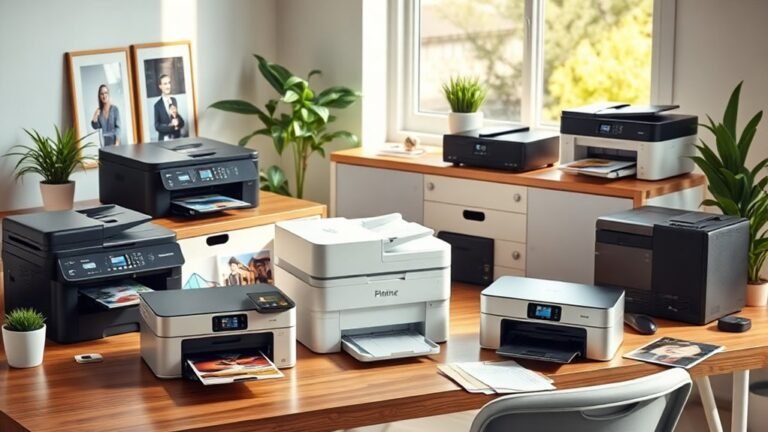
For 2026, the top beginner sublimation printers are perfect for anyone diving into the world of sublimation printing. Whether you’re just starting out or looking to upgrade, these printers offer great options for creative entrepreneurs. They’re designed to be user-friendly and budget-conscious, making the whole process smooth and enjoyable.
First up is the Sublimation Starter Kit Heat Press & Printer Bundle. It includes a versatile 15×15 heat press and an Epson WF-2860 chipless printer, which is great for beginners. Then there’s the Sawgrass SG500 Bundle, known for its vibrant 31 mL SubliJet UHD inks and reliable Wi-Fi connectivity.
Finally, the Brother SP-1 Deluxe Bundle stands out with easy setup, 47 mL cartridges, and creative software. Each of these bundles fits different needs and budgets, so keep reading to find out which one suits your goals best!
| Image | Name | Editor's Rating | Price |
|---|---|---|---|

|
|
||

|
|
||

|
|
Sublimation Starter Kit Heat Press & Printer Bundle
- All-in-one sublimation bundle with 15"x15" heat press, printer and 8-in-1 attachments. Everything you need to start printing and selling custom mugs and tumblers...
- Perfect for Etsy sellers and startup businesses. Professional equipment designed to help you launch your custom printing business with confidence.
- Large heating plate with even heat distribution. Includes mug, 30oz tumbler, hat and plate attachments. Digital temperature control up to 250°C (480°F).
- Upgraded with chipless ink system and pre-filled sublimation ink. No cartridge switching. Easy setup and ready to print in minutes. Upgraded with chipless ink system and...
- Multiple operation and setup videos included. Beginner-friendly guidance for printer setup, heat press use and troubleshooting.
Get started with sublimation printing confidently using the Sublimation Starter Kit Heat Press & Printer Bundle. This all-in-one setup tackles common challenges like uneven transfers and limited item compatibility. Its 15×15 8-in-1 heat press offers attachments designed for hats, mugs, tumblers, and more, ensuring versatile, professional-quality results on various blanks.
The included Epson WF-2860 printer uses a chipless sublimation ink system, simplifying the printing process and reducing downtime caused by ink issues. Digital controls and advanced heating technology deliver consistent, precise transfers that improve your product’s finish and durability.
Maintenance is straightforward with this kit. The heat press’s durable build requires minimal upkeep, while the printer’s chipless system helps avoid costly cartridge replacements. Step-by-step setup videos guide you through assembly and operation, easing the learning curve for new users.
This bundle is designed for small businesses and creative entrepreneurs who want a reliable, versatile sublimation solution. While the printer’s size limits large-format printing and the kit ships in multiple boxes, the comprehensive components and clear instructions help you start producing custom items quickly.
Best for: Small business owners and hobbyists seeking a versatile sublimation printing system for custom apparel and accessories.
What We Like:
- Versatile 8-in-1 heat press attachments for various product types
- Chipless Epson WF-2860 printer streamlines sublimation printing
- Digital controls ensure consistent, even heat transfer
- Step-by-step video guides simplify setup and operation
- Durable design requires minimal maintenance
Specification:
| Feature | Details |
|---|---|
| Manufacturer | Not specified |
| Heat Press Size | 15 x 15 inches |
| Printer Model | Epson WF-2860 |
| Printer Ink System | Chipless sublimation ink |
| Included Blanks | T-shirts, phone cases, mugs |
| Color Options | Not specified |
Sawgrass SG500 Sublimation Printer, 31 mL Inks and Paper Bundle
- Professional-Grade Print Quality: The Sawgrass SG500 delivers professional-grade sublimation printing, perfect for creating custom t-shirts, drinkware, signage, and...
- Rich & Vivid CMYK Sublimation Printing Inkset: Includes a full set of SubliJet UHD inks (cyan, magenta, yellow, black), specially formulated in small batches to produce...
- Compact Design with Big Potential: The SG500 offers desktop-friendly dimensions without compromising performance, printing on media up to 8.5” x 14”; This makes it...
- Powerful, User-Friendly Software: Gain access to our all-in-one MySawgrass platform, an intuitive online design tool packed with templates, allowing you to create...
- Built for Growth and Reliability: With features like Wi-Fi connectivity and print head auto-maintenance, the SG500 is engineered for durability and long-term use; Whether...
The Sawgrass SG500 sublimation printer brings vibrant, professional-quality printing to your desktop. Designed for small businesses and hobbyists, it transforms your creative ideas into bright, lasting designs. Its compact size fits easily in any workspace while supporting media up to 8.5″ x 14″, ideal for personalized apparel and promotional items.
This printer solves common printing frustrations with an anti-clog system and automatic print-head maintenance. These features reduce downtime and keep your workflow steady. The included SubliJet UHD inks and TruePix paper deliver consistent, vivid colors every time, ensuring your prints stand out.
Connectivity is simple with both Wi-Fi and USB options, making it easy to integrate into your existing setup. The SG500’s maximum resolution of 1200 x 1200 dpi produces sharp, detailed images suitable for a variety of sublimation projects. Its design focuses on reliability and ease of use for everyday printing needs.
While the media size is limited, the SG500 excels in producing high-quality prints at a moderate speed of 10 color pages per minute. This makes it a practical choice for quality-focused creators rather than high-volume production.
Best for: Small businesses, home-based entrepreneurs, and hobbyists seeking vibrant, reliable sublimation printing for apparel, drinkware, and promotional products.
What We Like:
- Complete bundle with printer, inks, and paper for immediate use
- Anti-clog and auto-maintenance features enhance reliability
- Compact design with Wi-Fi and USB connectivity for flexible placement
- High print resolution for detailed, vibrant images
- Suitable media size for common sublimation projects
Specification:
| Feature | Details |
|---|---|
| Manufacturer | Sawgrass |
| Dimensions | Compact desktop size |
| Ink Volume | Four 31 mL SubliJet UHD inks |
| Media Size Support | Up to 8.5″ x 14″ |
| Connectivity | Wi-Fi, USB |
| Maximum Resolution | 1200 x 1200 dpi |
Brother SP-1 Sublimation Printer Deluxe Bundle
- Brother SP-1 Dye-Sublimation Printer with full set of CMYK inks, 310 sheets sublimation paper, 50 sublimation blanks, heat resistant tape and more
- BUNDLE INCLUDES: Full Set of Sublimation Inks - Black, Cyan, Magenta, Yellow 47ml Each, Prosub 50 Piece Sublimation Blank Set, 500 in SoFontsy Desgins Cards for...
- BUNDLE INCLUDES: 300 Sheets of ProSub 8.5" x 11" Sublimation Paper, 10 Sheets of Brother 8.5" x 11" Sublimation Paper, 4 Rolls of Prosub Heat Resist Tape - .125in, .25in...
- BUNDLE INCLUDES: Artspira Design Software App (digital download), 100 Sublimation Designs, Quick Reference Guide, Wi-Fi & Ethernet Connectivity, Windows, Mac & App...
- Transform your crafting and small business ventures with the Brother SP-1 Sublimation Printer, a compact, high-performance printer designed to bring your imagination to...
The Brother SP-1 Sublimation Printer Deluxe Bundle delivers vibrant, full-color prints that bring your creative ideas to life. Its compact design fits easily into any workspace while offering high-quality dye-sublimation printing for a range of materials like t-shirts, mugs, and tumblers. This printer helps solve the challenge of producing sharp, durable designs without bulky equipment.
Maintenance is straightforward, though users should note the 47 ml ink cartridges may require frequent refills in high-volume settings. The included supplies—inks, sublimation paper, and blanks—allow you to start projects immediately. Wi-Fi and Ethernet connectivity ensure smooth operation across Windows, macOS, and mobile devices, enhancing productivity and ease of use.
Designed for both hobbyists and small business entrepreneurs, this bundle supports creative freedom with 500 SoFontsy design cards and Artspira software. The 7-piece toolset adds convenience, although the blank set and design cards might not meet every specific style or customization need.
Overall, the Brother SP-1 Deluxe Bundle combines functionality, compactness, and versatile connectivity to streamline your sublimation printing projects with consistent, vibrant results.
Best for: Creators and small business owners seeking a compact, versatile dye-sublimation printer bundle for producing personalized merchandise and small-batch products.
What We Like:
- Complete starter kit with inks, paper, blanks, design cards, and software
- Multiple connectivity options: Wi-Fi, Ethernet, and broad device compatibility
- Compact, high-performance printer delivering vivid full-color prints
- Easy setup with included toolset for efficient project starts
Specification:
| Feature | Details |
|---|---|
| Manufacturer | Brother |
| Printer Type | Dye-sublimation |
| Ink Volume | 47 ml per cartridge |
| Included Supplies | Sublimation inks, paper, blanks |
| Connectivity | Wi-Fi, Ethernet |
| Compatible Systems | Windows, macOS, Mobile devices |
| Bundle Extras | Design cards, Artspira software, 7-piece toolset |
| Dimensions | Compact (specific size not provided) |
Factors to Consider When Choosing a Beginner Sublimation Printer 2026

When choosing a beginner sublimation printer, you’ll want to focus on print quality and resolution to get sharp, vibrant results. It’s important because nobody wants dull or blurry prints.
Also, consider how easy the setup is, along with the efficiency of the ink system to save costs and hassle. You don’t want to be stuck dealing with complicated setups or expensive ink refills.
Plus, check compatibility with materials, and don’t forget about software and connectivity options. These will help guarantee smooth operation without any annoying glitches.
Print Quality And Resolution
Picking a sublimation printer with sharp print quality and high resolution can make all the difference in your finished products. Aim for printers that support at least 1200 x 1200 dpi or equivalent effective resolution to capture fine details, sharp text, and smooth gradients.
You’ll want inks and printers with wide color gamuts and consistent color reproduction, ideally with ICC profile compatibility, to avoid color shifts from screen to print. Pay attention to droplet size—smaller droplets mean finer detail and smoother tones.
Features like anti-clog or automatic printhead maintenance help maintain image clarity by ensuring uniform droplet placement. Before deciding, check out sample prints on various substrates to evaluate real-world sharpness, edge definition, and gradient shifts.
This guarantees you pick a printer that delivers professional-quality sublimation every time.
Ease Of Setup
High-quality prints mean little if setting up the printer feels overwhelming. You want a sublimation printer that supports plug-and-play so you won’t get stuck with chip resets, cartridge swaps, or tricky firmware tweaks.
Look for models with step-by-step guides, video tutorials, and bundled software featuring automatic color presets to make your first prints hassle-free. Built-in Wi-Fi and simple USB or network setup wizards help avoid driver headaches, especially if they clearly support Windows and macOS.
Check whether the printer uses easy-to-fill cartridges or a continuous ink system, ideally with pre-filled inks and clear refill instructions to prevent clogs. Finally, make sure maintenance tasks like head cleaning and alignment are automated or straightforward.
And don’t forget to see if replacement parts and support resources are easy to find—that way you can troubleshoot quickly without any stress.
Ink System Efficiency
Since ink expenses can quickly add up, you’ll want to choose a sublimation printer with an efficient ink system that balances cost and convenience. Look for models with a continuous ink supply system (CISS) rather than cartridge-based setups.
CISS lowers per-print costs and cuts downtime from frequent cartridge swaps. Compare ink bottle or cartridge capacities and estimated yield to gauge long-term expenses and refill frequency.
Opt for inks made specifically for sublimation that include anti-clog and auto-maintenance features. These help reduce wasted ink and head cleaning cycles.
Also, check if the printer offers color management tools like ICC profiles and smart presets. They minimize test prints and guarantee consistent color output.
Ultimately, consider warranty and maintenance terms tied to the ink system. This helps avoid unexpected costs and downtime.
Compatibility With Materials
When choosing a beginner sublimation printer, you’ll want to make certain it supports both dye-sublimation inks and the right color management tools for the materials you plan to use. Check if it handles soft substrates like polyester fabrics and hard substrates such as polymer-coated mugs or metal.
Confirm the printer’s recommended substrate types and max media size to match your projects—whether apparel or 11″x17″ posters. Also, verify ink chemistry compatibility; true sublimation inks work best on polyester and coated items, unlike disperse inks for untreated cotton.
Don’t forget to consider the printer’s output resolution and color gamut for vibrant, detailed prints. And keep in mind the pre- and post-press requirements like polyester content and heat-press temperatures to make certain you get durable, high-quality transfers on your chosen materials.
Software And Connectivity
How easily can you integrate your sublimation printer into your existing setup? First, confirm compatibility with your computer and OS, whether Windows, macOS, or mobile. Also, make certain drivers stay updated for 2026’s security and color standards.
Look for printer software that offers built-in color profiles, ICC support, and smart presets. These features help simplify accurate color matching on various substrates.
Prioritize connectivity options you use daily—Wi-Fi, USB, Ethernet, or cloud/airprint. Ethernet usually provides the most reliable data transfer for busy workflows.
Check if the software supports maintenance tasks like print-head cleaning and firmware updates. Keeping your printer running smoothly means less downtime.
Finally, evaluate any included design or RIP software for layout, color correction, file format support, and batch printing. These tools can really boost your production efficiency.
Warranty And Support
Beyond software and connectivity, you’ll want to take into account warranty and support carefully before choosing your beginner sublimation printer. Look for at least a 1–2 year parts and labor warranty that covers critical components like printheads and electronics.
Make sure you understand what’s excluded—typically consumables like ink and paper—and whether accidental damage or user-error repairs cost extra. Check how easy it is to reach technical support via phone, email, or live chat.
See if they offer setup help or detailed guides. Also, verify the availability of replacement parts and nearby authorized service centers to reduce downtime.
Finally, explore the manufacturer’s online resources, such as firmware updates, knowledge bases, and community forums. These can really help you troubleshoot and improve your printing experience.
Frequently Asked Questions
Can Sublimation Printers Print on Dark Fabrics?
No, sublimation printers can’t print directly on dark fabrics because the inks are transparent. You’ll need a light-colored or specially coated surface to get vibrant, lasting prints that really pop and don’t fade quickly.
Basically, if you try dark fabrics, the colors won’t show up well. So, sticking to light fabrics is your best bet for great results!
Are Sublimation Inks Safe for Skin Contact?
Sublimation inks are generally safe once fully cured, but you shouldn’t apply them directly to your skin. They’re designed for fabric transfer, so avoid direct contact to prevent irritation or allergic reactions.
It’s better to be cautious with these inks. Just think of them as materials meant for clothes, not your skin. That way, you stay safe and irritation-free!
How Long Do Sublimation Prints Typically Last?
Your sublimation prints typically last years—vibrant in sunlight, resistant to washing, and unyielding to fading.
You’ll enjoy bold colors that stay sharp, letting your creations shine bright and fresh over time without losing their charm.
Can Sublimation Printers Be Used for Large-Format Printing?
Yes, you can use sublimation printers for large-format printing, but you’ll need a specialized large-format sublimation printer. These machines handle wider materials, letting you create vibrant, durable prints on items like banners, textiles, and more.
It’s pretty cool because these printers open up a lot of possibilities for bigger projects. So, if you’re thinking about printing on larger surfaces, these machines are definitely worth considering!
Is Special Maintenance Required for Sublimation Printers?
Maintaining your sublimation printer is like tuning a musical instrument; you’ve got to clean print heads regularly and use proper inks to keep colors vibrant and avoid clogs.
Otherwise, your prints won’t hit the right notes. It’s really about staying on top of these small tasks to keep everything running smoothly.
Conclusion
Choosing your first sublimation printer is like planting a seed in a garden. With the right tools—the starter kit, Sawgrass SG500, or Brother SP-1—you’ll nurture your creativity and watch your ideas bloom.
Just like tending to flowers, considering factors like ease of use and ink quality helps your passion grow strong. So, pick your printer wisely, and get ready to cultivate a vibrant world of personalized creations in 2026!
Starting with the best beginner sublimation printer sets you up for success. Whether you choose the Sawgrass SG500 for its reliability or the Brother SP-1 for its compact design, each option offers unique benefits. Remember, ease of use and excellent print quality are key.
By investing in the right sublimation printer, you’re opening the door to endless creative projects. So, gear up and make 2026 the year your personalized creations truly shine!