7 Best and Cheap Photo Printers for 2027
If you’re looking for affordable, high-quality photo printers in 2027, you’ve got some great options to explore. Whether you want vibrant, borderless 4×6 photos or instant peel-and-stick prints, there’s something for every style and budget. These best and cheap photo printers combine convenience, quality, and portability without breaking the bank.
Consider the Liene M100 for vibrant borderless 4×6 photos with Wi-Fi, or the KODAK Dock Plus, which docks and charges your phone while printing durable 4PASS photos. The Canon PIXMA TS4320 offers versatile inkjet printing for various needs.
If you want something portable, the KODAK Step and Liene Pearl N200 Pro give instant, peel-and-stick prints you can take anywhere. For compact options, the Canon Selphy CP1500 and thermal sticker printers cover a wide range of uses. Explore these choices to find the perfect fit for your photo printing needs.
| Image | Name | Editor's Rating | Price |
|---|---|---|---|

|
|
||

|
|
||

|
|
||

|
|
||

|
|
Liene M100 Portable 4×6 Photo Printer with Wi-Fi
- User-Friendly Portable Photo Printer for iPhone, Android & PC - Get beautiful and colourful memories with Liene 4x6 photo printer! After opening the entire package, you...
- Superior Quality 4x6 Photo Printer - Print photos like no other thanks to the thermal-dye sublimation tech adopted by the picture printer for iphone. The dyes deeply...
- Wi-Fi Photo Printer for Smartphone - The built-in hotspot of the photo printer makes it easy to print pictures from your phone, avoiding outside interference with a fast...
- Multiple Device Compatibility - Liene phone printer provides instant photo printing for up to 5 simultaneous connections. Share with family and friends or print from your...
- Customize your Printing with the Liene App - Customize your photos with our specialized App! You can add a Square border, insert filters, enhance the contrast and...
Capture and print your memories instantly with the Liene M100 Portable 4×6 Photo Printer. Designed for convenience, it lets you print vibrant, borderless photos wherever you go. The built-in Wi-Fi hotspot enables seamless connection for up to five devices, making group printing easy and efficient.
Its compact and lightweight design fits perfectly in small spaces and travel bags. Using thermal dye-sublimation technology, it produces sharp, water- and scratch-resistant prints that last. You’ll appreciate the quick, one-minute print time and the intuitive Liene app, which offers easy customization and control.
Maintenance is straightforward. The printer comes with 100 glossy photo papers and all three color cartridges needed to start printing right away. Keep in mind, the single tray holds only 20 sheets, so frequent refills may be necessary. Also, printing is simplex only, which means no double-sided photo prints.
This printer is ideal for those who want portable, easy access to high-quality 4×6 photos on the move without complicated setups or bulky equipment.
Best for: Users needing a compact, user-friendly portable photo printer for quick, durable 4×6 prints from multiple devices.
What We Like:
- Connects up to 5 devices simultaneously via Wi-Fi hotspot and USB Type-C
- Produces vibrant, water- and scratch-resistant borderless photos
- Includes 100 photo papers and color cartridges for immediate use
Specification:
| Feature | Details |
|---|---|
| Manufacturer | Liene |
| Print Size | 4 x 6 inches |
| Print Resolution | 300 x 300 dpi |
| Connectivity | Wi-Fi hotspot, USB Type-C |
| Paper Capacity | 20 sheets |
| Included Supplies | 100 glossy photo papers, 3 color cartridges |
| Weight | Lightweight (exact weight not specified) |
| Design | Compact, portable |
KODAK Dock Plus 4×6 Photo Printer, Smartphone Docking, 4PASS, 50 Sheets
- Dock Photo Printer: The KODAK Dock Plus is a home photo printer that produces high-quality 4x6” prints directly from compatible smartphones. Featuring an integrated...
- Genuine 4PASS dye sublimation printing: Each photo is produced in three color layers and finished with a clear protective lamination layer. In approximately 55 seconds...
- Easy to Use: Print photos quickly without complicated setup or technical steps. Simply power on, connect wireless bluetooth, and start printing within seconds. The Dock...
- Home Printing Station: Designed for stable desktop use, this dock photo printer connects to a power outlet for consistent performance and larger 4x6” prints. Ideal for...
- KODAK Photo Printer APP: Featuring integrated Bluetooth connectivity, this portable printer connects to compatible iOS and Android devices through the KODAK Photo Printer...
The KODAK Dock Plus 4×6 Photo Printer offers a simple way to create vibrant, high-quality prints straight from your smartphone. Its built-in docking station not only holds your phone securely but also charges it while you print, eliminating the hassle of separate chargers. This setup makes printing effortless and keeps your device ready for use.
Using genuine 4PASS dye sublimation technology, the printer layers colors and adds a clear laminate for durable, fingerprint- and water-resistant photos. Each print takes about 55 seconds, delivering sharp and lasting images ideal for preserving memories. Connecting via Bluetooth is quick and reliable, and the KODAK app lets you edit and customize photos before printing.
Designed for everyday use, this compact desktop printer is perfect for family events, photo albums, or casual home printing. It includes 50 sheets to get started and requires a power outlet, which means it is best suited for indoor use. Simple maintenance keeps it running smoothly without added complications.
Best for: Users who want a straightforward, smartphone-friendly photo printer that produces durable 4×6 prints with convenient phone docking and charging.
What We Like:
- Produces vibrant, durable photos with 4PASS dye sublimation technology
- Integrated docking station charges smartphone during printing
- Easy Bluetooth setup and app-based photo editing
- Compact design fits well on any desktop
- Includes 50 sheets for immediate use
Specification:
| Feature | Details |
|---|---|
| Manufacturer | KODAK |
| Print Size | 4 x 6 inches |
| Technology | 4PASS Dye Sublimation |
| Connectivity | Bluetooth |
| Included Paper | 50 Sheets |
| Weight | Not specified |
| Power Requirement | Requires power outlet |
Canon PIXMA TS4320 – Wireless Color Inkjet Printer with Print, Copy, Scan
- Affordable Versatility - A budget-friendly all-in-one printer perfect for both home users and hybrid workers, offering exceptional value
- Crisp, Vibrant Prints - Experience impressive print quality for both documents and photos, thanks to its 2-cartridge hybrid ink system that delivers sharp text and vivid...
- Effortless Setup & Use - Get started quickly with easy setup for your smartphone or computer, so you can print, scan, and copy without delay
- Reliable Wireless Connectivity - Enjoy stable and consistent connections with dual-band Wi-Fi (2.4GHz or 5GHz), ensuring smooth printing from anywhere in your home or...
- Scan & Copy Handling - Utilize the device’s integrated scanner for efficient scanning and copying operations

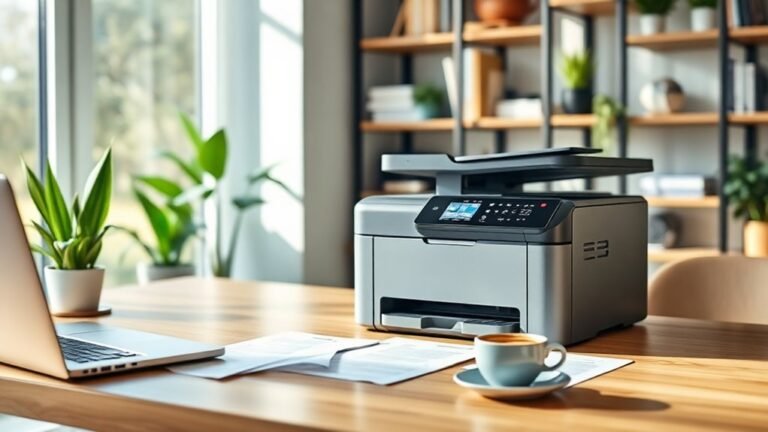
The Canon PIXMA TS4320 combines compact design with versatile capabilities, making it ideal for light home or hybrid work environments. Its wireless color inkjet technology lets you print, copy, and scan with ease, reducing the hassle of multiple devices. This all-in-one printer fits neatly into small spaces without sacrificing functionality.
With print speeds up to 14 ppm for black-and-white and 9 ppm for color, it handles everyday tasks efficiently. Duplex printing and support for various media types, including glossy photo paper, add flexibility to your projects. Mobile printing options like Canon PRINT app, AirPrint, and Mopria simplify connectivity, allowing direct printing from smartphones or tablets.
Maintenance is straightforward, though frequent users should note that starter ink tanks may need early replacement. The single paper tray holds up to 100 sheets, making it best suited for light to moderate printing needs rather than high-volume workloads.
Best for: Individuals seeking a compact, user-friendly all-in-one printer for occasional home or hybrid office use.
What We Like:
- Dual-band Wi-Fi and mobile printing for seamless connectivity
- Sharp 1200 x 1200 dpi print resolution for clear images and text
- Compact footprint with duplex printing and media versatility
- Easy operation with wireless convenience
Specification:
| Feature | Details |
|---|---|
| Manufacturer | Canon |
| Dimensions (W×D×H) | Approx. 12.0 × 12.3 × 5.0 in |
| Weight | Approx. 9.7 lbs (4.4 kg) |
| Print Technology | Wireless Color Inkjet |
| Print Speed (B/W) | Up to 14 ppm |
| Print Speed (Color) | Up to 9 ppm |
| Print Resolution | Up to 1200 x 1200 dpi |
| Paper Capacity | Single tray, up to 100 sheets |
| Duplex Printing | Yes |
| Media Types Supported | Plain, glossy photo paper, etc. |
Mini Portable Bluetooth Thermal Sticker Printer
- Free App control: The [Fun Print] application is always free for users, no need to subscribe to any paid services. Massive of free templates in the app. You can print...
- 8 Rolls of Printing Thermal Paper: Mini printer equipped with 8 rolls of thermal printing paper (5 rolls of thermal paper + 3 rolls of adhesive colorful thermal paper...
- 203dpi Clear Printing: JEPEErbz mini pocket printer has a cute look and small size, specially designed for kids. More importantly, compared with similar mini sticker...
- Mini Bluetooth Inkless Printer: Bluetooth 4.0 connection. System for Android 4.0 and IOS8.0 or above. JEPEErbz mini portable printer is an inkless printer, you don’t...
- Wireless Printing : Our mini portable printer for iphone is built-in 1200mAh rechargeable battery which is longer lasting use for one week. The inkless portable printer...
Capture your creativity wherever you go with this mini portable Bluetooth thermal sticker printer. Designed for hassle-free journaling and quick sticker printing, it eliminates the need for ink cartridges. The wireless Bluetooth 4.0 connection links easily to your iOS or Android device, making printing simple and fast.
This compact printer uses thermal paper to produce sharp black-and-white images at 203 DPI. It prints up to 20 pages per minute, perfect for creating personalized photos, memos, emojis, or QR codes on 57×25 mm thermal paper. Its lightweight design at just 358 grams makes it easy to carry anywhere.
Maintenance is straightforward with no ink refills required. The built-in rechargeable battery ensures you can print on the move without worrying about power outlets. Just charge regularly and use the free Fun Print app to manage your designs.
While it prints only in monochrome and the paper size limits larger projects, this device excels as a portable, wireless solution for quick, creative printing. It’s ideal for making stickers, notes, or small gifts anytime, anywhere.
Best for: creative individuals and journalers looking for a portable, inkless Bluetooth thermal sticker printer.
What We Like:
- Compact and lightweight for easy portability
- Inkless thermal printing with app-based control
- Fast printing speed of 20 pages per minute
- Rechargeable battery supports wireless use
- Produces sharp black-and-white images at 203 DPI
Specification:
| Feature | Details |
|---|---|
| Manufacturer | — |
| Dimensions | — |
| Weight | 358 grams (0.79 lbs) |
| Paper Size | 57 × 25 mm |
| Connectivity | Bluetooth 4.0 |
| Print Resolution | 203 DPI |
| Battery | Built-in rechargeable |
| Color Output | Monochrome (black and white) |
KODAK Step Portable Instant Wireless Photo Printer
- STEP UP YOUR PRINTING GAME. KODAK Step Printer Connects to Any iOS or Android Device [Via Bluetooth or NFC] Turn Your Selfies, Portraits, Social Media Posts Into Physical...
- AMAZING ZERO-INK TECHNOLOGY. ZINK 2” x 3” Sticky-Back Paper with Embedded Dye Crystals Delivers High-Quality, Durable, Affordable, Beautifully Detailed Prints That...
- FULL EDITING SUITE VIA APP. Download the KODAK App to Create Collages & Customize Your Snaps with Stunning Filters, Interesting Borders, Cool Stickers, Funny Text & Other...
- TAKE YOUR PROJECTS TO GO. Our Palm-Sized Printer Weighs Less Than a Pound, Sets Up Fast & Delivers Gorgeous Prints You Can Peel & Stick Everywhere.
- CUTE, COMPACT & COLORFUL. Step Printer is Designed for Photo-Loving Influencers & Crafters of All Ages & Skill Levels! Portable, Lightweight Device Features Built-In...
The KODAK Step Portable Instant Wireless Photo Printer offers a simple way to bring your memories to life. This compact printer fits in your palm, allowing you to print vibrant 2×3-inch photos wherever you go. It connects effortlessly to your iOS or Android phone using Bluetooth or NFC, eliminating the need for cables.
Designed with convenience in mind, the KODAK Step uses ZINK thermal technology, which means no ink cartridges or mess. The accompanying app lets you personalize your photos with filters, borders, and text before printing. This makes it ideal for scrapbooking, crafting, or sharing moments instantly.
Maintenance is straightforward, as the printer charges via micro USB and handles about 25 prints per charge. While the print speed is around one minute per photo, this suits casual use rather than high-volume printing. Its lightweight and portable design makes it easy to carry on trips or daily outings.
This printer solves the challenge of quickly producing physical photos from your smartphone without bulky equipment. It’s a practical tool for those who want instant, peel-and-stick prints to decorate or share.
Best for: Travelers, social media enthusiasts, and crafters who want a compact, wireless photo printer for personalized, peel-and-stick prints on the go.
What We Like:
- Portable and lightweight for easy use anytime, anywhere
- Wireless Bluetooth and NFC connectivity for seamless smartphone printing
- Customizable photos with filters, borders, and text via the KODAK app
- ZINK technology eliminates the need for ink cartridges
- Simple charging with micro USB supports about 25 prints per charge
Specification:
| Feature | Details |
|---|---|
| Manufacturer | KODAK |
| Dimensions | Palm-sized (approx.) |
| Weight | Lightweight |
| Printing Technology | ZINK thermal |
| Photo Size | 2 x 3 inches |
| Connectivity | Bluetooth, NFC |
| Power Source | Micro USB charging |
Liene Pearl N200 Pro Portable Photo Printer Gold

- Professional-Grade Prints Sticker Photo Anywhere: Utilizing advanced dye-sublimation photo printing technology in a compact 3-inch portable design, this mini sticker...
- Discover Different Versions of Yourself with Liene Picture Printer: Upload your photo, choose from multiple artistic styles, and let AI reimagine you while keeping the...
- Instantly Shoot & Print with One-Touch Simplicity: Switch to InstaPic Print mode for a true "shoot-and-print" experience, complete with built-in CCD camera filters...
- Unleash Endless Creativity Beyond Editing: With rich built-in frames, AI-powered background removal for custom fun borders, personalized watermarks & timestamps, and...
- Fast Bluetooth Pairing & Group-Print Ready: With quick-connect technology and multi-device pairing support, everyone at parties or gatherings can print seamlessly...
Capture and print vibrant 2×3 stickers wherever you go with the Liene Pearl N200 Pro Portable Photo Printer. This compact device uses advanced dye-sublimation thermal technology to deliver rich colors and sharp details, solving common issues of dull or blurry portable prints. Its built-in CCD camera and InstaPic mode let you shoot and print instantly, making photo sharing quick and effortless.
Designed for ease of use, the Liene Pearl N200 Pro pairs fast with multiple devices through Bluetooth, so friends can join the fun without hassle. The portable gold design is both stylish and practical, perfect for events, parties, or creative scrapbooking. It prints up to 27 stickers per charge, which helps you stay productive during outings without frequent recharging.
Maintenance is straightforward with included adhesive sheets and cartridges, streamlining the printing process. The dedicated Liene Photo App offers AI-powered editing, background removal, and custom frames, enhancing your photos while keeping editing simple and accessible. However, the printer is limited to 2×3 sticker size and depends on the app for printing and editing.
Best for: Anyone needing a portable, high-quality sticker photo printer with instant capture and print, especially for social events and creative projects.
What We Like:
- Vibrant, sharp prints with dye-sublimation thermal printing
- Instant shoot-and-print with built-in CCD camera and InstaPic mode
- Fast multi-device Bluetooth pairing for easy sharing
- AI-powered editing and background removal via Liene Photo App
- Portable, stylish gold design perfect for on-the-go use
Specification:
| Feature | Details |
|---|---|
| Manufacturer | Liene |
| Dimensions | Not specified |
| Weight | Not specified |
| Printing Technology | Dye-sublimation thermal |
| Print Size | 2 x 3 inches |
| Color Options | Gold |
| Printing Capacity | Up to 27 stickers per charge |
Canon Selphy CP1500 Wireless Compact Photo Printer (Black)
No products found.
The Canon Selphy CP1500 is designed for those who need a compact and portable photo printer that fits seamlessly into an active lifestyle. Its lightweight design and optional battery pack mean you can print photos anywhere, without being tethered to a power outlet. This convenience makes it ideal for capturing and sharing memories on the go.
Connecting is simple with wireless Wi-Fi or USB options, allowing direct printing from smartphones, tablets, and other devices. The printer supports multiple print sizes, including postcards and mini stickers, so you can customize your prints easily. Its dye sublimation technology produces water-resistant, long-lasting photos that stand the test of time.
Maintenance is straightforward, with a single paper tray holding up to 10 sheets for quick refills. While print speeds are modest and the resolution is limited to 300 x 300 dpi, the Selphy CP1500 balances portability and quality without complex upkeep. The built-in 3.5″ LCD screen also lets you preview and edit images before printing.
Best for: Individuals seeking a portable, easy-to-use photo printer for on-the-go wireless printing from smartphones and tablets with durable, high-quality color prints.
What We Like:
- Compact design with optional battery for true mobility
- Wireless and USB connectivity for versatile device use
- Quick, water-resistant dye sublimation prints that last up to 100 years
Specification:
| Feature | Details |
|---|---|
| Manufacturer | Canon |
| Dimensions | 7.1 x 5.1 x 2.7 inches |
| Weight | 1.58 kg (3.48 lbs) |
| Color Options | Black |
| Print Resolution | 300 x 300 dpi |
| Paper Capacity | 10 sheets |
Factors to Consider When Choosing a Cheap Photo Printer

When choosing a cheap photo printer, you’ll want to compare print quality and check the available connectivity options. It’s important to know how you’ll be connecting the printer to your devices.
Consider how portable the printer is and what types of media it supports. You might want something easy to carry around or that works with different photo papers.
Don’t forget to review the printing speed to make sure it fits your needs. After all, waiting too long for prints can be frustrating!
Print Quality Comparison
Although you might be tempted to choose a cheap photo printer based solely on price, understanding how print quality factors like resolution, color depth, and printing technology affect your photos will help you get the best results.
Resolution, measured in dpi, directly impacts sharpness—aim for around 300 dpi or higher for crisp 4×6 prints with fine detail. Color depth influences how smooth and accurate your colors appear; 24-bit color delivers better tonal gradation than lower bit depths.
Printing technology also matters: dye-sublimation offers continuous-tone, laminated prints that resist water and fingerprints, while inkjet and thermal ZINK printers vary in finish and durability. Don’t forget media and lamination—glossy, laminated papers keep colors vibrant and protect against scratches.
That really boosts your photo’s longevity and appearance. So, it’s worth paying attention to all these details when picking your printer.
Connectivity Options Available
Explore various connectivity options to guarantee your cheap photo printer fits seamlessly into your workflow. Wi-Fi lets multiple devices connect at once, so you can print wirelessly from smartphones, tablets, or computers without dealing with cables.
Bluetooth offers simple, low-power pairing for direct mobile printing. It’s easy to use but has a shorter range and slower transfer speeds compared to Wi-Fi.
If you prefer a wired connection, USB Type-C or USB-A provides stable, high-speed transfers. Plus, it’s essential for printers that don’t have wireless options.
Some models even include built-in hotspots or docking connectivity. This means you can print directly without needing a local network, and it supports multiple device connections too.
Finally, don’t forget to check app compatibility like AirPrint, Mopria, or proprietary apps. They come with handy mobile features such as editing, layout adjustments, and print settings, making wireless printing super convenient.
Portability And Size
For choosing a cheap photo printer, size and portability play a crucial role in how easily you can carry and use it on the go. Consider the printer’s weight and dimensions, especially if you need a pocketable unit, which usually weighs between 0.2 and 0.5 kg, unlike bulkier desktop models over 1 kg.
Check if it has a built-in battery and how many prints it can produce per charge—typically around 20 to 30. Look for wireless connectivity like Wi-Fi or Bluetooth to print without cables, and support for multiple devices if printing in groups.
Also, assess media capacity; portable printers hold 10 to 50 sheets, so smaller trays mean more frequent refills. Finally, choose models with protective features to keep your prints safe during transport.
Media Compatibility Types
When selecting a cheap photo printer, you’ll want to think about the types of media it supports to make certain it meets your printing needs. Check the print sizes it handles—whether 2×3, 4×6, or letter size—so it matches your preferred photo or paper formats.
Confirm it works with glossy, matte, peel-and-stick sheets, labels, card stock, and plain paper, especially if you want adhesive or thicker media. Verify the maximum thickness and weight the printer can handle to avoid jams with heavy cardstock or laminated materials.
Also, look for media with finishes like laminated coatings that resist water, fingerprints, scratches, and fading. Finally, make sure the printer supports your preferred paper capacity and formats—single sheets, cassettes, or rolls—to fit your print volume and portability needs.
Printing Speed Metrics
Although print speed varies widely, understanding how it’s measured helps you pick a photo printer that matches your needs. For small photo printers, focus on seconds per photo rather than pages per minute (ppm), which suits inkjets printing letter-sized pages.
Thermal dye-sublimation and ZINK or thermal printers usually take 40–70 seconds for a 4×6 or 2×3 print, while sticker printers hover around 60 seconds. Remember, the first print often takes longer due to warm-up, so check both initial and steady-state print times.
If you plan to share your printer, consider tray capacity and whether it handles multiple users simultaneously. A device producing about one photo a minute with a small sheet capacity might slow down group printing, so choose accordingly.
Consumables And Cost
Printing speed matters, but understanding the ongoing costs of consumables can make a bigger difference in your overall satisfaction with a photo printer. You should compare the cost per print by dividing the price of replacement paper and cartridges or ribbons by their print yields.
Check whether the printer uses combined paper and ink packs or separates cartridges and paper. Integrated packs simplify loading but often increase long-term costs.
Factor in consumable capacities—like sheets per pack and cartridge yields—and typical print sizes to estimate monthly expenses. Don’t forget additional consumables such as protective laminates, adhesive backing, or batteries, which can add to ownership costs.
Finally, look for local refill options and third-party compatibility since regional availability and pricing can greatly affect your effective cost per print. It’s worth doing a bit of homework here to avoid surprises later on.
Software And App Features
Since a photo printer’s software and companion app often shape your user experience, you’ll want to make sure they include essential editing tools like crop, rotate, filters, and brightness adjustments.
Check if the app supports print-specific layouts like square, passport, or borderless 4×6 presets to avoid formatting errors. It’s a small thing but can save you a lot of hassle.
Make sure it offers mobile connectivity options such as Wi-Fi hotspot, Bluetooth, AirPrint, or Mopria. Also, see if it allows multi-device pairing for group printing—super handy when you’re printing with friends or family.
Look for features managing consumables and print status—like paper level indicators and print queue control—to reduce interruptions. These little details keep everything running smoothly.
Prioritize apps with advanced tools you’ll actually use, like AI background removal, portrait retouching, collage builders, or customizable templates. These features streamline editing, saving you time by reducing the need for third-party apps.
Frequently Asked Questions
How Long Do Photo Printer Ink Cartridges Typically Last?
Ink cartridges typically last for about 100 to 300 prints, depending on your printer and usage. You’ll notice they drain faster with frequent photo printing, so consider buying extra cartridges to avoid interruptions.
It’s pretty normal for ink to run out quicker if you’re printing photos a lot. So, having some spares on hand can save you from those annoying pauses when your printer runs dry.
Are Photo Printers Compatible With Both Android and iOS Devices?
Yes, most photo printers work with both Android and iOS devices.
You’ll often use their apps or connect via Wi-Fi or Bluetooth, making it easy to print directly from your smartphone or tablet without any hassle.
It’s pretty straightforward and super convenient!
What Is the Average Print Speed for Small Photo Printers?
Speedy small photo printers typically print pictures in about one to two minutes. You’ll quickly capture crisp, colorful creations without waiting long.
This makes your photo printing process both practical and pleasantly prompt. No need to hang around—just snap, print, and enjoy!
Can These Printers Handle Borderless Photo Printing?
Yes, many small photo printers can handle borderless photo printing. You’ll find models that let you print edge-to-edge photos easily.
They’re perfect for vibrant, full-size prints without distracting white margins. Just make sure to check the specs before buying.
Are There Any Ongoing Maintenance Costs for Photo Printers?
You won’t be buried under endless ink cartridges, but yes, you’ll face ongoing costs like replacing cartridges and photo paper.
Keeping your printer happy means occasional maintenance, but it won’t drain your wallet like a black hole.
Conclusion
By now, you’ve seen the top cheap photo printers for 2027 that blend quality with affordability. Whether you want the instant charm of a portable printer or the classic reliability of a Canon PIXMA, there’s something for every need.
Don’t forget to weigh factors like connectivity and print size before deciding. These details can really make a difference in how satisfied you are with your new printer.
So, channel your inner Edison and pick a printer that’ll bring your memories to life. With the best cheap photo printers of 2027, you don’t need to wait for a telegram to confirm your choice!
Choosing the right photo printer means balancing price, quality, and features. Whether it’s a compact portable printer or a more traditional model, the options available make it easy to find a great fit without breaking the bank.