6 Best Both Side Printing Printers for 2027
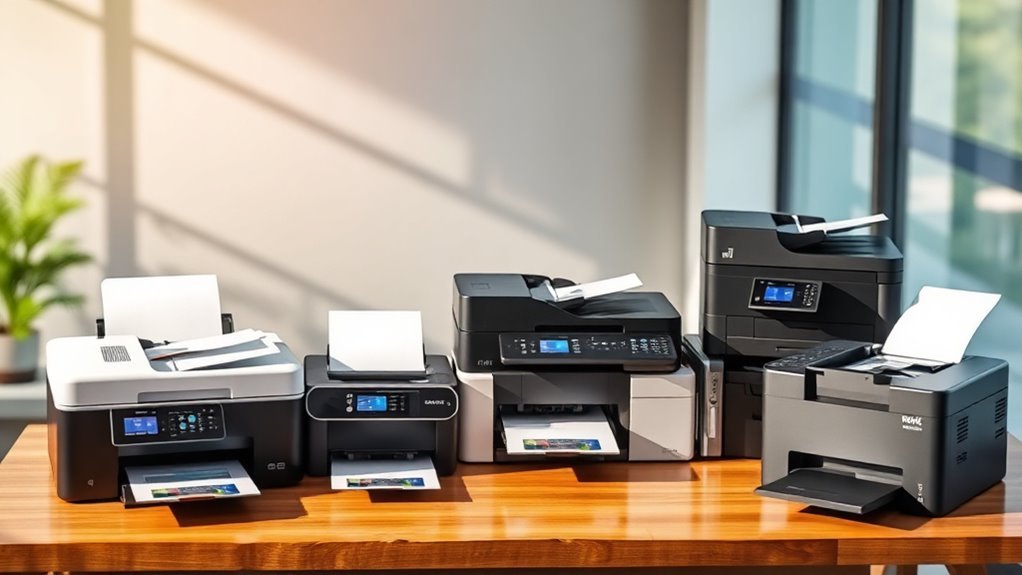
You’ll find top both-side printing with the Canon PIXMA TS6520’s compact design and OLED display or the speedy HP OfficeJet Pro 8125 offering all-in-one functions.
These printers make double-sided printing easy and efficient, perfect for both home and office use.
The HP Envy 6555 excels in wireless duplex printing, giving you freedom from cables and hassle.
Meanwhile, the HP LaserJet M234sdw delivers fast monochrome prints for small teams who need reliable performance without compromise.
For lasting efficiency, the HP Smart Tank 7603 includes three years of ink, so you can print more without worrying about refills.
Epson’s Workforce Pro WF-4930 handles high volume with ease, making it ideal for busy workplaces.
Keep exploring to discover which suits your needs best.
| Image | Name | Editor's Rating | Price |
|---|---|---|---|

|
|
||

|
|
||

|
|
||

|
|
||

|
|
Canon PIXMA TS6520 Wireless Color Inkjet Printer, 1.42″ OLED Display, White
- Affordable Versatility - A budget-friendly all-in-one printer perfect for both home users and hybrid workers, offering exceptional value
- Crisp, Vibrant Prints - Experience impressive print quality for both documents and photos, thanks to its 2-cartridge hybrid ink system that delivers sharp text and vivid...
- Effortless Setup & Use - Get started quickly with easy setup for your smartphone or computer, so you can print, scan, and copy without delay
- Reliable Wireless Connectivity - Enjoy stable and consistent connections with dual-band Wi-Fi (2.4GHz or 5GHz), ensuring smooth printing from anywhere in your home or...
- Scan & Copy Handling - Utilize the device’s integrated scanner for efficient scanning and copying operations

Experience hassle-free printing with the Canon PIXMA TS6520, designed to simplify your daily tasks. Its compact and stylish design fits neatly into any home or small office space, delivering high-quality prints without taking up much room.
This wireless color inkjet printer handles auto-duplex printing, saving you paper and time by printing on both sides automatically. The clear 1.42” OLED display keeps you informed about ink levels and printer status, making maintenance straightforward.
Equipped with a two-cartridge hybrid ink system, it produces crisp text and vibrant photos up to 8.5” x 11”, including borderless options. Dual-band Wi-Fi ensures a stable connection, while voice compatibility allows for hands-free printing, adding convenience to your workflow.
Setup is quick and easy, perfect for families or students who need a reliable and user-friendly printing solution. While print speeds are moderate and media size is limited to letter dimensions, it meets everyday printing needs efficiently.
Best for: Families and students looking for a compact, wireless printer with automatic duplex printing and simple maintenance.
What We Like:
- Auto-duplex printing reduces paper use and effort.
- Dual-band Wi-Fi and voice commands enable flexible connectivity.
- Sharp 1.42” OLED display makes monitoring ink and status easy.
- Hybrid ink system delivers clear text and vibrant photos.
Specification:
| Feature | Details |
|---|---|
| Manufacturer | Canon |
| Printer Type | Wireless Color Inkjet |
| Display | 1.42” OLED |
| Ink System | Two-cartridge Hybrid |
| Max Print Size | 8.5” x 11” (Letter) |
| Connectivity | Dual-band Wi-Fi, Voice Compatible |
| Color | White |
| Dimensions (inches) | Compact (exact size not specified) |
| Weight | Not specified |
HP OfficeJet Pro 8125 Wireless All-in-One Printer
- FROM AMERICA'S MOST TRUSTED PRINTER BRAND – The OfficeJet Pro 8125 is perfect for home offices printing professional-quality color documents like business documents...
- 3 MONTH TRIAL OF INSTANT INK INCLUDED – Subscribe to the Instant Ink delivery service to get ink delivered directly to your door before you run out, and you save up to...
- KEY FEATURES – Fast color printing, scan, copy, auto 2-sided printing, auto document feeder, and a 225-sheet input tray
- 2.7-INCH TOUCHSCREEN – Quickly navigate your printer with a large color touchscreen and a phone-like user interface
- WIRELESS PRINTING – Stay connected with our most reliable dual-band Wi-Fi, which automatically detects and resolves connection issues
The HP OfficeJet Pro 8125 Wireless All-in-One Printer is designed to streamline your busy home office tasks. It provides fast, high-quality prints that keep your workflow smooth and efficient. With duplex printing, you save time and paper by printing double-sided documents automatically.
This printer goes beyond printing by handling scanning, copying, and faxing, reducing the need for multiple devices. Its 2.7-inch color touchscreen simplifies navigation, while dual-band Wi-Fi ensures reliable wireless connections. Maintenance is straightforward with original HP cartridges, though keep in mind this limits third-party ink options.
Security features like HP Wolf Essential protect sensitive information, making it ideal for professional environments. The use of over 45% recycled plastics shows a commitment to sustainability, appealing to users who value eco-friendly office products.
Overall, the OfficeJet Pro 8125 enhances productivity with its versatile functions and thoughtful design. It suits those who need a reliable, smart printer that balances performance with environmental responsibility.
Best for: professionals and home office users seeking a fast, versatile, and eco-friendly all-in-one printer with high-quality color and black-and-white printing.
What We Like:
- Fast duplex printing speeds up to 20 ppm in black and 10 ppm in color
- Easy-to-use 2.7-inch color touchscreen and dual-band Wi-Fi connectivity
- Robust security with HP Wolf Essential to protect documents
- Eco-conscious design with over 45% recycled plastic components
Specification:
| Feature | Details |
|---|---|
| Manufacturer | HP |
| Dimensions (W×D×H) | Approx. 17.3 × 15.7 × 9.4 in |
| Weight | Approx. 16.1 lb (7.3 kg) |
| Color Options | Standard: White with gray |
| Connectivity | Wireless dual-band Wi-Fi |
HP Envy 6555 Wireless All-in-One Printer (C2XR6A)
- FROM AMERICA'S MOST TRUSTED PRINTER BRAND – The Envy 6555 is perfect for homes printing everyday high-quality color documents like homework and borderless photos. Print...
- 3 MONTH TRIAL OF INSTANT INK – Subscribe to the Instant Ink delivery service to get ink delivered directly to your door before you run out, and you save up to 50% on...
- KEY FEATURES – Color print, copy and scan, plus auto 2-sided printing, a 35-sheet auto document feeder and a 100-sheet input tray
- HP'S MOST INTUITIVE COLOR TOUCHSCREEN – Smoothly navigate your printer with the easy-to-use 2.4" touchscreen
- WIRELESS PRINTING – Stay connected with our most reliable dual-band Wi-Fi, which automatically detects and resolves connection issues
The HP Envy 6555 Wireless All-in-One Printer delivers seamless wireless duplex printing that fits perfectly into your home workspace. It tackles the hassle of printing vibrant color documents and borderless photos with ease. This printer’s dual-band Wi-Fi ensures stable connections, so you can print from anywhere without interruptions.
Designed for home users, the printer features a 2.4-inch color touchscreen that simplifies navigation. The 35-sheet automatic document feeder reduces manual input, helping you manage multiple pages efficiently. AI-enhanced print optimization improves output quality, producing sharp and professional results every time.
Maintenance is straightforward with its compact design and user-friendly interface. The input tray holds up to 100 sheets, suitable for regular home use but may require refills during heavy printing tasks. While the print speed reaches up to 10 ppm for black and 7 ppm for color, it suits personal and family needs rather than high-volume office environments.
Best for: Home users seeking a versatile all-in-one printer that balances quality color output with easy wireless and mobile printing.
What We Like:
- Reliable dual-band Wi-Fi with Apple AirPrint and HP Cloud support
- AI-enhanced print optimization for sharp documents and photos
- User-friendly 2.4-inch color touchscreen and automatic document feeder
Specification:
| Feature | Details |
|---|---|
| Manufacturer | HP |
| Dimensions | 17.2 x 14.5 x 7.5 inches |
| Weight | 14.8 lb (6.7 kg) |
| Color Options | Black |
| Connectivity | Dual-band Wi-Fi, Wireless |
HP LaserJet M234sdw Monochrome Laser Printer | All-in-One
No products found.
Experience seamless productivity with the HP LaserJet M234sdw, designed to meet the needs of small teams. This monochrome laser printer delivers fast, reliable printing that keeps your workflow moving without interruption.
Its ability to print up to 30 pages per minute single-sided and 19 double-sided means less waiting and more doing. The 40-page auto document feeder simplifies scanning and copying, saving you time on repetitive tasks.
Setup and maintenance are hassle-free with versatile connectivity options like dual-band Wi-Fi, Ethernet, and mobile printing through the HP Smart App. This ensures smooth integration into your existing network and easy access from multiple devices.
Compact and energy-efficient, the printer fits neatly into small office spaces without sacrificing performance. Built-in security features help protect sensitive data, giving you peace of mind in daily operations.
Best for: Small teams of 1-5 people needing fast, secure monochrome printing with convenient scanning and copying capabilities.
What We Like:
- High print speeds of up to 30 ppm single-sided and 19 ppm double-sided
- Multiple connectivity options including dual-band Wi-Fi and mobile printing
- Compact design with energy-efficient operation
- 40-page auto document feeder for efficient scanning and copying
- Built-in security features to safeguard data
Specification:
| Feature | Details |
|---|---|
| Manufacturer | HP |
| Dimensions (W x D x H) | 15.7 x 14.6 x 10.4 inches (40 x 37 x 26.5 cm) |
| Weight | Approx. 15.4 lbs (7 kg) |
| Color | Monochrome (Black and White) |
| Connectivity | Dual-band Wi-Fi, Ethernet, Mobile via HP Smart App |
HP Smart Tank 7603 Ink Tank Printer | 3 Years of Ink Included | All-in-One
- THE LAST PRINTER YOU'LL EVER NEED – Set it up once and print with confidence; no complicated maintenance, just easy, reliable printing you can count on
- FULLY LOADED WITH SAVINGS – Best for low-cost, high-volume printing—up to 3 years of HP Ink included; get up to 8,000 color or 6,000 black pages right out of the box
- KEY FEATURES – Print, copy and scan and fax, auto document feeder, magic touch control panel, plus borderless prints, mobile and wireless printing
- MESS-FREE REFILL – Replenish ink with HP's easy-access, mess-free refill system; simply plug the ink bottles into this cartridge-free ink tank and let them drain—no...
- BEST PRINT QUALITY, PERIOD – Sharper text, richer colors, only with HP Smart Tank
Experience hassle-free printing with the HP Smart Tank 7603, designed to keep your workflow smooth and efficient. This all-in-one printer tackles print, copy, scan, and fax needs with ease, making it perfect for busy home offices or small businesses. Its wireless, Ethernet, and USB connectivity options ensure you stay connected without interruption.
Maintenance becomes simple thanks to the mess-free, refillable ink tank system. It includes enough ink to print thousands of pages—up to 8,000 in color and 6,000 in black—reducing the need for frequent refills and lowering your running costs. This feature saves time and money, allowing you to focus on your tasks without ink worries.
The printer supports automatic duplex printing, handling double-sided documents at up to 15 pages per minute in black and 9 in color. The sharp print resolution delivers clear, professional-quality documents, while the 35-sheet automatic document feeder (ADF) streamlines multi-page scanning and copying jobs.
Designed to fit the needs of those who print regularly, the HP Smart Tank 7603 balances functionality with ease of use. Its moderate weight may limit portability, but its high ink capacity and multiple connectivity options make it a reliable choice for sustained use.
Best for: Small businesses and individuals needing a cost-effective, high-volume all-in-one printer with long-lasting ink supply and versatile connectivity.
What We Like:
- Long-lasting ink supply reduces refill frequency and costs
- Automatic duplex printing improves efficiency and paper savings
- 35-sheet ADF speeds up multi-page tasks
- Multiple connectivity options for flexible use
Specification:
| Feature | Details |
|---|---|
| Manufacturer | HP |
| Dimensions (W×D×H) | 17.3 × 14.7 × 7.5 in |
| Weight | 17 lb (7.7 kg) |
| Ink System | Refillable ink tanks |
| Connectivity | Wireless, Ethernet, USB |
Epson Workforce Pro WF-4930 Wireless All-in-One Printer
- Built for Speed — PrecisionCore Heat-Free technology delivers fast, high-volume printing with 25 (black)/12 (color) ISO ppm and fast first-page-out
- High-Precision Office Printing — Accurate dot placement and DURABrite Ultra instant-dry pigment inks for professional-quality prints
- High-Volume Durability for Heavy Workloads — Innovative heat-free technology engineered for reliability and reduced downtime
- Complete Duplex Solution — All-in-one printer with auto 2-sided print, copy, scan and fax; plus 50-sheet ADF
- Maximize Printing Productivity — High-performance office printer with 500-sheet paper capacity; includes two 250-sheet trays for added convenience
The Epson Workforce Pro WF-4930 is designed to keep up with demanding office tasks. It tackles high-volume duplex printing quickly, helping you meet tight deadlines without compromising quality.
Its PrecisionCore Heat-Free Technology ensures consistent, sharp prints at speeds of 25 ppm for black and 12 ppm for color. This reduces wait times and boosts productivity throughout your workday.
Maintenance is straightforward with dual 250-sheet trays and a 50-sheet automatic document feeder, minimizing paper reloads. Wireless and mobile app support allow seamless printing from multiple devices, enhancing flexibility.
This all-in-one printer also handles copying, scanning, and faxing, making it a versatile tool for busy professionals. While it is relatively heavy and consumes more power than some models, its robust design supports heavy workloads efficiently.
Best for: Busy professionals and small to medium-sized offices needing fast, reliable duplex printing and multifunctional capabilities.
What We Like:
- High-speed duplex printing with PrecisionCore technology
- Large paper capacity reduces interruptions
- Easy wireless and mobile printing options including Wi-Fi Direct
- Versatile all-in-one functions for copying, scanning, and faxing
Specification:
| Feature | Details |
|---|---|
| Manufacturer | Epson |
| Dimensions (W×D×H) | 16.5 × 18.1 × 12.6 in |
| Weight | 23.6 lb (10.7 kg) |
| Color Options | Black |
| Paper Capacity | Dual 250-sheet trays + 50-sheet ADF |
Factors to Consider When Choosing a Both Side Printing Printer
When choosing a both side printing printer, you’ll want to compare print speeds to keep your workflow smooth. Pay close attention to duplex printing quality and the connectivity options that fit your setup.
Don’t forget to evaluate ink efficiency, cost, and how much paper the printer can handle at once. These factors can really make a difference in your overall printing experience.
Print Speed Comparison
Choosing the right both side printing printer means paying close attention to print speed, which can range widely from 7 to 30 pages per minute for black-and-white documents.
Keep in mind that color printing speeds are generally slower, usually between 7 and 12 ppm, so plan accordingly if your projects require vivid color output. Duplex printing may slow things down since the printer processes both sides, so check how it handles double-sided jobs.
Also, consider the maximum output resolution—higher quality often means slower printing due to extra processing. Don’t forget to evaluate the printer’s duty cycle, which tells you how many pages it can handle monthly without strain.
Balancing these factors guarantees you pick a printer that meets both your speed and volume needs effectively.
Duplex Printing Quality
Several key factors determine the quality of duplex printing, and understanding them helps you pick a printer that delivers crisp, vibrant results on both sides of the page.
First, consider print resolution—higher resolutions like 4800 x 2400 dpi guarantee sharper, more detailed images. The type of ink or toner also matters: inkjet printers offer richer colors, while laser printers excel at producing sharp text.
Printer speed can influence quality too; slower speeds often allow better ink absorption, minimizing smudges. Don’t overlook paper choice—using thicker, high-quality paper prevents bleed-through and enhances print clarity.
Finally, check the automatic duplexing feature for precise alignment, as some printers handle front-and-back registration better, giving your double-sided prints a polished, professional look every time.
Connectivity Options Available
Print quality is important, but how you connect to your printer can make just as much difference in your overall experience. Look for dual-band Wi-Fi support so you can enjoy stable wireless printing over both 2.4GHz and 5GHz networks, minimizing interference.
Mobile printing options like Apple AirPrint and dedicated apps let you print directly from your smartphone or tablet, adding convenience. If you prefer wired connections, Ethernet guarantees consistent performance, especially in busy environments.
Some models even offer voice-activated controls, letting you operate the printer hands-free and integrate it with your smart home devices. Finally, make certain the printer supports various operating systems—Windows, Mac, and Linux—so you can connect seamlessly no matter which device you use.
Ink Efficiency And Cost
While saving paper with automatic duplex printing is essential, you should also consider how efficiently a printer uses ink to keep ongoing costs low. Ink tank printers usually offer a lower cost-per-page than traditional cartridge models, making them ideal if you print frequently.
Choosing printers with high-capacity ink cartridges or refillable tanks reduces how often you replace ink, cutting expenses over time. Additionally, some manufacturers offer ink subscription services that deliver ink straight to your door. This saves you from running out unexpectedly while lowering costs.
Don’t forget to check the print yield of cartridges—higher yields mean fewer replacements and better savings on both black and color prints. Prioritizing these factors guarantees you get the most economical both side printing printer for your needs.
Paper Handling Capacity
Understanding a printer’s paper handling capacity is essential when choosing a both side printing model that fits your needs. This capacity refers to how many sheets the input tray can hold, which typically ranges from 100 to over 500 in high-capacity models.
If you print a lot, a larger capacity cuts down on frequent refills, saving you time and hassle. Also, look for automatic document feeders (ADF) that let you scan or copy multiple pages without manual effort.
Since duplex printing handles both sides of the paper, some printers require specific tray setups to guarantee smooth operation. Finally, features like multiple input trays or adjustable guides can handle different paper sizes and types, giving you more flexibility in your printing tasks.
Frequently Asked Questions
How Does Duplex Printing Affect Ink or Toner Consumption?
Duplex printing doesn’t directly increase ink or toner usage since it prints on both sides of a sheet.
However, it reduces paper consumption, so you’ll likely use less overall ink or toner by printing fewer sheets.
It’s a smart way to save resources without compromising on print quality.
Can Both Side Printing Work With Custom Paper Sizes?
Yes, you can print on both sides with custom paper sizes, but it’s tricky. While standard sizes flow smoothly, custom ones might cause jams or misalignment.
Are There Any Apps That Enhance Duplex Printing Features?
Yes, you can use apps like Printer Pro or PrintCentral to enhance duplex printing features. They give you more control over layout and paper settings, making double-sided printing smoother and more customizable on your device.
These apps really help streamline the process. Plus, they offer extra options that the default printer settings might not have. So, if you print a lot, they’re definitely worth trying out!
What Is the Typical Speed Difference Between Single and Double-Sided Printing?
Double-sided printing often dances at half the speed of single-sided, since your printer flips the page like a skilled juggler.
You’ll notice it takes roughly twice as long to finish your print job.
How Do Duplex Printers Handle Thick or Specialty Paper?
Duplex printers usually struggle with thick or specialty paper, so they often require manual feeding or single-sided printing. You’ll want to check your printer’s specs to verify it can handle heavier or textured sheets without jams.
It’s a good idea to test a few sheets first before doing a big print job. That way, you can avoid wasted paper and frustration if the printer can’t handle the material.
Conclusion
Choosing the right both side printing printer means balancing speed with quality, affordability with features, and ease of use with durability. Whether you’re printing documents, photos, or labels, you want reliability that matches your needs.
Efficiency is key too—it saves you time and keeps your workflow smooth. And let’s not forget technology that keeps you connected, whether it’s wireless printing or mobile compatibility.
By focusing on these factors, you’ll find a printer that works harder, smarter, and longer. A good both side printing printer helps you get the job done right every single time, combining convenience with top-notch performance. In the end, choosing the best both side printing printer means investing in a device that supports your daily tasks effortlessly and efficiently.