10 Best Borderless Printers for Photo Printing in 2027
You’ll love the Epson EcoTank Photo ET-8550 and Canon PIXMA PRO-200S for vibrant, borderless photos up to 13×19 inches.
These printers deliver stunning color and sharp detail that bring your photos to life. They’re perfect if you want professional-quality prints without the hassle.
Compact options like the Epson PictureMate PM-400 and Canon PIXMA TS6520 offer easy wireless printing with sharp detail.
They’re great for small spaces and quick photo projects. Plus, you can print directly from your phone or tablet, making things super convenient.
For high ink efficiency, consider the Canon Megatank G3290.
It helps you save on ink costs while still producing excellent photo prints.
Models like the Epson Workforce Pro WF-7310 provide wide media support and fast speeds, ideal for those who need versatility and quick output.
Explore how these printers combine quality, convenience, and cost-efficiency to fit your photo printing needs.
Whether you want vibrant colors, easy wireless options, or budget-friendly ink usage, there’s a borderless printer here for you.
| Image | Name | Editor's Rating | Price |
|---|---|---|---|

|
|
||

|
|
||

|
|
||

|
|
||

|
|
Epson EcoTank Photo ET-8550 Wireless Wide-Format All-in-One Tank Printer
- CARTRIDGE-FREE PRINTING — Print lab-quality photos, graphics and creative projects; Get vibrant colors and sharp text with Epson's high-accuracy printhead and Claria ET...
- INK BOTTLES — Save on photos1 and creative projects with affordable in-house printing; All-in-one printer allows you to print 4" x 6" photos for about 4 cents each vs...
- LESS FREQUENT INK REPLACEMENT — Replacement ink bottles don't have to be changed nearly as often as ink cartridges¹; Printer, scanner and copier lets you print up to...
- PRINT FOR LONGER — Up to 2 years of ink in the box² (and with every replacement ink set) for fewer out-of-ink frustrations with this wireless printer
- ZERO CARTRIDGE WASTE — Epson EcoTank printer helps reduce the amount of cartridge waste ending up in landfills; Cartridge-free printer uses high-yield ink bottles; Each...

If you need high-quality, borderless photo prints without constant ink changes, the Epson EcoTank Photo ET-8550 is designed for you. This wireless, wide-format all-in-one tank printer combines printing, scanning, and copying in one compact device. It delivers sharp, vibrant photos up to 13 x 19 inches, perfect for detailed images and creative projects.
The EcoTank’s cartridge-free Claria ET Premium 6-color ink system significantly lowers your printing costs. You can print thousands of photos before needing to refill, reducing maintenance interruptions and expenses. Its wireless connectivity supports easy printing from smartphones and PCs, offering flexibility for home or studio use.
This printer’s design focuses on convenience and quality, making it ideal for photography enthusiasts who want professional results without the hassle of frequent ink replacements. While it occupies a larger space and has a moderate print speed, its cost savings and print quality make it a practical choice for wide-format photo printing.
Best for: photographers and creative users seeking high-resolution, wide-format photo prints with low ink costs and versatile wireless options.
What We Like:
- Cartridge-free ink system cuts printing costs and refills.
- Prints vibrant, sharp photos up to 13 x 19 inches.
- Wireless and smartphone-compatible for easy, flexible printing.
- Combines printing, scanning, and copying in one device.
- High resolution of up to 5760 x 1440 dpi for detailed images.
Specification:
| Feature | Details |
|---|---|
| Manufacturer | Epson |
| Dimensions | Approx. 23.6 x 14.8 x 9.4 in (W x D x H) |
| Weight | Approx. 15.9 lb (7.2 kg) |
| Ink System | Cartridge-free Claria ET Premium 6-color |
| Maximum Print Size | 13 x 19 inches |
| Connectivity | Wireless, PC, Smartphone |
Canon PIXMA PRO-200S Wireless 13″ Photo Printer
- 8 COLOR dye-based ink system produces vibrant, high quality prints.
- BORDERLESS PRINTING from 3.5” x 3.5” up to 13” x 19”.
- HIGH SPEED PRINTING — bordered A3+ print in just 90 seconds or bordered 8" x 10" print in 53 seconds.
- 3.0'' COLOR LCD MONITOR -- Easily check ink levels, printer status, and other settings.
The Canon PIXMA PRO-200S delivers vibrant, borderless photo prints up to 13” x 19” with impressive ease. Its advanced 8-color dye-based ink system ensures rich colors and sharp details, making your images truly stand out. You can print various media sizes, from small 3.5” squares to wide 13” x 39” sheets, adapting effortlessly to different creative projects.
Designed for professional photo printing, this model offers quick output, producing an 8×10 borderless photo in just 53 seconds. Connectivity is flexible, featuring Wi-Fi, Ethernet, and USB options, so you can print from multiple devices without hassle. The bright 3.0-inch color LCD provides clear status updates, helping you monitor ink levels and settings with ease.
Maintenance is straightforward, with the printer’s durable build and user-friendly interface reducing downtime. However, keep in mind it focuses solely on photo printing, lacking scanning or copying functions. Its size requires enough workspace but rewards users with consistent, high-quality results.
Best for: photographers and creative professionals seeking vivid, borderless photo prints with versatile media handling and reliable wireless connectivity.
What We Like:
- Produces rich, detailed prints with an 8-color dye-based ink system
- Supports a wide range of media sizes up to 13” x 39”
- Fast printing speeds for borderless photos
- Multiple connectivity options including Wi-Fi and Ethernet
- Easy-to-use 3.0-inch color LCD for ink and settings monitoring
Specification:
| Feature | Details |
|---|---|
| Manufacturer | Canon |
| Maximum Print Size | 13” x 19” (borderless) |
| Media Size Range | 3.5” square to 13” x 39” |
| Ink System | 8-color dye-based |
| Resolution | 4800 x 2400 dpi |
| Connectivity | Wi-Fi, Ethernet, USB |
| Display | 3.0-inch color LCD |
| Certification | Energy Star |
| Dimensions (W×D×H) | Not specified |
| Weight | Not specified |
Canon PIXMA TS6520 Wireless Color Inkjet Printer, 1.42″ OLED Display, White
- Affordable Versatility - A budget-friendly all-in-one printer perfect for both home users and hybrid workers, offering exceptional value
- Crisp, Vibrant Prints - Experience impressive print quality for both documents and photos, thanks to its 2-cartridge hybrid ink system that delivers sharp text and vivid...
- Effortless Setup & Use - Get started quickly with easy setup for your smartphone or computer, so you can print, scan, and copy without delay
- Reliable Wireless Connectivity - Enjoy stable and consistent connections with dual-band Wi-Fi (2.4GHz or 5GHz), ensuring smooth printing from anywhere in your home or...
- Scan & Copy Handling - Utilize the device’s integrated scanner for efficient scanning and copying operations
Experience crisp photo printing and versatile functionality with the Canon PIXMA TS6520 wireless inkjet printer. Designed to simplify your home or student printing needs, it offers sharp images and borderless options that enhance your projects. The compact design fits easily into any workspace without crowding your desk.
Maintenance is straightforward thanks to its 1.42” OLED display, which clearly shows ink levels and printer status. The 2-cartridge hybrid ink system balances vivid color output with efficient ink use. You can print, scan, and copy with ease, while auto-duplex printing helps reduce paper waste.
This model supports dual-band Wi-Fi for a stable connection, and voice compatibility allows hands-free control, making everyday printing tasks smoother. Although print speed is moderate and the small display limits navigation, it remains a reliable and user-friendly choice.
Best for: Families and students needing a compact, easy-to-use wireless printer that delivers sharp photo prints and versatile all-in-one functionality.
What We Like:
- Compact, stylish design suitable for small spaces
- Dual-band Wi-Fi and voice control for flexible connectivity
- Auto-duplex printing saves paper and time
- Clear OLED display for simple maintenance
- Hybrid ink system balances color quality and efficiency
Specification:
| Feature | Details |
|---|---|
| Manufacturer | Canon |
| Dimensions | Compact size (exact not specified) |
| Weight | Not specified |
| Ink System | 2-cartridge hybrid ink |
| Display | 1.42” OLED |
| Connectivity | Dual-band Wi-Fi, voice compatible |
| Color Options | White |
Epson PictureMate PM-400 Wireless Compact Photo Printer
- Epson printing system is designed to be used exclusively with Epson Genuine Cartridges. Use of non-genuine ink could cause damage not covered under the printer’s ltd...
- Beautiful borderless photos - easily print high-quality 4"x6" & 5"x7" Photos
- Ultra compact design - lightweight, portable printer saves space
- Total Wireless solution - Print from iPad, iPhone, tablets and smartphones
- Photo Print speed: 4" X 6" Borderless photo in as fast as 36 Sec (default mode: Color photo in default mode on Premium photo paper glossy measured from start of paper...
The Epson PictureMate PM-400 redefines portable photo printing with its compact and lightweight design. It effortlessly solves the challenge of printing high-quality photos on the go, making it ideal for photographers and enthusiasts who need sharp, professional results anywhere. This wireless photo printer delivers stunning borderless 4×6 and 5×7 prints with rich detail at a resolution of 5760 x 1440 dpi.
Maintaining the printer is straightforward, but it requires exclusive use of Epson Genuine Cartridges. This ensures print quality and longevity, with photos lasting up to 200 years. Although the cartridge restriction may increase costs and limit ink options, it helps preserve the printer’s performance and color accuracy over time.
Designed for convenience, the PM-400 connects easily via Wi-Fi or USB and pairs seamlessly with smartphones and tablets through its dedicated app. It holds up to 50 sheets, making it suitable for casual to moderate printing needs without frequent refills.
Unique features like duplex printing, scanning, and an LCD display enhance usability and control. While the sheet capacity and ink exclusivity can be drawbacks, the Epson PictureMate PM-400 remains a reliable choice for portable, high-quality photo printing.
Best for: photographers and photo enthusiasts who need a portable, wireless printer for quick, borderless 4×6 and 5×7 photo prints.
What We Like:
- Sharp, long-lasting prints with up to 5760 x 1440 dpi resolution
- Compact, lightweight design with wireless connectivity
- Supports scanning, duplex printing, and features an LCD display
Specification:
| Feature | Details |
|---|---|
| Manufacturer | Epson |
| Dimensions | Compact (exact size not provided) |
| Weight | 6 lb (2.72 kg) |
| Paper Capacity | Up to 50 sheets |
| Print Resolution | 5760 x 1440 dpi |
| Supported Photo Sizes | 4×6 and 5×7 inches |
| Connectivity | Wi-Fi, USB |
Canon PIXMA TS4320 – Wireless Color Inkjet Printer with Print, Copy, Scan
- Affordable Versatility - A budget-friendly all-in-one printer perfect for both home users and hybrid workers, offering exceptional value
- Crisp, Vibrant Prints - Experience impressive print quality for both documents and photos, thanks to its 2-cartridge hybrid ink system that delivers sharp text and vivid...
- Effortless Setup & Use - Get started quickly with easy setup for your smartphone or computer, so you can print, scan, and copy without delay
- Reliable Wireless Connectivity - Enjoy stable and consistent connections with dual-band Wi-Fi (2.4GHz or 5GHz), ensuring smooth printing from anywhere in your home or...
- Scan & Copy Handling - Utilize the device’s integrated scanner for efficient scanning and copying operations
If you need a compact printer that fits easily on your desk, the Canon PIXMA TS4320 offers a perfect balance of size and performance. It produces vibrant, borderless photos with sharp detail, making it ideal for everyday printing needs. Its wireless design lets you print, copy, and scan without cluttering your workspace with cables.
This printer uses a 2-cartridge hybrid ink system that delivers crisp images at up to 1200 x 1200 dpi. It supports media up to 8.5 x 11 inches, handling everything from glossy photos to labels. Dual-band Wi-Fi and mobile app compatibility simplify setup and allow you to print directly from your smartphone or tablet.
Maintenance is straightforward with easy cartridge replacement and automatic duplex printing that helps reduce paper waste. Its compact, stylish design fits well in small home offices or personal spaces where space is limited.
The Canon PIXMA TS4320 is a practical choice for anyone seeking a reliable wireless printer that combines quality and convenience in one device.
Best for: individuals and small home offices needing a compact, wireless printer that delivers high-quality prints, scanning, and copying with simple mobile connectivity.
What We Like:
- Sharp, vibrant prints with a 2-cartridge hybrid ink system.
- Dual-band Wi-Fi and mobile printing options for easy connectivity.
- Automatic duplex printing saves paper and increases efficiency.
- Supports various media types, from photos to labels.
- Compact design fits well in limited spaces.
Specification:
| Feature | Details |
|---|---|
| Manufacturer | Canon |
| Dimensions (W x D x H) | Approx. 14.7 x 11.9 x 5.2 in |
| Weight | Approx. 9.9 lbs |
| Ink System | 2-cartridge hybrid ink |
| Maximum Print Resolution | 1200 x 1200 dpi |
| Media Size Supported | Up to 8.5 x 11 inches |
| Connectivity | Dual-band Wi-Fi, mobile app |
Epson Expression Premium XP-7100 Wireless Color All-in-One Inkjet Printer
- CLEAR AND VIBRANT PRINT QUALITY ― All-in-one inkjet color printer produces sharp text for eye-catching documents and impressive color photos and graphics; Your next...
- PRINTER FOR HOME USE ― Designed to increase your productivity at home, this wireless color printer features a 30 page auto document feeder (ADF), auto 2-sided print...
- CREATIVITY MADE EASY ― Epson color printer provides creative versatility, allowing you to print photos and documents on specialty paper¹ and DVDs; You can even print...
- SIMPLE FUNCTIONALITY ― Convenient features make printing, scanning, and copying a snap; Use the large, intuitive 4.3 in touchscreen to view, edit and print photos...
- CONVENIENT WIRELESS PRINTER ― Ultimate wireless plus ethernet; Easily print photos and documents directly from your tablet or smartphone³; Includes Wi-Fi direct for...
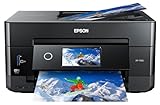
The Epson Expression Premium XP-7100 is designed to bring professional-quality prints directly to your home. It produces vibrant, borderless photos up to 8 x 10 inches with sharp detail thanks to its 5-color ink system and 4800 dpi resolution. This printer addresses the challenge of achieving high-quality photo prints without needing a dedicated photo printer.
Its multifunction capabilities include printing, scanning, and copying, making it ideal for home office tasks. Duplex printing and an auto document feeder help save paper and streamline your workflow. The 4.3-inch touchscreen offers easy navigation, reducing the hassle often associated with printer menus.
Wireless connectivity through Wi-Fi Direct allows printing from your mobile devices without a network, enhancing convenience. Compact and versatile, the XP-7100 supports specialty media, but it requires genuine Epson cartridges. While color print speed is slow at 1 page per minute, black-and-white printing is faster, balancing quality with efficiency.
Best for: users seeking a versatile all-in-one printer for home offices that delivers crisp, borderless photo prints and simple wireless setup.
What We Like:
- Sharp 4800 dpi resolution with 5-color ink for detailed photo prints
- Duplex printing and auto document feeder for efficient document handling
- Large 4.3-inch touchscreen for easy operation
- Multiple connectivity options including Wi-Fi Direct, Ethernet, USB, and SD card slot
Specification:
| Feature | Details |
|---|---|
| Manufacturer | Epson |
| Dimensions (W×D×H) | 14.8 x 11.9 x 6.5 inches |
| Weight | 14.1 lbs (6.4 kg) |
| Ink System | 5-color inkjet |
| Maximum Print Size | 8 x 10 inches |
| Connectivity | Wi-Fi Direct, Ethernet, USB, SD card slot |
Canon imagePROGRAF PRO-310 Wireless Photo Printer

- 9 COLOR + CHROMA OPTIMIZER pigment-based ink system produces gallery-quality prints.
- EASE OF USE — ultimate productivity with Anti-Clogging System and Skew Correction.
- MATTE BLACK INK offers enhanced black density and wider dark area reproduction range.
- Easily check ink levels, printer status, and other settings with the 3.0-Inch COLOR LCD MONITOR.
- The LUCIA PRO II INK SYSTEM produces enhanced gloss uniformity, and scratch resistance.
Experience exceptional photo printing with the Canon imagePROGRAF PRO-310, designed to bring your images to life. Its advanced 9-color pigment ink system ensures vibrant, true-to-life colors that elevate your professional projects. The printer’s high resolution of 1200 x 1200 dpi produces sharp, detailed prints that capture every nuance.
This model’s LUCIA PRO II inks, including matte black and Chroma Optimizer, deliver deep blacks and consistent gloss. These features not only enhance print quality but also improve scratch resistance, making your photos durable and polished. The printer supports a range of media sizes up to 13″ x 19″, offering versatility for various creative needs.
Connectivity is flexible with options for Wi-Fi, Ethernet, and USB, allowing seamless integration into your workspace. Although it is print-only and does not scan or copy, its anti-clogging mechanism and skew correction help maintain reliability and print precision over time.
Maintenance is straightforward, minimizing downtime and ensuring consistent output. Its size and weight mean it needs a dedicated space, but the quality and durability make it a worthwhile addition for demanding photo work.
Best for: professional photographers and graphic artists seeking vibrant, high-quality photo prints with advanced ink technology and versatile media handling.
What We Like:
- 9-color LUCIA PRO II pigment ink system for rich colors and gloss
- Multiple connectivity options including wireless and Ethernet
- Anti-clogging and skew correction for reliable performance
- Supports large media sizes up to 13″ x 19″
- Durable prints with scratch resistance and uniform gloss
Specification:
| Feature | Details |
|---|---|
| Manufacturer | Canon |
| Dimensions | Not specified |
| Weight | 31.6 lb (14.3 kg) |
| Print Resolution | 1200 x 1200 dpi |
| Max Media Size | 13″ x 19″ (330 x 483 mm) |
| Connectivity | Wi-Fi, Ethernet, USB |
| Ink System | 9-color pigment (LUCIA PRO II) |
Canon Megatank G3290 All-in-One Wireless Printer

- Wireless Print/Copy/Scan (2)
- Up to 2 years of ink included
- Print up to 6,000 black & white / 7,700 color pages using a single set of inks! (1)
- Save up to $1,000 on ink (1)
- 2.7” LCD Color Touchscreen
Experience efficient and cost-effective printing with the Canon Megatank G3290 All-in-One Wireless Printer. Designed for home users, it tackles everyday photo printing, copying, and scanning tasks with ease. Its high ink yield helps you print thousands of vibrant color pages without frequent replacements.
This printer delivers sharp, borderless photos up to 8.5 x 47.2 inches with a resolution of 4800 x 1200 dpi. The compact design fits comfortably in small spaces, making it ideal for home offices. Wireless connectivity and the intuitive 2.7” touchscreen simplify your printing experience.
Maintenance is straightforward thanks to the refillable MegaTank system, which lowers ongoing ink costs and reduces downtime. Auto-duplex printing and support for various media types add convenience and versatility to your workflow.
While the print speed is moderate, the G3290 balances quality and functionality well. Its limited paper capacity suits light to moderate use rather than heavy office environments.
Best for: Home users and small offices needing an affordable, versatile printer with high-quality photo output and wireless features.
What We Like:
- Refillable MegaTank ink system with high page yield
- Vibrant, borderless photo printing at 4800 x 1200 dpi
- User-friendly 2.7” touchscreen and mobile printing support
- Compact design ideal for limited space
- Auto-duplex printing for efficient double-sided jobs
Specification:
| Feature | Details |
|---|---|
| Manufacturer | Canon |
| Dimensions | Compact (approx. size not specified) |
| Weight | Lightweight (exact weight not specified) |
| Color Options | Black |
| Print Resolution | Up to 4800 x 1200 dpi |
| Paper Capacity | Up to 100 sheets |
| Connectivity | Wireless, mobile printing via Canon PRINT app |
Epson Workforce Pro WF-7310 Wireless All-in-One Wide-Format Inkjet Printer

- Epson printing system is designed to be used exclusively with Epson Genuine Cartridges. Use of non-genuine ink could cause damage not covered under the printer’s ltd...
- High-performance wide-format printing — accomplish more with fast wide-format printing up to 13" x 19"
- High-speed printing — PrecisionCore Heat-Free Technology streamlines workflow with 25 black/12 color ISO ppm and fast first-page-out
- Print-shop quality — DURABrite Ultra instant-dry pigment inks deliver sharp text and vivid colors
- Designed for productivity — engineered for durability, reliability and heavy workloads
Experience professional-quality wide-format printing with the Epson WorkForce Pro WF-7310. Designed for photographers and creatives, it delivers sharp, vivid images up to 13 x 19 inches. Its high-resolution output at 4800 x 2400 dpi ensures your prints capture every detail with DURABrite Ultra pigment inks.
This all-in-one inkjet printer handles busy workflows with ease. Dual 250-sheet trays reduce paper refills, while automatic duplex printing saves time and paper. Connectivity is simple through Wi-Fi, Ethernet, or USB, allowing seamless integration into your home or studio setup.
Maintenance is straightforward, with reliable ink performance and energy-efficient design helping keep running costs manageable. The printer supports a variety of media types, making it versatile for different photo and document projects.
While its footprint is larger than typical printers, the WF-7310 balances this with professional features. Note that scanning and fax functions are not included despite being an all-in-one model, which may affect some users’ needs.
Best for: Photographers and professionals seeking high-resolution, wide-format prints with efficient media handling and fast output.
What We Like:
- Sharp 4800 x 2400 dpi print quality with DURABrite Ultra inks
- Fast print speeds up to 25 ppm (black) and 12 ppm (color)
- Dual 250-sheet trays support busy workloads
- Multiple connectivity options including Wi-Fi and Ethernet
- Automatic duplex printing saves time and paper
Specification:
| Feature | Details |
|---|---|
| Manufacturer | Epson |
| Dimensions | Approx. 22.4 x 18.1 x 10.3 in |
| Weight | Approx. 22.7 lb |
| Print Resolution | Up to 4800 x 2400 dpi |
| Max Paper Size | 13 x 19 in |
| Connectivity | Wi-Fi, Ethernet, USB |
| Ink Type | DURABrite Ultra pigment inks |
Canon PIXMA TS7720 Wireless All-in-One Printer

- ALL-IN-ONE: Print, Copy, Scan features for full control at your fingertips.
- FAST PRINT SPEEDS: Print approximately 15 (black) / 10 (color) images per minute.
- EASY SETUP: Get running in just a few minutes thanks to a streamlined and easy setup process out of the box.
- EASY TO INSTALL INK: Print full color with only 2 (no mess) easy-to-replace ink cartridges.
- 2.7” LCD SCREEN: Get the job done with an intuitive and easy to use 2.7” LCD touchscreen.
The Canon PIXMA TS7720 offers a seamless way to produce sharp, vibrant prints without the hassle of wires or bulky equipment. Its wireless connectivity allows you to print directly from your devices, simplifying workflows at home or in small offices.
Designed as a compact all-in-one printer, it handles printing, copying, and scanning with ease. The 2.7” LCD touchscreen enhances user experience by making setup and daily tasks straightforward and efficient.
This printer uses a 2-cartridge FINE Hybrid ink system that balances vibrant colors with deep blacks, ideal for photo projects and document printing. Auto-duplex and borderless printing save time and give your work a professional finish.
Maintenance is simple but note the 100-sheet cassette capacity might require frequent refills during heavy use. The maximum media size of 8.5” x 11” suits most home and personal projects but may not meet larger format needs.
Best for: Home users and photo enthusiasts needing a compact, wireless all-in-one printer with high-resolution, borderless printing, and easy touchscreen operation.
What We Like:
- Crisp 1200 x 1200 dpi resolution for sharp prints
- Intuitive 2.7” touchscreen for easy control
- Auto-duplex and borderless printing for polished results
- Compact design fits comfortably in small spaces
Specification:
| Feature | Details |
|---|---|
| Manufacturer | Canon |
| Dimensions | Approx. 12.0 x 12.0 x 5.7 in |
| Weight | Approx. 11.0 lb |
| Ink System | 2-cartridge FINE Hybrid |
| Maximum Media Size | 8.5 x 11 in |
| Display | 2.7” LCD touchscreen |
Factors to Consider When Choosing a Borderless Printer
When choosing a borderless printer, you’ll want to focus on print quality and resolution. This will guarantee your photos look sharp and vibrant.
Also, consider ink efficiency and cost. Plus, check media size compatibility so you can print various formats without hassle.
Don’t forget to look at connectivity options and speed. Make sure they match your workflow and device preferences.
Print Quality And Resolution
Print quality hinges on your printer’s maximum resolution, measured in dots per inch (dpi). Higher resolutions, like 5760 x 1440 dpi, deliver sharper, more detailed images. This is especially important if you want stunning photo prints.
You’ll also want to evaluate the ink system. Printers with 6-color or 8-color setups produce richer, more vibrant colors with better depth and accuracy. That really makes your photos pop.
Don’t overlook the media you use—high-quality photo paper can dramatically improve the final result compared to standard paper. Plus, borderless printing lets you achieve edge-to-edge photos without unsightly margins. It gives your images a professional touch.
Finally, look for printers that maintain consistent quality across various media sizes and formats. That way, your prints come out reliably excellent no matter the project.
Ink Efficiency And Cost
Although photo quality matters, you’ll also want to take into account ink efficiency and cost, since these factors greatly affect how much you spend per print.
Some borderless printers offer remarkable savings, with costs as low as 4 cents for a 4×6 photo compared to 40 cents using traditional cartridges.
Many modern models use high-yield ink bottles, each lasting as long as about 100 cartridges. This means fewer replacements and lower ongoing expenses.
Plus, printing borderless photos reduces paper waste since you won’t need to trim edges, making every sheet count.
Some printers also support auto-duplex printing, cutting ink and paper use by printing on both sides efficiently.
Choosing a printer with refillable ink tanks not only slashes costs but also lessens environmental impact compared to standard cartridge systems.
Media Size Compatibility
Choosing the right media size compatibility is essential for getting the most out of your borderless printer. You’ll want to check the maximum media size it supports, which can range from small 3.5” x 3.5” prints to large formats like 13” x 19” or specialty sizes up to 8.5” x 47.2”.
Make sure your printer handles various media types—photo paper, cardstock, even banners—to keep your options open. Look for printers that offer true borderless printing on popular sizes like 4” x 6” and 8.5” x 11” for professional results without margins.
Additionally, consider the sheet capacity; a higher count reduces paper refills during big jobs. And hey, automatic duplex printing can save paper when printing double-sided borderless photos, which is pretty handy.
Connectivity Options Available
Beyond media size and paper handling, how your printer connects to your devices can make a big difference in convenience and workflow. When choosing a borderless printer, check for USB, Wi-Fi, and Ethernet options to guarantee it works smoothly with your setup.
Many printers now support mobile printing through apps, so you can print directly from your smartphone or tablet without hassle. Dual-band Wi-Fi (2.4GHz and 5GHz) enhances connection stability and speed, especially if multiple devices share the network.
Wi-Fi Direct lets you print straight from your device without needing a router. Some models even include NFC, enabling quick one-touch printing from compatible gadgets.
Prioritizing these connectivity features helps streamline your photo printing experience and keeps you flexible across devices.
Speed And Performance
When you need borderless prints quickly, speed and performance become key factors to contemplate. Print speeds vary widely; some printers produce black-and-white pages at 25 ppm and color prints at around 12 ppm.
Keep in mind, high-quality borderless prints, especially larger sizes like A3+, may take a few minutes to complete. Resolution also matters—options range from 4800 x 2400 dpi to 5760 x 1440 dpi, affecting detail and color vibrancy.
Look for features like automatic duplex printing to save time on manual tasks. Advanced technologies such as PrecisionCore or high-yield ink systems boost speed and reduce ink changes, enhancing productivity.
Choosing a printer with these capabilities guarantees your photo printing runs smoothly and efficiently.
Frequently Asked Questions
How Do Borderless Printers Handle Different Photo Paper Thicknesses?
Borderless printers adjust their feed mechanisms to handle different photo paper thicknesses. You’ll need to select the correct paper type in settings, allowing the printer to adapt pressure and speed.
This ensures smooth, smudge-free borderless prints every time. It’s pretty neat how the printer knows just how much pressure to apply based on what you select.
Can Borderless Printers Print on Textured or Specialty Photo Papers?
Imagine your printer as a skilled artist painting on canvas—it can definitely handle textured or specialty photo papers.
Just make sure you adjust settings to match the paper type, so your masterpiece comes out flawless every time.
What Are the Environmental Impacts of Using Borderless Photo Printers?
You’ll use more ink and paper with borderless printers, increasing waste and resource consumption.
However, choosing eco-friendly inks and recycled paper can reduce your environmental impact while still delivering stunning, edge-to-edge photo prints.
It’s all about finding the right balance between quality and sustainability. With a few smart choices, you can enjoy beautiful photos without feeling guilty about the environment.
How Do Firmware Updates Affect Borderless Printing Quality?
Think of firmware updates like tuning a guitar; they refine your printer’s performance. They improve borderless printing quality by fixing bugs, enhancing color accuracy, and optimizing ink usage.
This means your photos always look sharp and vibrant. Plus, updates can make your printer run smoother overall. It’s like giving your device a little boost every now and then.
Are There Any Limitations on Photo Sizes for Borderless Printing?
Yes, you’ll find limitations on photo sizes for borderless printing, usually tied to your printer’s maximum paper size.
Make sure you check your model’s specs since some don’t support larger formats or unusual dimensions.
It’s always good to double-check so you don’t run into any surprises when printing.
Conclusion
Choosing the right borderless printer is like picking the perfect frame for a masterpiece—it highlights your photos’ true beauty. Imagine printing your vacation shots without annoying white edges, making memories pop just like they did in real life.
With options like Epson and Canon offering vibrant, edge-to-edge prints, you’re set to bring your photos to life. Don’t settle for less; your memories deserve to be showcased flawlessly every time.
When it comes to photo printing, a good borderless printer ensures your images look professional and stunning. Whether you’re printing family portraits or scenic landscapes, choosing one of the best borderless printers guarantees vibrant colors and crisp details. So, go ahead and pick a printer that delivers seamless, edge-to-edge photos—because your precious moments deserve nothing less than perfect presentation every time.