5 Best 3D Printers in the Philippines for 2027
You’ll want the Bambu Lab P2S Combo for fast, multi-material prints with smart features like AI error detection. It’s perfect if you’re looking for speed and precision in one package.
If you need scalable multi-color capacity, the ANYCUBIC Kobra X offers native 4-color printing that’s expandable to 19 colors. That’s a game-changer for vibrant, complex projects.
Beginners will appreciate the fully assembled Malyan M320, which makes starting out super easy. Meanwhile, pros can choose the ultra-fast MALYAN M200 Ultra, especially with its Klipper firmware for enhanced performance.
For those who need large, quiet prints, the LONGER LK5 Pro is a solid pick. Explore more to find the perfect match for your projects and bring your ideas to life with these top 3D printers in the Philippines.
| Image | Name | Editor's Rating | Price |
|---|---|---|---|

|
|
||

|
|
||

|
|
||

|
|
||

|
|
Bambu Lab P2S Combo, P2S 3D Printer & AMS 2 Pro, Multi-Color 3D Printing
- High-Speed Precision: The Bambu Lab P2S 3D printer prints up to 600 mm/s while maintaining exceptional accuracy. With the PMSM Servo Extruder and Active Flowrate...
- Ready to Print in 15 Minutes: Set up your P2S FDM 3D printer and start printing in just 15 minutes. With AI failure detection, quick-swap nozzles, and automatic...
- Effortless Multi-Color Printing: The AMS 2 Pro enables seamless multi-color/multi-material 3D printing. It features built-in filament drying at up to 65 °C, keeping...
- Smart Airflow for Any Filament: The Adaptive Airflow System automatically balances cooling and heat retention—keeping overhangs crisp with cool air, or maintaining a...
- Limitless Creativity, Seamless Workflow: Explore over one million 3D models on MakerWorld and bring them to life with a smooth, unified workflow using Bambu Studio, Bambu...
Experience advanced multi-color 3D printing with the Bambu Lab P2S Combo, designed to elevate your creative projects. This combo pairs the precise P2S 3D Printer with the AMS 2 Pro, enabling smooth multi-material and multi-color printing without the usual complexity.
The P2S’s high-speed CoreXY system reaches up to 600 mm/s, delivering fast results while maintaining sharp detail. Setup is straightforward, taking around 15 minutes with automatic calibration and quick-swap nozzles, minimizing downtime and hassle.
Maintenance is simplified with the AMS 2 Pro’s integrated filament drying and adaptive airflow system, which ensures consistent quality even with demanding engineering materials. Together, they reduce print failures and improve reliability.
This solution is ideal for users who want high-performance multi-color prints with minimal manual intervention. While the AMS 2 Pro adds convenience, it does increase the overall cost and weight, so consider these factors if you need portability or a budget-friendly option.
Best for: Professionals and enthusiasts seeking efficient, precise multi-color and multi-material 3D printing with enhanced environmental control.
What We Like:
- Fast CoreXY system with speeds up to 600 mm/s without sacrificing accuracy
- AMS 2 Pro’s filament drying and airflow system boosts print quality and reliability
- Easy setup with automatic calibration and quick nozzle changes
- AI error detection for smoother workflow
- Supports complex multi-material and multi-color projects seamlessly
Specification:
| Feature | Details |
|---|---|
| Manufacturer | Bambu Lab |
| Dimensions | Not specified |
| Weight | 46.3 lb (21 kg) |
| Material | Various (compatible with engineering filaments) |
| Color Options | Not specified |
ANYCUBIC Kobra X 3D Printer, Native 4-Color, Up 19-Color with 4 ACE 2 Pro
- 【Native 4-Color & 19-Color Expansion】Maximize profit margins with ACE GEN 2 multicolor technology. Kobra X support native 4-color and expansion up to 19 colors with...
- 【81.25% Less Waste & Peak Efficiency】Kobra X shortens filament change length by 81.25%, drastically reducing purge waste. KX allows print farms to produce more parts...
- 【Space-Efficient Top-Mount Design for High Density】The vertical spool holder and top-mount architecture reduce the footprint compared to side-box systems. Fit more...
- 【LeviQ 3.0: Precision Auto-Leveling】Precision is non-negotiable. LeviQ 3.0 uses a 49-point auto-leveling mesh to eliminate bed variances, ensuring a flawless first...
- 【Smart Management & AI Guard】Manage a fleet via Anycubic App with object skipping to save batches. The integrated AI camera and space-saving build offer...
Experience seamless multicolor 3D printing with the ANYCUBIC Kobra X. Designed to handle high-volume custom orders, it brings native 4-color printing to your workspace. You can expand to 19 colors with four ACE 2 Pro units, enabling complex, vibrant projects without the hassle of multiple printers.
The printer’s top-mount design saves valuable workspace, allowing more units on your bench. Its 260 × 260 × 260 mm build volume supports larger creations, perfect for professional use. With LeviQ 3.0 auto-leveling and an AI-powered camera, you get consistent precision and early error detection, reducing failed prints.
Maintenance is straightforward, thanks to ACE GEN 2 technology which minimizes filament waste and keeps running costs low. Ultra-fast printing cuts production time by up to 50%, helping you scale your print farm efficiently. However, expanding color capacity requires additional ACE 2 Pro units, increasing setup complexity.
Best for: Professional and high-volume 3D printing businesses seeking scalable, multicolor production with efficient material use and space-saving design.
What We Like:
- Native 4-color printing, expandable to 19 colors for detailed multicolor projects
- Up to 50% faster printing speeds with reduced filament waste
- LeviQ 3.0 auto-leveling and AI camera ensure high precision and error prevention
Specification:
| Feature | Details |
|---|---|
| Manufacturer | ANYCUBIC |
| Build Volume | 260 × 260 × 260 mm |
| Color Options | Native 4-color, up to 19-color with ACE 2 Pro |
| Technology | ACE GEN 2 |
| Design | Top-mount, space-saving |
Malyan M320 Fully Assembled 3D Printer
- 1. Ready to Print: Unlike most other low-cost 3D printers, this printer ships fully assembled and has already been calibrated at the factory. We even include sample PLA...
- 2. LCD Touch Screen: Touch screen interface, simply navigate through the easy to use touch screen to level the print bed, select the part you want to print, and let the...
- 3. Heated aluminum build plate nozzle cooling fan for printing all filament types. Complete kit with sample PLA filament, bed scraper, and MicroSD card with preloaded...
- 4. All Metal Hotend for Stability: The all metal hotend is capable of superior performance and prevents wear and tear, while the heat brake design allows for efficient...
- 5. Removable Magnetic Build Plate: The easy to remove magnetic build plate makes the often times messy and difficult removal of prints simple and straightforward. You can...
The Malyan M320 is designed for users who want a fully assembled 3D printer that works right out of the box. Its compact build volume of 150 x 150 x 150 mm makes it ideal for crafting small to medium-sized projects with precision. This printer helps hobbyists avoid the hassle of complex setup, allowing them to start printing quickly and confidently.
Maintenance is straightforward thanks to its heated aluminum bed and flexible magnetic build plate. These features ensure easy print removal and help maintain consistent adhesion during printing. The all-metal hotend supports common filaments like PLA, making it versatile for various creative needs.
The sturdy metal frame provides a reliable structure that minimizes vibrations and enhances print quality. Navigation is simple with the LCD touchscreen, and you can print directly from a microSD card or USB, eliminating the need for constant computer connection. This makes the M320 a practical choice for both beginners and experienced users.
While its build volume suits smaller projects, it may limit larger designs. Connectivity options are basic, lacking wireless or network capabilities. However, its compact size and solid construction make it a dependable 3D printer for everyday use.
Best for: hobbyists and beginners seeking a ready-to-use, reliable 3D printer with a compact build volume and versatile filament compatibility.
What We Like:
- Fully assembled and factory calibrated for quick start
- Heated aluminum bed and all-metal hotend support multiple filaments
- Flexible magnetic build plate allows easy print removal
- LCD touchscreen simplifies operation and navigation
Specification:
| Feature | Details |
|---|---|
| Manufacturer | Malyan |
| Build Volume | 15 x 15 x 15 cm |
| Frame Material | Metal |
| Heated Bed | Aluminum |
| Hotend | All-metal |
| Connectivity | microSD, USB |
| Color Options | Not specified |
MALYAN M200 Ultra 3D Printer, 600mm/s High Speed Printing, Klipper Firmware
- 【Full-Auto Bed Leveling】Auto-leveling ensures the flatness of the heated bed, allowing for a perfect first layer without effort, say goodbye to manual calibration...
- 【Max 600mm/s High-speed Printing】Experience unparalleled speed and precision with the M200 Ultra 3d printer, supports a maximum travel speed of 600mm/s, 20000mm/s...
- 【Smart Camera Monitoring print 】Monitor your prints in real time with the built-in HD Camera and LED lighting. Capture time-lapse videos and make remote adjustments...
- 【Print Right Out of the Box】MALYAN M200 Ultra arrives fully assembled and pre-calibrated, ready to go right away. With auto bed leveling, intuitive touchscreen...
- 【Vibration Compensation & Linear Rails】M200 Ultra 3D printer features linear rails reduce friction that minimizes vibrations and maintains exceptional stability, even...
Experience a new level of speed and precision with the MALYAN M200 Ultra 3D Printer. Designed to tackle time-consuming printing tasks, it delivers fast results without sacrificing detail. With speeds up to 600 mm/s and acceleration reaching 20,000 mm/s², it drastically cuts printing time for efficient project completion.
This printer uses Klipper firmware, enhancing motion control for smooth and accurate layers. Its linear rails and automatic vibration compensation maintain stability, reducing defects caused by movement. The upgraded PLA build plate and full-auto bed leveling simplify setup and ensure parts stick firmly, minimizing warping.
Maintenance is straightforward thanks to its pre-calibrated, fully assembled design. The built-in HD camera with LED lighting lets you monitor prints remotely, giving peace of mind during long jobs. While optimized for PLA, this machine suits makers focused on rapid prototyping and detailed models.
The compact build volume fits small to medium projects, making it ideal for desktop use where space is limited. The MALYAN M200 Ultra balances speed, quality, and convenience for both beginners and experienced users.
Best for: Professionals and hobbyists who need ultra-fast, reliable 3D printing with easy monitoring and precise results.
What We Like:
- High-speed printing up to 600 mm/s with smooth, stable layers
- Automated bed leveling and enhanced PLA build surface
- Remote print monitoring via built-in HD camera and LED lighting
- Fully assembled and pre-calibrated for quick start
- Stable motion system with linear rails and vibration compensation
Specification:
| Feature | Details |
|---|---|
| Manufacturer | MALYAN |
| Max Print Speed | 600 mm/s |
| Acceleration | 20,000 mm/s² |
| Build Volume | 180 × 180 × 180 mm |
| Firmware | Klipper |
| Monitoring | Built-in HD camera with LED |
| Assembly | Fully assembled, pre-calibrated |
LONGER LK5 Pro 3D Printer with Silent Drivers
- 【Larger Build Volume & 180mm/s Fast Printing】 Longer LK5 Pro 3D printer has a large build volume of 11.8 x 11.8x 15.7in. / 300*300*400mm, a larger creation space to...
- 【Stable Structure & Higher Precision 】The printer uses a reinforced design of diagonal bars to form a stable triangular structure that minimizes vibration and allows...
- 【Ultra-Silent Driver & Open Source Motherboard】 Our 3D printer adopts ultra-silent TMC2209 driver to give you a quiet environment. With the open source firmware, you...
- 【Filament Exhaustion Detection & Resume Printing Function 】Longer 3D printer is equipped with filament and power detection sensors, which will intelligently pause the...
- 【95% Pre-assembled & 100% Satisfaction Service】 The upgraded Longer 3D printer is a 95% pre-installed printer, ferfect for Beginners. We also provide the lifetime...
Experience quiet and precise 3D printing with the LONGER LK5 Pro, designed to tackle common printing challenges. Its silent stepper drivers reduce noise, creating a calmer workspace ideal for home or beginner users. The large build area lets you create bigger projects without worry.
This printer’s reinforced triangular frame enhances stability and cuts down vibrations. Thanks to the lattice glass plate, prints stick well during printing but release easily afterward, simplifying maintenance. You can expect crisp layers with a resolution of 0.1 mm, perfect for detailed models.
Assembly is straightforward, with the unit arriving 95% pre-assembled. Open-source firmware allows for customization, while smart features like filament run-out detection and power-loss resume prevent failed prints. These functionalities save time and reduce frustration.
While the open frame design promotes accessibility, it may expose prints to dust or drafts, which can affect quality. Some users might find firmware modifications require technical skills. Overall, the LK5 Pro offers a balance of quiet operation, reliability, and flexibility for everyday 3D printing.
Best for: Beginners and home users seeking a quiet, stable 3D printer with a large build volume and customizable features.
What We Like:
- Large 300 × 300 × 400 mm build volume with fine 0.1 mm layer resolution
- Quiet TMC2209 stepper drivers and sturdy triangular frame reduce noise and vibrations
- 95% pre-assembled for quick setup with open-source firmware customization
- Smart functions like filament run-out detection and power-loss resume enhance print reliability
Specification:
| Feature | Details |
|---|---|
| Manufacturer | LONGER |
| Build Volume | 300 × 300 × 400 mm |
| Layer Resolution | 0.1 mm |
| Frame Design | Reinforced triangular |
| Stepper Drivers | Silent TMC2209 |
| Assembly | 95% pre-assembled |
Factors to Consider When Choosing a 3D Printer Philippines
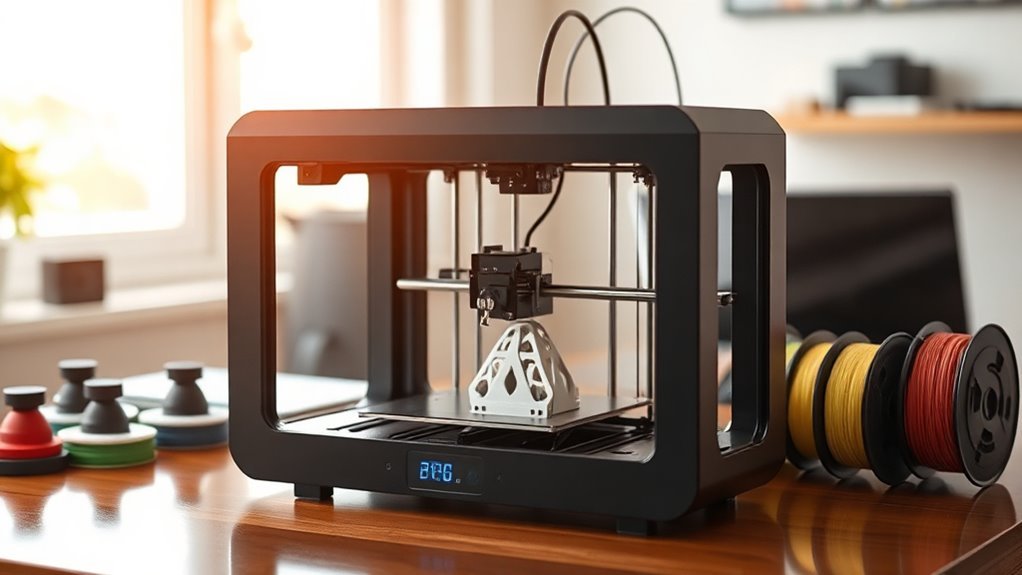
When choosing a 3D printer in the Philippines, you’ll want to take into account how fast you need it to print and the size of your projects.
Think about whether multi-color printing and different material types matter to your work.
Also, make sure the printer is easy to set up so you can start creating without hassle.
Print Speed Requirements
Often, selecting the right print speed means balancing speed with quality based on the size and complexity of your parts. If you need faster prints, speeds of several hundred mm/s can cut time but might sacrifice fine details.
Don’t overlook acceleration and jerk settings; higher acceleration shortens print times on small moves but can impact surface finish. It’s all about finding that sweet spot.
Match your print speed with layer height and nozzle size—thicker layers and bigger nozzles print faster but reduce resolution. Also, consider the filament type: engineering and flexible materials usually require slower speeds to prevent extrusion issues.
Finally, make sure your printer’s cooling and motion systems can handle higher speeds. Without proper cooling or stable motion, you might see defects like ringing or layer shifts—even if your firmware supports rapid printing.
Build Volume Needs
Considering build volume is essential when choosing a 3D printer in the Philippines, as it determines the maximum size of your prints and affects workflow efficiency. Match the build volume to your largest part plus about 10–20 mm clearance to avoid splitting and assembly.
For hobby minis or small prototypes, a 150 × 150 × 150 mm build volume usually suffices. But functional parts or larger prototypes often need 250–300 mm or more in one axis.
Keep in mind that bigger volumes increase print time, filament use, and warping risks. So, better bed adhesion or enclosures might be necessary.
Also, consider bed shape and orientation—tall narrow volumes suit vertical prints, while wide shallow ones fit large flat parts. If you plan batch printing, prioritize a larger volume to reduce setup times.
Multi-Color Printing Capability
Build volume sets the stage for your 3D printing projects, but if you want to add vibrant detail and complexity, multi-color printing takes that capability up a notch. To achieve this, look for printers with multi-extruder systems, multi-material units, or tool-changing hardware that switch filaments without manual intervention.
Efficient setups minimize purge waste through short filament changes or wipe towers, cutting material loss and lowering costs. Also, consider printers with filament drying and controlled chambers to prevent moisture issues during color changes.
Automated filament handling, like spool management and active recovery, plus AI-driven failure detection, boost reliability for multi-color jobs. Finally, make certain your printer’s software supports color mapping, toolpath sequencing, and remote monitoring to streamline complex prints and optimize your workflow.
Material Compatibility Range
Choosing a 3D printer in the Philippines means making sure it supports the materials you want to work with. Check if it handles common filaments like PLA, ABS, PETG, TPU, Nylon, and composites. Also, confirm it reaches the necessary nozzle and bed temperatures.
If you plan to print abrasive filaments, look for a hardened or steel-lined hotend to prevent wear. For engineering materials, having an enclosed build chamber or active heating helps reduce warping by keeping temperatures consistent.
When you use hygroscopic materials like Nylon or TPU, consider printers with filament drying or heated filament paths. This helps avoid clogs and keeps your printing smooth.
Also, check for multi-material capabilities and the type of filament switching—direct drive or Bowden. This is especially important if you want flexible, composite, or multi-color prints.
Ease Of Setup
Getting started with a 3D printer can be much smoother if you pick one designed for easy setup. Look for printers labeled “fully assembled” or “95% pre-assembled” with factory calibration to cut down on initial hassle.
Prioritize models that feature automatic bed leveling, so you won’t waste time doing manual adjustments before your first print. Guided setup tools like touchscreen wizards, mobile apps, or bundled software help you load filament, level nozzles, and calibrate effortlessly.
Choose printers with quick-swap nozzles and cartridge-style filament loading for easier maintenance. Also, check for on-device diagnostics and recovery features like power-loss resume and filament runout detection—these reduce troubleshooting headaches, especially when you’re just starting out.
This way, you can focus on printing, not fiddling.
Precision And Accuracy
While selecting a 3D printer, you’ll want to focus on precision and accuracy to guarantee your prints come out detailed and dimensionally correct. Look for printers with fine layer height capabilities, typically between 0.05 and 0.3 mm, so you can achieve smooth vertical resolution.
Pay attention to XY positional accuracy—measured in microns—to make certain small features are sharp and surfaces stay smooth. The printer’s mechanical stiffness and quality motion system reduce vibrations, which improves accuracy at faster speeds.
Also, check extrusion control precision, like nozzle diameter and flow compensation, for consistent dimensions and crisp corners. Finally, reliable calibration and auto-leveling features help maintain first-layer uniformity, vital for part adhesion and overall print accuracy.
These factors guarantee your prints meet your expectations every time.
Reliability And Durability
Precision and accuracy lay the foundation for great prints, but reliability and durability keep your 3D printer performing consistently over time. You should check the mean time between failures (MTBF) and manufacturer-stated duty cycles; higher values mean the printer can handle sustained use.
Prioritize sturdy frames made of metal or reinforced materials, along with quality linear rails or guide rods that reduce vibration for long-term dimensional accuracy. These components really make a difference when you want your prints to stay precise over many hours of work.
Look for hardened or all-metal hotends, robust extruder gears, and quick-swap nozzles to minimize wear and downtime. These features help keep your machine running smoothly without frequent interruptions.
Built-in protections like filament-runout sensors, power-loss recovery, and thermal shutoffs help prevent failures and hardware damage. They’re like safety nets that save you from frustrating print failures.
Finally, consider service life expectancy, availability of replaceable parts, and easy maintenance to reduce repair time and overall ownership costs. Keeping these things in mind means your 3D printer will be a reliable partner for the long haul.
Software And Connectivity
How easily you manage your 3D printer’s software and connectivity can make a big difference in your overall experience. You’ll want a printer that supports common slicers and file formats like STL, OBJ, and G-code, plus the ability to export and import profiles to keep print settings consistent.
Check for connectivity options such as USB, SD/microSD, Wi‑Fi, or Ethernet. Also, consider cloud or mobile app controls for remote monitoring.
Built-in cameras and real-time alerts help you catch print failures early. They also let you supervise long jobs efficiently.
Opt for firmware with regular updates and compatibility with standard protocols like Marlin or Klipper. This ensures security and new features.
Finally, look for ecosystem support to streamline multi-printer management and ease technician onboarding. It really makes managing several machines a lot smoother.
Frequently Asked Questions
What Materials Are Best for 3D Printing in the Philippines?
You’ll find PLA and ABS are best for 3D printing in the Philippines because they’re affordable, widely available, and handle the local climate well.
TPU’s great for flexible prints, while PETG offers durability and moisture resistance. Both are solid choices depending on what you need.
How Do I Maintain and Clean My 3D Printer?
You’ll want to clean your 3D printer weekly since 60% of failures come from poor maintenance. Regularly wipe the nozzle and remove filament debris.
Also, don’t forget to lubricate the moving parts and update your software often.
Doing these simple things will help keep your prints flawless and your machine happy.
Are There Local Repair Services for 3D Printers?
Yes, you’ll find local repair services for 3D printers in major Philippine cities. They offer troubleshooting, parts replacement, and maintenance.
Just search online or ask your seller for trusted service centers near you. It’s usually pretty easy to find someone who can help out quickly.
What Software Is Compatible With These 3D Printers?
Wondering which software works with your 3D printer? You’ll find popular options like Cura, PrusaSlicer, and Simplify3D compatible. These let you customize prints easily, so you can create exactly what you envision without hassle.
Pretty neat, right? It really makes the whole printing process smoother and way more fun.
Can 3D Printers Be Used for Educational Purposes?
Yes, you can definitely use 3D printers for educational purposes. They help you learn design, engineering, and problem-solving hands-on.
This makes lessons interactive and fun. Plus, it encourages creativity and critical thinking in students of all ages.
Conclusion
So, you want to plunge into 3D printing in the Philippines, huh? Just remember, picking a printer isn’t like choosing a new phone—it’s more like adopting a pet that sometimes eats your filament for breakfast.
With options from Bambu Lab’s futuristic combos to the speedy Malyan M200, you’ve got choices. Just don’t expect these machines to do your laundry—yet.
Choose wisely, or your “cutting-edge” printer might just become a high-tech paperweight! When looking for the best 3D printers in the Philippines for 2027, consider factors like print quality, speed, and ease of use. Whether you’re a beginner or a pro, finding the right 3D printer can make all the difference in your creative projects. So, dive in, explore your options, and start bringing your ideas to life with the perfect 3D printer!