4 Best Black and White Printers with Cheap Ink for 2027
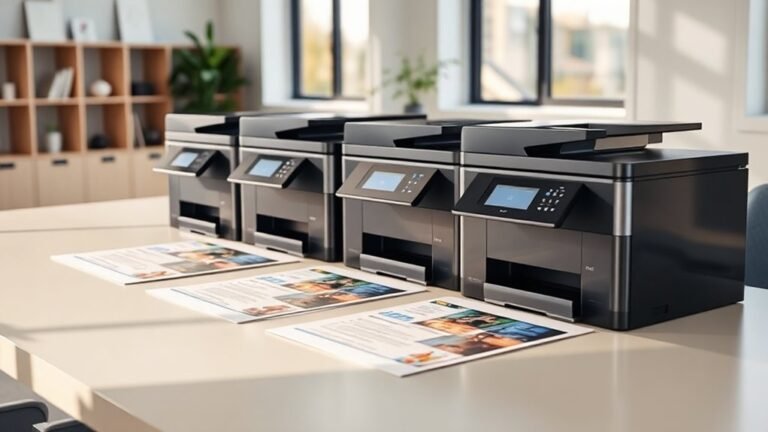
You want a reliable black-and-white printer with low-cost ink for 2027, and these four stand out.
Finding a printer that offers both affordability and quality can be tricky, but these models really deliver on both fronts.
Whether you need something for personal use or a small office, there’s a great option here for you.
Brother HL-L2405W offers fast 30 ppm prints with sharp 1200 dpi output and easy mobile toner monitoring.
HP LaserJet M110w is compact and suits individual users with wireless options.
HP LaserJet M234sdw adds scanning and duplexing for small teams, while Canon imageCLASS LBP122dw delivers automatic duplex and cost-effective, high-capacity cartridges.
Keep exploring to discover which fits your needs best.
| Image | Name | Editor's Rating | Price |
|---|---|---|---|

|
|
||

|
|
||

|
|
Brother HL-L2405W Wireless Monochrome Laser Printer
- BEST FOR HOMES & HOME OFFICES – Engineered for consistent, premium print quality, the Brother HL-L2405W Monochrome (Black & White) Laser Printer delivers sharp, crisp...
- COMPACT, CONNECTED PRINTER – Flexible connection options make this an ideal printer for home use and at-home offices. Securely connect to multiple devices with built-in...
- BROTHER MOBILE CONNECT APP – Manage your printer remotely and print from your mobile device anytime, from almost anywhere. Order Brother Genuine Supplies, track toner...
- VERSATILE PAPER HANDLING – Enjoy seamless, reliable everyday printing with the 250-sheet paper tray(4) and a manual feed slot that enables printing on envelopes and...
- BROTHER IS AT YOUR SIDE – Backed by Brother with a 1-year limited warranty and free online, call, or live chat support for the life of your printer

The Brother HL-L2405W offers a compact and efficient solution for those needing reliable black-and-white printing. Its fast print speed of up to 30 pages per minute helps you complete tasks quickly without sacrificing quality. The sharp 1200 x 1200 dpi resolution ensures clear and professional-looking documents every time.
Designed for convenience, this printer supports dual-band Wi-Fi and USB connections, allowing easy printing from laptops, smartphones, and tablets. The manual feed slot handles envelopes and labels, adding versatility to your printing needs. Managing print jobs remotely is simple with the Brother Mobile Connect app, which also helps you monitor toner levels.
Maintenance is straightforward with this model. It can hold up to 250 sheets, reducing the need for frequent paper refills. While it only prints in monochrome and lacks scanning or copying features, its focus on efficient, high-quality printing makes it ideal for home offices or personal use.
Manual duplex printing means you’ll need to flip pages yourself, which might be less convenient than automatic duplex options. Still, this printer’s wireless capability and sharp output make it a practical choice for everyday black-and-white documents.
Best for: Individuals or home office users needing a fast, compact, and cost-effective monochrome laser printer for daily document printing.
What We Like:
- High-speed printing at up to 30 pages per minute with crisp 1200 x 1200 dpi quality
- Dual-band Wi-Fi and USB connectivity for flexible device access
- Supports envelope and label printing through manual feed slot
- Remote print management and toner monitoring via Brother Mobile Connect app
Specification:
| Feature | Details |
|---|---|
| Manufacturer | Brother |
| Dimensions | 14 x 14.2 x 7.2 in |
| Weight | 15.9 lb (7.2 kg) |
| Color Options | White |
| Print Technology | Monochrome Laser |
| Connectivity | Dual-band Wi-Fi, USB |
| Max Paper Capacity | 250 sheets |
HP LaserJet M110w | Monochrome | Laser Printer
- FROM AMERICA'S MOST TRUSTED PRINTER BRAND – Perfect for small teams printing professional-quality black & white documents and reports. Perfect for 1-3 people
- WORLD'S SMALLEST LASER IN ITS CLASS – Precision laser printing that fits anywhere
- FAST PRINT SPEEDS – Up to 21 black-and-white pages per minute single-sided
- WIRELESS WITH SELF-RESET – Helps you stay connected
- PRINT FROM ANY DEVICE – Wireless printing from any mobile device, PC or tablet. Works with Microsoft, Mac, AirPrint, Android, Chromebook and more
The HP LaserJet M110w stands out as a compact, efficient monochrome laser printer designed to fit seamlessly into small office spaces. Its small footprint helps reduce clutter, making it easy to place on any desk without sacrificing workspace. This printer is built to handle everyday black-and-white printing tasks with speed and precision.
With a print speed of up to 21 pages per minute and a resolution of 600 x 600 dpi, it delivers sharp, clear documents quickly. Wireless and USB connectivity options simplify setup and printing, while the HP Smart app allows you to print or scan directly from your mobile device, adding flexibility to your workflow.
Maintenance is straightforward, thanks to reliable HP toner cartridges that provide consistent quality. However, the single 150-sheet input tray means frequent refills may be necessary during heavy use. The monochrome-only printing limits it to black-and-white documents, which suits text-focused tasks but not color printing needs.
This printer is ideal for small teams or individual users who need a reliable, space-saving solution for fast and clear monochrome printing. Its efficient design and easy connectivity make it a practical choice for routine office printing.
Best for: Small teams or individuals needing a compact, reliable monochrome laser printer for fast, high-quality black-and-white document printing.
What We Like:
- Compact size saves valuable desk space.
- Fast print speed of up to 21 pages per minute.
- Sharp 600 x 600 dpi print resolution.
- Wireless and USB connectivity with mobile printing support.
- Simple maintenance with consistent HP toner cartridges.
Specification:
| Feature | Details |
|---|---|
| Manufacturer | HP |
| Dimensions | Compact (exact size not specified) |
| Weight | Not specified |
| Technology | Monochrome Laser Printer |
| Print Speed | Up to 21 ppm |
| Print Resolution | 600 x 600 dpi |
| Input Tray Capacity | 150 sheets |
| Connectivity | USB, Wireless |
HP LaserJet M234sdw Monochrome Laser Printer | All-in-One
No products found.
Experience smooth and efficient black-and-white printing with the HP LaserJet M234sdw. Designed for small teams, it handles everyday tasks like printing, copying, and scanning with ease. The automatic 40-page document feeder speeds up multi-page jobs, reducing manual effort.
This all-in-one laser printer produces up to 30 pages per minute and supports duplex printing, helping you save time and reduce paper use. Its wireless and wired connectivity options ensure seamless integration into various work environments. The device works well with Windows, macOS, Android, and more.
Maintenance is straightforward with a compact design and easy access to consumables. The HP Smart app lets you print or scan directly from your phone, making document management more convenient. Built-in security features protect your data, while Energy Star certification reflects its eco-friendly operation.
While it only prints in monochrome and has a limited paper capacity of 150 sheets, the HP LaserJet M234sdw is a dependable choice for efficient office workflows. Its scan and copy resolution of 600 x 600 dpi suits most standard tasks.
Best for: Small teams of 1–5 users needing reliable monochrome printing, copying, and scanning in a compact all-in-one laser printer.
What We Like:
- Fast print speed up to 30 ppm with duplex printing
- Multiple connectivity options including dual-band Wi-Fi and Ethernet
- Convenient mobile printing and scanning via HP Smart app
- Built-in security features for data protection
- Energy Star certified for eco-friendly use
Specification:
| Feature | Details |
|---|---|
| Manufacturer | HP |
| Dimensions (W x D x H) | 15.7 x 14.3 x 10.1 inches |
| Weight | 17.6 lbs (8 kg) |
| Color Options | White/Gray |
| Print Speed | Up to 30 ppm |
| Paper Capacity | 150 sheets |
| Scan/Copy Resolution | 600 x 600 dpi |
Canon imageCLASS LBP122dw – Wireless Monochrome Duplex Laser Printer
- Wireless, duplex printer (print-only)
- Fast print speeds up to 30 pages per minute (black and white)
- Print on-the-go with Canon PRINT app and more.
- Uses Canon GENUINE Toner 071 / 071 high-capacity
- Compact design fits almost anywhere in your home, great for home use and personal printing
Experience efficient and reliable black-and-white printing with the Canon imageCLASS LBP122dw. Designed to boost your productivity, this wireless monochrome laser printer delivers clear prints at speeds up to 30 pages per minute. Its automatic duplex feature helps reduce paper use, making everyday printing tasks quicker and more eco-friendly.
The printer’s compact design fits perfectly in smaller workspaces, ideal for home offices or personal use. Wireless connectivity and mobile printing through the Canon PRINT app allow you to print from virtually anywhere. This flexibility simplifies your workflow and keeps you connected without the hassle of cables.
Maintenance is straightforward with genuine Canon Toner 071 cartridges. These high-capacity toner cartridges offer cost-effective printing and consistent quality, helping you avoid frequent replacements. While it’s limited to black-and-white printing and does not scan or fax, the device excels as a focused, no-fuss printer built for straightforward document output.
Best for: Individuals or home office users who need a fast, compact monochrome laser printer with wireless printing capabilities.
What We Like:
- Fast printing at up to 30 pages per minute with duplex capability
- Wireless and mobile printing via Canon PRINT app
- Compact design fits small spaces easily
- Uses cost-effective, high-capacity Canon Toner 071 cartridges
Specification:
| Feature | Details |
|---|---|
| Manufacturer | Canon |
| Dimensions | Approx. 14.3 x 14.3 x 9.3 in (36.4 x 36.4 x 23.6 cm) |
| Weight | Approx. 14.1 lb (6.4 kg) |
| Printing Type | Monochrome Laser |
| Connectivity | Wireless, USB |
| Duplex Printing | Automatic |
| Color Options | Black and White only |
Factors to Consider When Choosing a Black and White Printer With Cheap Ink

When choosing a black and white printer with cheap ink, you’ll want to focus on ink cost efficiency and print speed to match your needs.
Make sure the printer offers good connectivity and works smoothly with your devices.
Don’t forget to check print quality standards and cartridge availability to keep your printing hassle-free.
Ink Cost Efficiency
Although upfront printer prices matter, the true cost lies in ink efficiency. So, you need to compare the cost per page by dividing the cartridge price by its rated yield.
Aim for a cents-per-page metric under 2–3¢ for the cheapest black-and-white printing. High-yield or XL cartridges can cut ink costs per page by 20–60%, so factor those savings into your calculations.
Also, check if the printer supports affordable third-party or remanufactured cartridges. These can drastically reduce expenses, but make sure to verify their yields and return policies first.
When considering subscription or refill programs, evaluate the long-term per-page cost, including any fees or auto-renewal terms.
Don’t forget hidden costs like maintenance kits or drum replacements, since these impact your true ink cost over time. It’s all about getting the best value without surprises later on.
Print Speed Importance
Ink cost efficiency plays a major role in choosing a black-and-white printer, but print speed also affects your overall experience. If you print large batches regularly, look for printers offering 20–30 pages per minute (PPM) to cut down wait times.
For quick tasks, first-page-out time matters; many monochrome lasers deliver the first page in about 8–9 seconds, keeping you responsive. Remember, PPM ratings usually apply to single-sided printing—duplex printing can halve your effective speed.
Also, consider the printer’s processor and memory, as slower hardware can bottleneck even fast-rated models when handling complex or large files. If you value cost per page more than speed, opting for a moderately fast printer with efficient toner yield might be smarter than chasing peak PPM that drives up ink costs.
Connectivity And Compatibility
Since seamless connectivity and broad compatibility directly impact your printing convenience, you’ll want to verify that the printer supports the network types you use—whether that’s dual-band Wi-Fi (2.4 GHz and 5 GHz), Ethernet, or USB.
Make sure it works smoothly with your devices’ operating systems, including Windows, macOS, Android, iOS, and Chromebook. Check if mobile printing requires AirPrint, Mopria, or a vendor app.
Consider duplexing options and how they integrate with network drivers and mobile apps for two-sided jobs. Look for features like a dedicated app, remote toner tracking, and cloud printing to simplify setup and maintenance.
Finally, confirm the printer accepts third-party toner and how firmware updates might affect cartridge compatibility to keep ink costs low. It’s all about making your printing experience as easy and cost-effective as possible.
Print Quality Standards
After ensuring your printer connects smoothly and works well with your devices, the next step is to focus on print quality standards. Look for a printer with at least 600 x 600 dpi optical resolution; higher effective resolutions like 1200 x 1200 dpi deliver crisper text and finer halftone detail.
Check the first-page-out time and pages-per-minute—fast starts (~8–9 seconds) and speeds of 20–30+ ppm mean you get sharp prints quickly. It’s all about getting your documents without long waits.
Inspect how well the printer handles line art and halftones, ensuring smooth edges and consistent dot uniformity. That way, your images and graphics look sharp and professional every time.
Also, consider toner yield and print density controls to maintain deep blacks and uniform text over long runs. You want your prints to look great from the first page to the last.
Finally, confirm the printer supports duplexing and reliable paper handling to avoid skewed or misfed pages that can ruin print quality. It’s these little details that keep your printing hassle-free and looking top-notch.
Cartridge Availability Options
When choosing a black and white printer with cheap ink, you’ll want to pay close attention to cartridge availability options. First, check if the printer supports multiple cartridge types like standard, high-yield, or twin-pack. This way, you can opt for higher-yield cartridges that lower your cost per page.
Also, confirm if compatible third-party or remanufactured cartridges work without firmware restrictions. This can save you a good amount of money over time.
Look for printers using widely available cartridge models to guarantee long-term supply and better aftermarket prices. It’s a smart move to avoid rare or proprietary cartridges that can be expensive or hard to find.
Another thing to consider is whether the printer has a separate drum unit or an integrated drum-toner combo. Separate drums usually mean lower replacement costs, which adds up in the long run.
Finally, assess both local and online availability, including subscription refill options. This helps you secure better pricing and faster cartridge replacements, so you’re never stuck without ink.
Duplex Printing Benefits
If you want to cut costs on paper and speed up your workflow, choosing a printer with automatic duplex printing is a smart move. It can reduce your paper use by up to 50%, lowering both ongoing paper expenses and waste.
Duplex printing lets you produce two-sided documents without manually flipping pages, saving time on multi-page reports and handouts. This feature also halves storage space and postage costs for mailed documents, which matters if you print in high volumes.
When shopping, check whether duplex printing is automatic—manual duplexing adds extra steps and slows you down. Setting duplex as the default in your print driver maximizes savings with minimal effort.
Prioritizing automatic duplex printing guarantees you get efficient, cost-effective black and white prints every time. It’s a simple change that really pays off!
Device Size And Portability
Although ink cost is crucial, you should also consider a printer’s size and portability to guarantee it fits your workspace and mobility needs. Check the printer’s footprint and height to make certain it comfortably fits your desk or shelf—compact models can be as small as 7–8 inches tall and under 15 inches wide.
If you move your printer often, opt for lighter units around 9–15 pounds and look for built-in handles or slim profiles for easier carrying. Truly portable printers often skip large paper trays and feature simple manual feed options.
Also, prioritize wireless connectivity like dual-band Wi-Fi and battery or low-power modes if you need mobility. These features help you print on the go without being tied to a power outlet.
Frequently Asked Questions
How Long Does the Ink Typically Last in These Printers?
Ink typically lasts for about 500 to 1,000 pages, depending on your printer model and usage.
If you print frequently, you’ll replace cartridges more often. But with efficient models, the ink stretches longer than you might expect.
Are These Printers Compatible With Mac and Windows Operating Systems?
Think of these printers like universal keys—they’re compatible with both Mac and Windows systems.
Just like my friend who easily switched between laptops without a hitch, you’ll enjoy seamless printing across platforms.
No extra setup needed.
Can These Printers Handle Printing on Different Paper Sizes?
Yes, these printers can handle different paper sizes, including letter, legal, and photo paper. You’ll find adjustable trays and settings that let you switch sizes easily.
This makes your printing versatile and convenient every time. So, whether you’re printing documents or photos, these printers have you covered.
What Is the Average Print Speed for Each Printer Model?
You won’t win any Formula 1 trophies, but these printers average 20-30 pages per minute—fast enough to keep you from staring at the screen like it owes you money.
That’s printer speed you can trust!
Do These Printers Support Mobile and Wireless Printing Options?
Yes, these printers support mobile and wireless printing options, letting you easily print from your smartphone, tablet, or laptop.
You’ll find compatibility with Wi-Fi, AirPrint, and Google Cloud Print in most models for convenient, cable-free printing.
It’s pretty straightforward to get started, and you won’t need any extra cables or complicated setups.
Just connect your device, and you’re good to go!
Conclusion
When choosing a black and white printer with cheap ink, you want reliability and cost-efficiency. For example, imagine Sarah, a small business owner who switched to the Brother HL-L2405W. She cut her printing expenses in half while enjoying crisp, fast prints.
By focusing on models like this, you’ll save money without sacrificing quality. So, pick a printer that fits your budget and printing volume to keep your costs low and productivity high.
Choosing the best black and white printer with cheap ink is all about balancing cost and performance. Look for printers that offer affordable ink replacements and high page yields. This way, you get sharp prints without breaking the bank. Whether you print occasionally or in large volumes, a reliable printer with cheap ink can make a big difference. In 2027, investing in such a printer means lower running costs and better efficiency for your home or business needs.