9 best beginner 3d printer 2026 under $500
If you’re on the hunt for the 9 best beginner 3D printers under $500 in 2026, you’ve come to the right place.
These budget-friendly 3D printers are perfect for newbies who want quality without breaking the bank. You’ll find models like the Anycubic Kobra X, which offers native 4-color printing and smart Wi-Fi connectivity, making your printing experience more versatile and convenient.
There’s also the compact Entina Tina2 Mini, ideal if space is tight, and the AOSEED AI printer that’s designed with kids in mind—fast, safe, and easy to use.
Plus, options like the Creality Ender 3 V3 SE and Flashforge Adventurer 5M bring high speed and precision with hassle-free setup.
These printers blend user-friendly features, safety, and reliable performance, ensuring you get the perfect start on your 3D printing journey.
Exploring these choices will definitely help you find a printer that fits your needs and budget.
Ready to dive into the world of 3D printing? Let’s check out these great beginner options!
| Image | Name | Editor's Rating | Price |
|---|---|---|---|

|
|
||
|
|
||

|
|
||

|
|
||

|
|
Anycubic Kobra X Multicolor 3D Printer, Easy Setup, Native 4-Color
- 【 Newest Level - 19-Color with 4 ACE 2 Pro】Why settle for one color when you can have multicolor? The Kobra X comes born with 4 colors built-in. It is innovative 3D...
- 【 Savings 2X Time】Stop wasting hours and filament on purging! Kobra X impresora 3D reduces the filament and machine travel path by 81.25%, so 2X the Speed, and...
- 【Hardened Precision & High Speed 】 Equipped with a high-durability hardened steel nozzle and vibration compensation, the Kobra X ensures every layer remains smooth...
- 【Flawless First Layer with LeviQ 3.0】The LeviQ 3.0 and auto bed leveling system uses a 49-point calibration and advanced leveling algorithm to ensure 100% bed...
- 【Smart AI Monitoring & Large Model Library】APP remote control, features Spaghetti detection and foreign object detection. The innovative top-mount spool holder...

Bring your 3D printing projects to life with vibrant colors and precision using the Anycubic Kobra X Multicolor 3D Printer. Designed to handle up to four colors natively, this printer lets you create detailed, multicolor models without complex setups. Its intuitive design means you can be up and running in about 15 minutes, saving you time and effort.
The printer’s native multicolor capability addresses the common challenge of adding color variety in prints, giving you flexibility for creative projects. For even more color options, you can expand up to 19 colors with additional ACE 2 Pro units, although this may increase overall setup complexity and cost.
Maintenance is straightforward thanks to its user-friendly construction, making it suitable for beginners. The print volume of 260mm³ supports most small to medium projects, but it might limit larger-scale designs. The nozzle’s maximum temperature of 300℃ accommodates a wide range of filaments, but some specialty materials may require higher heat.
Smart features such as AI monitoring and dual-band Wi-Fi enhance usability by enabling remote control and early error detection. Overall, the Anycubic Kobra X Multicolor offers a balanced combination of ease, functionality, and vibrant multicolor printing for those exploring detailed 3D creations.
Best for: Beginners and hobbyists seeking an accessible multicolor 3D printer with reliable native 4-color printing.
What We Like:
- Native 4-color printing with optional expansion to 19 colors
- Quick setup and easy maintenance for hassle-free printing
- AI monitoring and dual-band Wi-Fi for remote management
- Fast print speeds up to 600mm/s without sacrificing detail
Specification:
| Feature | Specification |
|---|---|
| Manufacturer | Anycubic |
| Print Volume | 260 mm³ |
| Color Capability | Native 4-color, expandable to 19 colors |
| Max Nozzle Temperature | 300 ℃ |
| Connectivity | Dual-band Wi-Fi |
| Setup Time | Approximately 15 minutes |
Entina Tina2 Mini 3D Printer for Beginners
- 3D Printer for Beginners and Kids: Out of the box, fully assembled, Speedy Printing –TINA2 BASIC 3d printer is super easy to use and does not require a complex setup...
- Ready to Print: Equipped with 2.4" LCD screen and Wiibulider slicer software makes it easy to conduct offline printing using the MicroSD Card. The 3-d printer supports...
- Fully Open-Source: Entina TINA2 BASIC Mini 3D printer adopts a safety-first design philosophy, featuring complete open-source compatibility for enhanced flexibility and a...
- Auto Leveling & Magnetic Platform: The small 3d printer does not need manual leveling, the intelligent leveling system can automatically adjust the uneven bed, thus...
- Compact Design:This is light weight and minimalist desktop 3D printers, the mini 3D printer size is 8.3''x8.3''x11.4'', weight is 3kg. Light weight and portable design...
The Entina Tina2 Mini 3D Printer is designed to make 3D printing accessible and straightforward for beginners. Its fully assembled setup and one-touch auto-leveling system mean you can start printing within minutes, saving time and avoiding common setup frustrations.
This compact printer features a magnetic build plate that simplifies model removal, reducing the risk of damage to delicate prints. The user-friendly knob makes loading filament easy, minimizing interruptions and maintenance efforts during printing sessions.
With a build volume of 100x105x100 mm, it is ideal for small DIY projects and educational use. Offline printing capability via a MicroSD card adds convenience, allowing you to print without a constant computer connection. Included slicing software supports a smooth workflow for new users.
The open-frame design offers clear visibility of the printing process but requires caution due to exposed moving parts and heated elements. While it suits beginners and kids well, advanced users may find its features limited for more complex projects.
Best for: beginners and students seeking a simple, safe, and compact 3D printer for home or school projects.
What We Like:
- Fully assembled with one-touch auto-leveling for quick setup.
- Magnetic build plate for easy and safe print removal.
- Offline printing support via MicroSD card.
- User-friendly filament loading knob.
- Compact size fits small workspaces and classrooms.
Specification:
| Specification | Details |
|---|---|
| Manufacturer | Entina |
| Build Volume | 100 x 105 x 100 mm |
| Weight | Compact and lightweight |
| Design | Open-frame |
| Printing Mode | Offline via MicroSD |
| Setup | Fully assembled |
TINA2C 3D Printer Beginner Friendly, Easy-Ready to Print in 5 Mins
- 【BEGINNER FRIENDLY-READY TO PRINT】Hephi3d Tina2C 3d printer friendly for home, fully assembled, factory preset, auto leveling, ready to print right out of the box, no...
- 【EASY TO USE-ONE TAP PRINTING】Tina2C mini 3d printer provides 3500+ online massive ready to print model library, new designs update every day. You can print in one...
- 【UNLIMITED CREATIVITY-EASY DIY】Tina2C beginner friendly 3d printer with APP provides STEM Learning Module and 25+ design modules for simply customizing. AIGC & Photo...
- 【FULLY OPEN SOURCE-NO LIMITS】Tina2C beginner 3d printer is no software lock-In. Print you way freely with Wiibuilder or Cura on PC and laptops, one-click wifi upload...
- 【FAMILY & BEGINNER FRIENDLY】 Tina2c compact 3d printer for home can print anytime anywhere, space save. Silent Printing and Auto Detect Bed function give more safe...
The TINA2C 3D Printer is designed to get you printing fast. Its quick setup means you can start your projects within five minutes, eliminating the hassle of complicated assembly. This beginner-friendly printer comes fully assembled with auto leveling, making it simple to achieve precise prints right away.
Its compact design and lightweight build allow it to fit comfortably on any desk without taking up much space. The printer includes a one-tap printing feature, providing access to over 3,500 ready-made models through smart app control. This makes managing prints easy from your phone or tablet.
Maintenance is straightforward thanks to flexible software compatibility and built-in safety features. Silent printing keeps noise to a minimum, and the power outage resume function ensures your work is not lost during interruptions. These thoughtful features make the TINA2C reliable for everyday use.
While its small size limits the build volume, the printer offers convenience and creativity for beginners and educators alike. Its easy operation and compact footprint help users focus on learning and creating without extra complexity.
Best for: Beginners and educators seeking a compact, easy-to-use 3D printer with quick setup and educational features.
What We Like:
- Fully assembled with auto leveling, ready to print in 5 minutes
- Access to 3,500+ ready-to-print models via app control
- Silent printing and power outage resume enhance reliability
- Compact and lightweight design fits easily on any desk
Specification:
| Feature | Details |
|---|---|
| Manufacturer | TINA |
| Dimensions | Compact (exact size not specified) |
| Weight | 5.46 lb (2.48 kg) |
| Material | Not specified |
| Color Options | Not specified |
AOSEED AI 3D Printer for Kids, Fast 400mm/s, 20,000+ Models, Enclosed Safe
- [NOTE] PLA comes in multiple colors, but this printer supports single-color printing only. Multi-color designs can be created by printing separate parts and assembling...
- A Home Toy Factory with Endless DIY Fun: This mini 3D printer brings a toy factory home, helping families make new toys without extra store trips. With access to...
- AI-Powered Creativity Made Simple: This AI 3D printer lets kids bring their imagination to life. With AI Doodle, children can create custom 3D models using voice, text...
- Easy, Safe One-Tap Printing: Designed as a 3D printer for kids, it makes every project simple. Kids can print with one tap in the app, while parents can feel confident...
- Fast, Precise Printing with Smart Detection: This 3D printer delivers precision up to 0.05 mm and upgraded speeds of 220–250 mm/s, with peaks up to 400 mm/s. Small toy...
Unlock creativity with the AOSEED AI 3D Printer designed specifically for kids. Its enclosed, pinch-resistant design ensures safety, allowing young users to explore 3D printing without worry. The simple one-tap operation makes starting projects quick and easy, perfect for beginners.
Experience fast printing speeds up to 400mm/s with precise 0.05 mm layer resolution, letting kids produce detailed toys and models in as little as 20 minutes. The printer’s compact size fits well in small spaces and is ideal for creating small-scale projects.
Maintenance is straightforward thanks to the use of TÜV Rheinland ISO 16000-tested PLA filament, which is safe and easy to handle. The system includes filament runout detection to prevent failed prints and a built-in camera for monitoring progress and capturing time-lapse videos via smartphone.
With access to over 20,000 human-reviewed models and AI-powered tools like AI Doodle and MiniMe, users can customize and design unique creations effortlessly. This printer encourages learning and creativity while providing peace of mind for parents.
Best for: Kids and beginners looking for a safe, fast, and user-friendly 3D printing experience with AI-enhanced design capabilities.
What We Like:
- Enclosed design with child-safe features for worry-free printing
- Fast printing speeds and high precision for quick, detailed results
- Large library of vetted models plus AI customization tools
- Filament runout detection and easy maintenance
- Built-in camera for remote monitoring and time-lapse sharing
Specification:
| Feature | Details |
|---|---|
| Manufacturer | AOSEED |
| Print Speed | Up to 400 mm/s |
| Layer Resolution | 0.05 mm |
| Filament Type | PLA (TÜV Rheinland ISO 16000 tested) |
| Model Library | 20,000+ human-reviewed models |
| Safety Features | Pinch-resistant enclosure, filament runout detection |
| Monitoring | Built-in camera with smartphone app |
| Dimensions | Compact size (exact dimensions not provided) |
Spark AI 3D Printer for Kids, 20,000+ Models, Enclosed Safe
- [NOTE] This printer prints one filament at a time, so each print is a single color. PLA comes in many colors, including gradient. For multi-color models, print parts...
- Fully enclosed child-safe design: The enclosed printing chamber keeps all hot components and moving parts away from children at all times. Non-toxic PLA filament only...
- Fully assembled and ready to use out of the box: No tools, no manual assembly required. Connect to WiFi, load the included white PLA filament, and start printing. Once...
- 20,000+ toy models and creative design tools: Browse a growing library of toys, animals, vehicles, and STEM projects on iOS, Android, or Windows. New models added...
- Fast printing at up to 400mm/s with built-in camera: Small models complete in as little as 20 minutes. Most library models print in 1 to 3 hours. The built-in camera...
Spark AI 3D Printer for Kids opens a world of creativity with a safe, enclosed design that protects young users while they explore 3D printing. Its fully assembled setup and cool-touch exterior make it easy to use without worry. The printer uses non-toxic PLA filament, ensuring a healthy environment for children.
This 3D printer helps kids bring ideas to life effortlessly. The magnetic build plate simplifies print removal, reducing frustration during projects. With access to over 20,000 models and AI-powered tools like AI Doodle and MiniMakie, children can customize designs and learn through hands-on experience.
Maintenance is straightforward with simple filament loading and a WiFi connection for easy setup. The built-in camera records progress in time-lapse, allowing users to review and share their creations. While it prints one color at a time and focuses on PLA filament, it remains ideal for beginners.
Overall, the Spark AI 3D Printer encourages independence and creativity while maintaining safety and ease of use, making it an excellent tool for young inventors.
Best for: Kids and young creators interested in exploring 3D printing safely while fostering creativity and learning.
What We Like:
- Fully assembled, enabling quick and independent printing.
- Enclosed design with cool-touch exterior ensures child safety.
- Access to 20,000+ models and AI-powered design tools.
- Magnetic build plate for easy print removal.
- Built-in camera captures print progress in time-lapse.
Specification:
| Feature | Details |
|---|---|
| Manufacturer | Spark AI |
| Dimensions | Not specified |
| Weight | Not specified |
| Material | Non-toxic PLA filament |
| Color Options | Not specified |
Bambu Lab A1 3D Printer, Ready-to-Use FDM 3D Printer for Beginners and Kids

- High-Speed Precision: Experience unparalleled speed and precision with the Bambu Lab A1 3D Printer. With an impressive acceleration of 10,000 mm/s², the A1 delivers...
- Multi-Color Printing with AMS lite: Unlock your creativity with vibrant and multi-colored 3D prints. The Bambu Lab A1 3D printers make multi-color printing accessible and...
- Full-Auto Calibration: Say goodbye to manual calibration hassles. The A1 3D printer takes care of all the calibration processes automatically, ensuring optimal...
- Active Flow Rate Compensation: Achieve consistently smooth prints with active flow rate compensation. The algorithm actively compensates the flow rate according to the...
- Easy and Quiet 3D Printing: Experience effortless printing with the Bambu Lab A1 FDM 3D printer. Its user-friendly interface and simplified touchscreen make it easy to...
The Bambu Lab A1 3D Printer brings fast, precise FDM printing to beginners and kids with ease. Its high acceleration and active flow rate compensation ensure smooth, consistent prints, reducing typical errors and saving time.
Setup is simple thanks to full-auto calibration and a 1-clip quick swap nozzle, making maintenance hassle-free. The intuitive touchscreen keeps controls straightforward, so users can focus on creativity without technical distractions.
Its compact, lightweight design and quiet operation fit comfortably in any workspace, making it ideal for home or classroom use. Compatibility with AMS Lite allows for vibrant, multi-colored models, enhancing creative possibilities.
While best suited for beginners, the limited multi-material options and unspecified build volume may not meet advanced needs. However, it delivers reliable performance for those starting their 3D printing journey.
Best for: beginners and kids seeking an easy-to-use, fast, and precise FDM 3D printer with multi-color capabilities.
What We Like:
- Smooth, accurate prints with 10,000 mm/s² acceleration and flow rate compensation
- Easy setup and upkeep via full-auto calibration and quick swap nozzle
- User-friendly touchscreen interface
- Quiet operation (≤48 dB) and lightweight design (22 pounds)
Specification:
| Feature | Details |
|---|---|
| Manufacturer | Bambu Lab |
| Weight | 22 lb (10 kg) |
| Printing Technology | FDM |
| Acceleration | 10,000 mm/s² |
| Noise Level | ≤48 dB |
| Nozzle | 1-clip quick swap |
| Calibration | Full-auto |
| Color Printing | AMS Lite compatible |
Creality Ender 3 V3 SE 3D Printer Upgrade

- 【250mm/s High-speed Printing】Creality Ender 3 V3 SE 3d printer supports a maximum printing speed of 250mm/s, 2500mm/s² acceleration.The speed has been greatly...
- 【Powerful ""Sprite"" Direct Extruder】Ender 3 V3 SE is the upgrade of ender 3, ender 3 v2, ender 3 pro, ender 3 neo, ender 3 v2 neo, ender 3 s1, ender 3 s1 pro etc 3d...
- 【Worry-free CR Touch Auto Leveling & Strain Sensor】Creality Ender 3 upgraded 3d printer features a CR Touch sensor for auto leveling and a strain sensor for auto...
- 【Stable Dual Z-axis & Y-axis Linear Shafts】High-precision dual Z-axis lead screws reduce Z wobbling effectively, avoid printing deviation in single-axis printing...
- 【Quick Assembly & Easy to Use】Preassembly has solved those hassles and worries of parts assembly, It only takes 3 steps to complete the assemble the ender-3 v3 se 3d...
The Creality Ender 3 V3 SE brings speed and precision to your 3D printing projects. Designed to save you time, it prints at speeds up to 250mm/s, cutting print times by 73%. This means you can complete more projects in less time without sacrificing quality.
Its upgraded Sprite full metal dual-gear extruder ensures reliable feeding of various filaments like PLA, TPU, and PETG. This versatility allows users to experiment with different materials while maintaining smooth, consistent extrusion.
Maintenance is simplified with features like automatic leveling using the CR Touch sensor and a strain sensor, ensuring your prints start accurately every time. Dual Z-axis screws help stabilize the build platform, reducing wobble and improving overall print quality.
Setup is straightforward and fast, thanks to preassembled parts and automatic filament loading. With a build volume of 8.66 x 8.66 x 9.84 inches, it suits most hobbyist needs, although larger projects may require bigger printers.
Best for: Beginners seeking a fast, reliable 3D printer with easy assembly and versatile filament compatibility.
What We Like:
- High-speed printing with significant time savings
- Durable metal dual-gear extruder for smooth filament handling
- Accurate automatic leveling and stable dual Z-axis design
- Quick setup with preassembled parts and filament loading
Specification:
| Feature | Details |
|---|---|
| Manufacturer | Creality |
| Build Volume | 8.66 x 8.66 x 9.84 in |
| Printing Speed | Up to 250 mm/s |
| Extruder Type | Sprite full metal dual-gear |
| Leveling Sensor | CR Touch + strain sensor |
| Z-Axis | Dual screws |
Flashforge Adventurer 5M 3D Printer for Beginners

- 600mm/s Hyper-Speed Printing with Klipper Engine. Industry-leading 20,000mm/s² Acceleration - Equipped with 32mm³/s high-flow nozzle and 50W ceramic heater reaching...
- Auto Bed Leveling. 0.01mm Precision Calibration - Features 25-point detecting and pressure-sensor compensation, achieving perfect first-layer adhesion.
- Industrial-Grade CoreXY Frame with Anti-Vibration. Dual linear rails & aluminium frame reduces resonance by 63% compared to bed-slingers. 24/7 continuous printing capable...
- Smart Workshop Ecosystem. MagSwitch PEI plate (removal in 3s) + Nozzle X quick-change system (swap <15s). Built-in filament sensor & remote monitoring via Flashforge App...
- Multi-Material Pro Configuration. 0.25-0.8mm nozzles for miniature models to architectural prints. Optional enclosure with your own printing plate offers a cost-effective...
The Flashforge Adventurer 5M is designed to bring fast, accurate 3D printing within easy reach. Its advanced Klipper engine enables printing speeds up to 600mm/s, significantly cutting down project times without sacrificing quality. This makes it ideal for users who want reliable results without long waits.
Precision is built into every print with an auto bed leveling system accurate to 0.01mm and a sturdy CoreXY frame that ensures stability. These features reduce calibration headaches and improve print consistency, helping users focus on creativity rather than adjustments.
Maintenance is straightforward with a quick-change nozzle system and a built-in filament sensor. Users can quickly replace worn parts and avoid failed prints caused by filament issues. Remote monitoring through the app adds convenience by allowing print status checks from anywhere.
The printer supports a versatile multi-material setup, making it suitable for beginners aiming for professional-quality prints. While the maximum nozzle temperature of 200°C limits some high-temp materials, the optional enclosure helps maintain print conditions, though it requires assembly and extra investment.
Best for: Beginners and hobbyists seeking a fast, precise, and user-friendly 3D printer with multi-material capabilities.
What We Like:
- Hyper-speed printing up to 600mm/s reduces overall print time
- Auto bed leveling with 0.01mm precision ensures consistent accuracy
- Built-in filament sensor prevents print failures
- Quick-change nozzle system simplifies maintenance
- Remote monitoring allows print management on the go
Specification:
| Feature | Details |
|---|---|
| Manufacturer | Flashforge |
| Dimensions (WxDxH) | Not specified |
| Weight | Not specified |
| Frame Type | CoreXY |
| Max Nozzle Temperature | 200°C |
| Printing Speed | Up to 600mm/s |
| Bed Leveling | Auto, 0.01mm precision |
| Connectivity | App for remote monitoring |
| Special Features | Filament sensor, quick-change nozzle |
FLASHFORGE AD5M 3D Printer with Auto Calibration

- Unleash Your Creativity: The Perfect Companion for Beginners and Experts Alike. The AD5M combines brand-new technology and superior craftsmanship to meet the needs of all...
- Achieve Perfect Prints with Ease: The AD5M is equipped with a fully automatic one-click leveling system that precisely measures the nozzle-to-build plate distance to set...
- Core XY All-Metal Motion Structure: The AD5M features a durable, innovative design that ensures high-speed printing without compromising quality. Its stable and smooth...
- Patent Quick-Release Nozzle: With multiple nozzle diameters available (0.25/0.4/0.6/0.8 mm), the AD5M caters to both high-precision and high-efficiency printing needs...
- Enhanced Control and Efficiency: The Orca-flashforge slicer enables one-click batch file transmission and multi-printer network monitoring. Additionally, the Flash Maker...
Experience hassle-free 3D printing with the FLASHFORGE AD5M, designed to make setup and calibration effortless. Its fully automatic one-click leveling system ensures the nozzle-to-build plate distance is always perfect, eliminating guesswork and saving time. This printer is ideal for users who want consistent, high-quality results without complex adjustments.
The all-metal CoreXY frame supports fast printing speeds up to 600 mm/s while maintaining stability and precision. This powerful design helps you complete projects quicker without compromising print quality. Changing nozzles is simple and tool-free, giving you the flexibility to customize your prints based on your needs.
Maintenance is straightforward thanks to the flexible PEI steel plate, which makes removing finished models easy and reduces risk of damage. The Flash Maker app adds convenience by allowing you to monitor prints remotely, so you can keep track even when away. Plus, a power outage recovery feature means your work isn’t lost in unexpected interruptions.
While the build volume of 220 x 220 x 220 mm suits most hobbyist needs, it may limit larger projects. Weighing 22 pounds, the AD5M is stable but less portable for frequent transport. The proprietary app and slicing software might require some learning but offer tailored control over your printing experience.
Best for: Beginners and hobbyists seeking a fast, reliable 3D printer with automatic calibration and remote monitoring capabilities.
What We Like:
- Precise one-click auto-leveling for consistent prints
- Fast CoreXY all-metal design up to 600 mm/s speed
- Tool-free nozzle swaps and flexible PEI steel build plate
- Remote print monitoring via Flash Maker app
- Resume printing after power interruptions
Specification:
| Feature | Details |
|---|---|
| Manufacturer | FLASHFORGE |
| Build Volume | 220 x 220 x 220 mm |
| Print Speed | Up to 600 mm/s |
| Weight | 22 lb (10 kg) |
| Frame Material | All-metal CoreXY |
| Bed Surface | Flexible PEI steel plate |
| Calibration | Fully automatic one-click |
| Software | Flash Maker app |
Factors to Consider When Choosing a Beginner 3D Printer 2026 Under $500
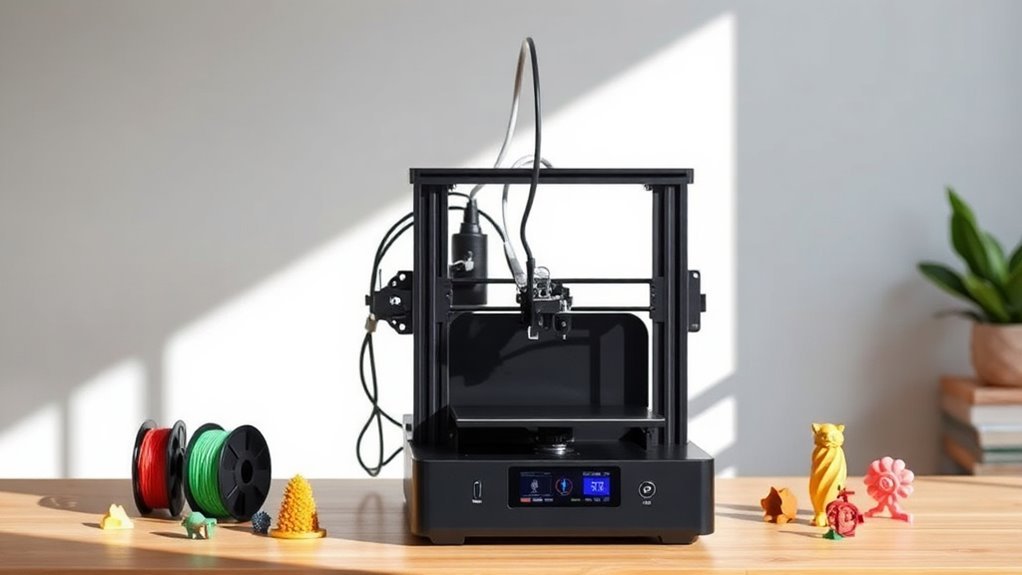
When choosing a beginner 3D printer under $500, you’ll want to focus on ease of setup and how simple the user interface is. These factors can make your first printing experience much smoother.
Print speed, precision, and build volume size also play a big role in your overall experience. It’s worth considering how much space you need for your projects before making a decision.
Don’t forget to check which materials the printer supports to make sure it fits your project needs. Having the right material options can open up more creative possibilities.
Ease Of Setup
Although 3D printing can seem complex at first, choosing a printer with easy setup features makes getting started much smoother. Look for models that come fully assembled or need minimal assembly so you can start printing within minutes of unboxing.
Auto-leveling beds are a must—they remove the hassle of manual adjustments and improve your first print’s success. A simple interface, like touchscreen controls or one-button operation, helps you navigate settings without confusion.
Printers that include pre-loaded test models and slicing software let you practice right away, even if you haven’t designed anything yourself. Also, consider compact and lightweight designs for easy placement and storage.
These features guarantee your beginner 3D printer fits seamlessly into your home or classroom setup. It really makes the whole experience way less intimidating and a lot more fun.
Printing Speed And Precision
Getting your 3D printer set up easily is a great start, but you’ll also want to pay close attention to how fast and accurately it prints. Printing speed matters for efficiency; many beginner models reach speeds up to 600 mm/s, cutting down your wait time.
Precision, measured by layer resolution, can be as fine as 0.05 mm—perfect for detailed prints. Look for printers with automatic bed leveling to maintain consistent nozzle distance and reduce errors.
The filament type and nozzle size you choose also impact speed and accuracy, helping optimize quality and prevent clogs. Some printers use advanced algorithms like active flow rate compensation, dynamically adjusting material flow to boost precision.
Balancing speed and accuracy guarantees your projects come out crisp and on time.
Build Volume Size
Choosing the right build volume size is essential because it determines the largest object you can print at once. Most beginner 3D printers under $500 offer build volumes between 100mm and 260mm, which suits small toys, prototypes, and educational projects.
If you plan to print bigger models or multiple parts simultaneously, a larger build volume—closer to 300mm—can save you time and effort. However, keep in mind that bigger print areas mean a larger printer footprint, which might be challenging if you have limited space at home or in a classroom.
Think about the size of your typical projects and try to balance your need for print size with the space you have available. That way, you can pick a printer that fits your workflow and environment perfectly.
Material Compatibility Options
One key factor to evaluate when selecting a beginner 3D printer under $500 is its material compatibility. You’ll want a printer that supports a range of filaments like PLA, PETG, TPU, and ASA to handle different project needs.
Check if the nozzle heats up to 300℃—this lets you print with high-temperature materials, expanding your creative options. Printers with dual or multi-material capabilities are a bonus, letting you combine colors or materials for more complex designs.
Also, consider how easy it is to load and unload filaments, as smooth handling saves you time and frustration. By focusing on these compatibility features, you’ll guarantee your printer can grow with your skills and tackle diverse projects without limiting your material choices.
User Interface Simplicity
Although 3D printing may seem complex at first, a user-friendly interface makes it much easier for beginners to navigate and operate their printer confidently. Look for features like touchscreen controls and simplified menus that let you make quick adjustments without digging through complicated settings.
One-tap printing functions are a huge plus—they streamline the process and minimize errors, so you can start printing with almost no hassle. Clear instructional prompts and guided setup steps also help you get comfortable fast, reducing frustration.
Plus, some interfaces connect you directly to online communities and resources, offering support and inspiration when you need it. Choosing a printer with a simple, intuitive interface will help you focus on creating rather than troubleshooting.
Safety Features Included
When picking a beginner 3D printer under $500, safety features should top your list. Choose printers with enclosed designs to reduce accidental contact with hot parts. This is especially important if kids are around.
Look for safety certifications like TÜV Rheinland ISO standards to guarantee materials are free from harmful substances. That way, printing becomes child-friendly and safer overall.
Features like pinch-resistant components and automatic bed leveling help prevent injuries during setup and operation. Quick-release nozzles and filament runout detection protect you from print failures and potential hazards.
Plus, printers with silent operation create a safer, more comfortable environment, which is ideal for home use. Prioritizing these safety elements lets you focus on learning and creating without worrying about accidents or harmful exposure.
Connectivity And Monitoring
Since you’ll want to keep a close eye on your prints without being tied to your desk, connectivity and monitoring features play an essential role in choosing a beginner 3D printer under $500. Look for models with dual-band Wi-Fi (2.4G/5G) to guarantee fast, stable connections for seamless remote control.
Built-in cameras let you monitor progress in real time from your smartphone, giving you peace of mind. Printers supporting mobile apps make it easy to manage prints and adjust settings on the go.
Automated alerts like filament runout detection and power recovery boost reliability. Finally, check for compatibility with TF cards and USB ports to suit different workflows and preferences.
Prioritizing these features will enhance your printing experience and convenience. It just makes everything smoother and less stressful.
Frequently Asked Questions
What Types of Filaments Are Compatible With Beginner 3D Printers?
You’ll find beginner 3D printers usually work with PLA, ABS, and PETG filaments. These types are easy to print, affordable, and versatile.
They let you create strong, colorful models without worrying about complex settings or heated beds. So, if you’re just starting out, these filaments are a great choice to get comfortable with 3D printing.
How Much Maintenance Does a Beginner 3D Printer Typically Require?
You’ll typically spend a little time weekly cleaning the nozzle and bed, lubricating rails, and checking filament paths. Regular calibration guarantees print quality.
Maintenance is simple but consistent. It helps your printer run smoothly and last longer.
Can These Printers Be Used for Educational Purposes in Schools?
Yes, you can use these printers in schools—they boost STEM learning, with 75% of educators reporting increased student engagement.
You’ll find them affordable, easy to operate, and perfect for hands-on educational projects. They really make learning more interactive and fun.
What Software Is Recommended for Beginners to Design 3D Models?
You should try Tinkercad or SketchUp for designing 3D models; they’re user-friendly and perfect for beginners. Both let you create and modify designs easily, helping you gain confidence before moving to advanced software.
They’re great starting points because you won’t feel overwhelmed. Plus, you can quickly see your ideas come to life, which makes learning fun!
Are Replacement Parts and Customer Support Readily Available?
Yes, you’ll find replacement parts and customer support readily available for most beginner 3D printers. Brands usually offer easy access to parts and helpful support teams,
so you won’t struggle with maintenance or troubleshooting. It makes getting started a lot less stressful.
If something goes wrong, help is just a call or click away.
Conclusion
Imagine unboxing your first 3D printer and watching vibrant layers build your ideas from scratch. With options like the Anycubic Kobra X or the Creality Ender 3 V3 SE, you’re just minutes away from turning imagination into reality.
These beginner-friendly, under-$500 gems make 3D printing accessible, safe, and exciting. Whether you’re a hobbyist or just curious, these machines offer an easy start without breaking the bank.
So, plunge in confidently—your creative journey starts here, with a machine that’s as ready to print as you are to create. Finding the best beginner 3D printer under $500 in 2026 means you get quality, reliability, and fun all wrapped into one. Ready to bring your ideas to life? Let’s get printing!