15 Best Bang for Buck Laser Printers for 2027 Under Budget
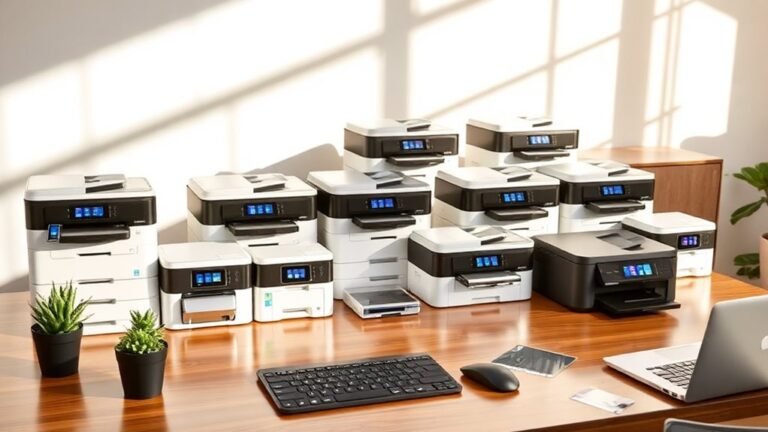
If you’re looking for the best bang for your buck laser printers in 2027, you’re in the right place. Models like the Brother HL-L2405W and DCP-L2640DW, HP LaserJet M234sdw, and Lexmark MS410DN are top contenders. These printers offer fast speeds and sharp, professional-quality prints that won’t slow you down.
What’s more, they come with versatile connectivity options, including wireless and mobile app support, making them super convenient for any setup. Whether you’re running a home office or managing a small team, these budget-friendly printers deliver reliable performance without breaking the bank.
Keep reading to find out how these printers perfectly balance cost, quality, and productivity. We’ll help you discover the best option that fits your specific needs while staying under budget. It’s all about getting the most value out of your investment!
| Image | Name | Editor's Rating | Price |
|---|---|---|---|

|
|
||

|
|
||

|
|
||

|
|
||

|
|
Brother HL-L2405W Wireless Compact Monochrome Laser Printer
- BEST FOR HOMES & HOME OFFICES – Engineered for consistent, premium print quality, the Brother HL-L2405W Monochrome (Black & White) Laser Printer delivers sharp, crisp...
- COMPACT, CONNECTED PRINTER – Flexible connection options make this an ideal printer for home use and at-home offices. Securely connect to multiple devices with built-in...
- BROTHER MOBILE CONNECT APP – Manage your printer remotely and print from your mobile device anytime, from almost anywhere. Order Brother Genuine Supplies, track toner...
- VERSATILE PAPER HANDLING – Enjoy seamless, reliable everyday printing with the 250-sheet paper tray(4) and a manual feed slot that enables printing on envelopes and...
- BROTHER IS AT YOUR SIDE – Backed by Brother with a 1-year limited warranty and free online, call, or live chat support for the life of your printer

The Brother HL-L2405W Wireless Compact Monochrome Laser Printer is designed to meet the demands of busy home offices and small workspaces. Its compact design saves valuable desk space while delivering sharp, clear black-and-white prints at fast speeds. This printer helps you stay productive by handling documents quickly, so you can focus on your tasks without delay.
Connectivity options include dual-band wireless and USB, allowing seamless printing from laptops, smartphones, or tablets. The large 250-sheet tray minimizes interruptions, while the manual feed slot supports envelopes and labels, making it versatile for different printing needs. Maintenance is straightforward, ensuring the printer remains reliable day after day.
Though this model prints only in monochrome, it excels in producing professional-quality text documents. Duplex printing requires manual intervention, which may slow down high-volume jobs but keeps the device simple and cost-effective. Its single paper tray suits moderate workloads, perfect for individuals or small teams.
Best for: small office users or home professionals needing a compact, efficient monochrome laser printer with flexible connectivity and solid print quality.
What We Like:
- Fast printing at up to 30 pages per minute with 1200 x 1200 dpi resolution
- Wireless dual-band and USB connectivity for versatile device support
- Large 250-sheet capacity and manual feed for varied media types
- Compact footprint ideal for limited space environments
Specification:
| Feature | Details |
|---|---|
| Manufacturer | Brother |
| Dimensions (W×D×H) | 14 x 14.2 x 7.2 inches |
| Weight | 15.2 lbs (6.9 kg) |
| Printing Technology | Monochrome Laser |
| Connectivity | Dual-band Wi-Fi, USB |
| Paper Capacity | 250 sheets + manual feed |
Brother DCP-L2640DW Wireless Monochrome Printer
- BEST FOR SMALL BUSINESSES – Engineered for extraordinary productivity, the Brother DCP-L2640DW Monochrome (Black & White) 3-in-1 combines laser printer, scanner, copier...
- FAST PRINTER WITH EFFICIENT SCANNING – Produces documents quickly with print speeds up to 36 ppm(2) and scan speeds up to 23.6/7.9 ipm(3) (black/color). A 50-page auto...
- FLEXIBLE CONNECTION OPTIONS – Easily navigate the changing demands of your business with secure multi-device connectivity via built-in dual-band wireless (2.4GHz...
- BROTHER MOBILE CONNECT APP – Print, scan, and manage your wireless printer anytime, from almost anywhere from your mobile device. Order Brother Genuine Supplies, track...
- CHOOSE BROTHER GENUINE TONER – When it’s time to replace your toner, be sure to choose Brother Genuine TN830 or TN830XL replacement toner. And with Refresh EZ Print...
The Brother DCP-L2640DW Wireless Monochrome Printer is designed to meet the demanding needs of small businesses. It handles high-volume printing, copying, and scanning tasks efficiently. With speeds up to 36 pages per minute, it helps reduce wait times and keeps workflows moving smoothly.
This printer’s automatic duplex feature saves paper by printing on both sides without extra effort. The 50-sheet auto document feeder and 250-sheet paper tray minimize interruptions, making it easier to manage large jobs. Its compact design fits well in busy office spaces without taking up too much room.
Connectivity options include dual-band wireless, Ethernet, and USB, ensuring flexible networking for various setups. The Brother Mobile Connect app adds convenience by allowing printing from smartphones and tablets. Maintenance is straightforward, with easy access to replaceable toner cartridges.
ENERGY STAR and EPEAT Silver certifications highlight its energy-efficient operation, reducing environmental impact and operating costs. While it only prints in monochrome and has a moderate feeder capacity, it remains a reliable choice for monochrome multifunction needs.
Best for: Small businesses needing a dependable monochrome multifunction printer with versatile wireless and network capabilities.
What We Like:
- Fast printing and copying speeds with automatic duplex to save paper
- Multiple connectivity options including dual-band wireless and mobile app support
- Energy-efficient design with ENERGY STAR and EPEAT Silver certifications
Specification:
| Feature | Details |
|---|---|
| Manufacturer | Brother |
| Dimensions (W×D×H) | Approx. 16.1 × 15.7 × 12.5 in |
| Weight | 25 lbs (11.3 kg) |
| Color Options | White |
| Connectivity | Dual-band wireless, Ethernet, USB |
Lexmark MS410DN Monochrome Laser Printer 1200 dpi
- More for the money with this high quality Product
- Offers premium quality at outstanding saving
- Excellent product
- 100% satisfaction
The Lexmark MS410DN is designed to meet the demands of busy offices needing reliable, fast monochrome printing. It delivers sharp, professional-quality prints at 1200 x 1200 dpi resolution, ensuring every document looks crisp and clear. This printer helps streamline your workflow by producing up to 40 pages per minute, reducing wait times during high-volume tasks.
Its durable design supports a wide range of paper types, from plain sheets to envelopes and labels. With a generous 850-sheet capacity, it minimizes the frequency of paper refills, letting you focus on work without interruptions. The duplex printing feature saves paper by automatically printing on both sides, making it an eco-friendly choice.
Maintenance is straightforward, with easy access to toner and components, helping keep downtime low. While it connects via USB 2.0 only, this wired setup ensures a stable connection, although it limits wireless convenience. The printer’s sturdy build and consistent output make it a practical solution for offices prioritizing dependable, high-quality monochrome prints.
Best for: Small to medium-sized offices requiring fast, reliable monochrome printing with duplex capability on a budget.
What We Like:
- Fast print speed up to 40 ppm for efficient document handling
- High-resolution 1200 x 1200 dpi output for sharp text and graphics
- Large 850-sheet input capacity reduces paper loading frequency
- Duplex printing conserves paper and lowers operational costs
- Robust wired connection ensures stable and consistent performance
Specification:
| Feature | Details |
|---|---|
| Manufacturer | Lexmark |
| Print Technology | Monochrome Laser |
| Resolution | 1200 x 1200 dpi |
| Print Speed | Up to 40 pages per minute |
| Paper Capacity | 850 sheets |
| Connectivity | USB 2.0 |
| Duplex Printing | Yes |
| Weight | 37.5 lbs (17 kg) |
HP LaserJet M234sdw Monochrome Laser Printer | All-in-One
No products found.
Experience seamless productivity with the HP LaserJet M234sdw Monochrome Laser Printer, an all-in-one solution designed to simplify your daily tasks. This compact device delivers sharp, professional black-and-white prints at a swift pace, helping small teams stay efficient.
Handling multiple jobs is easy with its 40-page auto document feeder, which reduces manual effort during copying and scanning. Automatic duplex printing not only speeds up work but also conserves paper, making it an eco-friendly choice.
Connectivity is flexible, offering dual-band Wi-Fi and Ethernet options, plus convenient mobile device access through the HP Smart app. This ensures smooth operation across various devices and locations within your workspace.
Maintenance is straightforward with a moderate paper capacity and reliable performance, though frequent paper refills may be needed in busy settings. While it supports only monochrome printing, its security features and Energy Star certification add extra value.
Best for: Small teams or offices of 1–5 people needing a dependable, professional-grade monochrome all-in-one printer to efficiently manage black-and-white printing, copying, and scanning.
What We Like:
- Fast print speed up to 30 pages per minute with automatic duplexing
- 40-page auto document feeder for hassle-free multitasking
- Dual-band Wi-Fi and Ethernet connectivity plus mobile app management
- Compact design with built-in security and Energy Star certification
Specification:
| Feature | Details |
|---|---|
| Manufacturer | HP |
| Dimensions (W×D×H) | Approximately 15.4 × 14.7 × 10.2 inches |
| Weight | Around 15.4 lbs (7 kg) |
| Color | Gray |
| Connectivity | Dual-band Wi-Fi, Ethernet, USB 2.0 |
| Print Speed | Up to 30 pages per minute |
| Paper Capacity | 150 sheets |
| Auto Document Feeder | 40 pages |
Brother HL-L2460DW Wireless Monochrome Laser Printer
- BEST FOR HOME OFFICES & SMALL TEAMS – Engineered for consistent, premium print quality, the Brother HL-L2460DW Monochrome (Black & White) Laser Printer produces...
- COMPACT, CONNECTED, EXCEPTIONALLY EFFICIENT– Connect with built-in dual-band wireless (2.4GHz/5GHz), Ethernet, or to a single computer via USB interface. Prints at...
- BROTHER MOBILE CONNECT APP – Manage your wireless printer remotely and print from your mobile device anytime, from almost anywhere. Order Brother Genuine Supplies...
- VERSATILE PAPER HANDLING – Tackle high-volume black & white printing with the 250-sheet capacity paper tray.(4) The manual feed slot enables printing on envelopes and...
- BROTHER IS AT YOUR SIDE – Backed by Brother with a 1-year limited warranty and free online, call, or live chat support for the life of your printer
Experience fast and efficient black-and-white printing with the Brother HL-L2460DW, designed to meet the demands of home offices and small teams. This compact wireless laser printer delivers up to 36 pages per minute, helping you complete projects quickly without sacrificing quality.
Automatic duplex printing reduces paper use and streamlines your workflow. Its versatile connectivity options include dual-band Wi-Fi, Ethernet, and USB, making it easy to connect from multiple devices. Mobile printing is simplified through compatibility with the Brother Mobile Connect app.
Maintenance is straightforward with a 250-sheet paper tray that handles various media types, including envelopes. The Toner Save Mode extends cartridge life, lowering your operational costs. The printer’s ENERGY STAR certification and EPEAT Silver rating underline its energy-efficient and environmentally conscious design.
Best for: small teams and home office users requiring reliable, wireless monochrome printing with a compact footprint.
What We Like:
- Fast printing speed of up to 36 pages per minute with duplex capability
- Multiple connectivity options including dual-band Wi-Fi and mobile app support
- Energy-efficient design with ENERGY STAR and EPEAT Silver certifications
Specification:
| Feature | Details |
|---|---|
| Manufacturer | Brother |
| Dimensions | 14 x 14.2 x 7.2 inches |
| Weight | 15.7 lbs (7.12 kg) |
| Printing Technology | Monochrome laser |
| Connectivity | Dual-band Wi-Fi, Ethernet, USB |
Canon imageCLASS MF273dw Wireless Monochrome Laser Printer
- Wireless 3-in-1: Print | Copy | Scan
- Print up to 30 Pages Per Minute (BW, Letter)
- First Print Out in Approximately 5.3 Seconds (Letter)
- Auto 2-sided Printing
- Uses Toner 071 / 071 High-Capacity Toner
Experience efficient, high-quality printing designed to simplify your busy workday with the Canon imageCLASS MF273dw. This monochrome laser printer delivers crisp text and sharp images at speeds up to 30 pages per minute, helping you complete tasks quickly without compromising clarity. Its wireless functionality lets you print from multiple devices without the hassle of cables.
The printer’s automatic duplex feature reduces paper usage and saves time by printing on both sides of the page automatically. A 150-sheet paper tray supports everyday printing needs, minimizing frequent refills. The multifunction design combines printing, copying, and scanning, with an auto document feeder to streamline handling multi-page documents.
Maintenance is straightforward, although the starter toner cartridge yields about 700 pages, so planning for regular replacements is advisable. This model is Energy Star certified, promoting energy efficiency without sacrificing performance. It connects easily via Wi-Fi, USB, or Wi-Fi Direct, offering flexibility for various office setups.
Its monochrome output suits text-heavy documents but lacks color printing, making it ideal for businesses focusing on black-and-white materials. Overall, this printer balances speed, convenience, and multifunction capabilities in a compact design.
Best for: Small businesses and home offices needing a reliable, fast monochrome laser printer with wireless connectivity and multifunction features.
What We Like:
- Fast printing speed of up to 30 ppm with sharp 2400 x 600 dpi resolution
- Automatic duplex printing conserves paper and boosts efficiency
- Multifunction capabilities including copy and scan with auto document feeder
- Multiple connectivity options: Wi-Fi, USB, and Wi-Fi Direct
- Energy Star certified for reduced power consumption
Specification:
| Feature | Details |
|---|---|
| Manufacturer | Canon |
| Dimensions | Approximately 16.1 x 15.7 x 15.6 in (40.9 x 39.9 x 39.6 cm) |
| Weight | Around 32.4 lb (14.7 kg) |
| Print Technology | Monochrome Laser |
| Print Speed | Up to 30 ppm |
| Print Resolution | 2400 x 600 dpi |
| Paper Capacity | 150-sheet tray |
| Connectivity | Wi-Fi, USB, Wi-Fi Direct |
| Functions | Print, Copy, Scan |
Canon imageCLASS LBP122dw – Wireless Monochrome Duplex Laser Printer

- Wireless, duplex printer (print-only)
- Fast print speeds up to 30 pages per minute (black and white)
- Print on-the-go with Canon PRINT app and more.
- Uses Canon GENUINE Toner 071 / 071 high-capacity
- Compact design fits almost anywhere in your home, great for home use and personal printing
The Canon imageCLASS LBP122dw delivers fast, reliable monochrome printing designed to simplify everyday tasks. Its wireless connectivity means you can print from anywhere without tangled cables, freeing up your workspace and boosting productivity.
This printer’s automatic duplexing helps reduce paper waste by printing on both sides effortlessly. With crisp 2400 x 600 dpi quality and speeds up to 30 pages per minute, it handles documents efficiently, ideal for busy home offices or small businesses.
Maintenance is straightforward with a 150-sheet tray that supports various paper sizes, including legal documents. While it’s print-only and monochrome, this focus makes it a practical choice for users prioritizing speed and clarity over scanning or color features.
The printer also supports mobile printing through the Canon PRINT app and Amazon Alexa, enabling flexible workflows. Keep in mind, the starter toner yields about 700 pages, so frequent users should plan for timely replacements.
Best for: small offices or individuals needing fast, wireless monochrome printing with automatic duplex and mobile support.
What We Like:
- High-speed printing up to 30 ppm for quick output
- Automatic duplex printing saves paper and time
- Wireless printing via Canon PRINT app and Alexa compatibility
- Compact design fits easily on desks or small spaces
Specification:
| Feature | Details |
|---|---|
| Manufacturer | Canon |
| Dimensions | Approx. 15.0 x 14.0 x 9.0 in (38.1 x 35.6 x 22.9 cm) |
| Weight | Around 15.4 lbs (7.0 kg) |
| Printing Type | Monochrome Laser |
| Paper Capacity | 150 sheets |
| Connectivity | Wireless, USB |
Brother International HLL2865DW Printer,wrlss,ntwk,wkhorse

- Print speed up to 34 pages per minute
- 2-sided printing, up to 16 sides per minute
- 250 Sheet Paper Inbox
- 1,500-page toner included, optional toner maximum of 5,000 pages
- 1 Line LCD Control Panel
The Brother HL-L2865DW printer is designed to handle busy office environments with ease. It tackles common printing challenges by delivering fast, reliable black-and-white documents without compromising quality. This printer speeds through tasks at up to 34 pages per minute, helping you meet tight deadlines efficiently.
Its compact design fits neatly into limited workspace, while the quiet operation reduces distractions. Automatic duplex printing cuts paper use, supporting your office’s sustainability goals and lowering costs. A 250-sheet tray minimizes frequent refills, keeping your workflow steady.
Setup is straightforward with multiple connectivity options, including Ethernet, dual-band Wi-Fi, and USB. This flexibility allows easy integration into most office networks, so everyone can print seamlessly. Maintenance is simple, thanks to the printer’s reliable build that requires minimal intervention.
Though limited to monochrome printing with a resolution of 600 x 600 dpi, it excels as a dependable workhorse for everyday document needs. Its modest 128 MB memory suits standard print jobs but may slow down with complex tasks.
Best for: small to medium-sized offices needing fast, dependable monochrome printing with versatile network connectivity.
What We Like:
- Fast printing speed up to 34 ppm with automatic duplexing.
- Flexible connectivity via Ethernet, dual-band Wi-Fi, and USB.
- Compact, quiet design ideal for busy office spaces.
- Large 250-sheet tray reduces paper handling.
- Simple maintenance with reliable performance.
Specification:
| Feature | Details |
|---|---|
| Manufacturer | Brother International |
| Model | HL-L2865DW |
| Print Speed | Up to 34 pages per minute |
| Print Resolution | 600 x 600 dpi |
| Connectivity | Ethernet, Dual-band Wi-Fi, USB |
| Memory | 128 MB |
| Paper Tray Capacity | 250 sheets |
| Duplex Printing | Automatic |
| Dimensions (W x D x H) | 16.1 x 14.2 x 7.2 inches |
| Weight | Approx. 16.5 lbs (7.5 kg) |
Lexmark MS610DN Monochrome Laser Printer 1200dpi

- Refurbish Lexmark MS610DN Laser Printer (35S0400) - Seller Refurb
- Professionally Refurbished and Fully cleaned inside and out Replacing any Parts showing signs of wear ; Product may have cosmetic discoloration.
- We replace all parts and consumables to ensure that you have no issues with quality or paper jams. We test each machine thoroughly and replace the consumables that are in...
- 90 Day Depot Warranty
- Does Not Come With Toner and Drum ; Drivers and/or User Guides Are Available from Manufacturer Website But Not Included ; Ships with Power and Network cables (Where...
Experience efficient, high-speed black-and-white printing with the Lexmark MS610DN Monochrome Laser Printer. Designed for busy workspaces, it delivers sharp, clear prints at 1200 x 1200 dpi resolution, helping you handle demanding print tasks effortlessly. This printer’s fast output keeps your workflow smooth and productive.
Its large 2,300-sheet capacity means fewer interruptions for paper refills, making it perfect for high-volume printing environments. The wired USB connection ensures stable, reliable data transfer, though it requires a direct connection to your device. This setup suits offices that prioritize consistent performance over wireless convenience.
Maintaining the Lexmark MS610DN is straightforward. It ships refurbished with all critical parts professionally replaced and tested, ensuring dependable operation. However, you will need to purchase toner and drum separately before use. Some cosmetic discoloration may be visible due to refurbishment but does not affect functionality.
Built to withstand heavy use, this printer combines durability with cost-effective monochrome printing. It’s an ideal choice for professionals who need a reliable, no-nonsense machine to keep up with demanding workloads.
Best for: Offices and professionals requiring fast, high-volume monochrome printing with dependable performance.
What We Like:
- Consistent high-quality prints at 1200 dpi resolution
- Robust 2,300-sheet capacity minimizes paper handling
- Refurbished with replaced critical parts for reliability
- Fast print speed of 50 pages per minute
- Durable design suited for heavy use
Specification:
| Feature | Details |
|---|---|
| Manufacturer | Lexmark |
| Print Technology | Monochrome Laser |
| Print Resolution | 1200 x 1200 dpi |
| Print Speed | Up to 50 pages per minute |
| Paper Capacity | Up to 2,300 sheets |
| Connectivity | Wired USB |
| Condition | Refurbished (no toner/drum) |
| Dimensions (W×D×H) | Approx. 17.4 × 16.5 × 12.4 in |
| Weight | Approx. 28.7 lbs |
Xerox B210DNI Monochrome Laser Printer, White

- COMPACT PERFORMANCE: Lightweight, quiet black and white printer with Built-In Wifi and LED interface. With a first page out time as fast as 8.5 seconds; Prints up to...
- CONVENIENCE AND CONNECTIVITY: Built-in Wi-Fi connectivity supports secure printing from a mobile device, laptop or desktop with native AirPrint, Mopria and Android...
- STAY SECURE: Protect sensitive data over the network or on the device with built in secure protocols and features like 802.1X, HTTPS, IPsec, IPv6, IP and Mac address...
- ENERGY STAR QUALIFIED: This printer minimizes environmental impacts with features like EPEAT, Green World Alliance, Toner Saver, N-up Printing and N-up Copying
- GENUINE XEROX TONER: Protects the print quality, reliability and performance of your printer, and is designed with quality controls to provide the best return on your...
The Xerox B210DNI Monochrome Laser Printer is designed to keep your small office running smoothly. It delivers crisp black-and-white prints quickly, helping you meet tight deadlines without hassle. Its sharp 1200 x 1200 dpi resolution ensures every document looks professional.
This printer supports automatic duplex printing, saving paper and reducing costs. With built-in Wi-Fi, Ethernet, and USB connectivity, it fits seamlessly into various work environments. Plus, it’s compatible with AirPrint and Android devices, making mobile printing straightforward.
Maintenance is simple, with a standard 250-sheet paper tray that suits most small workloads. While it handles up to 4,000 pages monthly, it’s best for moderate print volumes. Its compact white design fits neatly into home offices or small business spaces without taking up much room.
Security features protect sensitive data, a crucial benefit for any business. However, it only prints in monochrome, which might limit use if you need color documents. Overall, it’s a reliable, energy-efficient choice for focused black-and-white printing.
Best for: Small workgroups and home offices needing fast, dependable monochrome printing with versatile connectivity.
What We Like:
- Fast print speed up to 31 pages per minute with high-resolution output
- Automatic duplex printing reduces paper use
- Multiple connectivity options including Wi-Fi, Ethernet, USB, and mobile support
- Compact design fits well in limited spaces
- Energy-efficient operation with strong security features
Specification:
| Feature | Details |
|---|---|
| Manufacturer | Xerox |
| Dimensions | Approx. 14.5 x 14.1 x 9.4 in (36.8 x 35.8 x 23.9 cm) |
| Weight | Approx. 11.5 lb (5.22 kg) |
| Color | White |
| Print Resolution | 1200 x 1200 dpi |
| Print Speed | Up to 31 ppm |
| Connectivity | Wi-Fi, Ethernet, USB, AirPrint, Android support |
| Paper Capacity | 250 sheets |
Lexmark MS820 MS823dn Desktop Laser Printer – Monochrome

- Monochrome Laser
- Duplex (2-sided) Printing: Integrated Duplex
- Print Speed: 65 ppm
- Recommended Monthly Page Volume: 5000 - 75000 pages
The Lexmark MS820 MS823dn Desktop Laser Printer delivers high-speed monochrome printing tailored for busy office environments. With print speeds up to 65 pages per minute, it helps reduce wait times and keeps workflows moving smoothly. This printer handles large print jobs efficiently, minimizing downtime and boosting productivity.
Designed for durability, it features a robust steel frame built to support demanding workloads up to 350,000 pages per month. Its large paper capacity starts at 650 sheets and can expand to 4,400 sheets, lowering the frequency of paper refills. Automatic duplexing further enhances efficiency by printing on both sides of the paper without manual effort.
Maintenance is straightforward with easy access to consumables, helping offices maintain consistent print quality and minimize interruptions. Network connectivity via Ethernet and USB ports makes sharing the printer simple in multi-user settings. Its sharp 1200 x 1200 dpi output ensures professional, clear documents every time.
While it is a print-only device, the monochrome output focuses on delivering reliable black-and-white printing. The printer’s size and weight make it best suited for desktop use in medium to large offices rather than compact or mobile workspaces.
Best for: Offices and businesses needing fast, durable, and reliable high-volume monochrome printing with robust networking capabilities.
What We Like:
- Rapid print speed up to 65 ppm for large workloads
- Strong steel frame built for high monthly duty cycles
- Automatic duplexing saves time and paper
- Expandable paper capacity reduces reloading
- Network-ready with Ethernet and USB connectivity
Specification:
| Feature | Details |
|---|---|
| Manufacturer | Lexmark |
| Dimensions (W×D×H) | Approx. 19.6 × 19.4 × 17.7 inches (49.8 × 49.2 × 45 cm) |
| Weight | Approx. 62.5 lbs (28.3 kg) |
| Printing Technology | Monochrome Laser |
| Print Speed | Up to 65 pages per minute |
| Resolution | 1200 x 1200 dpi |
| Paper Capacity | 650 sheets (expandable to 4,400 sheets) |
| Connectivity | Ethernet, USB |
Brother MFC-L2820DW Wireless Monochrome Laser Printer

- BEST FOR SMALL OFFICES – Combining space-saving efficiency and premium monochrome (black & white) print quality with affordability, the Brother MFC-L2820DW delivers...
- EFFICIENT PRINTING & SCANNING – Produces black & white documents quickly with print speeds up to 36 ppm(2) and scan speeds up to 23.6/7.9 ipm(3) (bk/cl). A 50-page auto...
- FLEXIBLE CONNECTION OPTIONS – Securely connect to multiple devices with built-in dual-band wireless (2.4GHz / 5GHz), Ethernet, or connect locally to a single computer...
- 2.7" TOUCHSCREEN – The intuitive 2.7” touchscreen enables effortless navigation with the added ability to print-from and scan-to popular Cloud-based apps such as...
- BROTHER MOBILE CONNECT APP – Print, scan, and manage your wireless printer anytime, from almost anywhere from your mobile device. Order Brother Genuine Supplies, track...
The Brother MFC-L2820DW is a compact all-in-one printer designed to keep small or home offices running smoothly. It tackles printing, copying, scanning, and faxing with ease, making it a versatile addition to your workspace. Its fast monochrome printing speed of up to 36 pages per minute means you spend less time waiting for documents.
This model features a 250-sheet paper tray and a 50-page automatic document feeder (ADF), allowing for efficient handling of multi-page tasks. Automatic duplex printing cuts paper use in half and simplifies producing double-sided documents. Connectivity is flexible with dual-band Wi-Fi, Ethernet, and mobile app control, supporting seamless printing from various devices.
Maintenance is straightforward, with easy access for toner replacement and routine cleaning. While it only prints in black and white, this focus enhances reliability and print clarity. The printer’s design is energy-conscious, although power consumption peaks at 470 watts during operation.
Best for: Small or home office users needing a compact, efficient all-in-one monochrome laser printer with wireless and mobile connectivity.
What We Like:
- Fast print speed delivers sharp monochrome documents quickly
- Efficient multi-functionality with ADF and automatic duplexing
- Flexible connectivity options including dual-band Wi-Fi and mobile app control
- Compact design saves valuable desk space
Specification:
| Feature | Details |
|---|---|
| Manufacturer | Brother |
| Dimensions | 16.1 x 15.7 x 12.3 inches |
| Weight | 16.7 lbs (7.58 kg) |
| Paper Tray Capacity | 250 sheets |
| ADF Capacity | 50 pages |
| Printing Technology | Monochrome Laser |
| Connectivity | Dual-band Wi-Fi, Ethernet, USB |
HP LaserJet M110w | Monochrome | Laser Printer

- FROM AMERICA'S MOST TRUSTED PRINTER BRAND – Perfect for small teams printing professional-quality black & white documents and reports. Perfect for 1-3 people
- WORLD'S SMALLEST LASER IN ITS CLASS – Precision laser printing that fits anywhere
- FAST PRINT SPEEDS – Up to 21 black-and-white pages per minute single-sided
- WIRELESS WITH SELF-RESET – Helps you stay connected
- PRINT FROM ANY DEVICE – Wireless printing from any mobile device, PC or tablet. Works with Microsoft, Mac, AirPrint, Android, Chromebook and more
The HP LaserJet M110w is a compact laser printer designed to fit seamlessly into small office environments. Its space-saving design helps reduce clutter, making it perfect for teams with limited desk space. With fast printing speeds of up to 21 pages per minute and clear 600 x 600 dpi resolution, it delivers sharp monochrome documents efficiently.
This printer supports both wireless and USB connectivity, allowing easy integration with laptops, smartphones, and tablets. The HP Smart app enhances functionality by simplifying setup and enabling scanning directly to the cloud. Its automatic duplex printing feature helps reduce paper waste, contributing to eco-friendly office practices.
Maintenance is straightforward, as the M110w uses original HP cartridges, ensuring consistent print quality. While cartridge costs may be higher, this helps maintain reliable performance and sharp output. The printer is best suited for small teams who require dependable and efficient monochrome printing without color options.
Best for: Small teams of 1–3 people needing a reliable, compact monochrome laser printer with wireless and USB connectivity for everyday office tasks.
What We Like:
- Compact design ideal for limited desk space
- Fast printing speed with clear 600 x 600 dpi resolution
- Wireless and USB connectivity for versatile device compatibility
- HP Smart app simplifies setup and cloud scanning
- Automatic duplex printing reduces paper usage
Specification:
| Feature | Details |
|---|---|
| Manufacturer | HP |
| Dimensions (W x D x H) | Approx. 14.1 x 9.8 x 7.6 inches (35.8 x 24.9 x 19.3 cm) |
| Weight | Around 12.5 lbs (5.7 kg) |
| Printing Technology | Monochrome Laser |
| Print Resolution | 600 x 600 dpi |
| Connectivity | Wireless (Wi-Fi), USB |
Canon Color imageCLASS MF753Cdw II – All-in-One Color Duplex Laser Printer

- Color, Wireless, Duplex 4-in-1: Print, scan, copy, fax.
Experience efficient and vibrant printing with the Canon Color imageCLASS MF753Cdw II. This all-in-one color laser printer is designed to meet the needs of hybrid work setups and home offices. It tackles everyday printing challenges by delivering sharp, professional-quality documents quickly.
The printer offers a rapid 35 pages per minute output with a crisp 1200 x 1200 dpi resolution for both color and black-and-white prints. Its 4-in-1 capability allows seamless printing, scanning, copying, and faxing, enhancing workflow without extra devices. The 50-sheet duplex automatic document feeder simplifies handling multi-page documents.
Connectivity is flexible, supporting wireless, Ethernet, and USB connections. This versatility lets you print easily from laptops, PCs, and smartphones. The 250-sheet input tray accommodates moderate print volumes but can be expanded if needed. A 5-inch customizable touchscreen provides intuitive control for smooth operation.
Maintenance is straightforward, although initial toner yields for cyan, magenta, and yellow are modest, which may affect running costs. The printer’s solid build and multifunction design make it a reliable choice for busy small offices.
Best for: Small and home office users or hybrid workers seeking a versatile, fast, and high-quality color laser printer.
What We Like:
- Quick 35 ppm print speed with sharp 1200 x 1200 dpi output
- Efficient 4-in-1 functionality with duplex automatic document feeder
- Multiple connectivity options including wireless, Ethernet, and USB
- Intuitive 5-inch customizable touchscreen for easy operation
Specification:
| Feature | Details |
|---|---|
| Manufacturer | Canon |
| Dimensions (W×D×H) | Approx. 16.5 × 18.8 × 17.7 inches |
| Weight | Approx. 50 lbs (22.7 kg) |
| Color Options | Standard white and black accents |
| Connectivity | Wireless, Ethernet, USB |
| Paper Capacity | 250 sheets (expandable) |
HP LaserJet Pro 3101sdw | Monochrome | Laser Printer | All-in-One | Duplex

- FROM AMERICA'S MOST TRUSTED PRINTER BRAND – Perfect for small teams printing professional-quality black-and-white documents and reports. Print speeds up to 35 ppm...
- PROFESSIONAL PRODUCTIVITY – Proficiency with every print—bring your business to life with toner designed for sharp, professional-quality prints
- UPGRADED FEATURES – Fast printing, scanning and copying, auto 2-sided printing, a 250-sheet input tray and 50-sheet auto document feeder
- AWARD-WINNING RELIABILITY – Performance you can count on page after page, and always ready for the high demands of business
- WIRELESS PRINTING – Stay connected with our most dependable Wi-Fi, which looks for the best connection to stay online
The HP LaserJet Pro 3101sdw is designed to enhance productivity in busy offices. Its fast printing speed of up to 35 pages per minute means you spend less time waiting and more time focusing on your work. The automatic duplexing feature helps reduce paper usage by printing on both sides, saving resources and cutting costs.
This all-in-one printer combines printing, copying, and scanning into a compact device that fits well in small workspaces. The 50-sheet automatic document feeder (ADF) simplifies handling multi-page scanning jobs, reducing manual effort. With crisp 1200 x 1200 dpi resolution, your documents come out sharp and professional every time.
Maintenance is straightforward, but it requires original HP cartridges with chips for optimal performance. The single 250-sheet input tray suits moderate print volumes but might limit very high-demand environments. Connectivity options like Wi-Fi, Ethernet, and USB ensure seamless integration with laptops and smartphones.
Best for: Small to medium businesses or busy teams needing a reliable, fast, and space-saving monochrome laser printer with duplex capability.
What We Like:
- Fast print speed with quick first-page output
- Automatic duplexing and 50-sheet ADF for efficient multitasking
- Multiple connectivity options including mobile printing
- High-quality 1200 x 1200 dpi monochrome output
Specification:
| Feature | Details |
|---|---|
| Manufacturer | HP |
| Dimensions | Approx. 16.5 x 15.4 x 11.7 in (41.9 x 39.1 x 29.7 cm) |
| Weight | Approx. 18.7 lb (8.5 kg) |
| Printing Technology | Monochrome Laser |
| Paper Capacity | 250-sheet input tray |
| Connectivity | Wi-Fi, Ethernet, USB |
Factors to Consider When Choosing a Bang for Buck Laser Printer

When choosing a budget laser printer, you’ll want to focus on print speed and quality to keep your projects sharp and efficient. Make sure it offers the connectivity options you need and supports duplex printing to save paper.
Also, consider how much paper it can hold to avoid constant refills during busy days. It’s all about finding a balance that fits your workflow and budget. That way, you get the best bang for your buck without any hassle.
Print Speed Importance
Although print speed is often a top priority, it’s crucial to balance how fast a laser printer can churn out pages with your actual printing habits. If you regularly print dozens or hundreds of pages monthly, higher ppm reduces wait times and boosts productivity.
Don’t overlook first-page-out time—under 10 seconds makes a big difference if you print single pages occasionally. Remember, print speeds vary by mode; check simplex, duplex, draft, or high-quality speeds based on your typical use.
Also, make certain the printer’s monthly duty cycle matches your volume to avoid wear and added costs. Keep in mind faster printers may use more power and toner per minute, so weigh speed against energy and consumable expenses to find the best value for your needs.
Print Quality Metrics
Since print quality directly affects the clarity and professionalism of your documents, understanding key metrics helps you choose a laser printer that delivers the best value.
DPI, measured in common standards like 600 x 600 or 1200 x 1200, indicates dot density—higher DPI means sharper text and finer detail. But don’t rely on DPI alone; toner particle size, fuser consistency, and registration accuracy also influence text sharpness, especially at small font sizes.
Halftone and screening capabilities matter if you print photos or graphics, impacting grayscale smoothness. Check for line crispness and edge clarity by reviewing test patterns for banding or haloing.
Connectivity Options Available
How do you guarantee your laser printer fits seamlessly into your workspace? Start by choosing one that supports both Wi-Fi, including dual-band 2.4 GHz and 5 GHz, and wired Ethernet. This assures reliable network access and smooth performance, especially in multi-user setups.
Don’t overlook USB 2.0 or higher local ports for quick, direct connections. These are essential during setup or troubleshooting.
If you print from smartphones or tablets, look for automatic mobile printing standards like AirPrint or Mopria. That way, you can avoid installing extra drivers.
Also, consider network security features such as secure printing, authentication, and remote management protocols like HTTPS and IPsec. These protect your data and simplify administration, making connectivity both efficient and secure in any environment.
Duplex Printing Benefits
You’ll often find that automatic duplex printing slashes your paper use by about half, which not only cuts costs but also minimizes waste—especially if you print in high volumes.
Besides saving paper, duplex printing reduces the space you need for storage and filing since your documents take up fewer physical pages.
While duplex printers may cost a bit more upfront, they speed up total job completion compared to manually flipping pages and lower your cost per page over time.
Keep in mind, duplex printing might increase toner density per sheet, but overall toner costs usually drop due to fewer sheets printed.
However, the added mechanical parts can raise maintenance needs, so weigh duty cycle and reliability when deciding if duplex is worth it for you.
Paper Capacity Needs
Choosing the right paper capacity often makes a big difference in your printing experience and efficiency.
If you print mostly at home, trays holding 150–250 sheets usually work well. Small offices, on the other hand, benefit from 250+ sheet trays to cut down on frequent refills.
Also, consider the output tray size—larger capacities (100–250 sheets) mean less emptying.
If you scan or copy multi-page documents often, an automatic document feeder (ADF) with a 40–50 sheet capacity saves time by reducing manual loading.
Don’t forget to check for a multipurpose or manual feed slot for envelopes and labels, so you can avoid swapping paper constantly.
Finally, if you anticipate growth, pick printers with expandable paper trays to improve long-term convenience and cost-efficiency.
Consumables Cost Efficiency
Many factors influence the true cost of printing beyond the initial price of a laser printer. To get the best bang for your buck, compare the cost per page (CPP) by dividing toner cartridge price by its yield—a lower CPP means better value.
Opt for high-yield cartridges when possible; they usually reduce CPP despite higher upfront costs. Remember to factor in drum or imaging unit replacements, as these service parts add to your total cost over time.
Also, use duplex printing and toner-save modes to cut paper and toner consumption, lowering your effective CPP. If you consider subscription or auto-replenishment plans, evaluate monthly fees, rollover policies, and real savings compared to pay-as-you-go options to understand the true cost impact on your budget.
Device Size Considerations
When selecting a laser printer that offers the best value, it’s essential to take into account its size and how it fits into your workspace. Start by measuring your available desk or shelf space to guarantee the printer’s footprint and height fit comfortably, including clearance for paper trays and output paths.
If you move your printer often, consider weight—lighter models are easier to relocate, while heavier ones usually have sturdier components. Balance paper tray capacity with space: larger trays mean fewer refills but need more room.
Also, leave enough access space to open doors for toner replacement and clearing jams without fully removing the printer. If you want multi-function features like an ADF or extra trays, plan for added depth and height since these increase overall size even in compact models.
Warranty and Support
Although price and performance often take center stage, warranty and support can make or break your satisfaction with a budget laser printer. You should check the warranty length and coverage to make certain it matches your expected use, especially the duty cycle.
Know exactly what’s covered—parts, labor, print engine, and consumables like drums or fusers—to avoid surprises. Look for reliable support channels such as phone, live chat, or on-site service, and consider their responsiveness.
Also, verify that firmware updates and driver support for future OS versions are guaranteed during the warranty period. Don’t forget to review return and replacement policies, including trial windows, RMA processes, and any service or shipping fees.
This diligence helps you avoid hassles and keeps your printer running smoothly. It’s worth spending a little extra time now to save headaches later.
Frequently Asked Questions
How Do Laser Printers Compare to Inkjet Printers in Long-Term Cost?
Laser printers usually cost less over time since their toner lasts longer and requires less frequent replacement.
You’ll spend more on inkjets because their cartridges run out faster, making laser printers more budget-friendly long-term.
Can Laser Printers Handle Printing on Specialty Paper Types?
You know what they say, “Don’t put all your eggs in one basket.”
Yes, laser printers can handle specialty paper, but you’ll want to check your model’s specs first. Doing a few test prints is a smart move to avoid jams or poor quality results.
What Environmental Considerations Are Associated With Laser Printer Use?
You should know laser printers consume a lot of energy and emit toner particles, which can affect indoor air quality.
Proper recycling of cartridges and paper helps reduce waste, so always opt for eco-friendly practices when using one. It’s a small step that can make a big difference!
How Do Toner Cartridges Impact Overall Printer Maintenance Expenses?
Toner cartridges greatly affect your printer maintenance costs since they need frequent replacement.
High-yield cartridges lower expenses, while poor-quality ones cause jams or damage, increasing repair and downtime costs.
Choose wisely to save money. It really makes a difference in the long run.
Are There Specific Brands Known for Better Customer Service and Support?
Yes, you’ll find brands like HP and Brother often praised for their responsive customer service and reliable support.
Choosing these can save you hassle, ensuring quicker solutions if toner or printer issues arise during use.
It’s always nice to have a helpful team ready to assist when you need it the most.
Conclusion
When choosing your next laser printer, focus on what matters most: speed that keeps up with your pace, quality that makes every print shine, and features that fit your needs without breaking the bank.
Whether you want wireless convenience, crisp monochrome prints, or vibrant color options, there’s a perfect pick waiting for you.
Don’t just buy a printer—choose value, efficiency, and reliability all in one.
Make your decision smart, simple, and satisfying.
Finding the best bang for buck laser printers means balancing budget with performance. Look for models that deliver fast printing speeds and sharp output without extra costs dragging you down. Whether it’s for home or office use, the right laser printer boosts productivity while saving money.
So, take your time, compare features, and pick a laser printer that offers great value under budget. Your perfect printer is out there, ready to make printing easy and affordable in 2027.