9 best beginner 3d printer 2026
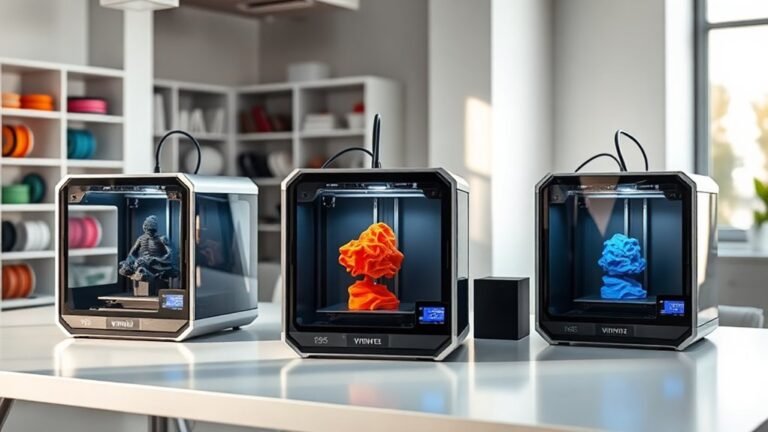
If you’re searching for the best beginner 3D printer in 2026, you’re in the right place. There are plenty of great options designed to make your entry into 3D printing smooth and enjoyable.
Whether you want something easy to set up, capable of multi-color prints, or compact enough for your workspace, there’s a model for you.
For instance, the Anycubic Kobra X offers native 4-color printing and a straightforward setup that even complete beginners can handle.
Then, the FLASHFORGE Adventurer 5M delivers fast, precise prints thanks to its sturdy CoreXY design.
If space is tight, compact choices like the Bambu Lab A1 arrive calibrated and ready to go right out of the box.
You’ll also find models like the Creality Ender 3 V3 SE, which provides reliable auto-leveling for smooth, consistent prints.
These picks strike a great balance between usability and performance, but there’s plenty more to consider when finding your perfect fit.
| Image | Name | Editor's Rating | Price |
|---|---|---|---|

|
|
||

|
|
||

|
|
||

|
|
||

|
|
Anycubic Kobra X Multicolor 3D Printer, Easy Setup, Native 4-Color
- 【 Newest Level - 19-Color with 4 ACE 2 Pro】Why settle for one color when you can have multicolor? The Kobra X comes born with 4 colors built-in. It is innovative 3D...
- 【 Savings 2X Time】Stop wasting hours and filament on purging! Kobra X impresora 3D reduces the filament and machine travel path by 81.25%, so 2X the Speed, and...
- 【Hardened Precision & High Speed 】 Equipped with a high-durability hardened steel nozzle and vibration compensation, the Kobra X ensures every layer remains smooth...
- 【Flawless First Layer with LeviQ 3.0】The LeviQ 3.0 and auto bed leveling system uses a 49-point calibration and advanced leveling algorithm to ensure 100% bed...
- 【Smart AI Monitoring & Large Model Library】APP remote control, features Spaghetti detection and foreign object detection. The innovative top-mount spool holder...

Experience multicolor 3D printing without the hassle with the Anycubic Kobra X Multicolor. This printer is designed to make multicolor projects simple and accessible, perfect for users new to 3D printing. Its native 4-color printing capability lets you create vibrant models right out of the box.
Setting up is quick and straightforward. The LeviQ 3.0 auto bed leveling ensures your first layers are spot on, reducing print failures and saving time. With a print speed that can complete detailed models like Benchy in just 14 minutes, it helps you finish projects faster.
Maintenance is user-friendly, with reliable components that keep the printer running smoothly. The Kobra X Multicolor supports expansion up to 19 colors using additional ACE 2 Pro units, providing flexibility for more complex designs. However, this expansion comes with added costs and may not be necessary for beginners.
Its build volume of 260mm³ suits most hobby and creative projects, though it may limit very large prints. Overall, the printer balances ease of use, multicolor functionality, and efficient operation, making it a practical choice for those exploring colorful 3D printing.
Best for: Beginners and hobbyists seeking an easy-to-use 3D printer with built-in multicolor capabilities for creative projects.
What We Like:
- Native 4-color printing with expansion up to 19 colors
- Fast setup and precise LeviQ 3.0 auto bed leveling
- High print speed completing detailed models quickly
- User-friendly maintenance and reliable performance
Specification:
| Feature | Details |
|---|---|
| Manufacturer | Anycubic |
| Print Colors | 4 native, expandable to 19 |
| Print Speed | Benchy in approximately 14 minutes |
| Build Volume | 260mm³ |
| Auto Bed Leveling | LeviQ 3.0 |
FLASHFORGE Adventurer 5M 3D Printer, All-Metal CoreXY, 600mm/s Max Travel
- One-Click Automatic Printing: Experience hassle-free 3D printing with the Adventurer 5M Series. Enjoy automatic bed leveling for flawless first layers, ensuring...
- 12X Ultra Fast Printing: Featuring a CoreXY structure with 600mm/s travel speed and 20000mm/s² acceleration, the AD5M maximizes efficiency, reduces production cycles...
- Smart and Efficient Design: Quick 3-second nozzle changes, a high-flow 32mm³/s nozzle, and fast 35-second warm-up to 200°C deliver stable high-speed printing. Its...
- Superior Print Quality & Adaptability: Combines a 280°C direct drive extruder with dual-fan cooling and vibration compensation. Includes a standard 0.4mm nozzle and...
- Real-Time App Monitoring: Monitor print progress, adjust settings, and receive instant status alerts remotely with the Flash Studio. Smart mobile control ensures a...
The FLASHFORGE Adventurer 5M transforms 3D printing with its all-metal CoreXY design, delivering fast and accurate results. It tackles slow print speeds and uneven layers, helping beginners and experts produce high-quality models efficiently.
Its 600mm/s max travel speed and automatic bed leveling remove the hassle of manual calibration. This ensures your prints start perfectly every time, saving time and reducing frustration.
Maintenance is simple with a quick-swap 0.4mm nozzle that changes in just 3 seconds. Dual-fan cooling keeps prints detailed and high quality while the 220 x 220 x 220 mm build volume supports a variety of projects without bulk.
Remote monitoring through Flash Studio’s app adds convenience. You can track and control prints from anywhere, making it easier to manage long or multiple jobs. Compact and lightweight, it balances portability with precision but may be less stable for extremely fine printing.
Best for: users who want a fast, precise 3D printer with easy maintenance and remote control for rapid prototyping and detailed work.
What We Like:
- Fast 600mm/s printing speed with efficient CoreXY structure
- Automatic bed leveling for smooth first layers
- Easy nozzle replacement in 3 seconds
- Real-time remote monitoring via Flash Studio app
- Compact design for convenient workspace fitting
Specification:
| Feature | Details |
|---|---|
| Manufacturer | FLASHFORGE |
| Build Volume | 220 x 220 x 220 mm |
| Max Travel Speed | 600 mm/s |
| Nozzle Size | 0.4 mm (swappable) |
| Cooling | Dual-fan cooling |
| Design | All-metal CoreXY |
| Warm-up Time | 35 seconds |
| Weight | Lightweight (exact weight not specified) |
Bambu Lab A1 mini 3D Printer + LED Lamp Kit, Ready-to-Use for Beginners
- A1 mini + LED Lamp Kit for Creative Light Projects: Bring your ideas to life with the included LED Lamp Kit. Simply print compatible lamp models and turn your 3D...
- The Perfect 3D Printer for Beginners: A1 mini 3D Printer is designed to make 3D printing easy from day one with automatic calibration, simple setup, and a smooth printing...
- Experience the Bambu Lab Ecosystem: Access MakerWorld’s huge library of ready-to-print models, manage prints through the Bambu Handy app, and enjoy a connected...
- Fast, Quiet, and Reliable Printing: Compact and beginner-friendly, A1 mini delivers high-speed, high-quality printing with quiet operation that fits naturally into your...
- Made for Everyday Creativity: From toys and home décor to functional tools and personalized gifts, A1 mini makes it easy to turn ideas into real-life creations with a...
The Bambu Lab A1 mini 3D printer is designed to simplify 3D printing for beginners and hobbyists. Its automatic calibration ensures hassle-free setup, so you can start printing quickly without technical frustrations. The printer’s compact size fits neatly into small spaces, making it ideal for home studios or work desks.
This model operates quietly at 48 dB or less, allowing you to print without distraction. It produces high-quality, detailed prints at impressive speeds, helping you bring your ideas to life efficiently. Maintenance is straightforward, letting you focus more on creating and less on upkeep.
Included with the printer is a versatile LED Lamp Kit that transforms your 3D prints into eye-catching decorative lights. This unique feature adds creative value to your projects and enhances your workspace ambiance. The Bambu Handy app integrates seamlessly, making print management and access to the MakerWorld library simple and intuitive.
Best for: Beginners and hobbyists seeking an easy-to-use, compact 3D printer with creative lighting options for home or studio projects.
What We Like:
- Automatic calibration for quick, user-friendly setup
- Quiet operation with fast, high-quality printing
- LED Lamp Kit to create decorative lights from prints
- Compact and lightweight for easy placement
- Simple print management through the Bambu Handy app
Specification:
| Feature | Details |
|---|---|
| Manufacturer | Bambu Lab |
| Dimensions | 15.4 x 17.3 inches |
| Weight | 12.1 lbs |
| Color Options | Not specified |
| Included Kit | LED Lamp Kit |
Entina Tina2 Plus 3D Printer with WiFi & App Control
- 【Start Printing in Minutes – Beginner Friendly】No setup required. Tina2 Plus 3d printer comes fully assembled and ready to use out of the box. With included TF card...
- 【Fast 250mm/s Printing Performance】This Tina2 Plus high speed 3D printer print speeds up to 250 mm/s help reduce waiting time and support fast project turnaround...
- 【WiFi App Control & STEM Model Library】Powered by the Poloprint Cloud app, this WiFi-enabled 3D printer gives access to 3,500+ printable models and 25+ creative DIY...
- 【40-Second Fast Heat Ceramic Hotend】High-efficiency ceramic hotend heats up in just 40 seconds for faster start-up and less downtime. The quick-swap nozzle design...
- 【Compact 3D Printer for Home & Classroom】Designed with a space-saving footprint while maintaining practical print capacity, this compact 3D printer fits easily on...
Entina Tina2 Plus is designed to make 3D printing accessible and hassle-free for beginners. Its fully assembled setup means you can start printing almost immediately without the frustration of complicated assembly. The compact design fits easily in home or classroom spaces, providing a convenient solution for educational and personal use.
This printer connects seamlessly via WiFi, allowing you to browse and print from a library of over 3,500 models using the Poloprint Cloud app. Remote control capabilities mean you can start, monitor, and manage prints from your smartphone or computer, saving time and effort.
Maintenance is straightforward thanks to the ceramic hotend, which heats up quickly in just 40 seconds. The quick-swap nozzle simplifies cleaning and replacement, reducing downtime and keeping the printer running smoothly. Its partially enclosed frame and auto-leveling dual Z-axis system ensure consistent, stable prints while enhancing safety during operation.
Best for: Beginners and educators looking for a compact, easy-to-use 3D printer with remote control and access to a large model library.
What We Like:
- Ready to use out of the box with minimal setup
- WiFi connectivity and remote print management via Poloprint Cloud app
- Fast-heating ceramic hotend with easy nozzle swaps
- Stable printing with dual Z-axis and partially enclosed frame
Specification:
| Feature | Details |
|---|---|
| Manufacturer | Entina |
| Dimensions | Compact size (exact dimensions not provided) |
| Weight | Not specified |
| Material | Partially enclosed metal/plastic frame |
| Connectivity | WiFi |
| Compatible OS | Windows, macOS, Linux, Chromebook |
Bambu Lab P2S Combo, P2S 3D Printer & AMS 2 Pro, Multi-Color 3D Printing
- High-Speed Precision: The Bambu Lab P2S 3D printer prints up to 600 mm/s while maintaining exceptional accuracy. With the PMSM Servo Extruder and Active Flowrate...
- Ready to Print in 15 Minutes: Set up your P2S FDM 3D printer and start printing in just 15 minutes. With AI failure detection, quick-swap nozzles, and automatic...
- Effortless Multi-Color Printing: The AMS 2 Pro enables seamless multi-color/multi-material 3D printing. It features built-in filament drying at up to 65 °C, keeping...
- Smart Airflow for Any Filament: The Adaptive Airflow System automatically balances cooling and heat retention—keeping overhangs crisp with cool air, or maintaining a...
- Limitless Creativity, Seamless Workflow: Explore over one million 3D models on MakerWorld and bring them to life with a smooth, unified workflow using Bambu Studio, Bambu...
Experience the power of true multi-color 3D printing with the Bambu Lab P2S Combo. This pairing of the P2S 3D printer and AMS 2 Pro system solves the challenge of printing multiple materials and colors seamlessly, enhancing creativity and project quality.
Setup is straightforward and fast, taking just 15 minutes, thanks to automatic calibration and AI failure detection. These features reduce downtime, so you can focus on designing without worrying about print errors or complex maintenance.
The combo delivers remarkable speed up to 600 mm/s while maintaining high precision with the PMSM servo extruder and active flowrate compensation. Its adaptive airflow and filament drying system ensure prints come out reliable and detailed every time.
Despite its weight of 46.3 pounds, the design is robust and built for consistent performance. Keep in mind, the P2S printer alone does not support multi-color printing—this capability requires the AMS 2 Pro. Availability starts from July 2026, so plan accordingly.
Best for: Creators and professionals seeking efficient, precise multi-color 3D printing with minimal setup and reliable operation.
What We Like:
- Seamless multi-material printing with AMS 2 Pro integration
- Fast print speeds up to 600 mm/s with precise layering
- AI-driven failure detection and automatic calibration
- Adaptive airflow and filament drying for print quality
- Quick 15-minute setup for ease of use
Specification:
| Feature | Details |
|---|---|
| Manufacturer | Bambu Lab |
| Dimensions (WxDxH) | Not specified |
| Weight | 46.3 lb (21 kg) |
| Material | Not specified |
| Color Options | Not specified |
MakeBuddy Smart5 AI 3D Printer for Beginners, Plug & Play, High Speed

- 【Designed for Beginners】 MakeBuddy Smart5 3d printer arrives fully assembled and enclosed, so there is no kit to build. Guided app setup and automatic bed leveling...
- 【Easy to Start – Beginner Friendly 3D Printer】From unboxing to your first print in just 15 minutes. Features the leveling technology inherited from QIDI’s...
- 【Safe & Low-Noise Home 3D Printer】The QIDI Smart5 features a sealed enclosure that covers the hot end and moving gantry while lowering operating noise, so the printer...
- 【AI 3D Printer with One-Tap Printing】 The MakeBuddy Smart5 AI 3D printer turns a photo into a printable model: capture an object with a phone or tablet, let the AI...
- 【Complete Starter Kit with Filament and Course Access】 Smart5 ships with 4 PLA filaments, LED and clock DIY build kits, and access to a regularly updated STEAM...
The MakeBuddy Smart5 AI 3D Printer is designed to make 3D printing accessible and hassle-free. Its plug-and-play setup means you can start printing within 15 minutes, even if you’re new to 3D printing. The fully assembled design and guided app simplify the process, helping you bring ideas to life quickly.
Maintenance is straightforward thanks to the automatic bed leveling, which reduces manual adjustments. The sealed enclosure with an active HEPA and carbon filtration system ensures a safe and quiet printing environment, ideal for home or studio use. This thoughtful design minimizes odors and noise, improving your workspace comfort.
This printer stands out with its AI-powered photo-to-3D model conversion, making it easy to create custom objects without advanced CAD skills. The CoreXY motion system delivers fast, precise prints, saving time without sacrificing quality. Included filaments and STEAM courses provide a complete learning experience.
The build volume is limited to 180 x 180 x 180 mm, which may restrict larger projects. Also, the reliance on a proprietary app could limit advanced customization options. Filaments are limited to PLA, so other materials require separate purchases.
Best for: beginners and hobbyists looking for a fast, easy-to-use 3D printer with smart AI features and safe operation.
What We Like:
- Fully assembled, ready to print quickly with guided app setup
- AI-driven photo-to-3D model conversion simplifies design
- Fast, precise prints via CoreXY motion system
- Safe, low-noise operation with sealed enclosure and filtration
- Complete starter kit including filaments and STEAM courses
Specification:
| Feature | Details |
|---|---|
| Manufacturer | MakeBuddy |
| Build Volume | 180 x 180 x 180 mm |
| Setup Time | Ready to print in 15 mins |
| Motion System | CoreXY |
| Filament Type | PLA (included) |
| Enclosure | Sealed with HEPA/carbon filter |
| Connectivity | One-tap WiFi control |
Geeetech Mini 3D Printer for Kids and Beginners
No products found.
The Geeetech Mini 3D printer offers a simple, ready-to-use solution for those new to 3D printing. Its fully assembled design reduces setup time, letting beginners and kids start printing quickly. The 16-point auto-leveling system ensures a smooth first layer every time, saving frustration during setup.
This compact printer features a flexible magnetic build plate that makes removing prints easy and clean. It supports TPU and PLA filaments, handled by a dual-drive metal gear extruder that delivers consistent extrusion. With a print area of 3.94 x 4.33 x 3.94 inches, it suits small projects and educational purposes well.
Operation is straightforward thanks to the 2.4” color LCD and one-button filament controls. Maintenance is manageable with this user-friendly interface and the printer’s compact design. Printing speeds up to 250 mm/s help complete projects efficiently without sacrificing quality.
While the small build volume limits larger creations, the printer’s compact size and ease of use make it ideal for learning and experimentation. Its basic LCD screen keeps controls simple but may lack advanced features found in bigger models.
Best for: beginners and kids seeking a fully assembled, easy-to-use 3D printer with reliable auto-leveling and simple controls.
What We Like:
- Fully assembled for quick, out-of-the-box use
- 16-point auto-leveling simplifies setup
- Flexible magnetic build plate eases print removal
- Dual-drive metal gear extruder supports TPU and PLA
- Fast printing speeds up to 250 mm/s
Specification:
| Feature | Details |
|---|---|
| Manufacturer | Geeetech |
| Print Area | 3.94 x 4.33 x 3.94 in |
| Filament Capacity | 0.5 kg |
| Supported Materials | TPU, PLA |
| Extruder Type | Dual-drive metal gear |
| Display | 2.4” color LCD |
| Weight | Not specified |
Creality Ender 3 V3 SE Beginner-Friendly 3D Printer with Auto Leveling

- 250mm/s High-Speed Printing: Print at speeds of up to 250mm/s with 2500mm/s² acceleration, helping you complete prototypes, functional parts, and everyday projects...
- Easy Setup with Auto Leveling: Designed for a fast and straightforward setup, the Ender 3 V3 SE can be assembled in just a few simple steps. CR Touch Auto Leveling and...
- Proven Sprite Direct Drive Extruder: The upgraded Sprite Direct Drive Extruder provides smooth and consistent filament feeding for PLA, PETG, and TPU. Its proven design...
- Stable Motion System for Consistent Results: Dual synchronized Z-axis lead screws and precision Y-axis linear shafts work together to help reduce vibration and Z...
- Quiet Operation with Easy Print Removal: A 32-bit silent mainboard helps reduce operating noise for a more comfortable printing experience, while the flexible PC spring...
The Creality Ender 3 V3 SE offers a seamless 3D printing experience with its reliable auto leveling system, reducing setup time and errors. Its CR Touch Auto Leveling and automatic Z-offset calibration ensure the first layer adheres perfectly, solving common beginner frustrations. This printer makes quality printing accessible without complex adjustments.
Designed for smooth operation, the upgraded Sprite Direct Drive Extruder handles PLA, PETG, and TPU filaments with ease. Speeds up to 250mm/s and a stable dual Z-axis system minimize vibration and noise. This combination improves print accuracy and reduces maintenance caused by mechanical wear.
Maintenance is straightforward thanks to the flexible spring steel build plate, which allows for easy print removal without damage. The 32-bit silent mainboard further enhances usability by keeping noise levels low during operation. These features make the printer practical for both home and small workshop use.
Though the Ender 3 V3 SE works best with three filament types, its design balances simplicity and performance. It suits beginners eager to learn and experienced users who want reliable results without extensive customization.
Best for: Users seeking a beginner-friendly 3D printer with precise auto leveling and quiet, stable printing.
What We Like:
- Quick setup with CR Touch Auto Leveling and automatic Z-offset calibration
- Smooth filament feeding with upgraded Sprite Direct Drive Extruder
- Stable prints with dual synchronized Z-axis and reduced vibration
- Quiet operation via 32-bit silent mainboard
- Easy print removal using flexible spring steel build plate
Specification:
| Feature | Details |
|---|---|
| Manufacturer | Creality |
| Dimensions | Not specified |
| Weight | Not specified |
| Supported Filaments | PLA, PETG, TPU |
| Build Plate | Flexible spring steel |
| Max Print Speed | Up to 250 mm/s |
| Control Board | 32-bit silent mainboard |
| Leveling System | CR Touch Auto Leveling |
| Z-axis System | Dual synchronized Z-axis |
Spark AI 3D Printer for Kids, 20,000+ Models, Enclosed Safe

- [NOTE] This printer prints one filament at a time, so each print is a single color. PLA comes in many colors, including gradient. For multi-color models, print parts...
- Fully enclosed child-safe design: The enclosed printing chamber keeps all hot components and moving parts away from children at all times. Non-toxic PLA filament only...
- Fully assembled and ready to use out of the box: No tools, no manual assembly required. Connect to WiFi, load the included white PLA filament, and start printing. Once...
- 20,000+ toy models and creative design tools: Browse a growing library of toys, animals, vehicles, and STEM projects on iOS, Android, or Windows. New models added...
- Fast printing at up to 400mm/s with built-in camera: Small models complete in as little as 20 minutes. Most library models print in 1 to 3 hours. The built-in camera...
Spark AI 3D Printer offers a safe and engaging way for kids to explore 3D printing. Its fully enclosed design ensures safety by keeping hot parts out of reach. With over 20,000 models available, children can easily find projects that spark their creativity and learning.
Setting up the printer is simple. It arrives fully assembled, so all you need to do is connect to WiFi and load the non-toxic PLA filament. The printer works efficiently, completing small models in about 20 minutes, making it ideal for young users with limited patience.
Maintenance is easy thanks to the magnetic build plate, which allows prints to be removed without hassle. The built-in camera adds value by creating time-lapse videos, helping kids see their progress and share their creations. Its compact and lightweight design makes it easy to move and store.
While it prints in a single color and has a smaller build area, the Spark AI 3D Printer provides a safe, user-friendly environment perfect for encouraging creativity and developing new skills over time.
Best for: Kids and beginners interested in learning 3D printing and design in a safe, easy-to-use setup.
What We Like:
- Fully enclosed, safe design with cool-touch exterior
- Access to a vast library of 20,000+ models and AI customization tools
- Quick assembly and fast print times
- Magnetic build plate for easy print removal
- Built-in camera for time-lapse recording
Specification:
| Feature | Details |
|---|---|
| Manufacturer | Spark AI |
| Dimensions | Compact, lightweight |
| Filament Material | Non-toxic PLA |
| Model Library | 20,000+ models |
| Connectivity | WiFi |
| Build Plate | Magnetic |
| Print Speed | Small models in ~20 mins |
Factors to Consider When Choosing a Beginner 3D Printer 2026

When choosing your first 3D printer, focus on how easy it is to set up and use right away. You want something that won’t have you scratching your head for hours.
You’ll also want to evaluate print speed and quality, along with what materials the printer can handle. After all, you want your prints to look great and come out in a reasonable time.
Don’t forget to check safety features and connectivity options to make your printing experience smooth and secure. It’s all about making things as hassle-free as possible.
Ease Of Setup
How quickly can you start printing with your new 3D printer? Ideally, your beginner 3D printer should be ready to use right out of the box, letting you print within minutes.
Look for models with automatic bed leveling—it takes the hassle out of manual adjustments and guarantees a reliable first layer. Quick warm-up times also matter; the faster the printer heats, the sooner you can begin.
User-friendly interfaces, like guided app setups or simple controls, make configuring your printer straightforward. Plus, printers that come with preloaded models and clear instructional materials help you avoid frustration and speed up your learning curve.
Focusing on these ease-of-setup features means you’ll spend less time troubleshooting and more time creating.
Print Speed And Quality
Although speed can be tempting, you’ll want to balance print speed and quality to get the best results from your beginner 3D printer. Print speed, measured in millimeters per second (mm/s), can reach up to 600 mm/s on high-speed models, letting you finish projects quickly.
However, quality depends on layer resolution and consistency, producing sharp, smooth layers that make your models look great. Faster speeds often need advanced features like high-flow nozzles and efficient cooling to avoid defects.
You should also check the printer’s acceleration capabilities—higher acceleration (around 20,000 mm/s²) boosts efficiency without sacrificing detail. Choosing a printer that manages both speed and quality well guarantees your prints come out precise and visually appealing every time.
Material Compatibility
Choosing a beginner 3D printer often comes down to the materials it can handle, since your filament options directly shape what you can create. Different printers support various filaments like PLA, PETG, and TPU, each opening up diverse project possibilities.
You’ll want a printer that matches the filament types you plan to use, especially if you’re interested in flexible materials like TPU. These require specific extruder designs—direct drive extruders usually handle these better than Bowden setups.
Also, check the printer’s nozzle temperature range; some materials need higher heat, while others are more sensitive. Understanding recommended printing temperatures and settings for each material helps you avoid print failures and guarantees smoother results.
This way, you’re set up for success as you explore 3D printing. It really makes a difference!
Safety Features
Since you’ll be working with heated components and moving parts, prioritizing safety features in your beginner 3D printer is essential. Look for models with enclosed designs to protect you from high temperatures, reducing burn risks.
Cool-touch exteriors are another smart feature. They help minimize accidental contact with hot surfaces during printing.
Verify that your printer includes thermal runaway protection—it prevents overheating and potential fire hazards. Choose printers that come fully assembled or with easy setup to avoid safety risks during assembly.
Also, opt for ones that use non-toxic materials to create a safer environment, especially if kids will be around. Keeping these safety features in mind guarantees your 3D printing experience stays both fun and secure from start to finish.
Connectivity Options
Three key connectivity options can transform your 3D printing experience by offering flexibility and control. Dual-band Wi-Fi (2.4G/5G) lets you manage and monitor print jobs remotely, so you don’t have to stay tethered to your printer.
Many beginner 3D printers now support mobile apps, giving you real-time updates and easy adjustments on the go. These apps often connect to cloud-based platforms with vast libraries of pre-designed models, letting you print directly without extra hassle.
If you prefer offline use, USB and TF card support facilitate smooth file transfers and uninterrupted printing. Some printers even include AI monitoring systems that detect printing issues and alert you immediately, improving reliability and minimizing wasted time and materials.
Size And Portability
While selecting a beginner 3D printer, you’ll want to pay close attention to its size and portability to confirm it fits your workspace and lifestyle. Consider the printer’s dimensions and weight to make sure it fits comfortably and can be moved easily, especially in smaller or shared spaces.
Look for compact designs that maximize build volume while minimizing the footprint, perfect for home, school, or office use. Some models focus on portability, making it simple to transport to makerspaces or workshops, boosting collaboration.
A lightweight printer makes setup and adjustments easier, which benefits beginners. Also, check for features like removable build plates, as these facilitate handling and enhance portability, making your 3D printing experience smoother and more flexible.
Frequently Asked Questions
What Types of Filaments Are Best for Beginner 3D Printers?
You’ll want to start with PLA filament since it’s easy to print, non-toxic, and requires low temperatures.
PETG and ABS are good too, but they need more experience due to higher temperature and ventilation needs.
How Much Maintenance Do Beginner 3D Printers Typically Require?
Think of maintenance like watering a small plant—you’ll typically spend about 30 minutes each week cleaning, tightening parts, and checking for nozzle clogs.
It’s pretty straightforward. You’ll keep your printer happy and humming smoothly without much hassle or stress.
Are There Any Safety Precautions for Kids Using 3D Printers?
Yes, you should always supervise kids using 3D printers. It’s important to keep the printer in a well-ventilated area to avoid any fumes.
Also, make sure they avoid touching hot parts. Using protective gear like gloves or goggles is a smart move too, to keep them safe during printing sessions.
Can Beginner 3D Printers Be Upgraded With Advanced Features Later?
Yes, many beginner 3D printers let you upgrade components like nozzles, build plates, or firmware.
You’ll find it’s easy to enhance features as you grow more skilled, making your printer more versatile over time.
What Software Is Recommended for Designing 3D Models for Beginners?
You should try Tinkercad or Fusion 360. They’re user-friendly and perfect for beginners, letting you design 3D models easily.
As you get comfortable, you can explore more advanced software like Blender or SketchUp. These options give you more tools and flexibility once you’re ready to level up.
Conclusion
Choosing your first 3D printer is like planting a seed—you want the right soil to help it grow. Just like how the Anycubic Kobra X’s easy setup lets you start printing quickly, picking the perfect beginner-friendly model sets you up for success.
Remember, over 60% of new users feel more confident with printers offering intuitive controls and reliable support. So, pick wisely, and watch your creativity blossom!
When looking for the best beginner 3D printer in 2026, focus on ease of use, dependable performance, and helpful customer service. These factors will make your printing journey smooth and fun. With the right starter 3D printer, you’ll be turning ideas into reality in no time. Happy printing!