4 Best Beginner SLA Printers for 2027
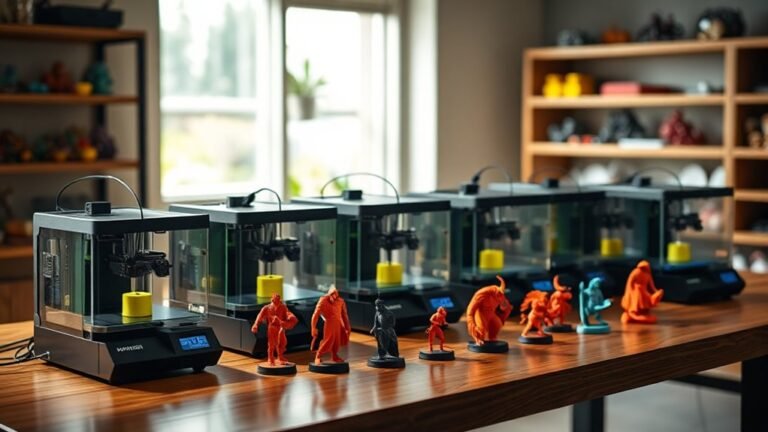
If you’re on the hunt for one of the best beginner SLA printers for 2027, you’re in the right place. These printers offer a great blend of quality, ease of use, and features perfect for those just starting out with resin printing. Whether you want high resolution, fast speeds, or smart connectivity, there’s something here for you.
Consider the ANYCUBIC Photon Mono 4 with its stunning 10K mono LCD and reliable power-loss resume function. It’s a fantastic choice for beginners who want sharp detail and peace of mind.
The ELEGOO Mars 4 Ultra offers precise 9K resolution and user-friendly features that make printing smooth and hassle-free. Meanwhile, the Mars 5 Ultra 9K stands out with fast speeds, smart sensors, and Wi-Fi connectivity for added convenience.
If you’re interested in an FDM hybrid option, the ENTINA MINI is beginner-friendly and speedy, making it a versatile pick. Keep going to uncover what makes each model perfect for your projects.
| Image | Name | Editor's Rating | Price |
|---|---|---|---|

|
|
||
|
|
||

|
|
||

|
|
ANYCUBIC Photon Mono 4, Resin 3D Printer with 7” 10K Mono LCD Screen
- 【7'' 10K High Resolution】Photon Mono 4 boasts an impressive 105% increase in print precision compared to Mono 2. With a resolution of 9024x5120, each pixel measures a...
- 【Powerful Light Source】The time-tested Anycubic LighTurbo matrix light source technology delivers stable, balanced, and uniform lighting to reduce layer lines and...
- 【Sufficient Print Size】With a generous maximum build volume of 6.04'' x 3.42'' x 6.49''/153.4mm x 87mm x 165mm, you have ample print space to easily tackle your daily...
- 【Laser-engraved Print Platform 2.0】With a new design, the laser engraving platform of the photon mono 4 improves adhesion to mitigate lifting and warping of the model...
- 【User-friendly Function】The 4-point leveling method is ideal for beginners, after the first leveling and tightening the 4 screws, no need to repeat leveling. Photon...
Experience precise resin 3D printing with the ANYCUBIC Photon Mono 4, designed to deliver crisp, detailed models with minimal effort. Its 7-inch 10K mono LCD screen offers ultra-high resolution, ensuring smooth surfaces and fine details that bring your designs to life.
This printer addresses common frustrations by combining fast print speeds up to 70 mm/h with a practical build volume. You can create high-quality prints quickly without frequent interruptions or complex setups. The Laser-engraved Print Platform 2.0 enhances model adhesion and simplifies removal, reducing the risk of print failures.
Maintenance is straightforward thanks to the 4-point leveling system, which requires leveling only once. In case of power outages, the printer resumes from where it left off, saving you time and resin. These features make it reliable for both beginners and experienced users.
While it lacks support for remote control via an app and has a moderate build volume, it remains a strong choice for those focused on high-resolution resin printing with ease of use.
Best for: hobbyists and professionals seeking detailed resin prints with fast, reliable performance and simple maintenance.
What We Like:
- Ultra-high 10K resolution for exceptional detail and smooth finishes
- Fast printing speeds combined with a practical build volume
- Easy maintenance with 4-point leveling and power outage recovery
Specification:
| Feature | Description |
|---|---|
| Manufacturer | ANYCUBIC |
| LCD Screen Size | 7 inches |
| Resolution | 9024 x 5120 (10K Mono LCD) |
| Print Speed | Up to 70 mm/h |
| Build Volume | 153.4 x 87 x 165 mm |
| Print Platform | Laser-engraved Print Platform 2.0 |
| Leveling System | 4-point leveling |
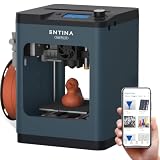
ENTINA MINI 3D Printer,TIAN2PLUS 250mm/s Fast 3D Printer for Beginners
- Open the Box & Start Printing in Minutes:The TINA2 PLUS arrives fully pre-assembled, pre-calibrated, and ready to go. No tedious setup, no complicated tuning. Just plug...
- Blazing Fast Prints with ±0.1 mm Precision :Achieve print speeds up to 250 mm/s without sacrificing quality. The 0.4 mm nozzle and high‑efficiency cooling fan...
- One‑Touch Auto Leveling & Dual Z‑Axis Stability :The 9‑point intelligent leveling system ensures perfect first layers every time, while the dual Z‑axis...
- Super‑Quiet Operation & Flexible Connectivity :Upgraded silent motherboard and adjustable fan keep noise below a whisper – perfect for bedrooms, libraries, or...
- Compact Footprint, Wide Material Compatibility & Slicer Freedom :Measuring just 200×200×290 mm with a 100×105×100 mm build volume, this space‑saving 3D printer...
The ENTINA MINI 3D Printer, TIAN2PLUS model, is designed to make 3D printing faster and simpler. With a max speed of 250 mm/s, it reduces wait times for your projects while maintaining a precise ±0.1 mm layer resolution. This means you get high-quality prints without sacrificing speed.
Setup is quick and easy since the printer comes fully pre-assembled and pre-calibrated. You just need to plug it in, load filament, and start printing. The one-touch 9-point auto leveling and filament runout sensor help prevent common printing issues, ensuring smooth operation without constant monitoring.
Its dual Z-axis design minimizes wobble, improving print accuracy and overall stability. The heated PEI build plate enhances adhesion, reducing the chance of print failures. Quiet operation and multiple connectivity options, including Wi-Fi and USB, add convenience for home or classroom use.
Maintenance is straightforward, with reliable features geared toward beginners and hobbyists. However, the relatively small build volume may limit larger projects, and the 245°C max hotend temperature restricts some high-temp materials. The TIAN2PLUS is a solid choice for fast, precise, and hassle-free 3D printing.
Best for: Beginners and hobbyists who want an easy-to-use, fast 3D printer with reliable features and versatile connectivity.
What We Like:
- Ready to use out of the box with pre-assembly and calibration
- Fast printing speed up to 250 mm/s with fine layer precision
- Smart auto leveling and filament sensor reduce print failures
- Dual Z-axis for improved stability and accuracy
- Heated PEI build plate enhances print adhesion
Specification:
| Feature | Details |
|---|---|
| Manufacturer | ENTINA |
| Model | TIAN2PLUS |
| Max Print Speed | 250 mm/s |
| Layer Resolution | ±0.1 mm |
| Build Volume | 100 × 105 × 100 mm |
| Max Hotend Temperature | 245°C |
| Connectivity | Wi-Fi, USB |
| Build Plate | Heated PEI |
ELEGOO Mars 4 Ultra MSLA Desktop Resin 3D Printer
- 【7-Inch 9K Mono LCD】Equipped with a 7-inch 9K mono LCD offering an impressive 8520 × 4320 resolution and 18 µm XY resolution, ELEGOO Mars 4 Ultra resin 3D printer...
- 【Powerful Linux OS】ELEGOO Mars 4 Ultra resin printer built-in 4G RAM and no more delay loading files, the Linux operating system ensures faster & smooth operation and...
- 【Wi-Fi Connection】Effortlessly transfer files via the built-in Wi-Fi connectivity, ELEGOO Mars 4 Ultra 3D resin printer supports both 2.4G and 5G networks with a...
- 【Effortless Leveling】The 4-point leveling system makes setup a breeze, and after one leveling, no need to repeat leveling, ensuring perfect prints every time. The...
- 【User-Friendly Touch Screen】Navigate easily with the 4-inch HD IPS touch screen with a resolution of 800 × 480 pixels and support for 12 languages, making operation...
Experience precise resin 3D printing with the ELEGOO Mars 4 Ultra, designed to deliver exceptional detail and reliability. Its ultra-high 9K mono LCD screen ensures your models have sharp and intricate features, solving the common issue of blurred or imprecise prints.
The printer’s 7-inch display is shielded by durable 9H tempered glass, reducing wear and tear. Maintenance is simplified by the one-time 4-point leveling system and a laser-carved build plate that enhances adhesion, helping to avoid print failures and minimize downtime.
Running on a built-in Linux OS with 4 GB RAM, this device offers smooth performance and fast processing. The integrated Wi-Fi enables easy, cable-free file transfers, streamlining your workflow and reducing setup complexity. Its intuitive 4-inch HD touchscreen supports multiple languages, making it accessible for users at all skill levels.
While the build volume suits smaller projects, its compact design and moderate weight provide a stable platform for detailed work without being cumbersome. The Mars 4 Ultra is ideal for those who prioritize high-resolution, consistent results with minimal hassle.
Best for: hobbyists and professionals seeking high-detail resin 3D prints with ease of use and reliable performance.
What We Like:
- Ultra-high 9K resolution with 18 µm XY precision for detailed models.
- One-time 4-point leveling and laser-carved build plate for better adhesion.
- Built-in Linux OS with 4 GB RAM ensures smooth operation.
- Wi-Fi connectivity allows for convenient file transfer.
- Durable 9H tempered glass protects the screen.
Specification:
| Feature | Details |
|---|---|
| Manufacturer | ELEGOO |
| Dimensions | Not specified |
| Weight | 18 lb (8.16 kg) |
| Display Size | 7 inches |
| Resolution | 8520 × 4320 (9K) |
| XY Precision | 18 µm |
| Build Volume | 6.5 × 6.04 × 3.06 inches |
| OS | Linux |
| RAM | 4 GB |
| Connectivity | Wi-Fi |
| Touchscreen | 4-inch HD, 12 languages |
ELEGOO Mars 5 Ultra 9K MSLA 3D Printer
- 【150mm/h Fast Speed】ELEGOO Mars 5 Ultra Resin 3D Printer features advanced tilt release technology, which separates the model from the film by tilting the trough...
- 【7-inch 9K mono LCD】Mars 5 Ultra is equipped with a 7-inch 9K mono LCD screen with a resolution of 8520*4320, allowing the production of complex models with...
- 【Smart Mechanical Sensor】ELEGOO Mars 5 Ultra 3D Printer achieves automatic leveling with its built-in smart mechanical sensor. It intelligently detects printing...
- 【Built-in AI Camera】Equipped with an AI camera, Mars 5 Ultra Resin printer intelligently detects issues like empty build plates and model warping, monitors problems...
- 【WiFi Cluster Printing】Mars 5 Ultra Resin 3d printer supports Wi-Fi connectivity for file transfers without the need for USB. With a transmission speed of 6-10 Mbps...
Experience precision and speed with the ELEGOO Mars 5 Ultra 9K resin 3D printer, designed to elevate your printing projects. Its 7-inch 9K monochrome LCD produces ultra-clear prints at a sharp 8520 x 4320 resolution, ensuring every detail comes to life. Fast print speeds of up to 150 mm/h with switchable modes help you complete projects quickly without sacrificing quality.
This printer tackles common frustrations by including advanced tilt release technology, which simplifies model removal and reduces downtime. Automatic leveling and smart sensors actively monitor resin levels, detect foreign objects, and prevent overheating, creating a safer and more reliable printing environment.
Maintenance is straightforward but may require some initial learning for newcomers, especially during resin calibration. The built-in Wi-Fi enables seamless remote control and cluster printing, while OTA firmware updates keep your device current. A built-in AI camera adds peace of mind by monitoring prints in real time.
Weighing 24.6 pounds and larger in size, the Mars 5 Ultra 9K is best suited for desktop use rather than portability. Its responsive capacitive touchscreen supports 12 languages, making it accessible for users worldwide.
Best for: Beginners and hobbyists seeking a high-resolution, fast resin 3D printer with enhanced safety and remote monitoring features.
What We Like:
- Crisp 9K resolution with fast print speeds and versatile modes
- Advanced tilt release and smart sensors for efficient and safe printing
- Wi-Fi connectivity with cluster printing and real-time AI camera monitoring
Specification:
| Feature | Details |
|---|---|
| Manufacturer | ELEGOO |
| Dimensions | Larger desktop size (exact dimensions not provided) |
| Weight | 24.6 pounds (11.16 kg) |
| Display | 7-inch 9K monochrome LCD |
| Print Resolution | 8520 x 4320 pixels |
| Connectivity | Wi-Fi |
| Touchscreen | Capacitive, supports 12 languages |
Factors to Consider When Choosing a Beginner SLA Printer
When choosing a beginner SLA printer, you’ll want to focus on print quality and resolution to get sharp results. It’s all about those fine details!
Consider ease of use and build volume capacity to match your projects and skill level. You want something that feels just right for what you plan to create.
Don’t forget to check speed, efficiency, and connectivity options to keep your workflow smooth and flexible. After all, a printer that fits seamlessly into your routine makes all the difference.
Print Quality And Resolution
Although choosing a beginner SLA printer can feel overwhelming, focusing on print quality and resolution helps narrow down your options. Start by checking the XY resolution, or pixel size, of the printer’s monochrome LCD—smaller pixels around 17–18 µm deliver finer horizontal detail.
Also, consider the effective XY pixel count and build area to guarantee detailed prints without sacrificing size. Layer thickness, or Z resolution, affects vertical smoothness; 25–50 µm layers strike a good balance between detail and print time for beginners.
Consistent, uniform light exposure reduces visible layer lines and improves surface quality. Finally, look for features like calibrated exposure profiles and textured build plates that enhance first layer adhesion and maintain high-resolution results throughout your prints.
Ease Of Use
Since getting started with SLA printing can feel intimidating, choosing a printer that prioritizes ease of use makes all the difference. Look for models with one-time or automatic leveling systems to cut down setup time and reduce frequent recalibration.
A clear, responsive touchscreen around 3–5 inches with a simple, multilingual menu speeds up learning and prevents errors. Features like power-loss resume and resin-level sensors help you avoid wasted prints and costly failures.
User-friendly slicing software, pre-sliced starter models, and step-by-step guides shorten your learning curve markedly. Plus, remote connectivity via Wi-Fi or USB/SD lets you transfer files easily and monitor prints through basic time-lapse or status updates.
All this together simplifies your workflow and makes your entry into SLA printing much smoother.
Build Volume Capacity
Evaluate the build volume capacity carefully to match your printing needs and avoid frustration. Consider the maximum build volume (X × Y × Z) you’ll require—larger volumes let you print big models in one piece or multiple small parts simultaneously.
However, smaller volumes limit object size but help reduce resin use and print time. Pay close attention to build height (Z), as many SLA printers offer good XY resolution but have limited Z, restricting taller prints.
Also, remember that usable build volume is slightly less than nominal specs due to resin vat clearance and tilt mechanisms. If you plan on printing many small items at once, prioritize a wider XY footprint to maximize parts per layer.
Keep in mind larger volumes may affect platform weight and print stability. So, think about what works best for your projects before deciding.
Speed And Efficiency
When choosing a beginner SLA printer, you’ll want to focus on speed and efficiency to get your prints done quickly without sacrificing quality. Look at the layer cure speed and maximum Z travel rate—faster times and higher speeds cut print duration but need careful exposure tuning.
Higher-resolution mono LCDs boost detail but may slow throughput if they demand longer exposure or more layers. Check print speed ratings, but remember real-world efficiency depends on lift/peel mechanics and resin reflow between layers.
Features like power-loss resume and fast peel/tilt release mechanisms help avoid failed prints and save time. Also, consider workflow efficiency: quick file transfer, slicing speed, and streamlined post-processing can speed up your entire project just as much as raw print speed.
Connectivity Options
Although connectivity might seem like a secondary feature, it plays a crucial role in how smoothly you can manage your prints. Wi-Fi lets you transfer large files wirelessly and monitor prints remotely, but check the transfer speed—6 to 10 Mbps is common.
USB and TF/SD card slots offer reliable offline transfers, perfect if you want a network-independent workflow. Ethernet provides faster, stable transfers and supports advanced features like cluster printing or remote control across multiple printers.
Look for built-in web interfaces or app support, which enable remote print control, time-lapse viewing, and over-the-air firmware updates. Features like power-loss resume and local storage help your prints continue or restart after interruptions, reducing your reliance on constant network connections for a hassle-free experience.
Reliability And Support
Choosing a beginner SLA printer means prioritizing reliability and support to avoid costly delays and frustrations. Start by checking for a clear warranty and manufacturer support policy—know what’s covered, how long, and how to submit claims, especially for hardware issues like LCD or linear rail failures.
You’ll want to opt for printers with robust firmware that receive frequent updates to fix bugs and improve stability. Reliable safety features like power-loss resume, thermal safeguards, and resin-level sensors really help reduce print failures and hardware damage.
Also, make sure to confirm the availability and cost of replacement parts like FEP films, build plates, and motors. This can minimize downtime when you need to swap something out.
Finally, take a look at user support resources. Comprehensive manuals, active forums, and responsive tech support make it easier to troubleshoot and keep your printer running smoothly.
Frequently Asked Questions
How Do I Dispose of Used Resin Safely?
You should cure used resin completely by exposing it to sunlight or UV light, then dispose of it as solid waste.
Avoid pouring liquid resin down drains to protect the environment. Also, make sure to follow local hazardous waste guidelines.
Can SLA Printers Print With Flexible Resins?
Absolutely, you can print with flexible resins on SLA printers, but it’s not always a walk in the park.
You’ll need to tweak settings and guarantee your printer supports those materials for the best, bendy results.
What Maintenance Is Required for SLA Printer Screens?
You’ll need to clean the screen regularly with isopropyl alcohol. Be sure to avoid scratching it when you’re removing the resin. It’s also important to inspect the screen for any damage as you go.
Plus, you’ll want to replace the FEP film from time to time. This helps keep your print quality sharp and protects the screen’s surface in the long run. Taking these steps will really make a difference!
Are SLA Prints Safe for Food Contact?
You might think SLA prints are safe for food contact, but they usually aren’t. The resins contain chemicals that can be toxic.
Unless you use FDA-approved resin and seal the print properly, don’t risk it. It’s better to be safe than sorry!
How Long Do SLA Printer Parts Typically Last?
SLA printer parts typically last between one to three years, depending on usage and maintenance. You’ll want to regularly clean and replace resin tanks, build plates, and UV lamps to keep your prints consistent and high-quality.
It might sound like a hassle, but staying on top of these parts really makes a difference. Plus, it helps avoid unexpected downtime when you need your printer the most.
Conclusion
When choosing your first SLA printer, you want reliability and ease of use. Did you know over 60% of beginners find 3D printing intimidating at first?
But with models like the ANYCUBIC Photon Mono 4 or ELEGOO Mars 5 Ultra, you’ll get sharp prints without the hassle. These printers balance speed, quality, and user-friendliness perfectly.
So, you can plunge into resin printing confidently and create stunning models right from the start. If you’re looking for the best beginner SLA printers for 2027, these options make the learning curve much smoother. They deliver impressive detail and consistent results, helping you enjoy every step of your 3D printing journey. With the right starter printer, resin printing becomes a fun and rewarding experience rather than a challenge.