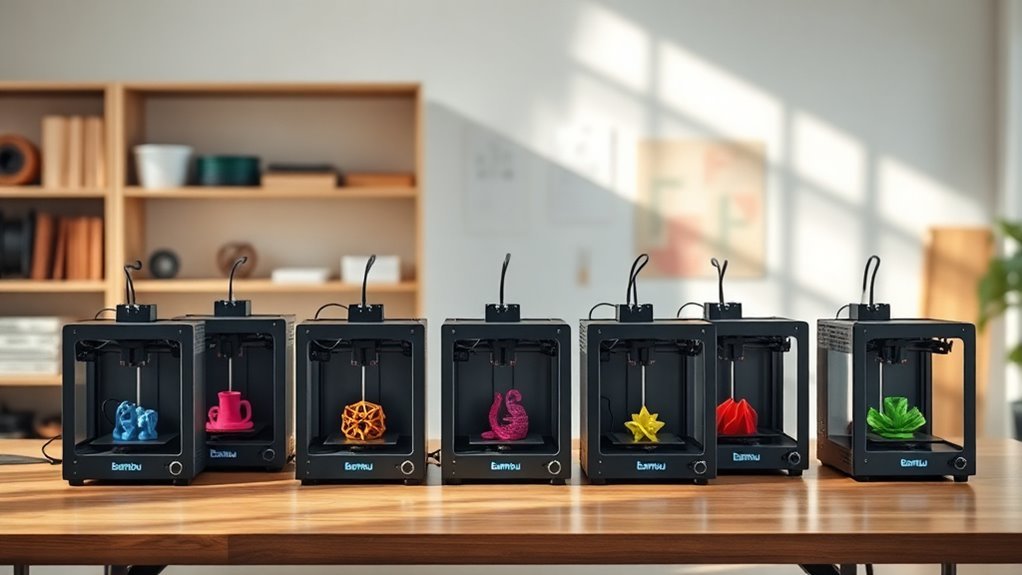
10 Best Bambu Labs 3D Printers for Beginners in 2027
If you’re looking for a beginner-friendly 3D printer in 2027, Bambu Labs has some fantastic options you’ll love. Their lineup is designed to make your first printing experience smooth and enjoyable. For example, the compact A1 mini is great for quick setup and comes with full-auto calibration, so you can avoid the usual headaches.
Then there are the P1S and P2S Combos, which bring faster CoreXY motion and multi-color AMS systems to the table. These are perfect if you’re ready to grow your skills and try out more complex prints. Plus, models like the H2S offer larger build volumes and advanced monitoring, ideal for tackling bigger or more detailed projects.
You’ll find versatile printers that help you get printing easily and confidently. They come packed with features that simplify learning and open up new creative possibilities. Take a closer look to see which model fits your needs and printing goals best!
| Image | Name | Editor's Rating | Price |
|---|---|---|---|

|
|
||

|
|
||

|
|
||

|
|
||
|
|
|
Bambu Lab P1S Combo, P1S 3D Printer and AMS, Multi-Color 3D Printing
- Up to 16 Colors: Bring your designs to life with vibrant multi-color/multi-material printing capabilities, perfect for showcasing your creativity. Note: Connecting Bambu...
- 500mm/s and 20000 mm/s² Acceleration True High Speed: Don't wait around for your masterpieces. Lightning-fast printing speed lets you focus on creating, not waiting.
- Enclosed Design: Fully enclosed body improves print performance for advanced filaments. Automatic Bed Leveling: Say hello to high-quality, successful prints. Auto bed...
- Set Up in 15 Minutes: Spend more time printing and less time setting up. User-friendly design ensures a hassle-free assembly experience for all skill levels.
- Supported Filament: Ideal: PLA, PETG, TPU, PVA, PET ABS, ASA; Capable : PA, PC; Not Recommended: Carbon/Glass Fiber Reinforced Polymer.
Experience the future of multi-color 3D printing with the Bambu Lab P1S Combo. This innovative setup combines the P1S 3D printer and the AMS accessory, enabling seamless printing with up to 16 different colors. It transforms complex, multi-color projects into streamlined, high-quality prints without the usual hassle.
Its CoreXY motion system allows swift, precise movements at speeds up to 500 mm/s, delivering sharp details and smooth finishes. The fully enclosed design stabilizes temperatures, letting you print advanced filaments with confidence. Automatic bed leveling reduces setup time and ensures consistent first layers, minimizing failed prints.
Maintenance is straightforward, thanks to its user-friendly design and intuitive controls. The printer is ready to operate in about 15 minutes, making it accessible for both beginners and experienced users. While it supports a wide range of filaments, it is not suitable for carbon or glass fiber reinforced polymers, which limits some material choices.
Overall, the Bambu Lab P1S Combo enhances your creative workflow by combining speed, precision, and vibrant color options in a reliable, easy-to-maintain package.
Best for: hobbyists and professionals seeking a fast, reliable multi-color 3D printer with advanced features and user-friendly operation.
What We Like:
- Supports up to 16 colors for intricate, colorful prints
- High-speed CoreXY system with precise motion control
- Fully enclosed body for advanced filament compatibility
- Automatic bed leveling simplifies setup and improves print success
- Quick setup time, ready to print in around 15 minutes
Specification:
| Feature | Details |
|---|---|
| Manufacturer | Bambu Lab |
| Dimensions | Not specified |
| Weight | 47.5 lb (21.5 kg) |
| Material Compatibility | Advanced filaments (excludes carbon/glass fiber reinforced polymers) |
| Color Options | Multi-color printing (up to 16 colors) |
Bambu Lab A1 mini 3D Printer + LED Lamp Kit, Ready-to-Use for Beginners
- A1 mini + LED Lamp Kit for Creative Light Projects: Bring your ideas to life with the included LED Lamp Kit. Simply print compatible lamp models and turn your 3D...
- The Perfect 3D Printer for Beginners: A1 mini 3D Printer is designed to make 3D printing easy from day one with automatic calibration, simple setup, and a smooth printing...
- Experience the Bambu Lab Ecosystem: Access MakerWorld’s huge library of ready-to-print models, manage prints through the Bambu Handy app, and enjoy a connected...
- Fast, Quiet, and Reliable Printing: Compact and beginner-friendly, A1 mini delivers high-speed, high-quality printing with quiet operation that fits naturally into your...
- Made for Everyday Creativity: From toys and home décor to functional tools and personalized gifts, A1 mini makes it easy to turn ideas into real-life creations with a...
Discover the ease of creative printing with the Bambu Lab A1 mini 3D Printer + LED Lamp Kit. Designed for beginners, this compact printer removes the complexity from 3D printing. Its full-auto calibration ensures you spend more time creating and less time adjusting settings.
The quiet operation, running at ≤48 dB, makes it ideal for use in any room without causing distractions. You can effortlessly print functional and decorative lamps, toys, or personalized gifts, adding a unique touch to your home or workspace. The LED lamp feature integrates beautifully with your printed projects, enhancing their practicality.
Maintaining this printer is straightforward, thanks to its ready-to-use design and lightweight build at just 12.1 pounds. The Bambu Handy app gives you seamless control over your prints and access to the extensive MakerWorld library, broadening your creative possibilities.
While its compact size limits larger prints, it excels in delivering quality results for small-scale projects. This printer suits those new to 3D printing who want a reliable, user-friendly device that combines creativity with functionality.
Best for: Beginners and hobbyists looking for an easy-to-use, compact 3D printer kit that merges creative printing with functional lighting.
What We Like:
- Full-auto calibration simplifies setup and use.
- Quiet operation suitable for home or office environments.
- Access to a large model library via the Bambu Handy app.
- Lightweight and portable for easy placement.
- Integrated LED lamp enhances creative projects.
Specification:
| Feature | Details |
|---|---|
| Manufacturer | Bambu Lab |
| Dimensions | Compact design (exact size not specified) |
| Weight | 12.1 lb (5.49 kg) |
| Material | Not specified |
| Color Options | Not specified |
Bambu Lab P2S Combo, P2S 3D Printer & AMS 2 Pro, Multi-Color 3D Printing
- High-Speed Precision: The Bambu Lab P2S 3D printer prints up to 600 mm/s while maintaining exceptional accuracy. With the PMSM Servo Extruder and Active Flowrate...
- Ready to Print in 15 Minutes: Set up your P2S FDM 3D printer and start printing in just 15 minutes. With AI failure detection, quick-swap nozzles, and automatic...
- Effortless Multi-Color Printing: The AMS 2 Pro enables seamless multi-color/multi-material 3D printing. It features built-in filament drying at up to 65 °C, keeping...
- Smart Airflow for Any Filament: The Adaptive Airflow System automatically balances cooling and heat retention—keeping overhangs crisp with cool air, or maintaining a...
- Limitless Creativity, Seamless Workflow: Explore over one million 3D models on MakerWorld and bring them to life with a smooth, unified workflow using Bambu Studio, Bambu...
Experience the power of professional-quality multi-color 3D printing with the Bambu Lab P2S Combo. Designed to simplify complex projects, this high-speed CoreXY printer delivers precise, vibrant prints that bring your ideas to life with ease. The Combo package includes the AMS 2 Pro, enabling smooth multi-material and multi-color printing without the usual hassle.
Maintenance is straightforward with features like quick-swap nozzles and built-in filament drying. These innovations reduce downtime and prevent common printing issues, so your workflow stays uninterrupted. Automatic calibration and AI failure detection further ensure your prints are consistently sharp and reliable.
Setup is fast and user-friendly, taking just about 15 minutes, which means you can start creating sooner. Its adaptive airflow system balances cooling and heat retention perfectly, optimizing print quality across diverse projects. While the printer is relatively large and heavy, it offers a robust build that supports professional-grade results.
Best for: Beginners and hobbyists seeking a fast, reliable, and easy-to-use 3D printer with professional multi-color and multi-material capabilities.
What We Like:
- Fast CoreXY design with speeds up to 600 mm/s
- AMS 2 Pro for seamless multi-color/multi-material printing
- Built-in filament drying system
- AI failure detection and automatic calibration
- Quick and simple setup process
Specification:
| Feature | Detail |
|---|---|
| Manufacturer | Bambu Lab |
| Dimensions | 18 x 22 x 18 inches |
| Weight | 46.3 pounds |
| Printer Type | CoreXY 3D Printer |
| Multi-Color Support | Yes, with AMS 2 Pro |
| Setup Time | Approximately 15 minutes |
Bambu Lab H2S 3D Printer Bundle with Filament, Tool Kit, AMS 2 System
Experience the power of large-format, high-speed 3D printing with the Bambu Lab H2S Bundle. Designed to help you create detailed, oversized models quickly, this printer tackles common issues like warping and print inaccuracies. Its heated chamber and active vibration compensation ensure your designs come out smooth and precise every time.
The AMS 2 Pro system simplifies printing with up to 16 spools, letting you switch materials effortlessly. This multi-material capability expands your creative options while maintaining consistency. With 23 sensors and three cameras, you can monitor prints closely, reducing errors and enhancing safety during long print jobs.
Maintaining this advanced system requires routine calibration and care, especially for the complex multi-material setup. However, the results are rewarding for users ready to manage a professional-grade machine. Its sizable footprint means you’ll need ample workspace, but the efficiency and print quality make it worthwhile.
Best for: hobbyists, makers, and small businesses seeking a high-speed, multi-material 3D printer capable of producing detailed prototypes and production parts.
What We Like:
- Large build volume ideal for oversized projects
- AMS 2 Pro system enables seamless multi-material printing
- Heated chamber minimizes warping for high-quality prints
- Multiple sensors and cameras ensure reliable monitoring
- Advanced extruder and vibration control for precise results
Specification:
| Specification | Details |
|---|---|
| Manufacturer | Bambu Lab |
| Build Volume | 340 × 320 × 340 mm |
| Print Speed | Up to 1000 mm/s |
| Material Capacity | AMS 2 Pro system supports 16 spools |
| Sensors and Cameras | 23 sensors, 3 cameras |
| Printer Footprint | Large, requires ample workspace |
Bambu Lab P1S 3D Printer
The Bambu Lab P1S 3D Printer transforms the printing experience with its blend of speed and precision. Designed to tackle common issues like warping and detail loss, it keeps prints sharp even at high speeds up to 500 mm/s. Its advanced vibration compensation and pressure advance ensure smooth, accurate layers without sacrificing velocity.
This printer features a fully enclosed chamber with active temperature control. By stabilizing the environment, it minimizes warping when printing challenging materials like ABS, ASA, or engineering plastics. This control helps maintain consistent quality across complex projects.
Maintenance is straightforward thanks to automated setup and calibration. Users can focus on design and creativity instead of tedious adjustments. The P1S also supports a broad variety of filaments, expanding the range of possible applications.
Multi-material and color printing options are available through the AMS Combo add-ons. While these add cost and complexity, they provide versatility for more advanced users seeking vibrant, detailed models.
Best for: Makers upgrading from entry-level 3D printers who need fast, reliable printing with strong material support and automated features.
What We Like:
- High-speed printing with precise vibration and pressure control
- Enclosed, temperature-controlled chamber reduces warping
- Easy maintenance through automated setup and calibration
- Wide filament compatibility including engineering plastics
- Optional AMS Combo for multi-color and multi-material prints
Specification:
| Feature | Details |
|---|---|
| Manufacturer | Bambu Lab |
| Max Printing Speed | 500 mm/s |
| Chamber | Fully enclosed, actively controlled |
| Supported Materials | ABS, ASA, engineering plastics, others |
| Multi-Color Support | AMS Combo accessory options |
| Dimensions | Not specified |
| Weight | Not specified |
Bambu Lab A1 mini 3D Printer
The Bambu Lab A1 Mini 3D Printer is designed for those who want to start 3D printing quickly and without hassle. Its pre-assembled and factory-calibrated setup means you can have it ready to print in under 20 minutes, eliminating the typical frustrations of complex installations. This makes it ideal for both beginners and experienced users who value convenience.
With smart features like auto bed leveling, filament run-out detection, and vibration control, the printer ensures smooth and reliable prints every time. Its quiet operation helps maintain a calm workspace, especially beneficial for home or office use.
The printer supports popular materials such as PLA, PETG, TPU, and PVA, allowing versatile creativity within a compact 180 × 180 × 180 mm build volume. However, it is not suited for high-temperature filaments like ABS or composite materials, as the bed heats only up to 80 °C.
Maintenance is straightforward thanks to the printer’s automation and sturdy design, reducing the need for frequent manual adjustments. The Combo version enhances capability with multi-color printing via the AMS Lite module, expanding creative possibilities.
Best for: users seeking a compact, easy-to-use 3D printer with fast setup and smart automation for everyday printing projects.
What We Like:
- Quick plug-and-play setup with factory calibration
- Intelligent automation including auto leveling and filament detection
- Quiet operation with vibration reduction technology
- Supports a range of common filaments for versatile printing
- Multi-color printing available in Combo version
Specification:
| Feature | Details |
|---|---|
| Manufacturer | Bambu Lab |
| Build Volume | 180 × 180 × 180 mm |
| Supported Filaments | PLA, PETG, TPU, PVA |
| Bed Temperature | Up to 80 °C |
| Operation Noise | Quiet with motor noise cancellation |
| Special Feature | Auto bed leveling, filament run-out detection, AMS Lite (Combo) |
| Assembly | Pre-assembled and factory-calibrated |
Bambu Lab X2D 3D Printer Bundle with Filament Rolls & AMS 2 PRO
Discover the Bambu Lab X2D 3D Printer Bundle, a versatile solution designed to elevate your multi-color and multi-material printing projects. This advanced printer tackles complex prints with ease, allowing smooth transitions between colors and materials thanks to its dual-nozzle setup. It simplifies creating detailed, heat-resistant parts that meet professional standards.
Maintenance is straightforward with fast, tool-free nozzle swaps and an active heated chamber that ensures consistent print quality. The AMS 2 Pro system supports up to 25 filament spools when expanded, giving you freedom to experiment with a wide color range. Plus, AI monitoring and sensors detect filament issues, reducing failed prints and downtime.
Ideal for educators, makers, and small businesses, the printer’s quiet operation and high-speed motion control improve workflow without distraction. The included textured PEI build plate enhances adhesion and surface finish, while essential tools and lifetime U.S.-based support keep your setup running smoothly.
The bundle’s multi-material capability answers the needs of users requiring complex prints with soluble supports or diverse filaments. Some setup time is needed to master the AMS system and dual nozzles, and filament colors included may not cover all preferences.
Best for: Hobbyists, educators, and small businesses focused on professional-quality multi-color and multi-material 3D printing.
What We Like:
- Dual-nozzle system with quick, tool-free swaps for versatile printing options
- AI monitoring and sensors enhance reliability and reduce print failures
- Active heated chamber and textured build plate improve print strength and finish
- Expandable AMS 2 Pro system supports up to 25 filament spools
- Quiet, high-speed operation suitable for varied environments
Specification:
| Feature | Details |
|---|---|
| Manufacturer | Bambu Lab |
| Dimensions | Not specified |
| Weight | Not specified |
| Material Compatibility | Multi-material (including soluble supports) |
| Color Options | Multi-color via AMS 2 Pro system |
Bambu Lab A1 Combo 3D Printer with AMS
The Bambu Lab A1 Combo 3D Printer with AMS transforms complex multi-color printing into a straightforward experience. Its CoreXY bed-slinger design ensures fast, precise prints, letting you complete detailed models like a Benchy in just about 14 minutes. This speed and accuracy help users save time while maintaining quality.
Equipped with the AMS Lite system, the printer supports up to 4 filaments, enabling smooth multi-color and multi-material printing without manual filament changes. Automatic loading and RFID-sync streamline the process, reducing errors and downtime. This makes it ideal for creative projects and educational demonstrations.
Maintenance is simple with automatic calibration and intelligent print monitoring. These features minimize setup challenges and keep prints consistent. Plus, the quiet operation under 48 dB makes it suitable for shared spaces like classrooms or home offices.
While the build volume of 256 × 256 × 256 mm fits most desktop projects, it may limit larger creations. The system supports PLA, PETG, and TPU filaments but requires the AMS HUB for expanded AMS setups.
Best for: Beginners, educators, and hobbyists seeking a reliable, fast desktop 3D printer with effortless multi-filament use.
What We Like:
- Rapid CoreXY design delivers precise prints quickly
- AMS Lite system offers seamless 4-filament multi-color printing
- Automatic calibration and print monitoring simplify maintenance
- Quiet operation under 48 dB ideal for noise-sensitive environments
Specification:
| Feature | Details |
|---|---|
| Manufacturer | Bambu Lab |
| Build Volume | 256 × 256 × 256 mm |
| Filament Diameter | 1.75 mm |
| Supported Filaments | PLA, PETG, TPU |
| Multi-Filament System | AMS Lite (up to 4 filaments) |
| Noise Level | Under 48 dB |
Bambu Lab P2S Combo 3D Printer with AMS 2 PRO System
The Bambu Lab P2S Combo 3D Printer with AMS 2 PRO System is built to transform your creative workflow. It tackles the challenges of multi-color and multi-material printing by combining a fast enclosed chamber with an intelligent filament management system. This setup reduces print failures and improves overall efficiency, making complex projects easier to complete.
Its AMS 2 PRO system supports up to 16 spools and 20 colors, allowing for seamless color transitions and material swaps. Fast filament drying and feeding speed up production times, so you spend less time waiting and more time creating. The compact build volume of 256 × 256 × 256 mm³ suits detailed projects without overwhelming workspace constraints.
Maintenance is straightforward thanks to quick-swap hardened steel nozzles and AI-assisted failure detection that alerts you to issues early. Adaptive airflow keeps the printing environment stable, minimizing warping and ensuring consistent results. Connectivity via Wi-Fi or LAN allows convenient remote monitoring and control.
This printer is ideal for users who need a reliable, high-speed machine capable of advanced filament handling and multi-material output. It does come with a higher complexity and cost, so it fits best with serious hobbyists or professionals.
Best for: Hobbyists and professionals seeking a high-speed, reliable multi-material and multi-color 3D printer with advanced filament management.
What We Like:
- Adaptive airflow and carbon filter maintain consistent print quality.
- AMS 2 PRO system enables efficient multi-material workflows with up to 20 colors.
- AI failure detection reduces print errors and supports unattended printing.
- Quick-swap hardened steel nozzles simplify maintenance.
- Wi-Fi and LAN connectivity offer flexible control options.
Specification:
| Feature | Detail |
|---|---|
| Manufacturer | Bambu Lab |
| Build Volume | 256 × 256 × 256 mm³ |
| Filament Capacity | Up to 16 spools (AMS 2 PRO) |
| Nozzle Type | Hardened steel, quick-swap |
| Connectivity | Wi-Fi, LAN |
| Chamber Type | Enclosed with adaptive airflow |
68Pcs 3D Printer Tools Kit with Storage Case

- 【Upgraded 68-in-1 3D Printer Tools Kit, 1-Year Warranty】Designed by a Team of 15-Year 3D Printing Enthusiasts, the kit includes all essential tools. From wire cutters...
- 【Scrapers for Flawless Removal 3D Printed Models】One Stainless Steel removal scraper features a 15-degree angled (0.5mm thickness, 1.57-inch length), providing...
- 【1 Deburring Tool & 10 HSS BS1010 Swivel Blades】Our model polishing tools include 3 engraving knives with 9 types of blades, 5 different metal files and a...
- 【Nozzle Cleaning Needles, Brushes & Tweezers】To avoid inconsistent filament extrusion caused by a clogged nozzle, we provide 5 types of cleaning needles, (0.2mm...
- 【3D Printer Accessories Gifts Must-Have】4 cut-resistant finger cots to protect your fingers while working. A black sleeve case makes it easy to find, organize, store...
Step up your 3D printing game with this 68-piece 3D printer tools kit designed for precision and ease. It tackles common maintenance challenges like nozzle clogs, surface scraping, and filament handling, helping you keep your prints flawless.
Each tool is crafted for specific tasks such as cleaning, deburring, and delicate adjustments. With high-quality scrapers, brushes, and needles, you can quickly remove residue and maintain smooth printer operation. The kit’s thoughtful design enhances workflow and reduces downtime.
Organization is simple with the sturdy, portable Oxford fabric case. It protects your tools from dust and moisture while keeping everything neatly in place. This makes it easy to carry your toolkit wherever your projects take you.
Safety is also a priority. The inclusion of cut-resistant finger cots and durable wire cutters minimizes injury risks during detailed work. This set supports most 1.75mm filament printers, including Bambu Lab and Ender 3, ensuring broad compatibility.
Best for: 3D printing enthusiasts and professionals who use 1.75mm filament printers and need a reliable, comprehensive toolkit for precise maintenance and repairs.
What We Like:
- Wide range of tools for cleaning, scraping, and fine adjustments
- Compact, durable case for easy transport and protection
- Safety features like cut-resistant finger cots included
- Compatible with most 1.75mm filament 3D printers
- Expertly designed for long-term use and efficiency
Specification:
| Feature | Details |
|---|---|
| Manufacturer | Not specified |
| Number of Pieces | 68 |
| Compatible Filament | 1.75mm |
| Case Material | Oxford fabric |
| Tool Types | Scrapers, brushes, needles, tweezers, cutters, finger cots |
| Weight | Not specified |
Factors to Consider When Choosing Bambu Labs 3d Printer for Beginners

When choosing a Bambu Labs 3D printer as a beginner, you’ll want to focus on how easy it is to set up and the quality and speed of prints.
Consider which materials the printer supports and if multi-color printing is important to you.
Don’t forget to check the printer’s size and footprint to make sure it fits your workspace.
Ease of Setup
How quickly can you get your Bambu Labs 3D printer up and running? Look for models with factory calibration and full-auto bed leveling—these features let you start printing within 15–20 minutes without manual tuning.
Choose pre-assembled, plug-and-play units to skip fiddling with belt tension, Z-offset, or nozzle height right out of the box. A built-in guided wizard, touchscreen, or companion app will walk you through your first print and filament loading, making setup intuitive.
Automated safety features like filament run-out detection, power-loss recovery, and clog detection keep interruptions minimal. Plus, clear documentation and ready-to-print model libraries or filament presets shorten the trial-and-error phase, so you’ll spend less time troubleshooting and more time printing.
Print Speed & Quality
Once your Bambu Labs 3D printer is set up and ready, you’ll want to think about print speed and quality to get the best results. Higher print speeds can shorten job times, but they might cause vibration and ringing. So, picking a printer with adjustable acceleration and vibration compensation really helps balance speed with quality.
Finer layer resolutions, ranging from 0.05 to 0.3 mm, give you smoother surfaces, but they do increase print time. Look out for precise motion systems like CoreXY and features like pressure advance. These help keep your corners sharp and dimensions accurate, even when printing faster.
An enclosed, temperature-stable chamber reduces warping. This means you can print temperature-sensitive filaments quicker without losing adhesion. Plus, reliable extrusion control ensures consistent filament flow, preventing defects during high-speed printing.
Supported Materials
Many Bambu Labs 3D printers support a wide range of materials, but you’ll want to focus on those that handle common beginner filaments like PLA and PETG effortlessly. These filaments are forgiving with temperature and bed adhesion, making your initial prints more successful.
If you plan to experiment with flexible materials, check for TPU compatibility and make certain the printer’s feeding mechanism supports gentle, low-speed extrusion to avoid jams.
Also, confirm the hotend and bed temperature ranges cover your materials—up to about 300 °C for the hotend and 80–110 °C for the bed—to accommodate polyesters and some engineering filaments.
Finally, if you’re interested in specialty or high-temperature filaments, verify enclosure features and airflow control to reduce warping and improve layer bonding.
Multi-Color Printing
When you want to add vibrant detail to your prints, multi-color printing becomes essential. Check if your Bambu Labs 3D printer supports automatic filament switching through an integrated or external multi-spool feeder for smooth color changes.
Consider how many colors it can handle at once—ranging from a few spools up to modular setups with dozens. More spools mean more color options but also added complexity.
Make sure the filament path and nozzle-change system minimize oozing or stringing during color swaps. Look for active filament drying or sealed storage to prevent moisture-related jams during long prints.
Finally, evaluate the printer’s software and slicer support for multi-color workflows; good integration simplifies toolpath planning and reduces wasted filament from purge blocks or wipe towers.
Size and Footprint
Although you might be keen to jump into printing, you’ll want to measure your available desk or shelf space first. Make sure your Bambu Labs 3D printer fits comfortably.
Leave at least 5–10 cm of clearance on all sides for ventilation and easy access. Think about the build volume you need—larger volumes mean bigger, heavier machines.
Compact beginner models usually weigh under 7 kg, but enclosed units can tip the scales at 15–50+ kg. This can affect where you place or move them.
Don’t forget extra space for accessories like multi-filament modules, spool holders, and toolkits. If your printer has an enclosed heated chamber, make certain there’s enough room for doors to open fully.
Also, airflow shouldn’t be blocked around fans or filters. Proper sizing keeps your setup efficient and hassle-free.
Noise Levels
How loud your 3D printer runs can markedly affect your comfort, especially in quiet spaces like bedrooms or home offices. When choosing a Bambu Labs printer, look for noise levels under 50 dB for general home use and below 48 dB if you want it quieter for shared or night-time printing.
Check for features like active motor noise reduction, sound-dampening enclosures, and vibration compensation to minimize mechanical noise. Fans usually create continuous background noise, while stepper motors cause intermittent peaks—so consider both continuous and peak decibel ratings.
If you plan to print overnight or in shared spaces, see if the printer supports silent firmware modes and adjustable fan speeds to reduce noise further. Just keep in mind that this might slow prints.
Always rely on measured noise levels and user reviews rather than marketing claims for accurate expectations. That way, you get a realistic sense of how quiet your printer will be in real life.
Software Compatibility
Quiet operation is important, but equally significant is how well your Bambu Labs 3D printer works with the software you use. Make sure it supports open-standard slicer file formats like STL, OBJ, and G-code, so you’re not locked into one slicing program.
Check compatibility with popular slicers and print-management apps, whether on desktop or mobile. Plus, look for flexible upload options like USB, SD card, Wi-Fi, or LAN.
Look for firmware that allows over-the-air updates and easy configuration tweaks to keep your printer up-to-date and optimized. Advanced features like multi-material toolpaths, adaptive cooling, and per-nozzle calibration simplify complex prints.
Finally, if you want automation or privacy, confirm the printer offers APIs, command-line tools, or local control without relying on the cloud. It’s all about making your printing experience as smooth and customizable as possible.
Frequently Asked Questions
What Safety Precautions Should Beginners Follow When Using Bambu Labs 3D Printers?
You should always wear safety glasses and keep your workspace well ventilated. Avoid touching any hot parts since they can cause burns.
Make sure to secure any loose clothing to prevent it from getting caught in the printer. Also, it’s important to supervise the printer while it’s running.
Don’t leave the printer unattended at any time. And definitely follow the safety guidelines provided in the manual closely.
How Do I Maintain and Clean My Bambu Labs 3D Printer?
You should regularly clean the nozzle and print bed, remove filament residue, and lubricate moving parts. Always power off before maintenance, use recommended cleaning tools, and update firmware to keep your printer running smoothly and safely.
Keeping your Bambu Labs 3D printer in top shape isn’t hard. Just make it a habit to check and clean these parts often. It helps avoid clogs and ensures your prints come out great every time!
Are There Any Recommended Filaments Specifically for Bambu Labs Printers?
Sure, you just need unicorn hair filament for that magical Bambu Labs printer—kidding!
Stick to Bambu’s own filaments like PLA and PETG; they’re optimized, reliable, and won’t make your prints look like abstract art.
Can Bambu Labs 3D Printers Connect to Wireless Networks?
Yes, you can connect Bambu Labs 3D printers to wireless networks. They support Wi-Fi connectivity, which is pretty handy.
This means you can send print jobs remotely and keep an eye on your prints without being right next to the printer. Plus, you can do all this through their dedicated app or web interface.
What Software Is Compatible With Bambu Labs 3D Printers for Beginners?
You might expect complicated software, but Bambu Studio is beginner-friendly and powerful. It’s compatible with Bambu Labs 3D printers and offers intuitive features.
This makes your printing experience smoother without overwhelming you with options or technical jargon. It’s really designed to get you started quickly and easily.
Conclusion
Choosing the right Bambu Labs 3D printer is like picking the perfect brush for your creative canvas. Each model offers unique colors and textures, ready to bring your ideas to life.
As a beginner, you hold the palette—start with a printer that fits your style and needs. With the right tools in hand, you’ll transform simple filament into masterpieces, turning imagination into tangible reality, one layer at a time.
Your 3D journey begins now. By selecting one of the best Bambu Labs 3D printers for beginners, you’re setting yourself up for success. These printers are designed to be user-friendly and reliable, making your entry into 3D printing smooth and exciting. So dive in, explore the possibilities, and watch your creativity take shape with every print!