13 Best Bang for Your Buck All in One Printers for 2027
You want an all-in-one printer that’s fast, reliable, and budget-friendly? Finding the best all-in-one printer for your needs can be tricky, but we’ve got you covered with top picks for 2027.
Whether you need speedy printing, sharp photos, or cost-effective ink solutions, there’s something here for everyone.
The HP OfficeJet Pro 8125 offers speedy duplex printing and smart mobile features.
Canon’s MF753Cdw II delivers versatile color laser output with robust paper handling.
For high-quality photos, Canon PIXMA TR4720 provides crisp color and borderless prints.
If low running costs matter, Canon MegaTank G3270’s refillable tanks really shine.
These top choices balance speed, features, and eco-friendliness.
Explore the full list to find your perfect match!
| Image | Name | Editor's Rating | Price |
|---|---|---|---|

|
|
||

|
|
||

|
|
||

|
|
||

|
|
HP OfficeJet Pro 8125 Wireless All-in-One Printer
- FROM AMERICA'S MOST TRUSTED PRINTER BRAND – The OfficeJet Pro 8125 is perfect for home offices printing professional-quality color documents like business documents...
- 3 MONTH TRIAL OF INSTANT INK INCLUDED – Subscribe to the Instant Ink delivery service to get ink delivered directly to your door before you run out, and you save up to...
- KEY FEATURES – Fast color printing, scan, copy, auto 2-sided printing, auto document feeder, and a 225-sheet input tray
- 2.7-INCH TOUCHSCREEN – Quickly navigate your printer with a large color touchscreen and a phone-like user interface
- WIRELESS PRINTING – Stay connected with our most reliable dual-band Wi-Fi, which automatically detects and resolves connection issues

Experience seamless printing with the HP OfficeJet Pro 8125 Wireless All-in-One Printer. Designed to meet the demands of busy home offices, it delivers fast, high-quality prints that keep your workflow smooth. Its intuitive 2.7-inch color touchscreen simplifies navigation, making everyday tasks effortless.
This printer’s wireless dual-band Wi-Fi and mobile app support allow you to print, scan, copy, and fax from your smartphone or tablet without hassle. Duplex printing helps you save paper by automatically printing on both sides. Ideal for handling a variety of documents, it enhances productivity while reducing waste.
Maintenance is straightforward with genuine HP cartridges, ensuring consistent print quality and reliable performance. While third-party cartridges are blocked, the device’s eco-friendly design incorporates over 45% recycled plastic, aligning with sustainable choices. The single-sided automatic document feeder requires manual intervention for double-sided originals but suits most home office needs.
Best for: Small home offices or individuals who want a versatile, easy-to-use all-in-one printer with wireless connectivity and an eco-conscious design.
What We Like:
- Quick printing up to 20 pages per minute with duplex capability
- Easy-to-use 2.7-inch color touchscreen and mobile app integration
- Eco-friendly build using recycled plastics
- Wireless dual-band Wi-Fi for flexible device connectivity
- High-quality, water- and fade-resistant prints
Specification:
| Feature | Details |
|---|---|
| Manufacturer | HP |
| Dimensions | 17.2 x 18.7 x 11.7 inches |
| Weight | 17.7 lb (8.03 kg) |
| Material | Plastic with 45% recycled content |
| Color Options | Black and White |
HP LaserJet Pro 3105sdw Monochrome Laser Printer | All-in-One
No products found.
Experience efficient monochrome printing designed for small teams with the HP LaserJet Pro 3105sdw. This all-in-one printer simplifies your workflow by combining fast printing, scanning, and copying into a single device. Its ability to print up to 33 pages per minute keeps your projects moving without delay.
The device’s automatic two-sided printing and one-sided scanning through the document feeder save time and paper, making it ideal for daily office tasks. Wireless connectivity is optimized with intelligent Wi-Fi that selects the best network, ensuring a seamless connection. The HP app further enhances convenience by streamlining setup and enabling mobile printing from virtually anywhere.
Maintenance is straightforward but requires original HP cartridges with chip protection to maintain peak performance. This security measure helps ensure print quality but may increase operating costs due to cartridge restrictions. HP Wolf Pro Security protects your data, offering peace of mind in busy environments.
The printer’s AI features improve document handling by creating smart email subjects and organized file names, reducing manual effort. Its compact design fits well in small office spaces, supporting teams of up to seven users with reliable monochrome output.
Best for: Small teams needing fast, reliable monochrome printing with integrated scanning and smart document management.
What We Like:
- Fast printing at up to 33 pages per minute with auto two-sided printing
- Intelligent Wi-Fi connection with easy mobile setup via the HP app
- Enhanced security via HP Wolf Pro Security and AI-driven document features
- Compact all-in-one design ideal for small office spaces
- Smart cartridge protection ensures consistent print quality
Specification:
| Feature | Details |
|---|---|
| Manufacturer | HP |
| Model | LaserJet Pro 3105sdw |
| Type | Monochrome Laser All-in-One |
| Print Speed | Up to 33 ppm |
| Connectivity | Wi-Fi (intelligent selection) |
| Dimensions (W×D×H) | Approx. 16.7 × 15.2 × 10.9 in |
| Weight | Approx. 18.0 lb (8.16 kg) |
| Cartridge Type | Original HP with chip protection |
Canon Color imageCLASS MF753Cdw II – All-in-One Color Duplex Laser Printer
- Color, Wireless, Duplex 4-in-1: Print, scan, copy, fax.
Experience vibrant, fast printing with the Canon Color imageCLASS MF753Cdw II. Designed for small offices and hybrid workspaces, this all-in-one printer handles your daily tasks smoothly, offering sharp 1200 x 1200 dpi resolution for both color and black-and-white prints. It delivers quick output at 35 pages per minute, helping you meet tight deadlines with ease.
This device combines printing, scanning, copying, and faxing in one compact unit. Duplex automatic printing and a 50-sheet duplex automatic document feeder make double-sided jobs effortless, saving time and paper. The 250-sheet paper capacity supports moderate workloads, with the option to expand up to 850 sheets for larger tasks.
Maintaining this printer is straightforward, thanks to easy access to consumables and a user-friendly 5-color customizable touchscreen. Connectivity options include wireless, Ethernet, and USB, ensuring seamless integration into various office setups. While it weighs 50 pounds, making it less portable, its sturdy design suits a dedicated workspace.
Best for: Small offices and hybrid work environments needing efficient, high-quality color and black-and-white multifunction printing.
What We Like:
- Fast, sharp printing at 35 ppm with 1200 x 1200 dpi resolution
- Multifunction 4-in-1 device with duplex automatic printing and scanning
- Flexible wireless, Ethernet, and USB connectivity
- User-friendly 5-color customizable touchscreen interface
Specification:
| Feature | Details |
|---|---|
| Manufacturer | Canon |
| Dimensions (W×D×H) | Approx. 16.5 × 18.1 × 16.3 in |
| Weight | 50 lb (22.7 kg) |
| Color Options | White |
| Paper Capacity | 250 sheets (expandable to 850) |
| Duplex ADF Capacity | 50 sheets |
Canon PIXMA TS6520 Wireless Color Inkjet Printer, 1.42″ OLED Display, White
- Affordable Versatility - A budget-friendly all-in-one printer perfect for both home users and hybrid workers, offering exceptional value
- Crisp, Vibrant Prints - Experience impressive print quality for both documents and photos, thanks to its 2-cartridge hybrid ink system that delivers sharp text and vivid...
- Effortless Setup & Use - Get started quickly with easy setup for your smartphone or computer, so you can print, scan, and copy without delay
- Reliable Wireless Connectivity - Enjoy stable and consistent connections with dual-band Wi-Fi (2.4GHz or 5GHz), ensuring smooth printing from anywhere in your home or...
- Scan & Copy Handling - Utilize the device’s integrated scanner for efficient scanning and copying operations
Experience effortless printing, scanning, and copying with the Canon PIXMA TS6520 Wireless Color Inkjet Printer. This compact all-in-one device fits well in any home or office space, helping you tackle daily tasks without hassle. Its intuitive 1.42″ OLED display keeps you updated on ink levels and printer status, so you stay informed at a glance.
Connectivity options include dual-band Wi-Fi and USB, allowing easy setup and flexible use across multiple devices. The printer delivers sharp, detailed prints with resolutions up to 1200 dpi. Automatic duplexing simplifies two-sided printing, saving paper and time. Borderless photo printing lets you create vibrant images for personal or professional projects.
Maintenance is straightforward with the hybrid 2-cartridge ink system, although heavy users may need more frequent replacements. Note that spare parts are available for only one year, which could affect long-term upkeep. Despite this, the PIXMA Print Plan offers significant savings on ink, making it a cost-effective option.
Designed for families, students, and hybrid workers, this printer balances functionality with a compact design, supporting mobile and cloud printing for modern workflows.
Best for: Families, students, and home users needing a versatile, space-saving all-in-one printer for everyday printing, scanning, and copying.
What We Like:
- Compact design with an easy-to-read OLED display
- Dual-band Wi-Fi and USB for flexible connectivity
- Automatic duplexing and high-quality 1200 dpi prints
- Supports borderless photo and mobile cloud printing
Specification:
| Feature | Details |
|---|---|
| Manufacturer | Canon |
| Dimensions | Compact size (exact size not specified) |
| Weight | Not specified |
| Ink System | 2-cartridge hybrid setup |
| Connectivity | Dual-band Wi-Fi, USB |
| Display | 1.42″ OLED |
| Color Options | White |
Canon PIXMA TR4720 Wireless All-in-One Printer
- Wireless 4-in-1 (print | copy | scan | fax)..Power Consumption: 7W (0.8W Standby / 0.3W Off)
- Print speed up to: 4" x 6" Borderless Photo (PP-201): Approx. 65.0 Seconds / Black Document (Letter/Simplex): Approx. 8.8 ipm / Color Document (Letter/Simplex): Approx...
- Designed for easy ink cartridge installation and replacement.
- Auto 2-sided printing and auto document feeder.
- Produce quality documents, photos and boarderless prints up to 8.5" x 11".
Experience effortless printing, copying, scanning, and faxing with the Canon PIXMA TR4720 Wireless All-in-One Printer. Designed to simplify your daily tasks, this versatile printer helps you manage documents efficiently at home or in a small office. Its wireless connectivity and mobile printing options mean you can print directly from your smartphone or tablet without hassle.
The printer’s duplex printing and auto document feeder make handling multi-page jobs straightforward and time-saving. With a sharp 4800 x 1200 dpi resolution and hybrid ink system, it delivers crisp black text and vibrant color photos suitable for professional-looking documents and images. The 100-sheet tray supports moderate workloads, keeping your prints flowing without constant refills.
Maintenance is easier with Alexa integration, which notifies you when ink is low and helps you reorder supplies smoothly. Borderless photo printing up to 8.5 x 11 inches adds creative flexibility, perfect for personalized projects or presentations. While print speeds are moderate, the TR4720 balances quality and convenience effectively.
Best for: individuals or small office users who need a reliable wireless all-in-one printer with strong print quality and practical features.
What We Like:
- Automatic two-sided printing and an efficient auto document feeder
- High-resolution output with hybrid ink ensures sharp and vivid prints
- Alexa integration simplifies ink monitoring and reordering
- Wireless and mobile printing enhance convenience and flexibility
Specification:
| Feature | Details |
|---|---|
| Manufacturer | Canon |
| Dimensions (W x D x H) | 17.7 x 13.3 x 5.8 inches |
| Weight | 11.5 lbs (5.22 kg) |
| Printing Technology | Inkjet |
| Max Print Resolution | 4800 x 1200 dpi |
| Paper Capacity | 100 sheets |
| Connectivity | Wireless, USB |
Canon MegaTank G3270 All-in-One Wireless Color Printer
- Wireless Print/Copy/Scan
- Up to 2 years of ink included (2)
- Print up to 6,000 black & white / 7,700 color pages using a single set of inks! (1)
- Save up to $1,000 on ink (1)
- 1.35” Square LCD display
The Canon MegaTank G3270 All-in-One Wireless Color Printer offers a smart solution for those who need to print large volumes without the hassle of frequent ink replacements. Its high-capacity ink tanks deliver up to 6,000 black and 7,700 color pages per refill, significantly reducing ongoing ink expenses and downtime.
Designed for reliability and ease, this printer handles printing, copying, and scanning tasks with sharp clarity at up to 4800 x 1200 dpi resolution. Wireless connectivity lets you print directly from your smartphone or tablet, making it simple to integrate into your home or office setup.
Maintenance is straightforward thanks to refillable ink tanks that are easy to top up, helping you avoid cartridge waste and keep running costs low. Its compact frame fits well in smaller spaces, although it only supports single-sided printing and has a modest 100-sheet paper capacity.
Print speeds are moderate, suitable for everyday needs rather than high-speed commercial jobs. The Energy Star certification also ensures it operates efficiently and with environmental considerations in mind.
Best for: home users or small offices looking for cost-effective, high-volume color printing with wireless convenience.
What We Like:
- High ink yield reduces frequency and cost of refills
- Sharp, clear print and scan quality
- Wireless printing from mobile devices
- Compact design fits limited spaces
- Eco-friendly with Energy Star certification
Specification:
| Feature | Details |
|---|---|
| Manufacturer | Canon |
| Dimensions (W x D x H) | Approx. 17.7 x 12.6 x 5.7 in (45 x 32 x 14.5 cm) |
| Weight | Approx. 6.3 lb (2.85 kg) |
| Color Options | Black |
| Print Resolution | Up to 4800 x 1200 dpi |
| Ink Yield | 6,000 black / 7,700 color pages |
HP Envy 6155 Wireless All-in-One Printer (C2WR7A)

- FROM AMERICA'S MOST TRUSTED PRINTER BRAND – The Envy 6155 is perfect for homes printing everyday high-quality color documents like homework and borderless photos. Print...
- 3 MONTH TRIAL OF INSTANT INK – Subscribe to the Instant Ink delivery service to get ink delivered directly to your door before you run out, and you save up to 50% on...
- KEY FEATURES – Color print, copy and scan, plus auto 2-sided printing and a 100-sheet input tray
- HP'S MOST INTUITIVE COLOR TOUCHSCREEN – Smoothly navigate your printer with the easy-to-use 2.4" touchscreen
- WIRELESS PRINTING – Stay connected with our most reliable dual-band Wi-Fi, which automatically detects and resolves connection issues
The HP Envy 6155 Wireless All-in-One Printer (C2WR7A) is designed to simplify your home printing needs. Its versatile functionality lets you print, scan, and copy with ease, making everyday tasks like homework and photo printing hassle-free. The printer’s auto duplex feature allows double-sided printing, saving paper and time.
Maintaining this printer is straightforward thanks to its 100-sheet input tray that supports multi-page jobs without frequent refills. Wireless connectivity through dual-band Wi-Fi ensures a stable connection, while the 2.4-inch color touchscreen and HP App provide intuitive control over your print tasks.
This model uses AI to optimize formatting, reducing wasted pages and improving print layouts. It delivers up to 10 ppm for black and 7 ppm for color prints with borderless photo options, ensuring vibrant and accurate results. A 3-month Instant Ink trial helps keep ink levels managed automatically, though subscription fees apply afterward.
The HP Envy 6155 is best suited for home users who need a reliable, all-in-one printer capable of handling color documents and photos with smart features and convenient wireless operation.
Best for: home users needing an all-in-one printer for high-quality everyday color documents, photos, and homework with convenient wireless connectivity and smart features.
What We Like:
- Auto duplex printing saves paper and effort on double-sided tasks
- Dual-band Wi-Fi and touchscreen provide easy wireless control
- AI-based formatting reduces paper waste and improves print quality
- Borderless photo printing delivers true-to-screen color accuracy
Specification:
| Feature | Details |
|---|---|
| Manufacturer | HP |
| Model | Envy 6155 (C2WR7A) |
| Functions | Print, Scan, Copy |
| Print Speed | Up to 10 ppm (black), 7 ppm (color) |
| Connectivity | Dual-band Wi-Fi |
| Input Tray Capacity | 100 sheets |
| Display | 2.4-inch color touchscreen |
| Special Features | Auto duplex printing, AI formatting optimization, Borderless photo prints |
Brother MFC-L3720CDW Wireless Color Laser Printer

- Professional Performance: Dominate your business printing with this Brother Genuine color laser printer delivering exceptional print speeds up to 19 ppm and stunning...
- Advanced Connectivity: Take command of your workflow with dual-band wireless networking (2.4GHz/5GHz), Wi-Fi Direct, and USB 2.0 interface, enabling multiple users to...
- Productivity Powerhouse: Maximize efficiency with the 50-sheet auto document feeder, 250-sheet adjustable paper tray, and automatic duplex printing, ensuring...
- Smart Integration: Transform your workflow with the intuitive 3.5" color touchscreen featuring 48 customizable shortcuts and direct access to popular cloud services...
- Mobile Command Center: Leverage the power of mobile printing with remote access capabilities, toner level monitoring, and complete printer management directly from your...
Experience efficient and vibrant printing with the Brother MFC-L3720CDW, designed to meet the demands of busy homes and small offices. This wireless color laser all-in-one printer delivers sharp, high-resolution prints up to 2400 x 600 dpi, ensuring your documents stand out with professional quality.
Its fast print speed of up to 19 pages per minute helps you complete tasks quickly. The 250-sheet tray and automatic duplexing reduce the need for frequent paper reloads and manual double-sided printing, saving time and effort in daily operations.
The 3.5″ color touchscreen offers intuitive control, making navigation and settings adjustments straightforward. Mobile and cloud connectivity extend its convenience, allowing you to print and scan remotely from your smartphone or tablet.
Maintenance is simplified with eco-friendly features like Toner Save Mode and ENERGY STAR compliance, supporting cost-effective and environmentally conscious use. While the printer’s 44-pound weight means it’s best suited for a stationary setup, its robust design ensures long-term reliability.
Best for: small offices and busy households needing a versatile, high-quality color laser all-in-one printer with wireless and mobile capabilities.
What We Like:
- Sharp color and black-and-white prints with high resolution
- Easy-to-use 3.5″ touchscreen and mobile app support
- Efficient paper handling with a large 250-sheet tray and duplex printing
- Eco-conscious features that reduce toner and energy waste
Specification:
| Feature | Details |
|---|---|
| Manufacturer | Brother |
| Dimensions | Approx. 16.1 x 18.7 x 17.7 in (41 x 47.5 x 45 cm) |
| Weight | 44 lbs (20 kg) |
| Printing Technology | Wireless Color Laser |
| Display | 3.5″ Color Touchscreen |
Canon imageCLASS MF273dw Wireless Monochrome Laser Printer

- Wireless 3-in-1: Print | Copy | Scan
- Print up to 30 Pages Per Minute (BW, Letter)
- First Print Out in Approximately 5.3 Seconds (Letter)
- Auto 2-sided Printing
- Uses Toner 071 / 071 High-Capacity Toner
Experience efficient and reliable printing with the Canon imageCLASS MF273dw, designed to meet the demands of busy home offices and small businesses. This monochrome laser printer produces crisp documents at speeds up to 30 pages per minute, helping you complete tasks quickly without compromising quality.
Its automatic duplex printing feature simplifies double-sided printing, saving both time and paper. With a 150-sheet paper capacity, it manages larger print jobs with ease, reducing the need for frequent refills. The wireless and USB connectivity options offer flexible placement and easy integration into your workspace.
Maintenance is straightforward with Canon 071 toner cartridges, though the starter cartridge yields about 700 pages, so plan accordingly for replacements. The user-friendly LCD display and remote scan control enhance productivity by streamlining operations. While it only supports printing up to legal size and is limited to monochrome output, its multifunction capabilities—print, copy, and scan—make it a versatile choice.
Best for: Small office users or individuals seeking a fast, dependable monochrome multifunction printer with wireless connectivity and automatic duplex printing.
What We Like:
- Fast print speeds up to 30 ppm with sharp resolution.
- Automatic duplex printing saves time and paper.
- 150-sheet capacity for handling larger tasks.
- Wireless and USB connectivity for flexible use.
- Easy-to-use LCD and remote scan control for convenience.
Specification:
| Feature | Details |
|---|---|
| Manufacturer | Canon |
| Dimensions (W x D x H) | 16.1 x 17.6 x 13 inches |
| Weight | Approximately 30 lbs |
| Print Technology | Monochrome Laser |
| Print Speed | Up to 30 pages per minute |
| Resolution | 2400 x 600 dpi |
| Paper Capacity | 150 sheets |
| Connectivity | Wireless, USB |
| Supported Paper Size | Up to Legal (8.5 x 14 in) |
Canon imageCLASS MF652Cw Wireless Color Laser Printer

- Wireless 3-in-1 (print, scan, copy)
- Print up to 22 pages per minute (CL/BW), with first print out in approximately 10.3 seconds
- Uses Canon Genuine Toner 067 / 067 high capacity
- Print on-the-go using a variety of mobile apps, including the Canon PRINT app using your compatible mobile device
- 250-sheet standard cassette, 1-sheet multipurpose tray
The Canon imageCLASS MF652Cw is designed to boost productivity in small and medium-sized offices. It delivers fast color prints at up to 22 pages per minute, helping you complete tasks quickly without sacrificing quality. With a sharp 1200 x 1200 dpi resolution, it produces clear, professional documents that make a strong impression.
This wireless color laser multifunction printer handles printing, scanning, and copying all in one compact device. Its 5-inch color touchscreen and mobile printing support through the Canon PRINT app simplify operation and keep you connected from anywhere in the office. The printer supports various media types, including plain paper and glossy photo sheets, adding versatility to your workflow.
Maintenance is straightforward with a 250-sheet paper capacity that reduces frequent refills. Manual duplexing allows double-sided printing, which helps save paper, though it requires user involvement. This model is ENERGY STAR certified, balancing performance with energy efficiency for everyday office use.
Best for: Small and medium-sized businesses needing a reliable, multifunction wireless color laser printer for everyday office tasks.
What We Like:
- Sharp 1200 x 1200 dpi color prints at 22 ppm for quick, high-quality output
- Multifunction capabilities with easy mobile connectivity via Canon PRINT app
- User-friendly 5-inch color touchscreen for simple navigation
- ENERGY STAR certified for energy-efficient operation
- 250-sheet paper capacity reduces frequent loading interruptions
Specification:
| Feature | Details |
|---|---|
| Manufacturer | Canon |
| Dimensions | Approx. 17.7 x 18.7 x 15.5 in (W x D x H) |
| Weight | Approx. 32.8 lb (14.9 kg) |
| Printing Technology | Wireless Color Laser |
| Connectivity | Wi-Fi, USB |
| Paper Capacity | 250 sheets |
| Touchscreen | 5-inch color touchscreen |
imageCLASS MF445dw Wireless All-in-One Laser Printer

- USABILITY: 5" intuitive, color touchscreen with smartphone-like usability. A unique, customized device experience with Application Library.
- Create Wi-Fi Direct hotspot from the printer to establish direct connection to compatible mobile device(s) without the need for an external router.
- QUALITY AND RELIABILITY: Canon's signature reliability and engine technologies help keep productivity high and minimize the impact on support resources. Intuitive...
- WORKFLOW EFFICIENCY: Supports mobile solutions for printing and scanning. Scan and convert documents to searchable digital files through a single-pass duplex document...
- COST EFFICIENCY: Out-of-the-box, standard two-sided printing plus the ability to print multiple pages onto one page helps to reduce paper consumption. Available...
The Canon imageCLASS MF445dw is designed to keep up with demanding office environments. Its fast print speed of 40 pages per minute ensures your team spends less time waiting and more time working. Automatic duplex printing reduces paper waste and streamlines multi-page document handling.
This all-in-one printer offers a single-pass duplex scanner that quickly converts double-sided documents into searchable digital files. The 5-inch touchscreen is intuitive and customizable, making daily operation and maintenance straightforward. You can easily navigate settings and monitor supplies without hassle.
Connectivity is flexible with wireless, Ethernet, and USB options, allowing seamless integration into various network setups. The monochrome laser print technology delivers sharp, professional-quality documents suitable for contracts, reports, and internal communications.
While it handles legal-size paper and supports a high-capacity toner option, it comes with a single paper tray by default, which might require an upgrade for heavier print loads. Its power consumption is higher than some models, a consideration for energy-conscious workplaces.
Best for: Small to medium-sized businesses needing a reliable, fast monochrome laser all-in-one printer with advanced scanning and versatile connectivity.
What We Like:
- Efficient 40 ppm print speed with automatic duplex printing
- Fast single-pass duplex scanning to searchable digital files
- User-friendly 5-inch touchscreen interface
- Multiple connectivity options: wireless, Ethernet, and USB
Specification:
| Feature | Specification |
|---|---|
| Manufacturer | Canon |
| Dimensions | Approx. 16.5 x 16.5 x 15 in (W x D x H) |
| Weight | Approx. 32 lbs |
| Printing Technology | Monochrome Laser |
| Connectivity | Wireless, Ethernet, USB |
| Scan Type | Single-pass duplex scanner |
Xerox B415DN Black and White Laser All-in-One Printer for Business

- FAST BLACK & WHITE PRINTING: Deliver professional results with print speeds up to 50 ppm, with scanning and copying capabilities to keep demanding business teams and...
- BUSINESS QUALITY: Produce sharp black text and clear graphics. Ensure business documents, reports and presentations look polished every time.
- FLEXIBLE CONNECTIVITY: Connect through Gigabit Ethernet and print easily from laptops, smartphones and tablets with Apple AirPrint and Mopria. Optional Wi‑Fi provides...
- EASY SMARTPHONE SETUP: Get printing in minutes. Use the Xerox Easy Assist App for a simplified, guided installation that eliminates complex manuals and traditional driver...
- VALUE FOR YOUR BUSINESS: Built for enterprise workgroups needing high-volume printing up to 20,000 pages per month. High-yield toner options mean fewer interruptions and...
The Xerox B415DN Black and White Laser All-in-One Printer is designed to tackle demanding office tasks with ease. It delivers fast printing speeds of up to 50 pages per minute, helping busy teams stay productive without delays. Its large 550-sheet capacity and dual trays support multiple paper sizes, reducing the need for constant refills.
Maintenance is straightforward with reliable automatic duplex printing and scanning that saves time and paper. The printer’s Android-based touchscreen and Xerox ConnectKey technology simplify navigation and streamline workflows. Cloud integration and mobile printing options like AirPrint and Mopria enhance convenience and accessibility.
Built for security, this printer protects sensitive data with multiple layers of safeguards. Wired Ethernet provides stable connections, while optional Wi-Fi adds flexibility if needed. Although it lacks built-in wireless by default and prints at a maximum 600 x 600 dpi resolution, it remains a solid choice for efficient monochrome printing.
Overall, the Xerox B415DN supports the needs of busy workgroups requiring fast, secure, and multifunction monochrome printing that fits daily business demands.
Best for: Workgroups and small to medium businesses needing high-speed, secure black-and-white printing with multifunction capabilities.
What We Like:
- Consistent high-speed printing up to 50 ppm for heavy workloads
- Dual trays and duplex functions reduce manual effort and paper use
- Cloud and mobile printing enhance workflow flexibility
- Robust security features protect confidential information
- Simple touchscreen interface improves user experience
Specification:
| Feature | Details |
|---|---|
| Manufacturer | Xerox |
| Dimensions | Approx. 17.7 x 16.5 x 16.3 in |
| Weight | Approx. 33 lb (15 kg) |
| Color Options | Black and White |
| Print Resolution | Up to 600 x 600 dpi |
| Monthly Duty Cycle | Up to 20,000 pages |
| Connectivity | Wired Ethernet; Optional Wi-Fi |
Color imageCLASS MF644Cdw Wireless Duplex Laser Printer

- Standard Dimensions (Desktop): 16.9" W x 16.5" D x 16.5" H | Standard Installation Space (Desktop): 23.4" x 23.0" x 21.3"
- USABILITY: A unique, customized device experience with Application Library. Print, scan, copy and fax capabilities help you accomplish necessary tasks with just one...
- QUALITY AND RELIABILITY: Canon's signature reliability and engine technologies help keep productivity high and minimize the impact on support resources. Intuitive...
- WORKFLOW EFFICIENCY: Supports mobile solutions for printing and scanning. Scan and convert documents to searchable digital files through a one pass scan / duplex document...
- COST EFFICIENCY: High capacity, all in one cartridge helps reduce overall supply costs. Out of the box, standard two sided printing plus the ability to print multiple...
The Color imageCLASS MF644Cdw Wireless Duplex Laser Printer offers a practical solution for businesses seeking efficient, high-quality printing. It delivers sharp text and vibrant color prints at a steady pace of 22 pages per minute. Automatic duplex printing helps reduce paper waste, making it an eco-friendlier choice.
This all-in-one device includes a 5-inch color touchscreen that simplifies navigation and setup. One-pass duplex scanning speeds up document handling, while wireless connectivity options like Wi-Fi and Wi-Fi Direct support seamless mobile printing. These features streamline office workflows and improve productivity.
Maintenance is straightforward thanks to high-capacity cartridges, which lower the frequency of replacements. Canon’s clear instructional videos assist users in routine upkeep, minimizing downtime and keeping the printer running smoothly. The compact design fits well in small workspaces.
While the printer supports standard paper sizes up to 8.5 x 14 inches, its 50-sheet paper capacity and single paper tray may require regular refills during large jobs. Additionally, power consumption peaks at 850 watts, which could affect energy costs in busy offices.
Best for: Small to medium businesses needing a dependable all-in-one color laser printer with duplex printing and mobile connectivity.
What We Like:
- Consistent 22 ppm printing speed with automatic duplexing
- Intuitive 5-inch color touchscreen and one-pass duplex scanning
- Wireless printing via Wi-Fi and Wi-Fi Direct for flexible use
- High-capacity cartridges reduce maintenance frequency
- Canon’s maintenance videos simplify upkeep tasks
Specification:
| Feature | Details |
|---|---|
| Manufacturer | Canon |
| Dimensions (W x D x H) | Approx. 17.5 x 19.7 x 15 inches |
| Weight | Approx. 45 lbs |
| Color Options | Standard white and gray |
| Maximum Paper Size | 8.5 x 14 inches |
Factors to Consider When Choosing the Bang for Your Buck All in One Printer
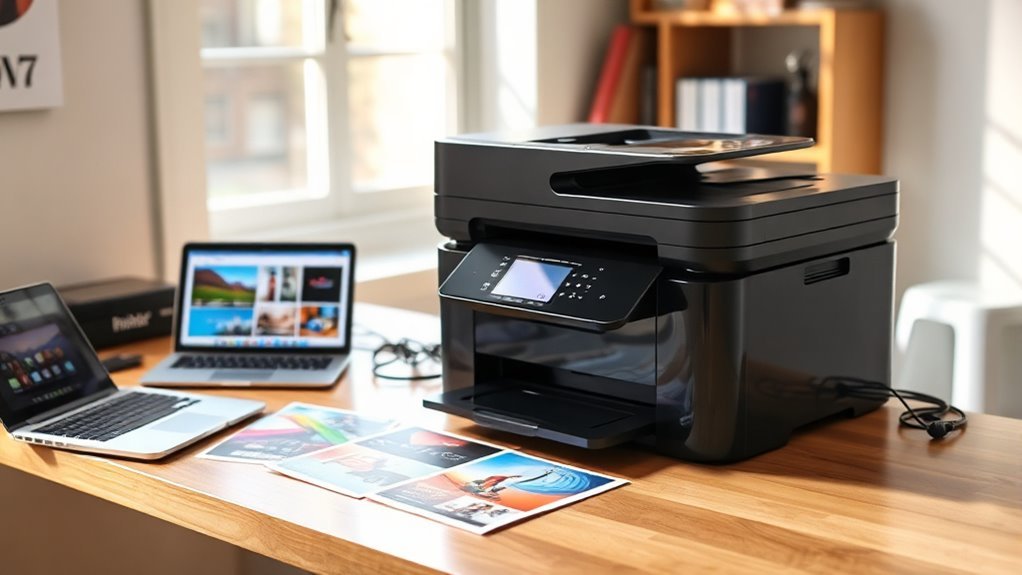
When choosing the best all-in-one printer for your money, you’ll want to focus on print speed and how much ink or toner will cost over time. It’s important to think about the ongoing expenses because that can really add up.
Make sure the printer offers the connectivity options you need and meets your print quality standards. You don’t want to end up with something that can’t connect to your devices or produces poor prints.
Don’t forget to check the paper handling capacity to confirm it fits your workload. After all, you want a printer that can handle the amount of printing you do without constant refills or jams.
Print Speed Importance
Since you want to keep your workflow smooth, choosing a printer with a high print speed is essential. For busy home offices, aim for 20+ ppm, while small teams benefit from 30+ ppm to avoid bottlenecks.
Remember, color printing runs slower than monochrome. So if you print color often, pick a model with faster color ppm or expect longer waits.
The time-to-first-page also matters—look for under 10 seconds to get quick, responsive prints when you only need a page or two.
If you handle double-sided jobs or multi-page scans, check duplex and automatic document feeder speeds, as these impact total job time.
Keep in mind, real-world speeds vary with print quality, paper type, and connection method. So expect slower printing for high-quality or photo prints.
Ink and Toner Costs
Understanding ink and toner costs plays a crucial role in choosing the most cost-effective all-in-one printer. To get the true running cost, divide the cartridge or toner price by its estimated page yield.
Look for high-yield or “XL” options—they can cut your cost per page by 20–60% compared to standard cartridges. Think about how often and what you print; color-heavy or photo prints use much more ink, driving up expenses.
Also, check if your printer requires specific cartridges due to chip or firmware restrictions, which could raise supply costs. Don’t forget maintenance parts like drums, printheads, or waste toner containers, as their replacements add up over time.
Factoring all these helps you avoid surprises and pick a printer that’s truly budget-friendly. It’s all about knowing the real cost before you buy, so you’re not caught off guard later.
Connectivity Options Available
To get the most out of your all-in-one printer, you’ll want to check its connectivity options carefully. Make sure it supports both 2.4 GHz and 5 GHz Wi‑Fi bands for faster, more reliable connections, especially in crowded networks.
If Wi‑Fi isn’t stable, wired Ethernet and USB-A or USB-B ports provide low-latency alternatives, ideal for shared offices. Look for Wi‑Fi Direct or peer-to-peer modes to print securely from your smartphone or tablet without joining a network.
And don’t forget to confirm support for AirPrint or Mopria for seamless mobile printing. Cloud and app integration let you print or scan remotely and update firmware, but keep in mind these require internet and accounts.
If multiple users share the printer, prioritize network management features like user authentication and secure printing. This helps you control access efficiently and keeps your documents safe.
Print Quality Standards
Once you’ve made certain your all-in-one printer connects smoothly to your devices, it’s time to focus on the print quality standards that determine the value you get. Start by checking the maximum print resolution—aim for 1200 x 1200 dpi or higher for crisp text and smooth color gradients.
Don’t overlook color depth; 24-bit color provides richer, more accurate tones than 16-bit. Inspect print samples closely, guaranteeing sharp black text and clear line art with no blurring.
Also, consider durability factors like water, smear, and fade resistance if your prints need to last. Finally, test real-world color accuracy using sRGB or Adobe RGB targets, looking for consistent skin tones and minimal banding.
These factors make certain you get the best bang for your buck in print quality.
Paper Handling Capacity
Several key factors influence how well an all-in-one printer handles paper, directly affecting your workflow efficiency. First, check the input tray capacity—home and office models usually hold 100–250 sheets. A higher capacity means fewer refills during medium or heavy use.
Also, consider the maximum total paper capacity, including optional cassettes. This is vital if you want long, uninterrupted print runs.
Don’t overlook the automatic document feeder (ADF) size, typically 35–50 sheets. This is especially important if you scan or copy multi-page documents often.
Pay attention to output tray capacity to avoid overflow with large print jobs. Finally, verify supported paper sizes and media types, plus whether duplex printing is automatic. These factors impact both your workflow and paper efficiency.
Multifunction Features Offered
When choosing the right all-in-one printer, you’ll want to zero in on the multifunction features that match your needs without overpaying for extras you won’t use. Start by deciding which functions—print, scan, copy, fax—you truly need. Skipping fax, for example, can save money if you rarely use it.
Check the scanner type and automatic document feeder (ADF) capacity. A duplex single-pass ADF speeds up two-sided multi-page jobs, while a small flatbed might slow you down. Automatic duplex printing and scanning cut paper use and boost efficiency, especially for reports or manuals.
Also, confirm print and scan resolutions if you need high-quality images or accurate OCR. Don’t forget mobile and cloud features, like app-based printing and searchable PDFs. These can really streamline remote work and file handling.
Energy Efficiency Ratings
Along with multifunction features, energy efficiency plays a big role in getting the most value from your all-in-one printer. Start by choosing models with ENERGY STAR certification—they use less power in active, idle, and sleep modes.
Compare power consumption: inkjets often run between 4–25 watts while lasers can spike up to 500 watts. Look for devices with sleep modes under 1 watt to save energy when idle.
Check the Typical Electricity Consumption (TEC) rating to estimate yearly energy costs and compare models. Opt for printers with aggressive auto-sleep and auto-off timers, plus duplex printing defaults to cut paper and power use.
Finally, match your printer’s duty cycle to your monthly page volume. Avoid oversized models for light use to maximize energy-per-page efficiency and save on bills.
Warranty and Support
Although price and features often catch your attention first, warranty and support can make or break your overall satisfaction with an all-in-one printer. You’ll want to check the length and type of the manufacturer’s warranty—longer coverage reduces the risk of out-of-pocket repair costs.
Confirm exactly what’s covered: parts, labor, and consumables or just manufacturing defects. Also, verify how you can reach technical support—phone, chat, email, or online—and typical response times to avoid frustrating downtime.
Don’t forget to explore extended warranty options and weigh their cost against potential repairs. Finally, review return policies and whether service requires authorized centers or proof of purchase, as restrictive terms can complicate claims and leave you stuck with unexpected expenses.
Frequently Asked Questions
How Do All-In-One Printers Connect to Mobile Devices?
All-in-one printers connect to your mobile devices via Wi-Fi, Bluetooth, or NFC. You just need to enable the feature and pair your device.
Then, use the printer’s app or AirPrint for seamless printing and scanning. It’s pretty straightforward and convenient!
What Is the Average Lifespan of an All-In-One Printer?
Like a trusty clock ticking steadily, your all-in-one printer usually lasts about 3 to 5 years.
If you keep it clean and well-maintained, it won’t skip a beat, serving you reliably day after day.
Can These Printers Handle Borderless Photo Printing?
Yes, many all-in-one printers can handle borderless photo printing. You’ll want to check the model’s specifications to guarantee it supports this feature.
Especially if you’re aiming for vibrant, edge-to-edge photos without white borders. It really makes your pictures pop when there’s no distracting border.
Are There Eco-Friendly Ink or Toner Options Available?
Like a gust of new air, many printers now offer eco-friendly ink and toner options. You’ll find cartridges made from recycled materials and soy-based inks, helping you print responsibly without sacrificing quality or convenience.
It’s pretty cool how going green with your printing can be easy and effective. So, next time you need to replace your cartridges, consider choosing these eco-friendly alternatives. They’re better for the planet and work just as well!
How Do Firmware Updates Improve Printer Performance?
Firmware updates improve your printer’s performance by fixing bugs, enhancing security, and adding new features. They keep your device running smoothly and increase compatibility with new software.
Sometimes, these updates can even boost your printing speed and quality. So, it’s a good idea to keep your firmware up to date to get the best out of your printer.
Conclusion
When choosing your all-in-one printer, you want the best bang for your buck without breaking the bank. Whether you need crisp laser prints or vibrant color inkjets, there’s a perfect fit waiting for you.
Don’t let the options overwhelm you—just remember, the proof is in the pudding. Focus on what matters most to your daily tasks, and you’ll find a reliable printer that keeps everything running smoothly and efficiently.
Finding the right all-in-one printer means balancing quality, cost, and features. Keep in mind your printing volume and whether you prioritize speed or color accuracy. With so many great choices, you can score a printer that offers excellent value and meets your needs perfectly.
So, whether you’re printing documents, photos, or scanning important files, the best bang for your buck all-in-one printer will save you time and money. It’s all about choosing a model that fits your lifestyle and budget without compromising on performance.