6 Best Beginners 3D Printers for 2027
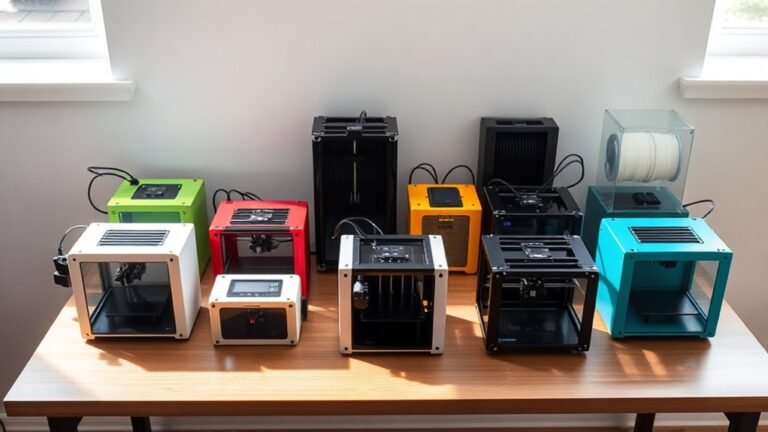
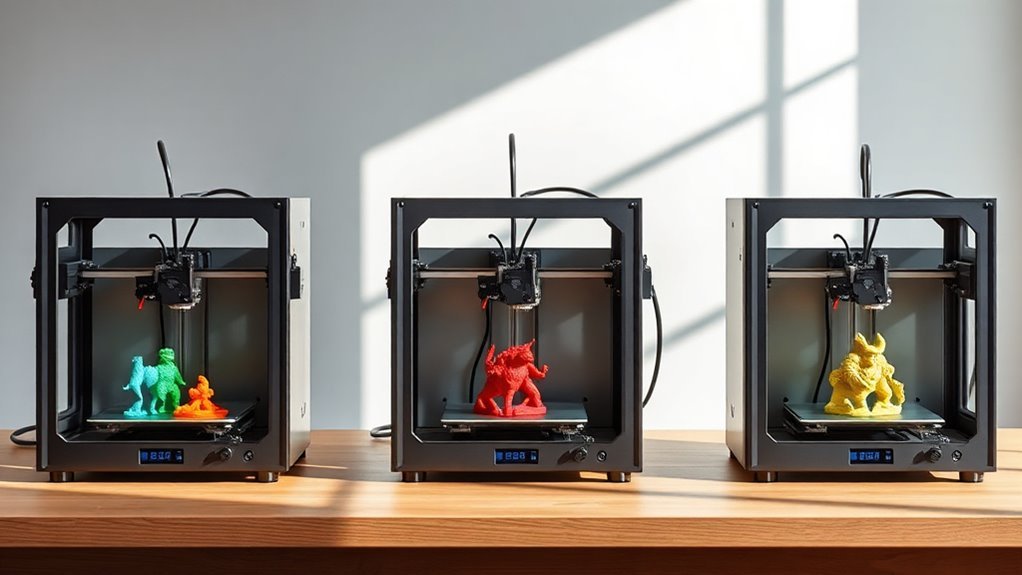
For beginners diving into 3D printing in 2027, finding the right printer can make all the difference. The best beginner 3D printers offer easy setup, smart auto-leveling, and helpful app guidance to get you started without stress. Whether you’re just starting out or looking to upgrade, these features ensure a smooth and enjoyable printing experience.
You’ll love models like the Entina Tina2C Mini, which comes with plug-and-play simplicity and app support. The ELEGOO Centauri 2 stands out with its multicolor printing capabilities, while the Creality Ender 3 V3 SE is known for its reliable auto-leveling system.
If speed is your priority, check out the MakeBuddy Smart5 AI. The Flashforge Adventurer 5M offers strong performance with its enclosed design, perfect for more consistent prints. For those who want simplicity but still want to play with colors, the Anycubic Kobra X delivers one-click multicolor prints. Keep exploring to see which printer fits your needs best!
| Image | Name | Editor's Rating | Price |
|---|---|---|---|

|
|
||

|
|
||

|
|
||

|
|
||

|
|
Entina Tina2C Mini 3D Printer for Beginners
- 【Easy to Use 3D Printer – Ready in 5 Minutes】 Meet the Entina Tina2C, a plug-and-play mini 3D printer designed for first-time users. Fully assembled with factory...
- 【3500+ 3D Models & Easy One-Tap Printing】 Explore 3500+ ready-to-print 3D models and 25+ DIY projects in the Poloprint Cloud app, with new designs added daily...
- 【Smart WiFi 3D Printer & AI-Powered App】 Connect via 2.4GHz WiFi and enjoy convenient 3D printer app control through Poloprint Cloud. Explore models, manage prints...
- 【Auto Leveling 3D Printer & Power-Loss Recovery】 Automatic bed leveling helps improve first-layer adhesion and reduces manual adjustments for a smoother 3D printing...
- 【Flexible Magnetic Print Bed & Quick-Swap Nozzle】 The flexible magnetic build plate makes finished 3D prints easier to remove with a gentle bend. A removable...
The Entina Tina2C Mini 3D printer is designed to make your entry into 3D printing simple and stress-free. Its fully assembled, plug-and-play setup means you can start printing within minutes. The guided setup through the Poloprint app helps you avoid common beginner mistakes and ensures smooth operation from the start.
This printer’s auto-leveling feature ensures your first layer adheres perfectly without manual adjustments, solving one of the most frequent challenges for new users. If a power outage occurs, it resumes printing seamlessly, protecting your work from unexpected interruptions.
Maintenance is straightforward with the quick-swap removable nozzle, allowing easy cleaning and replacement. Its compact and quiet design fits well in small spaces, making it a practical choice for home or classroom use.
While the build volume is limited to 3.9 x 3.9 x 3.9 inches, it is ideal for beginners and hobbyists focused on small to moderate projects. The reliance on the Poloprint app may not suit those who prefer hardware-only control but enhances the overall user experience for most.
Best for: Beginners and hobbyists seeking an easy-to-use, compact 3D printer with guided setup and reliable features.
What We Like:
- Fully assembled, ready to print in 5 minutes with app-guided setup
- Auto-leveling ensures perfect first layers without manual tweaks
- Power-loss recovery protects print progress
- Quick-swap removable nozzle simplifies maintenance
- Supports wireless printing via WiFi and offline printing via TF card
Specification:
| Feature | Specification |
|---|---|
| Manufacturer | Entina |
| Build Volume | 3.9 x 3.9 x 3.9 inches |
| Setup | Fully assembled, plug-and-play |
| Connectivity | WiFi, TF card |
| Nozzle | Quick-swap removable |
| Dimensions | Compact size (exact dimensions not specified) |
| Weight | Not specified |
ELEGOO Centauri 2 Combo 3D Printer, Beginner-Friendly Multicolor Printing
- 4-Color Printing with CANVAS: Create vibrant multi-color models effortlessly with CANVAS 4-color printing. Independent motors, instant color switching, RFID filament...
- Start Printing with Confidence: Full auto calibration and smart pre-print checks simplify setup, while 22 intelligent sensors monitor every print in real time. From first...
- Designed for Speed: Experience faster creation with a high-speed CoreXY system reaching up to 500mm/s and 20,000mm/s² acceleration. The rigid aluminum frame and...
- Smoother, Sharper, Smarter: From the first layer to the final detail, intelligent calibration, vibration compensation, and precise extrusion control help produce clean...
- A Seamless Workflow from Idea to Print: Simplify your entire workflow with the ELEGOO ecosystem. Discover ready-to-print models on Nexprint, prepare projects with...

The ELEGOO Centauri 2 Combo opens the door to smooth and precise multicolor 3D printing. Its innovative 4-color CANVAS system allows instant color changes, making complex designs easier to create without interruption. This system also features RFID filament recognition and an auto refill function, reducing manual work and ensuring consistent results.
Designed with a robust CoreXY motion system, the printer achieves speeds up to 500 mm/s while maintaining accuracy. Its sturdy aluminum frame minimizes vibrations, contributing to stable, high-quality prints. Automatic calibration and vibration compensation further enhance print reliability, supported by 22 sensors monitoring real-time performance.
Maintenance is simplified with a 5-inch touchscreen and semi-automatic features, helping users manage tasks without hassle. The ELEGOO Nexprint hub and Matrix app offer seamless print preparation and remote control, enabling flexibility whether you’re at your desk or on the move.
While the printer weighs 33 pounds and has a larger footprint, these factors support its advanced multicolor capabilities and durable design. Beginners may experience a slight learning curve but will benefit from its user-friendly features and precise output.
Best for: Makers and hobbyists who want a high-speed, reliable multicolor 3D printer with smart automation and easy maintenance.
What We Like:
- Smooth multicolor printing with instant color switching and RFID filament detection
- Fast and precise CoreXY system with vibration control for stable results
- User-friendly interface with touchscreen and remote app control
- Automated calibration and sensor-driven reliability
Specification:
| Feature | Details |
|---|---|
| Manufacturer | ELEGOO |
| Dimensions | 20 x 19 x 23 inches |
| Weight | 33 pounds |
| Frame Material | Aluminum |
| Color System | 4-color CANVAS with RFID |
Creality Ender 3 V3 SE Beginner-Friendly 3D Printer with Auto Leveling
- 250mm/s High-Speed Printing: Print at speeds of up to 250mm/s with 2500mm/s² acceleration, helping you complete prototypes, functional parts, and everyday projects...
- Easy Setup with Auto Leveling: Designed for a fast and straightforward setup, the Ender 3 V3 SE can be assembled in just a few simple steps. CR Touch Auto Leveling and...
- Proven Sprite Direct Drive Extruder: The upgraded Sprite Direct Drive Extruder provides smooth and consistent filament feeding for PLA, PETG, and TPU. Its proven design...
- Stable Motion System for Consistent Results: Dual synchronized Z-axis lead screws and precision Y-axis linear shafts work together to help reduce vibration and Z...
- Quiet Operation with Easy Print Removal: A 32-bit silent mainboard helps reduce operating noise for a more comfortable printing experience, while the flexible PC spring...
The Creality Ender 3 V3 SE redefines ease and precision in 3D printing. Its auto leveling feature with the CR Touch system eliminates tedious manual adjustments, ensuring your first layer is perfectly calibrated every time. This means less setup frustration and more focus on bringing your ideas to life.
Assembly is quick and simple, allowing you to start printing prototypes or everyday projects swiftly. The upgraded Sprite Direct Drive Extruder handles common filaments like PLA, PETG, and TPU with smooth, reliable extrusion. This helps reduce clogs and improves print consistency.
Designed for stability, the dual Z-axis lead screws and precision Y-axis shafts minimize vibrations and wobbling during printing. Combined with a silent 32-bit mainboard, the Ender 3 V3 SE operates quietly, making it suitable for home or office environments.
Maintenance is straightforward thanks to the flexible build plate, which allows easy removal of finished models without damage. While it supports popular filaments well, it may not accommodate advanced materials, and its moderate speed suits hobbyists more than industrial users.
Best for: Beginners and hobbyists seeking a user-friendly 3D printer with reliable auto leveling and smooth extrusion for daily projects and prototypes.
What We Like:
- Auto leveling with CR Touch ensures hassle-free setup
- Dual Z-axis lead screws and Y-axis shafts reduce vibration
- Quiet operation powered by a 32-bit silent mainboard
- Flexible build plate allows easy model removal
Specification:
| Feature | Details |
|---|---|
| Manufacturer | Creality |
| Dimensions | Not specified |
| Weight | Not specified |
| Compatible Filaments | PLA, PETG, TPU |
| Extruder | Sprite Direct Drive |
| Control Board | 32-bit silent mainboard |
MakeBuddy Smart5 AI 3D Printer for Beginners, Plug & Play, High Speed
- 【Designed for Beginners】 MakeBuddy Smart5 3d printer arrives fully assembled and enclosed, so there is no kit to build. Guided app setup and automatic bed leveling...
- 【Easy to Start – Beginner Friendly 3D Printer】From unboxing to your first print in just 15 minutes. Features the leveling technology inherited from QIDI’s...
- 【Safe & Low-Noise Home 3D Printer】The QIDI Smart5 features a sealed enclosure that covers the hot end and moving gantry while lowering operating noise, so the printer...
- 【AI 3D Printer with One-Tap Printing】 The MakeBuddy Smart5 AI 3D printer turns a photo into a printable model: capture an object with a phone or tablet, let the AI...
- 【Complete Starter Kit with Filament and Course Access】 Smart5 ships with 4 PLA filaments, LED and clock DIY build kits, and access to a regularly updated STEAM...
The MakeBuddy Smart5 AI 3D Printer is designed to make 3D printing accessible and straightforward for beginners. Its plug-and-play setup with one-tap WiFi connection removes the usual hassle of complex installations. This means you can start printing quickly without needing prior technical knowledge.
The printer’s CoreXY high-speed motion system supports travel speeds up to 600 mm/s, allowing projects to complete faster. Its compact 180 × 180 × 180 mm build volume fits comfortably on a desk while still offering enough space for most hobbyist creations. Automatic bed leveling ensures your prints start with reliable first layers every time, reducing failed prints and wasted material.
Maintenance is simplified by the enclosed design, which also lowers noise during operation. A built-in HEPA filter improves air quality by reducing odors, making it suitable for home or office use. The printer’s AI feature lets you generate 3D models from photos instantly, eliminating the need for CAD skills and speeding up the creative process.
While the enclosed frame adds stability, it increases the weight to 31.6 lbs, which may affect portability. The limited build size and AI model generation requiring compute credits are factors to consider for frequent or larger-scale projects.
Best for: Beginners, students, and creative professionals seeking a user-friendly, fast 3D printer with AI-assisted design capabilities.
What We Like:
- Easy one-tap WiFi setup for quick printing start
- High-speed CoreXY system with precise automatic bed leveling
- Enclosed, quiet operation with HEPA filtration for cleaner air
- AI-powered 3D modeling from photos without CAD knowledge
Specification:
| Feature | Details |
|---|---|
| Manufacturer | MakeBuddy |
| Build Volume | 180 × 180 × 180 mm |
| Motion System | CoreXY high-speed |
| Maximum Travel Speed | 600 mm/s |
| Weight | 31.6 lbs (14.3 kg) |
| Design | Fully enclosed with HEPA filter |
Flashforge Adventurer 5M Beginner 3D Printer
- 600mm/s Hyper-Speed Printing with Klipper Engine. Industry-leading 20,000mm/s² Acceleration - Equipped with 32mm³/s high-flow nozzle and 50W ceramic heater reaching...
- Auto Bed Leveling. 0.01mm Precision Calibration - Features 25-point detecting and pressure-sensor compensation, achieving perfect first-layer adhesion.
- Industrial-Grade CoreXY Frame with Anti-Vibration. Dual linear rails & aluminium frame reduces resonance by 63% compared to bed-slingers. 24/7 continuous printing capable...
- Smart Workshop Ecosystem. MagSwitch PEI plate (removal in 3s) + Nozzle X quick-change system (swap <15s). Built-in filament sensor & remote monitoring via Flashforge App...
- Multi-Material Pro Configuration. 0.25-0.8mm nozzles for miniature models to architectural prints. Optional enclosure with your own printing plate offers a cost-effective...
The Flashforge Adventurer 5M redefines beginner 3D printing by combining speed, precision, and ease of use in one sleek package. It tackles long print times with printing speeds up to 600 mm/s, helping you complete complex projects faster. Its precise calibration down to 0.01 mm ensures sharp, detailed results every time.
Designed for smooth operation, the Adventurer 5M features a CoreXY frame and dual linear rails that reduce vibrations and maintain accuracy within ±0.1 mm. The direct-drive hotend heats up to 280°C, allowing you to work with a variety of filaments and nozzle sizes, while the PEI MagSwitch build plate detaches quickly for hassle-free part removal.
Maintenance is straightforward thanks to the easy-change nozzle and removable build surface. Silent printing and remote monitoring through the Flashforge app provide convenience for continuous use. Although the build volume is moderate and high-temperature material options are limited, the optional enclosure can improve environmental control when needed.
This 3D printer meets the needs of beginners and hobbyists who want industrial-grade quality without complexity. It balances performance with user-friendly features for a smooth introduction to 3D printing.
Best for: beginners and hobbyists seeking a fast, precise, and easy-to-use 3D printer with versatile material compatibility.
What We Like:
- Fast printing speeds significantly cut project time.
- High precision calibration ensures detailed prints.
- User-friendly design with quick-change nozzle and removable build plate.
- Silent operation and remote monitoring enhance usability.
- CoreXY frame reduces vibrations for consistent results.
Specification:
| Feature | Details |
|---|---|
| Manufacturer | Flashforge |
| Build Volume | 8.7 in³ (approx. 55.5 cm³) |
| Maximum Hotend Temp | 280°C |
| Calibration Precision | 0.01 mm |
| Accuracy | ±0.1 mm |
| Frame Type | CoreXY |
| Build Plate | PEI MagSwitch, removable |
| Connectivity | Flashforge app remote monitoring |
Anycubic Kobra X Multicolor 3D Printer, Easy One-Click Printing

- 【Vivid 19-Color and Versatile Materials】Unleash creativity beyond limits. The Kobra X supports 4-color standard and expands up to 19 colors with 4 ACE 2 Pro for...
- 【600mm/s High Speed Performance】Don't let slow speeds limit your creativity. This high-speed FDM 3D printer reaches up to 600mm/s, completing tasks significantly...
- 【True Plug & Play Experience】Start your first project in as little as 15 minutes. The Kobra X arrives with a user-friendly setup and LeviQ 3.0 automatic bed leveling...
- 【LeviQ 3.0 Perfect First Layer】Forget the frustration of manual bed leveling that plagues beginner machines. The LeviQ 3.0 system utilizes 49-point full-auto leveling...
- 【Quiet & Reliable for Home】The ultra-quiet ≤48 dB operation ensures the living or learning space remains peaceful. Combined with power loss recovery and filament...
The Anycubic Kobra X Multicolor 3D Printer brings multicolor printing within easy reach. With a simple one-click operation, it solves the challenge of creating vibrant, detailed prints without complex setup. This printer supports up to 4 standard colors and can expand to 19 colors with add-ons, enabling more creative freedom.
Its design focuses on reliable performance. The hardened steel nozzle handles flexible and durable materials like TPU, PLA, and PETG. Fast printing speeds up to 600 mm/s are achieved without losing detail, thanks to the Kobra OS and vibration compensation technology.
Maintenance is straightforward with the LeviQ 3.0 automatic bed leveling system, making calibration quick and hassle-free. The printer’s AI monitoring and filament sensors help reduce failed prints and wasted materials, providing peace of mind during longer projects.
While the build volume of 260 × 260 × 260 mm suits most hobbyist needs, it might limit very large prints. Also, reaching the full 19-color capacity requires additional accessories, which adds to the overall cost. The maximum nozzle temperature of 300°C covers most common filaments but may restrict high-temp materials.
Best for: Beginners and hobbyists wanting an easy-to-use multicolor 3D printer with fast speeds and reliable automation for creative projects.
What We Like:
- Supports up to 4 colors standard, expandable to 19.
- Quick setup with automatic LeviQ 3.0 bed leveling.
- AI monitoring and filament sensors reduce print failures.
- Hardened steel nozzle handles flexible and common materials.
- Fast printing speeds up to 600 mm/s with detail retention.
Specification:
| Feature | Details |
|---|---|
| Manufacturer | Anycubic |
| Build Volume | 260 × 260 × 260 mm |
| Max Nozzle Temp | 300°C |
| Supported Materials | TPU, PLA, PETG |
| Color Options | Up to 4 standard, expandable to 19 |
Factors to Consider When Choosing a Beginner’s 3D Printer
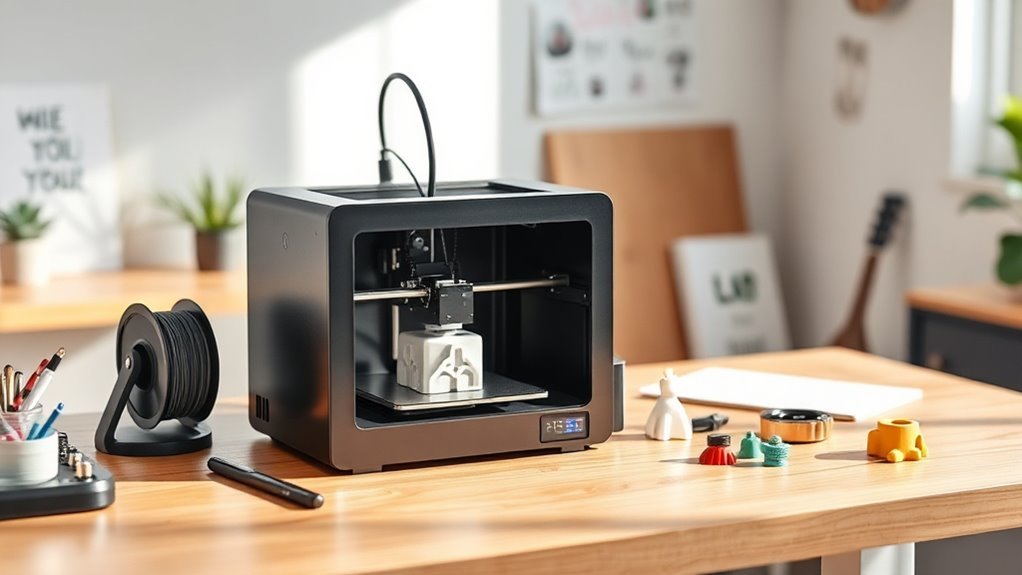
When choosing your first 3D printer, you’ll want to focus on ease of setup and how reliable it is over time.
Pay attention to print quality, speed, and whether it connects easily through apps or Wi-Fi.
Also, consider the build volume and how much maintenance the printer requires to keep running smoothly.
Ease Of Setup
Because getting started quickly can make or break your 3D printing experience, you’ll want a printer that arrives mostly assembled and offers guided setup through apps or clear instructions. Choose one with minimal assembly time—ideally under 15 minutes—to get your first print running fast.
Auto bed leveling and automatic Z-offset calibration help eliminate frustrating manual adjustments, improving first-layer adhesion. Features like power-loss recovery and filament run-out detection protect your prints from interruptions, so you don’t have to babysit the printer constantly.
A removable or flexible build plate and quick-swap nozzles simplify print removal and routine maintenance, making upkeep less intimidating. And finally, built-in presets or one-tap printing workflows with cloud libraries let you start printing immediately without diving into complex slicing settings.
Print Quality And Speed
Although print speed can save you time, you’ll want to balance it carefully with quality to get the best results. Look for printers with high maximum speeds and acceleration, but remember that faster motion can cause vibrations and reduce detail if the frame isn’t rigid.
Pay attention to nozzle diameter—smaller nozzles offer finer detail at slower speeds, while larger ones boost speed but lower resolution. Check the hotend temperature range to guarantee it supports your filament choices and enables faster extrusion.
Don’t overlook first-layer adhesion; reliable auto-leveling and bed-leveling systems help secure a strong foundation. Finally, choose printers with sturdy frames and vibration control features like CoreXY or dual Z screws to maintain accuracy and surface finish during faster prints.
Connectivity And App Support
Since ease of use is essential for beginners, you’ll want to prioritize 3D printers with strong connectivity and app support. Look for models offering wireless options like 2.4/5 GHz Wi‑Fi or Bluetooth, so you can start, monitor, and stop prints remotely via your phone or computer.
Companion apps or cloud platforms with model libraries, one‑tap printing, and remote slicing simplify your workflow, especially if you’re new to modeling. Make sure the printer supports offline printing through SD cards or USB drives, so you can print securely without network access.
Choose apps with built-in assistants—guided setup, auto-calibration wizards, or AI-powered tools—to reduce technical hurdles. And finally, double-check that the printer is compatible with common slicers and that the app accepts sliced G-code exports for future software flexibility.
Build Volume And Size
Connectivity and app support help you manage prints smoothly, but you’ll also want to take into account the build volume and overall size of your 3D printer. The build volume determines the largest single part you can print, typically ranging from 100 to 300 mm per axis for beginners.
Smaller volumes suit toys and simple models, while larger volumes handle bigger prototypes or functional parts. Remember, bigger build volumes mean larger, heavier machines that need more space and may not fit on small desks.
Larger prints also take more time and filament, requiring careful bed adhesion and thermal control to prevent warping. If you plan to print multi-part assemblies, consider whether printing pieces separately is enough or if you need a printer with a larger build volume for integrated models.
Maintenance And Reliability
When choosing a beginner’s 3D printer, you’ll want to focus on maintenance and reliability to keep your printing experience smooth and hassle-free. Look for printers with automatic features like auto bed leveling, filament runout detection, and power-loss recovery to cut down on manual checks and failed prints.
Opt for models with easy-service parts such as removable build plates and quick-swap nozzles, which simplify cleaning and part replacement. Prioritize all-encompassing sensor systems that monitor print progress and detect errors early, boosting success rates.
Also, check for straightforward firmware updates, onboard diagnostics, and clear maintenance guides to keep your printer reliable long-term. Finally, consider noise levels, filtration, and cooling design, as these impact thermal stability and reduce maintenance frequency, ensuring consistent print quality.
Frequently Asked Questions
What Safety Precautions Should Beginners Take When Using 3D Printers?
You should always wear gloves and safety glasses. Keep the area well ventilated to avoid breathing in any fumes.
Never leave the printer unattended while it’s running. It’s also important to avoid touching any hot parts to prevent burns.
And of course, always follow the manufacturer’s instructions carefully. Doing these things will help prevent accidents and keep your 3D printing safe and smooth.
How Do I Maintain and Clean My 3D Printer Regularly?
You should clean the nozzle and bed after each print, lubricate moving parts regularly, and check belts for tension.
Keeping your printer dust-free is important too. Use a soft brush or some compressed air to get rid of any dust.
Also, don’t forget to update the firmware whenever there’s a new version available. This helps keep your printer running smoothly and performing well.
What Types of Filament Are Best for Beginners to Start With?
You’ll want PLA and PETG filaments—they’re easy to print, forgiving, and widely available. Since they stick well and don’t warp much, you’ll get smoother prints and fewer frustrations.
This makes your first projects more successful and fun. Trust me, starting with these filaments will save you a lot of headaches!
Can 3D Printers Be Used for Educational Purposes at Home?
Yes, you can definitely use 3D printers for educational purposes at home. They help you learn design, engineering, and problem-solving skills while making projects more engaging and hands-on.
This kind of learning really boosts creativity and helps you understand concepts better. Plus, it’s a fun way to bring ideas to life right in your own space!
How Do I Troubleshoot Common 3D Printing Errors Effectively?
Oh, sure, just magically fix errors instantly! But really, you’ll check bed leveling, clean nozzles, adjust temperatures, and make certain proper filament loading.
Patience and trial help you master troubleshooting, turning frustration into success every time.
Conclusion
Choosing your first 3D printer is like picking the right brush for a masterpiece—you want one that’s intuitive yet powerful. Whether you lean toward the Entina Tina2C Mini or the Anycubic Kobra X, each offers a gateway to creativity without overwhelming you.
With these beginner-friendly options, you’re not just printing objects; you’re starting a journey where imagination meets innovation. These best beginner 3D printers for 2027 make it easy to turn your ideas into reality without the hassle.
So, take the leap—your future creations are waiting. Embracing a beginner 3D printer in 2027 means unlocking endless possibilities, learning new skills, and bringing your creative projects to life. Start with the right printer, and watch your imagination soar!