6 Best At Home Photo Printers for 2027
You want a photo printer that matches your needs, whether portable or countertop. Finding the best at-home photo printer in 2027 means looking for features like wireless connectivity, print quality, and ease of use. Whether you need something compact to carry around or a more robust model for your desk, there’s an option out there for you.
The Liene M100 is great for on-the-go Wi-Fi printing, while the KODAK Dock Plus offers a docking station and vibrant 4PASS prints. HP Sprocket Studio Plus and Canon Selphy CP1500 deliver smudge-proof 4×6 photos with wireless ease.
For peel-and-stick fun, KODAK Step Portable is ideal. The HP Envy Photo 7155 shines with high-res prints and all-in-one features. Explore these options to find your perfect fit.
| Image | Name | Editor's Rating | Price |
|---|---|---|---|

|
|
||

|
|
||

|
|
||

|
|
||

|
|
Liene M100 Portable 4×6” Wi-Fi Photo Printer
- User-Friendly Portable Photo Printer for iPhone, Android & PC - Get beautiful and colourful memories with Liene 4x6 photo printer! After opening the entire package, you...
- Superior Quality 4x6 Photo Printer - Print photos like no other thanks to the thermal-dye sublimation tech adopted by the picture printer for iphone. The dyes deeply...
- Wi-Fi Photo Printer for Smartphone - The built-in hotspot of the photo printer makes it easy to print pictures from your phone, avoiding outside interference with a fast...
- Multiple Device Compatibility - Liene phone printer provides instant photo printing for up to 5 simultaneous connections. Share with family and friends or print from your...
- Customize your Printing with the Liene App - Customize your photos with our specialized App! You can add a Square border, insert filters, enhance the contrast and...
Experience hassle-free photo printing with the Liene M100 Portable 4×6″ Wi-Fi Photo Printer, designed for convenience and vibrant results. Its compact size and light weight let you print high-quality photos anytime, anywhere. Perfect for capturing memories on the go or creating keepsakes at home.
This printer connects easily to up to five devices simultaneously via Wi-Fi or USB-C. It works smoothly across iOS, Android, Windows, and Mac, eliminating compatibility hassles. The included Liene app adds creative control, allowing quick photo customization with filters and adjustments.
Using thermal dye-sublimation technology, the M100 produces borderless 4×6 prints with a laminated finish. This makes your photos resistant to water, scratches, and fading, ensuring long-lasting quality. The printer’s maintenance is straightforward, with a small paper tray holding up to 20 sheets for easy refills.
Keep in mind, printing takes about one page per minute, and it only supports single-sided printing. Despite these limits, its portability and durable output make it a practical choice for casual and creative users alike.
Best for: Anyone needing a lightweight, portable photo printer that delivers vibrant, durable 4×6 prints and supports multiple devices for home or mobile use.
What We Like:
- Lightweight and compact for easy portability
- Produces vibrant, borderless 4×6 prints with laminated durability
- Supports up to five devices at once via Wi-Fi hotspot and USB-C
- Compatible with iOS, Android, Windows, and Mac
- User-friendly app for photo customization
Specification:
| Feature | Details |
|---|---|
| Manufacturer | Liene |
| Dimensions | Compact (exact size not specified) |
| Weight | 200 grams (0.44 lbs) |
| Printing Technology | Thermal dye-sublimation |
| Print Size | 4 x 6 inches |
| Connectivity | Wi-Fi (up to 5 devices), USB-C |
| Compatibility | iOS, Android, Windows, Mac |
| Paper Capacity | Up to 20 sheets |
KODAK Dock Plus 4×6 Photo Printer, Smartphone Docking, 4PASS, 50 Sheets
- Dock Photo Printer: The KODAK Dock Plus is a home photo printer that produces high-quality 4x6” prints directly from compatible smartphones. Featuring an integrated...
- Genuine 4PASS dye sublimation printing: Each photo is produced in three color layers and finished with a clear protective lamination layer. In approximately 55 seconds...
- Easy to Use: Print photos quickly without complicated setup or technical steps. Simply power on, connect wireless bluetooth, and start printing within seconds. The Dock...
- Home Printing Station: Designed for stable desktop use, this dock photo printer connects to a power outlet for consistent performance and larger 4x6” prints. Ideal for...
- KODAK Photo Printer APP: Featuring integrated Bluetooth connectivity, this portable printer connects to compatible iOS and Android devices through the KODAK Photo Printer...
The KODAK Dock Plus 4×6 Photo Printer transforms your smartphone photos into lasting memories with ease. Its integrated docking station keeps your phone charged while you print, creating a convenient and stable setup at home. This design helps you stay organized and ready to print without hassle.
Using genuine 4PASS dye sublimation technology, the printer produces vibrant, fingerprint-resistant, and water-resistant 4×6″ photos. Prints develop quickly in about 55 seconds, delivering durable images you can enjoy for years. This technology ensures your photos resist fading, preserving special moments.
Setup is straightforward with Bluetooth connectivity and the KODAK app available on both iOS and Android. The app lets you edit and customize photos before printing, giving you control over every image. Maintenance is minimal, with a 50-sheet capacity that reduces frequent paper changes.
The printer is best suited for home use, ideal for families or individuals who want quality prints directly from their phones. While it’s compact and easy to use, it requires a power outlet and is limited to 4×6″ prints, which may not fit all needs.
Best for: Families and smartphone users seeking a reliable, easy-to-use home photo printer for durable 4×6 prints.
What We Like:
- Produces vibrant, water- and fingerprint-resistant 4×6 photos using 4PASS dye sublimation
- Integrated docking station charges phone during printing for added convenience
- Simple Bluetooth connection and intuitive app support for iOS and Android
- Quick print times with minimal maintenance and included 50-sheet paper supply
Specification:
| Feature | Details |
|---|---|
| Manufacturer | KODAK |
| Print Size | 4 x 6 inches (10.2 x 15.2 cm) |
| Printing Technology | 4PASS dye sublimation |
| Connectivity | Bluetooth |
| Included Paper Sheets | 50 sheets |
| Power Source | Requires power outlet |
| Dimensions | (Not specified) |
| Weight | (Not specified) |
HP Sprocket Studio Plus Wireless 4×6 Photo Printer
- PHOTOS MADE TO LAST – Print quality photos that will last for years on tear-resistant, smudge-proof, waterproof paper.
- CUSTOMIZE YOUR CREATIONS – Add your own style to each photo by decorate it with stickers, frames, filters, and more before you print them out.
- INSTANT PRINTING – Designed for efficiency and convenience, this printer will produce dry-to-the-touch 4x6” photos in an instant directly from your smartphone.
- WI-FI COMPATIBLITY – Download the user-friendly HP Sprocket app to your smartphone and easily connect your mobile device to Wi-fi-enabled printer in mere seconds.
- PICTURE-PERFECT PHOTO FEATURES – The HP Sprocket Studio Plus gives you several different and unique ways to take a photo. Don’t miss out on the chance to make a...

The HP Sprocket Studio Plus Wireless Photo Printer brings your memories to life with vibrant, durable 4×6 prints that dry instantly. Its advanced dye-sublimation technology creates photos that resist tears, smudges, and water, ensuring your images stay sharp for years. This printer solves the hassle of waiting for prints to dry or worrying about damage over time.
Designed for easy use, the printer connects seamlessly via Wi-Fi, allowing you to print directly from your smartphone. The HP Sprocket app offers simple pairing and intuitive editing features like stickers, frames, and collages, letting you personalize your photos effortlessly. Its compact size fits neatly on any countertop, saving space without sacrificing performance.
Maintenance is straightforward, with the printer including 118 sheets and three dye-sub cartridges to get started right away. While the 4×6 print size is ideal for casual use, larger format printing is not supported. Also, the reliance on specific dye-sublimation cartridges means ongoing costs may be higher than standard inkjet printers.
Best for: Anyone seeking a compact, user-friendly photo printer that produces vibrant, long-lasting 4×6 prints for home, parties, and creative projects.
What We Like:
- High-quality, smudge-proof, waterproof 4×6 photos
- Easy Wi-Fi setup and user-friendly editing app
- Includes ample starter supply of sheets and cartridges
- Compact, space-saving design fits easily on countertops
Specification:
| Feature | Details |
|---|---|
| Manufacturer | HP |
| Print Size | 4 x 6 inches |
| Connectivity | Wireless (Wi-Fi) |
| Technology | Dye-sublimation |
| Included Supplies | 118 sheets, 3 dye-sub cartridges |
| Dimensions | Compact (exact size not specified) |
Canon Selphy CP1500 Wireless Photo Printer Bundle
- The sleek and modern design of the SELPHY CP1500 is reflected in how easy it is to use even with powerful features such as Wi-Fi (1) and smartphone connectivity. (2)
- Thanks to a small footprint, the SELPHY CP1500 is incredibly portable, and with the optional battery pack, you can print and share your memories from just about anyplace...
- Not only will your photos look great, they will also be instantly dry and water resistant, and continue to look great for up to 100 years. (3)
- Enjoy the flexibility of Wi-Fi, USB, and memory card (4) connections for your SELPHY CP1500 to connect to just about anything and print from devices like your smartphone...
- A large built-in 3.5” display allows you to view, edit, and add filter effects like sepia, or B/W to the images you want to print.
Experience the freedom to print vibrant 4″ x 6″ photos anytime, anywhere with the Canon Selphy CP1500 wireless photo printer. Its compact, portable design solves the hassle of bulky printers. You can easily print directly from your smartphone, camera, computer, or USB drive using Wi-Fi or USB connections.
The built-in 3.5″ color display lets you preview, edit, and personalize your photos before printing. Add filters or QR codes effortlessly to make your prints unique. This printer’s instant-dry photos resist water and last up to 100 years, ensuring your memories stay vivid over time.
Maintenance is straightforward, but keep in mind you will need to purchase additional ink and paper sets for ongoing use. The printer is designed for 4″ x 6″ prints only, which suits most casual photo needs but may limit larger format options.
With its optional battery pack, the Selphy CP1500 supports true mobility, perfect for events or travel. It simplifies photo printing without needing complex setups or cables.
Best for: Anyone seeking a portable, wireless photo printer that delivers high-quality, durable 4″ x 6″ prints from multiple devices.
What We Like:
- Wireless and USB connectivity compatible with various devices
- Compact, portable design with optional battery for on-the-go use
- Easy-to-use built-in editing features including filters and QR code addition
- Instant-dry, water-resistant prints with long-lasting quality
Specification:
| Feature | Details |
|---|---|
| Manufacturer | Canon |
| Print Size | 4″ x 6″ (10 x 15 cm) |
| Display | 3.5″ color LCD |
| Connectivity | Wi-Fi, USB, Memory Card |
| Weight | Approx. 1.7 lbs (0.77 kg) |
| Color Options | White |
KODAK Step Portable Wireless Instant Photo Printer
- STEP UP YOUR PRINTING GAME. KODAK Step Printer Connects to Any iOS or Android Device [Via Bluetooth or NFC] Turn Your Selfies, Portraits, Social Media Posts Into Physical...
- AMAZING ZERO-INK TECHNOLOGY. ZINK 2” x 3” Sticky-Back Paper with Embedded Dye Crystals Delivers High-Quality, Durable, Affordable, Beautifully Detailed Prints That...
- FULL EDITING SUITE VIA APP. Download the KODAK App to Create Collages & Customize Your Snaps with Stunning Filters, Interesting Borders, Cool Stickers, Funny Text & Other...
- TAKE YOUR PROJECTS TO GO. Our Palm-Sized Printer Weighs Less Than a Pound, Sets Up Fast & Delivers Gorgeous Prints You Can Peel & Stick Everywhere.
- CUTE, COMPACT & COLORFUL. Step Printer is Designed for Photo-Loving Influencers & Crafters of All Ages & Skill Levels! Portable, Lightweight Device Features Built-In...
Capture and share your memories instantly with the KODAK Step Portable Wireless Instant Photo Printer. This compact device lets you print vibrant, peel-and-stick photos wherever you are, making it easy to bring your digital moments into the real world. Its wireless design connects seamlessly to iOS or Android devices via Bluetooth or NFC, allowing you to print 2×3” full-color photos quickly.
Using ZINK thermal technology, the printer produces smudge- and tear-resistant images that stick to any surface. The included KODAK app enhances your prints with filters, text, and stickers, giving you creative control over each photo. Its lightweight and rechargeable design supports up to 25 prints per charge, perfect for on-the-go use.
Maintenance is simple since the printer uses ZINK paper, which requires no ink cartridges or ribbons. While the 2×3 inch photo size suits casual sharing, it may not meet needs for larger prints. The print speed is about one minute per photo, ideal for occasional printing rather than high-volume tasks.
Best for: Travelers, social influencers, and crafters seeking a compact, easy-to-use wireless printer for quick, colorful peel-and-stick photo prints.
What We Like:
- Wireless Bluetooth and NFC connectivity for effortless printing from mobile devices
- ZINK thermal technology produces durable, smudge- and tear-resistant photos
- KODAK app offers editing tools for personalized, creative prints
- Lightweight and rechargeable for convenient use on the go
Specification:
| Feature | Details |
|---|---|
| Manufacturer | KODAK |
| Dimensions | Palm-sized (exact size not specified) |
| Weight | Lightweight (exact weight not specified) |
| Photo Size | 2 x 3 inches |
| Connectivity | Bluetooth, NFC |
| Print Technology | ZINK thermal |
HP Envy Photo 7155 Wireless All-in-One Printer

The HP Envy Photo 7155 is designed to bring vibrant, borderless photo printing right into your home. Its all-in-one functionality lets you print, copy, and scan easily, solving the hassle of managing multiple devices. The dedicated photo tray and SD card slot simplify printing photos without needing a computer.
This printer supports automatic duplex printing and offers multiple connectivity options, including Wi-Fi, Bluetooth, and USB. You can control it through voice commands, the HP Smart app, or its touchscreen, making operation smooth and convenient. It prints rich color images at a high resolution of 4800 x 1200 dpi, ensuring sharp, vivid results.
Maintenance is straightforward with HP Instant Ink compatibility, which helps keep ink supplies stocked without interruption. Although its sheet capacity is limited to 10 sheets, this compact device fits well in creative spaces where photo quality matters more than volume. Print speeds are moderate, suited for personal or family use rather than high-volume tasks.
Best for: Individuals and families seeking a versatile, photo-focused all-in-one printer with easy wireless and voice control features.
What We Like:
- High-resolution, vibrant borderless photo printing with dedicated photo tray
- Multiple connectivity options: Wi-Fi, Bluetooth, USB, and voice control
- Automatic duplex printing for efficient double-sided documents
- HP Instant Ink support for seamless ink management
Specification:
| Feature | Details |
|---|---|
| Manufacturer | HP |
| Dimensions | Compact (exact dimensions not provided) |
| Weight | Not specified |
| Material | Plastic housing |
| Color Options | Not specified |
Factors to Consider When Choosing an At Home Photo Printer
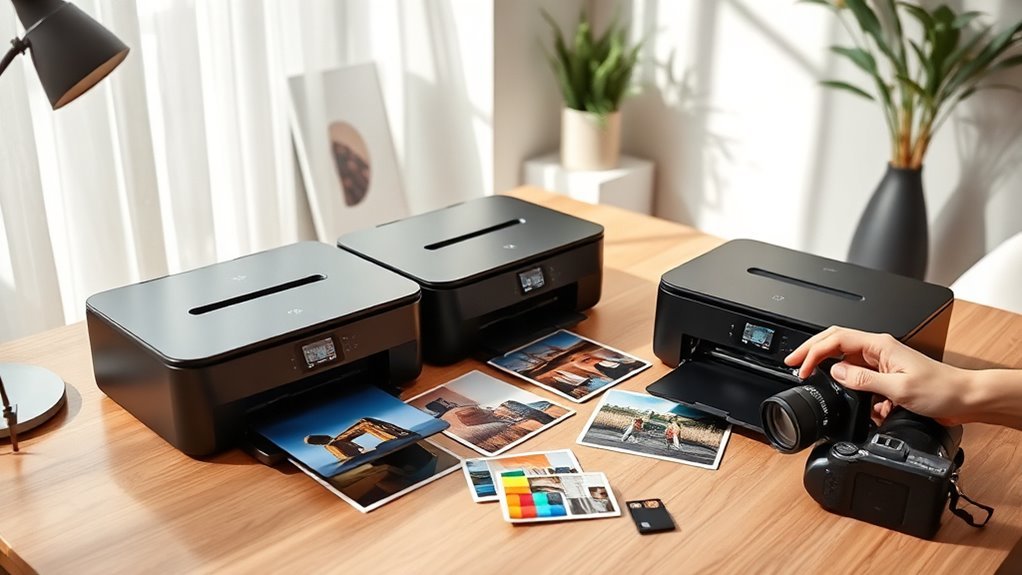
When picking your at-home photo printer, focus on print quality and resolution to get sharp, vibrant images. Make sure it offers the connectivity options you need and handles the media sizes you prefer.
Also, consider print speed, portability, and power options to match your workflow and lifestyle. These factors can really make a difference depending on how and where you plan to use your printer.
Print Quality and Resolution
Although choosing an at-home photo printer might seem straightforward, understanding print quality and resolution is essential to getting the best results. You’ll want a printer with high optical resolution—300 dpi or above works well for dye-sublimation, while inkjets benefit from 4800 x 1200 dpi or higher for sharper, more detailed 4×6 prints.
Color depth matters too; 24-bit color offers millions of shades, ensuring accurate skin tones and smooth gradients. Pay attention to the printing technology: dye-sublimation gives you continuous-tone prints, while inkjets deliver broader color gamuts but depend on pigment or dye quality.
Also, check if the printer supports color spaces like sRGB and Adobe RGB, plus ICC profiles, for consistent color accuracy. Finally, consider protective finishes and compatible papers to enhance sharpness and durability.
Connectivity Options Available
Choosing the right connectivity options can make your at-home photo printing experience smoother and more flexible. Wi-Fi, including built-in hotspots, lets you print wirelessly from multiple devices at once and usually supports app-based editing and control.
Bluetooth offers easy, direct pairing with smartphones, though it has a shorter range and supports fewer connections than Wi-Fi.
For reliability and low latency, USB Type-C or USB-A wired connections are your go-to, especially for direct PC or camera hookups and firmware updates.
NFC or smartphone docking simplifies one-tap pairing, perfect for quick prints and portable setups.
Think about how many devices need to connect at the same time and what ports are available. Especially if multiple users share the printer, these factors will really impact convenience and ease of use around your home.
Print Speed and Efficiency
Since printing speed directly impacts your workflow, you’ll want to focus on how quickly a printer produces each photo, including warm-up and first-page times. Typical consumer photo printers take about 15–60 seconds for a single 4×6″ print, so faster times are vital when handling batches.
Don’t just check steady-state speed—some printers print the first photo slower, which affects initial output. Look at throughput for batch jobs, measured in pages per minute or photos per hour. Also, consider sheet capacity to avoid frequent reloads during large projects.
And don’t forget about connectivity. How well the printer handles multiple devices and connectivity speeds matters too, since slow wireless can cause delays. Finally, keep in mind maintenance tasks like print-head cleaning or cartridge swaps, which can interrupt printing and reduce overall efficiency.
Media Compatibility and Size
When picking a photo printer, you’ll want to zero in on the types and sizes of media it supports to make sure it fits your printing needs. Check the maximum and minimum printable sizes to make certain it handles formats like 4×6, 5×7, or smaller wallet-sized prints.
Confirm the compatible media types—glossy, matte, peel-and-stick, or specialized papers like ZINK—since certain printers only work with specific coatings. Look for true borderless printing if you want edge-to-edge photos without margins.
Also, consider the sheet capacity and tray limits based on your usual batch sizes. Finally, verify the supported media thickness and weight to avoid jams or poor print quality. This way, you’ll make certain your preferred paper stocks work smoothly with the printer.
Portability and Power Options
Although many at-home photo printers require a constant AC power source, you might prefer a truly portable model with a built-in rechargeable battery if you plan to print on the go. Battery-powered printers usually print fewer pages per charge, so check the battery life by print count or mAh rating to make sure it fits your event or travel needs.
Consider the printer’s weight and size—lighter, pocketable ones are perfect for travel, while heavier models offer more stability and larger paper capacity. Also, take a look at the charging options like USB-C, micro-USB, or mains adapter.
See if the printer supports power banks or phone chargers, which can be super handy for flexibility. For longer use, compare power consumption and available external battery packs to estimate how long it’ll run and how often you’ll need to recharge.
Frequently Asked Questions
How Long Do Printed Photos Typically Last Without Fading?
Printed photos typically last 10 to 30 years without fading if you store them properly, away from direct sunlight and humidity.
You should keep them in albums or acid-free sleeves to help preserve their colors longer.
Taking a little extra care can really make a difference in how long your photos stay vibrant. Just think of it as giving your memories a safe home!
Can These Printers Handle Printing on Different Photo Paper Types?
You can print on almost every photo paper type these printers handle—glossy, matte, or even textured like a dream. They’ll bring your images to life with vibrant colors, making your photos pop like fireworks on a dark night.
It’s pretty amazing how versatile they are, right? Whether you’re going for a sleek shine or a soft, artistic feel, these printers have got you covered.
What Is the Average Cost per Photo Print for Each Printer?
You’ll find the average cost per photo print ranges from 10 to 30 cents, depending on the printer and paper quality. Some models use ink efficiently, while others might cost more due to cartridges or specialty papers.
It really depends on what you’re looking for. If you want top-notch prints, you might pay a bit extra. But for everyday photos, the cost can be quite reasonable.
Are There Any Environmental Concerns With the Ink or Paper Used?
Yes, you should consider environmental concerns. Ink cartridges often contain chemicals and plastic, which can be harmful if not disposed of properly.
Photo paper can also be non-recyclable, so it’s important to check what kind you’re using. Choosing eco-friendly inks and recyclable or recycled paper helps reduce your environmental impact markedly. It’s a small change that makes a big difference!
Do These Printers Support Photo Editing Features Before Printing?
Imagine you’re printing a family portrait and want to adjust brightness. Yes, many at-home photo printers, like Epson’s models, support basic editing features directly from their apps.
This lets you tweak photos before printing easily. So, you don’t have to rely on separate software just to make simple adjustments.
Conclusion
When choosing your at-home photo printer, remember that 70% of users prioritize print quality over speed. So, pick a printer that delivers sharp, vibrant photos every time, like the Canon Selphy CP1500 or Kodak Dock Plus.
Whether you want portability or all-in-one functionality, there’s a perfect option for you. With so many choices, finding the right fit can feel easy and fun.
With the right choice, you’ll enjoy printing memories right from your smartphone or laptop. It’s all about making your photos come to life effortlessly at home.
Choosing the best at-home photo printer means balancing quality, convenience, and features. From compact models to versatile all-in-one printers, you’ll find exactly what you need to bring your pictures to life. So, whether you’re snapping family moments or artistic shots, the right printer makes all the difference in preserving those memories beautifully.