4 Best All in One Printers for Scanning Old Photos in 2027
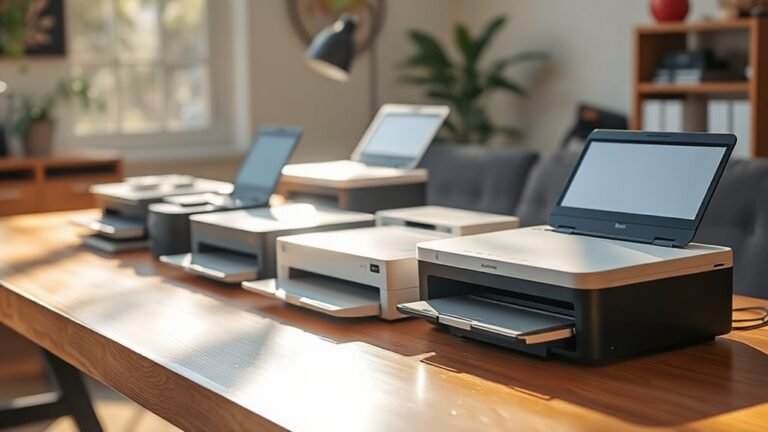
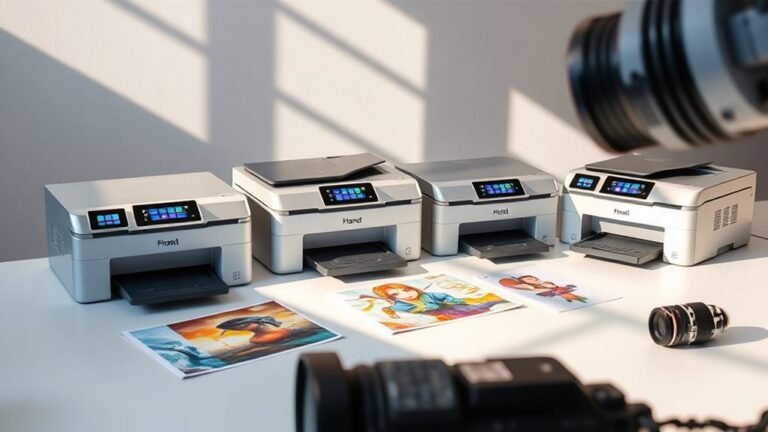
If you’re looking to preserve and enhance your old photos in 2027, having the right all-in-one printer for scanning old photos is key. Sharp scans and vibrant prints can bring your memories back to life, and choosing the right device makes all the difference.
Consider these four Epson all-in-one printers designed to handle photo scanning and printing with ease. The Workforce Pro WF-4935 offers a 50-sheet duplex feeder, perfect for high-volume scanning. Meanwhile, the EcoTank Photo ET-8500 uses a 6-color ink system to deliver lab-quality prints that truly pop.
The EcoTank ET-8500 also provides cartridge-free convenience, saving you time and money. And if ultra-high-resolution output is your priority, the XP-800 won’t disappoint. Each model balances excellent image detail with easy connectivity and user-friendly features.
Curious about which one fits your photo archive needs best? Let’s dive into what makes these printers stand out!
| Image | Name | Editor's Rating | Price |
|---|---|---|---|

|
|
||

|
|
||

|
|
||

|
|
Epson Workforce Pro WF-4935 Wireless All-in-One Printer
- Built for Speed — PrecisionCore Heat-Free technology delivers fast, high-volume printing with 25 (black)/12 (color) ISO ppm and fast first-page-out
- High-Precision Office Printing — Accurate dot placement and DURABrite Ultra instant-dry pigment inks for professional-quality prints
- High-Volume Durability for Heavy Workloads — Innovative heat-free technology engineered for reliability and reduced downtime
- Complete Duplex Solution — All-in-one printer with auto 2-sided print, copy, scan and fax; plus 50-sheet ADF
- Maximize Printing Productivity — High-performance office printer with 500-sheet paper capacity; includes two 250-sheet trays for added convenience

The Epson Workforce Pro WF-4935 is designed to streamline your printing and scanning needs with efficiency and precision. Its 50-sheet automatic document feeder and auto-duplex scanning make handling double-sided documents effortless, saving you time on high-volume tasks. This printer excels in producing sharp, detailed prints using PrecisionCore Heat-Free inkjet technology, reaching resolutions up to 4800 x 2400 dpi, ideal for photo restoration and professional documents.
Managing large print jobs is simple thanks to the dual 250-sheet trays, reducing frequent paper reloads. Wireless connectivity and a 4.3″ color touchscreen provide intuitive control and flexibility in your workspace. While it has a larger footprint and relies on USB 2.0 for wired connections, these trade-offs support its robust functionality.
Maintenance is straightforward, though initial ink cartridges include only four colors, which may require timely replacement with heavy use. Overall, this all-in-one printer balances high-quality output and practical features for busy home offices or professional environments.
Best for: professionals and home office users who need a versatile all-in-one printer capable of handling high-volume scanning and detailed photo printing.
What We Like:
- High-resolution prints up to 4800 x 2400 dpi for crisp images
- Efficient 50-sheet automatic document feeder with auto-duplex scanning
- Dual 250-sheet trays support large print jobs without interruption
- Wireless connectivity combined with an easy-to-use 4.3″ touchscreen
- PrecisionCore Heat-Free technology reduces heat-related wear
Specification:
| Feature | Details |
|---|---|
| Manufacturer | Epson |
| Dimensions (W×D×H) | 17.3 x 21.4 x 13.6 in |
| Weight | 23.1 lb (10.5 kg) |
| Color Options | Black |
| Connectivity | Wi-Fi, USB 2.0 |
| Automatic Document Feeder | 50 sheets |
| Paper Trays | Dual 250-sheet trays |
Epson EcoTank Photo ET-8500 Wireless Color All-in-One Supertank Printer
- Epson's Claria ET Premium 6-color ink breathes life into your cherished memories with vivid details and vibrant hues. Every nuance and emotion is captured with stunning...
- Ditch cartridges and embrace revolutionary ink savings
- Print stunning photos, personalized gifts, or pro presentations on cardstock, envelopes, CDs, and DVDs
- Epson's Claria ET Premium 6-color ink delivers breathtaking detail and vibrant colors
- Print from anywhere, anytime
The Epson EcoTank Photo ET-8500 is designed to help you reduce ink expenses while maintaining exceptional photo quality. This wireless all-in-one printer uses a cartridge-free 6-color Claria ET Premium ink system to produce sharp, lab-quality photos with resolutions up to 4800 x 1200 dpi. Its ability to print on various media, including borderless photos, cardstock, and CDs, makes it versatile for creative projects.
Maintenance is straightforward thanks to large 70 mL ink bottles that last longer and cost less than traditional cartridges. You can print thousands of pages before needing a refill, which lowers your overall printing costs. However, the single 10-sheet tray may require frequent refilling during high-volume tasks.
Scanning capabilities include double-sided documents and photos, making it easy to digitize old memories or important paperwork. The 4.3-inch touchscreen and multiple connectivity options simplify operation and enhance user experience. Although print speeds are moderate, the focus on quality and cost efficiency suits photo enthusiasts and home offices.
Best for: Users seeking high-quality photo printing with significant ink cost savings and versatile media handling in a wireless all-in-one printer.
What We Like:
- Cartridge-free 6-color ink system delivers sharp, lab-quality prints.
- High-yield 70 mL ink bottles provide up to 80% savings over cartridges.
- Supports a variety of media types including cardstock and CDs.
- Easy scanning of double-sided documents and photos.
- User-friendly 4.3-inch touchscreen interface.
Specification:
| Feature | Details |
|---|---|
| Manufacturer | Epson |
| Dimensions | 15.9 x 13.7 x 6.7 inches |
| Weight | 13.3 lbs (6.03 kg) |
| Ink System | Cartridge-free 6-color Claria ET Premium |
| Connectivity | Wireless, USB |
| Display | 4.3-inch touchscreen |
Epson EcoTank ET-8500 Wireless All-in-One Printer
- 【Main Features】 Fast color printing, copying, scanning and faxing, plus double-sided printing and a useful color touch screen control panel. Quickly browse multiple...
- 【Extraordinary Printing】 Print borderless pictures up to 8.5" x 11" on various paper types (including card stock, CD/DVD and other special media with a thickness of...
- 【Printing Function】 EcoTank Photo ET-8500 wireless all-in-one machine can print laboratory-quality color photos, graphics and daily documents-all of which have...
- 【Standard Connection】With wireless function and hands-free voice-activated printing, you can easily access, print and share network resources; use the intuitive Epson...
- 【Touch Screen】 4.3" color screen, voice-activated printing, etc., to achieve fast and easy performance. Wireless connection, you can use this printer more quickly.
The Epson EcoTank ET-8500 Wireless All-in-One Printer is designed to elevate your photo printing and scanning tasks. It delivers lab-quality, borderless photos up to 8.5 x 11 inches, perfect for creating vivid prints without the hassle of cartridges. This system helps you save significantly with its cartridge-free 6-color Claria ET Premium ink, reducing printing costs by up to 80%.
This printer integrates seamlessly into your workspace with Wi-Fi, Ethernet, and voice-activated printing, allowing you to print effortlessly from multiple devices. The 4.3-inch touchscreen offers intuitive control, making navigation and set-up simple. It supports printing on various media, including cardstock and CDs, adding versatility to your projects.
Maintenance is straightforward thanks to the EcoTank system, which minimizes ink replacement frequency. Although it doesn’t include an automatic document feeder, it suits users focused on high-quality photo output rather than high-volume document processing. Print speeds are moderate at 12 ppm for color, suitable for most home and small office needs.
Best for: photographers and home users seeking a versatile photo printer with low-cost ink and multiple connectivity options.
What We Like:
- Cartridge-free 6-color Claria ET Premium ink system cuts printing costs by up to 80%
- Produces lab-quality, borderless photos up to 8.5 x 11 inches
- Multiple connectivity options including Wi-Fi, Ethernet, and voice-activated printing
- User-friendly 4.3-inch touchscreen for easy operation
- Supports printing on cardstock and CDs for creative projects
Specification:
| Feature | Details |
|---|---|
| Manufacturer | Epson |
| Dimensions (W x D x H) | 15.7 x 13.4 x 8.4 inches |
| Weight | 15.9 lbs |
| Ink System | Cartridge-free 6-color Claria ET Premium |
| Connectivity | Wi-Fi, Ethernet, Voice-activated printing |
| Display | 4.3-inch touchscreen |
Epson XP-800 Wireless All-in-One Color Printer
- Superior photo quality and sharp text with 5 individual ink tanks
- Dedicated photo tray, plus print CD/DVDs with special tray
- 30-page Auto Doc Feeder with 2 sided scanning, faxing, and copying
- Intuitive 3.5" touchscreen with gesture navigation
- EPSON Connect – easily print from iPads, iPhones, tablets, and smartphone
The Epson XP-800 Wireless All-in-One Color Printer offers a seamless way to create vibrant photos and clear documents right at home or in your office. Its dedicated photo tray and high print resolution ensure your images come out sharp and true to life. This printer is designed to handle both everyday printing tasks and specialized photo projects with ease.
Maintaining the printer is straightforward thanks to its five individual ink tanks, which let you replace only the colors that run low. The 30-page automatic document feeder supports duplex scanning and copying, saving you time when handling multiple pages. Wireless and Ethernet connectivity allow you to print directly from your smartphone or tablet, making the process convenient and flexible.
Its 3.5-inch touchscreen provides simple navigation, so scanning and printing photos or documents is intuitive. While the print speed is moderate, the quality and versatility of the Epson XP-800 make it a valuable tool for users who prioritize crisp, colorful output. Keep in mind it has limited USB ports, which may restrict some direct device connections.
Best for: photographers, home office users, and anyone needing high-quality photo prints combined with versatile all-in-one functionality.
What We Like:
- High-resolution printing (5760 x 1440 dpi) with individual ink tanks for vivid colors.
- 30-page automatic document feeder with duplex scanning and copying.
- Wireless and Ethernet connectivity for easy mobile printing.
- Intuitive 3.5″ touchscreen for straightforward operation.
Specification:
| Feature | Details |
|---|---|
| Manufacturer | Epson |
| Dimensions (W x D x H) | Approx. 15.6 x 12.3 x 6.0 inches |
| Weight | Approx. 12.3 lbs (5.6 kg) |
| Ink System | 5 individual ink tanks |
| Connectivity | Wireless, Ethernet, USB |
| Display | 3.5-inch color touchscreen |
Factors to Consider When Choosing an All in One Printer for Scanning Old Photos

When you’re choosing an all-in-one printer to scan old photos, focus on scan resolution and color accuracy to preserve details and true hues.
Think about whether you need an automatic document feeder for batch scanning. Also, check the media size compatibility for different photo formats.
Make sure the printer offers connectivity options that fit your devices and workflow. That way, everything works smoothly and saves you time.
Scan Resolution Importance
Because capturing every detail matters, you’ll want to pay close attention to the optical scan resolution of your all-in-one printer when scanning old photos. Optical resolution, measured in dpi, reflects the true hardware capability to capture fine details.
For standard 4×6 prints, 300–600 dpi usually suffices. But if you plan enlargements or have small originals, aim for 1200–2400 dpi to preserve texture and grain.
Avoid relying on interpolated resolution, which only upscales images without adding real detail.
When scanning film negatives or slides, higher optical resolution—2400–4800 dpi—is essential to capture fine emulsion detail and avoid pixelation in large prints.
Keep in mind, higher resolution scans create much larger files. So, prepare your storage and backup solutions accordingly for archival-quality scans saved in lossless formats like TIFF.
Photo Color Accuracy
Optical resolution sets the foundation for capturing fine details, but color accuracy brings your scanned photos to life. When choosing an all-in-one printer, prioritize scanners with high color bit depth—48-bit input is ideal—to capture subtle tones in faded or chemically altered photos.
Look for wide color gamut support to preserve saturated hues like reds and deep blues common in old prints. Accurate color profiling, including ICC profile support or software for custom profiles, helps you correct scanner bias and match the original photo’s colors precisely.
Also, consider scanners with low-noise hardware and high dynamic range (Dmax above 3.0) to retain shadow details and gentle midtone shifts. Together, these features guarantee your scanned photos reflect their true, vibrant colors.
Automatic Document Feeder
Scanning large collections of old photos can quickly eat up your time unless you use an automatic document feeder (ADF) to speed things along. An ADF lets you scan multiple photos in a batch without placing each on the flatbed, saving hours.
When choosing one, pick an ADF that supports duplex scanning if you need both sides digitized. Check its maximum sheet capacity—typically 30 to 50 sheets—to plan your sessions effectively.
Also, verify the media thickness and size it can handle, since thick, taped, or small photos might jam. Finally, look for adjustable guides and gentle feed mechanisms to protect fragile, aged photos from curling or edge damage during scanning.
Media Size Compatibility
When you’re digitizing old photos, making sure your all-in-one printer can handle various media sizes is essential. Check the scanner’s maximum flatbed dimensions and confirm it supports standard photo sizes like 4×6, 5×7, and 8×10. This lets you scan originals without cropping or multiple passes.
Also, consider thickness compatibility for cardstock or mounted photos up to 1–2 mm thick to avoid damage. Look for borderless or full-bleed scanning features that capture photos edge-to-edge without losing margins.
If you have larger or oversized photos, verify the scanner accommodates bigger document sizes, like letter or legal. Finally, if you scan batches of mixed sizes, make sure the scanner can auto-detect or manually adjust sizes, so you don’t waste time resizing or re-scanning.
Connectivity Options Variety
To make the most of your all-in-one printer for digitizing old photos, you’ll want to look closely at its connectivity options. USB wired connections, especially USB 2.0 or higher, offer fast, stable transfers ideal for large batches of high-resolution scans without Wi-Fi hiccups.
Ethernet connections provide even more reliable, faster transfers for multi-user environments, avoiding wireless interference. Wi-Fi and Wi-Fi Direct let you scan wirelessly from smartphones or laptops, though speeds and connection stability can vary.
Many printers also support cloud and email uploads, letting you back up or share scans instantly, but these depend on your internet speed. Mobile apps and wireless protocols like AirPrint simplify scanning from devices and often include helpful features, though app quality varies between brands.
Choose connectivity options that fit your workflow for smooth scanning. It really makes a difference to pick what works best for you!
Ink Type and Quality
Although ink type might seem less important than scanning features, it plays a pivotal role in how your reproduced photos turn out. If you want prints that last, pigment inks are your best bet—they resist fading and water damage far better than dye inks, making them ideal for preserving old photos.
However, dye inks offer richer colors and finer detail on glossy prints, which can help capture the subtle tones of color photos, even though they fade faster. Look for printers with multi-color ink sets, including light cyan and magenta or extra photo blacks, to achieve smoother tonal shifts and better skin tones.
Also, finer ink droplets and higher dpi reduce grain and sharpen detail. Using color-managed workflows guarantees your scans closely match the original colors.
Ease of Use Interface
Since scanning old photos can be a detailed process, having an easy-to-use interface on your all-in-one printer makes a big difference. Look for a clear, color touchscreen (3–5 inches) with large icons and intuitive menus to speed up setup and simplify choosing scan resolution, file format, and destination.
Direct scanning shortcuts or programmable presets save you time when batch-scanning by eliminating repeated steps. On-device preview and basic editing tools like crop and brightness adjustments help you fix issues before saving, reducing rescans.
Also, simple Wi-Fi setup with clear prompts and compatibility with mobile apps make sending scans to your phone or cloud effortless. Finally, multilingual menus and accessible features guarantee everyone can use the printer comfortably, regardless of tech experience or vision.
Frequently Asked Questions
Can These Printers Scan Photos Directly to Cloud Storage?
Yes, many all-in-one printers let you scan photos directly to cloud storage.
You can easily connect them to services like Google Drive or Dropbox. That way, you don’t have to transfer files manually every time you scan.
What Is the Average Lifespan of the Printer’s Scanner Component?
The average lifespan of a printer’s scanner component is about 3 to 5 years with regular use.
You’ll want to maintain it well and avoid heavy daily scanning to keep it working longer. Taking good care of it really makes a difference.
Are These Printers Compatible With Both Windows and Macos?
Yes, these printers are compatible with both Windows and macOS. You’ll find drivers and software for both platforms, ensuring smooth scanning and printing regardless of which operating system you prefer to use.
It’s pretty straightforward to get everything set up, no matter if you’re on a PC or a Mac. So, you won’t have to worry about compatibility issues at all.
Do These Printers Support Scanning Photos in RAW Format?
You won’t find these printers capturing photos in raw format—they’re like artists who prefer finished canvases, offering high-quality JPEG or TIFF scans.
How Do These Printers Handle Scanning Delicate or Damaged Photos?
They gently scan delicate or damaged photos using adjustable settings and high-resolution sensors. You’ll want to handle originals carefully, using protective sleeves if possible.
Also, choose models with advanced image correction to restore faded or torn areas. It really helps bring those old photos back to life.
Conclusion
So, you want to immortalize Grandma’s blurry vacation snaps without turning them into modern art? These all-in-one printers have your back—scanning, printing, and saving your memories without needing a PhD in tech.
Just pick one, and let the magic happen. Because who needs a professional scanner when you’ve got gadgets that multitask better than you do on a Monday morning?
Your old photos will thank you—eventually. Choosing the best all-in-one printer for scanning old photos means you get convenience and quality rolled into one device. These printers are perfect for digitizing cherished memories quickly, so you can preserve and share them easily. Whether you’re tackling a box of vintage pictures or just a few treasured prints, the right all-in-one printer makes photo scanning effortless and fun. So go ahead, bring those old photos back to life with the best all-in-one printers for scanning old photos in 2027!