3 Best and Affordable 3D Printers for 2027
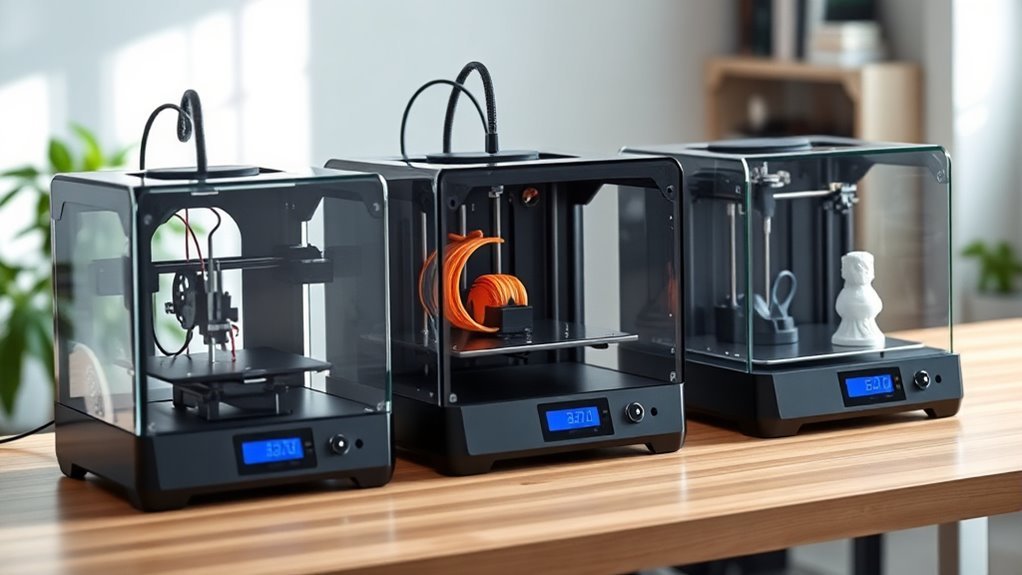
You’ll want to check out the Creality Ender 3 V3 SE for reliable, versatile printing with its full-metal extruder and stable dual Z-axis. This printer is perfect if you’re looking for durability and precision in your 3D printing projects. It handles a variety of materials with ease and delivers consistent results.
If quick setup and beginner-friendly features matter, the fully assembled TINA2S with wireless app control is perfect. It’s designed for those new to 3D printing who want to start printing right away without the hassle of complicated assembly. Plus, controlling it through an app makes the whole process super convenient.
For high-speed, flexible filament use, the Ender-3 V3 Neo excels with AI monitoring and quick-swap nozzles. This makes changing materials fast and keeps your prints running smoothly. Keep exploring to see which fits your needs best and why these stand out in 2027.
| Image | Name | Editor's Rating | Price |
|---|---|---|---|

|
|
||

|
|
||

|
|
Creality Ender 3 V3 SE 3D Printer Upgrade
- 【250mm/s High-speed Printing】Creality Ender 3 V3 SE 3d printer supports a maximum printing speed of 250mm/s, 2500mm/s² acceleration.The speed has been greatly...
- 【Powerful ""Sprite"" Direct Extruder】Ender 3 V3 SE is the upgrade of ender 3, ender 3 v2, ender 3 pro, ender 3 neo, ender 3 v2 neo, ender 3 s1, ender 3 s1 pro etc 3d...
- 【Worry-free CR Touch Auto Leveling & Strain Sensor】Creality Ender 3 upgraded 3d printer features a CR Touch sensor for auto leveling and a strain sensor for auto...
- 【Stable Dual Z-axis & Y-axis Linear Shafts】High-precision dual Z-axis lead screws reduce Z wobbling effectively, avoid printing deviation in single-axis printing...
- 【Quick Assembly & Easy to Use】Preassembly has solved those hassles and worries of parts assembly, It only takes 3 steps to complete the assemble the ender-3 v3 se 3d...

Experience faster, more efficient 3D printing with the Creality Ender 3 V3 SE upgrade. Designed to handle multiple filament types smoothly, this printer tackles your projects with ease and precision. Its enhanced speed and acceleration reduce print times significantly, helping you complete tasks faster.
The upgraded Sprite full-metal dual-gear direct extruder ensures reliable filament feeding. It supports PLA, TPU, and PETG, with automatic loading and unloading that simplifies operation. This system minimizes jams and maintenance, letting you focus on creating rather than troubleshooting.
Stability is improved with features like CR Touch auto leveling, a strain sensor Z-offset, and dual Z-axis lead screws. These additions enhance print quality by maintaining consistent calibration and reducing errors, even during longer jobs.
While the build volume is modest, it suits most hobbyist and professional needs. Its weight offers a sturdy base but limits portability. Ideal for users who prioritize reliability and ease of use over large-scale printing or specialty materials.
Best for: hobbyists and professionals seeking a fast, reliable, and easy-to-use 3D printer with versatile filament compatibility and quick setup.
What We Like:
- High-speed printing with 250 mm/s max speed and 2500 mm/s² acceleration
- Reliable Sprite full-metal dual-gear extruder with auto filament handling
- Stable printing with CR Touch auto leveling and dual Z-axis lead screws
- Supports popular filaments: PLA, TPU, and PETG
- Easy maintenance and reduced downtime
Specification:
| Feature | Details |
|---|---|
| Manufacturer | Creality |
| Build Volume | 8.66 x 8.66 x 9.84 inches |
| Weight | 15.66 pounds (7.1 kg) |
| Extruder | Sprite full-metal dual-gear |
| Supported Filaments | PLA, TPU, PETG |
| Auto Leveling | CR Touch |
TINA2S 3D Printer Beginner Friendly, Fully Assembled, Ready to Use
- 【Ready to Use & Beginner Friendly】Hephi3d TINA2S beginner 3d printer for home. Fully assembled, auto leveling, out of the box, no setup. Ready to print in 5 minutes...
- 【Read to Print Model Library】 TINA2S beginner-friendly 3d printers with App, access 3,500+ online ready to print models, one-tap-print easily via your phone or...
- 【Pint Your Way-No Limits】TINA2S mini 3d printer is fully open-source, support use with Wiibuilder, Cura, Kiri(Chrome book), PrusaSlicer softwares on PC/Laptop. You...
- 【Ultra Quiet-Print】 Tina2S small 3d printers beginner-friendly, is built in self-developed motherboard for silent printing(40~50dB), provide family a conforatble...
- 【Auto Bed Leveling & Precise Printing】Plug and play 3d printer TINA2S auto-bed leveling make it more easy to use for starter. Filament Sensor detection and power-loss...
The TINA2S 3D printer offers a seamless entry into 3D printing with its fully assembled, beginner-friendly design. It removes the hassle of setup, letting you start printing just minutes after plugging it in. Its auto-leveling feature ensures precise prints without manual adjustments, saving time and frustration.
Designed with a compact, semi-enclosed frame, this printer fits neatly on any desk while minimizing accidental contact. You can easily manage your projects through wireless control via an app or tablet, gaining access to over 3,500 ready-to-print models. This connectivity simplifies the printing process and expands creative possibilities.
Maintenance is straightforward thanks to reliable features like filament detection and power-loss resume, which prevent common print failures. The printer supports PLA and TPU filaments, known for their ease of use and versatility. Its quiet operation and fast printing speeds make it well-suited for classrooms, hobbyists, and STEM learners.
While the TINA2S excels in convenience and ease, it is limited to specific filament types and has a compact build size, which may not suit larger or more advanced projects. Additionally, with availability starting in 2026, current support might be limited.
Best for: Beginners, STEM learners, and hobbyists seeking an easy-to-use, fully assembled 3D printer with wireless control and reliable performance.
What We Like:
- Ready to use with plug-and-play setup and auto-leveling
- Wireless app control with access to a large model library
- Quiet operation with fast print speeds
- Filament detection and power-loss resume for hassle-free printing
- Compact design ideal for small workspaces
Specification:
| Feature | Details |
|---|---|
| Manufacturer | TINA2S |
| Dimensions | Compact, desk-friendly |
| Supported Filaments | PLA, PLA Pro, TPU |
| Frame Design | Semi-enclosed |
| Control Method | Wireless via app/tablet |
| Noise Level | Quiet operation |
| Availability Date | 2026 |
Creality Ender-3 V3 Neo Beginner 3D Printer
- CREALITY ENDER-3 V3 NEO 3D PRINTER FOR BEGINNERS – Designed for beginners and DIY makers, this Creality 3D printer combines easy operation with practical features for...
- 220×220×220MM BUILD VOLUME FOR DIY PROJECTS – The Creality Ender-3 V3 Neo 3D printer provides a practical build area for 3D models, functional parts, props...
- UP TO 500MM/S HIGH-SPEED 3D PRINTING – Print at up to 500mm/s with up to 8,000mm/s² acceleration, helping makers prototype, test, and refine 3D printed parts faster...
- FLEXIBLE FILAMENT SUPPORT FOR FUNCTIONAL 3D PRINTING – Compatible with flexible materials such as TPU 90A and above for grips, protective components, flexible...
- SMART MONITORING FOR RELIABLE 3D PRINTING – Flow calibration, vibration optimization, filament runout and tangle detection, and AI camera monitoring help detect common...
The Creality Ender-3 V3 Neo is designed to make 3D printing accessible and efficient for beginners and DIY enthusiasts. Its compact build volume of 220 × 220 × 220 mm offers ample space for creating prototypes, models, and functional parts without overwhelming new users. This printer helps you bring your ideas to life with ease and precision.
Equipped with a direct drive extruder, it supports flexible filaments like TPU 90A+, expanding your material options. The printer’s high-speed capabilities—up to 500 mm/s with acceleration of 8,000 mm/s²— ensure your projects finish quickly without sacrificing accuracy. This combination solves common delays in home 3D printing.
Maintenance is simplified through smart features like auto leveling, quick-swap nozzles, and AI camera monitoring. These tools reduce setup time and help you avoid common printing errors. Additionally, filament runout detection and vibration optimization contribute to smooth, uninterrupted prints.
While the build volume suits most home projects, it may limit larger creations. The printer’s weight, about 17 pounds, offers stability but can challenge portability. Some advanced features might require a brief learning curve for absolute beginners.
Best for: Beginners and DIY makers seeking an easy-to-use, fast, and reliable 3D printer for home projects and prototyping.
What We Like:
- Fast and precise printing with up to 500 mm/s speed and 8,000 mm/s² acceleration
- Supports flexible filaments like TPU with direct drive extruder
- Smart maintenance features including auto leveling and AI monitoring
- Filament runout detection ensures uninterrupted printing
Specification:
| Feature | Details |
|---|---|
| Manufacturer | Creality |
| Build Volume | 220 × 220 × 220 mm |
| Maximum Print Speed | 500 mm/s |
| Acceleration | 8,000 mm/s² |
| Extruder Type | Direct drive |
| Supported Filaments | TPU 90A+ and others |
| Weight | 16.94 lb (7.68 kg) |
Factors to Consider When Choosing an Affordable 3D Printer

When choosing an affordable 3D printer, you’ll want to weigh print speed and accuracy to get quality results quickly. Think about the build volume capacity to make certain it fits the projects you plan to create.
Also, check filament compatibility, ease of assembly, and the connectivity and software options to make your experience smoother. These little details can really make a difference when you’re just starting out.
Print Speed And Accuracy
Although faster print speeds can markedly cut down your printing time, they often come with trade-offs in surface quality unless the printer’s motion system and firmware effectively manage acceleration and movement. Higher speeds—ranging from 200 to 500 mm/s—require high acceleration values to maintain precision, especially around corners and intricate details.
You’ll want a printer with robust mechanical components like linear rails and reinforced frames to reduce artifacts such as ringing and Z-wobble. Also, finer layer heights and smaller nozzles improve accuracy but slow the process.
Fortunately, you can tune slicer settings—adjusting jerk, acceleration limits, and print speed per feature—to balance speed and precision. Picking a printer that excels in managing these factors guarantees you get quality prints without sacrificing efficiency.
Build Volume Capacity
Assess your typical project sizes before choosing a 3D printer’s build volume capacity. If you mainly print small desktop models, a build volume around 220 × 220 × 220 mm often suffices.
For larger functional parts, look for printers offering 300 mm or more in at least one dimension. Keep in mind that bigger volumes let you print single pieces without assembly but increase print time, filament use, and the chance of bed warping on tall objects.
Test the usable build area—mounts and enclosures can reduce effective dimensions. If you value space, cost, or material efficiency, pick the smallest volume that meets your common needs.
Also, consider how build volume interacts with print speed to optimize your workflow without sacrificing capacity. It’s all about finding the right balance for what you create most often.
Filament Compatibility Options
Filament compatibility plays a crucial role in choosing a 3D printer that fits your project needs and budget. First, check which filament types the printer supports—PLA, PETG, TPU, and others. Make certain it can handle their specific print temperatures and flexibility requirements.
Know whether the printer uses a direct-drive or Bowden extruder. Direct-drive is better for flexible filaments like TPU, while Bowden excels with stiffer materials. Confirm the nozzle and hotend temperature limits to avoid filament incompatibility.
Also, consider features like filament sensors, auto-loading, and proper spool holders to reduce print failures. Finally, make certain the printer’s heated bed and build surface suit the filament you want. Materials like ABS and PETG need specific conditions for good adhesion.
Ease Of Assembly
Choosing the right 3D printer goes beyond filament compatibility—you’ll want to contemplate how easy it is to assemble and start printing. Look for models labeled “fully assembled” or “preassembled,” which can be ready in under 30 minutes to minimize setup hassle.
Features like auto bed leveling and built-in strain or Z-offset sensors simplify first-layer adjustments, helping beginners avoid frustration. Opt for printers with simple, tool-free frames and clear, numbered steps, ideally requiring just a few main assembly actions.
Intuitive filament loading and unloading, with guided prompts, streamline filament changes and reduce errors. A compact, semi-enclosed design paired with plug-and-play connectivity options—like USB or TF card—also simplifies physical setup.
Prioritizing ease of assembly guarantees you spend less time setting up and more time creating. It’s all about getting you printing faster without the headaches!
Connectivity And Software
Many affordable 3D printers offer multiple connectivity options like USB, SD or TF cards, and Wi-Fi or app control, giving you flexible ways to transfer your designs. Wireless uploads and one-tap phone printing add convenience, but wired connections come in handy when your network isn’t reliable.
Check if the printer supports popular slicers like Cura or PrusaSlicer and accepts standard G-code, so you can easily share profiles and tweak advanced settings. Look for remote monitoring features such as camera support or app status updates, which help you manage prints without staying by the machine.
Evaluate onboard controls and user interfaces—touchscreens usually simplify navigation—and confirm if the firmware is open or updatable for ongoing improvements. Finally, bundled software libraries or cloud repositories speed up setup by letting you import ready-to-print models directly.
Reliability And Stability
Reliability plays a vital role in guaranteeing your 3D printer consistently delivers quality results without frequent interruptions. You want a sturdy frame with solid motion components like dual linear shafts or lead screws to reduce wobble and layer defects.
A reliable extrusion system featuring metal gears and filament sensors helps prevent under-extrusion and print failures, especially during long jobs. Auto bed leveling and automatic Z-offset sensors save you time by minimizing first-layer issues and print-to-print variation.
Features like power-loss resume and filament runout detection keep your prints going even after interruptions, preventing wasted hours. Lastly, low-noise, well-cooled motherboards paired with quality stepper drivers assure stable motor motion, reducing vibrations for better dimensional accuracy and surface finish.
Support And Warranty
After making sure your 3D printer delivers consistent and stable performance, you’ll want to weigh the support and warranty options that come with it. Confirm the warranty length—12 months is common—and check if it covers parts, labor, and return shipping to avoid unexpected costs.
Look for multiple support channels like email, phone, live chat, or forums, ideally with a quick response time guarantee. It’s always a plus if you can reach someone easily when you need help.
Verify that replacement parts, consumables, and firmware updates are easy to find. See if the manufacturer provides parts lists or a marketplace—makes things way simpler when you need something.
Also, make certain clear documentation, setup guides, and troubleshooting resources are available. These can speed up self-repairs and save you a lot of time and frustration.
Finally, confirm the policy on software and firmware updates. Check whether support includes calibration help and guidance for printing issues—because sometimes that extra help makes all the difference.
Frequently Asked Questions
How Do 3D Printers Impact Environmental Sustainability?
You can reduce waste with 3D printers by creating only what you need, cutting excess materials. They also allow for recycling plastics into new prints, supporting sustainability.
But, it’s not all perfect. Energy use and material choices still impact the environment. So, while 3D printing helps, we’ve got to be smart about how we use it.
What Materials Are Safest for Home 3D Printing?
You’ll find PLA and PETG safest for home 3D printing since they emit fewer fumes and are biodegradable.
Avoid ABS indoors unless you have proper ventilation, as it releases harmful particles during printing. It’s really important to keep the air clear when using ABS.
Can 3D Printing Be Used for Educational Purposes?
Can you imagine learning without hands-on experience?
You can use 3D printing for educational purposes to bring concepts to life, encourage creativity, and make complex subjects easier to understand through tangible models and interactive projects.
It’s pretty amazing how something you can hold in your hands can help make tricky ideas click.
Plus, working on these projects can really get your brain working in new ways!
How Do 3D Printers Compare to Traditional Manufacturing Costs?
You’ll find 3D printing often lowers costs for small batches and prototypes compared to traditional manufacturing. It cuts tooling expenses and speeds production.
But when it comes to large-scale runs, traditional methods usually remain more cost-effective. So, it really depends on the size and scope of what you’re making.
What Are Common Troubleshooting Tips for 3D Printer Errors?
You should check bed leveling, clean the nozzle, and make certain proper filament loading. Restart your printer, update firmware, and adjust print settings if needed.
Regular maintenance helps prevent errors and keeps your prints smooth and accurate. It’s a simple way to avoid a lot of common issues. Just a little care goes a long way!
Conclusion
Choosing the right 3D printer can feel overwhelming, but you’re already ahead by exploring affordable, quality options like the Creality Ender 3 V3 SE and TINA2S.
Did you know that 70% of beginners find fully assembled printers boost their confidence and success? By focusing on ease of use, budget, and features, you’ll be set up to bring your creative ideas to life without breaking the bank.
When searching for the best and affordable 3D printers for 2027, it’s important to balance cost with reliability and functionality. These models offer great value, making them perfect for hobbyists and newcomers alike.
So, whether you’re printing prototypes, custom gifts, or fun projects, choosing an affordable 3D printer like the Ender 3 V3 SE or TINA2S ensures you get quality results without overspending. Happy printing!