7 Best All-in-One Laser Printers with AirPrint for 2027
You’ll find the 7 best all-in-one laser printers with AirPrint for 2027 offering wireless duplex printing and sharp 1200 x 1200 dpi output. These printers come with versatile color or monochrome options, making them perfect for different needs.
Models like Canon’s MF662Cdw and MF753Cdw II deliver vibrant color prints with easy mobile printing. On the other hand, Canon MF462dw II and HP 3105sdw shine when it comes to fast monochrome tasks.
They also combine large paper capacity and user-friendly touchscreens, so you get convenience and efficiency. Plus, reliable security features keep your documents safe. Keep exploring to see which one fits your workspace needs perfectly!
| Image | Name | Editor's Rating | Price |
|---|---|---|---|

|
|
||
|
|
||

|
|
||

|
|
||

|
|
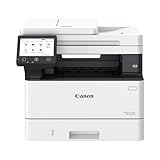
Canon imageCLASS MF662Cdw Wireless Duplex Laser Printer
- Color, Wireless, Duplex 3-in-1: Print, scan, copy.
- Fast Print Speeds: Print up to 26 ppm in both color and monochrome and spend less time waiting with a quick first print time of approximately 10.3 seconds.
- Easy Wireless Setup: Setup your wireless connection and get up and running in just a few steps.
- 5-inch Color Touchscreen: Get the job done quickly with Application Library - an intuitive and easy to use customizable access to the features you use most.
- Mobile Device Printing: Print from your compatible mobile devices using the free Canon PRINT app, Apple AirPrint and Mopria Print Service.

The Canon imageCLASS MF662Cdw is a wireless all-in-one printer designed to streamline your small or home office tasks. It handles printing, copying, and scanning with clear 600 x 600 dpi resolution at speeds up to 26 pages per minute. This helps you complete daily jobs efficiently without sacrificing quality.
Its automatic duplex printing feature cuts your paper use in half and lowers your workload. The 250-sheet paper cassette reduces the need for frequent refills, letting you focus on work instead of paper management. Connectivity options like Wi-Fi, Ethernet, and USB ensure flexible setup in any workspace.
Maintenance is straightforward, though the starter toner yields are modest, so plan for replacement if printing volume grows. The device’s weight of 55.1 lb means it’s best suited for a stable spot rather than frequent relocation. The 5-inch touchscreen adds ease by letting you customize shortcuts for faster operation.
This printer suits users who want a versatile, wireless all-in-one device that supports hybrid work styles with practical duplex printing and mobile connectivity.
Best for: Small and home office users who need a reliable multifunction printer with wireless capabilities and efficient duplex printing.
What We Like:
- Fast printing at up to 26 ppm with sharp resolution
- Automatic duplex printing reduces paper waste
- Large 250-sheet cassette minimizes paper handling
- Multiple connectivity options including mobile printing
- Easy-to-use 5-inch touchscreen interface
Specification:
| Feature | Details |
|---|---|
| Manufacturer | Canon |
| Dimensions (W×D×H) | Approx. 16.5 × 18.4 × 16.7 in (41.9 × 46.7 × 42.4 cm) |
| Weight | 55.1 lb (25 kg) |
| Print Resolution | 600 x 600 dpi |
| Connectivity | Wi-Fi, Ethernet, USB |
| Paper Capacity | 250-sheet cassette |
| Touchscreen | 5-inch color touchscreen |
Canon imageCLASS MF462dw II – Wireless, Monochrome Duplex Laser Printer
- Monochrome, Wireless, Duplex 4-in-1: Print, scan, copy, fax.
- Fast Print Speeds: Print up to 37 pages per minute and spend less time waiting with a quick first print time of approximately 5 seconds.
- Easy Wireless Setup: Setup your wireless connection and get up and running in just a few steps2
- 5-inch Color Touchscreen: Get the job done quickly with Application Library - an intuitive and easy to use customizable access to the features you use most.
- Mobile Device Printing: Print from your compatible mobile devices using the free Canon PRINT app, Apple AirPrint and Mopria Print Service.
The Canon imageCLASS MF462dw II is designed to streamline monochrome printing for busy small offices. It delivers fast output at 37 pages per minute, helping reduce wait times and keep workflows moving smoothly. Sharp 1200 x 1200 dpi prints ensure every document is clear and professional.
This all-in-one device combines printing, copying, scanning, and faxing, simplifying office tasks. Its 5-inch touchscreen offers intuitive control, making operation straightforward. Wireless connectivity supports Canon PRINT, AirPrint, and Mopria, allowing convenient mobile printing without cables.
Maintenance is hassle-free with a large 250-sheet cassette and 100-sheet multipurpose tray, reducing frequent paper refills. The capacity can expand up to 900 sheets to support higher volume needs. Auto duplex printing and a 50-sheet duplex ADF save time on double-sided documents.
While it’s monochrome only, this printer excels in environments prioritizing black-and-white output. Its weight and size require enough desk space, and power consumption is notable at 1250 W, which could affect energy use during heavy operation.
Best for: Small to medium-sized offices and hybrid workspaces needing efficient wireless monochrome printing and multifunction capabilities.
What We Like:
- Fast, sharp monochrome printing at 37 ppm and 1200 x 1200 dpi
- Versatile wireless options including Canon PRINT app and AirPrint
- Large paper capacity with easy maintenance and expandable trays
- Auto duplex and duplex ADF boost productivity for double-sided tasks
Specification:
| Feature | Details |
|---|---|
| Manufacturer | Canon |
| Dimensions (W×D×H) | 16.5 × 15.6 × 15.0 inches |
| Weight | 44 lb (20 kg) |
| Color Options | Monochrome (Black & White) |
| Connectivity | Wireless (Canon PRINT, AirPrint, Mopria) |
HP LaserJet Pro 3105sdw Monochrome Laser Printer | All-in-One
No products found.
The HP LaserJet Pro 3105sdw is designed to meet the needs of small work teams and businesses with up to seven users. It delivers fast, professional-quality monochrome printing that helps you stay productive throughout the day. With printing speeds of up to 33 pages per minute, your black-and-white documents come out sharp and clear at 1200 x 1200 dpi resolution.
This all-in-one printer simplifies your workflow by combining print, copy, scan, and fax functions in a single device. You can easily manage tasks from your smartphone through the HP app, supported by AirPrint and wireless connectivity. Automatic duplex printing and two-sided scanning save both time and paper, making routine jobs more efficient.
Maintenance is straightforward but requires original HP cartridges with chip authentication, ensuring consistent print quality but limiting compatibility with third-party supplies. The single paper tray holds up to 250 sheets, suitable for moderate printing volumes but may need frequent refills during larger projects.
Robust security features protect your data, and HP’s AI tools enhance productivity by improving email subjects and cleaning print formatting. The printer’s compact design fits well in small office spaces while offering versatile functionality for daily business needs.
Best for: Small to medium business teams of up to seven users needing fast, professional-quality monochrome printing with versatile all-in-one functionality and mobile connectivity.
What We Like:
- High print speed with sharp 1200 x 1200 dpi resolution
- Convenient all-in-one features accessible via smartphone app
- Automatic duplex printing and two-sided scanning save time and paper
- Robust security and original cartridge authentication protect data
Specification:
| Feature | Details |
|---|---|
| Manufacturer | HP |
| Model | LaserJet Pro 3105sdw |
| Printing Technology | Monochrome Laser |
| Print Speed | Up to 33 pages per minute |
| Print Resolution | 1200 x 1200 dpi |
| Paper Tray Capacity | 250 sheets |
| Connectivity | Wireless, AirPrint, HP app |
| Functions | Print, Copy, Scan, Fax |
| Dimensions (W x D x H) | Not specified |
| Color | Monochrome (Black and White) |
Canon Color imageCLASS MF753Cdw II – All-in-One Color Duplex Laser Printer
- Color, Wireless, Duplex 4-in-1: Print, scan, copy, fax.
Experience efficient, high-quality printing with the Canon Color imageCLASS MF753Cdw II. This all-in-one color laser printer is designed to handle the demands of busy home and office settings. It delivers vibrant colors and crisp black-and-white documents, helping you complete tasks quickly and with professional results.
The device’s duplex automatic printing reduces paper use and saves time. Its intuitive 5-inch customizable touchscreen makes managing print, scan, copy, and fax functions straightforward. With flexible wireless and wired connections, staying connected is hassle-free.
Maintenance is simple with a generous 250-sheet paper capacity that expands up to 850 sheets, minimizing interruptions. Although it weighs 50 pounds, it offers reliable performance that supports productivity. Keep in mind it has just one USB port and starter toner yields suited for moderate use.
This printer is ideal for small offices or hybrid work environments needing a dependable, fast, and versatile color laser printer with duplex functionality.
Best for: Small and home offices or hybrid work environments requiring a multifunctional color laser printer with duplex printing and flexible connectivity.
What We Like:
- Fast printing speed up to 35 ppm with sharp 1200 x 1200 dpi resolution
- True 4-in-1 functionality with an easy-to-use 5-inch touchscreen
- Multiple connectivity options including Ethernet, Wi-Fi, and mobile printing
- Expandable paper capacity up to 850 sheets for uninterrupted workflow
Specification:
| Feature | Details |
|---|---|
| Manufacturer | Canon |
| Dimensions | Not specified |
| Weight | 50 lb (22.7 kg) |
| Color Options | Not specified |
| Connectivity | Ethernet, USB, Wi-Fi, Mobile |
Canon imageCLASS MF465dw II Wireless Laser Printer
- Monochrome Wireless, Duplex 4-in-1: Print, Scan, Copy, Fax
- Print up to 42 ppm
- Easy Wireless Setup
- 5-inch Touchscreen
- Mobile Device Printing
Experience a reliable all-in-one laser printer designed to enhance productivity in both home and hybrid workspaces. The Canon imageCLASS MF465dw II offers fast black-and-white printing at up to 42 ppm with sharp 1200 x 1200 dpi resolution. This ensures clear, professional documents with every print job.
Its 5-inch customizable touchscreen simplifies navigation and setup, while the Canon PRINT app enables effortless mobile printing. The one-pass duplex scanner and 50-sheet automatic document feeder save time by handling double-sided scans and copies in a single pass.
With a 250-sheet paper cassette expandable to 900 sheets, this printer adapts to various workloads, reducing the need for frequent refills. Automatic two-sided printing helps conserve paper, and the long-lasting toner cartridge yields up to 10,200 pages, minimizing maintenance and downtime.
Though it supports monochrome printing only, the device delivers consistent performance for text-heavy tasks. Its power consumption of 1250 W is notable, which could affect energy costs in high-use environments.
Best for: Small offices and home workspaces needing a fast, efficient monochrome laser printer with wireless connectivity and high paper capacity.
What We Like:
- Fast printing up to 42 ppm with high-resolution output
- One-pass duplex scanner with 50-sheet ADF for streamlined document handling
- Expandable paper capacity up to 900 sheets supports varied workloads
- Long-lasting toner reduces maintenance interruptions
Specification:
| Feature | Details |
|---|---|
| Manufacturer | Canon |
| Dimensions (W×D×H) | Not specified |
| Weight | Not specified |
| Printing Technology | Monochrome Laser |
| Print Speed | Up to 42 ppm |
| Resolution | 1200 x 1200 dpi |
| Touchscreen | 5-inch customizable |
| Paper Capacity | 250 sheets (expandable to 900) |
| Scanner | One-pass duplex with 50-sheet ADF |
| Connectivity | Wireless |
| Toner Yield | Up to 10,200 pages |
| Power Consumption | 1250 W |
HP Color LaserJet Pro MFP 4301fdw | Color Printer | Wireless | All-in-One
- EVERYTHING SMALL TEAMS NEED – Print, scan and copy professional-quality color documents and reports plus fax. Auto 2-sided printing and auto document feeder for fast...
- BLAZING FAST COLOR – Up to 35 color pages per minute, with sharp details and incredible color
- STAYS CONNECTED – Intelligent Wi-Fi looks for the best connection to stay online and ready to print
- PROTECTS YOUR DATA – Includes HP Wolf Pro Security with customizable settings so your printer and information are always secure
- PRINT FROM ANY DEVICE – Wireless printing from any mobile device, PC or tablet. Ethernet and Bluetooth included. Works with Microsoft, Mac, AirPrint, Android...
The HP Color LaserJet Pro MFP 4301fdw is designed to keep small teams and home offices productive with fast, high-quality color printing. It tackles common workflow challenges by delivering sharp prints at up to 35 pages per minute in black and 33 pages per minute in color, helping you meet tight deadlines with ease.
This all-in-one device simplifies daily tasks by integrating printing, scanning, copying, and faxing. Automatic duplex printing and a 300-sheet capacity reduce manual handling, saving time and effort. Its versatile connectivity options, including Wi-Fi, Ethernet, and Bluetooth, allow seamless printing from various devices using AirPrint or the HP app.
Maintenance is straightforward, but note that replacement cartridges require original HP chips, and firmware updates may limit third-party compatibility. The printer supports media sizes up to 8.5 x 14 inches, suitable for most office documents but not larger formats.
Robust security features protect your data, while intuitive controls ensure ease of use for teams up to 10 users. This printer is built to deliver professional-quality output efficiently and reliably.
Best for: Small teams or home offices needing a fast, reliable color printer with versatile all-in-one functionality.
What We Like:
- Fast print speeds up to 35 ppm black, 33 ppm color
- Wireless, Ethernet, and Bluetooth connectivity with mobile printing support
- Automatic duplex printing and 300-sheet paper capacity
- Strong security features for data protection
Specification:
| Feature | Details |
|---|---|
| Manufacturer | HP |
| Model | Color LaserJet Pro MFP 4301fdw |
| Print Speed | Up to 35 ppm (black), 33 ppm (color) |
| Print Resolution | 607 x 600 dpi |
| Paper Capacity | 300 sheets |
| Connectivity | Wi-Fi, Ethernet, Bluetooth |
| Maximum Media Size | 8.5 x 14 inches |
| Power Consumption | 585 watts |
HP LaserJet MFP M235sdw | Monochrome | Laser Printer | All-in-One | Duplex

- FROM AMERICA'S MOST TRUSTED PRINTER BRAND – Perfect for offices printing, scanning and copying black & white brochures, business documents and presentations. Perfect...
- FASTEST TWO-SIDED PRINTING IN ITS CLASS – Up to 28 black-and-white pages per minute single-sided. Quickly finish multipage print projects with the fastest in-class...
- DUAL-BAND WI-FI WITH SELF-RESET – Automatically detects and resolves connectivity issues
- STRONG SECURITY – Built-in security features help protect your printer from potential attacks
- PRINT FROM ANY DEVICE – Wireless printing from any mobile device, PC or tablet. Ethernet included. Works with Microsoft, Mac, AirPrint, Android, Chromebook and more.
The HP LaserJet MFP M235sdw offers a reliable solution for small offices needing efficient, fast monochrome printing. It delivers crisp prints at 600 x 600 dpi and handles up to 28 pages per minute, helping you finish tasks quickly. Its automatic duplex printing cuts paper use and saves time on two-sided documents.
This all-in-one device combines printing, scanning, and copying in one compact unit. The built-in automatic document feeder speeds up multi-page jobs, reducing manual effort. Its dual-band Wi-Fi and Ethernet connectivity let you print directly from mobile devices via AirPrint or the HP app, adding flexibility to your workflow.
Designed for easy maintenance, the M235sdw fits into tight spaces without sacrificing performance. Built-in security features protect sensitive data, making it a dependable choice for busy work environments. While it only prints in black and white and holds a 150-sheet input tray, it meets the needs of many small office setups.
Best for: Small offices or home offices needing a fast, reliable monochrome all-in-one printer with duplex printing and mobile connectivity.
What We Like:
- Fast print speed with automatic two-sided printing
- All-in-one functionality with a convenient document feeder
- Multiple connectivity options including dual-band Wi-Fi and Ethernet
- Compact design ideal for limited office space
- Strong built-in security to protect your data
Specification:
| Feature | Details |
|---|---|
| Manufacturer | HP |
| Dimensions | Compact size (exact size not provided) |
| Weight | Not specified |
| Printing Technology | Monochrome Laser |
| Print Resolution | 600 x 600 dpi |
| Print Speed | Up to 28 pages per minute |
| Duplex Printing | Automatic two-sided printing |
| Connectivity | Dual-band Wi-Fi, Ethernet |
| Input Tray Capacity | 150 sheets |
| Maximum Media Size | 8.5 x 11.7 inches |
Factors to Consider When Choosing an All in One Laser Printer With Airprint
When choosing an all-in-one laser printer with AirPrint, you’ll want to focus on print speed and efficiency to keep up with your workload.
Also, check the connectivity options and mobile printing compatibility to make sure it fits your tech setup. These days, having seamless wireless options is a total game-changer.
Don’t forget to take into account print quality, resolution, and paper handling capabilities for the best overall performance. After all, you want your documents to look sharp and professional every time.
Print Speed And Efficiency
Consider print speed and efficiency carefully to get the most from your all-in-one laser printer with AirPrint. For small offices, aim for printers rated between 25 and 40 pages per minute to balance cost with productivity.
Check the first-page-out time—usually 4 to 10 seconds—to minimize delays, especially for quick, single-page jobs. Features like duplex printing and a fast automatic document feeder (ADF) can speed up workflows and reduce paper waste without slowing you down.
Also, review the rated monthly duty cycle and recommended page volume to make certain your printer handles your workload reliably. Finally, compare toner yield and high-capacity cartridge options to gauge long-term efficiency and cost-effectiveness. This way, you get more pages per dollar spent.
Connectivity Options Available
Print speed and efficiency matter a lot, but how you connect your all-in-one laser printer with AirPrint can impact your overall experience just as much. You’ll want a printer that supports Wi-Fi—preferably dual-band—to guarantee smooth, driver-free printing from your Apple devices on the same local network.
Ethernet is a solid choice if you need a stable wired connection, while USB can help with direct computer hookups or troubleshooting. Beyond AirPrint, look for support for Mopria or manufacturer apps to print from Android or Chromebooks.
Some printers include Bluetooth or Wi-Fi Direct, letting you print securely without joining a network. That’s great for guests. Network features like simultaneous Ethernet and Wi-Fi, multiple SSIDs, and strong security protocols (WPA3, 802.1x) can boost flexibility and compatibility in mixed or enterprise setups.
Print Quality And Resolution
Achieving crisp text and detailed images hinges on the resolution capabilities of your all-in-one laser printer with AirPrint. For sharp text and fine lines, aim for at least 600 x 600 dpi; 1200 x 1200 dpi delivers even crisper text and clearer small fonts.
When printing color graphics or photos, higher effective resolution combined with quality toner halftoning guarantees smooth gradients and rich solids. Faster warm-up and processing times don’t change image quality but help maintain sharpness by reducing banding from thermal or toner settling.
If you scan or copy often, choose a model with 600 x 600 dpi or higher for accurate detail capture. Also, verify your printer supports proper color and resolution handling for AirPrint jobs to keep colors and sharpness true when printing from mobile devices.
Paper Handling Capabilities
Sharp image quality is important, but how your printer handles paper can make a big difference in convenience and efficiency. You should check the capacities of both the standard and multipurpose trays, like a 250-sheet main cassette plus a multi-purpose tray, to guarantee the printer meets your daily volume without constant refills.
Automatic duplex printing and duplex scanning with an ADF save paper and speed up multi-page jobs. Make sure the printer supports all the media sizes and paper weights you use, including envelopes and specialty papers.
Consider the ADF’s capacity and whether it offers single-pass duplex scanning for fast, reliable scans of double-sided originals. If you expect more demand, look for expandability options like extra cassettes or higher-capacity feeders.
Mobile Printing Compatibility
When choosing an all-in-one laser printer with AirPrint, you’ll want to make sure it seamlessly connects with your iOS and macOS devices. Make certain the printer supports AirPrint natively so you can print without installing extra drivers or apps.
Also, check if AirPrint covers all the features you need, like color printing, duplex, or scan-to-email. Some models might limit advanced functions, so it’s good to be sure.
Make sure your printer and mobile device share the same Wi-Fi network or support peer-to-peer modes such as Wi-Fi Direct. This helps avoid connectivity issues and keeps things running smoothly.
Don’t forget to verify that firmware updates and security features are available. These help keep compatibility up to date and protect your data.
Finally, consider additional mobile printing options—like Mopria or vendor apps—for Android or Windows device support if AirPrint isn’t available. It’s always nice to have a backup plan!
Frequently Asked Questions
How Secure Is Airprint Technology for Wireless Printing?
AirPrint is fairly secure for wireless printing since it uses encryption and doesn’t require drivers, reducing vulnerabilities.
However, you should still protect your Wi-Fi network to prevent unauthorized access. And it’s important to keep your printer’s firmware updated too.
Can These Printers Handle Printing From Multiple Apple Devices Simultaneously?
You’ll find these printers quite sociable, effortlessly managing print jobs from multiple Apple devices at once. They gracefully juggle tasks, ensuring smooth, efficient printing without making you wait or deal with complicated setups.
It’s like having a helpful assistant who keeps everything running without a hitch. So, no stress when everyone needs to print at the same time!
What Is the Average Cost of Replacement Toner Cartridges?
You’ll find replacement toner cartridges typically cost between $40 and $100, depending on the brand and capacity.
High-yield cartridges may cost more upfront but save you money over time by lasting longer. It’s kind of like an investment that pays off in the long run.
Are Firmware Updates for Airprint Compatibility Automatic?
Firmware updates for AirPrint compatibility aren’t always automatic, so don’t assume your printer stays current on its own.
You’ll often need to manually check and install updates to guarantee smooth wireless printing with your Apple devices.
It’s a good idea to keep an eye on those updates now and then to avoid any printing hiccups.
Do These Printers Support Scanning Directly to Cloud Services?
Yes, many of these printers let you scan directly to cloud services like Google Drive or Dropbox.
You’ll find this feature convenient for quick access and sharing without needing a computer in between.
It makes handling documents way easier and faster, especially if you’re always on the go.
Conclusion
When choosing your all-in-one laser printer with AirPrint, you might think more features always mean better value. But the truth is, simplicity often wins—especially if you mainly print documents.
Don’t get overwhelmed by specs; focus on what fits your daily needs and budget. Whether it’s color or monochrome, wireless or duplex, the best printer is the one that works effortlessly for you.
So, pick smart and print easy! Finding the right all-in-one laser printer with AirPrint means balancing features with ease of use. Look for reliable wireless connectivity and efficient printing options that match your workflow. Remember, the best all-in-one laser printer with AirPrint in 2027 is the one that keeps your printing smooth without extra hassle.