3 Best AMS Printers for 2027
If you’re looking for fast, reliable multi-color and multi-material 3D printing in 2027, the Bambu Lab printers with AMS systems are top contenders. These printers are designed to deliver speed, precision, and versatility, making them perfect for both hobbyists and professionals. Whether you want to print complex multi-color models or use different materials seamlessly, these options have you covered.
The Bambu Lab P2S Combo with AMS 2 Pro really stands out. It offers blazing speeds up to 600 mm/s, built-in filament drying, and adaptive airflow to keep prints consistent and high-quality. Meanwhile, the P1S Combo supports up to 16 colors with stable temperature control, making it ideal for vibrant and detailed prints.
If space or noise is a concern, the compact A1 Mini Combo paired with AMS lite is a great choice. It provides quieter, simplified multi-color printing without sacrificing quality.
Each of these printers balances speed, precision, and ease of use—so take a closer look to find the perfect match for your 3D printing needs.
| Image | Name | Editor's Rating | Price |
|---|---|---|---|

|
|
||

|
|
||

|
|
Bambu Lab P1S Combo, P1S 3D Printer and AMS, Multi-Color 3D Printing
- Up to 16 Colors: Bring your designs to life with vibrant multi-color/multi-material printing capabilities, perfect for showcasing your creativity. Note: Connecting Bambu...
- 500mm/s and 20000 mm/s² Acceleration True High Speed: Don't wait around for your masterpieces. Lightning-fast printing speed lets you focus on creating, not waiting.
- Enclosed Design: Fully enclosed body improves print performance for advanced filaments. Automatic Bed Leveling: Say hello to high-quality, successful prints. Auto bed...
- Set Up in 15 Minutes: Spend more time printing and less time setting up. User-friendly design ensures a hassle-free assembly experience for all skill levels.
- Supported Filament: Ideal: PLA, PETG, TPU, PVA, PET ABS, ASA; Capable : PA, PC; Not Recommended: Carbon/Glass Fiber Reinforced Polymer.
The Bambu Lab P1S Combo transforms multi-color 3D printing by combining speed and precision in one compact unit. Its CoreXY design enables rapid print speeds up to 500 mm/s and acceleration of 20,000 mm/s², helping you complete complex projects faster without sacrificing detail.
This printer supports up to 16 colors through the AMS system, allowing for vibrant, multi-material creations. The enclosed frame stabilizes temperature for use with advanced filaments, improving print quality and broadening your material options.
Maintenance is straightforward with automatic bed leveling that reduces setup time and ensures consistent first layers. Although it weighs 47.5 pounds, the printer is ready to operate within 15 minutes, balancing portability with stability.
Keep in mind, the P1S Combo is not suited for carbon or glass fiber reinforced polymers and requires the AMS for full multi-color printing capabilities. This setup may add complexity but delivers unmatched versatility for detailed multi-material projects.
Best for: advanced hobbyists and professionals needing a fast, versatile 3D printer capable of detailed multi-color and multi-material prints.
What We Like:
- Supports up to 16 colors via AMS for detailed multi-material prints
- High-speed CoreXY mechanism maximizes productivity
- Enclosed design allows for use of advanced filaments
- Automatic bed leveling simplifies maintenance
- Quick setup with operation ready in about 15 minutes
Specification:
| Specification | Details |
|---|---|
| Manufacturer | Bambu Lab |
| Dimensions | Not specified |
| Weight | 47.5 lb (21.5 kg) |
| Material Support | PLA, TPU, PETG, others via AMS |
| Color Options | Up to 16 colors via AMS |
Bambu Lab P2S Combo, P2S 3D Printer & AMS 2 Pro, Multi-Color 3D Printing
- High-Speed Precision: The Bambu Lab P2S 3D printer prints up to 600 mm/s while maintaining exceptional accuracy. With the PMSM Servo Extruder and Active Flowrate...
- Ready to Print in 15 Minutes: Set up your P2S FDM 3D printer and start printing in just 15 minutes. With AI failure detection, quick-swap nozzles, and automatic...
- Effortless Multi-Color Printing: The AMS 2 Pro enables seamless multi-color/multi-material 3D printing. It features built-in filament drying at up to 65 °C, keeping...
- Smart Airflow for Any Filament: The Adaptive Airflow System automatically balances cooling and heat retention—keeping overhangs crisp with cool air, or maintaining a...
- Limitless Creativity, Seamless Workflow: Explore over one million 3D models on MakerWorld and bring them to life with a smooth, unified workflow using Bambu Studio, Bambu...
The Bambu Lab P2S Combo paired with the AMS 2 Pro revolutionizes multi-color 3D printing by combining speed and precision in one package. Its CoreXY design and PMSM Servo Extruder enable printing speeds up to 600 mm/s without compromising detail. This means faster project completion without sacrificing quality.
The AMS 2 Pro enhances functionality by supporting smooth multi-material and multi-color prints. It features built-in filament drying and an adaptive airflow system that smartly manages cooling and heat retention. This reduces print failures and ensures consistent results across complex jobs.
Maintenance is simplified with automatic calibration and easy nozzle swaps, saving time and effort. The integrated AI error detection monitors prints in real time, improving reliability and reducing wasted materials. Bambu Studio’s unified workflow and access to over a million MakerWorld models make design and production seamless.
While the P2S Combo offers powerful performance, its larger size and weight may require dedicated workspace. Multi-color printing requires the AMS 2 Pro add-on, and beginners might face a learning curve due to advanced features.
Best for: Professionals and enthusiasts who need fast, precise multi-color 3D printing with reliable material handling and streamlined setup.
What We Like:
- High-speed printing up to 600 mm/s with fine detail retention
- Advanced multi-material system with filament drying and airflow control
- Easy maintenance via automatic calibration and quick nozzle changes
- AI-powered error detection for improved print reliability
- Unified software with extensive model library for versatile creativity
Specification:
| Feature | Details |
|---|---|
| Manufacturer | Bambu Lab |
| Dimensions | Not specified |
| Weight | 46.3 lb (21 kg) |
| Material | Various filaments (via AMS 2 Pro) |
| Color Options | Multi-color printing supported with AMS 2 Pro |
Bambu Lab A1 Mini Combo, A1 Mini 3D Printer&AMS lite, Multi-Color Printing
- High-Speed Precision: Experience unparalleled speed and precision with the Bambu Lab A1 Mini 3D Printer. With an impressive acceleration of 10,000 mm/s², the A1 Mini...
- Multi-Color Printing with AMS lite: Unlock your creativity with vibrant and multi-colored 3D prints. The Bambu Lab A1 Mini 3D printers make multi-color printing...
- Full-Auto Calibration: Say goodbye to manual calibration hassles. The A1 Mini 3D printer takes care of all the calibration processes automatically, ensuring optimal...
- Active Flow Rate Compensation: Achieve consistently smooth prints with active flow rate compensation. The algorithm actively compensates the flow rate according to the...
- Easy and Quiet 3D Printing: A1 mini 3D printer offers easy printing with a user-friendly interface and simplified touchscreen. Setup for your first print takes just...
Experience vibrant multi-color 3D printing with the Bambu Lab A1 Mini Combo, designed to deliver speed and precision for creators. Its powerful acceleration and active flow rate compensation reduce print defects, ensuring smooth, detailed results even during fast printing. This means less waiting and more high-quality output.
The integrated AMS lite system simplifies multi-color printing, allowing you to produce complex designs with rich colors without manual filament changes. Setup is straightforward, featuring full-auto calibration and a user-friendly touchscreen, so you can start printing quickly with minimal hassle.
Maintenance is easy with quick-swap nozzles and compact design, keeping downtime low. The printer operates quietly at under 48 dB thanks to active motor noise cancellation, making it suitable for shared workspaces or home studios.
Though the build size is compact and multi-color options are limited to the AMS lite system, this printer excels in delivering efficient, accessible multi-color 3D printing in a small footprint.
Best for: Creators and hobbyists seeking a fast, precise, and easy-to-use 3D printer capable of vibrant multi-color printing with minimal setup.
What We Like:
- High-speed printing with smooth, detailed results
- Easy multi-color printing via AMS lite system
- Quick setup and maintenance with auto calibration and swap nozzles
- Quiet operation under 48 dB for a distraction-free workspace
Specification:
| Feature | Details |
|---|---|
| Manufacturer | Bambu Lab |
| Dimensions | Compact, lightweight design |
| Weight | Not specified |
| Material | Not specified |
| Color Options | Not specified |
Factors to Consider When Choosing an Ams Printer
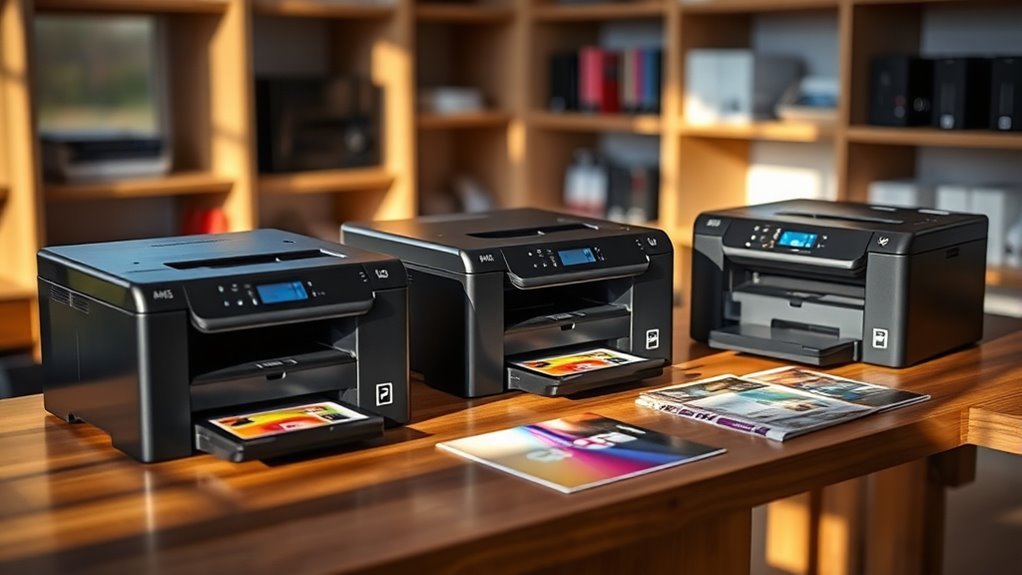
When choosing an AMS printer, you’ll want to focus on print speed and accuracy to meet your project needs. It’s important to get a printer that can keep up with your workload without sacrificing quality.
Consider the range of materials it supports and whether it can handle multi-color printing for more complex designs. This can really expand what you’re able to create.
Also, think about how easy it is to set up and use. Plus, check if there are any environmental controls that keep your prints consistent. These little details can make a big difference in the long run.
Print Speed And Accuracy
Choosing an AMS printer means balancing print speed with accuracy to get the best results for your projects. Higher maximum speeds, like 500–600 mm/s, can cut turnaround time but need proper acceleration and jerk tuning to avoid artifacts and keep dimensions precise.
Look for printers with high acceleration capabilities (10,000–20,000 mm/s²) to guarantee fast, smooth moves without ringing. Precision extrusion control is essential at high speeds to prevent under- or over-extrusion, which harms surface quality and fine details.
Nozzle size impacts this balance; larger nozzles speed up prints but reduce detail, while smaller nozzles preserve resolution but slow things down. Don’t overlook stable thermal and airflow control—consistent hotend temperature and optimized cooling are key to maintaining layer adhesion and dimensional accuracy during fast printing.
Material Compatibility Range
Although AMS printers boast impressive versatility, you’ll want to confirm their material compatibility before committing. First, check the AMS-compatible material list to make certain it supports your filament types like PLA, PETG, TPU, PVA, ASA, ABS, PA, or PC.
Not all AMS units handle flexible or high-temperature filaments well. So, verify maximum extrusion and chamber temperatures since materials like PA and PC need higher temps than PLA.
Also, confirm if the AMS can feed flexible filaments like TPU without jamming and manage soluble supports like PVA, which require dry storage and gentle handling. Look for drying features or sealed, desiccant-ready bays to control moisture, which is vital for hygroscopic materials like Nylon.
And don’t forget to make sure there’s support for nozzle sizes suitable for engineering-grade or filled filaments. This helps avoid issues with unsupported abrasive composites.
Multi-Color Printing Capability
Material compatibility plays a big role in your printing options, but if you want to expand your creative possibilities, multi-color printing capability deserves close attention. First, check how many filament channels the AMS supports—4, 8, or even 16—since that limits how many colors or materials you can print in one job.
Make sure the system offers automatic tool or filament switching with reliable purge and prime routines to avoid color contamination and guarantee clean shifts. It’s important that these transitions happen smoothly, so your final print looks sharp and professional.
Confirm it handles multi-material workflows, like soluble supports or flexible filaments, managing their distinct temperature and retraction needs. These materials can be tricky, so having a system that adapts easily is a real plus.
Integrated drying or humidity-controlled storage is essential to keep filaments dry and defect-free. Nobody wants moisture ruining their prints after all that effort.
Finally, assess the slicing software’s features for easy color mapping, transition previews, and robust failure recovery during complex multi-color prints. Good software can make all the difference when managing multiple colors and materials in one project.
Setup And Usability
Getting your AMS printer up and running should be as hassle-free as possible, so start by checking how long the setup takes and whether the system requires a separate physical connection. Aim for printers that advertise ready-to-print setup within 15–20 minutes.
Make sure the AMS supports automatic calibration routines like auto bed leveling and toolhead alignment. These features help reduce manual tuning time, which is always a bonus.
Check if the printer uses quick-swap nozzles or modular toolheads, and whether these come pre-installed or need assembly. You want easy maintenance without the headache.
Also, guarantee the enclosure and filament handling are straightforward to thread and configure, including any temperature or drying controls. It’s these small details that make daily use smoother.
Finally, look for integrated software with unified slicer and guided multi-material workflows. This will streamline both setup and everyday operation, making your printing experience much more enjoyable.
Environmental Control Features
When choosing an AMS printer, you should prioritize environmental control features that protect filament quality and guarantee print consistency. Look for active filament drying with adjustable temperatures up to around 65 °C to keep moisture out of hygroscopic materials like PETG and nylon.
A controlled chamber or adaptive airflow maintaining about 50 °C helps improve layer adhesion and reduces warping in engineering-grade filaments. Also, check for particulate and odor filtration, like carbon filters, especially if you work with fumes.
Effective systems balance targeted cooling for crisp overhangs with heat retention through controllable airflow direction and strength. Finally, integrated sensors monitoring temperature and humidity let you track conditions and receive alerts when filament storage or chamber environments need adjustment.
That way, you can make sure your prints stay reliable every time.
Frequently Asked Questions
How Do AMS Printers Compare in Energy Consumption?
AMS printers generally use less energy than traditional models, helping you save on power bills. They’re designed to be efficient during printing and standby modes, so you’ll reduce your overall energy consumption without sacrificing performance.
Pretty handy, right? It means you get the job done and keep your energy use—and costs—nice and low.
What Maintenance Is Required for AMS Printer Modules?
You’ll want to gently refresh AMS printer modules by cleaning print heads, replacing worn parts, and updating firmware regularly. This keeps your machine humming smoothly, preventing unexpected hiccups.
Doing these simple tasks helps ensure consistent, high-quality prints. It’s all about keeping everything in good shape so your printer works its best every time.
Are AMS Printers Compatible With Third-Party Filaments?
Yes, you can use third-party filaments with AMS printers, but you’ll want to check compatibility carefully. Some materials might need specific settings or cause wear.
Can AMS Printers Be Used for Professional Prototyping?
You know what they say, “The proof is in the pudding.”
Yes, you can use AMS printers for professional prototyping. They deliver precise, reliable results that meet industry standards.
This helps you bring your ideas to life efficiently. So, if you’re looking for quality and consistency, AMS printers have got you covered.
What Software Updates Are Available for AMS Printers?
You can download firmware updates that enhance print speed, accuracy, and material compatibility. AMS also offers software upgrades for improved user interface and new slicing algorithms.
These updates help ensure your printer stays efficient and up-to-date with the latest features. It’s a simple way to keep your printing experience smooth and reliable.
Conclusion
If you’re diving into multi-color 3D printing, choosing the right AMS printer is key. Did you know Bambu Lab’s AMS systems can reduce print time by up to 40% compared to single-extruder models? That means faster, more vibrant projects without sacrificing quality.
Whether you pick the P1S, P2S, or A1 Mini, you’re investing in efficiency and creativity. These printers make it easy to bring your colorful ideas to life with precision and speed.
So, go ahead—upgrade your setup with one of the best AMS printers for 2027. With Bambu Lab’s innovative technology, you’re not just saving time; you’re enhancing your multi-color 3D printing experience. Get ready for smoother prints and more stunning results!