2 Best 3D Printers Under $200 for 2027 That Impress Every Maker
If you’re on the hunt for an affordable 3D printer under $200 that truly impresses every maker, you’ve come to the right place. These budget-friendly options don’t just save money—they bring solid features and reliable performance to your creative projects. Whether you’re a beginner or a seasoned hobbyist, a compact FDM printer with a removable print plate can make your life easier. It’s portable and designed for hassle-free model removal and maintenance.
On the other hand, the Malyan M320 is a fantastic choice if you want something ready to go right out of the box. It comes fully assembled with a sturdy metal frame, a heated build plate, and a user-friendly touchscreen. Both printers support PLA and TPU filaments, ensuring versatile printing options. Plus, they deliver great print quality that can bring your ideas to life. Keep reading to explore the key features that set these models apart and help you decide which one fits your needs best.
| Image | Name | Editor's Rating | Price |
|---|---|---|---|

|
|
||

|
|
Portable Compact FDM 3D Printer with Removable Plate
- Foolproof Setup with Video Guides – Never get stuck! We provide a crystal-clear Quick Start Guide and step-by-step video tutorials. Watch them online to get started.
- Simple Assembly with Video Guide – Requires quick modular setup (watch our step-by-step video). Comes with 10m PLA filament, TF card, tools, and 12V Type-C power...
- Versatile Filament Compatibility – Unleash your creativity with both PLA and flexible TPU (1.75mm). The reliable 0.4mm nozzle and precise 0.05-0.3mm layer thickness...
- Reliable Performance & Compact Design – Features stable FDM technology and a removable build plate for easy model removal. The perfect 100x100x100mm build volume is...
- Complete Package – No Hidden Costs – Includes printer, 10m PLA filament, 8GB TF card + reader, tools, illustrated manual, and 12V Type-C power adapter. Plus free...
Experience the ease of 3D printing with this Portable Compact FDM 3D Printer, designed to fit perfectly in small spaces like desks or classrooms. Its removable plate simplifies model removal and maintenance, reducing downtime and frustration. The printer’s modular design and clear video tutorials ensure you can start printing in minutes without confusion.
This machine supports PLA and flexible TPU filaments, giving you versatility for various projects. Its precise 0.4 mm nozzle and adjustable layer thickness deliver smooth, detailed prints, ideal for educational and hobbyist use. The compact build volume is tailored for small to mid-sized models, making it a practical choice for beginners.
Maintenance is straightforward thanks to the removable plate and included tools, which help keep the printer running efficiently. Everything you need is included: filament, tools, an 8 GB TF card, and a 12 V Type-C power adapter. This setup eliminates extra purchases and lets you focus on creating.
While the 100 x 100 x 100 mm print area limits large-scale projects, the printer excels in delivering quality prints in a compact form. Its compatibility with only 1.75 mm filament narrows material options, but it covers the most common types for everyday use.
Best for: Beginners, students, and hobbyists wanting a user-friendly, compact 3D printer for small-scale projects and learning environments.
What We Like:
- Easy modular assembly with clear video instructions for quick setup
- Includes essential accessories and filament for immediate use
- Supports PLA and TPU filaments for versatile printing options
- Removable plate makes model removal and maintenance hassle-free
Specification:
| Feature | Description |
|---|---|
| Manufacturer | Not specified |
| Build Volume | 100 x 100 x 100 mm |
| Nozzle Diameter | 0.4 mm |
| Filament Diameter | 1.75 mm |
| Supported Filaments | PLA, TPU |
| Layer Thickness | 0.05–0.3 mm |
| Power Adapter | 12 V Type-C |
| Accessories | 10 m PLA filament, tools, 8 GB TF card |
Malyan M320 Fully Assembled 3D Printer Kit
- 1. Ready to Print: Unlike most other low-cost 3D printers, this printer ships fully assembled and has already been calibrated at the factory. We even include sample PLA...
- 2. LCD Touch Screen: Touch screen interface, simply navigate through the easy to use touch screen to level the print bed, select the part you want to print, and let the...
- 3. Heated aluminum build plate nozzle cooling fan for printing all filament types. Complete kit with sample PLA filament, bed scraper, and MicroSD card with preloaded...
- 4. All Metal Hotend for Stability: The all metal hotend is capable of superior performance and prevents wear and tear, while the heat brake design allows for efficient...
- 5. Removable Magnetic Build Plate: The easy to remove magnetic build plate makes the often times messy and difficult removal of prints simple and straightforward. You can...
Experience hassle-free 3D printing with the Malyan M320 Fully Assembled 3D Printer Kit. Designed for immediate use, it comes factory-calibrated to save you time and effort. The sturdy metal frame ensures durability, while the heated aluminum build plate improves print adhesion, reducing failed prints.
Maintenance is simple thanks to the removable magnetic print sheet, allowing easy removal of your models without damage. The all-metal hotend with efficient cooling supports consistent printing quality. Navigation is straightforward via the LCD touchscreen, making operation intuitive even for beginners.
This printer supports popular slicing software like Cura and Repetier, enabling flexible workflow options. You can print directly from the included MicroSD card, eliminating the need for a constant PC connection. Its compact 150 x 150 x 150 mm build volume suits small to medium projects, ideal for hobbyists and those new to 3D printing.
While the build area limits larger creations, the Malyan M320 balances convenience and performance effectively. Its design cuts down setup time and maintenance, making it a practical choice for users seeking reliable, ready-to-use equipment.
Best for: hobbyists and beginners looking for a fully assembled 3D printer that offers ease of use and consistent results.
What We Like:
- Fully assembled and factory-calibrated for quick start
- Heated aluminum bed with removable magnetic sheet for easy print removal
- Compatible with popular slicing software and supports MicroSD printing
- Durable metal frame ensures stability and longevity
Specification:
| Feature | Details |
|---|---|
| Manufacturer | Malyan |
| Build Volume | 150 x 150 x 150 mm |
| Frame Material | Metal |
| Bed Type | Heated aluminum with magnetic removable sheet |
| Display | LCD touchscreen |
| Filament Included | Sample PLA filament |
Factors to Consider When Choosing a 3d Printer for Under $200
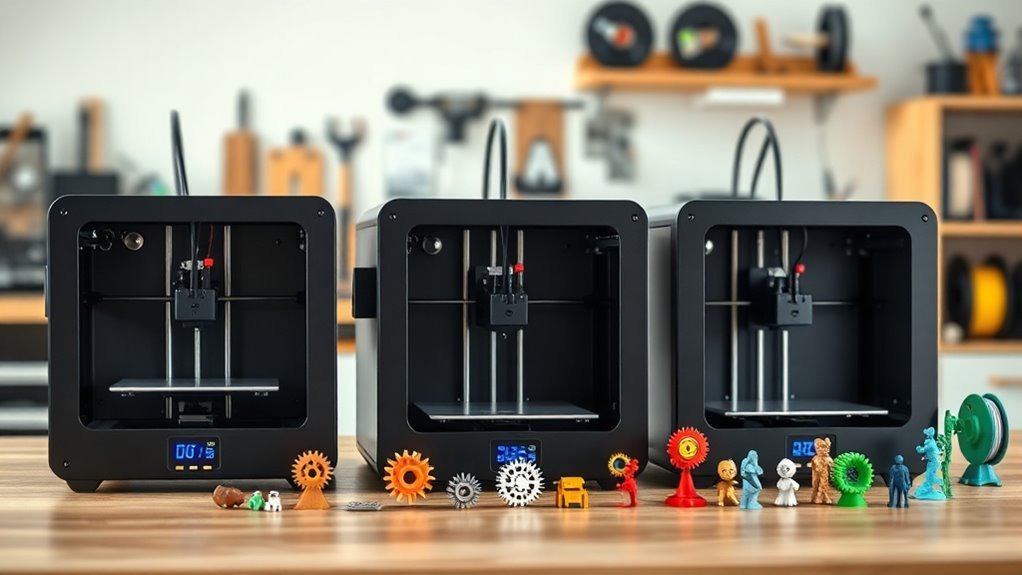
When choosing a 3D printer under $200, you’ll want to contemplate the print volume size to make sure it fits your project needs. Think about how easy it is to assemble and set up, along with the print quality and precision it offers.
Also, check filament compatibility and whether the user interface is straightforward for smooth operation. These factors can really make a difference in your overall experience. So, take your time to find the best fit!
Print Volume Size
Print volume size plays a crucial role in deciding which 3D printer under $200 will suit your needs. Most models offer build volumes between 100 x 100 x 100 mm and 150 x 150 x 150 mm, so make sure the maximum XYZ dimensions fit the largest objects you want to print.
Smaller volumes mean you’ll need to split bigger models into parts, increasing assembly and post-processing work. Larger volumes take more time and filament—estimate both before choosing.
Also, consider usable build space after accounting for frame obstructions and firmware limits, as advertised dimensions can be misleading. If you want occasional larger prints but prefer a compact printer, check if it supports modular assemblies with reliable bed adhesion and alignment for multi-part printing.
Assembly and Setup
Although budget 3D printers under $200 may seem intimidating to assemble, many models come with pre-assembled components or modular designs that let you start printing quickly. Look for printers offering clear quick-start guides or video tutorials, reducing setup time from hours to minutes.
Also, check if bed leveling is manual or assisted; manual leveling requires calibration and can take 10–30 minutes. It’s a bit of extra work, but once you get the hang of it, it becomes routine.
Confirm connectivity options like SD card, USB, or Wi-Fi, and whether the printer can print standalone from an SD card to avoid extra PC setup. This can really simplify things if you don’t want to keep your computer hooked up all the time.
Make sure the kit includes essential tools, a power adapter, sample filament, and a removable print surface or scraper so you can begin without extra purchases. Having these on hand right out of the box saves you from hunting down parts later.
Lastly, make certain assembly steps are well documented and that customer support is available for troubleshooting. It’s always reassuring to know help is just a call or message away if you hit a snag.
Print Quality and Precision
Achieving crisp detail and reliable precision on a 3D printer under $200 hinges on several key factors. You’ll want a machine that can handle a layer height between 0.1 and 0.2 mm to capture fine vertical details effectively.
The standard 0.4 mm nozzle balances feature size and print speed, but swapping to a smaller nozzle, like 0.25 mm, can boost detail—though it may slow your prints and raise clog risks. Pay close attention to the printer’s frame rigidity and belt tension; these affect X–Y accuracy and reduce artifacts like ringing or misaligned layers.
Consistent extrusion and precise temperature control also matter since they influence surface finish and minimize blobs or gaps. Finally, make sure your printer offers easy calibration options to maintain accurate and repeatable prints over time.
Filament Compatibility
Fine detail and precision aren’t just about the printer’s mechanics—they also depend on the filament you use. Most budget 3D printers under $200 accept 1.75 mm filament, so double-check compatibility before buying spools.
PLA is your safest bet—it prints at low temperatures (190–220°C), sticks well, and warps little. If you want flexibility, confirm TPU support, as many low-cost printers can handle it but may need a direct-drive extruder or slower speeds to avoid jams.
Avoid high-temp filaments like ABS, PETG, or nylon with budget models—they need heated enclosures and hotter nozzles, which these printers lack. Also, verify spool mounting size and filament diameter tolerances (±0.05 mm) to prevent feeding problems.
Choosing the right filament guarantees smooth printing and better results on budget machines.
User Interface Ease
When picking a 3D printer under $200, you’ll want to zero in on how easy the user interface is to navigate. Look for printers with clear, responsive controls—whether a touchscreen or well-labeled buttons—to make menu navigation, print start/stop, and settings adjustments quick and intuitive.
Check if the printer supports standalone printing from SD/TF cards or USB, so you’re not tied to a PC during prints. The UI should guide you through essential tasks like bed leveling, temperature control, and filament loading to reduce setup errors.
Prefer interfaces that show live print status—progress, time elapsed, and temperatures—so you can monitor jobs easily. Finally, make sure the firmware uses clear language, offers error messages, and supports multiple languages to simplify troubleshooting and routine use for beginners.
Included Accessories
Don’t overlook what comes in the box when choosing a 3D printer under $200, as included accessories can save you time and extra costs. Check if the package includes filament, often 10–100 meters of PLA, so you won’t need to buy it right away.
Look for build plate extras like removable or magnetic sheets and scrapers that make part removal easier. Make certain essential tools and spare parts—Allen keys, nozzle cleaners, spare nozzles, PTFE tubes, belts, or screws—are bundled for easy maintenance.
Also, confirm the presence of media like microSD cards with preloaded models and connectivity items such as USB cables. Finally, pick kits with clear documentation or tutorial videos to speed up setup and troubleshooting, especially if you’re new to 3D printing.
Frequently Asked Questions
What Types of Filament Materials Are Compatible With These Printers?
You can use PLA, ABS, and TPU filaments with these printers. They’re versatile enough for beginners and hobbyists, letting you experiment with flexible, durable, and easy-to-print materials.
Plus, you won’t have to break the bank or complicate your projects. It’s a great way to get started and explore different types of prints without too much hassle.
How Long Does It Take to Assemble a 3D Printer Kit?
You’ll usually spend 2 to 4 hours assembling a 3D printer kit, depending on complexity.
Don’t worry; detailed instructions and online tutorials speed things up, making the process easier and more enjoyable than you might expect.
Are There Any Software Limitations With Budget 3D Printers?
Yes, budget 3D printers often come with limited software compatibility and fewer advanced features.
You might face restrictions in slicing options or custom settings, but many still support popular, user-friendly software ideal for beginners. So, while you might not get all the bells and whistles, there’s usually enough to get started without too much hassle.
Can These Printers Be Used for Educational Purposes?
You can definitely use these printers for educational purposes; imagine students watching ideas transform from digital designs to tangible models. They’re perfect for hands-on learning, sparking creativity, and building problem-solving skills in classrooms or workshops.
It’s really exciting to see how these tools can make lessons more interactive. Plus, they help students understand complex concepts by bringing them to life right in front of their eyes.
What Maintenance Is Required for 3D Printers Under $200?
You’ll need to regularly clean the nozzle, level the bed, and lubricate moving parts. Updating the firmware is important too.
Also, don’t forget to check filament quality often to avoid jams. Routine maintenance keeps your budget 3D printer running smoothly and reliably.
Conclusion
When choosing a 3D printer under $200, you want one that ticks all the boxes without breaking the bank. Both the Portable Compact FDM and the Malyan M320 offer impressive features for their price, making them solid choices.
Remember, the proof is in the pudding—quality, ease of use, and compatibility matter most. Whichever you pick, you’ll be well on your way to turning your creative ideas into reality without a hitch.
Finding the best 3D printer under $200 doesn’t mean you have to sacrifice performance. These models deliver excellent print quality and user-friendly operation, perfect for beginners and hobbyists alike. So, if you’re looking for affordable 3D printers that impress every maker in 2027, these options are definitely worth considering.