8 Best All-in-One Small Office Laser Printers for 2027
If you’re on the hunt for reliable all-in-one laser printers for your small office in 2027, you’ve got some great options to consider.
These small office laser printers combine efficiency, speed, and security to keep your workflow smooth. Models like the HP LaserJet M234sdw and Brother DCP-L2640DW are fantastic choices if you need fast, secure monochrome printing.
Looking for color printing? The Canon Color imageCLASS MF753Cdw II really stands out with its versatile features.
Many of these printers come equipped with duplex printing and wireless connectivity, making them super convenient for any office setup. Plus, high-speed output ensures you won’t be waiting around for important documents.
Keep exploring to find the perfect fit that matches your office needs and budget.
| Image | Name | Editor's Rating | Price |
|---|---|---|---|

|
|
||

|
|
||

|
|
||

|
|
||

|
|
HP LaserJet M234sdw Monochrome Laser Printer | All-in-One
No products found.
The HP LaserJet M234sdw is designed to streamline printing tasks for small teams. Its fast printing speed of up to 30 black-and-white pages per minute helps reduce wait times and keeps workflows moving smoothly. The integrated 40-page auto document feeder simplifies scanning and copying, enabling efficient handling of multiple documents.
This all-in-one monochrome laser printer connects easily via dual-band Wi-Fi, Ethernet, or the HP Smart App, offering versatile options for desktop and mobile printing. Its compact design fits neatly into limited office spaces without sacrificing performance. Maintenance is straightforward, with user-friendly setup and routine care.
Security is a priority with built-in features that protect sensitive information during print jobs. Energy Star certification ensures the printer operates efficiently, which helps reduce power consumption and office costs. While it only prints in monochrome and has a basic LCD display, it meets the essential needs of typical office environments.
Best for: Small teams of 1-5 people needing a fast, reliable, and secure all-in-one monochrome laser printer for everyday printing, scanning, and copying tasks.
What We Like:
- Fast black-and-white printing up to 30 pages per minute
- 40-page auto document feeder for efficient multi-page scanning and copying
- Multiple connectivity options including dual-band Wi-Fi and Ethernet
- Energy Star certified for energy-efficient operation
- Built-in security features to safeguard data
Specification:
| Feature | Details |
|---|---|
| Manufacturer | HP |
| Dimensions | Compact design (exact size not specified) |
| Weight | Lightweight (exact weight not specified) |
| Color Options | Monochrome (black and white printing) |
| Connectivity | Dual-band Wi-Fi, Ethernet, HP Smart App |
HP LaserJet Pro 3105sdw Monochrome Laser Printer | All-in-One
No products found.
The HP LaserJet Pro 3105sdw is designed to meet the demands of small office teams needing efficient, reliable monochrome printing. It delivers sharp printing at 1200 x 1200 dpi and produces up to 33 pages per minute, helping you complete tasks quickly without sacrificing quality. Automatic duplex printing reduces paper waste and streamlines workflow.
Its multifunction design includes an automatic document feeder (ADF) and flatbed scanner that handle up to 999 pages. This feature simplifies copying and scanning large documents, saving time and effort. The compact build fits well in tight office spaces, weighing just 23 pounds.
Connectivity is flexible with Wi-Fi, Ethernet, USB, and mobile app support like Apple AirPrint. This ensures seamless integration into diverse office environments and easy access for up to seven users. HP’s AI enhances print formatting and email scanning, improving productivity while Wolf Pro Security protects sensitive data.
Maintenance is straightforward, with a moderate paper tray capacity that suits small teams. While limited to monochrome printing, this printer excels in speed and security, making it a practical choice for focused, high-volume black-and-white tasks.
Best for: Small office teams of up to seven users needing fast, reliable monochrome printing with multifunction features and strong security.
What We Like:
- Fast printing at 33 pages per minute with sharp resolution
- Versatile connectivity including Wi-Fi and mobile apps
- AI-enhanced print formatting and security features
- Efficient scanning and copying with a large ADF capacity
Specification:
| Feature | Details |
|---|---|
| Manufacturer | HP |
| Dimensions | Not specified |
| Weight | 23 lb (10.4 kg) |
| Printing Technology | Monochrome Laser |
| Print Speed | Up to 33 pages per minute |
| Resolution | 1200 x 1200 dpi |
| Connectivity | Wi-Fi, Ethernet, USB, Mobile apps |
| Paper Tray Capacity | 250 sheets |
| Multifunction Features | Print, Copy, Scan |
Brother DCP-L2640DW Wireless Monochrome Printer
- BEST FOR SMALL BUSINESSES – Engineered for extraordinary productivity, the Brother DCP-L2640DW Monochrome (Black & White) 3-in-1 combines laser printer, scanner, copier...
- FAST PRINTER WITH EFFICIENT SCANNING – Produces documents quickly with print speeds up to 36 ppm(2) and scan speeds up to 23.6/7.9 ipm(3) (black/color). A 50-page auto...
- FLEXIBLE CONNECTION OPTIONS – Easily navigate the changing demands of your business with secure multi-device connectivity via built-in dual-band wireless (2.4GHz...
- BROTHER MOBILE CONNECT APP – Print, scan, and manage your wireless printer anytime, from almost anywhere from your mobile device. Order Brother Genuine Supplies, track...
- CHOOSE BROTHER GENUINE TONER – When it’s time to replace your toner, be sure to choose Brother Genuine TN830 or TN830XL replacement toner. And with Refresh EZ Print...

The Brother DCP-L2640DW is designed to deliver fast and dependable monochrome printing for busy workspaces. It tackles everyday document tasks with ease, helping you stay productive with print, copy, and scan speeds reaching up to 36 ppm. This printer’s compact design fits neatly into small offices without sacrificing performance.
Its versatile wireless connectivity options, including dual-band Wi-Fi, Ethernet, and USB, allow seamless integration into your workflow. Remote printing is simplified through the Brother Mobile Connect app, so you can manage tasks from virtually anywhere. Automatic duplexing reduces paper use, supporting more sustainable office practices.
Maintenance is straightforward thanks to its 250-sheet tray and 50-page automatic document feeder, which minimize interruptions during high-volume jobs. While it only prints in black and white, this model’s energy efficiency and security features help protect sensitive data and reduce operational costs.
Weighing 25 pounds, the printer balances portability with stability, making it a reliable choice for small offices needing efficient document management without color printing needs.
Best for: Small offices or home users requiring efficient, secure, and versatile monochrome printing with wireless capabilities.
What We Like:
- Fast multi-function speeds support busy workflows.
- Multiple connectivity options including mobile app printing.
- Energy-saving automatic duplex printing.
- Compact design fits limited workspace.
- Enhanced security features protect data.
Specification:
| Feature | Details |
|---|---|
| Manufacturer | Brother |
| Dimensions | Compact size (exact size not provided) |
| Weight | 25 lbs (11.3 kg) |
| Color Options | Monochrome (black and white only) |
| Connectivity | Dual-band Wi-Fi, Ethernet, USB, Mobile app |
Canon Color imageCLASS MF753Cdw II – All-in-One Color Duplex Laser Printer
- Color, Wireless, Duplex 4-in-1: Print, scan, copy, fax.
The Canon Color imageCLASS MF753Cdw II is designed to meet the needs of small offices and hybrid workers who require efficient, high-quality printing. Its fast output of up to 35 pages per minute at a sharp 1200 x 1200 dpi resolution reduces wait times and enhances productivity. The quick 7-second first page out ensures you can start your tasks without delay.
This all-in-one printer simplifies your workflow by combining printing, scanning, copying, and faxing into one device. The intuitive 5-color touchscreen makes navigation easy and streamlines multi-function operations. Its duplex automatic document feeder handles up to 50 sheets, reducing manual input and saving time.
Maintenance is straightforward, with an expandable paper capacity of up to 850 sheets when using an optional cassette. Wireless connectivity and mobile printing support offer flexibility, allowing you to print from various devices without hassle. While the printer is relatively heavy at 50 pounds and requires an extra cassette for maximum capacity, its versatile features make it a reliable office tool.
Best for: Small offices and hybrid workers seeking a fast, versatile, and high-quality all-in-one color laser printer with wireless and mobile printing capabilities.
What We Like:
- High-speed printing at up to 35 ppm with sharp 1200 x 1200 dpi quality
- User-friendly 5-color touchscreen for easy multifunction control
- Duplex automatic document feeder reduces manual handling
- Expandable paper capacity up to 850 sheets with optional cassette
- Energy-efficient design certified by Energy Star
Specification:
| Feature | Details |
|---|---|
| Manufacturer | Canon |
| Dimensions (W x D x H) | Not specified |
| Weight | 50 lb (22.7 kg) |
| Print Resolution | 1200 x 1200 dpi |
| Print Speed | Up to 35 pages per minute |
| Paper Capacity | 300 sheets standard, expandable to 850 sheets (optional cassette) |
| Duplex | Automatic duplex printing |
| Touchscreen | 5-color intuitive touchscreen |
| Connectivity | Wireless, mobile printing |
| Document Feeder Capacity | 50 sheets |
HP Laserjet MFP M140w Wireless Printer
- FROM AMERICA'S MOST TRUSTED PRINTER BRAND – Perfect for small teams printing, scanning and copying professional-quality black & white documents and reports. Perfect for...
- WORLD'S SMALLEST LASER IN ITS CLASS – Precision laser printing, scanning, and copying that fits anywhere
- FAST PRINT SPEEDS – Up to 21 black-and-white pages per minute single-sided
- WIRELESS WITH SELF-RESET – Helps you stay connected
- EASILY COPY ID CARDS AND MORE – Copy both sides of ID cards or other small-size documents onto the same side of one sheet of paper
The HP LaserJet MFP M140w is designed to simplify your daily office tasks with its all-in-one functionality. It combines printing, scanning, and copying in a compact device, making it ideal for small workspaces. Its reliable performance helps teams stay productive without the hassle of multiple machines.
With a print speed of up to 21 pages per minute and sharp 600 x 600 dpi resolution, this printer delivers clear, professional-quality black-and-white documents quickly. Wireless connectivity with a self-reset feature ensures a stable connection, reducing downtime and keeping your workflow smooth.
Maintenance is straightforward thanks to its compact design and user-friendly features. The auto document feeder and ID card copying capabilities handle routine tasks efficiently, while the small footprint fits easily into tight office spaces. Paper capacity is 99 sheets, which suits light to moderate printing needs.
Though it only prints in black and white, the HP LaserJet MFP M140w meets the essential needs of small teams. Its ease of use and multifunction capabilities make it a practical choice for offices with limited space and budget.
Best for: Small teams of 1-3 people needing a compact, multifunction laser printer for everyday printing, scanning, and copying tasks.
What We Like:
- Fast printing at up to 21 pages per minute with clear 600 x 600 dpi resolution
- Wireless connectivity with automatic reset for reliable mobile printing
- Compact, lightweight design ideal for limited office space
- Auto document feeder and ID card copying for enhanced functionality
Specification:
| Feature | Details |
|---|---|
| Manufacturer | HP |
| Dimensions (W x D x H) | 14.7 x 14.1 x 9.1 inches |
| Weight | Approximately 13.5 lb |
| Color Options | White |
| Print Technology | Laser |
| Print Speed | Up to 21 ppm (black & white) |
| Print Resolution | 600 x 600 dpi |
| Paper Capacity | 99 sheets |
| Connectivity | Wireless (Wi-Fi) |
HP Color LaserJet Pro MFP 3301sdw Printer
- FROM AMERICA'S MOST TRUSTED PRINTER BRAND – Perfect for small teams printing, scanning and copying professional-quality color documents and reports. Print speeds up to...
- PROFESSIONAL PRODUCTIVITY – Proficiency with every print—next-generation TerraJet toner brings your business to life with more vivid colors.
- ORIGINAL HP TONER CARTRIDGES – This HP printer uses Original HP 218A standard and 218X high yield LaserJet toner cartridges.
- UPGRADED FEATURES – Fast color printing, scan, copy, auto 2-sided printing, auto document feeder, and a 250-sheet input tray.
- AWARD-WINNING RELIABILITY – Performance you can count on page after page, and always ready for the high demands of business.
The HP Color LaserJet Pro MFP 3301sdw is designed to enhance your office workflow with reliable and efficient printing. It produces sharp, vibrant documents at speeds up to 26 pages per minute in both color and black. This helps reduce wait times and keeps your tasks on track.
Its automatic duplex printing feature simplifies double-sided printing, saving paper and effort. The 250-sheet input tray means fewer refills, allowing longer uninterrupted print jobs. You can easily print, scan, and copy, making it a versatile all-in-one solution for small office environments.
The printer connects seamlessly via wireless, Ethernet, or USB, offering flexible setup options. Maintenance is straightforward, supported by TerraJet toner technology that ensures consistent, vivid colors with every print. While the 600 x 600 dpi resolution suits most business needs, it may not meet high-detail image requirements.
Compact and lightweight, this model fits well in limited spaces without compromising performance. Its design balances functionality with ease of use, making it a dependable choice for everyday office demands.
Best for: Small office users and professionals who need a fast, versatile color laser printer with secure connectivity.
What We Like:
- Fast printing speed of up to 26 ppm in color and black-and-white
- Automatic duplex printing reduces paper usage and manual effort
- TerraJet toner technology ensures vibrant, consistent colors
- Multiple connectivity options: wireless, Ethernet, USB
- Compact design fits well in small office spaces
Specification:
| Feature | Details |
|---|---|
| Manufacturer | HP |
| Dimensions | Not specified |
| Weight | 37.7 lb (17.1 kg) |
| Print Speed | Up to 26 ppm (color and B&W) |
| Print Resolution | 600 x 600 dpi |
| Input Tray Capacity | 250 sheets |
| Connectivity | Wireless, Ethernet, USB |
Canon imageCLASS MF662Cdw Wireless Duplex Laser Printer
- Color, Wireless, Duplex 3-in-1: Print, scan, copy.
- Fast Print Speeds: Print up to 26 ppm in both color and monochrome and spend less time waiting with a quick first print time of approximately 10.3 seconds.
- Easy Wireless Setup: Setup your wireless connection and get up and running in just a few steps.
- 5-inch Color Touchscreen: Get the job done quickly with Application Library - an intuitive and easy to use customizable access to the features you use most.
- Mobile Device Printing: Print from your compatible mobile devices using the free Canon PRINT app, Apple AirPrint and Mopria Print Service.
The Canon imageCLASS MF662Cdw offers a practical solution for busy small offices and home users needing efficient, wireless color printing. It delivers sharp prints at a steady pace of up to 26 pages per minute, helping you stay productive without long waits. Duplex printing reduces paper waste by automatically printing on both sides.
Setup is straightforward, with easy wireless connectivity options. You can print directly from your smartphone or tablet using the Canon PRINT app, Apple AirPrint, or Mopria, making mobile printing hassle-free. The 5-inch color touchscreen simplifies navigation and job management.
Maintenance is user-friendly thanks to Canon’s Genuine Toner, which ensures consistent, professional-quality output. The 250-sheet cassette supports moderate print volumes, but heavy users might need to refill more often. While the print resolution is 600 x 600 dpi, it suits everyday office documents rather than high-detail photos.
This printer does not include fax capabilities, focusing instead on core printing tasks. Its compact design and duplex function make it a reliable choice for efficient color printing in small office environments.
Best for: Small and home office users who need fast, reliable wireless color printing with duplex capabilities and easy mobile integration.
What We Like:
- Consistent 26 ppm print speed in color and black & white
- Simple wireless setup with mobile app and AirPrint support
- User-friendly 5-inch touchscreen for easy control
- Automatic duplex printing to save paper
Specification:
| Feature | Details |
|---|---|
| Manufacturer | Canon |
| Dimensions | Not specified |
| Weight | Not specified |
| Print Speed | Up to 26 pages per minute |
| Print Resolution | 600 x 600 dpi |
| Paper Capacity | 250-sheet cassette |
| Connectivity | Wireless, Canon PRINT app, Apple AirPrint, Mopria |
Canon imageCLASS MF462dw II – Wireless, Monochrome Duplex Laser Printer
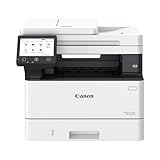
- Monochrome, Wireless, Duplex 4-in-1: Print, scan, copy, fax.
- Fast Print Speeds: Print up to 37 pages per minute and spend less time waiting with a quick first print time of approximately 5 seconds.
- Easy Wireless Setup: Setup your wireless connection and get up and running in just a few steps2
- 5-inch Color Touchscreen: Get the job done quickly with Application Library - an intuitive and easy to use customizable access to the features you use most.
- Mobile Device Printing: Print from your compatible mobile devices using the free Canon PRINT app, Apple AirPrint and Mopria Print Service.
Experience efficient and reliable printing designed to meet the demands of small or home offices with the Canon imageCLASS MF462dw II. This monochrome laser printer offers fast output at up to 37 pages per minute, helping you stay productive during busy workdays. Its sharp 1200 x 1200 dpi resolution ensures clear and professional black-and-white documents every time.
The 4-in-1 functionality combines printing, scanning, copying, and faxing in one compact device. Managing tasks is simple with the intuitive 5-inch color touchscreen and a 50-sheet duplex automatic document feeder (ADF), which speeds up multi-page scanning and copying jobs. Wireless connectivity options, including the Canon PRINT app, Apple AirPrint, and Mopria, provide convenient mobile printing without cables.
Designed for easy maintenance, the standard 250-sheet paper cassette expands up to 900 sheets with an optional tray. This reduces interruptions and keeps your workflow smooth. While the printer is relatively heavy at 44 pounds and limited to monochrome output, its multifunction capabilities and wireless convenience make it a valuable addition to hybrid work environments.
Best for: Small or home office users and hybrid workers who need fast, reliable black-and-white printing with multifunction options.
What We Like:
- Fast print speed of up to 37 ppm with sharp monochrome resolution.
- 4-in-1 multifunction design with easy-to-use color touchscreen.
- Wireless printing via Canon PRINT app, AirPrint, and Mopria.
- Expandable paper capacity up to 900 sheets for less frequent refills.
Specification:
| Feature | Details |
|---|---|
| Manufacturer | Canon |
| Dimensions (W×D×H) | Approx. 16.5 × 18.5 × 15.6 in (42 × 47 × 40 cm) |
| Weight | 44 lb (20 kg) |
| Print Technology | Monochrome Duplex Laser |
| Print Speed | Up to 37 pages per minute |
| Resolution | 1200 x 1200 dpi |
| Paper Capacity | 250 sheets standard, expandable to 900 sheets |
| Connectivity | Wireless (Canon PRINT app, Apple AirPrint, Mopria) |
Factors to Consider When Choosing an All in One Small Office Laser Printer
When choosing an all-in-one small office laser printer, you’ll want to evaluate how fast it prints and what connectivity options it offers. Think about the paper handling capacity and security features to keep your workflow smooth and safe.
Don’t forget to check if it supports mobile printing for added convenience. It’s all about finding the right fit for your office needs, so take your time comparing the options!
Print Speed Requirements
Choosing a printer with the right print speed can greatly boost your small office’s productivity. You’ll find monochrome printers offering speeds from 21 to 37 pages per minute (ppm), so consider how busy your team is.
If frequent printing is part of your daily routine, a faster printer reduces wait times and keeps tasks moving. Don’t overlook duplex printing speeds, which can reach up to 19 ppm, helping you save paper without sacrificing efficiency.
The initial print time matters, too—some models can deliver the first page in as little as 5 seconds, minimizing delays. Also, check maximum copy speeds; often, they align with print speeds, with some devices copying up to 36 pages per minute.
That way, multitasking becomes smoother for your office.
Connectivity Options Available
Many all-in-one small office laser printers give you several connectivity options like Wi-Fi, Ethernet, and USB, so you can easily integrate them into your existing network. Wireless printing often includes dual-band support (2.4GHz and 5GHz), letting you print smoothly from various devices.
Mobile printing features, such as AirPrint or proprietary apps, make it simple to print and manage jobs directly from your smartphone or tablet. Some printers even optimize connections automatically, boosting wireless reliability.
Plus, compatibility with Windows, Mac, and Chromebook guarantees your devices link up without hassle. When choosing your printer, consider these connectivity options to facilitate seamless integration and efficient workflow in your small office environment.
Paper Handling Capacity
Along with connectivity, the way a printer handles paper plays a big role in keeping your small office running smoothly. You’ll want to evaluate the input tray capacity since it affects how often you need to reload paper.
Models range from holding about 99 sheets to over 900, so choose based on your printing volume. An Automatic Document Feeder (ADF) is also essential if you scan or copy multi-page documents regularly, with capacities typically between 40 and 50 sheets.
Don’t overlook support for various media sizes like letter and legal, which adds flexibility for different tasks. Finally, duplex printing saves paper and cuts costs by automatically printing on both sides—perfect if you want to stay efficient and eco-friendly in your office.
Security Features Included
To keep your small office’s sensitive information safe, look for printers with robust built-in security features like data encryption and secure boot processes. You’ll want user authentication options to confirm only authorized employees can access certain functions and documents.
Secure printing is another must-have—it requires entering a code at the printer before documents print, preventing sensitive papers from being left unattended. Don’t forget to choose models that offer regular firmware updates to fix vulnerabilities and boost security over time.
Finally, verify the printer complies with industry security standards and certifications. This guarantees that your device protects network connections and data transmissions effectively. That way, you can have peace of mind while handling confidential information in your office.
Mobile Printing Compatibility
Mobile printing compatibility lets you print directly from smartphones, tablets, and laptops, making your small office workflow smoother and more flexible. Look for printers supporting popular protocols like Apple AirPrint and Mopria to guarantee seamless connection with various devices.
Wireless options, especially dual-band Wi-Fi, provide reliable, cable-free printing, keeping your workspace clutter-free. Many printers offer dedicated mobile apps, letting you scan, copy, and manage your printer right from your phone or tablet.
This capability boosts productivity by enabling your team to print documents on-the-go, cutting down delays and keeping projects moving. Prioritizing mobile printing compatibility means you’ll enjoy greater convenience and efficiency, essential for a fast-paced small office environment.
Warranty And Support
Several key factors around warranty and support can make a big difference when choosing an all-in-one small office laser printer. You’ll want a warranty that covers at least one to three years to protect against defects and malfunctions.
Consider purchasing extended warranties if you want extra peace of mind beyond the standard coverage. Reliable support is essential—look for brands offering multiple options like online resources, phone help, and live chat for quick troubleshooting.
Firmware updates during the warranty period keep your printer compatible with new software and features. Since customer support quality varies, pick a printer from a manufacturer known for responsive and dependable service.
This way, you won’t waste time when issues arise and can keep your office running smoothly.
Frequently Asked Questions
How Do Laser Printers Compare to Inkjet Printers in Cost per Page?
You’ll find laser printers usually cost less per page than inkjets, especially for high volume printing. Toner cartridges last longer, so you won’t replace them as often, saving you money over time.
It’s pretty straightforward — the longer-lasting toner means fewer replacements. So, if you print a lot, a laser printer can be a smarter choice for your budget.
What Maintenance Is Required for Small Office Laser Printers?
You’ll need to replace toner cartridges, clean the drum unit occasionally, and clear paper jams.
Regularly updating firmware and cleaning the printer’s interior helps keep everything running smoothly. This way, you can avoid unexpected downtime or print quality issues.
Are Toner Cartridges Recyclable or Refillable?
Of course, you can’t recycle toner cartridges—said no one ever. You can recycle them easily and often refill, saving money and the planet.
Just don’t toss them; your printer and Earth will thank you!
How Secure Are Wireless Laser Printers From Hacking?
Wireless laser printers can be vulnerable to hacking if you don’t secure them. You should enable strong passwords, update firmware regularly, and use encryption to protect your data and prevent unauthorized access to your printer.
It might seem like a lot to keep up with, but taking these steps really makes a difference. Think of it like locking the doors and windows of your house—you want to keep unwanted visitors out. So, don’t skip on these simple but important security measures!
Can These Printers Handle Printing Labels or Envelopes?
Yes, you can print labels and envelopes, but don’t expect flawless results without adjustments. These printers handle standard paper well, yet you’ll need to tweak settings and use compatible media to avoid jams and guarantee crisp prints every time.
Just a heads-up: it might take a bit of trial and error to get things just right. But once you do, printing labels and envelopes becomes pretty straightforward.
Conclusion
Choosing the right all-in-one small office laser printer is like picking the perfect tool in your workbench—each one has its unique strengths that keep your office humming smoothly. Whether you need speed, color, or wireless convenience, these top picks have you covered.
Trust your needs to guide you, and you’ll find the ideal printer to boost productivity and keep your workflow seamless. A reliable all-in-one small office laser printer can make a huge difference, powering your daily tasks effortlessly like a well-oiled machine.
With options designed for fast printing, crisp quality, and easy connectivity, choosing the best all-in-one laser printer ensures your office runs efficiently. So, focus on what matters most: finding a printer that fits your small office needs perfectly and helps maintain smooth operations every day.