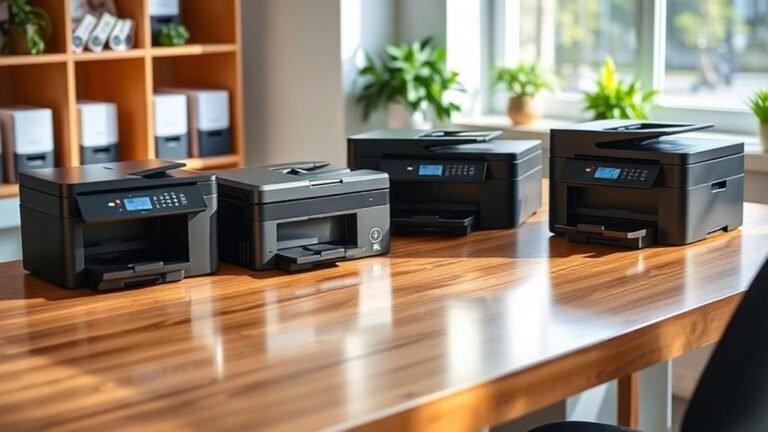
12 Best All-in-One Printers with Feeder for 2027
You’ll want an all-in-one printer that handles printing, scanning, and copying while keeping up with your busy schedule. Finding a model with a reliable feeder is key to saving time and hassle.
Wireless connectivity is a must-have for easy setup and seamless use across your devices.
Options like the Brother Work Smart 1360 and Canon PIXMA TR8620a offer great wireless features and dependable feeders.
If faster prints are your priority, consider the HP OfficeJet Pro 8125 or Epson Workforce Pro WF-4935. These come with large tray capacities and handy duplex printing to boost efficiency.
Whether you need crisp, high-quality color prints or speedy monochrome output, there’s something here for everyone.
Exploring these choices will help you find the perfect all-in-one printer with feeder that fits your 2027 workflow and keeps things running smoothly.
| Image | Name | Editor's Rating | Price |
|---|---|---|---|

|
|
||

|
|
||

|
|
||

|
|
||

|
|
Brother Work Smart 1360 Wireless Color Inkjet All-in-One Print, Scan, Copy
- AFFORDABLE ALL-IN-ONE FOR HOME AND HOME OFFICE: Print, copy, and scan on one compact wireless printer designed for everyday home office printing, schoolwork, documents...
- EASY TO USE WITH CLOUD APP CONNECTIONS: Print from and scan to popular Cloud apps(2), including Google Drive, Dropbox, Box, OneDrive, and more from the simple-to-use...
- FULL-SIZE FEATURES IN A COMPACT DESIGN: This printer includes automatic duplex (2-sided) printing, a 20-sheet single-sided Automatic Document Feeder (ADF)(3), and a...
- MULTIPLE CONNECTION OPTIONS: Connect your way. Interface with your printer on your wireless network or via USB.
- MOBILE PRINTING MADE EASY: Go mobile with the Brother Mobile Connect app(5) that delivers easy onscreen menu navigation for printing, copying, scanning, and device...

The Brother Work Smart 1360 is designed to simplify your home or small office tasks. This wireless all-in-one printer handles printing, scanning, and copying with ease, so you can focus on work instead of troubleshooting. Its compact design fits neatly on your desk without taking up much space.
With a 20-sheet automatic document feeder and a 150-sheet paper tray, it streamlines multitasking. You get fast, high-quality prints at up to 16 ppm in black and 9 ppm in color, with sharp 1,200 x 6,000 dpi resolution. Automatic duplex printing saves time and paper, while support for envelopes and glossy photo paper adds versatility.
Maintenance is straightforward, but keep in mind that the standard yield LC501 ink cartridges may require frequent replacement depending on your usage. The 1.8-inch color display is small but functional for basic navigation. Wireless options like Wi-Fi Direct and AirPrint make printing from multiple devices hassle-free.
Best for: individuals and small office users needing a compact, multifunction wireless printer that boosts productivity and fits limited workspace.
What We Like:
- Fast, high-resolution printing with automatic duplex
- Efficient multitasking with document feeder and ample paper capacity
- Wireless connectivity supporting Wi-Fi Direct, AirPrint, and cloud printing
- Compact, lightweight design ideal for small spaces
- Supports various media types, including envelopes and photo paper
Specification:
| Feature | Details |
|---|---|
| Manufacturer | Brother |
| Dimensions | Not specified |
| Weight | 16.8 lb (7.62 kg) |
| Color Options | Not specified |
| Print Resolution | 1,200 x 6,000 dpi |
| Print Speed | Up to 16 ppm (black), 9 ppm (color) |
| Copy Speed | Up to 11 ppm (black & white) |
| Paper Tray Capacity | 150 sheets |
| Automatic Document Feeder | 20 sheets |
| Display | 1.8-inch color screen |
| Connectivity | Wireless (Wi-Fi Direct, AirPrint, Mopria, cloud printing) |
Canon PIXMA TR4720 Wireless All-in-One Printer
- Wireless 4-in-1 (print | copy | scan | fax)..Power Consumption: 7W (0.8W Standby / 0.3W Off)
- Print speed up to: 4" x 6" Borderless Photo (PP-201): Approx. 65.0 Seconds / Black Document (Letter/Simplex): Approx. 8.8 ipm / Color Document (Letter/Simplex): Approx...
- Designed for easy ink cartridge installation and replacement.
- Auto 2-sided printing and auto document feeder.
- Produce quality documents, photos and boarderless prints up to 8.5" x 11".
Experience seamless printing with the Canon PIXMA TR4720, a compact and versatile all-in-one printer designed to simplify your home or small office tasks. It efficiently manages printing, copying, scanning, and faxing, helping you stay productive without taking up much space.
This wireless printer delivers sharp prints with resolutions up to 4800 x 1200 dpi, ensuring your documents look professional. Black-and-white pages print quickly at 8.8 pages per minute, reducing wait times during busy workdays. The 100-sheet tray and automatic duplex printing minimize paper handling and save you time.
Maintenance is straightforward with Alexa alerts that notify you when ink levels are low, so you never run out unexpectedly. The built-in automatic document feeder adds convenience for multi-page scanning or faxing. Connectivity options include Wi-Fi and USB, with mobile printing supported through Canon’s app.
The PIXMA TR4720 offers a solid balance of performance and smart features, though color printing and photo speeds are slower. Its energy-efficient design helps reduce electricity use while supporting your daily printing needs.
Best for: individuals or small offices seeking a compact, multifunctional wireless printer with reliable performance and smart features.
What We Like:
- Fast black-and-white printing at 8.8 ipm with high-quality color output.
- Automatic duplex printing and 100-sheet paper tray for efficient handling.
- Built-in document feeder and Alexa integration for easy maintenance.
- Wireless connectivity with mobile app support.
Specification:
| Feature | Details |
|---|---|
| Manufacturer | Canon |
| Dimensions (W x D x H) | 17.7 x 13.4 x 7.5 inches (45 x 34 x 19 cm) |
| Weight | 11.7 lbs (5.3 kg) |
| Color Options | Black |
Canon PIXMA TR8620a All-in-One Printer Black
- Never run out of ink. Connect your printer to Alexa and receive notifications when you’re running low. Alexa can even place a smart reorder from Amazon on your behalf...
- Enrolling in Smart Reorders with Alexa ensures that you never have too much or too little ink supplies. No subscription needed.
- Wireless 4-in-1 (Print | Copy | Scan | Fax)
- 15 / 10 ipm Print Speed
- 200 Sheet Capacity (100 Cassette, 100 Rear Feed)
The Canon PIXMA TR8620a is designed to enhance your printing experience with versatile functionality and smart connectivity. It delivers sharp prints at high resolution, making it ideal for both documents and vibrant photos. Wireless and Alexa compatibility simplify your workflow, letting you print from various devices without hassle.
This all-in-one printer handles everyday office tasks efficiently, thanks to a 200-sheet capacity and a 20-sheet auto document feeder. It supports automatic duplex printing, helping you save paper and time. The compact design is perfect for home or small office spaces where space is limited.
Maintenance is straightforward with five individual ink tanks, reducing waste and lowering running costs. The touchscreen LCD allows easy navigation through functions, and you can even print directly from a Micro SD card, adding to its convenience.
While the monthly duty cycle is capped at 1,000 pages, and print speeds are moderate, the PIXMA TR8620a balances performance with efficiency. It’s a practical choice for users who value quality and smart features over high-volume printing.
Best for: users seeking a versatile, high-quality all-in-one printer with wireless and smart home compatibility for home or small office use.
What We Like:
- Sharp print quality with up to 4800 x 1200 dpi resolution
- Auto duplex printing and 20-sheet auto document feeder for ease of use
- Wireless and Alexa compatibility for flexible printing options
- Five individual ink tanks to reduce waste and maintenance costs
- Compact and ENERGY STAR certified for energy efficiency
Specification:
| Feature | Details |
|---|---|
| Manufacturer | Canon |
| Dimensions (W x D x H) | 14.5 x 12.7 x 7.5 inches |
| Weight | 17.4 lb (7.9 kg) |
| Color Options | Black |
| Print Resolution | Up to 4800 x 1200 dpi |
| Monthly Duty Cycle | 1,000 pages |
| Paper Capacity | 200 sheets |
| Connectivity | Wireless, Alexa, Micro SD |
HP OfficeJet Pro 8125 Wireless All-in-One Printer
- FROM AMERICA'S MOST TRUSTED PRINTER BRAND – The OfficeJet Pro 8125 is perfect for home offices printing professional-quality color documents like business documents...
- 3 MONTH TRIAL OF INSTANT INK INCLUDED – Subscribe to the Instant Ink delivery service to get ink delivered directly to your door before you run out, and you save up to...
- KEY FEATURES – Fast color printing, scan, copy, auto 2-sided printing, auto document feeder, and a 225-sheet input tray
- 2.7-INCH TOUCHSCREEN – Quickly navigate your printer with a large color touchscreen and a phone-like user interface
- WIRELESS PRINTING – Stay connected with our most reliable dual-band Wi-Fi, which automatically detects and resolves connection issues
The HP OfficeJet Pro 8125 is designed to streamline your printing tasks with speed and precision. It delivers sharp, professional-quality prints at up to 20 pages per minute in black and 10 in color. This printer helps reduce downtime by handling everyday office demands efficiently.
Its 225-sheet tray and automatic duplex printing allow you to manage large jobs without constant refills or manual intervention. The intuitive 2.7-inch color touchscreen simplifies navigation, making setup and operation straightforward. Wireless dual-band Wi-Fi and the HP app enable hassle-free printing and scanning directly from your smartphone or tablet.
Maintenance is easier with the use of original HP cartridges, ensuring consistent print quality and fewer replacements. The eco-friendly design incorporates over 45% recycled plastic, supporting environmental responsibility without compromising performance.
While the printer does not support media larger than 8.5 x 11.7 inches and has a slower copy speed compared to printing, it remains a solid choice for professionals needing reliable, versatile printing solutions with mobile connectivity.
Best for: Professionals and home office users needing fast, high-quality color and black-and-white printing with versatile wireless and mobile capabilities.
What We Like:
- Fast print speeds up to 20 ppm black and 10 ppm color
- User-friendly 2.7-inch color touchscreen interface
- Wireless dual-band Wi-Fi for mobile printing convenience
- Eco-conscious design with over 45% recycled plastic
- Includes a 3-month Instant Ink trial for easy ink management
Specification:
| Feature | Details |
|---|---|
| Manufacturer | HP |
| Dimensions | Not specified |
| Weight | Not specified |
| Media Size | Up to 8.5 x 11.7 inches |
| Connectivity | Wireless dual-band Wi-Fi |
| Display | 2.7-inch color touchscreen |
| Paper Tray Capacity | 225 sheets |
Brother Work Smart 1410 Wireless Color Inkjet Printer
- BEST FOR HOME OFFICE AND SMALL OFFICE: Get your work done with a multifunction printer. Print, copy, and scan on one convenient, compact printer, with quick and easy...
- EASY-TO-USE TOUCHSCREEN WITH CLOUD APP CONNECTIONS: Seamless integration with the Cloud(2). Print from and scan to popular Cloud apps(2), including Google Drive, Dropbox...
- PRODUCTIVITY-FOCUSED FEATURES: Automatic duplex (2-sided) printing, 20-sheet single-sided Automatic Document Feeder (ADF)(3), 150-sheet paper tray(3). Print at fast...
- MULTIPLE CONNECTION OPTIONS: Connect your way. Interface with your printer on your wireless network or via USB.
- THE BROTHER MOBILE CONNECT APP: Go mobile with the Brother Mobile Connect app(5) for easy onscreen menu navigation for printing, copying, scanning, and device management...
Experience effortless printing with the Brother Work Smart 1410 Wireless Color Inkjet Printer. Designed to fit neatly into home offices or small workspaces, this multifunction printer simplifies daily tasks. It combines printing, copying, and scanning in a compact form that saves space without sacrificing capability.
Wireless connectivity lets you print from anywhere, while cloud app integration with services like Google Drive and Dropbox keeps your work accessible. The 2.7” color touchscreen provides an intuitive interface, making navigation quick and easy. With the Brother Mobile Connect app, managing prints and ink levels remotely is straightforward, reducing downtime.
Maintenance is hassle-free thanks to genuine LC501 ink cartridges and the included Refresh Subscription Trial, which helps keep ink stocked automatically. The 20-sheet Automatic Document Feeder and automatic duplex printing streamline handling multi-page documents, boosting productivity. The 150-sheet tray supports moderate print volumes, suitable for everyday use.
Print speeds of up to 16 ppm in black and 9 ppm in color are adequate for typical home or small office workloads. While not designed for heavy-duty printing, this model balances functionality and convenience in a smart package.
Best for: small business owners and home office users needing a compact, wireless color inkjet printer with cloud connectivity and easy maintenance.
What We Like:
- Multifunction design combining print, copy, and scan
- Wireless and cloud app integration for flexible document access
- Automatic duplex printing and 20-sheet ADF for efficient workflow
- Remote ink management via Brother Mobile Connect app
Specification:
| Feature | Details |
|---|---|
| Manufacturer | Brother |
| Dimensions (W x D x H) | Approx. 16.1 x 14.7 x 7.2 in |
| Weight | Approx. 13.7 lb |
| Ink Cartridge | Genuine LC501 |
| Display | 2.7-inch color touchscreen |
HP Smart Tank 7603 Ink Tank Printer | 3 Years of Ink Included | All-in-One

- THE LAST PRINTER YOU'LL EVER NEED – Set it up once and print with confidence; no complicated maintenance, just easy, reliable printing you can count on
- FULLY LOADED WITH SAVINGS – Best for low-cost, high-volume printing—up to 3 years of HP Ink included; get up to 8,000 color or 6,000 black pages right out of the box
- KEY FEATURES – Print, copy and scan and fax, auto document feeder, magic touch control panel, plus borderless prints, mobile and wireless printing
- MESS-FREE REFILL – Replenish ink with HP's easy-access, mess-free refill system; simply plug the ink bottles into this cartridge-free ink tank and let them drain—no...
- BEST PRINT QUALITY, PERIOD – Sharper text, richer colors, only with HP Smart Tank
The HP Smart Tank 7603 is designed to ease your printing challenges with its long-lasting ink supply and cost-effective operation. Say goodbye to frequent cartridge changes as this printer includes up to three years of ink, supporting high-volume printing without interruptions. Its cartridge-free ink tank system ensures a clean, hassle-free refill experience, preventing spills and mess.
This all-in-one printer is built to handle diverse tasks with ease. You can connect via wireless, Ethernet, or USB, making it flexible for various setups at home or in a small office. The 35-sheet automatic document feeder helps you multitask efficiently, saving time on scanning or copying multiple pages.
Print quality is sharp and vibrant, with resolutions up to 4800 x 1200 dpi. Automatic duplex printing adds convenience and reduces paper waste. While the printer’s color print speed may be slower for very busy offices and its 17-pound weight limits portability, it balances capacity and versatility well.
Best for: Users seeking a high-capacity, cost-efficient all-in-one printer with versatile connectivity for home or small office use.
What We Like:
- Up to 3 years of included ink for uninterrupted printing
- Mess-free, refillable ink tank system
- Multiple connectivity options: wireless, Ethernet, USB
- 35-sheet automatic document feeder for efficient multitasking
Specification:
| Feature | Details |
|---|---|
| Manufacturer | HP |
| Dimensions | Not specified |
| Weight | 17 lbs (7.7 kg) |
| Color Options | Not specified |
| Connectivity | Wireless, Ethernet, USB |
HP Envy 6555e Color Inkjet Printer | Wireless | All-in-One

- The Envy 6555e is perfect for homes printing everyday quality color documents like homework and borderless photos. Print speeds up to 7 ppm color, 10 ppm black.
- PERFECTLY FORMATTED PRINTS WITH HP AI – Print web pages and emails with precision—no wasted pages or awkward layouts; HP AI easily removes unwanted content, so your...
- KEY FEATURES – Color print, copy and scan, plus auto 2-sided printing, a 35-sheet auto document feeder and a 100-sheet input tray
- HP'S MOST INTUITIVE COLOR TOUCHSCREEN – Smoothly navigate your printer with the easy-to-use 2.4" touchscreen
- 3 MONTHS OF INSTANT INK WITH HP+ ACTIVATION – Subscribe to Instant Ink delivery service to get ink delivered directly to your door before you run out. After 3 months...
The HP Envy 6555e Color Inkjet Printer offers a practical solution for busy homes and small offices needing a reliable, all-in-one device. It handles printing, copying, and scanning tasks efficiently, helping you manage daily documents with ease. Automatic two-sided printing reduces paper use, making your workflow smoother and more eco-friendly.
Designed for convenience, this printer includes a 2.4-inch color touchscreen and AI-enhanced navigation. These features simplify operation and speed up common tasks. The dual-band Wi-Fi and HP Smart App compatibility allow you to print wirelessly from multiple devices without hassle.
Maintenance is straightforward with a 100-sheet input tray and a 35-sheet automatic document feeder, supporting multitasking without constant attention. Its eco-conscious design uses 60% recycled plastic, reflecting a commitment to sustainability. However, the paper capacity and color print speed may be limiting for very high-volume or fast-paced work environments.
Best for: busy households and small offices that require a versatile, wireless all-in-one printer with eco-friendly features.
What We Like:
- Versatile all-in-one functionality for print, copy, and scan
- User-friendly 2.4-inch touchscreen with AI support
- Wireless printing through dual-band Wi-Fi and HP Smart App
- Eco-friendly design with 60% recycled plastic
- Automatic two-sided printing to save paper
Specification:
| Feature | Details |
|---|---|
| Manufacturer | HP |
| Dimensions | Not specified |
| Weight | Not specified |
| Material | Includes 60% recycled plastic |
| Color Options | Not specified |
HP Smart Tank Plus 651 Wireless All-in-One Printer

- SET IT UP ONCE AND PRINT WITH CONFIDENCE. No complicated maintenance. Just easy, reliable printing you can count on.
- INK FOR YEARS. NOT MONTHS. Up to 2 years of ink included. Get thousands of pages of cartridge-free printing. More pages, less hassle
- KEEPS PRINTING WELL AFTER COMPETITORS HAVE QUIT. No complex maintenance. Sharper text, richer colors.[2] Only with HP Smart Tank
- INNOVATION YOU CAN TRUST. Cartridge-free printing that keeps you printing longer with fewer interruptions, powered by the trusted HP innovation you rely on today
- THE LAST PRINTER YOU'LL EVER NEED. Enjoy years of refillable, cartridge-free printing.[
Experience hassle-free, high-volume printing with the HP Smart Tank Plus 651 Wireless All-in-One Printer. This model is designed to meet heavy printing demands while keeping maintenance simple and cost-effective. Its cartridge-free, refillable ink tank system reduces mess and lowers running costs by including up to two years’ worth of ink.
The printer handles up to 8,000 color and 6,000 black pages, making it ideal for busy home offices or small businesses. It offers reliable print speeds of 5 ppm for color and 11 ppm for black, balancing efficiency with quality. Wireless connectivity and app control, including Alexa compatibility, make managing print jobs seamless and flexible.
Beyond printing, this all-in-one device copies, scans, and faxes, equipped with a flatbed scanner and borderless printing for versatile use. Its compact yet sturdy design fits well in networked environments but requires a moderate amount of desk space. The 100-sheet paper capacity suits moderate workloads but may need frequent refills in very active settings.
Best for: Users who need an economical, multifunctional printer that supports high-volume output and easy maintenance for home or office use.
What We Like:
- Up to two years of ink included, reducing refill frequency and costs
- Cartridge-free design ensures clean, straightforward ink refills
- Wireless printing with app and Alexa support enhances convenience
- Multifunction capabilities cover printing, scanning, copying, and faxing
- Borderless printing and flatbed scanner add versatility
Specification:
| Feature | Details |
|---|---|
| Manufacturer | HP |
| Dimensions (W×D×H) | Approx. 17.32 × 13.07 × 7.87 in (44 × 33.2 × 20 cm) |
| Weight | Approx. 9.7 lb (4.4 kg) |
| Ink System | Refillable ink tanks |
| Connectivity | Wireless, app control, Alexa |
| Paper Capacity | 100 sheets |
HP OfficeJet Pro 8135 Wireless All-in-One Printer

- FROM AMERICA'S MOST TRUSTED PRINTER BRAND – The OfficeJet Pro 8135 is perfect for home offices printing professional-quality color documents like business documents...
- 3 MONTH TRIAL OF INSTANT INK INCLUDED – Subscribe to the Instant Ink delivery service to get ink delivered directly to your door before you run out, and you save up to...
- KEY FEATURES – Fast color printing, scan, copy, fax, auto 2-sided printing, auto document feeder, and a 225-sheet input tray
- 2.7-INCH TOUCHSCREEN – Quickly navigate your printer with a large color touchscreen and a phone-like user interface
- WIRELESS PRINTING – Stay connected with our most reliable dual-band Wi-Fi, which automatically detects and resolves connection issues
The HP OfficeJet Pro 8135 Wireless All-in-One Printer is designed to meet the demands of busy home offices and professionals. It delivers crisp color prints and sharp black text quickly, helping you complete tasks without delay. With print speeds of up to 20 pages per minute in black and 10 in color, it keeps your workflow smooth and efficient.
This versatile printer does more than just printing. It scans, copies, and faxes documents, while the automatic document feeder and duplex printing save time and paper. Managing print jobs is simple with a 2.7-inch touchscreen and dual-band Wi-Fi, allowing easy connection and mobile printing via the HP app.
Maintenance is straightforward, but note that it requires original HP cartridges, which may increase operating costs. The printer features an eco-conscious design using over 45% recycled plastic and includes HP Wolf Essential Security to protect your data. Its moderate paper capacity suits typical home office needs but may require refilling during high-volume tasks.
Best for: Professionals and home office users who need reliable, high-quality color printing combined with versatile scanning and faxing in a secure and eco-friendly device.
What We Like:
- Fast print speeds with sharp 1200 x 1200 dpi resolution
- Dual-band Wi-Fi and mobile printing support for convenience
- Eco-friendly build with recycled materials and security features
- Multifunction capabilities including scanning, copying, and faxing
Specification:
| Feature | Details |
|---|---|
| Manufacturer | HP |
| Dimensions | 17.3 x 14.8 x 9.5 inches |
| Weight | 18.7 lbs (8.5 kg) |
| Print Speed | Up to 20 ppm (black), 10 ppm (color) |
| Resolution | 1200 x 1200 dpi |
| Connectivity | Dual-band Wi-Fi, mobile printing via HP app |
| Screen Size | 2.7-inch color touchscreen |
| Paper Capacity | 225-sheet input tray |
| Materials | Over 45% recycled plastic |
Epson Workforce Pro WF-4935 Wireless All-in-One Printer

- Built for Speed — PrecisionCore Heat-Free technology delivers fast, high-volume printing with 25 (black)/12 (color) ISO ppm and fast first-page-out
- High-Precision Office Printing — Accurate dot placement and DURABrite Ultra instant-dry pigment inks for professional-quality prints
- High-Volume Durability for Heavy Workloads — Innovative heat-free technology engineered for reliability and reduced downtime
- Complete Duplex Solution — All-in-one printer with auto 2-sided print, copy, scan and fax; plus 50-sheet ADF
- Maximize Printing Productivity — High-performance office printer with 500-sheet paper capacity; includes two 250-sheet trays for added convenience
The Epson Workforce Pro WF-4935 is designed to keep your office running smoothly with fast, high-quality printing and versatile all-in-one functionality. It helps reduce downtime by delivering crisp prints at speeds up to 25 pages per minute in black and 12 in color, all without any warm-up delay.
This printer simplifies busy workflows by combining copying, scanning, faxing, and automatic two-sided printing in one device. Its dual 250-sheet trays and 50-sheet automatic document feeder handle large jobs efficiently, minimizing the need for frequent paper refills.
Maintenance is straightforward thanks to Epson’s PrecisionCore Heat-Free technology, which avoids the typical warm-up wait and reduces energy consumption. The 4.3-inch touchscreen enables easy navigation through tasks, making daily operation hassle-free.
While the color printing speed is slower than black, this model balances speed with sharp 4800 x 2400 dpi resolution using DURABrite Ultra pigment inks. Its size and weight may require a dedicated workspace but ensure stability during heavy use.
Best for: professionals and small businesses needing a reliable all-in-one printer with fast black-and-white output and versatile office features.
What We Like:
- Fast black-and-white print speed with no warm-up time
- All-in-one design supports diverse office tasks
- Large paper capacity for uninterrupted printing
- Easy operation via a responsive 4.3-inch touchscreen
Specification:
| Feature | Details |
|---|---|
| Manufacturer | Epson |
| Dimensions | Not specified |
| Weight | 23.6 pounds (10.7 kg) |
| Color Options | Not specified |
| Connectivity | Ethernet, Wi-Fi, USB |
Brother DCP-L2640DW Wireless Compact Monochrome Printer

- BEST FOR SMALL BUSINESSES – Engineered for extraordinary productivity, the Brother DCP-L2640DW Monochrome (Black & White) 3-in-1 combines laser printer, scanner, copier...
- FAST PRINTER WITH EFFICIENT SCANNING – Produces documents quickly with print speeds up to 36 ppm(2) and scan speeds up to 23.6/7.9 ipm(3) (black/color). A 50-page auto...
- FLEXIBLE CONNECTION OPTIONS – Easily navigate the changing demands of your business with secure multi-device connectivity via built-in dual-band wireless (2.4GHz...
- BROTHER MOBILE CONNECT APP – Print, scan, and manage your wireless printer anytime, from almost anywhere from your mobile device. Order Brother Genuine Supplies, track...
- CHOOSE BROTHER GENUINE TONER – When it’s time to replace your toner, be sure to choose Brother Genuine TN830 or TN830XL replacement toner. And with Refresh EZ Print...
The Brother DCP-L2640DW is designed to streamline your office tasks with fast, dependable monochrome printing. Its laser-speed output of up to 36 pages per minute helps you complete jobs quickly, reducing wait times. The 50-page automatic document feeder simplifies copying and scanning, cutting down manual effort.
This compact printer fits comfortably on small desks, saving valuable workspace. Dual-band wireless and Ethernet options ensure a stable connection, keeping your workflow smooth without tangled cables. Mobile printing is easy with the Brother Mobile Connect app, allowing you to print or scan remotely.
Maintenance is straightforward with features like toner save mode, which extends cartridge life and reduces waste. Automatic duplex printing helps lower paper consumption, supporting more eco-friendly office practices. While it only prints in black and white, it excels in delivering sharp text documents efficiently.
Best for: professionals and small office users who need a fast, reliable monochrome printer with wireless connectivity and space-saving design.
What We Like:
- Fast print speed of up to 36 ppm with a 50-page automatic document feeder
- Dual-band wireless and Ethernet connectivity, plus mobile printing support
- Eco-friendly duplex printing and toner save mode to reduce waste
Specification:
| Feature | Details |
|---|---|
| Manufacturer | Brother |
| Dimensions | Compact, fits small desks |
| Weight | Not specified |
| Color Options | Monochrome (Black & White) |
| Connectivity | Dual-band Wireless, Ethernet |
Canon PIXMA TR7820 – Wireless Home All-in-One Printer

- ALL-IN-ONE: Print, Copy, Scan features for full control at your fingertips.
- FAST PRINT SPEEDS: Print approximately 15 (black) / 10 (color) images per minute.
- EASY SETUP: Get running in just a few minutes thanks to a streamlined and easy setup process out of the box.
- EASY TO INSTALL INK: Print full color with only 2 (no mess) easy-to-replace ink cartridges.
- 2.7” LCD SCREEN: Get the job done with an intuitive and easy to use 2.7” LCD touchscreen.
The Canon PIXMA TR7820 is designed to streamline your home office tasks with its wireless all-in-one functionality. It handles printing, copying, and scanning efficiently, helping you manage documents quickly without clutter. Its compact design fits neatly in tight spaces, making it ideal for busy households.
With print speeds of up to 15 black-and-white and 10 color pages per minute, it keeps up with your daily demands. The sharp 1200 x 1200 dpi resolution ensures clear, professional-looking documents and photos. The 35-sheet automatic document feeder and 100-sheet paper capacity reduce frequent interruptions, supporting smooth workflow.
Maintenance is simple thanks to its straightforward cartridge system, though having only two cartridges means ink replacement might be more frequent. Connectivity options like Wi-Fi and USB allow easy printing from multiple devices, including smartphones, enhancing convenience.
The user-friendly 2.7” touchscreen simplifies navigation, while energy-saving features help reduce power consumption during idle times. This printer balances performance and space-saving design to improve your everyday home printing experience.
Best for: busy home users needing a compact, versatile, and wireless all-in-one printer for everyday printing, copying, and scanning tasks.
What We Like:
- Fast print speeds with sharp 1200 x 1200 dpi resolution
- Wireless connectivity supporting mobile device printing
- Compact design fits well in home office spaces
- 35-sheet automatic document feeder for multitasking
- Easy-to-use 2.7” touchscreen interface
Specification:
| Feature | Details |
|---|---|
| Manufacturer | Canon |
| Dimensions (W x D x H) | Not specified |
| Weight | Not specified |
| Print Resolution | Up to 1200 x 1200 dpi |
| Print Speed | 15 B&W, 10 Color ppm |
| Paper Capacity | 100 sheets |
| Automatic Document Feeder | 35 sheets |
| Connectivity | Wi-Fi, USB |
| Display | 2.7” Touchscreen |
Factors to Consider When Choosing an All in One Printer With Feeder

When choosing an all-in-one printer with a feeder, you’ll want to check the document feeder capacity to match your workload. It’s important that it can handle the amount of printing and scanning you plan to do.
Also, consider print speed and quality. You want your documents to look sharp without having to wait forever.
Don’t forget to look for connectivity options and duplex printing. These features can really make your tasks more efficient and save you time in the long run.
Document Feeder Capacity
How much time do you want to spend reloading paper during scanning or copying? The document feeder capacity directly affects your workflow efficiency.
Automatic Document Feeders (ADFs) typically hold between 20 and 100 sheets, so choosing a higher capacity means fewer interruptions for manual reloading during large tasks. If you often work with double-sided documents, consider a duplex ADF that scans or copies both sides automatically, saving you time.
Also, think about the types of documents you handle—some ADFs accommodate various paper sizes and weights, offering greater flexibility. While document feeder speed matters, focus here on capacity to guarantee smoother multi-page jobs and less hassle.
Picking the right feeder capacity helps you stay productive and makes handling big scanning or copying jobs much easier.
Print Speed Performance
Choosing the right document feeder capacity helps reduce interruptions during large tasks, but print speed performance also plays a big role in keeping your workflow smooth.
Print speed is measured in pages per minute (ppm), with all-in-one printers typically ranging from 5 to 36 ppm depending on the document type. Black and white prints usually run faster—up to 20 ppm—while color prints average around 10 ppm.
Keep in mind that higher print resolution may slow down printing, especially for detailed images. Also, consider the first-page-out time, which shows how quickly your printer starts delivering pages.
Some models produce the first page in as little as 6 to 10 seconds. Balancing speed and quality guarantees your printer meets your daily demands efficiently.
Connectivity Options Available
Connectivity options play an essential role in how easily you can integrate an all-in-one printer with your devices and network. Look for wireless connectivity like Wi-Fi and Wi-Fi Direct to print from multiple devices without cables.
If you use smartphones or tablets, make sure the printer supports mobile printing features such as AirPrint, Mopria, or dedicated apps for seamless scanning and printing. USB and Ethernet ports offer reliable wired connections when needed.
Consider models with dual-band Wi-Fi (2.4GHz and 5GHz) for faster, more stable connections, cutting down delays. Cloud integration is another convenience, letting you print from and scan to services like Google Drive or Dropbox.
Choosing a printer with versatile connectivity guarantees smooth operation tailored to your workflow. It just makes everything easier and more efficient.
Print Quality Resolution
Once you’ve settled on the connectivity features that fit your workflow, it’s time to focus on the print quality resolution. This is measured in dots per inch (dpi), where higher dpi values mean finer detail.
For example, 4800 x 1200 dpi delivers vivid photographs with intricate details, while 1200 x 1200 dpi guarantees sharp, crisp black-and-white text.
Inkjet printers typically offer higher color resolutions, sometimes up to 4800 x 2400 dpi, compared to monochrome laser printers. If you want professional-quality color prints, look for printers with multiple ink cartridges and high resolution to achieve accurate colors and a wide color gamut.
Plus, resolution affects borderless printing, allowing your images to extend fully to the paper’s edges for a polished, photo-quality finish.
Duplex Printing Capability
Duplex printing capability can save you a significant amount of paper by automatically printing on both sides of a page. This feature not only cuts down on paper costs but also reduces environmental impact by minimizing waste.
Many all-in-one printers with feeders offer automatic duplexing, letting you print double-sided documents efficiently without flipping pages manually. Keep in mind, duplex printing might be a bit slower than single-sided printing since the printer processes both sides.
Some models provide adjustable duplex settings, so you can opt for full automatic duplexing or switch to manual mode depending on your needs. When choosing an all-in-one printer, consider how often you’ll use duplex printing and whether the speed and flexibility meet your daily workflow demands.
Ink or Toner Efficiency
When choosing an all-in-one printer with a feeder, understanding ink or toner efficiency can save you a lot in the long run.
Inkjet printers often cost less initially and deliver vibrant color prints, but their ink cartridges may need replacing frequently, especially if you print a lot. Laser printers use toner cartridges, which typically last much longer, making them more economical for heavy use.
Print yields vary widely—some cartridges print only 200 pages, while others exceed 10,000. To manage costs effectively, consider the long-term cost per page rather than just the upfront price.
Many printers offer subscription services that send ink or toner automatically based on your usage. This simplifies supply management and helps you avoid unexpected expenses.
Device Size And Weight
Choosing the right all-in-one printer with a feeder means paying close attention to its size and weight. Printer dimensions vary widely—from compact models around 13.5” D x 15.4” W x 7.2” H to larger ones measuring up to 15.3” D x 16.7” W x 13” H.
You’ll want a printer that fits comfortably on your desk or shelf without crowding your workspace. Weight also matters; some models weigh just 10.3 pounds, while others exceed 25 pounds.
If you need portability or plan to move the printer frequently, lighter options are better. Heavier models require sturdier surfaces to avoid damage or instability.
For limited spaces, compact designs work best. But if you have a dedicated office, larger units can handle higher workloads.
Balancing size and weight guarantees your printer fits seamlessly into your setup. It’s all about finding the right fit for your space and needs.
User Interface Features
Three key user interface features can make operating your all-in-one printer with a feeder much easier: a touchscreen display, mobile app compatibility, and customizable shortcuts. A touchscreen lets you navigate quickly through printing, scanning, and copying functions, while larger color LCD screens improve visibility and let you preview documents before printing.
Mobile app compatibility is a huge plus, allowing you to manage printer settings and send jobs directly from your smartphone or tablet. Look for printers with clear on-screen instructions to simplify setup and reduce frustration.
Customizable shortcuts let you tailor the interface to your workflow, speeding up frequent tasks. Choosing a model with these user-friendly features guarantees you spend less time figuring out the device and more time getting your work done efficiently.
Frequently Asked Questions
How Do All-In-One Printers With Feeders Handle Duplex Scanning?
All-in-one printers with feeders handle duplex scanning by automatically flipping pages inside the feeder, so you don’t have to manually turn them.
This lets you scan both sides quickly and efficiently without extra effort. It’s pretty handy when you’ve got a stack of double-sided documents to get through.
What Is the Average Lifespan of an All-In-One Printer Feeder?
You can expect an all-in-one printer feeder to last around 3 to 5 years with regular use. Proper maintenance and avoiding paper jams will help extend its lifespan considerably.
Keeping your printer running smoothly longer is definitely possible with a little care. Just remember, a bit of attention goes a long way!
Can Printer Feeders Jam With Different Paper Types or Sizes?
Paper jams can sneak in like unwelcome guests when you use different paper types or sizes in your printer feeder.
You’ll want to stick to recommended paper to keep everything running smoothly without hiccups or jams.
It’s really about avoiding trouble before it starts. Using the right paper helps your printer work better and last longer.
Are All-In-One Printer Feeders Compatible With Third-Party Ink Cartridges?
Yes, many all-in-one printer feeders work with third-party ink cartridges, but compatibility varies. You should check your printer’s model and reviews to avoid issues like poor print quality or error messages before buying third-party ink.
It’s always a good idea to do a bit of research first. That way, you can save yourself from potential headaches down the road.
How Do Feeder Capacities Vary Between Brands and Models?
Feeder capacities vary widely; some brands offer trays holding 20 sheets, while others handle 100 or more.
You’ll want to check each model’s specs to verify it matches your daily scanning or copying needs. It really depends on how much you plan to use it.
Conclusion
If you want a reliable all-in-one printer with a feeder, you’ve got plenty of great options ahead. Whether you’re drawn to Brother, Canon, HP, or Epson, these models combine convenience and quality like a trusty quill in a digital age.
Don’t hesitate—pick the one that fits your needs and budget. You’ll breeze through printing, scanning, and copying tasks like a pro in 2027 and beyond.
Choosing the right all-in-one printer with feeder means more efficient workflows and less hassle. With so many excellent brands and models available, finding one that suits your home or office needs is easier than ever. The convenience of having printing, scanning, and copying all in one device saves time and space, making your daily tasks smoother. So go ahead, invest in an all-in-one printer with feeder that delivers reliability, speed, and quality—your productivity will thank you!