4 Best All-in-One Printers with Lowest Ink Cost for 2027
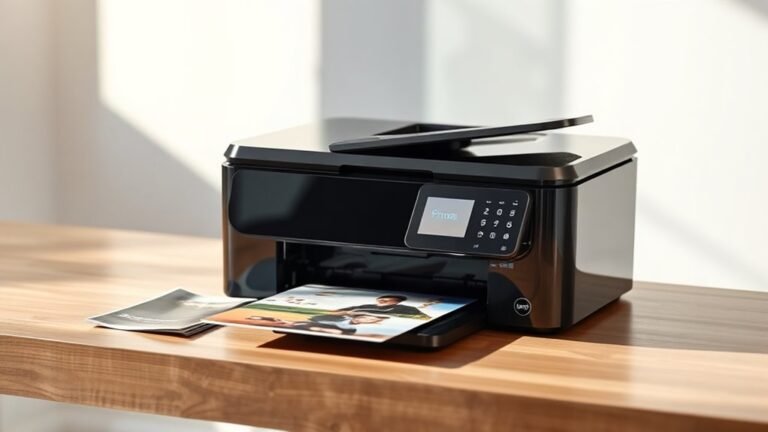
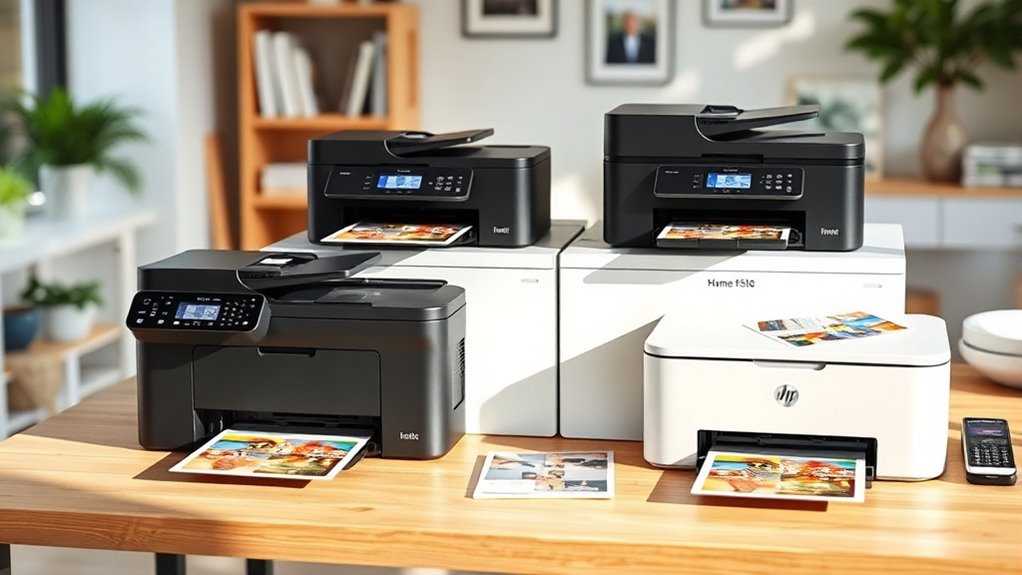
If you’re looking to save big on ink in 2027, choosing the right all-in-one printer with low ink costs is key. Ink can get expensive, but some models really stand out by offering high ink capacity and affordable replacement options. This means fewer trips to buy new cartridges and more money saved over time.
For example, the Canon MegaTank G3270 is a great pick if you want high ink capacity and less frequent replacements.
Then there’s the HP Smart Tank 5003, which comes with up to three years of ink included. That’s a huge plus if you want to keep costs down without worrying about running out quickly.
The HP OfficeJet Pro 8125 is another solid choice, combining fast printing speeds with an eco-friendly design.
And don’t forget the Epson EcoTank ET-2900 — it’s known for ultra-low ink costs and mess-free refills.
Keep reading to find the best fit for your needs!
| Image | Name | Editor's Rating | Price |
|---|---|---|---|

|
|
||

|
|
||

|
|
||

|
|
Canon MegaTank G3270 All-in-One Wireless Color Printer
- Wireless Print/Copy/Scan
- Up to 2 years of ink included (2)
- Print up to 6,000 black & white / 7,700 color pages using a single set of inks! (1)
- Save up to $1,000 on ink (1)
- 1.35” Square LCD display

The Canon MegaTank G3270 is designed for those who want to cut printing costs without compromising on quality. Its innovative MegaTank system enables you to print thousands of pages on a single ink refill, significantly reducing the hassle and expense of frequent cartridge replacements. This makes it a practical solution for everyday printing, copying, and scanning needs.
Compact and easy to maintain, this all-in-one printer fits comfortably in home offices or small workspaces. Wireless connectivity allows seamless printing from smartphones and tablets, helping you stay productive without being tethered to a computer.
Prints come out sharp and vibrant, thanks to the 4800 x 1200 dpi resolution and borderless printing options. The device supports various media types, making it versatile for documents and photos alike. While the print speed is moderate and the paper tray holds up to 100 sheets, it suits users focused on quality rather than volume.
Best for: small offices or individuals seeking an affordable, wireless all-in-one printer with high ink capacity and reliable performance.
What We Like:
- High page yield lowers ink replacement frequency and costs
- Wireless printing from multiple devices adds convenience
- Sharp, borderless prints enhance document and photo quality
- Compact design fits well in limited spaces
Specification:
| Feature | Details |
|---|---|
| Manufacturer | Canon |
| Dimensions | Not specified |
| Weight | Not specified |
| Color Options | Not specified |
| Connectivity | Wireless (smartphones/tablets supported) |
HP Smart Tank 5003 Ink Tank Printer | 3 Years of Ink Included | All-in-One
- THE LAST PRINTER YOU'LL EVER NEED – Set it up once and print with confidence; no complicated maintenance, just easy, reliable printing you can count on
- FULLY LOADED WITH SAVINGS – Best for low-cost, high-volume printing—up to 3 years of HP Ink included; get up to 6,000 color or black pages right out of the box
- KEY FEATURES – Print, copy and scan, plus borderless prints, mobile and wireless printing
- MESS-FREE REFILL – Replenish ink with HP's easy-access, mess-free refill system; simply plug the ink bottles into this cartridge-free ink tank and let them drain—no...
- BEST PRINT QUALITY, PERIOD – Sharper text, richer colors, only with HP Smart Tank
Experience hassle-free printing with the HP Smart Tank 5003 Ink Tank Printer, designed to keep your productivity flowing without the constant need for ink replacements. Its cartridge-free ink system delivers up to 6,000 pages in color or black, making it ideal for those who print frequently and want to avoid interruptions.
This all-in-one device handles printing, copying, and scanning with sharp, clear results. It offers high-quality output with up to 4800 x 1200 optimized dpi for color, ensuring your documents and images look professional every time. Wireless connectivity options like AirPrint and HP ePrint add convenience by letting you print directly from your smart devices.
Maintenance is straightforward thanks to its mess-free refill system, which keeps ink replenishment clean and simple. The compact design fits well in home offices or small workspaces, offering a low-cost solution for high-volume printing without sacrificing quality.
While the printer delivers reliable performance, its color print speed of 5 pages per minute and 100-sheet capacity may require patience for larger jobs. Still, it stands out as a practical choice for everyday printing needs.
Best for: Frequent home users and small office environments seeking a cost-effective, high-volume all-in-one printer with easy maintenance and wireless connectivity.
What We Like:
- Up to 3 years of ink included for uninterrupted printing
- Cartridge-free refillable ink tanks reduce mess and hassle
- Supports wireless printing via AirPrint, HP ePrint, and Mopria
- Crisp print quality with high-resolution color output
- Compact design fits neatly in limited spaces
Specification:
| Feature | Details |
|---|---|
| Manufacturer | HP |
| Dimensions | 15.5 x 14.8 x 9.7 inches |
| Weight | 9.5 lbs (4.31 kg) |
| Printing Technology | Ink tank (cartridge-free) |
| Color Options | Color |
HP OfficeJet Pro 8125 Wireless All-in-One Printer
- FROM AMERICA'S MOST TRUSTED PRINTER BRAND – The OfficeJet Pro 8125 is perfect for home offices printing professional-quality color documents like business documents...
- 3 MONTH TRIAL OF INSTANT INK INCLUDED – Subscribe to the Instant Ink delivery service to get ink delivered directly to your door before you run out, and you save up to...
- KEY FEATURES – Fast color printing, scan, copy, auto 2-sided printing, auto document feeder, and a 225-sheet input tray
- 2.7-INCH TOUCHSCREEN – Quickly navigate your printer with a large color touchscreen and a phone-like user interface
- WIRELESS PRINTING – Stay connected with our most reliable dual-band Wi-Fi, which automatically detects and resolves connection issues
The HP OfficeJet Pro 8125 is designed to meet the demands of busy home offices with fast, reliable printing. It delivers sharp, professional-quality documents at speeds up to 20 ppm in black and 10 ppm in color, helping you stay productive without long waits. Its wireless capability lets you print and scan effortlessly from anywhere in your home.
This all-in-one printer supports duplex printing, copying, and scanning, all controlled via a clear 2.7-inch touchscreen or the convenient HP mobile app. Setting up and maintaining the device is straightforward, with easy access to original HP ink cartridges that ensure consistent quality. The printer’s dual-band Wi-Fi keeps your connection stable and secure.
Eco-conscious users will appreciate the OfficeJet Pro 8125’s sustainable design, made with over 45% recycled plastic. While the compact touchscreen may feel small for some, it keeps the unit’s footprint minimal, suitable for tight spaces. Note that it supports standard letter-size paper, limiting larger-format printing.
Best for: professionals and home office users needing fast, wireless printing with high-quality output and eco-friendly features.
What We Like:
- Efficient print speeds for fast document turnaround
- Wireless printing and scanning via dual-band Wi-Fi and mobile app
- Sustainable build using over 45% recycled plastic
- Easy maintenance with original HP ink cartridges
Specification:
| Specification | Details |
|---|---|
| Manufacturer | HP |
| Dimensions | 16.5 x 14.3 x 9.3 inches |
| Weight | 16.5 lbs |
| Material | Plastic (45% recycled) |
| Color Options | Black |
Epson EcoTank ET-2900 Wireless All-in-One Printer
- Epson EcoTank includes enough ink to last up to 3 years⁴
- WORRY-FREE PRINTING — Epson EcoTank comes with enough ink to print up to 3,600 pages black/6,500 color⁹ for fewer out-of-ink frustrations. Each replacement ink bottle...
- SIMPLE INK REFILLING — Supersized ink tanks and uniquely keyed EcoFit bottles make refilling ink simple—no mess, no stress and no ink bottle mix-ups; fits in...
- THE WORLD’S #1 SELLING SUPERTANK PRINTER² — Epson invented EcoTank to revolutionize the way people print; we’ve sold 100 million EcoTanks worldwide⁷ and this is...
- KEY PRODUCTIVITY FEATURES — 11 black/6 color ISO ppm print speeds with zero warmup time, 100-sheet paper tray, high-resolution flatbed scanner and a 1.44" color display...
The Epson EcoTank ET-2900 redefines printing convenience with its ultra-low ink costs and high page yields. Designed to ease the hassle of frequent ink replacements, it comes with enough ink to print thousands of pages, greatly reducing interruptions and expenses.
This wireless all-in-one printer offers sharp prints and clear scans with a high-resolution flatbed. Its compact design includes a bright 1.44″ color screen for easy navigation. The energy-efficient build helps save power without sacrificing performance.
Maintenance is simple thanks to the large, mess-free ink tanks. These tanks hold enough ink for up to three years, eliminating the need for constant refills and minimizing waste. Mobile printing is effortless through the Epson Smart Panel app, letting you print or scan directly from your smartphone.
While print speeds are moderate, this model suits users who prioritize cost savings and ease of use over rapid output. Its maximum copy capacity is suitable for everyday tasks but may be limiting for bulk copying jobs.
Best for: users seeking a cost-effective, wireless all-in-one printer with low maintenance and reliable mobile printing.
What We Like:
- Includes up to three years of ink with large, mess-free tanks
- Convenient wireless printing via Epson Smart Panel app
- Compact and energy-efficient design with a user-friendly color screen
- High page yield reduces frequent ink replacements
Specification:
| Feature | Details |
|---|---|
| Manufacturer | Epson |
| Dimensions (W×D×H) | 14.8 × 12.2 × 8.0 inches |
| Weight | 9.5 lb (4.3 kg) |
| Color Options | White |
| Print Speed | 11 ppm (black), 6 ppm (color) |
| Display | 1.44″ color screen |
Factors to Consider When Choosing an All in One Printer With Lowest Ink Cost
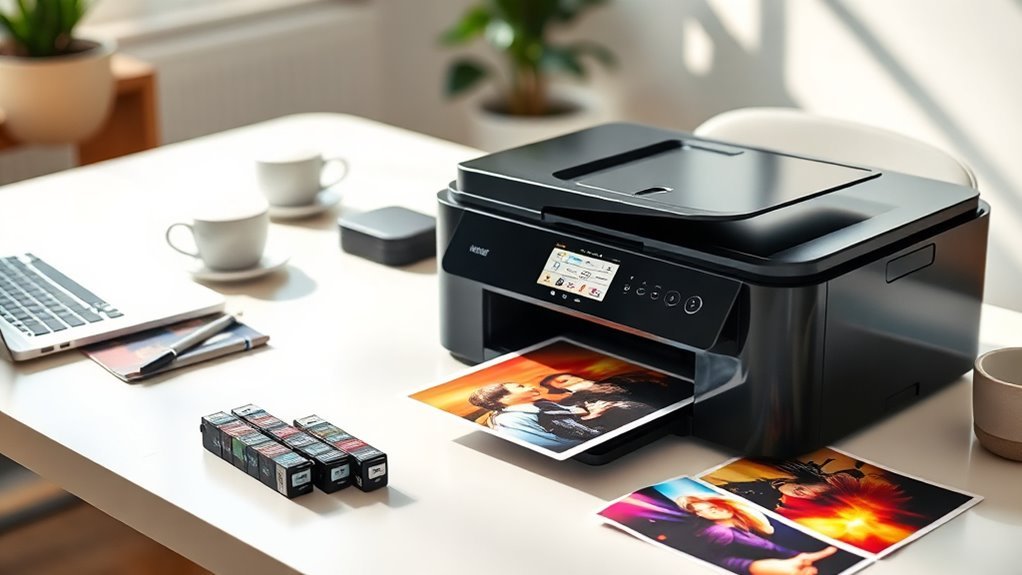
When choosing an all-in-one printer with low ink costs, you’ll want to check its ink tank capacity and how efficiently it uses ink. Comparing refill prices and print yield helps you spot the best value.
Plus, print quality guarantees your documents look sharp. Don’t forget to evaluate connectivity options and compatibility with your devices for smooth operation.
It’s all about finding the balance between cost, quality, and convenience to make the best choice for your needs.
Ink Tank Capacity
Since ink tank capacity directly affects how often you need to refill, it plays an essential role in lowering your overall ink costs. When you choose a printer with a larger ink tank, you can print thousands of pages—up to 6,000 black and white or 7,700 color—before needing a refill.
This means you’ll spend less on ink replacements and enjoy hassle-free, mess-free refilling thanks to the advanced refill systems. Some models even come with enough ink to last you up to three years, greatly reducing your cost of ownership.
Plus, a high-capacity ink tank helps lower your environmental impact by cutting down on cartridge waste. So, opting for a printer with substantial ink tank capacity is a smart move for saving money and minimizing inconvenience.
Print Yield Efficiency
Although many factors influence ink costs, print yield efficiency stands out as a key consideration when choosing an all-in-one printer. It measures how many pages you can print per ink refill or cartridge. So, higher yields mean you’ll spend less on ink over time.
Printers with MegaTank or EcoTank systems deliver impressive yields—up to 6,000 black-and-white pages and 7,700 color pages. This cuts down how often you need replacements, which is pretty convenient.
Cartridge-free ink systems boost cost-efficiency by letting you refill large tanks instead of buying pricey cartridges. Checking the cost per page helps you spot models offering excellent value, sometimes as low as 0.01 cents per black-and-white page.
Plus, these high-capacity systems reduce plastic waste, making your printing greener and more budget-friendly. It’s a win-win for your wallet and the environment!
Refill Cost Comparison
Choosing an all-in-one printer with the lowest ink cost means paying close attention to refill expenses. Ink tank systems like MegaTank or EcoTank let you print thousands of pages per refill, slashing your cost per page compared to traditional cartridges.
You’ll refill less often—some models print up to 6,000 black-and-white pages or 7,700 color pages before needing ink again. Plus, ink bottles for refills cost much less than new cartridges, sometimes replacing the equivalent of 80 cartridges at a fraction of the price.
Modern printers also offer mess-free refilling, so you won’t waste expensive ink or deal with spills. Although these printers may cost more upfront, the long-term savings on refills make them ideal if you print frequently and want to keep expenses low.
Print Quality Output
Print quality output plays an essential role when you pick an all-in-one printer with the lowest ink cost. You’ll want to check the resolution, measured in dots per inch (dpi), since higher dpi means sharper images and finer detail.
For color prints, look for printers offering optimized resolutions up to 4800 x 1200 dpi to guarantee vibrant and clear photos. If you print mostly in black and white, models with 1200 x 1200 dpi deliver crisp text and graphics.
Also, consider print speed—printers offering up to 20 ppm for black and 10 ppm for color balance quality and efficiency. Finally, the ink system type matters; refillable tanks often provide consistent quality and cost savings, especially for high-volume printing tasks.
Connectivity and Compatibility
How easily your printer connects to your devices can make a big difference in your everyday printing experience. When choosing an all-in-one printer with low ink cost, look for multiple connectivity options like USB, Wi-Fi, and mobile printing.
This flexibility lets you print from laptops, desktops, smartphones, and tablets without hassle. Make certain the printer supports mobile printing apps such as Apple AirPrint or the manufacturer’s app for added convenience.
Also, verify compatibility with different operating systems to guarantee smooth cross-platform use. A printer that handles various media types and sizes adds versatility for different projects.
Finally, consider how simple it is to update the printer’s firmware and access online support. These features help maintain performance and security over time.
Maintenance and Durability
To keep your all-in-one printer running smoothly and cost-effectively, focus on maintenance and durability factors that impact long-term expenses. Look for printers with refillable ink tank systems—they offer lower ink costs and can print thousands of pages per refill.
Consider the page yield of each ink type; higher yields mean fewer replacements and less downtime. Choose models with easy-to-access ink tanks to make refilling hassle-free and clean.
Regularly update your printer’s firmware to improve efficiency and extend its lifespan. Also, opt for energy-efficient printers that reduce power consumption during use and standby, lowering operational costs.
Warranty and Support
While choosing an all-in-one printer with low ink costs, you should carefully evaluate the warranty and support options offered. A longer warranty—one year or more—gives you peace of mind and can cut repair or replacement expenses.
Check if the warranty includes page limits, especially if you plan to print in high volumes, as these limits impact overall cost-effectiveness. Many printers also provide valuable support like online resources and responsive customer service, which can simplify troubleshooting.
Some manufacturers offer extended warranties or service plans, helping you avoid unexpected maintenance costs. Since warranty terms vary widely between models, review them closely to guarantee you get reliable coverage that maximizes your printer’s long-term value and keeps your printing experience hassle-free.
Frequently Asked Questions
How Do Ink Tank Printers Compare to Laser Printers in Print Quality?
Ink tank printers usually deliver better color vibrancy and photo quality, while laser printers excel at sharp, fast text printing.
You’ll notice ink tanks suit images, but lasers work best for crisp documents and high volume.
Can All-In-One Printers Scan to Cloud Storage Services?
Like a bridge connecting islands, all-in-one printers can scan directly to cloud storage services. You can easily save, access, and share your documents anywhere without extra steps.
It makes your workflow smooth and efficient. No more hassle with transferring files manually or using extra devices. Just scan and go!
What Is the Average Lifespan of an Ink Tank Printer?
You can expect an ink tank printer to last around 3 to 5 years with regular use.
Proper maintenance and using quality ink will help you extend its lifespan and keep it running smoothly.
Are These Printers Compatible With Both Windows and Mac OS?
Over 95% of all-in-one printers work seamlessly with both Windows and Mac OS. You’ll have no trouble installing or using these printers regardless of your system.
How Eco-Friendly Are the Ink Refill Processes for These Printers?
You’ll find the ink refill processes quite eco-friendly since many use recyclable cartridges or bulk refill systems that reduce waste. Plus, some brands offer take-back programs, helping you minimize environmental impact while saving on ink costs.
It’s pretty great how these options not only cut down on trash but also help you save money in the long run. So, you’re doing a bit of good for the planet every time you refill.
Conclusion
Choosing the right all-in-one printer with low ink costs is like finding a reliable friend who’s always got your back. Whether you pick the Canon MegaTank G3270 or the Epson EcoTank ET-2900, you’ll save money while enjoying exceptional performance.
Keep your printing needs and budget in mind, and you’ll find a printer that fits perfectly into your workflow. These all-in-one printers combine convenience with affordability, making every page count without draining your wallet.
When looking for the best all-in-one printer with the lowest ink cost, focus on models that offer high-yield ink tanks or cartridges. This way, you get more prints per refill, which means fewer interruptions and more savings. Ultimately, choosing a reliable, cost-effective all-in-one printer in 2027 will keep your printing smooth and your expenses low.