14 Best All-in-One Printers for Printing Pictures in 2027
If you’re after vibrant, high-resolution photo prints, consider the HP Envy Photo 7975 or Epson EcoTank Photo ET-8550 for wireless convenience and cost-effective ink tanks. Both printers are designed to deliver sharp, colorful images that really bring your pictures to life. Plus, the wireless features make printing from your phone or laptop a breeze.
Canon PIXMA TR8620a offers smart ink management, which helps you save on ink without compromising quality. On the other hand, the Epson XP-7100 is known for its fast, colorful results, perfect if you don’t want to wait long for your photos.
For budget-conscious printing, the Canon MegaTank G3270 stands out with affordable refills, making it ideal for those who print often but want to keep costs low. Each model balances photo quality, speed, and connectivity, so exploring their strengths can help you find the perfect all-in-one printer for your picture needs.
| Image | Name | Editor's Rating | Price |
|---|---|---|---|

|
|
||

|
|
||

|
|
||
|
|
||

|
|
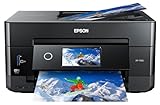
HP Envy Photo 7975 Wireless Color Inkjet Printer
- From America's most trusted printer brand, the HP Envy Photo 7975 is a premium multi-purpose home printer with everything families need to learn, work, and create. Loaded...
- PERFECT FOR HOME - The HP Envy Photo 7975 is great for printing documents, high-quality true-to-screen borderless photos, creative projects and more. Print speeds up to...
- 3 MONTHS OF INK INCLUDED - Subscribe to the Instant Ink delivery service to get ink delivered directly to your door before you run out. After 3 months, a monthly fee...
- KEY FEATURES - Print, copy, scan, automatic 2-sided printing, advanced photo features, separate photo tray, auto document feeder, mobile and wireless printing.
- EFFORTLESS PRINTING - Smoothly navigate printing with a large intuitive printer color touchscreen.

Experience vibrant photo printing right at home with the HP Envy Photo 7975 Wireless Color Inkjet Printer. This versatile all-in-one device simplifies your workflow by combining printing, scanning, and copying in one sleek unit. Its intuitive AI-enabled interface and large 2.7” touchscreen make operation straightforward, saving you time and effort.
Designed for those who value high-quality photos, it uses advanced photo inks to produce sharp, colorful prints at resolutions up to 4800 x 1200 dpi. The dedicated photo tray ensures hassle-free media handling, while borderless printing brings your images to life without distracting edges.
Wireless and mobile printing capabilities let you print directly from your smartphone or tablet. The automatic duplex feature and 35-sheet automatic document feeder improve efficiency, especially for multi-page tasks. Setup is quick, and the included 3-month Instant Ink trial helps keep your ink supply steady.
Maintenance is manageable, though ink cartridges can be costly over time, and the printer’s size may require a dedicated space. Print speeds are moderate, making it ideal for personal or creative use rather than heavy office workloads.
Best for: Home users and creative individuals needing a versatile all-in-one printer for high-quality photo printing with wireless convenience.
What We Like:
- Produces sharp, borderless photos with advanced inks at 4800 x 1200 dpi
- Easy operation via AI-enabled workflow and large touchscreen
- Wireless and mobile printing support for flexible use
- Auto-duplex and 35-sheet feeder boost multitasking efficiency
Specification:
| Feature | Details |
|---|---|
| Manufacturer | HP |
| Dimensions (W×D×H) | 17.2 x 14.6 x 5.6 inches |
| Weight | Approximately 14.8 lb (6.7 kg) |
| Printer Type | Wireless Color Inkjet |
| Display | 2.7-inch color touchscreen |
| Connectivity | Wireless, Mobile Printing |
| Max Print Resolution | 4800 x 1200 dpi |
| Input Capacity | 35-sheet automatic document feeder |
Epson EcoTank Photo ET-8550 Wireless Wide-Format All-in-One Tank Printer
- CARTRIDGE-FREE PRINTING — Print lab-quality photos, graphics and creative projects; Get vibrant colors and sharp text with Epson's high-accuracy printhead and Claria ET...
- INK BOTTLES — Save on photos1 and creative projects with affordable in-house printing; All-in-one printer allows you to print 4" x 6" photos for about 4 cents each vs...
- LESS FREQUENT INK REPLACEMENT — Replacement ink bottles don't have to be changed nearly as often as ink cartridges¹; Printer, scanner and copier lets you print up to...
- PRINT FOR LONGER — Up to 2 years of ink in the box² (and with every replacement ink set) for fewer out-of-ink frustrations with this wireless printer
- ZERO CARTRIDGE WASTE — Epson EcoTank printer helps reduce the amount of cartridge waste ending up in landfills; Cartridge-free printer uses high-yield ink bottles; Each...
Experience professional-quality photo printing with the Epson EcoTank Photo ET-8550, designed to elevate your creative projects with ease. This wide-format all-in-one printer delivers vibrant, lab-quality prints up to 13 x 19 inches, perfect for photographers and artists who demand sharp, vivid images.
Its innovative EcoTank system eliminates cartridges by using large refillable ink tanks, significantly lowering printing costs and minimizing waste. This setup makes maintenance straightforward, allowing uninterrupted work without constant ink replacements.
The printer offers wireless connectivity and intuitive controls via touchscreen or mobile app. It handles various media types and supports automatic duplex printing to enhance your workflow. Though moderately sized and not the fastest, it balances quality and convenience ideal for home studios or small professional setups.
Best for: photographers and creative professionals needing high-resolution, wide-format photo prints with cost-effective, cartridge-free ink solutions.
What We Like:
- Cartridge-free EcoTank system reduces costs and waste.
- Wide-format, borderless prints with six-color Claria ET Premium ink.
- Wireless and touchscreen/app controls for easy operation.
- Automatic duplexing and versatile media handling.
Specification:
| Feature | Details |
|---|---|
| Manufacturer | Epson |
| Dimensions (W×D×H) | Approx. 23.6 x 14.6 x 9.8 inches |
| Weight | Approx. 15.6 lbs |
| Ink System | Six-color Claria ET Premium ink |
| Max Print Size | 13 x 19 inches |
| Connectivity | Wireless |
Canon PIXMA TR8620a All-in-One Printer
- Never run out of ink. Connect your printer to Alexa and receive notifications when you’re running low. Alexa can even place a smart reorder from Amazon on your behalf...
- Enrolling in Smart Reorders with Alexa ensures that you never have too much or too little ink supplies. No subscription needed.
- Wireless 4-in-1 (Print | Copy | Scan | Fax)
- 15 / 10 ipm Print Speed
- 200 Sheet Capacity (100 Cassette, 100 Rear Feed)
The Canon PIXMA TR8620a is designed to streamline your home office tasks with ease. It offers sharp photo quality at 4800 x 1200 dpi, ensuring your prints look professional and vibrant. This all-in-one printer handles printing, copying, scanning, and faxing, reducing the need for multiple devices.
Its automatic duplexing and 20-sheet automatic document feeder boost your productivity by simplifying double-sided printing and multi-page scanning. Maintenance is straightforward thanks to five individual ink tanks that allow you to replace only the color that runs out, saving time and cost.
With two 100-sheet trays, the printer supports various paper types and borderless photo printing up to 8.5×11 inches, making it versatile for both documents and photos. Alexa integration adds convenience by keeping you informed about ink levels and simplifying reordering.
The PIXMA TR8620a is compact yet weighs 17.4 pounds, so consider your workspace size. Its maximum duty cycle of 1,000 pages suits typical home office use but may be less ideal for heavy workloads.
Best for: Home office users and small businesses needing reliable all-in-one functionality with quality photo printing and wireless convenience.
What We Like:
- High-resolution printing delivers sharp photos and clear text
- Automatic duplexing and 20-sheet ADF enhance workflow efficiency
- Five individual ink tanks for precise color management and cost savings
- Alexa integration for smart ink notifications and ordering
Specification:
| Feature | Details |
|---|---|
| Manufacturer | Canon |
| Dimensions (W×D×H) | Approx. 15.0 x 12.0 x 7.5 inches |
| Weight | 17.4 pounds (7.9 kg) |
| Printing Technology | Inkjet |
| Maximum Resolution | 4800 x 1200 dpi |
| Paper Trays | Two 100-sheet trays |
| ADF Capacity | 20 sheets |
| Connectivity | Wireless, Alexa-enabled |
Epson Expression Premium XP-7100 Wireless Color All-in-One Inkjet Printer
- CLEAR AND VIBRANT PRINT QUALITY ― All-in-one inkjet color printer produces sharp text for eye-catching documents and impressive color photos and graphics; Your next...
- PRINTER FOR HOME USE ― Designed to increase your productivity at home, this wireless color printer features a 30 page auto document feeder (ADF), auto 2-sided print...
- CREATIVITY MADE EASY ― Epson color printer provides creative versatility, allowing you to print photos and documents on specialty paper¹ and DVDs; You can even print...
- SIMPLE FUNCTIONALITY ― Convenient features make printing, scanning, and copying a snap; Use the large, intuitive 4.3 in touchscreen to view, edit and print photos...
- CONVENIENT WIRELESS PRINTER ― Ultimate wireless plus ethernet; Easily print photos and documents directly from your tablet or smartphone³; Includes Wi-Fi direct for...
Experience vibrant, high-quality photo printing with the Epson Expression Premium XP-7100. This all-in-one printer uses a 5-color Claria Premium ink system to deliver sharp, colorful images quickly. You can produce 4×6 borderless prints in as little as 12 seconds, making it ideal for fast-paced photo projects.
The compact 4.3-inch touchscreen enables easy photo viewing, editing, and direct printing from USB drives or SD cards. This feature simplifies your workflow by allowing quick access without a computer. Wireless, Ethernet, and voice control connectivity mean it integrates smoothly into your home or office setup.
Designed for versatility, the XP-7100 scans, copies, and prints on CDs/DVDs, while automatic duplexing and a 30-page feeder improve efficiency for everyday tasks. To maintain optimal performance and protect your investment, use only genuine Epson cartridges, which help avoid damage and ensure consistent print quality.
While it handles standard paper sizes up to 8.5 × 11 inches, it may not suit larger print jobs. The printer’s size is somewhat bulky compared to compact models, so consider your available desk space before purchase.
Best for: users needing a versatile all-in-one printer that delivers fast, vibrant photo prints with convenient wireless and voice control options.
What We Like:
- Fast borderless photo printing with vibrant Claria Premium inks
- User-friendly 4.3-inch touchscreen for direct printing and editing
- Multiple connectivity choices including Wi-Fi, Ethernet, and voice control
- Automatic duplex printing and 30-page feeder boost productivity
Specification:
| Feature | Details |
|---|---|
| Manufacturer | Epson |
| Dimensions | Approximately 14.8 × 12.2 × 6.0 inches |
| Weight | About 13.9 lbs (6.3 kg) |
| Ink System | 5-color Claria Premium ink |
| Max Media Size | 8.5 × 11 inches |
| Connectivity | Wireless, Ethernet, USB, SD card, Voice control |
Canon MegaTank G3270 All-in-One Wireless Color Printer
- Wireless Print/Copy/Scan
- Up to 2 years of ink included (2)
- Print up to 6,000 black & white / 7,700 color pages using a single set of inks! (1)
- Save up to $1,000 on ink (1)
- 1.35” Square LCD display
Experience hassle-free, high-quality color printing with the Canon MegaTank G3270 All-in-One Wireless Color Printer. Designed to tackle the common challenge of costly ink replacements, this printer’s refillable MegaTank system supplies enough ink for up to 7,700 color pages. This means you can print confidently without frequent interruptions or extra expenses.
The G3270 delivers sharp, vibrant photos and clear documents with a resolution of up to 4800 x 1200 dpi. Its wireless connectivity and smartphone compatibility simplify printing tasks, letting you print from almost anywhere in your home or office. This flexibility enhances productivity and convenience.
Maintenance is straightforward thanks to the easy-to-refill ink tanks. The compact design fits well in smaller spaces, making it ideal for home and home office environments. While it offers solid print quality, note that print speeds are moderate and duplex printing is not supported, which may affect heavy or fast-paced printing needs.
Overall, this printer balances cost-efficiency, quality, and ease of use, making it a smart solution for users seeking reliable color printing without ongoing high ink costs.
Best for: Home and home office users who want affordable, high-quality color printing with simple wireless and smartphone connectivity.
What We Like:
- Refillable MegaTank ink system reduces ongoing ink expenses.
- High resolution (4800 x 1200 dpi) ensures sharp, vibrant prints.
- Wireless and smartphone printing simplify workflow.
- Compact design fits easily into limited spaces.
- Straightforward maintenance with easy ink refills.
Specification:
| Feature | Details |
|---|---|
| Manufacturer | Canon |
| Dimensions | Compact size (specifics not provided) |
| Weight | Not specified |
| Print Resolution | Up to 4800 x 1200 dpi |
| Print Speed | 11 ppm black, 6 ppm color |
| Connectivity | Wireless, smartphone compatible |
| Paper Tray Capacity | 100 sheets |
| Duplex Printing | Not supported |
Canon PIXMA TS6520 Wireless Color Inkjet Printer, 1.42″ OLED Display, White

- Affordable Versatility - A budget-friendly all-in-one printer perfect for both home users and hybrid workers, offering exceptional value
- Crisp, Vibrant Prints - Experience impressive print quality for both documents and photos, thanks to its 2-cartridge hybrid ink system that delivers sharp text and vivid...
- Effortless Setup & Use - Get started quickly with easy setup for your smartphone or computer, so you can print, scan, and copy without delay
- Reliable Wireless Connectivity - Enjoy stable and consistent connections with dual-band Wi-Fi (2.4GHz or 5GHz), ensuring smooth printing from anywhere in your home or...
- Scan & Copy Handling - Utilize the device’s integrated scanner for efficient scanning and copying operations
Experience sharp, vibrant printing with the Canon PIXMA TS6520, a compact all-in-one printer crafted to enhance your home or hybrid workspace. It delivers crisp 1200 x 1200 dpi prints, ensuring your photos and documents come out clear and colorful every time. Its hybrid 2-cartridge ink system balances quality and simplicity, making maintenance straightforward.
Designed to save you time, the PIXMA TS6520 features auto duplex printing to handle double-sided documents effortlessly. The 1.42″ OLED display provides intuitive control, while borderless photo support lets you create professional-looking prints without the hassle of trimming. Connecting is seamless thanks to dual-band Wi-Fi, USB, and mobile app compatibility, plus voice control with Alexa adds hands-free convenience.
Though it has a single paper tray with limited capacity, this printer suits moderate use well. Print speeds are moderate, so it’s best for users who print occasionally rather than in heavy volumes. The simple ink system keeps refills easy but may not be the most cost-effective for high-frequency printing.
With its sleek white design, the PIXMA TS6520 fits neatly into any space, providing reliable functionality for families, students, and hybrid workers who need a versatile printer without complexity.
Best for: Families, students, and home users seeking a compact all-in-one printer for everyday photo and document printing.
What We Like:
- Crisp 1200 x 1200 dpi resolution for vibrant prints
- Auto duplex printing and borderless photo capability
- Easy-to-use 1.42″ OLED display
- Multiple connectivity options including dual-band Wi-Fi and Alexa voice control
- Compact and stylish design fits well in home or hybrid offices
Specification:
| Feature | Details |
|---|---|
| Manufacturer | Canon |
| Dimensions (W×D×H) | Approx. 15.0 × 12.0 × 5.0 inches |
| Weight | Approx. 10.2 lbs |
| Ink System | 2-cartridge hybrid |
| Display | 1.42″ OLED |
| Connectivity | Dual-band Wi-Fi, USB, Mobile apps, Alexa voice control |
| Color Options | White |
HP Envy 6155 Wireless All-in-One Printer (C2WR7A)

- FROM AMERICA'S MOST TRUSTED PRINTER BRAND – The Envy 6155 is perfect for homes printing everyday high-quality color documents like homework and borderless photos. Print...
- 3 MONTH TRIAL OF INSTANT INK – Subscribe to the Instant Ink delivery service to get ink delivered directly to your door before you run out, and you save up to 50% on...
- KEY FEATURES – Color print, copy and scan, plus auto 2-sided printing and a 100-sheet input tray
- HP'S MOST INTUITIVE COLOR TOUCHSCREEN – Smoothly navigate your printer with the easy-to-use 2.4" touchscreen
- WIRELESS PRINTING – Stay connected with our most reliable dual-band Wi-Fi, which automatically detects and resolves connection issues
The HP Envy 6155 Wireless All-in-One Printer offers a seamless solution for home users who need reliable photo and document printing. Its borderless photo printing and HP P3 technology deliver vibrant, true-to-screen colors that bring memories to life with professional quality.
Designed for ease, this printer handles duplex printing automatically and accommodates up to 100 sheets, reducing frequent paper refills. The dual-band Wi-Fi ensures stable connections, while the 2.4-inch color touchscreen simplifies navigation and task management.
Maintenance is straightforward but requires original HP cartridges with chips, as non-HP cartridges are blocked. The printer supports the HP App, enabling printing, scanning, and faxing directly from smartphones, which adds convenience and flexibility to everyday tasks.
Though print speeds peak at 10 pages per minute in black and 7 in color, this is suitable for typical home or small office use. AI technology helps optimize prints, reducing waste and ensuring efficient use of resources.
Best for: home users seeking a versatile, easy-to-use printer that produces high-quality photos and documents with smart features.
What We Like:
- True-to-screen, borderless photo printing with HP P3 color technology
- Auto duplex printing with a 100-sheet input tray for fewer interruptions
- Dual-band Wi-Fi and intuitive 2.4-inch touchscreen with smartphone app control
Specification:
| Specification | Details |
|---|---|
| Manufacturer | HP |
| Dimensions | Approximately 17.3 x 14.5 x 5.7 inches |
| Weight | About 13.5 lb (6.1 kg) |
| Color Options | White/Black |
| Connectivity | Dual-band Wi-Fi |
| Display | 2.4-inch color touchscreen |
Canon PIXMA G620 Wireless MegaTank Photo Printer

- Never run out of ink. Connect your printer to Alexa and receive notifications when you’re running low. Alexa can even place a smart reorder from Amazon on your behalf...
- Enrolling in Smart Reorders with Alexa ensures that you never have too much or too little ink supplies. No subscription needed.
- MEGATANK HIGH PAGE YIELD: Print up to 3,800 4” x 6” color photos on a full set of ink.
- LOW COST PER PRINT with approx. ink cost of 2.5 cents per 4” x 6” color photo.2
- 6-COLOR DYE-BASED INK SYSTEM including Red and Gray inks for a wider color gamut.
The Canon PIXMA G620 Wireless MegaTank Photo Printer is designed to meet the needs of avid photo printers who demand both quality and economy. It tackles the high cost of photo printing by delivering up to 3,800 vibrant 4″ x 6″ color prints from a single ink set, making it ideal for users who print frequently. This printer’s 6-color dye-based ink system, including unique Red and Gray inks, enhances color depth and photo longevity with CHROMALIFE100 technology.
Setting up and maintaining the printer is straightforward. Its compact design fits easily in any workspace, while wireless and USB connectivity allow printing from multiple devices without hassle. Alexa integration adds convenience by enabling voice commands to check ink levels and reorder supplies effortlessly.
Though the printer excels in photo quality and efficiency, it has some limitations. The copy speed is relatively slow at 3.9 ppm, and the paper tray holds only up to 50 sheets, which might require more frequent refills. Despite this, the Canon PIXMA G620 is a reliable choice for users prioritizing rich color output and cost-effective photo printing.
Best for: Photo enthusiasts and high-volume printers seeking an economical, high-quality all-in-one printer with wireless capabilities and rich color output.
What We Like:
- High yield of up to 3,800 color photos per ink set reduces printing costs.
- 6-color ink system with Red and Gray inks delivers richer, more vibrant images.
- Easy wireless and USB connectivity supports versatile device printing.
- Alexa integration for convenient ink monitoring and smart reordering.
Specification:
| Feature | Details |
|---|---|
| Manufacturer | Canon |
| Dimensions | Compact size (exact dimensions not specified) |
| Weight | Not specified |
| Ink System | 6-color dye-based with Red and Gray inks |
| Connectivity | Wireless, USB |
| Paper Tray Capacity | 50 sheets |
HP OfficeJet Pro 8125 Wireless All-in-One Printer

- FROM AMERICA'S MOST TRUSTED PRINTER BRAND – The OfficeJet Pro 8125 is perfect for home offices printing professional-quality color documents like business documents...
- 3 MONTH TRIAL OF INSTANT INK INCLUDED – Subscribe to the Instant Ink delivery service to get ink delivered directly to your door before you run out, and you save up to...
- KEY FEATURES – Fast color printing, scan, copy, auto 2-sided printing, auto document feeder, and a 225-sheet input tray
- 2.7-INCH TOUCHSCREEN – Quickly navigate your printer with a large color touchscreen and a phone-like user interface
- WIRELESS PRINTING – Stay connected with our most reliable dual-band Wi-Fi, which automatically detects and resolves connection issues
Experience smooth and vibrant photo printing with the HP OfficeJet Pro 8125 Wireless All-in-One Printer. This printer delivers sharp images with up to 4800 x 1200 optimized dpi, ensuring your photos are both water-resistant and fade-resistant. It handles glossy photo paper with ease, making your prints stand out.
Designed for efficiency, it features duplex printing to save time and paper. Wireless dual-band Wi-Fi and mobile app compatibility allow you to print, scan, copy, and fax from multiple devices without hassle. The intuitive 2.7-inch color touchscreen makes navigating functions simple.
Maintenance is straightforward, though note that this model requires original HP ink cartridges with chips, which may limit third-party options. The one-sided automatic document feeder is suitable for single-sided tasks but could slow double-sided workflows.
Eco-conscious users will appreciate its design, which incorporates over 45% recycled plastic. HP’s AI technology also helps reduce waste by optimizing print formatting, striking a balance between quality and sustainability.
Best for: Home users and small office professionals needing a versatile, eco-friendly all-in-one printer with reliable wireless connectivity and photo printing capabilities.
What We Like:
- High-resolution photo printing with water- and fade-resistant output
- Convenient wireless dual-band Wi-Fi and mobile app support
- Eco-friendly design using over 45% recycled plastic
- Easy-to-use 2.7-inch color touchscreen interface
- AI-driven print optimization to reduce waste
Specification:
| Feature | Details |
|---|---|
| Manufacturer | HP |
| Dimensions | 17.3 x 14.7 x 9.9 inches |
| Weight | 18.6 lbs (8.4 kg) |
| Print Resolution | Up to 4800 x 1200 optimized dpi |
| Connectivity | Wireless dual-band Wi-Fi, USB |
| Display | 2.7-inch color touchscreen |
| Materials | Includes over 45% recycled plastic |
Canon PIXMA TS4320 – Wireless Color Inkjet Printer with Print, Copy, Scan

- Affordable Versatility - A budget-friendly all-in-one printer perfect for both home users and hybrid workers, offering exceptional value
- Crisp, Vibrant Prints - Experience impressive print quality for both documents and photos, thanks to its 2-cartridge hybrid ink system that delivers sharp text and vivid...
- Effortless Setup & Use - Get started quickly with easy setup for your smartphone or computer, so you can print, scan, and copy without delay
- Reliable Wireless Connectivity - Enjoy stable and consistent connections with dual-band Wi-Fi (2.4GHz or 5GHz), ensuring smooth printing from anywhere in your home or...
- Scan & Copy Handling - Utilize the device’s integrated scanner for efficient scanning and copying operations
Experience vibrant photo printing that fits perfectly in your home with the Canon PIXMA TS4320. This compact all-in-one printer simplifies everyday tasks by combining printing, copying, and scanning in one sleek device. Its wireless design means you can print from your smartphone or laptop without hassle.
Enjoy sharp, colorful photos at up to 1200 x 1200 dpi resolution, with borderless prints up to letter size for professional-looking results. The automatic duplex feature saves paper by printing on both sides, making it efficient for document handling.
Maintenance is straightforward, especially with the PIXMA Print Plan subscription, which helps manage ink costs and keeps you printing longer. While it lacks an Automatic Document Feeder and an OLED display, the intuitive push-button controls and app interface keep operation simple.
Its stylish design and modest footprint make it ideal for small spaces. Although the single 100-sheet tray may need refilling with heavy use, it suits typical home printing needs well.
Best for: Home users needing an affordable, compact all-in-one printer for quality photo and document printing with reliable wireless connectivity.
What We Like:
- High-quality borderless color photo printing up to 1200 x 1200 dpi
- Automatic two-sided printing to reduce paper use
- Dual-band Wi-Fi for stable wireless connections
- Ink subscription plan reduces ongoing costs
- Compact design fits well in limited spaces
Specification:
| Feature | Details |
|---|---|
| Manufacturer | Canon |
| Dimensions | Approximately 12.0 x 11.7 x 5.2 inches (W x D x H) |
| Weight | About 9.3 lbs (4.2 kg) |
| Printer Type | Wireless color inkjet |
| Print Resolution | Up to 1200 x 1200 dpi |
| Paper Capacity | 100 sheets |
| Connectivity | Dual-band Wi-Fi |
Epson Expression Photo XP-980 Wireless All-in-One Wide-Format Printer

- Professional-quality photos and prints — 6-color Claria Photo HD inks and a 5760 x 1440 dpi print resolution produce stunning borderless prints up to 11" x 17"
- Fast photo printing — delivers 4" x 6" borderless photos with astounding detail and accuracy in as fast as 11 seconds¹
- Convenient, easy operation — features 4.3" color touchscreen, plus Easy Mode for enhanced visibility and ease of use
- Versatile paper handling — separate trays for plain and photo paper, plus a rear feed for specialty paper
- Easy wireless printing — print from your laptop, desktop, smartphone or tablet³; use Wi-Fi Direct⁴ for router-free printing
Experience professional-quality photo printing with the Epson Expression Photo XP-980 Wireless All-in-One Printer. Designed to handle wide-format prints up to 11 x 17 inches, it brings your creative projects to life with vivid, borderless images. This printer solves the challenge of producing sharp, colorful photos quickly and easily, making it ideal for photographers and creative users.
Its 6-color Claria Photo HD ink system ensures vibrant color accuracy and smooth gradations. With a high resolution of 5760 x 1440 dpi, your prints will display fine details and rich tones. Fast printing speeds allow a 4 x 6 photo to be ready in just 11 seconds, reducing wait times for busy workflows.
The XP-980 supports automatic duplex printing and offers versatile connectivity options including wireless, Ethernet, and USB. The intuitive 4.3-inch touchscreen simplifies navigation and setup, making maintenance and everyday use straightforward. Dual paper trays help manage different media types without constant reloading, though the total capacity is limited to 120 sheets.
While the printer excels in photo print quality, its moderate copy speed of approximately 8 pages per minute may not suit high-volume tasks. Overall, it balances functionality and convenience for users focused on vibrant, borderless photo printing.
Best for: photographers, creatives, and home users needing versatile wide-format photo printing with reliable connectivity and sharp image quality.
What We Like:
- Sharp, vibrant prints with 6-color Claria Photo HD inks and 5760 x 1440 dpi resolution
- Fast borderless photo printing and automatic duplex functionality
- Multiple connectivity options including wireless and Ethernet
- User-friendly 4.3″ touchscreen interface
- Dual paper trays for managing various paper types
Specification:
| Feature | Details |
|---|---|
| Manufacturer | Epson |
| Dimensions | Approx. 15.7 x 11.7 x 7.2 in (WxDxH) |
| Weight | Approx. 14.3 lb (6.5 kg) |
| Ink System | 6-color Claria Photo HD inks |
| Maximum Print Size | 11 x 17 inches |
| Connectivity | Wireless, Ethernet, USB |
| Display | 4.3-inch touchscreen |
| Paper Capacity | 120 sheets (total) |
HP DeskJet 2923 Color Inkjet Printer | Wireless | All-in-One

- Perfect for basic printing needs – Print everyday color documents like to-do lists, letters, financial documents and recipes
- KEY FEATURES – Color print, copy, scan, and a 60-sheet input tray, plus mobile and wireless printing
- OPTIMIZE PRINT FORMATTING WITH HP AI – Print web pages and emails with precision—no wasted pages or awkward layouts; HP AI easily removes unwanted content, so your...
- ICON LCD – Print your basic documents with ease from the intuitive control panel
- PRINT SPEED – Up to 7.5 ppm black, 5.5 ppm color
Experience hassle-free printing with the HP DeskJet 2923 Color Inkjet Printer, designed to simplify your daily tasks. This compact all-in-one device handles printing, scanning, and copying with ease, making it a practical addition to any home office.
The printer’s dual-band Wi-Fi and mobile app support allow you to print and scan wirelessly from your smartphone or tablet. Its intuitive icon LCD screen makes navigation simple, so you can manage settings without confusion.
Delivering sharp images with up to 4800 x 1200 dpi resolution, it produces vibrant photos and clear documents. While printing speeds reach up to 7.5 ppm in black and 5.5 ppm in color, this model suits light to moderate use rather than high-volume tasks.
Maintenance is straightforward, with a compact design that fits easily in tight spaces. Manual duplexing helps save paper, though it requires user input. Plus, the included six-month Instant Ink trial helps you manage ink supplies efficiently and reduce costs.
Best for: Home users and families needing an affordable, space-saving all-in-one printer for everyday color printing, scanning, and copying.
What We Like:
- Convenient wireless printing and scanning via dual-band Wi-Fi and mobile app
- High print resolution for sharp photos and documents
- Six-month Instant Ink trial reduces ink expenses
- Compact design fits easily in small workspaces
- User-friendly icon LCD for simple control
Specification:
| Feature | Details |
|---|---|
| Manufacturer | HP |
| Dimensions | Approx. 16.1 x 6.5 x 11.7 inches (41 x 16.5 x 29.7 cm) |
| Weight | Approx. 5.2 lb (2.36 kg) |
| Color Options | White with gray accents |
Epson Expression Photo XP-8800 Wireless Color All-in-One Inkjet Printer

- Lab-quality photos and prints — 6-color Claria Photo HD ink and high print resolution for amazing borderless prints up to 8.5" x 11"
- Fast photo printing — delivers 4" x 6" borderless photos with astounding detail and accuracy in as fast as 10 seconds (1)
- Convenient, easy operation — features flush 4.3" color touchscreen, plus Easy Mode for enhanced visibility and ease of use
- Versatile paper handling — separate trays for plain and photo paper, plus a rear feed for specialty paper
- Easy wireless printing — print from your laptop, desktop, smartphone or tablet (3); use Wi-Fi Direct (4) for router-free printing
Experience vibrant, high-quality photo printing right at home with the Epson Expression Photo XP-8800. This wireless all-in-one inkjet printer uses 6-color Claria Photo HD ink to produce sharp, borderless photos up to 8.5 x 11 inches. Its crisp 5760 x 1440 dpi resolution ensures your images come out detailed and true to life every time.
Designed to save you time, it prints 4×6 photos in as fast as 10 seconds. The printer supports automatic duplex printing, helping reduce paper waste while handling everyday documents. Dual paper trays let you switch easily between plain and photo paper, so you can manage different print jobs without hassle.
Wireless connectivity options like Wi-Fi Direct and a responsive 4.3″ touchscreen make printing from laptops, tablets, or smartphones straightforward. The compact design fits well in home offices or creative spaces. Scanning features and creative apps add versatility, helping you maintain and share your photo projects with ease.
Maintenance is straightforward but keep in mind it requires Epson Genuine Cartridges, which may cost more. The paper capacity is limited to 120 sheets, which suits light to moderate use but might need frequent refills for heavy printing.
Best for: photography enthusiasts and home users who want fast, vibrant photo prints with wireless convenience and flexible media handling.
What We Like:
- Produces sharp, vibrant borderless photos up to 8.5 x 11 inches
- Prints 4×6 photos quickly, in about 10 seconds
- Convenient wireless printing with Wi-Fi Direct and touchscreen control
- Dual trays for easy switching between photo and plain paper
- Automatic duplex printing for efficient two-sided documents
Specification:
| Feature | Details |
|---|---|
| Manufacturer | Epson |
| Dimensions (W x D x H) | Approx. 14.8 x 12.3 x 5.9 in |
| Weight | Approx. 11.5 lb (5.2 kg) |
| Ink Type | 6-color Claria Photo HD ink |
| Maximum Print Size | 8.5 x 11 inches (Letter) |
| Connectivity | Wi-Fi Direct, Wireless LAN |
| Touchscreen Size | 4.3 inches |
| Paper Capacity | 120 sheets |
HP Smart Tank 7603 Ink Tank Printer | 3 Years of Ink Included | All-in-One

- THE LAST PRINTER YOU'LL EVER NEED – Set it up once and print with confidence; no complicated maintenance, just easy, reliable printing you can count on
- FULLY LOADED WITH SAVINGS – Best for low-cost, high-volume printing—up to 3 years of HP Ink included; get up to 8,000 color or 6,000 black pages right out of the box
- KEY FEATURES – Print, copy and scan and fax, auto document feeder, magic touch control panel, plus borderless prints, mobile and wireless printing
- MESS-FREE REFILL – Replenish ink with HP's easy-access, mess-free refill system; simply plug the ink bottles into this cartridge-free ink tank and let them drain—no...
- BEST PRINT QUALITY, PERIOD – Sharper text, richer colors, only with HP Smart Tank
Capture vivid, borderless photos and sharp documents with the HP Smart Tank 7603 Ink Tank Printer. This all-in-one device simplifies your workflow by combining printing, copying, scanning, and faxing in a single machine. Its flatbed scanner and 35-sheet automatic document feeder (ADF) handle multiple pages efficiently, saving time on everyday tasks.
Designed to reduce interruptions, the printer includes up to 3 years of ink with a cartridge-free refill system. This allows you to print up to 8,000 color pages without worrying about frequent ink replacements or messy spills. Wireless connectivity and app compatibility make it easy to print from your smartphone or computer, enhancing convenience.
Offering 4800 x 1200 dpi print resolution and duplex printing, the HP Smart Tank 7603 produces professional-quality photos and documents with crisp detail. While it has a moderate print speed and a relatively large footprint, its versatile features suit home offices or small businesses well.
Best for: users looking for a reliable, high-capacity all-in-one printer with long-lasting ink and versatile functions for home or small office environments.
What We Like:
- Up to 3 years of included ink with mess-free refill tanks
- Multifunctional with print, copy, scan, fax, flatbed scanner, and 35-sheet ADF
- High print resolution and automatic duplex printing for professional results
Specification:
| Feature | Details |
|---|---|
| Manufacturer | HP |
| Dimensions (W x D x H) | Approx. 17 x 14 x 7 inches |
| Weight | Approx. 17 lbs |
| Print Resolution | Up to 4800 x 1200 dpi |
| Ink System | Cartridge-free refill tanks |
| Connectivity | Wireless, USB |
| Paper Handling | Flatbed scanner, 35-sheet ADF |
Factors to Consider When Choosing an All in One Printer for Printing Pictures

When picking an all-in-one printer for photos, you’ll want to focus on print resolution and color accuracy to get sharp, vibrant images.
Also, consider the type and cost of ink, plus whether the printer supports various media sizes and borderless printing.
These factors guarantee your photos come out looking professional and fit your needs perfectly.
It’s all about making sure your memories look just right every time you print them!
Print Resolution Quality
Although print resolution isn’t the only factor determining photo quality, choosing an all-in-one printer with a high optical resolution—at least 1200 x 1200 dpi—ensures you’ll get finer details and smoother gradients in your prints.
For near-lab-quality photos, look for 4800 x 1200 dpi or higher. However, resolution alone doesn’t guarantee sharp images; the printer’s color gamut, printhead technology, and ink set play vital roles in translating dpi into real detail.
When printing common photo sizes on glossy paper, 300 dpi image files are enough for sharp results, so make sure the printer’s driver doesn’t downsample or upsample excessively.
Ink Type and Cost
Since ink type directly affects both photo quality and printing costs, you’ll want to choose carefully based on your priorities. Dye-based inks deliver vibrant, glossy photos with a wider color range, great for bright colors and skin tones.
Pigment inks, on the other hand, guarantee longevity and resist water or smudging—ideal for archival prints. Printers with 5–6 ink channels, including light cyan or gray, offer smoother gradations and more accurate colors than basic 2–4 cartridge models.
If you print a lot, look for refillable tank or bottle systems—they dramatically lower your cost per photo. Also, consider high-capacity or XL cartridges and special photo black inks to reduce running costs and boost black detail.
Always compare total ink yield and cost per photo to avoid expensive surprises over time. It’s worth taking a moment to crunch the numbers before picking your printer!
Color Accuracy and Gamut
Ink choices set the foundation for your prints, but achieving true-to-life images depends heavily on color accuracy and gamut. Choose printers with more than the basic CMYK inks—models with 5 to 8 colors, including photo black, light cyan/magenta, or gray, expand the color gamut and reveal subtle tonal gradations.
Check the maximum print and color resolution (dpi) plus color depth (bits per channel); higher values deliver finer color rendering and smoother gradients with less banding. Make certain the printer supports ICC profiles and custom color management to match your camera and monitor color spaces like Adobe RGB or ProPhoto RGB.
Finally, pick your ink type based on your priorities: dye inks offer wider gamuts and saturation, while pigment inks provide better longevity and neutral blacks. Remember, paper choice also impacts perceived gamut and accuracy markedly.
Media Size Compatibility
When choosing an all-in-one printer for photos, you’ll want to make sure it handles the media sizes you plan to print. Check the maximum printable size—whether it’s 8.5×11, 11×17, or larger—to confirm it fits your biggest projects.
Also, verify the supported paper thickness and weight, especially if you use specialty cardstock or fine-art papers. Look for printers with multiple paper trays or dedicated photo trays to easily switch between media without constant reloading.
If you print on non-standard formats or even CDs/DVDs, make certain the printer accepts those custom sizes. These features keep your workflow smooth and let you print a variety of photo sizes and types with ease, making your all-in-one a truly versatile photo printer.
Borderless Printing Capability
Beyond handling various media sizes, you’ll want to take into account a printer’s borderless printing capability to achieve photos that extend fully to the edges. Not all printers support borderless printing on every paper size, so check the maximum borderless sheet dimensions and thickness limits to match your preferred photo papers.
These printers often use dedicated photo trays or rear specialty feeds to prevent jams and maintain quality on glossy or heavy stock. Just keep in mind that borderless printing usually crops a few millimeters off your image. You might need to preview or adjust cropping in the driver or app to get it just right.
Also, expect higher ink usage at the edges and longer drying times. So, plan accordingly to avoid smudging or wasting ink.
Print Speed Performance
Expect photo print speeds to vary markedly based on resolution and print mode, so don’t rely on a printer’s general pages-per-minute rating for an accurate measure of photo output.
While manufacturers may advertise quick 4×6 prints in draft mode, full-quality photos with higher dpi and color correction often take considerably longer.
Color images require multiple ink passes and finer droplet control, slowing printing compared to black text.
Also, borderless prints, duplexing, and larger sizes like 8×10 add processing time, reducing throughput.
If you print photos frequently or in volume, factor in sustained speed elements such as input/output tray capacity, ink replenishment, and any warm-up or color-management delays.
These affect how efficiently you can produce high-quality photo prints without interruption or bottlenecks.
Connectivity and Compatibility
How do you guarantee your all-in-one printer works seamlessly with all your devices? First, make certain it supports the connection methods you need—Wi‑Fi, Wi‑Fi Direct, Ethernet, USB, and mobile or cloud printing. This way, you can print directly from PCs, smartphones, tablets, and cameras without hassle.
Check compatibility with your devices’ protocols like AirPrint for iOS, Mopria for Android, and native drivers for Windows or macOS. This makes sure you get smooth, high-quality photo prints every time.
Remember to verify if the printer’s max resolution and color management features work over your chosen connection. Some require USB or driver-enabled connections to perform their best.
If you scan photos, confirm your OS and apps support the scanner and ADF. Also, check for file formats and scan-to-cloud or email options to fit your needs.
For large or wide-format transfers, wired Ethernet or USB usually offers better stability and color accuracy. It’s worth considering if you want the best results.
Ease of Use Features
When choosing an all-in-one printer for photos, ease of use can make a big difference in your printing experience. Look for a clear, color touchscreen at least 2.5 inches wide with intuitive menus and on-screen previews. This speeds up selecting photo sizes, paper types, and print quality while reducing errors.
Dedicated photo trays or rear specialty-paper feeds let you load cardstock or glossy paper without swapping out the main cassette constantly. Built-in wireless printing with mobile apps and AirPrint/Mopria support lets you print directly from your smartphone or cloud without complicated setup.
Features like auto-duplex printing and quick paper-type shortcuts minimize menu navigation. Plus, easy-access scanners and simple setup wizards with step-by-step alignment and test prints make calibration and maintenance hassle-free. This ensures sharp photo output every time.
Frequently Asked Questions
How Do I Properly Clean the Print Heads on My All-In-One Printer?
You should run the printer’s built-in print head cleaning utility first.
If that doesn’t work, gently wipe the print heads with a lint-free cloth dipped in distilled water.
Avoid harsh chemicals to prevent damage.
Can I Use Third-Party Ink Cartridges Without Voiding the Warranty?
You absolutely can’t risk using third-party ink cartridges without checking your warranty—some manufacturers treat it like a crime against printing itself!
Always read your warranty terms carefully to avoid voiding coverage unintentionally. It’s better to be safe than sorry, right?
What Is the Average Lifespan of an All-In-One Photo Printer?
You can expect an all-in-one photo printer to last around 3 to 5 years with regular use. Proper maintenance and quality ink help extend its lifespan, so don’t neglect cleaning and timely cartridge replacements.
Keeping your printer clean and replacing cartridges when needed really makes a difference. It’s all about giving your printer a little TLC to keep it running smoothly.
How Do I Connect My Printer to Multiple Devices Simultaneously?
You can connect your printer to multiple devices simultaneously by using Wi-Fi or Ethernet. Just enable network sharing on the printer.
Then, add it to each device’s printer list via settings or the control panel. It’s pretty straightforward once you get the hang of it.
If you run into any issues, double-check that all devices are on the same network. That usually solves most connection problems.
Are There Special Photo Papers Recommended for All-In-One Printers?
Yes, you’ll want glossy, matte, or semi-gloss photo papers designed for your printer type. They enhance color, sharpness, and longevity.
Choose papers compatible with inkjet or laser printers to get the best picture quality every time. It really makes a difference in how your photos turn out!
Conclusion
Choosing the perfect all-in-one printer for your photos might seem overwhelming, but you’re closer than you think. Whether you want vibrant colors, wide-format capabilities, or budget-friendly ink options, one of these printers will fit your needs perfectly.
The question is, which one will transform your snapshots into stunning prints? Plunge in, explore the features, and get ready to bring your memories to life—your ideal printer awaits just around the corner.
With the best all-in-one printers for printing pictures, you can easily achieve professional-quality photos right at home. These printers combine convenience and versatility, making them perfect for photo enthusiasts and casual users alike. So, whether you’re printing cherished memories or creative projects, choosing the right all-in-one printer ensures vibrant, sharp, and lasting results every time.