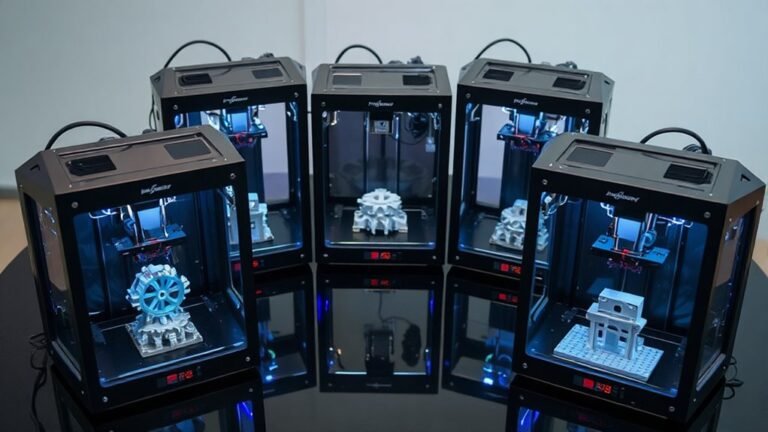
5 Best 3D Printers Under $400 for 2027 That Impress Creators
You’ll find the Entina Tina2C Mini perfect for beginner-friendly, compact printing with quick setup and quiet operation. It’s ideal if you’re just starting out and want something hassle-free.
The Creality Ender 3 V3 SE offers reliable auto-leveling and versatile filament support, making it a solid choice for various projects. Plus, its Upgrade version boosts speed and extrusion reliability, which is a real game changer.
The Anycubic Kobra X Multicolor impresses with native four-color printing and fast performance, perfect if you want to add some flair to your prints. Meanwhile, the TINA2S delivers a fully assembled, ready-to-use option that’s great for learners.
Keep going to explore what makes each of these 3D printers stand out for makers like you!
| Image | Name | Editor's Rating | Price |
|---|---|---|---|

|
|
||

|
|
||

|
|
||

|
|
||

|
|
Entina Tina2C Mini 3D Printer for Beginners
- 【Easy to Use 3D Printer – Ready in 5 Minutes】 Meet the Entina Tina2C, a plug-and-play mini 3D printer designed for first-time users. Fully assembled with factory...
- 【3500+ 3D Models & Easy One-Tap Printing】 Explore 3500+ ready-to-print 3D models and 25+ DIY projects in the Poloprint Cloud app, with new designs added daily...
- 【Smart WiFi 3D Printer & AI-Powered App】 Connect via 2.4GHz WiFi and enjoy convenient 3D printer app control through Poloprint Cloud. Explore models, manage prints...
- 【Auto Leveling 3D Printer & Power-Loss Recovery】 Automatic bed leveling helps improve first-layer adhesion and reduces manual adjustments for a smoother 3D printing...
- 【Flexible Magnetic Print Bed & Quick-Swap Nozzle】 The flexible magnetic build plate makes finished 3D prints easier to remove with a gentle bend. A removable...
Step into the world of 3D printing with the Entina Tina2C Mini, designed to simplify your creative journey. This compact printer arrives fully assembled, letting you start projects within minutes. Its auto-leveling feature and factory presets eliminate setup hassles, so you can focus on bringing your ideas to life.
The printer’s quiet operation and small footprint fit effortlessly on any desk, making it ideal for homes and classrooms. Maintenance is straightforward thanks to the flexible magnetic build plate and a removable nozzle, which ease print removal and cleaning. No need to worry about interruptions—its power-loss recovery ensures your prints finish even if the power cuts out.
Connectivity options include WiFi and offline printing, supported by an intuitive app that guides beginners through setup and offers access to thousands of 3D models. While the build volume is modest, it’s perfect for small-scale projects and learning purposes.
Best for: Beginners, families, and educators seeking an easy-to-use, compact 3D printer for home and STEM activities.
What We Like:
- Ready to print in five minutes with auto-leveling and presets
- Quiet, space-saving design with easy print removal
- Power-loss recovery protects ongoing prints
- Supports WiFi and offline modes with a beginner-friendly app
Specification:
| Feature | Details |
|---|---|
| Manufacturer | Entina |
| Build Volume | 3.9 x 3.9 x 3.9 inches |
| Dimensions | Compact desktop size |
| Weight | Lightweight |
| Color Options | Standard |
Creality Ender 3 V3 SE Beginner-Friendly 3D Printer with Auto Leveling
- 250mm/s High-Speed Printing: Print at speeds of up to 250mm/s with 2500mm/s² acceleration, helping you complete prototypes, functional parts, and everyday projects...
- Easy Setup with Auto Leveling: Designed for a fast and straightforward setup, the Ender 3 V3 SE can be assembled in just a few simple steps. CR Touch Auto Leveling and...
- Proven Sprite Direct Drive Extruder: The upgraded Sprite Direct Drive Extruder provides smooth and consistent filament feeding for PLA, PETG, and TPU. Its proven design...
- Stable Motion System for Consistent Results: Dual synchronized Z-axis lead screws and precision Y-axis linear shafts work together to help reduce vibration and Z...
- Quiet Operation with Easy Print Removal: A 32-bit silent mainboard helps reduce operating noise for a more comfortable printing experience, while the flexible PC spring...
Discover the Creality Ender 3 V3 SE, a beginner-friendly 3D printer designed to simplify your entry into 3D printing. Its auto leveling system, featuring CR Touch and automatic Z-offset calibration, removes the guesswork, ensuring your first layer is always spot-on. This ease of setup helps you start printing quickly without frustration.
The printer’s Sprite Direct Drive Extruder adapts smoothly to various filaments like PLA, PETG, and TPU. This versatility lets you explore different materials for prototypes or everyday creative projects. With a stable dual Z-axis lead screw and linear shafts, it delivers precise, consistent prints while maintaining quiet operation through its 32-bit silent mainboard.
Maintenance is straightforward thanks to its compact design and reliable mechanics. Weighing less than 20 pounds, it fits comfortably on a desk and is ready to use right out of the box. Its moderate maximum speed of 250 mm/s balances print quality with efficiency, though it may not satisfy needs for ultra-fast production.
Best for: Beginners and hobbyists seeking an easy-to-use, reliable 3D printer with auto leveling and diverse filament compatibility for everyday printing tasks.
What We Like:
- Hassle-free CR Touch auto leveling and automatic Z-offset ensure consistent first layers
- Smooth extrusion of PLA, PETG, and TPU with the Sprite Direct Drive system
- Stable dual Z-axis screws and quiet 32-bit mainboard for precise, low-noise printing
Specification:
| Feature | Details |
|---|---|
| Manufacturer | Creality |
| Dimensions | Compact (under 20 lbs) |
| Weight | ~19.8 lbs (9 kg) |
| Filament Compatibility | PLA, PETG, TPU |
| Print Speed | Up to 250 mm/s |
| Auto Leveling | CR Touch system |
| Mainboard | 32-bit silent |
Creality Ender 3 V3 SE 3D Printer Upgrade
- 【250mm/s High-speed Printing】Creality Ender 3 V3 SE 3d printer supports a maximum printing speed of 250mm/s, 2500mm/s² acceleration.The speed has been greatly...
- 【Powerful ""Sprite"" Direct Extruder】Ender 3 V3 SE is the upgrade of ender 3, ender 3 v2, ender 3 pro, ender 3 neo, ender 3 v2 neo, ender 3 s1, ender 3 s1 pro etc 3d...
- 【Worry-free CR Touch Auto Leveling & Strain Sensor】Creality Ender 3 upgraded 3d printer features a CR Touch sensor for auto leveling and a strain sensor for auto...
- 【Stable Dual Z-axis & Y-axis Linear Shafts】High-precision dual Z-axis lead screws reduce Z wobbling effectively, avoid printing deviation in single-axis printing...
- 【Quick Assembly & Easy to Use】Preassembly has solved those hassles and worries of parts assembly, It only takes 3 steps to complete the assemble the ender-3 v3 se 3d...

The Creality Ender 3 V3 SE 3D Printer Upgrade is designed to deliver fast and accurate prints, ideal for makers who value efficiency and precision. Its high-speed printing capability of up to 250 mm/s means projects finish quickly without sacrificing quality.
This model’s dual Z-axis lead screws minimize wobble, ensuring smoother layers and better surface finish. The Sprite full-metal dual-gear extruder enhances filament feeding, reducing jams and improving print reliability. These features combine to streamline your printing process and reduce maintenance time.
Setup is simplified with the CR Touch auto bed leveling and auto Z-offset sensors, helping users avoid common calibration headaches. The printer supports a range of filaments such as PLA, TPU, and PETG, providing flexibility for various project requirements.
With a print volume of 8.66 x 8.66 x 9.84 inches, it balances workspace size and compactness, suitable for most hobbyist needs. Quick assembly means you can start printing in about 20 minutes, making it accessible for beginners and experienced users alike.
Best for: Makers and hobbyists looking for a reliable, easy-to-assemble 3D printer upgrade that offers precise prints and versatile filament compatibility.
What We Like:
- Fast print speeds up to 250 mm/s with stable dual Z-axis lead screws
- Smooth filament feeding via full-metal dual-gear extruder
- Hassle-free setup with CR Touch auto-leveling and auto Z-offset
- Supports multiple filament types for versatile projects
- Quick assembly enables printing in around 20 minutes
Specification:
| Feature | Details |
|---|---|
| Manufacturer | Creality |
| Print Speed | Up to 250 mm/s |
| Print Volume | 8.66 x 8.66 x 9.84 inches |
| Extruder Type | Sprite full-metal dual-gear |
| Bed Leveling | CR Touch auto-leveling |
| Filament Support | PLA, TPU, PETG |
Anycubic Kobra X Multicolor 3D Printer, Easy Setup, Native 4-Color
- 【 Newest Level - 19-Color with 4 ACE 2 Pro】Why settle for one color when you can have multicolor? The Kobra X comes born with 4 colors built-in. It is innovative 3D...
- 【 Savings 2X Time】Stop wasting hours and filament on purging! Kobra X impresora 3D reduces the filament and machine travel path by 81.25%, so 2X the Speed, and...
- 【Hardened Precision & High Speed 】 Equipped with a high-durability hardened steel nozzle and vibration compensation, the Kobra X ensures every layer remains smooth...
- 【Flawless First Layer with LeviQ 3.0】The LeviQ 3.0 and auto bed leveling system uses a 49-point calibration and advanced leveling algorithm to ensure 100% bed...
- 【Smart AI Monitoring & Large Model Library】APP remote control, features Spaghetti detection and foreign object detection. The innovative top-mount spool holder...
Experience the freedom of vibrant creativity with the Anycubic Kobra X Multicolor 3D Printer. This innovative machine allows you to print in four colors natively, making complex, multicolor projects easier and more efficient. Expand your palette up to 19 colors by adding extra units, perfect for users who want to push creative boundaries.
The 260mm³ build volume offers ample space for detailed designs, while the LeviQ 3.0 auto bed leveling ensures smooth, hassle-free setup every time. Its hardened steel nozzle supports a variety of filaments like PLA, TPU, and PETG at temperatures up to 300°C, giving you the flexibility to work with different materials confidently.
Designed for quiet operation at just 45 dB, it fits well in home, school, or maker environments without disturbing others. Smart AI monitoring helps you print faster and smarter, with speeds reaching up to 600 mm/s. Setup is straightforward, enabling you to start printing in under 15 minutes.
Maintenance is simple thanks to reliable components and easy access to replaceable parts. While the printer does not include filament and expanding beyond four colors requires additional units, this versatile 3D printer meets diverse needs without complexity.
Best for: Educators, hobbyists, and professionals seeking a flexible, easy-to-use multicolor 3D printer with fast print speeds and advanced features.
What We Like:
- Native four-color printing with option to expand up to 19 colors.
- Fast print speeds up to 600 mm/s with efficient filament use.
- Automatic LeviQ 3.0 bed leveling for precise calibration.
- Quiet operation suitable for shared spaces.
- Supports multiple filament types with a hardened steel nozzle.
Specification:
| Feature | Details |
|---|---|
| Manufacturer | Anycubic |
| Build Volume | 260 mm³ |
| Max Nozzle Temperature | 300°C |
| Filament Compatibility | PLA, TPU, PETG |
| Print Speed | Up to 600 mm/s |
| Noise Level | 45 dB |
| Color Printing | Native 4-color, expandable to 19 colors |
| Auto Bed Leveling | LeviQ 3.0 |
TINA2S 3D Printer Beginner Friendly, Fully Assembled, Ready to Use
- 【Ready to Use & Beginner Friendly】Hephi3d TINA2S beginner 3d printer for home. Fully assembled, auto leveling, out of the box, no setup. Ready to print in 5 minutes...
- 【Read to Print Model Library】 TINA2S beginner-friendly 3d printers with App, access 3,500+ online ready to print models, one-tap-print easily via your phone or...
- 【Pint Your Way-No Limits】TINA2S mini 3d printer is fully open-source, support use with Wiibuilder, Cura, Kiri(Chrome book), PrusaSlicer softwares on PC/Laptop. You...
- 【Ultra Quiet-Print】 Tina2S small 3d printers beginner-friendly, is built in self-developed motherboard for silent printing(40~50dB), provide family a conforatble...
- 【Auto Bed Leveling & Precise Printing】Plug and play 3d printer TINA2S auto-bed leveling make it more easy to use for starter. Filament Sensor detection and power-loss...
The TINA2S 3D Printer from Hephi3d is designed to make 3D printing accessible for beginners and families. Its fully assembled setup means you can start printing within minutes, eliminating the frustration of complex assembly. The auto bed leveling ensures each print sticks perfectly, reducing failed attempts and wasted materials.
Thanks to its app and WiFi control, you can manage prints remotely and access thousands of ready-to-print models with just one tap. The semi-enclosed design not only keeps prints stable but also enhances safety, making it suitable for home and educational environments.
Maintenance is straightforward with features like filament detection and power-loss resume, which help avoid print interruptions and material waste. While the compact build size limits large projects and supports only PLA, PLA Pro, and TPU filaments, it offers enough flexibility for creative and educational use.
Best for: Beginners, families, teens, and STEM learners seeking an easy-to-use, fully assembled 3D printer with reliable features and safe operation.
What We Like:
- Quick setup with fully assembled design and auto bed leveling
- Remote control via app and WiFi with access to 3,500+ models
- Safety features including filament detection and power-loss resume
- Compact, semi-enclosed frame ideal for desktop use
- Supports common filaments like PLA and TPU for versatile printing
Specification:
| Feature | Details |
|---|---|
| Manufacturer | Hephi3d |
| Dimensions | Compact (exact size not specified) |
| Weight | Not specified |
| Material Compatibility | PLA, PLA Pro, TPU |
| Color Options | Not specified |
Factors to Consider When Choosing a 3D Printer for Under 400

When choosing a 3D printer under $400, you need to contemplate factors like printing volume and how easy it is to set up. Consistent print quality and the range of compatible filaments also play a big role in your experience.
Don’t forget to check connectivity options and control features to make sure the printer fits your workflow. These little details can make a huge difference in how smoothly everything runs.
Printing Volume Capacity
You’ll want to size up the build volume carefully to make sure it fits the largest parts you plan to print. Many budget 3D printers under $400 offer relatively small spaces, often under 200 × 200 × 200 mm.
Keep in mind, the usable print volume is usually slightly less because of frame obstructions, carriage clearance, and bed margins. Larger volumes might sound appealing, but they can increase print times and the risk of failures. So, prioritize a size that matches your typical projects.
If you occasionally need bigger parts, look for printers with modular beds or plan to print in sections. This way, you can avoid overspending on unused capacity. Also, check that the printer provides stable, rigid Z-axis mechanics for taller prints. This helps prevent wobbling or layer shifting during long jobs.
Ease of Setup
Getting a 3D printer up and running quickly can make all the difference, especially if you’re new to the hobby. Look for models labeled “fully assembled” or “preassembled” with setup times around 5–20 minutes to avoid frustrating assembly.
Features like auto bed leveling and automatic Z-offset save you from tedious manual calibration, boosting your chances of a successful first print. Guided setup via apps or onboard wizards, plus factory presets for filament and print profiles, help you jump in faster.
Simple connectivity options—Wi-Fi with one-click printing, USB, or TF card support—streamline file transfer. And don’t forget about filament sensors, power-loss resume, and magnetic build plates. They cut down troubleshooting and make print removal easy, letting you focus more on creating and less on fiddling.
Print Quality Consistency
Although budget 3D printers under $400 might seem limited, you can still find models that deliver impressive print quality consistency. Focus on printers with sturdy frames, like those featuring dual Z screws or reinforced linear rails, to reduce wobble and guarantee precise layer alignment.
Reliable extrusion systems with quality metal nozzles and well-calibrated feeders keep filament flow steady, avoiding under- or over-extrusion. Auto bed leveling and accurate Z-offset control help maintain first-layer adhesion, vital for repeatable results.
Thermal stability matters too—a heated bed with even temperature and a hotend that sustains consistent heat minimize warping and layer defects on longer prints. Finally, make certain the printer benefits from active community support and firmware updates, which provide optimized slicer profiles that preserve surface finish and dimensional accuracy across your projects.
Filament Compatibility Range
When choosing a 3D printer under $400, understanding its filament compatibility is essential to match your project needs. Start by checking which filament types the printer supports—PLA is common and easy, but if you want flexible TPU or higher-temp PETG, make sure the printer can handle those.
Confirm the maximum nozzle and hotend temperatures; PETG melts around 230–250°C, so a printer topping out near 300°C offers more versatility. Look at the extrusion system—direct drive models manage flexible filaments better than Bowden setups, which might struggle.
Also, verify the heated bed’s temperature range and surface type because materials like PETG and ABS require proper adhesion and heat. Finally, a filament sensor and smooth loading features help when working with sensitive or brittle filaments, saving you hassle.
Connectivity and Controls
How do you want to connect and control your 3D printer under $400? Look for both wired options like USB or SD cards and wireless choices such as 2.4 GHz Wi-Fi or Bluetooth. This flexibility lets you print from your computer, phone app, or offline media based on your workflow.
Choose printers with app or cloud support for remote job queuing, live monitoring, and easy access to model libraries. On-device controls, like color touchscreens or rotary knobs, paired with clear status indicators simplify setup and adjustments.
Make sure the firmware supports standard file formats (G-code, STL) and common slicer integrations to avoid compatibility issues. Convenience features like resume-after-power-loss, filament runout detection, and easy file transfer help minimize interruptions and keep you productive.
Noise Level Output
Beyond connectivity and controls, the noise level output of your 3D printer plays a big role in where and how comfortably you can use it. Look for printers quoting noise levels under 50 dB to guarantee quiet operation suitable for home or office.
Noise mainly comes from fans, stepper motors, and vibrations—check if the specs mention silent stepper drivers like the TMC series or fan counts. Remember, higher print speeds and acceleration settings ramp up motor and airflow noise.
Also, printers with rigid frames, linear rails, dual Z supports, and vibration-damping feet help minimize rattling and tonal noise. If the seller doesn’t provide noise data, seek user reviews with decibel measurements or sample audio to judge whether the printer hums smoothly or squeaks intermittently during printing.
Build Plate Features
Although budget 3D printers under $400 often come with basic build plates, paying attention to their material and features can materially impact your print quality and ease of use. You’ll want to check whether the build plate is made of spring steel, glass, or PEI sheet.
PEI offers strong first-layer adhesion, while spring steel with a magnetic sticker lets you flex the plate for easy part removal. A heated bed, typically ranging from 60 to 110°C, helps prevent warping and improves adhesion for materials like PLA and PETG.
Don’t overlook the flatness of the plate and whether the printer supports automatic or assisted leveling to avoid poor first layers. Also, consider surface durability and how easy it is to replace worn or scratched build plates over time.
Software and App Support
Build plate quality sets the stage for successful prints, but the software and app support you choose will shape your overall experience and control. Check that your printer supports popular slicers like Cura or PrusaSlicer, allowing you to import common file types (STL, OBJ) and tweak advanced settings such as retraction and custom G-code.
Opt for models with mobile or cloud apps offering one-tap printing, remote monitoring, and model libraries—these features simplify workflows, especially if you’re a beginner. Make sure the firmware supports USB, SD cards, and Wi-Fi, and allows easy updates via USB or OTA for ongoing improvements.
Also, confirm open file and profile support for community presets and third-party plugins. Helpful diagnostics, print previews, and calibration tools like bed mesh leveling will make your printing smoother and more precise.
Frequently Asked Questions
What Types of Filaments Are Compatible With These 3D Printers?
You’ll find these 3D printers compatible with PLA, ABS, PETG, and TPU filaments. They handle flexible and standard materials well, giving you versatility for various projects without needing expensive upgrades or specialty filaments.
How Long Does It Typically Take to Print a Small Object?
Printing a small object usually takes between 30 minutes to 2 hours, depending on complexity and settings.
You’ll find that patience pays off, as every layer builds your creation bit by bit, like magic unfolding before you.
Do These Printers Require Regular Maintenance or Calibration?
Yes, you’ll need to perform regular maintenance and calibration to keep your 3D printer running smoothly. Cleaning, leveling the bed, and checking nozzle conditions help guarantee consistent print quality and prolong your printer’s lifespan.
It might seem like a bit of a hassle, but staying on top of these tasks really makes a difference. Plus, it saves you from bigger issues down the road. So, it’s definitely worth the effort!
Are Replacement Parts Readily Available for These Models?
Yes, replacement parts are generally easy to find for these models. You’ll find many components online or through manufacturers.
This means you can quickly swap worn parts and keep your printer running smoothly without hassle. It’s pretty convenient!
Can These Printers Connect to a Computer via Wi-Fi or USB?
You’ll find these printers dance gracefully between Wi-Fi and USB connections, letting you choose your rhythm. Most models offer both, so you can easily hook them up to your computer without missing a beat or losing step.
It’s like having the best of both worlds. Whether you want the convenience of wireless or the reliability of a wired connection, these printers have got you covered.
Conclusion
Choosing the right 3D printer under $400 can feel like finding a trusty paintbrush in a sea of colors. Whether you’re just starting or upgrading, these models offer great value and ease of use.
Keep your needs and features in mind, and you’ll create masterpieces in no time. With the right printer, your creativity will flow as smoothly as ink on paper, turning ideas into tangible art effortlessly.
When searching for the best 3D printers under $400, it’s important to consider reliability, print quality, and user-friendly features. These affordable 3D printers for 2027 are perfect for hobbyists and beginners alike, offering impressive results without breaking the bank. By choosing one of these budget-friendly 3D printers, you’ll unlock new opportunities to bring your designs to life and enjoy the exciting world of 3D printing with ease.