4 Best All-in-One Printers Under $75 for 2027
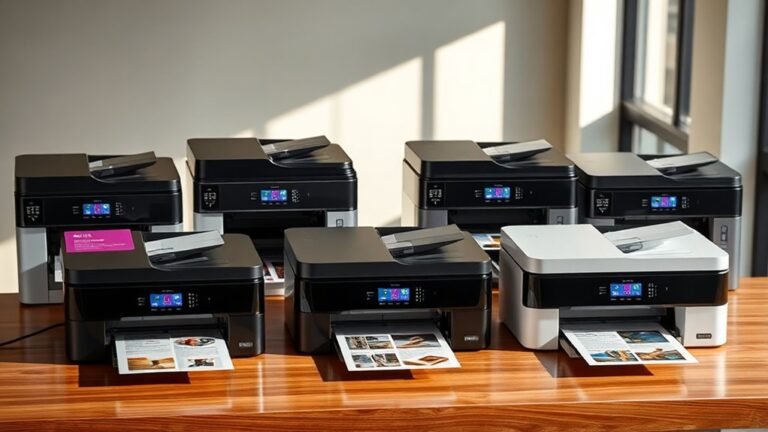
If you’re searching for an affordable, reliable all-in-one printer under $75, you’ve got some great options to consider.
These budget-friendly printers deliver sharp prints and versatile features without breaking the bank. Whether you need something compact for simple tasks or a model with smart features like touchscreen controls, there’s something here for everyone.
Take the HP DeskJet 2923 for crisp, clear prints.
Or maybe the Canon PIXMA TS4320 catches your eye with its ability to handle various media types.
If space is tight, the Canon PIXMA TS3720 offers compact simplicity.
And don’t forget the HP Envy 6155, which comes with a touchscreen and duplex printing for added convenience.
All these printers provide wireless connectivity and solid print quality.
Plus, they each help you save on ink and paper.
Keep exploring to find the perfect fit for your printing needs and budget.
| Image | Name | Editor's Rating | Price |
|---|---|---|---|

|
|
||

|
|
||

|
|
HP DeskJet 2923 Color Inkjet Printer | Wireless | All-in-One
- Perfect for basic printing needs – Print everyday color documents like to-do lists, letters, financial documents and recipes
- KEY FEATURES – Color print, copy, scan, and a 60-sheet input tray, plus mobile and wireless printing
- OPTIMIZE PRINT FORMATTING WITH HP AI – Print web pages and emails with precision—no wasted pages or awkward layouts; HP AI easily removes unwanted content, so your...
- ICON LCD – Print your basic documents with ease from the intuitive control panel
- PRINT SPEED – Up to 7.5 ppm black, 5.5 ppm color

Experience hassle-free printing at home with the HP DeskJet 2923 Color Inkjet Printer. Designed to fit snugly in any small space, this compact all-in-one device lets you print, scan, and copy without clutter or complexity. Its lightweight build makes it easy to move and position, helping you maintain a neat workspace.
Enjoy sharp, vibrant prints with resolutions up to 4800 x 1200 dpi in color. Whether you’re printing family photos or important documents, this printer delivers clear results. Wireless connectivity adds convenience, allowing you to print directly from your phone or laptop without tangled cables.
Maintenance is straightforward with a 60-sheet input tray that balances capacity with space-saving design. While it may require occasional refills during busy days, its simplicity keeps upkeep manageable. Keep in mind, copy runs are limited to 9 pages, ideal for everyday tasks rather than large copying jobs.
The HP DeskJet 2923 is built for home users needing a reliable, affordable printer that handles multiple functions with ease. Its combination of wireless freedom and quality output makes daily printing smooth and efficient.
Best for: individuals or families seeking an affordable, compact all-in-one printer for everyday home use with wireless and mobile printing capabilities.
What We Like:
- Compact, lightweight design fits small spaces effortlessly
- High-quality color printing with vivid resolution
- Wireless printing via dual-band Wi-Fi and HP App support
- Simple maintenance with manageable paper capacity
Specification:
| Feature | Details |
|---|---|
| Manufacturer | HP |
| Dimensions | Compact size (exact not specified) |
| Weight | 7.6 lb (3.45 kg) |
| Printer Type | Color Inkjet |
| Connectivity | Wireless (Dual-band Wi-Fi) |
| Functions | Print, Scan, Copy |
Canon PIXMA TS4320 – Wireless Color Inkjet Printer with Print, Copy, Scan
- Affordable Versatility - A budget-friendly all-in-one printer perfect for both home users and hybrid workers, offering exceptional value
- Crisp, Vibrant Prints - Experience impressive print quality for both documents and photos, thanks to its 2-cartridge hybrid ink system that delivers sharp text and vivid...
- Effortless Setup & Use - Get started quickly with easy setup for your smartphone or computer, so you can print, scan, and copy without delay
- Reliable Wireless Connectivity - Enjoy stable and consistent connections with dual-band Wi-Fi (2.4GHz or 5GHz), ensuring smooth printing from anywhere in your home or...
- Scan & Copy Handling - Utilize the device’s integrated scanner for efficient scanning and copying operations
The Canon PIXMA TS4320 is designed to simplify your everyday printing, copying, and scanning needs. Its wireless connectivity means you can print from anywhere in your home or office without hassle. This compact printer fits neatly on any desk, saving space while delivering clear, vibrant prints.
With a sharp print resolution up to 1200 x 1200 dpi, you get detailed color and black-and-white documents. The printer supports auto-duplex printing, helping you save paper and reduce waste automatically. It handles various media types, making it versatile for different tasks.
Setup is straightforward thanks to dual-band Wi-Fi and compatibility with the Canon PRINT App, Apple AirPrint, and Mopria. The 100-sheet input capacity keeps paper loaded for routine jobs, while the flatbed scanner lets you digitize documents quickly.
Maintenance is simple, though the printer’s moderate speed and limited output tray mean it’s best suited to low-to-medium volume printing. Its lack of an advanced display may require using a connected device for complex settings.
Best for: Individuals or small home offices needing an affordable, compact wireless printer for daily color and black-and-white printing, copying, and scanning.
What We Like:
- Sharp print quality with 1200 x 1200 dpi resolution
- Auto-duplex printing for easy double-sided output
- Easy wireless setup with multiple mobile printing options
- Compact design fits well in small spaces
Specification:
| Feature | Details |
|---|---|
| Manufacturer | Canon |
| Dimensions (W x D x H) | 14.7 x 12.7 x 5.2 inches |
| Weight | 8.8 lbs (4 kg) |
| Color Options | Black |
| Print Resolution | Up to 1200 x 1200 dpi |
| Connectivity | Dual-band Wi-Fi |
| Paper Capacity | 100 sheets |
| Functions | Print, Copy, Scan |
Canon PIXMA TS3720 Wireless All-in-One Printer
No products found.
Experience hassle-free printing with the Canon PIXMA TS3720 Wireless All-in-One Printer. Designed to simplify everyday tasks, it combines printing, scanning, and copying in a compact unit. This versatile device fits easily on your desk, helping you keep your home workspace organized and efficient.
Setting up wireless printing is straightforward with dual-band Wi-Fi support. You can easily print from smartphones or tablets using the Canon PRINT app, Apple AirPrint, or Mopria. This eliminates the need for cables and keeps your workflow smooth.
Maintenance is simple thanks to two replaceable cartridges, which help reduce running costs. The 60-sheet rear tray handles various paper types, including borderless photos up to 5” x 7”. While suited for light to moderate use, it may not meet the demands of heavy printing due to its slower speeds.
Its compact design and lightweight build make it an ideal choice for home users who need reliable, all-in-one functionality without taking up much space. The modest 1.5” LCD screen provides basic navigation but might be less intuitive for complex tasks.
Best for: Home users needing a compact, user-friendly wireless all-in-one printer for everyday printing, scanning, and copying.
What We Like:
- Stable dual-band Wi-Fi and mobile printing compatibility.
- Compact and lightweight design fits small workspaces.
- Supports borderless photo printing and multiple media types.
- Simple maintenance with two replaceable cartridges.
Specification:
| Feature | Details |
|---|---|
| Manufacturer | Canon |
| Dimensions (W×D×H) | Compact size (exact not provided) |
| Weight | 8.7 lb (3.95 kg) |
| Color | White |
| Paper Capacity | 60-sheet rear tray |
| Print Speed | 7.7 ppm black, 4 ppm color |
| Display | 1.5” LCD screen |
| Connectivity | Dual-band Wi-Fi, Mobile printing support |
HP Envy 6155 All-in-One Wireless Printer (Renewed)
- ALL-IN-ONE MULTIFUNCTION PRINTER: Enjoy convenient printing, scanning, and copying with the HP ENVY 6155. Designed for everyday home use, school assignments, personal...
- WIRELESS PRINTING CONNECTIVITY: Print conveniently from compatible smartphones, tablets, and computers. Enjoy flexible wireless printing for everyday documents and photos...
- VIBRANT COLOR INKJET PRINTING: Produce sharp black text and vibrant color documents for everyday printing needs. Ideal for schoolwork, business documents, household...
- AUTOMATIC TWO-SIDED PRINTING: Save paper and reduce manual effort with automatic duplex printing. Easily print documents on both sides of the page for more efficient...
- EASY-TO-USE TOUCHSCREEN: Navigate printer functions and settings with the convenient touchscreen interface. Its compact design makes it a practical addition to home...
Experience hassle-free printing with the HP Envy 6155 All-in-One Wireless Printer. Designed for students and home offices, this renewed printer addresses everyday printing challenges by offering reliable printing, scanning, and copying in one compact device. Its touchscreen display makes navigation simple, helping you complete tasks quickly.
The printer supports wireless connectivity, allowing you to print directly from your smartphone, tablet, or computer without tangled cables. With speeds up to 20 ppm for black and 7 ppm for color, it efficiently handles daily documents and vibrant images. Automatic two-sided printing reduces paper waste, making it an eco-friendlier choice.
Maintenance is straightforward with this all-in-one model. Despite being renewed, it has been thoroughly inspected to ensure dependable performance. Minor cosmetic wear may be present, but it doesn’t affect functionality. This device fits well in small spaces thanks to its compact design.
Best for: Students and home users seeking an affordable, versatile all-in-one printer with wireless features and easy operation.
What We Like:
- Combines printing, scanning, and copying in a compact form
- Wireless printing from multiple devices including smartphones
- Automatic two-sided printing for paper savings
- User-friendly touchscreen controls
- Reliable performance in a renewed unit
Specification:
| Feature | Details |
|---|---|
| Manufacturer | HP |
| Dimensions | 17.3 x 14.5 x 5.7 inches |
| Weight | 13.5 lb (6.12 kg) |
| Material | Plastic |
| Color Options | Black and White |
Factors to Consider When Choosing an All in One Printer Under $75
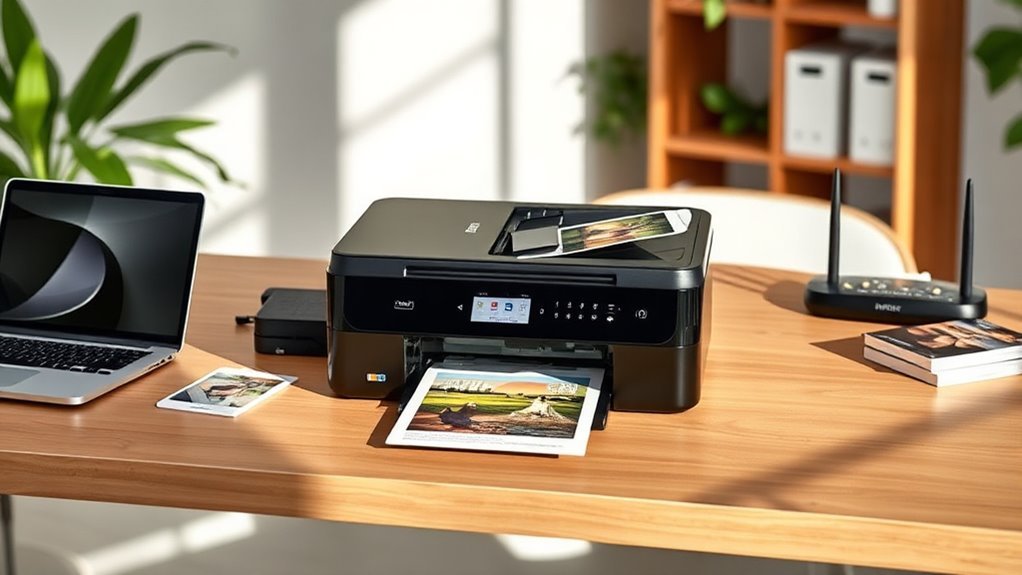
When choosing an all-in-one printer under $75, you’ll want to focus on print quality and speed to match your needs. Check the connectivity options to make sure it works smoothly with your devices.
Also, consider ink efficiency, size, weight, and any extra features that could add value. These little things can make a big difference in your day-to-day use.
Print Quality and Speed
Print quality and speed play key roles in choosing an all-in-one printer under $75. You’ll want a printer with high resolution—ideally around 4800 x 1200 optimized dpi—to guarantee your color prints look vibrant and sharp.
Speed matters too; aim for models that print at least 7 pages per minute in black and 4 pages per minute in color to stay efficient. Consider printers with hybrid ink systems, as they typically deliver better color accuracy and clarity than standard cartridges.
Automatic duplex printing is a bonus if you handle larger print jobs, since it saves time and paper. Also, check if the printer supports various media types, so your print quality stays consistent whether you’re printing photos, documents, or labels.
Connectivity Options Available
Choosing an all-in-one printer under $75 means paying close attention to connectivity options to guarantee smooth and flexible printing. You’ll want a printer with dual-band Wi-Fi (2.4GHz and 5GHz) for a stable wireless connection across your devices.
Make certain it supports mobile printing apps like Apple AirPrint and Mopria so you can print directly from your smartphone or tablet without hassle. Having USB connectivity is a smart backup for direct computer connections when wireless isn’t available.
Also, check if the printer offers wireless direct printing to print without joining a network. Finally, confirm it handles various media types and sizes, increasing versatility for different printing tasks.
These connectivity features ensure your printer fits seamlessly into your tech setup.
Ink Efficiency and Cost
Although all-in-one printers under $75 may seem affordable upfront, you’ll want to carefully weigh ink efficiency and ongoing costs to avoid surprises down the line.
Focus on models with a two-cartridge system, which usually saves you money on replacements compared to single-cartridge printers. Check if the printer supports automatic duplexing—it cuts paper use by allowing double-sided printing, lowering overall costs.
Pay attention to the print yield of cartridges; higher yields mean fewer replacements and less expense per page. If you print regularly, consider printers offering ink subscription services for additional savings.
Finally, factor in initial setup costs, as some budget printers have low purchase prices but high ink expenses, which can add up quickly.
Device Size and Weight
When selecting an all-in-one printer under $75, paying attention to size and weight is essential, especially if you have limited space. Lighter models around 7-8 pounds are easier to move and fit comfortably in tight areas, making them ideal for home use.
Check the printer’s dimensions carefully—compact units usually measure between 11 and 17 inches in depth and width. Aim for a height under 7 inches so it fits easily on shelves or desks without blocking sightlines.
Prioritize printers with streamlined designs that minimize their footprint while still offering all-in-one functionality. By balancing size with your needs, you guarantee the printer won’t overcrowd your workspace or sacrifice usability.
This way, you can make the most of your limited area without compromise.
Additional Features Included
Beyond size and weight, the extra features packed into an all-in-one printer under $75 can make a big difference in how smoothly it fits into your workflow. You’ll want wireless connectivity, ideally dual-band Wi-Fi, so you can print from multiple devices without tangled cables.
Look for all-in-one functionality—printing, scanning, and copying—to handle tasks without extra gadgets. Print speed matters too; options range from 4 to 20 pages per minute, helping you work efficiently.
Automatic duplex printing saves you time and paper by printing double-sided pages without manual effort. Also, check for intuitive controls like touchscreen displays or mobile app compatibility so you can set up and operate your printer with ease.
These features guarantee your budget printer feels anything but basic.
Frequently Asked Questions
How Do I Recycle Ink Cartridges From These Printers?
You can recycle ink cartridges by checking for local drop-off points, using manufacturer mail-back programs, or visiting office supply stores with recycling bins.
Don’t forget to seal cartridges in a plastic bag to prevent leaks during transport.
It’s pretty easy once you know where to look, and it helps keep the environment clean!
Are These Printers Compatible With macOS and Windows?
Yes, these printers are compatible with both macOS and Windows. You’ll find drivers available for easy installation on either system, so you won’t have trouble connecting or printing regardless of your operating system choice.
It’s pretty straightforward to get them up and running. Whether you’re on a Mac or a PC, the setup process is smooth and hassle-free.
What Is the Average Lifespan of These Budget Printers?
You can expect these budget printers to last around 2 to 3 years with regular use. Proper maintenance can extend their lifespan.
But keep in mind, they typically aren’t built for heavy, long-term printing compared to higher-end models. So, if you print a lot, you might want to consider something more durable.
Do These Printers Support Duplex (Double-Sided) Printing?
Of course, these budget printers love surprising you—they usually don’t support duplex printing.
Can These Printers Connect via USB Instead of Wi-Fi?
Yes, most of these printers let you connect via USB instead of Wi-Fi. You’ll find a USB port for direct connection.
This is pretty handy if you prefer a stable, wired setup over wireless printing options. It’s a simple way to keep things straightforward and reliable.
Conclusion
Choosing the right all-in-one printer under $75 is like finding a trusty compass in a sea of options—it guides you with ease and reliability. Whether you pick the vibrant HP DeskJet 2923 or the sleek Canon PIXMA TS4320, you’re equipping yourself with a tool that brings your ideas to life.
So, trust your instincts and let your new printer be the bridge between your creativity and reality. With an affordable all-in-one printer under $75, every print becomes a meaningful step forward. Finding the best all-in-one printer that fits your budget and needs doesn’t have to be complicated.
These printers offer quality, convenience, and value—all without breaking the bank. Ready to make your choice? Your perfect all-in-one printer is waiting to help turn your projects into reality.