6 Best 3D Printers in Singapore for 2027
If you’re on the lookout for the best 3D printers in Singapore for 2027, you’ve come to the right place. Whether you need speed, precision, or vibrant multi-color printing, there’s something for everyone. From professional setups to beginner-friendly options, the market is packed with choices that fit different needs and budgets.
For those who want top-notch performance, consider the Bambu Lab P2S Combo for professional use or the P1S Combo if you need versatile multi-material capabilities. These printers really shine when it comes to quality and efficiency.
If easy setup and native 4-color printing are your priorities, the Anycubic Kobra X is a great pick. Meanwhile, the FLASHFORGE AD5X and Creator 5 Pro bring high-speed, multi-head printing with support for advanced materials.
Beginners shouldn’t feel left out either. The ELEGOO Centauri 2 stands out with smart features that make 3D printing accessible and fun. Take a closer look and find the perfect 3D printer that suits your needs!
| Image | Name | Editor's Rating | Price |
|---|---|---|---|

|
|
||

|
|
||

|
|
||

|
|
||

|
|
Bambu Lab P2S Combo, P2S 3D Printer & AMS 2 Pro, Multi-Color 3D Printing
- High-Speed Precision: The Bambu Lab P2S 3D printer prints up to 600 mm/s while maintaining exceptional accuracy. With the PMSM Servo Extruder and Active Flowrate...
- Ready to Print in 15 Minutes: Set up your P2S FDM 3D printer and start printing in just 15 minutes. With AI failure detection, quick-swap nozzles, and automatic...
- Effortless Multi-Color Printing: The AMS 2 Pro enables seamless multi-color/multi-material 3D printing. It features built-in filament drying at up to 65 °C, keeping...
- Smart Airflow for Any Filament: The Adaptive Airflow System automatically balances cooling and heat retention—keeping overhangs crisp with cool air, or maintaining a...
- Limitless Creativity, Seamless Workflow: Explore over one million 3D models on MakerWorld and bring them to life with a smooth, unified workflow using Bambu Studio, Bambu...
Experience high-speed, precise multi-color 3D printing with the Bambu Lab P2S Combo, designed to elevate your creative projects. Combining the P2S 3D Printer with the AMS 2 Pro accessory, it solves the challenge of seamless multi-material and multi-color printing in a single workflow.
This system’s CoreXY motion design reaches speeds up to 600 mm/s, maintaining sharp detail and accuracy throughout. Setup is straightforward, taking just 15 minutes, with automatic calibration and quick-swap nozzles that minimize downtime and keep your workflow smooth.
Maintenance is simplified with the AMS 2 Pro’s built-in filament drying and Adaptive Airflow System, ensuring consistent filament quality and reducing print failures. The integrated carbon filter also keeps your workspace clean by capturing odors and particles.
Ideal for users who demand reliability and efficiency, the Bambu Lab P2S Combo supports advanced projects without compromising ease of use. Its robust build and intelligent features streamline multi-color printing while requiring a dedicated workspace due to its size and weight.
Best for: professionals and hobbyists seeking a fast, accurate multi-color 3D printing solution with advanced material management.
What We Like:
- CoreXY system delivers fast, precise prints up to 600 mm/s
- AMS 2 Pro enables smooth multi-material and multi-color workflows
- Automated calibration and quick nozzle changes simplify operation
- Filament drying and adaptive airflow improve print consistency
- Carbon filter maintains a clean workspace environment
Specification:
| Feature | Details |
|---|---|
| Manufacturer | Bambu Lab |
| Dimensions | Not specified |
| Weight | 46.3 lb (21 kg) |
| Material | Industrial-grade parts |
| Color Options | Not specified |
Bambu Lab P1S Combo, P1S 3D Printer and AMS, Multi-Color 3D Printing
- Up to 16 Colors: Bring your designs to life with vibrant multi-color/multi-material printing capabilities, perfect for showcasing your creativity. Note: Connecting Bambu...
- 500mm/s and 20000 mm/s² Acceleration True High Speed: Don't wait around for your masterpieces. Lightning-fast printing speed lets you focus on creating, not waiting.
- Enclosed Design: Fully enclosed body improves print performance for advanced filaments. Automatic Bed Leveling: Say hello to high-quality, successful prints. Auto bed...
- Set Up in 15 Minutes: Spend more time printing and less time setting up. User-friendly design ensures a hassle-free assembly experience for all skill levels.
- Supported Filament: Ideal: PLA, PETG, TPU, PVA, PET ABS, ASA; Capable : PA, PC; Not Recommended: Carbon/Glass Fiber Reinforced Polymer.
The Bambu Lab P1S Combo is designed to transform your 3D printing experience. It delivers fast, multi-color printing with minimal setup, helping you complete projects quickly without hassle. Its CoreXY design ensures smooth and precise movements, making complex prints more reliable.
This printer’s enclosed body and automatic bed leveling reduce maintenance time and improve print consistency. You can focus on creating rather than troubleshooting. The P1S Combo supports a wide range of materials like PLA, PETG, and TPU, allowing you to explore various applications without changing equipment.
When paired with the AMS unit, the printer handles up to 16 colors or materials in one build. This expands your creative possibilities and streamlines multi-material projects. Despite its advanced features, the setup is straightforward and can be completed in about 15 minutes.
Weighing 47.5 pounds, the P1S Combo fits comfortably in most workspaces but is less suited for frequent transport. It does not support carbon or glass fiber reinforced polymers, which may limit some advanced material uses.
Best for: Designers and makers seeking a fast, versatile 3D printer for multi-color and multi-material projects with easy maintenance.
What We Like:
- High-speed printing up to 500 mm/s for efficient production
- Supports 16 colors/materials with AMS for creative flexibility
- Automatic bed leveling and enclosed chamber enhance print reliability
- Quick, user-friendly setup in about 15 minutes
Specification:
| Feature | Details |
|---|---|
| Manufacturer | Bambu Lab |
| Dimensions | Not specified |
| Weight | 47.5 lb (21.5 kg) |
| Printer Type | CoreXY 3D Printer |
| Material Support | PLA, PETG, TPU, others |
| Color Options | Multi-color with AMS |
Anycubic Kobra X Multicolor 3D Printer, Easy Setup, Native 4-Color
- 【 Newest Level - 19-Color with 4 ACE 2 Pro】Why settle for one color when you can have multicolor? The Kobra X comes born with 4 colors built-in. It is innovative 3D...
- 【 Savings 2X Time】Stop wasting hours and filament on purging! Kobra X impresora 3D reduces the filament and machine travel path by 81.25%, so 2X the Speed, and...
- 【Hardened Precision & High Speed 】 Equipped with a high-durability hardened steel nozzle and vibration compensation, the Kobra X ensures every layer remains smooth...
- 【Flawless First Layer with LeviQ 3.0】The LeviQ 3.0 and auto bed leveling system uses a 49-point calibration and advanced leveling algorithm to ensure 100% bed...
- 【Smart AI Monitoring & Large Model Library】APP remote control, features Spaghetti detection and foreign object detection. The innovative top-mount spool holder...

The Anycubic Kobra X Multicolor 3D Printer brings multicolor printing into your home or classroom with ease. Its native 4-color system dramatically reduces filament purging and travel paths by 81.25%, which means faster prints and less wasted material. This smart design helps you complete projects more efficiently without sacrificing quality.
With a max speed of 600 mm/s and a hardened steel nozzle, the printer delivers precise and durable results. The LeviQ 3.0 auto bed leveling system simplifies setup and ensures your prints stick perfectly every time. Maintenance is straightforward, thanks to its reliable components and smart AI monitoring that alerts you to any issues early.
This 3D printer supports a 260 mm build volume and a wide range of materials, making it versatile for various creative and educational uses. Dual-band Wi-Fi lets you control prints remotely, adding convenience to your workflow. Setup takes only about 15 minutes, making it accessible to beginners and professionals alike.
While filament is not included, and the system is limited to four colors natively, the printer’s efficiency and ease of use make it a valuable addition to any workspace. Some advanced features may require a short learning curve for new users but ultimately enhance print quality and control.
Best for: hobbyists, educators, and professionals seeking an efficient, easy-to-use multicolor 3D printer with versatile material compatibility.
What We Like:
- Native 4-color system cuts filament waste and speeds up printing.
- LeviQ 3.0 auto bed leveling and AI monitoring simplify maintenance.
- Supports diverse materials with a spacious 260 mm build volume.
- Dual-band Wi-Fi enables convenient remote control.
Specification:
| Feature | Details |
|---|---|
| Manufacturer | Anycubic |
| Build Volume | 260 x 260 x (height not specified) mm |
| Max Print Speed | 600 mm/s |
| Nozzle Material | Hardened steel |
| Color System | Native 4-color |
| Bed Leveling | LeviQ 3.0 auto bed leveling |
| Connectivity | Dual-band Wi-Fi |
FLASHFORGE AD5X High-Speed Multi-Color 3D Printer
- Vivid Multi-Color Printing: Bring your creations to life with vibrant, multi-color prints. This printer supports up to 4 colors simultaneously, giving you endless...
- 1-Click Auto Leveling: Enjoy smooth, uninterrupted prints with the advanced 1-Click Auto Leveling feature that automatically calibrates your print bed for optimal results...
- Ultra-Fast 12X Printing Speed: The AD5X features a Core XY structure with speeds up to 600mm/s and acceleration of 20,000mm/s². Its stable design boosts both efficiency...
- Exceptional Print Quality: The AD5X delivers outstanding print results with its advanced dual-channel cooling fan, vibration compensation system, and 300°C direct-drive...
- Versatile Nozzle Options: The AD5X supports four nozzle sizes (0.25mm to 0.8mm) for full creative control. The 0.4mm nozzle comes pre-installed for versatile, everyday...
The FLASHFORGE AD5X revolutionizes multi-color 3D printing by enabling vivid, complex models with up to four colors at once. Its advanced Core XY motion system offers speeds up to 600 mm/s, making rapid prototyping and small batch production faster and more efficient. This printer is designed to meet the demands of professionals who need detailed, multi-tone prints without sacrificing speed.
Maintenance is straightforward with features like 1-click auto leveling and resume-printing, reducing downtime and simplifying daily use. The direct-drive extruder heats to 300°C and supports multiple nozzle sizes, allowing flexibility in print detail, though nozzle swaps are manual. Dual-channel cooling and vibration compensation ensure consistent, high-quality outputs while minimizing defects.
With a build volume of 220×220×220 mm, the AD5X balances compactness and capability, ideal for creating detailed parts without occupying excessive workspace. Remote control via the Flash Maker app adds convenience, allowing users to monitor and manage prints from anywhere.
Best for: Designers and engineers needing fast, high-quality multi-color 3D prints for rapid prototyping and small batch production.
What We Like:
- Simultaneous four-color printing for complex, vibrant models
- High-speed Core XY system with up to 20,000 mm/s² acceleration
- Easy maintenance with 1-click leveling and resume-printing features
- Remote print monitoring through the Flash Maker app
Specification:
| Feature | Details |
|---|---|
| Manufacturer | FLASHFORGE |
| Build Volume | 220 × 220 × 220 mm |
| Max Print Speed | 600 mm/s |
| Acceleration | Up to 20,000 mm/s² |
| Extruder Temperature | Up to 300°C |
| Nozzle Sizes Supported | Multiple (manual swap) |
| Cooling System | Dual-channel cooling |
ELEGOO Centauri 2 Combo 3D Printer, Beginner-Friendly Multicolor Printing
- 4-Color Printing with CANVAS: Create vibrant multi-color models effortlessly with CANVAS 4-color printing. Independent motors, instant color switching, RFID filament...
- Start Printing with Confidence: Full auto calibration and smart pre-print checks simplify setup, while 22 intelligent sensors monitor every print in real time. From first...
- Designed for Speed: Experience faster creation with a high-speed CoreXY system reaching up to 500mm/s and 20,000mm/s² acceleration. The rigid aluminum frame and...
- Smoother, Sharper, Smarter: From the first layer to the final detail, intelligent calibration, vibration compensation, and precise extrusion control help produce clean...
- A Seamless Workflow from Idea to Print: Simplify your entire workflow with the ELEGOO ecosystem. Discover ready-to-print models on Nexprint, prepare projects with...
The ELEGOO Centauri 2 Combo makes multicolor 3D printing accessible and hassle-free for beginners and hobbyists. Its innovative 4-color CANVAS system with independent motors allows for instant color changes, so users can create vibrant, detailed models without interruption. RFID filament recognition and auto refill streamline the process, reducing manual handling and minimizing print errors.
Designed for smooth operation, the printer features a high-speed CoreXY motion system that reaches up to 500 mm/s. A rigid aluminum frame paired with precision guides ensures stable and accurate movements for consistent results. The built-in intelligent calibration and auto-leveling simplify setup, while 22 sensors monitor print conditions to enhance reliability.
Maintenance is straightforward thanks to a semi-automatic belt tensioner and a responsive 5-inch touchscreen. Users can also control and monitor prints remotely using the ELEGOO Matrix app, making it easier to manage projects from anywhere. Despite its advanced features, the printer remains user-friendly, though absolute beginners might need some time to get accustomed.
At 33 pounds, the Centauri 2 Combo is sturdy but less portable, and its compact touchscreen may feel small for some. Still, its combination of technology and design solves many common 3D printing challenges, helping users bring creative ideas to life with confidence.
Best for: Beginners and hobbyists seeking an easy-to-use, reliable multicolor 3D printer with smart features for creative projects.
What We Like:
- Intuitive 4-color CANVAS system with RFID filament recognition and auto refill
- High-speed CoreXY system with rigid frame for stable, precise prints
- Intelligent calibration, auto leveling, and comprehensive sensor suite
- Remote control and monitoring via ELEGOO Matrix app
- Semi-automatic belt tensioner simplifies maintenance
Specification:
| Feature | Detail |
|---|---|
| Manufacturer | ELEGOO |
| Dimensions | Not specified |
| Weight | 33 lb (15 kg) |
| Material | Aluminum frame |
| Color Options | Not specified |
FLASHFORGE Creator 5 Pro 3D Printer, 4-Toolhead Multi-Color, Enclosed

- More Savings: Featuring 4 independent toolheads and a 7-second FlashSwap changer, the Creator 5 Pro switches nozzles without flushing filament. This completely eliminates...
- More Possibilities: Designed for industrial engineering, the fully enclosed frame features an active heated chamber up to 65°C to prevent warping in advanced filaments...
- More Stability: Built on a ultra-rigid integrated architecture combining a CoreXY motion structure, precision linear rails, and 1.5GT high-torque timing belts. Delivers...
- More Safety: Prioritizing workspace safety, the dual HEPA 13 and activated carbon system effectively traps ultrafine particles and fumes from filaments. Paired with a...
- More Control: Get a flawless first layer with automated toolhead offset calibration, vibration compensation, and dynamic flow calibration. Monitor real-time progress via...
Experience ultra-fast, multi-color 3D printing with the FLASHFORGE Creator 5 Pro. Designed for precision and speed, it tackles complex projects by swapping nozzles in just 7 seconds, eliminating purge waste. This means you get vibrant, accurate prints much faster than traditional printers.
Its CoreXY motion system and precision rails allow printing speeds up to 600 mm/s, without sacrificing detail. The fully enclosed frame with a heated chamber reaching 65°C ensures materials like ABS and PC print smoothly, reducing warping and improving quality.
Maintenance is straightforward thanks to automated calibration and dual filtration. The HEPA 13 and activated carbon filters maintain a clean, odorless workspace, supporting safe operation in any professional environment. Remote control and HD monitoring keep you connected to your print job at all times.
The printer’s robust design supports advanced materials and complex multi-color projects, making it ideal for professionals who demand reliability and precision in a controlled setting.
Best for: Professionals and advanced hobbyists requiring fast, multi-color 3D printing with advanced material support and automated control in a safe, enclosed workspace.
What We Like:
- Rapid 7-second nozzle swaps with minimal purge waste
- Enclosed heated chamber for printing advanced materials
- Dual HEPA 13 and carbon filters ensure a clean environment
- Automated calibration simplifies maintenance
- Remote control and HD monitoring enhance user convenience
Specification:
| Feature | Details |
|---|---|
| Manufacturer | FLASHFORGE |
| Dimensions | 16 × 14 × 18 inches |
| Weight | 39 pounds |
| Toolheads | Four independent toolheads |
| Heated Chamber | Up to 65°C |
| Filtration | Dual HEPA 13 and activated carbon filters |
Factors to Consider When Choosing 3d Printer Singapore
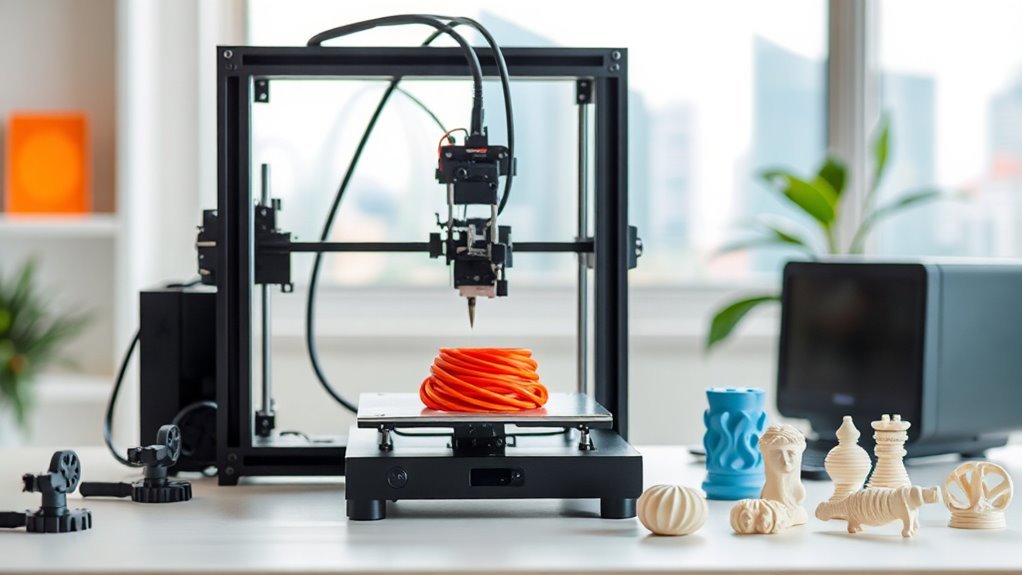
When choosing a 3D printer in Singapore, you’ll want to focus on print speed and precision to get the quality you need. Consider if multi-color printing and a wide range of material compatibility are important for your projects.
Also, check how easy the setup is and whether the build volume size fits your design requirements. It’s all about finding a printer that matches what you want to create without too much hassle.
Print Speed And Precision
Print speed and precision play a vital role in choosing the right 3D printer in Singapore, especially if you want efficient yet detailed results. Higher speeds between 300–600 mm/s can cut print times, but you’ll need a rigid CoreXY system and vibration compensation to keep accuracy intact.
Acceleration matters too; faster acceleration (10,000–20,000 mm/s²) speeds up prints but risks ringing if the frame isn’t stiff. Remember, layer resolution—usually 0.05–0.2 mm—remains independent of speed, so focus on consistent extrusion for fine details.
Also, precise filament feeding with active flowrate compensation and quick-swap nozzles help prevent extrusion issues during rapid changes. Finally, good cooling and thermal management guarantee fast layers solidify properly, avoiding sagging or poor overhangs when printing quickly.
Multi-Color Printing Capability
Speed and precision set the foundation, but adding vibrant, multi-color capability can really take your 3D prints up a notch. First, you want to check if the printer supports native multi-color printing with multiple toolheads or color modules. These usually offer faster and cleaner color shifts compared to external systems.
Also, look into how many colors the printer can handle and the switching method it uses—whether that’s simultaneous nozzles, sequential tool changes, or filament switching. This matters because it affects speed, purge waste, and overall print quality.
It’s a good idea to evaluate the purge management system too. Minimizing material waste helps keep ongoing costs down. Plus, make sure the printer’s software supports multi-color slicing with features like automated color mapping and even AI-assisted monitoring. This can really cut down on failed prints.
Lastly, don’t forget about environmental controls like heated chambers and filament drying. These help ensure consistent adhesion and keep your colors vibrant throughout all your multi-material projects.
Material Compatibility Range
Since your choice of 3D printer directly affects the range of materials you can work with, it’s essential to verify the printer’s maximum nozzle and chamber temperatures. Look for a nozzle that reaches at least 300°C and a chamber that can maintain around 50–65°C to print engineering polymers like PC, PA, and ABS.
If you want to print flexible or specialty filaments such as TPU or PVA, make certain the printer has a compatible direct-drive extruder and optimized retraction settings. These features really help with tricky materials.
For abrasive or composite filaments, choose a printer with hardened steel or wear-resistant nozzles and an extruder rated for abrasive materials. Also, if multi-material printing interests you, consider features like independent toolheads or multi-filament feeders.
Don’t forget filament storage or drying options for hygroscopic materials like Nylon or PETG to maintain print quality. Keeping your filament dry can make a big difference in your results!
Ease Of Setup
Choosing a 3D printer that supports your material needs is only part of the equation; how quickly and easily you can get started matters just as much. Look for printers that promise a “ready-to-print” time around 15 minutes and provide clear step-by-step setup guides to cut down on assembly and calibration hassle.
Features like automatic bed leveling and one-click calibration save you from tedious manual tweaks, especially if you’re new. Quick-swap nozzles and modular toolheads make maintenance and filament changes hassle-free, reducing downtime.
Built-in filament loading with RFID recognition guarantees smooth, error-free starts. Also, prioritize printers with all-encompassing software ecosystems offering unified slicers, built-in model libraries, and Wi-Fi or remote control to streamline file transfer and pre-print setup.
This way, you’ll hit the ground running with minimal frustration.
Build Volume Size
When picking a 3D printer in Singapore, you’ll want to take into account the build volume carefully to match your project needs. Measure the maximum part size you expect to print, then choose a build volume at least 20–30% larger in each dimension to allow for supports and rotation.
For small prototypes or multi-color prints, a 200–300 mm cubic build volume often works well. But if you’re making larger functional parts, you might need 300–500+ mm in at least one axis.
Keep in mind usable space can shrink due to accessory mounts or toolhead clearance. Larger volumes mean bigger enclosures, higher power use, and longer heat-up times, so balance size against your workspace and material limits.
If you foresee growth, consider modular printers with expandable beds to scale up later. This way, you won’t have to buy a whole new machine down the line.
Environmental Control Features
Beyond build volume, controlling your printer’s environment plays a big role in achieving high-quality results, especially with advanced materials. If you’re printing engineering-grade filaments like ABS or PC, choose a printer with an enclosed or actively heated chamber (up to 65 °C). This helps minimize warping and improve layer adhesion.
For hygroscopic materials such as Nylon and PETG, integrated filament drying or enclosed storage with drying really helps prevent moisture-related defects like bubbling. Air filtration systems, including HEPA and carbon filters, reduce ultrafine particles and odors during high-temperature prints. This keeps your workspace cleaner.
Look for printers with adjustable airflow so you can balance cooling and heat retention. That way, you get crisp details and stable temperatures. Finally, temperature and humidity monitoring with alerts make it easier to maintain consistent print quality throughout long jobs.
Software And Connectivity Options
While hardware specs are crucial, software and connectivity options can make or break your 3D printing experience in Singapore. You’ll want a printer that supports common file formats like STL, OBJ, and G-code. This lets you import and export directly from your preferred slicer without extra steps.
Wireless options such as dual-band Wi-Fi, Ethernet, and USB are essential for fast file transfers and remote job management. It’s super convenient to manage your prints without being tied down to a single spot.
Look for slicers that are vendor-neutral or open-source compatible, with frequent updates and advanced features like multi-material toolpaths. These help you get the most out of your printer without being locked into one ecosystem.
Onboard controls—think touchscreens or web UIs—plus live monitoring with cameras and remote pause/resume make managing prints easy. You’ll appreciate being able to check on your print and make adjustments from anywhere.
Finally, ecosystem integrations like cloud slicing, mobile apps, and printer-to-printer sharing help automate workflows and simplify fleet management. It’s all about making your 3D printing smoother and more efficient.
Frequently Asked Questions
What Materials Are Best for 3D Printing in Singapore’s Climate?
You’ll want materials like ABS and PETG for Singapore’s humid climate since they resist moisture and heat well.
PLA works too but can warp, so use a controlled environment. Or, you might consider nylon for durability and flexibility.
How Do I Maintain and Clean a 3D Printer Regularly?
Think of your 3D printer as a garden—clean its nozzle and bed regularly. Lubricate moving parts, and remove filament debris.
This way, you’ll keep it blooming smoothly. Plus, you’ll avoid clogs that could ruin your prints.
Are There Any Local 3D Printing Communities or Workshops?
Yes, you’ll find several local 3D printing communities and workshops in Singapore. Join groups like MakerHive or attend events at spaces like SUTD’s Fab Lab to connect, learn, and share your 3D printing experiences actively.
It’s a great way to meet people who share your interests. Plus, you can pick up new tips and tricks along the way!
What Safety Precautions Should I Take When 3D Printing at Home?
Like a wizard guarding their spellbook, you should make certain good ventilation, wear gloves, and avoid touching hot parts.
Keep your workspace clean, and never leave the printer unattended. Safety first keeps your magic—and you—intact.
Can 3D Printers Be Used for Educational Purposes in Schools?
Yes, you can use 3D printers in schools to boost creativity and hands-on learning. They help you explore design, engineering, and problem-solving.
This makes lessons more engaging and interactive for students across various subjects. It’s a great way to bring ideas to life and get everyone involved.
Conclusion
Choosing the right 3D printer in Singapore for 2027 isn’t just important—it’s life-changing! With these six incredible options, you’re basically holding the key to creating anything your imagination dreams up, from multi-color masterpieces to high-speed wonders.
Don’t settle for less when you can have the best tech at your fingertips. Trust me, once you pick one, you’ll wonder how you ever lived without 3D printing magic in your life!
Finding the best 3D printer in Singapore means unlocking endless creative possibilities. Whether you’re a hobbyist or a pro, these top 3D printers deliver precision, speed, and vibrant colors. So, get ready to bring your ideas to life with the best 3D printers available in Singapore for 2027!